
ROG Vulcan ANC - Headphones ASUS - Free user manual and instructions
Find the device manual for free ROG Vulcan ANC ASUS in PDF.
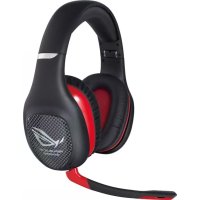



| Brand | ASUS |
| Model | ROG Vulcan ANC |
| Product type | Audio headset with active noise cancellation |
| Headphone type | Circumaural |
| Speakers | 40 mm driver |
| Impedance | 32 Ω |
| Frequency response | 10 Hz - 20 kHz |
| Active noise cancellation | Up to >15 dB |
| Passive noise isolation | Up to >30 dB |
| Power supply | 1 AAA battery |
| Battery life (noise cancellation) | Up to 40 hours |
| Microphone | Detachable, unidirectional |
| Connectivity | 3.5 mm audio cable (jack) |
| Controls | Volume wheel, mute button, noise cancellation switch |
| Included accessories | Carrying case, audio cable, microphone, quick start guide |
| Maintenance | Clean with a soft, dry cloth. Do not use liquid products. |
| Storage | Fold the ear cups and store in the case |
Frequently Asked Questions - ROG Vulcan ANC ASUS
User questions about ROG Vulcan ANC ASUS
0 question about this device. Answer the ones you know or ask your own.
Ask a new question about this device
Download the instructions for your Headphones in PDF format for free! Find your manual ROG Vulcan ANC - ASUS and take your electronic device back in hand. On this page are published all the documents necessary for the use of your device. ROG Vulcan ANC by ASUS.
USER MANUAL ROG Vulcan ANC ASUS
Active Noise-Canceling Gaming Headset
Quick Start Guide
English ....2 Hungarian ....32
French 5 Norwegian 35
German ....8 Polish ....38
Italian....11 Portuguese....41
Russian ....14 Romanian ....44
Czech ....17 Slovenian ....47
Danish 20 Slovensky 50
Dutch 23 Spanish 53
Finnish 26 Swedish 56
Greek 29 Ukrainian 59
U6667 / First Edition / May 2011
English
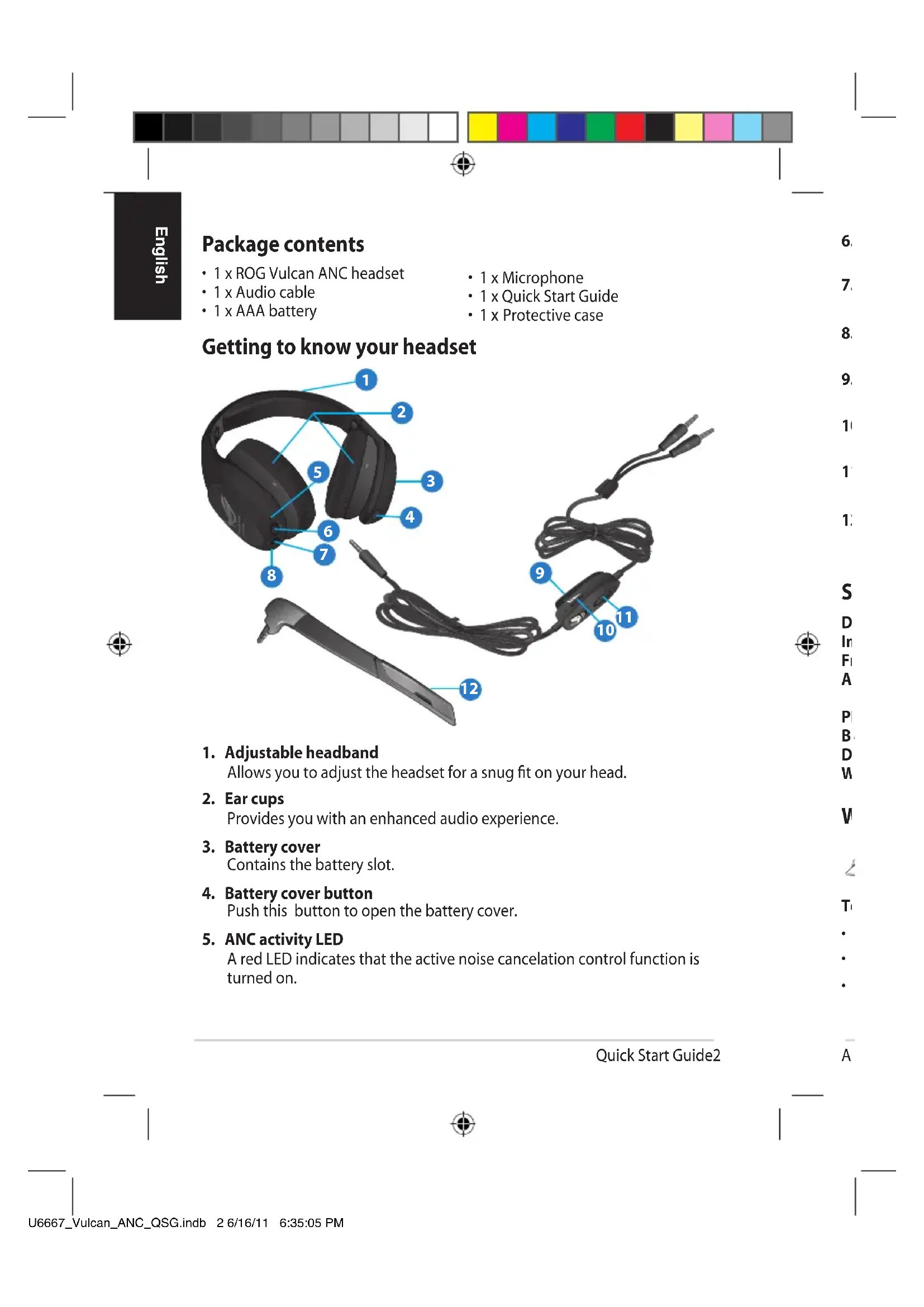
Package contents
- 1 x ROG Vulcan ANC headset
- 1 x Audio cable
- 1 x AAA battery
- 1 x Microphone • 1 x Quick Start Guide
- 1 x Protective case
Getting to know your headset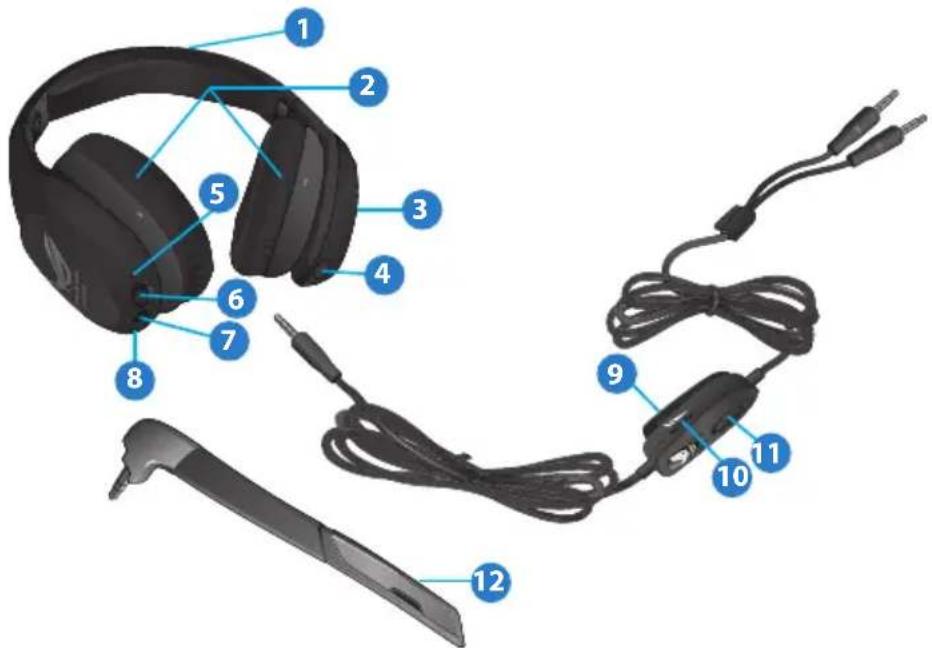
- Adjustable headband
Allows you to adjust the headset for a snug fit on your head.
- Ear cups
Provides you with an enhanced audio experience.
- Battery cover
Contains the battery slot.
- Battery cover button
Push this button to open the battery cover.
- ANC activity LED
A red LED indicates that the active noise cancellation control function is turned on.
Quick Start Guide2
6. ANC switch
Allows you to turn on/off the active noise cancelation control function.
7. Audio port
Insert the audio cable into this port.
8. Microphone port
Insert the microphone into this port.
9. In-line microphone jack storage clip
Allows you to clip the headset adapter on your pocket.
10. Volume control
Allows you to increase/decrease the volume.
11. Mute control
Allows you to put the microphone on mute mode.
12. Microphone
Insert the microphone into the microphone port for two-way communication.
Specification summary
Driver: 40mm
Impedance: 32 ohms
Frequency range: 10~20 kHz
ANC (Active noise cancellation) performance: Maximum >15dB
Effective Bandwidth >600MHz
PNC (Passive noise cancellation) performance: Maximum >30dB
Battery life: Up to 40 hours (with one AAA battery)
Dimension (mm): 206mm x 196mm x 80mm (L x W x H)
Weight: 325g
Wearing your headset

NOTE: There are L and R markings on the ear cups.
To wear your headset
- Adjust the headband so it fits snugly on your head.
- Adjust the ear cups so they fit comfortably around your ears.
- Move the volume control to increase or decrease the volume.
ASUS ROG Vulcan ANC 3

English
Installing the battery
To install the battery
- Turn off the ANC switch.
- Push the battery cover button to open and remove the battery cover.
- Install one AAA battery in the battery slot.
- Replace the battery cover.
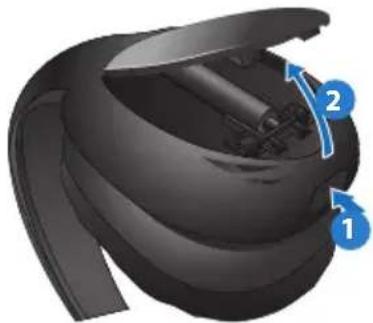

NOTE: Remove the battery if you are not going to use your headset for a long time.
Connecting the microphone and the audio cable
To connect the microphone
Connect the microphone to the headset's microphone port.
To connect the audio cable
- Connect the audio cable to the headset's audio port.
- Connect the audio cable's headphone and microphone connectors to your computer's headphone and microphone ports.
Activating the noise-canceling function
The noise-canceling function removes ambient noise such as background noise for a clearer sound quality.
To activate the noise-canceling function
Slide the ANC switch to the right to activate the noise-canceling function. The activity LED turns red.
Storing your headset
To store your headset
- Fold one side, then the other, ensuring that pressure is applied to the hinges and not on the ear cups.
- Put your headset and its accessories in the protective case.
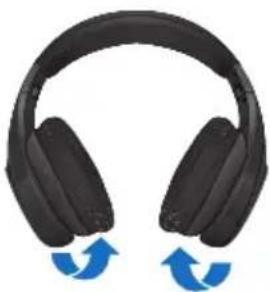
Quick Start Guide4
Box contents
• 1 x ROG Vulcan ANC headset - 1 x audio cable - 1 x AAA battery
- Adjustable headband
Dimensions (mm): 206mm x 196mm x 80mm (L x W x H)
Weight: 325g
Using the headset


ASUS ROG Vulcan ANC 7
Package contents
• 1 x ROG Vulcan ANC headset - 1 x audio cable - 1 x AAA battery

Quick Start Guide10
- Adjustable headband

ASUS ROG Vulcan ANC 13
Italian

Package contents
Russian

- Adjustable strap

Czech
ca
ASUS ROG Vulcan ANC 19
Package contents
• 1 x ROG Vulcan ANC headset • 1 x audio cable - 1 x AAA battery

Quick Start Guide22
Danish
Package contents
• 1 x ROG Vulcan ANC headset - 1 x audio cable - 1 x AAA battery
Dutch

N
the
ASUS ROG Vulcan ANC 25
Package contents

Quick Start Guide28
Greek
- Adjustable size

ASUS ROG Vulcan ANC 31
Package contents
• 1 x ROG Vulcan ANC headset • 1 x Audio cable - 1 x AAA battery

Quick Start Guide34

Package contents
• 1 x ROG Vulcan ANC headphones - 1 x Audio cable - 1 x AAA battery
- 1 x Microphone
- 1 x Quick Start Guide • 1 x Protective case
- Adjustable headband

NORWEGIAN
ASUS ROG Vulcan ANC 37


Portuguese
ASUS ROG Vulcan ANC 43
Romanian
- Adjustable headband

Slovenian
Slovenian

ASUS ROG Vulcan ANC 49
Package contents
• 1 x ROG Vulcan ANC headset with microphone
- 1 x microphone
• 1 x audio cable
- Adjustable headband
Allows you to adjust the headset with microphone so that it fits snugly on your head.
- Ear cups

Quick Start Guide52
Spanish
- Adjustable headband

lo
ASUS ROG Vulcan ANC 55
Swedish
ANC (Active noise cancellation) performance:
Maximum >15dB
Effective bandwidth >600MHz
PNC (Passive noise cancellation) performance:
Maximum >30dB

Quick Start Guide
- Adjustable strap

Technique
ia
ASUS ROG Vulcan ANC 61


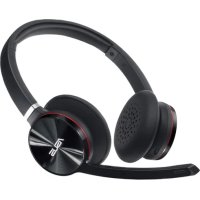
- ACTIVE NOISE-CANCELING GAMING HEADSET
- QUICK START GUIDE
- ENGLISH
- PACKAGE CONTENTS
- ANC SWITCH
- AUDIO PORT
- MICROPHONE PORT
- IN-LINE MICROPHONE JACK STORAGE CLIP
- VOLUME CONTROL
- MUTE CONTROL
- MICROPHONE
- SPECIFICATION SUMMARY
- WEARING YOUR HEADSET
- TO WEAR YOUR HEADSET
- INSTALLING THE BATTERY
- TO INSTALL THE BATTERY
- CONNECTING THE MICROPHONE AND THE AUDIO CABLE
- TO CONNECT THE MICROPHONE
- TO CONNECT THE AUDIO CABLE
- ACTIVATING THE NOISE-CANCELING FUNCTION
- TO ACTIVATE THE NOISE-CANCELING FUNCTION
- STORING YOUR HEADSET
- TO STORE YOUR HEADSET
- BOX CONTENTS
- USING THE HEADSET
- ROMANIAN
Brand : ASUS
Model : ROG Vulcan ANC
Category : Headphones