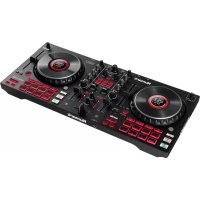
NUMARK Mixtrack Platinum FX - DJ Equipment

Mixtrack Platinum FX - DJ Equipment NUMARK - Free user manual and instructions

Find the device manual for free Mixtrack Platinum FX NUMARK in PDF.

English EN Download 💬 AI Question 10 questions ⚙️ Specs
📄

Document temporarily unavailable

The manual is currently being transferred to our new server. It will be accessible again in a few hours. Thank you for your patience.

View the manual : Français FR Deutsch DE English EN Español ES Italiano IT
Pick your language and provide your email: we'll send you a specifically translated version.
BrandNumark
ModelMixtrack Platinum FX
CategoryDJ Controller
Product Type4-deck DJ controller with capacitive jog wheels
PowerVia USB (bus power) or power adapter (not included)
Main Functions4-deck control, performance pads (Hot Cue, Auto Loop, Fader Cuts, Sampler), built-in effects (HPF, LPF, Flanger, Echo, Reverb, Phaser), scratch jog wheels, OLED screen, microphone input, headphone output, master RCA output
Compatible SoftwareSerato DJ Lite (download included)
ConnectivityUSB-B, microphone input 6.35 mm, headphone outputs 6.35 mm and 3.5 mm, master RCA output
Care and CleaningDisconnect before cleaning. Use a soft, dry cloth. Do not use abrasive products.
Safety InstructionsPlace on a flat, stable surface. Power off before connecting. Follow power on/off order: computer then amplifiers.
Spare Parts and RepairabilityNo user-serviceable parts. Contact Numark support if issues arise.
WarrantyConsult the warranty information provided with the product.
General InformationManual available in French at notice-facile.com. For assistance: numark.com/support

Frequently Asked Questions - Mixtrack Platinum FX NUMARK

How to connect the Mixtrack Platinum FX to a computer?
Make sure all devices are powered off. Connect the provided USB cable between the controller's USB port and a USB port on your computer. Then power on the computer, followed by amplifiers and speakers.
What software is included with the Mixtrack Platinum FX?
The controller comes with a license for Serato DJ Lite. You will find a download card in the box to install it.
How to use the pads in Hot Cue mode?
Press the Cue button (Pad mode). The top pads light up. Press an unlit pad to set a cue point (Hot Cue) at the current track position. Press a lit pad to instantly jump back to it.
How to sync the tempo of two decks?
Press the Sync button on a deck to automatically sync its tempo with the other deck. Hold Shift and press Sync to disable sync.
How to create an auto loop?
Select Auto Loop mode by pressing the corresponding pad. The top pads become loops of 1, 2, 4, or 8 bars. Press a pad to start a loop of the chosen length.
How to use the scratch effect?
Activate Scratch mode by pressing the Scratch button. Then touch and move the capacitive jog wheel to scratch the audio like a vinyl. Deactivate the mode for normal pitch bending.
How to adjust headphone volume?
Use the Cue Gain knob (next to Cue Mix) to adjust the headphone output volume. The Cue Mix knob balances between the cue signal and the master.
Can I connect a microphone?
Yes, plug a dynamic microphone into the microphone input (6.35mm) on the back. Use the Mic Gain knob to adjust its volume. The microphone is mixed directly into the master output.
How to use the built-in effects?
Press one of the effect buttons (HPF, LPF, Flanger, Echo, Reverb, Phaser) to select an effect. Use the FX Wet/Dry knob to adjust the effect level. The FX toggle switch activates the effect in latch mode (up) or momentary mode (down).
How to reset the tempo to the original BPM?
Hold down the Shift button and press the Tap BPM button to reset the track's tempo to its default value.

User questions about Mixtrack Platinum FX NUMARK

0 question about this device. Answer the ones you know or ask your own.

Ask a new question about this device

The email remains private: it is only used to notify you if someone responds to your question.

No questions yet. Be the first to ask one.

Download the instructions for your DJ Equipment in PDF format for free! Find your manual Mixtrack Platinum FX - NUMARK and take your electronic device back in hand. On this page are published all the documents necessary for the use of your device. Mixtrack Platinum FX by NUMARK.
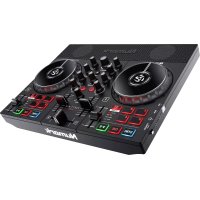
USER MANUAL Mixtrack Platinum FX NUMARK

Manual assistant
Powered by Anthropic
Waiting for your message
Product information

Brand : NUMARK

Model : Mixtrack Platinum FX

Category : DJ Equipment