ManualGo.com
GALG362DPR - Uncategorized Gladiator - Free user manual and instructions
Find the device manual for free GALG362DPR Gladiator in PDF.



Download the instructions for your Uncategorized in PDF format for free! Find your manual GALG362DPR - Gladiator and take your electronic device back in hand. On this page are published all the documents necessary for the use of your device. GALG362DPR by Gladiator.
USER MANUAL GALG362DPR Gladiator
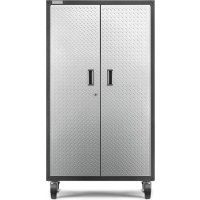
SOUDÉE Instructions d’assemblage2 You can be killed or seriously injured if you don't immediately You can be killed or seriously injured if you don't follow All safety messages will tell you what the potential hazard is, tell you how to reduce the chance of injury, and tell you what can happen if the instructions are not followed. Your safety and the safety of others are very important. We have provided many important safety messages in this manual and on your appliance. Always read and obey all safety messages. This is the safety alert symbol. This symbol alerts you to potential hazards that can kill or hurt you and others. All safety messages will follow the safety alert symbol and either the word “DANGER” or “WARNING.” These words mean: follow instructions. instructions. DANGER WARNING CABINET SAFETY3 DIMENSIONS Callouts Dimensions A 24" (61 cm) B 36" (91.4 cm) C 84" (213.4 cm)
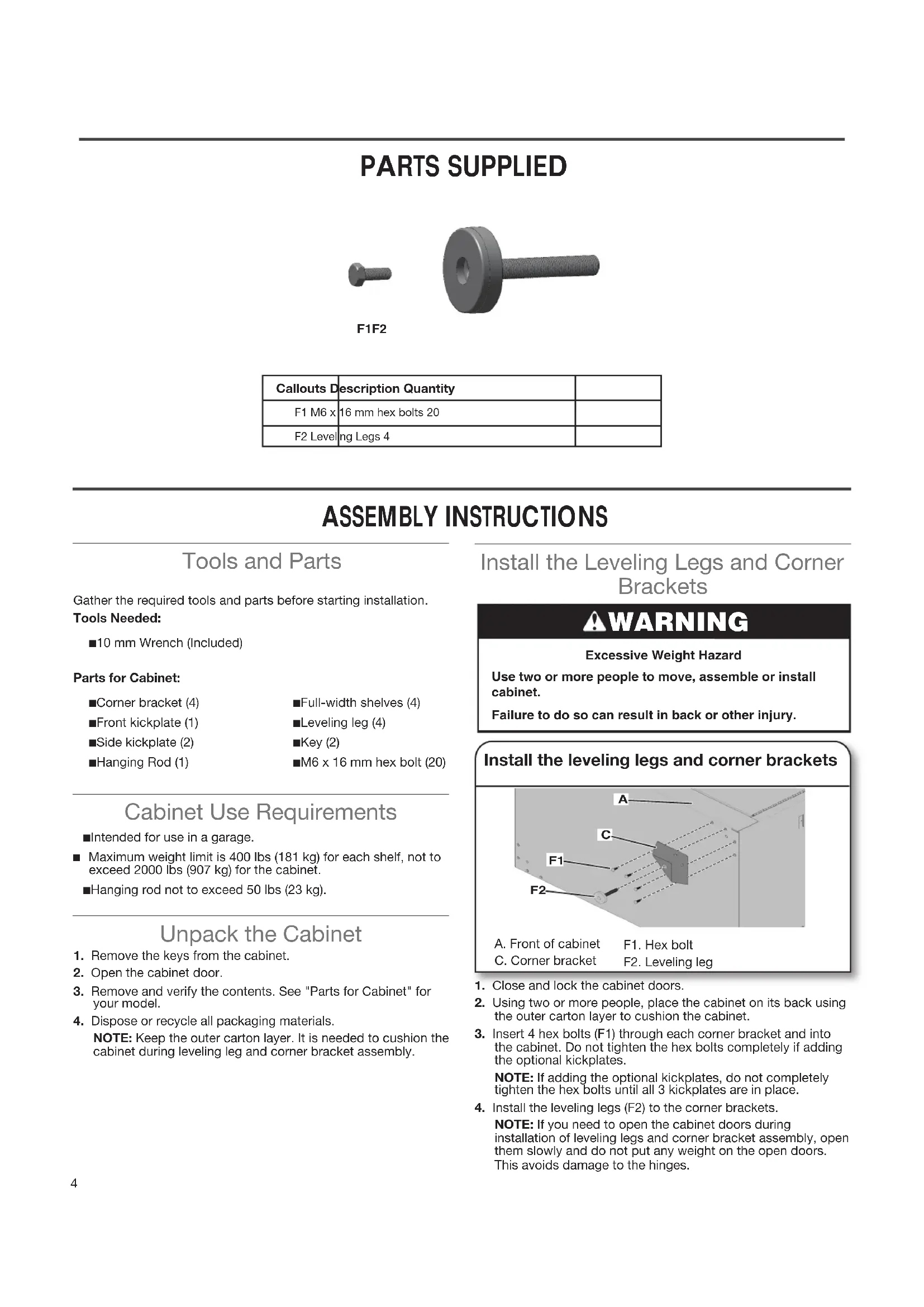
PARTS SUPPLIED Callouts Description QuantityF1 M6 x 16 mm hex bolts 20F2 Leveling Legs 4 ASSEMBLY INSTRUCTIONS Install the Leveling Legs and Corner Brackets WARNING Excessive Weight HazardUse two or more people to move, assemble or install cabinet.Failure to do so can result in back or other injury. Tools and Parts Gather the required tools and parts before starting installation.Tools Needed: ■ 10 mm Wrench (Included)Parts for Cabinet: ■ Corner bracket (4) ■ Front kickplate (1) ■ Side kickplate (2) ■ Hanging Rod (1) ■ Full-width shelves (4) ■ Leveling leg (4) ■ Key (2) ■ M6 x 16 mm hex bolt (20) Install the leveling legs and corner brackets 1 Close and lock the cabinet doors. 2 Using two or more people, place the cabinet on its back using the outer carton layer to cushion the cabinet. 3 Insert 4 hex bolts (F1) through each corner bracket and into the cabinet. Do not tighten the hex bolts completely if adding the optional kickplates. NOTE: If adding the optional kickplates, do not completely tighten the hex bolts until all 3 kickplates are in place.4 Install the leveling legs (F2) to the corner brackets.NOTE: If you need to open the cabinet doors during installation of leveling legs and corner bracket assembly, open them slowly and do not put any weight on the open doors. This avoids damage to the hinges. Cabinet Use Requirements ■ Intended for use in a garage. ■ Maximum weight limit is 400 lbs (181 kg) for each shelf, not to exceed 2000 lbs (907 kg) for the cabinet. ■ Hanging rod not to exceed 50 lbs (23 kg).F1 F2
A. Front of cabinetC. Corner bracketF1. Hex boltF2. Leveling leg Unpack the Cabinet 1 Remove the keys from the cabinet.2 Open the cabinet door.3 Remove and verify the contents. See "Parts for Cabinet" for your model. 4 Dispose or recycle all packaging materials.NOTE: Keep the outer carton layer. It is needed to cushion the cabinet during leveling leg and corner bracket assembly.5
Install the kickplates 1 Position the front & side kickplates to the corner brackets and align kickplate end holes with the holes in corner brackets. 2 Insert the four hex bolts (F1) through kickplate end holes into corner brackets. NOTE: The side kickplates will be on top of the front kickplate anges. 3 Completely tighten all corner bracket hex bolts. 4 Return the cabinet to its upright position. Unlock door. Install the Kickplates (Optional) Install the hanging rod The cabinet has pre-installed closet rails on the side panels which are suitable for a hanging rod. 1 Unlock and open the cabinet doors. 2 Place the hanging rod into the closet rail openings and slide down and into position. Install the Hanging Rod Remove/Replace/Adjust the shelves 1 Remove the shelf clips from their shipping position on the sides of the cabinet. Working from the inside of the cabinet and using a blunt tool, push out the white plastic shelf clips. 2 Discard the clips. 3 Lift up on the underside of the shelf until the shelf tabs are free of the cabinet slots. 4 Tilt the shelf up to reposition it within the cabinet or to remove it from the cabinet. NOTE: Plan your shelf heights and install shelves starting from the bottom. The shelves are supported by the metal tabs on side walls of the cabinet. 5 Determine the placement of the shelves. 6 Tilt the shelf so that one end is higher than the other. 7 Insert the shelf into the cabinet so that the higher end is directly above the desired slots and push the shelf down in place behind the side slots. 8 Raise the lower end so it is directly above the desired slots and push the shelf down. NOTE: A shelf must be located in the center position for the cabinet lock to function correctly. Make sure the shelf tabs are in place behind all the slots, as shown. 9 Repeat this process for the remaining shelves. Adjust Shelves
A. Hanging rod NOTE: Kickplate installation is optional on the 84" Tall Cabinet. Cabinet shown without kickplates Cabinet shown with kickplates6 WEIGHT CAPACITY 400 lbs 181 kg 400 lbs 181 kg 400 lbs 181 kg 400 lbs 181 kg 50 lbs 23 kg 400 lbs 181 kg Adjust Doors The cabinets are designed with adjustable doors. 1 Check to see whether the doors need adjusting. It is more often the left door that will need to be aligned. 2 Using a Phillips screwdriver, loosen all screws attaching the hinge to the cabinet. 3 Adjust door to the desired height. 4 Tighten the screws. Level the Cabinet 1 Place the cabinet in the desired location. 2 Level the cabinet by adjusting the leveling legs.7 ACCESSORIES To order accessories, call 1-866-342-4089 and ask for the accessory part number listed below or contact your authorized Gladiator
brand dealer. In Canada, call 1-800-807-6777. Mounting Bracket Kit - Allows the cabinet to be mounted on Gladiator
channels. Order Part # GABK301PRS WARRANTY For warranty information: In the U.S.A. call 1-866-342-4089 or visit our website at wwwgladiatorgarageworkscom In Canada call 1-800-807-6777 or visit our website at wwwgladiatorgarageworksca8