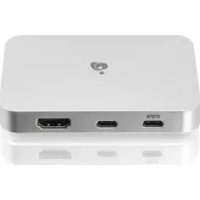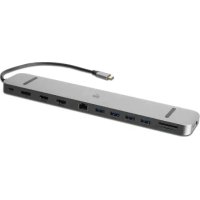
Dock Pro GUD3C4K3 - Docking station IOGEAR - Free user manual and instructions
Find the device manual for free Dock Pro GUD3C4K3 IOGEAR in PDF.


User questions about Dock Pro GUD3C4K3 IOGEAR
0 question about this device. Answer the ones you know or ask your own.
Ask a new question about this device
Download the instructions for your Docking station in PDF format for free! Find your manual Dock Pro GUD3C4K3 - IOGEAR and take your electronic device back in hand. On this page are published all the documents necessary for the use of your device. Dock Pro GUD3C4K3 by IOGEAR.
USER MANUAL Dock Pro GUD3C4K3 IOGEAR
USB-C™ Triple HD Docking Station with PD 3.0
- USB-C (Thunderbolt™ 3 compatible) host with DP 1.4 Alt Mode
- Windows® 10
- Mac OS® x 10.7+ (mirror)
Product Overview
2
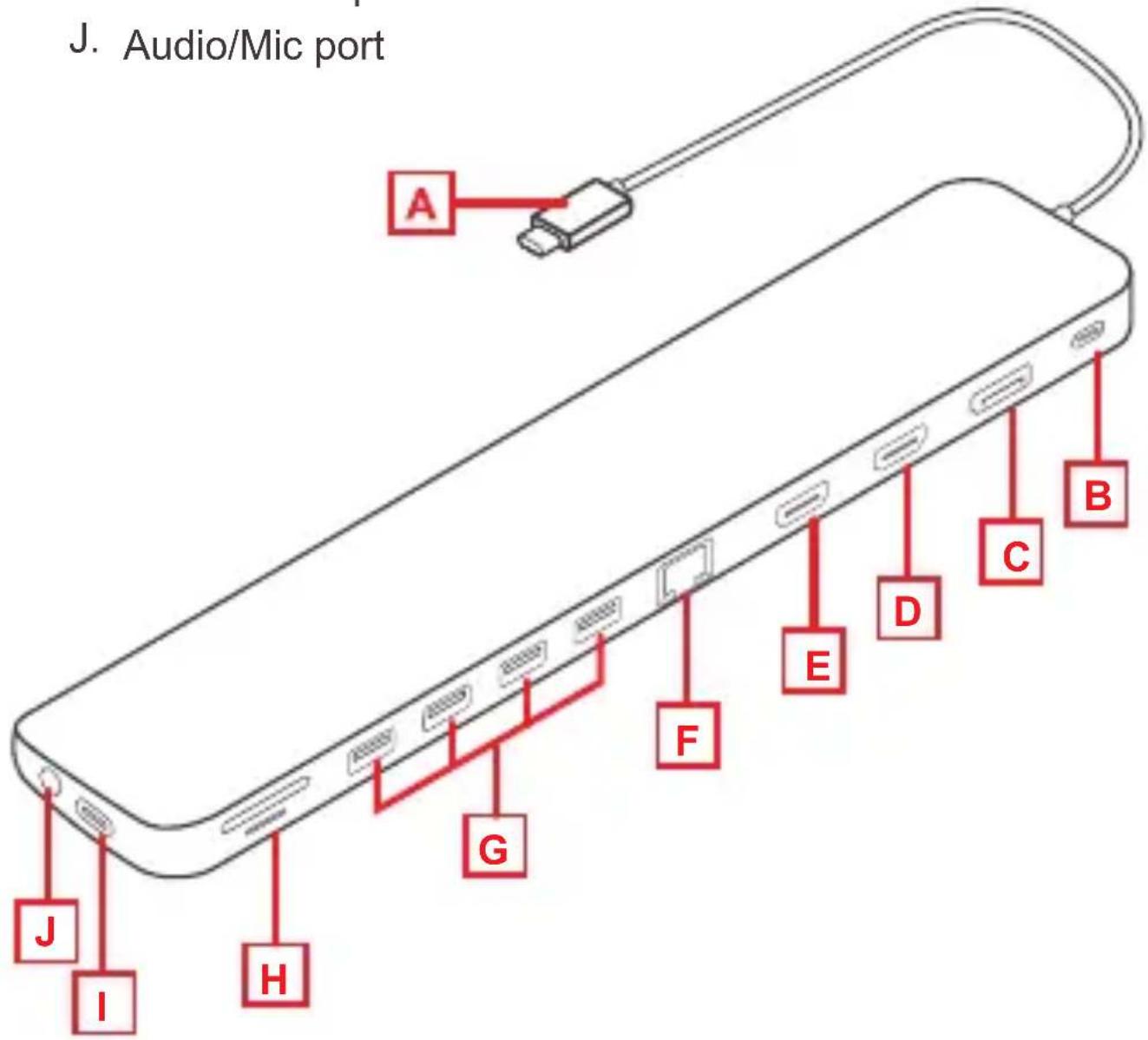
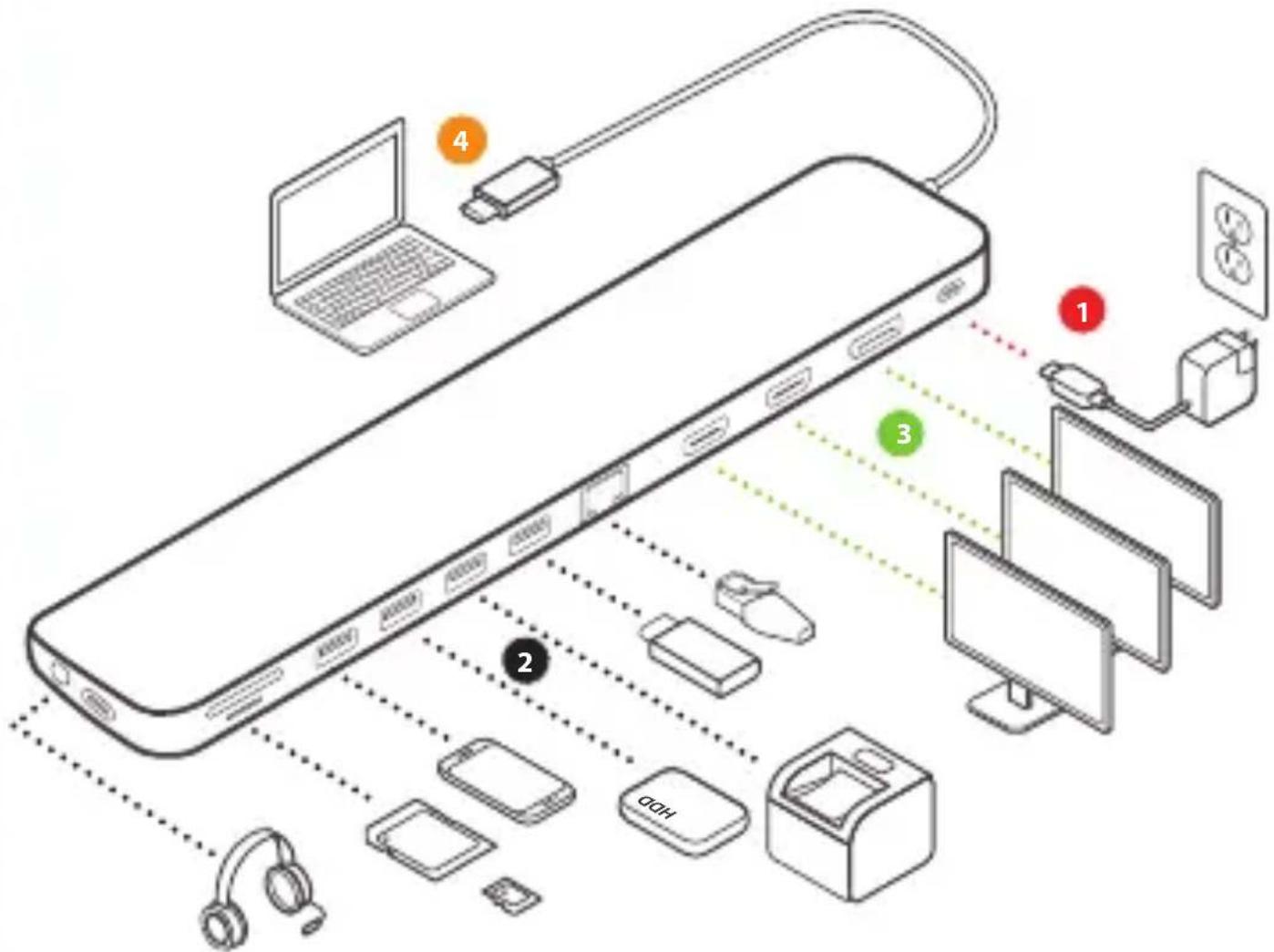
A. USB-C connector to host laptop
B. USB-C PD3.0 port
C. DisplayPort output
D. HDMI 1 output
E. HDMI 2 output
F. RJ-45 Ethernet port
G. 4 × USB-A 3.0 ports
H. Micro SD/SD Card slots
I. USB-C data port
J. Audio/Mic port
Hardware Installation
1.
Turn on the host laptop then connect the laptop's USB-C power adapter to the USB-C PD3.0 port on the GUD3C4K3 (optional)1
2.
Connect the external devices to the appropriate ports on the GUD3C4K3 as needed
3.
Connect the external monitor(s) to the appropriate video outputs
4.
Connect the tethered USB-C cable on the GUD3C4K3 to the USB-C port on the host computer. The computer screen may appear to flicker a few times before the GUD3C4K3 recognizes the connected devices
Note:
- The GUD3C4K3 can still function without the external power adapter; however, the GUD3C4K3 would not provide power to charge the laptop
Limited Warranty
Warranty Information
This product carries a 1 Year Limited Warranty. For the terms and conditions of this warranty, please go to https://www.iogear.com/support/warranty
Register online at https://www.iogear.com/register
Important Product Information Product Model Serial Number
Contact
WE'RE HERE TO HELP YOU! NEED ASSISTANCE SETTING UP THIS PRODUCT?
Make sure you:
- Visit www.iogear.com for more product information
- Visit www.iogear.com/support for live help and product support
IOGEAR
https://iogear.custhelp.com
support@iogear.com
www.iogear.com
Compliance Information
Federal Communication Commission Interference Statement
This equipment has been tested and found to comply with the limits for a Class B digital service, pursuant to Part 15 of the FCC rules. These limits are designed to provide reasonable protection against harmful interference in a residential installation. Any changes or modifications made to this equipment may void the user's authority to operate this equipment. This equipment generates, uses, and can radiate radio frequency energy. If not installed and used in accordance with the instructions, may cause harmful interference to radio communications. However, there is no guarantee that interference will not occur in a particular installation. If this equipment does cause harmful interference to radio or television reception, which can be determined by turning the equipment off and on, the user is encouraged to try to correct the interference by one or more of the following measures:
- Reorient or relocate the receiving antenna
- Increase the separation between the equipment and receiver
- Connect the equipment into an outlet on a circuit different from that to which the receiver is connected
- Consult the dealer or an experienced radio/TV technician for help
FCC Caution: Any changes or modifications not expressly approved by the party responsible for compliance could void the user's authority to operate this equipment.
https://iogear.custhelp.com
support@iogear.com
www.iogear.com
https://iogear.custhelp.com
support@iogear.com
www.iogear.com