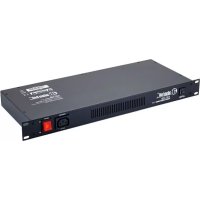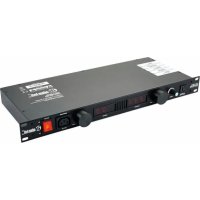
AHPCL10PRO - Power conditioner Adam Hall - Free user manual and instructions
Find the device manual for free AHPCL10PRO Adam Hall in PDF.


| Product Type | Power conditioner with rack lighting and monitoring system |
| Brand | Adam Hall |
| Model | AHPCL10PRO |
| Number of Outlets | 8 switched (IEC) + 1 unswitched (front IEC) |
| Maximum Current | 10 A (resettable circuit breaker protection) |
| Input Voltage | 230 V |
| Protection | Surges, voltage spikes, HF interference (3 levels) |
| Clamping Voltage (at 50 A) | 340 V AC max |
| Response Time | 1 nanosecond |
| Maximum Surge Current | 6000 A (pulse 8 x 20 µs) |
| Peak Energy | 70 Joules per branch |
| HF Noise Attenuation | >20 dB from 1.5 MHz to 200 MHz |
| Display | 3-digit LED voltmeter and ammeter (real-time) |
| Rack Lighting | 2 x 5 retractable LEDs with dimmer (front panel) + gooseneck LED lamp (rear USB) |
| Dimensions (W x H x D) | 482 x 88 x 190 mm (2U) |
| Weight | 3.18 kg |
| Power Cord | Fixed with grounded mains plug |
| LED Lifespan | 100,000 hours (typical) |
| Warranty | 2-year manufacturer limited |
| Maintenance | Clean with dry cloth, maintenance by qualified personnel |
| Safety | Do not use near water, disconnect during thunderstorms, do not block ventilation slots |
| Recommended Use | Mount in a 19-inch rack, preferably at the top for optimal lighting |
Frequently Asked Questions - AHPCL10PRO Adam Hall
User questions about AHPCL10PRO Adam Hall
0 question about this device. Answer the ones you know or ask your own.
Ask a new question about this device
Download the instructions for your Power conditioner in PDF format for free! Find your manual AHPCL10PRO - Adam Hall and take your electronic device back in hand. On this page are published all the documents necessary for the use of your device. AHPCL10PRO by Adam Hall.
USER MANUAL AHPCL10PRO Adam Hall
IMPORTANT SAFETY INSTRUCTIONS
- Please read all instructions before operating the unit.
- Keep these instructions for future reference.
- Please heed all safety warnings.
- Follow the manufacturer's instructions.
- Do not use this unit near water or moisture.
- Clean only with a damp cloth.
- Do not block any of the ventilation openings. Install in accordance with the manufacturer's instructions.
- Do not install near any heat sources such as radiators, heat registers, stoves, or other apparatus including amplifiers that produce heat.
- Do not defeat the safety purpose of the polarized or grounding-type plug. A polarized plug has two blades with one wider than the other. A grounding type plug has two blades and a third grounding prong. The wide blade or third prong is provided for your safety. When the provided plug does not fit your outlet, consult an electrician for replacement of the obsolete outlet.
- Protect the power cord from being walked on and pinched particularly at plugs, convenience receptacles and at the point at which they exit from the unit.
- Unplug this unit during lightning storms or when unused for long periods of time.
- Refer all servicing to qualified personnel. Servicing is required when the unit has been damaged in any way, such as power supply cord or plug damage, or if liquid has been spilled or objects have fallen into the unit, if the unit has been exposed to rain or moisture, does not operate normally or has been dropped.
INTRODUCTION
Congratulations on the purchase of your AH 8 + 1 Rack Mount Power Distribution & Conditioning unit!
This user's manual covers the AHPCS10 Power Conditioner Strip, the AHPCL10 Power Conditioner with Rack Light and the AHPCL10PRO Power Conditioner and Monitor with Rack Light. They each provide eight switched and a single unswitched outlet for dependable power distribution with 3-mode surge and spike protection and RF interference filtering. In addition, the AHPCL10 and AHPCL10PRO feature twin LED light barrels on the front with dimmer control and a detachable, rear-connected gooseneck LED lamp to illuminate the back of the rack. Large individual LED displays of the AHPCL10PRO's integrated voltmeter and ammeter facilitate voltage and current draw monitoring. The units' careful design and solid build quality ensure long-lasting reliable operation in touring applications and permanent installations.
This manual provides a feature-by-feature review of the AH 8 + 1 Rack Mount Power Distribution & Conditioning units, a quick setup guide and detailed front and back panel descriptions of the AHPCS10, AHPCL10 and AHPCL10PRO.
WARNING: WHILE THE AHPCS10, AHPCL10 AND AHPCL10PRO PROVIDE EFFICIENT SURGE AND SPIKE PROTECTION THEY ARE NOT DESIGNED TO PROTECT AGAINST LIGHTNING STRIKES OR CONNECTION TO IMPROPER SUPPLY VOLTAGES. IN SUCH EVENTS IMMEDIATELY UNPLUG ALL EQUIPMENT CONNECTED TO YOUR AH POWER DISTRIBUTION AND CONDITIONING UNIT AND HAVE THE UNIT INSPECTED BY A QUALIFIED TECHNICIAN.
FEATURES
The AHPCS10, AHPCL10 and AHPCL10PRO utilize state-of-the-art engineering and power distribution technology for reliable operation and effective protection. They feature
- eight switched IEC outlets on the rear to power rack equipment from a single source plus an unswitched convenience outlet on the front panel for temporary use
- a large front panel rocker switch with built-in status light to activate and disable the rear outlets
- 3-mode surge protection, spike clamping and RF interference filtering for safe equipment performance and minimum noise
- a resettable 10 amp circuit breaker conveniently located on the front panel
- a pair of 5-LED pull-out lights with dimmer control and automatic switching for illuminating the rack front (AHPCL10 and AHPCL10PRO only)
- a gooseneck LED lamp that connects to a dedicated USB rear panel socket to illuminate the back of the rack (AHPCL10 and AHPCL10PRO only)
- a front panel voltmeter and ammeter each with a large 3-digit LED display to monitor voltage levels and current draw (AHPCL10PRO only)
steel enclosures and solid build quality for longevity and reliability on the road and in fixed installations.
All AH Power Distribution and Conditioning units include four IEC power cords.
NOTE: THE AHPCL10 AND AHPCL10PRO UTILIZE LED TECHNOLOGY FOR RACK LIGHTING WHICH PROVIDES A NUMBER OF BENEFITS. WITH A TYPICAL LIFE OF 100,000 HOURS LEDs OUTLAST INCANDECENT LIGHTS BY APPROSIMATELY 50 TIMES, THEY ARE BRIGHTER WHILE GENERATING VERY LITTLE HEAT, AND THEY ARE VIRTUALLY IMMUNE TO SHOCK OR VIBRATION WHICH MAKES THEM PERFECTLY ROADWORTHY.
QUICK SETUP GUIDE
To set up your AH Power Distribution and Conditioning unit just follow the steps below:
- Remove all packaging materials and mount the unit in your 19" rack (please keep the original packaging for return shipment if the unit should require servicing). We recommend to install the AHPCL10 and AHP-CL10PRO on top of the other rack equipment for most effective rack lighting.
- Connect your AH Power Distribution and Conditioning unit to a standard grounded mains power outlet. On the AHPCL10PRO the front panel voltmeter and ammeter displays will indicate the incoming voltage and the current draw of the equipment connected to the unit.
- Make sure all equipment to be powered from your AHPCS10, AHPCL10 or AHPCL10PRO is switched off before connecting the power cords to the switched outlets on the rear panel of your AH Power Distribution and Conditioning unit. The included IEC cords can be used to connect equipment with IEC mains power inputs.
- Flip the front panel "Outlets" switch to activate the rear panel outlets. The switch includes a red status indicator that lights up when the outlets are active.
- Switch on the connected equipment separately and in succession. In case the total current draw exceeds 10 amps the AH Power Distribution and Conditioning unit's circuit breaker will trip. Disconnect one or more pieces of your rack equipment and push in the front panel circuit breaker to reset.
- The unswitched convenience outlet on the front panel is independent of the "Outlets" switch providing power whenever your AHPCS10, AHPCL10 or AHPCL10PRO's mains cord is plugged into an appropriate AC outlet. Please note that the circuit breaker also affects the convenience outlet!
- To illuminate your rack equipment the AHPCL10 and AHPCL10PRO feature twin 5-LED rack lights that turn on automatically when they are pulled out. Slide the light barrels back in to switch them off again.
- To illuminate the back of your rack connect the included gooseneck LED lamp to the dedicated rear panel USB socket.
AHPCS10 POWER CONDITIONER STRIP
FRONT PANEL

- Circuit breaker: when the total current draw of the switched rear outlets and the front panel unswitched convenience outlet exceeds 10 amps the circuit breaker will trip. Disconnect one or more pieces of your rack equipment to reduce current draw. To reset the circuit breaker let it cool for a minute, then push it in gently until you hear it latch.
- Vent: the front panel vent openings provide convection cooling of the AHPCS10.
- Unswitched convenience outlet: this IEC outlet is active whenever the AHPCS10's power cord is connected an appropriate mains outlet. It is not affected by the "Outlets" switch (see 4).
- Outlets switch: this activates and disables the rear panel outlets. The red status indicator inside the switch is lit when the rear outlets are enabled.
REAR PANEL

- Power cord: connect this to an appropriate mains outlet to power the AHPCS10.
- Switched IEC outlets: connect the power cords of your rack equipment to these AC outlets which are activated by the front panel "Outlets" switch (see 4).
- Ground Lug: thumb screw ground terminal.
AHPCL10 POWER CONDITIONER STRIP WITH RACK LIGHT
FRONT PANEL

- Circuit breaker: when the total current draw of the switched rear outlets and the front panel unswitched convenience outlet exceeds 10 amps the circuit breaker will trip. Disconnect one or more pieces of your rack equipment to reduce current draw. To reset the circuit breaker let it cool for a minute, then push it in gently until it latches.
- Dimmer control: this adjusts the pull-out LED lights' brightness.
- LED rack lights: the 5-LED lights switch on automatically when pulled out. To turn them off slide the barrels back in. Use the Dimmer control (see 2) to set the brightness level.
- Vent: the front panel vent openings provide convection cooling of the AHPCL10.
- Unswitched convenience outlet: this IEC outlet is active whenever the AHPCL10's power cord is connected to an appropriate mains outlet. It is not affected by the "Outlets" switch (see 6).
- Outlets switch: this activates and disables the rear panel outlets. The red status indicator inside the switch is lit when the rear outlets are enabled.
REAR PANEL

- Power cord: connect this to an appropriate mains outlet to power the AHPCL10.
- USB connector: connect the included gooseneck LED lamp to this socket to illuminate the rear of the rack.
- Switched IEC outlets: connect the power cords of your rack equipment to these AC outlets which are activated by the front panel "Outlets" switch (see 6).
- Ground Lug: thumb screw ground terminal.
AHPCL10PRO POWER CONDITIONER STRIP AND MONITOR WITH RACK LIGHT
FRONT PANEL

- Circuit breaker: when the total current draw of the switched rear outlets and the front panel unswitched convenience outlet exceeds 10 amps the circuit breaker will trip. Disconnect one or more pieces of your rack equipment to reduce current draw. To reset the circuit breaker let it cool for a minute, then push it in gently until it latches.
- Dimmer control: this adjusts the pull-out LED lights' brightness.
- LED rack lights: the 5-LED lights switch on automatically when pulled out. To turn them off slide the barrels back in. Use the Dimmer control (see 2) to set the brightness level.
- Voltmeter: 3-digit LED display to visually monitor the incoming line voltage.
WARNING: EXTREME VOLTAGE SWINGS CAN SEVERELY DAMAGE THE CONNECTED EQUIPMENT. IF THE VOLTMETER DISPLAY READS OVERLY OR RAPIDLY CHANGING VALUES DISCONNECT THE AHPCL10PRO AND LOCATE THE SOURCE OF THE PROBLEM.
- Vent: the front panel vent openings provide convection cooling of the AHPCL10PRO.
- Ammeter: t3-digit LED display to visually monitor the amount of current drawn by the connected equipment.
WARNING: EXTREME CURRENT SWINGS CAN SEVERELY DAMAGE THE CONNECTED EQUIPMENT. IF THE AMMETER DISPLAY READS OVERLY OR RAPIDLY CHANGING VALUES DISCONNECT THE AHPCL10PRO AND LOCATE THE SOURCE OF THE PROBLEM.
- Unswitched convenience outlet: this IEC outlet is active whenever the AHPCL10PRO's power cord is connected to an appropriate mains outlet. It is not affected by the "Outlets" switch (see 8).
- Outlets switch: this activates and disables the rear panel outlets. The red status indicator inside the switch is lit when the rear outlets are enabled.
REAR PANEL

- Power cord: connect this to an appropriate mains outlet to power the AHPCL10PRO.
- USB connector: connect the included gooseneck LED lamp to this socket to illuminate the rear of the rack.
- Switched IEC outlets: connect the power cords of your rack equipment to these AC outlets which are activated by the front panel "Outlets" switch (see 8).
- Ground Lug: thumb screw ground terminal.
TECHNICAL SPECIFICATIONS
| Number of Outlets: 8 switched, 1 unswitched |
| Current Rating: max.10 amps (circuit breaker protected) |
| Input Voltage: 230 V |
| Spike Protection Mode: Hot to Neutral, Hot to Ground, and Neutral to Ground |
| Clamping Voltage (@ 50 A): max. 340 V AC |
| Response Time: 1 nanosecond |
| Maximum Surge Current: 6,000 amps (8 x 20 s pulse) |
| Maximum Spike Energy: 70 Joules per leg |
| Noise Attenuation: >20 dB, 1.5 MHz – 200 MHz |
| Power Cord: permanently attached, grounding type plug |
| LED Life: 100,000 h (typical) |
| Dimensions (W x D x H): 19" x 7.5" x 3.5", 482 mm x 190 mm x 88 mm |
| Weight: 5.0 lbs. - 2.27 kg |
| 6.5 lbs. - 2.95 kg |
| 7.0 lbs. - 3.18 kg |
All specifications are subject to change without prior notice.
WARRANTY PROVISIONS
This warranty applies to the product you purchased from Adam Hall.
The statutory warranty rights against the vendor are not affected by this warranty. Rather, this warranty gives you additional independent claims against Adam Hall.
With this warranty, Adam Hall ensures that products you have purchased from Adam Hall or Adam Hall partners, under normal use, are free of defects in material or workmanship for a period of 2 years from the date of purchase. The warranty period begins on the date of purchase. In order to assert a claim for warranty service, the proof of date of purchase is provided by the receipt bearing the date of purchase or the date of purchase on the delivery note. You are entitled to warranty service under the conditions and provisions set out in this document, if a repair within the warranty period is required.
This warranty applies only to the original purchaser of the products supplied by Adam Hall and is not transferable to any person to whom the property is transferred by the original purchaser.
Within the warranty period, the defective parts or the product from Adam Hall will be repaired or replaced. Under the terms of this warranty, all the replaced or removed components become the property of Adam Hall.
In the unlikely event that a product acquired from Adam Hall, repeatedly exhibits a defect, Adam Hall may decide, at its discretion, to replace this product with a comparable product of at least the same performance.
Adam Hall does not guarantee that the operation of this product will be uninterrupted or error-free. Adam Hall accepts no responsibility for any damage due to incorrect compliance with the instructions received in the delivery.
This warranty does not extend to:
- wearing parts (eg battery, tubes)
- devices that have had their serial number removed or damaged, or failed as a result of an accident
- inappropriate or abusive use or other external causes
- devices that were not used in accordance with the operating parameters defined in the user documentation shipped with the product
- devices that have been repaired using parts not made or distributed by Adam Hall
- devices that have been serviced, modified or repaired by someone other than Adam Hall or an authorised service partner.
These terms and conditions constitute the complete and exclusive warranty agreement between you and Adam Hall regarding the Adam Hall branded product you have purchased.
This warranty is valid only within Europe. Outside of Europe please contact our official distributors.
LIMITATION OF LIABILITY
If your Adam Hall branded hardware product fails to work as warranted above, your sole and exclusive remedy shall be repair or replacement. Adam Halls' maximum liability under this limited warranty is expressly limited to the lesser of the price you have paid for the product or the cost of repair or replacement of any components that malfunction under conditions of normal use. Adam Hall is not liable for any damages caused by the product or the failure of the product, including any lost profits or savings or special, incidental, or consequential damages. Adam Hall is not liable for any claim made by a third party or made by you for a third party.
This limitation of liability applies whether damages are sought, or claims are made, under this Limited Warranty or as a tort claim (including negligence and strict product liability), a contract claim, or any other claim, and cannot be rescinded or changed by anyone. This limitation of liability will be effective even if you have advised Adam Hall or an authorized representative of Adam Hall of the possibility of any such damages, but not, however, in the event of claims for damages in connection with personal injuries. This manufacturer's warranty grants you specific rights; depending on jurisdiction (nation or state), you may be entitled to additional claims. You are advised to consult applicable state or national laws for a full determination of your rights.
REQUESTING WARRANTY SERVICE
To request warranty service for the product, contact Adam Hall or the Adam Hall authorized reseller from which you purchased the product.
ENVIRONMENTAL PROTECTION AND ENERGY CONSERVATION
Energy conservation is an active contribution to environmental protection. Please turn off all unneeded electrical devices. To prevent unneeded devices from consuming power in standby mode, disconnect the mains plug.
Adam Hall GmbH, all rights reserved. The technical data and the functional product characteristics can be subject to modifications. The photocopying, the translation, and all other forms of copying of fragments or of the integrality of this user's manual is prohibited.
#
AHPCS10
POWER CONDITIONER STRIP
AHPCL10
POWER CONDITIONER