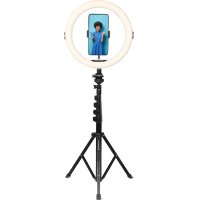
Realiview ARL11XL - Photography Lighting AGFAPHOTO - Free user manual and instructions
Find the device manual for free Realiview ARL11XL AGFAPHOTO in PDF.



User questions about Realiview ARL11XL AGFAPHOTO
0 question about this device. Answer the ones you know or ask your own.
Ask a new question about this device
Download the instructions for your Photography Lighting in PDF format for free! Find your manual Realiview ARL11XL - AGFAPHOTO and take your electronic device back in hand. On this page are published all the documents necessary for the use of your device. Realiview ARL11XL by AGFAPHOTO.
USER MANUAL Realiview ARL11XL AGFAPHOTO
natural_image
Circular ring light fixture mounted on a stand against a solid red background (no text or symbols visible)User manual
text_image
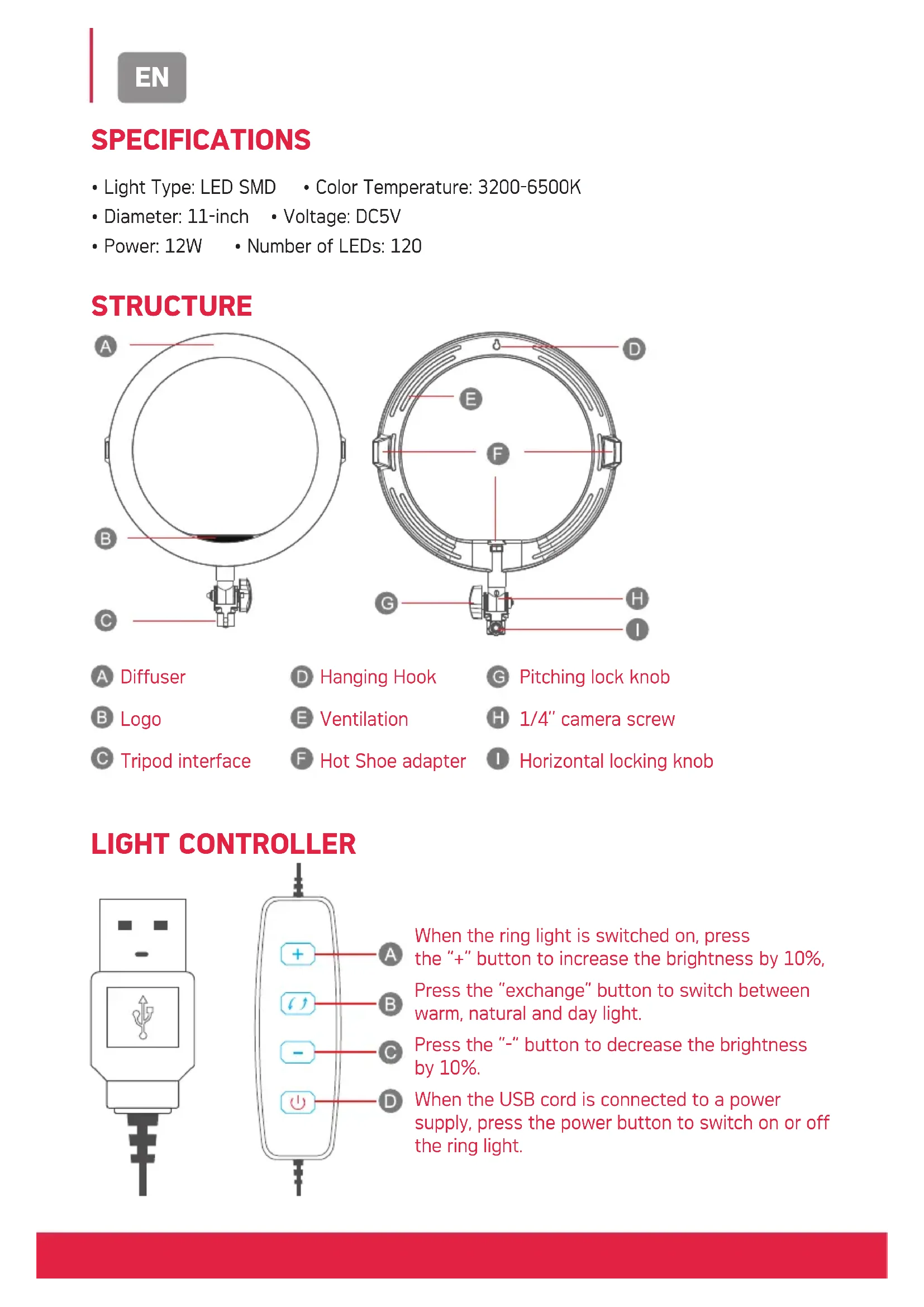
A B C D E F G H IA Diffuser
D Hanging Hook
G Pitching lock knob
B Logo
E Ventilation
H 1/4" camera screw
© Tripod interface
Hot Shoe adapter
Horizontal locking knob
LIGHT CONTROLLER
text_image
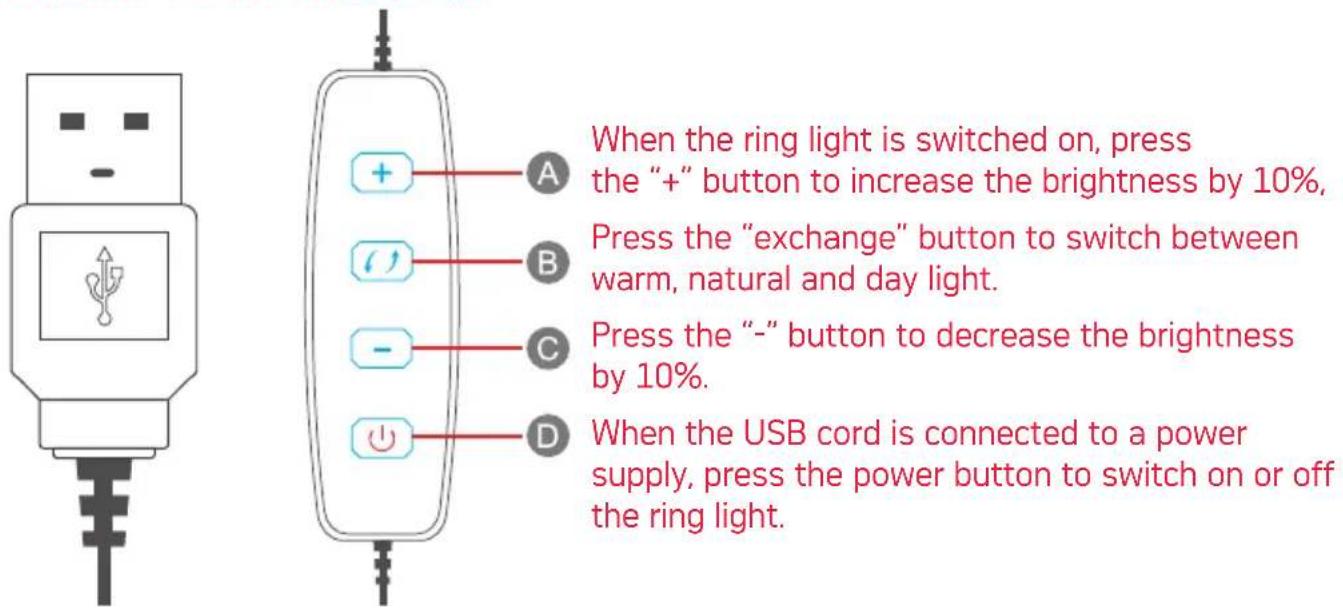
When the ring light is switched on, press the "+" button to increase the brightness by 10%. Press the "exchange" button to switch between warm, natural and day light. Press the "-" button to decrease the brightness by 10%. When the USB cord is connected to a power supply, press the power button to switch on or off the ring light.INSTALLATION
To deploy the feet of the tripod, loosen the locking knob near the bottom, open the feet of the tripod and tighten the locking knob to secure the position.
Attaching the 11" ring light to the tripod
Rotate the ring light's base onto the tripod's stud until secure.
Adjusting the tripod's height
natural_image
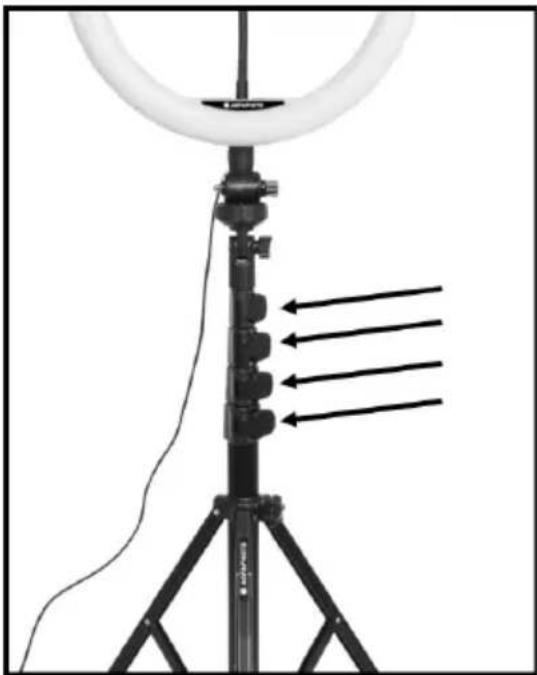
Ritardo setup with ring light and tripod-mounted device, no visible text or symbolsYou can increase or decrease the height of the tripod at four different points, each point has a flip lock you can open and close.
To adjust the length of one of the expendable parts, open the corresponding flip lock, adjust the length and close the flip lock.
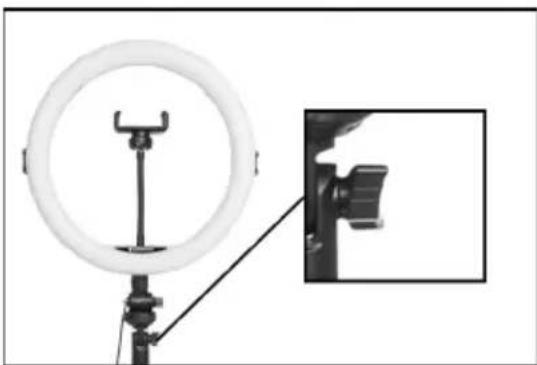
natural_image
Product setup showing a ring light mounted on a tripod with an inset close-up of a black clip attachment (no text or symbols visible)Adjusting the ring light's angle
You can rotate the ring light horizontally and vertically.
To rotate it horizontally, rotate the wheel placed at the tip of the tripod to the left or to the right.
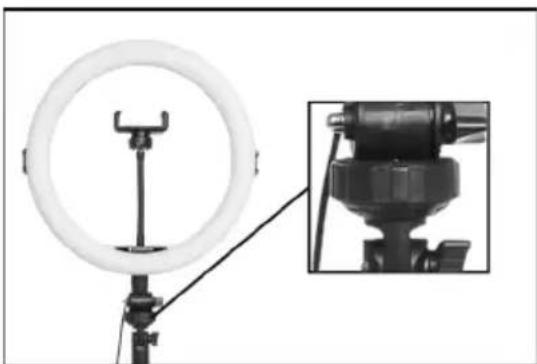
natural_image
Product photo of a ring light setup with a mounted device and a close-up inset showing internal components (no text or symbols visible)To rotate it vertically, loosen the angle tilt knob, position to the desired angle and retighten the knob.
MOBILE PHONE AND SMALL CAMERA HOLDER
The mobile phone holder is mounted to the ring light by default.
You can swap it for the included compact camera holder.
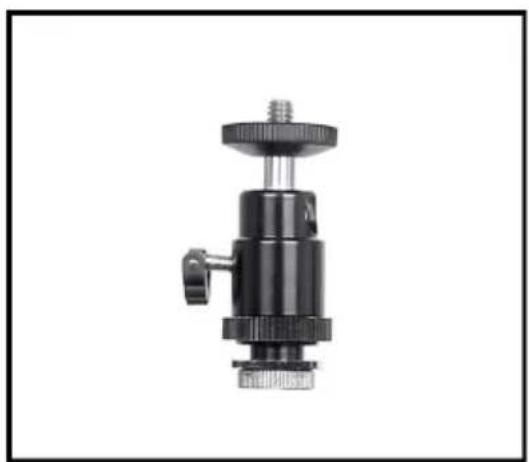
natural_image
Black mechanical clamp device with threaded top and base, shown against white background (no text or symbols)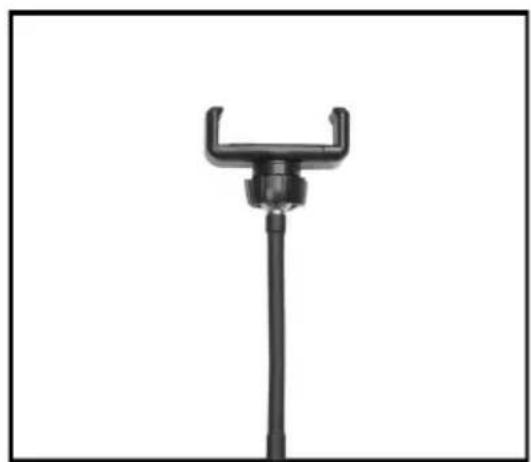
natural_image
Black mechanical clamp or holder device with a U-shaped handle and vertical shaft (no text or symbols visible)Compact Camera Holder Mobile Phone Holder
To do so, simply remove the mobile holder by rotating its base counterclockwise, then mount the camera holder by rotating it clockwise onto the ring light.
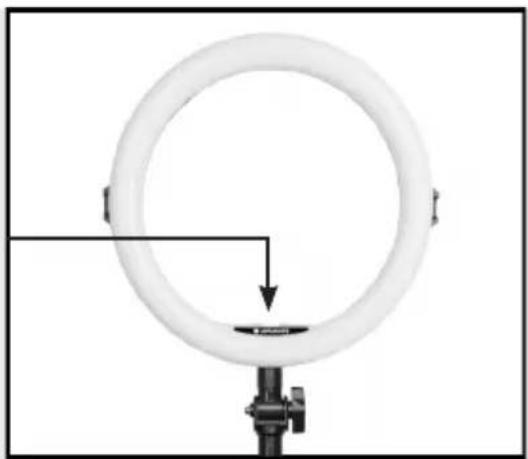
natural_image
Circular ring light bulb mounted on a stand with a black connector, no visible text or symbolsBLUETOOTH REMOTE SHUTTER
Pairing the remote shutter to your phone
- Make sure Bluetooth is enabled on your phone.
- Turn the remote shutter on.
- In the Bluetooth settings of your phone, find "AGFAPHOTO" and pair with it.
Using the Remote shutter
- On your phone, open the camera app.
- Press the remote shutter button to take a picture or a video.
Deleting and re-pairing the remote shutter
- Turn the remote shutter off.
- Go to your phone's Bluetooth settings and find "AGFAPHOTO".
- Select it and click "forget device".
CONNECTING TO A POWER SUPPLY
The device must be used with a DC 5V power supply.
Warning: Please make sure the voltage connected is correct and stable, if you use anything higher or lower than DC 5V, the ring light may not work as intended, stop working or even get damaged.
NOTICE
Please do not continuously operate over six hours. Keep the device away from children under 12 years of age. Do not stare at the strong light for a long time.
Don't let the product get exposed to rain or moisture.
Before cleaning the device, make sure the device is turned off.
Use a dry or slightly damp rag for cleaning, any kind of chemicals or corrosives must not be used.
SPECIFICATIONS
natural_image
Ritardo setup with ring light and tripod-mounted device, no visible text or symbolsnatural_image
Product setup showing a ring light mounted on a tripod with an inset close-up of a camera attachment (no text or symbols visible)natural_image
Product setup showing a ring light mounted on a tripod with an inset close-up of a mechanical device (no visible text or symbols)natural_image
Black mechanical clamp device with adjustable base and top mount (no text or symbols visible)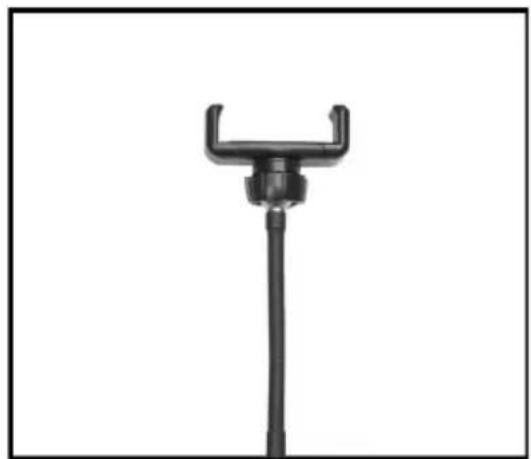
natural_image
Black mechanical clamp or lever device with a vertical rod and central hub (no text or symbols visible)Support Pour Appareil Photo Compact Support Pour Téléphone Mobile
natural_image
Circular ring light setup with adjustable arm and base, no visible text or symbolsDÉCLENCHEUR BLUETOOTH
text_image
A B C D E F G H IA Diffusore
natural_image
Ritardo setup with ring light and tripod-mounted device, no visible text or symbolsnatural_image
Product setup showing a ring light mounted on a tripod with an inset close-up of a black clip attachment (no text or symbols visible)natural_image
Product photo of a ring light setup with a mounted device and a close-up inset showing internal components (no text or symbols visible)natural_image
Close-up of a black mechanical clamp or fitting component with threaded top and base (no visible text or symbols)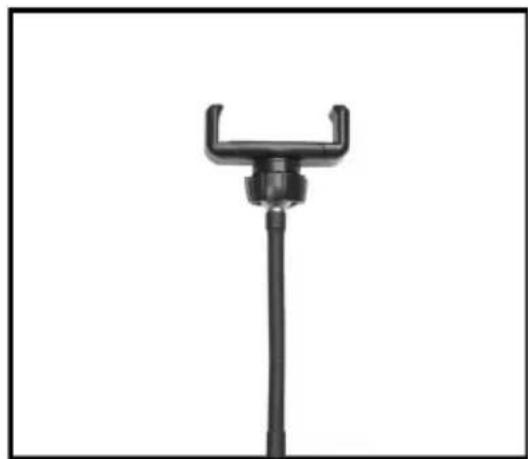
natural_image
Black mechanical clamp or holder device with a vertical rod and handle (no text or symbols visible)natural_image
Circular ring light fixture mounted on a stand with a black connector and arrow indicating direction (no text or symbols)OTTURATORE REMOTO BLUETOOTH
natural_image
Ritardo setup with ring light and tripod-mounted device, no visible text or symbolsnatural_image
Product setup showing a ring light mounted on a tripod with an inset close-up of a black clip attachment (no text or symbols visible)natural_image
Product photo of a ring light setup with a mounted device and a close-up inset showing internal components (no text or symbols visible)natural_image
Close-up of a black mechanical clamp or sensor device with threaded top and base (no visible text or symbols)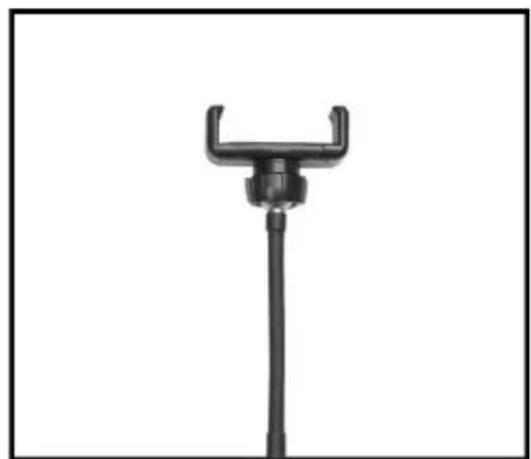
natural_image
Black mechanical clamp or holder component with a U-shaped handle and vertical shaft (no text or symbols visible)natural_image
Circular ring light fixture mounted on a stand with a black connector, no visible text or symbolsBLUETOOTH-FERNAUSLÖSER
natural_image
Ritardo setup with ring light and tripod-mounted device, no visible text or symbolsnatural_image
Product setup showing a ring light mounted on a tripod with an inset close-up of a black clip attachment (no text or symbols visible)natural_image
Product photo of a ring light setup with a mounted device and a close-up inset showing internal components (no text or symbols visible)natural_image
Black mechanical clamp device with threaded top and base, shown against white background (no text or symbols)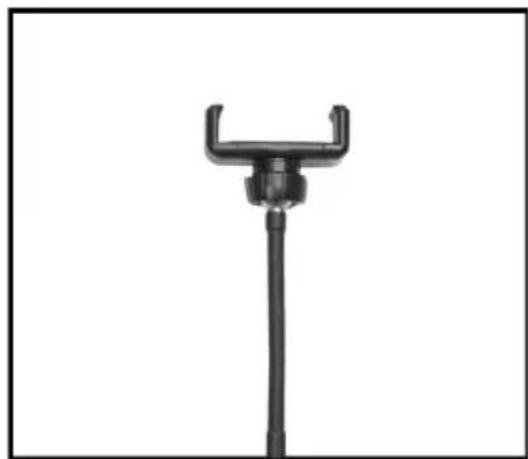
natural_image
Black mechanical clamp or holder device with a vertical rod and handle (no text or symbols visible)natural_image
Circular ring light setup with a black stand and indicator lights, no visible text or symbolsOBTURADOR REMOTO BLUETOOTH
Notice of compliance for the European Union : products bearing the CE mark comply with the applicable European directives and associated harmonised European standards.

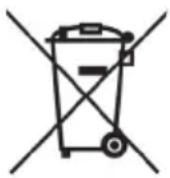
Disposal of waste equipment by users in the European Union : this symbol means that according to local laws and regulations, it is prohibited to dispose of this product with household waste. Instead, it is your responsibility to protect the environment and human health by handing over your used device to a designated collection point for the recycling of waste electrical and electronic equipment. For more information about where you can drop off your waste equipment for recycling, please contact your local city office, your household waste disposal service or the shop where you purchased the product.

Product manufactured for and distributed by :
AgfaPhoto is used under license of Agfa-Gevaert NV. For this product a sub-license has been granted by AgfaPhoto Holding GmbH (www.agfaphoto.com). Neither Agfa-Gevaert NV nor AgfaPhoto Holding GmbH manufacture this product or provide any product warranty or support. For service, support and warranty information, contact the distributor or manufacturer.