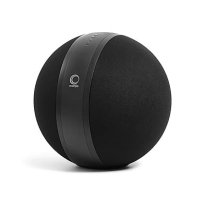
W35 Xi - Speaker ELIPSON - Free user manual and instructions
Find the device manual for free W35 Xi ELIPSON in PDF.


User questions about W35 Xi ELIPSON
0 question about this device. Answer the ones you know or ask your own.
Ask a new question about this device
Download the instructions for your Speaker in PDF format for free! Find your manual W35 Xi - ELIPSON and take your electronic device back in hand. On this page are published all the documents necessary for the use of your device. W35 Xi by ELIPSON.
USER MANUAL W35 Xi ELIPSON
elipson multiroom App

multi-
WiFi
Bluetooth

Spotify

MANUEL D'UTILISATION
Cher client.
Analogue AUX (mini-jack 3.5 mm)
Digital optique S/PDIF
Prise Ethernet RJ45
Wi-Fi
Voltage
110/240V
Format audio supporté
MP3
WMA
WAY
ELAC
AIFF ALAC (Apple Lossless)
jusau'à 24 bils / 192 kHz
GÉNÉRAL
Dimension
Thank you for choosing Elipson W35 Xi.
Take time to read this manual carefully before installing your loudspeaker.
It contains all the safety and operating instructions that should be followed to optimize the performances of your loudspeaker. We highly recommend you to retain both packaging and user's manual for future use.
SUMMARY
| I. Description II. Specifications 20 III. General Informations 21 In the box 21 | ||
| Front panel | 22 | |
| Roar panel | 23 | |
| Elpson App | 24 | |
| IV. Use of the W35 + loudspeaker 26 | ||
| Bluetooth mode 26 | ||
| Wi-Fi mode | 26 | |
| Ethernet connection | ||
| Radio prosels | 2 | |
| Stand by mode 27 | ||
| Rosel the W35 X loudspeaker 27 | ||
| V. In the case of breakdown 28 | ||
| VI. Apple Airplay legal statement 29 | ||

WARNING
MAKE SURE TO READ THIS INSTRUCTION MANUAL BEFORE TURNING THE POWER ON OR HOOKING UP THIS PRODUCT.
I.DESCRIPTION
With the W35 Xi, Ellison redefines the concept of the spherical speaker with a connected object delivering physical impact sound coupled with the amplitude of a true stereo configuration.
Ils wireless (Wi-Fi and Bluetooth) and wired (Ethernet) connection options provide instant access to millions of music tracks in high definition.
As part of our Ellison Connect product range, the W35 Xi has Chromecast built-in" and is compatible with AirPlay 2, so you can stream your favorite music room to room.
Browse and play your audio files from streaming services or your own music library using your WiFi network and your Epilson Multiroom smartphone app. If you don't have WiFi, you can connect via Bluetooth or wired.
Now it's your turn to enjoy the Ellison experience.
II. SPECIFICATIONS
TECHNICAL
Type
2-way active sealed loudspeaker
Drive units
Mid-Woofer: 2 x 6,5" High power handling with large magnet and large excursion
Tweeter: 2 × 1^* high quality silk dome with heatsink in the back of magnet for better cooling
Frequency response (±3dB)
47Hz-22kHz
Inputs
Analog AUX In (3.5mm mini jack)
Digital optical S/PDIF
Ethernet RJ45
Wi-Fi
Voltage
110/240V
Audio streaming
MP3
WMA
WAY
FLAG
AIFF ALAC (Apple Lossless)
Up to : 24 bits / 192 kHz
GENERAL
Dimension
: 350 mm diameter sphere
Finishes
Matt dark
Network
Multiroom Wi-Fi 2.4GHz / 5GHz
IEEE 802.11 b/g/n
Ethernet
Audio multiroom up to 10 rooms.
depending on the quality of the network
Bluetooth
Bluetooth v5.0
Formats:EDR,BLE
Application
Elipson's app supports up to 10 devices
Supports Android/iOS system.
Elipson's app includes Spotify, Qobuz,
Tidal, Nopster, Tunein etc.
Streaming Service
& network protocols
AirPlay 2
Amazon Music
Chromecast built-in
Deezer
Qobuz
Spotify
Spotify Connect
Tidal
Web radios
Weight
8kg
Miscellaneous
Acoustic fabric type grid
Aluminium bell
III. GENERAL INFORMATION
IN THE BOX :
1-W35 Xi loudspeaker
2- Power cable
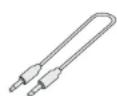
3-A stereo mini-jack 3.5 cable
4- Six rubber pads to stick underneilh the W35 Xi
Remove the tape and put the rubber pad if you
put the W35 on a hard surface (Wood, metal, glass table...)

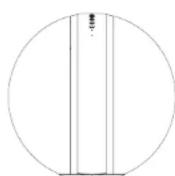





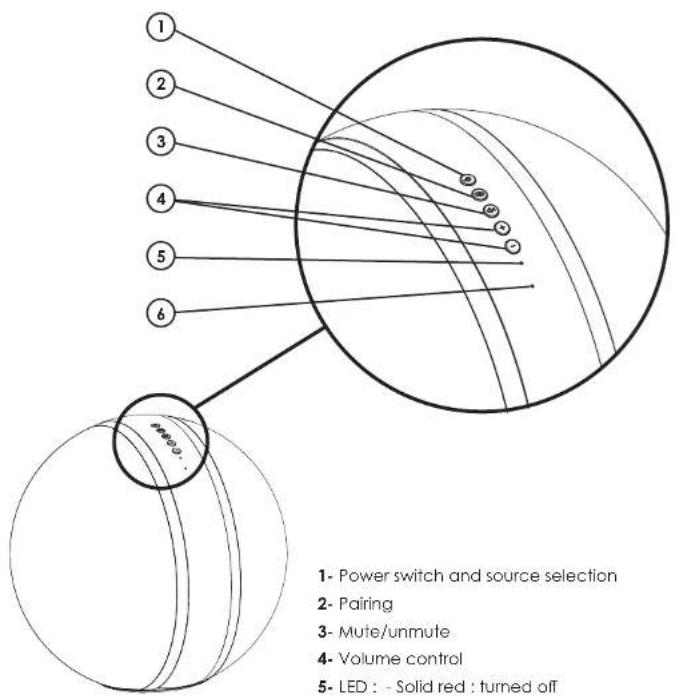
FRONT PANEL
1- Power switch and source selection
2- Pairing
3-Mute/unmute
4-Volume control
5-LEDSolidred:turned off
- Flashing red:standby
-White:Networkmode
-Blue:Bluetoothmode - Green; Auxiliary mode
Yellow:Optical mode
6-Reset
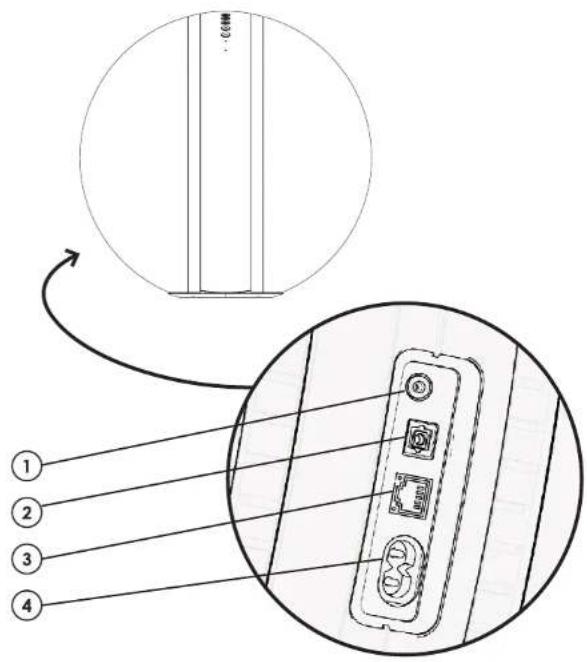
REAR PANEL
1-Auxiliary, analog jack 3.5mm input
2-Tosink, digital optical input
3-Ethernet, RJ45 cable input
4- Power supply (110 - 240V)

APPLICATION
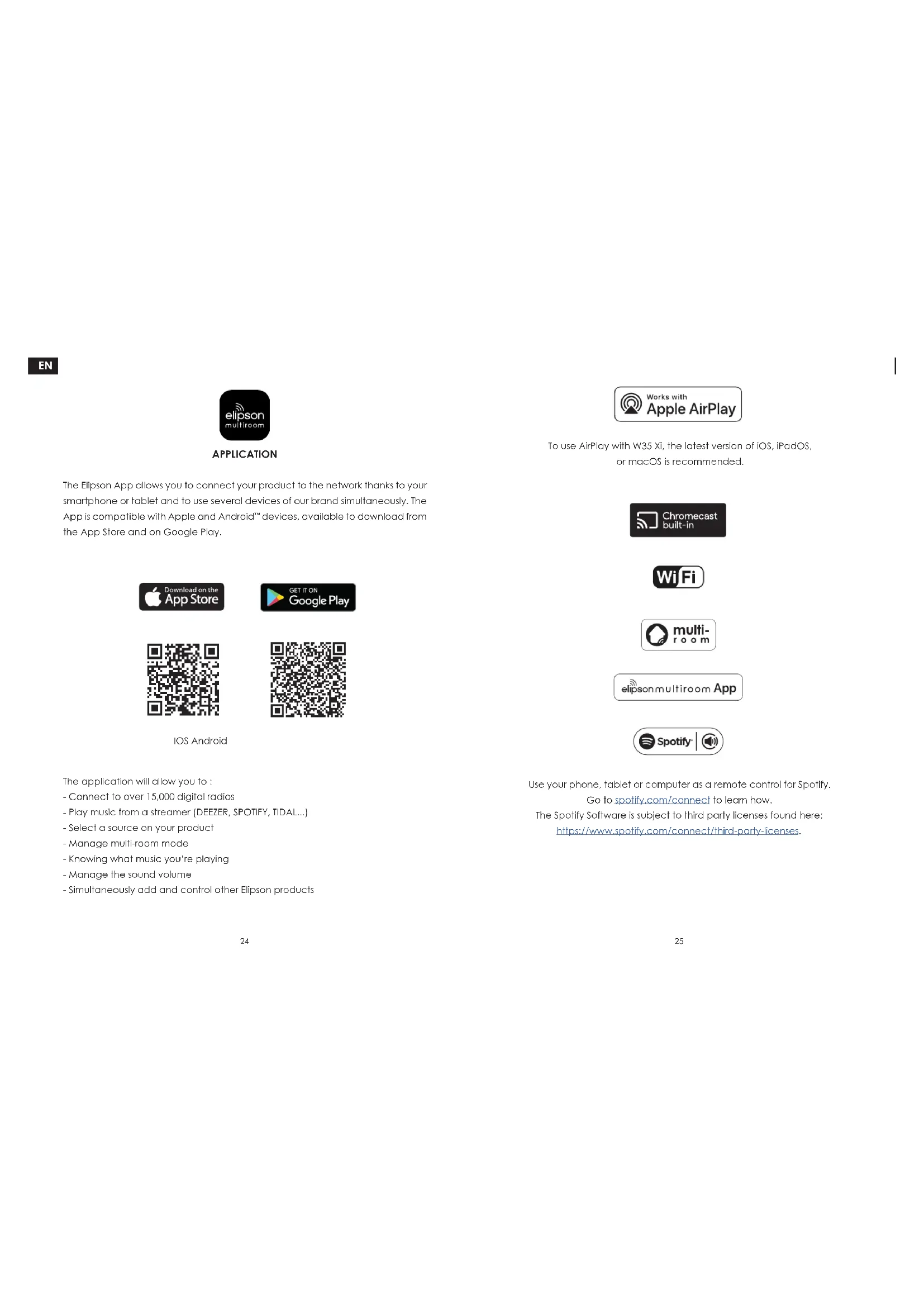
The Elvisson App allows you to connect your product to the network thanks to your smartphone or tablet and to use several devices of our brand simultaneously. The App is compatible with Apple and Android devices, available to download from the App Store and on Google Play.



IOS Android

The application will allow you to:
- Connect to over 15,000 digital radios
-Play music from a streamer (DEEZEER,SPOTIFY,TIDAL...)
- Select a source on your product
- Manage multi-room mode
- Knowing what music you're playing
- Manage the sound volume
Simultaneously add and control other Epilson products

To use AirPlay with W35 Xi, the latest version of iOS, iPadOS, or macOS is recommended.





Use your phone, tablet or computer as a remote control for Spotify.
Go to spolify.com/connect to learn how.
The Spotify Software is subject to third party licenses found here:
https://www.spotify.com/connect/third-party-licenses.
IV. USE OF THE W35 Xi LOUDSPEAKER
After connecting the W35 Xi and to your power supply.
press the "Power" button and select your source by pressing the same button.
BLUETOOTH MODE :
On the front panel of the loudspeaker, make sure that the blue LED for bluetooth mode is lit.
If it does not flash, press the pairing button on the loudspeaker.
When the LED flashes, go to the bluetooth settings of the device you want to connect and select "W35Xi_XXXX".
When the LED turns solid blue, you are connected to the device.
WI-FI MODE:
-
Switch your W35 Xi on by pressing the Power button on the loudspeaker. Select the Wi-Fi input by pressing the source button. (The mode is activated when the white LED light up.)
-
Wait a few seconds for the network system to initialize until the LED flashes.
- Therefore, open your Elipson application and follow the on-screen instructions.
- If you have a problem, reset your system settings by pressing and holding the "Reset" button, then restart the procedure.
ETHERNET CONNECTION :
Connect your device to the network via an RJ45 cable connected to the ethernet input. Turn on your W35 Xi then select the network input by pressing the power button on your speaker. The mode is activated when the LED lights up in the white color.
Your speaker is then automatically connected and available on your network.
RADIO PRESETS:
In the main menu of the Epilson application, click on Tuneln and find the radio station you want to save as a preset.
Next to all the radio stations, you will see a loudspeaker icon on the right side of the screen.
Click on the speaker icon to open the preset content.
Then click on one of the presets 1 to 5 to save a radio station as a preset.
STAND-BY MODE :
When you are not using the device, it automatically go into standby/low power mode after 20 minutes. This mode will result in a flashing.
To "wake up" the device, simply play music through the application.
RESET THE W35 Xi :
Keep the "reset" button pressed with a point until the LED flashes alternately in red and in white. After 30 seconds, the LED will start flashing white again. Your speaker is reset.
TO GET A BETTER UNDERSTANDING OF THE LOUDSPEAKER'S FUNCTIONALITY
AND OUR APPLICATION, WE INVITE YOU TO WATCH OUR TUTORIAL VIDEOS.
AVAILABLE ON OUR YOUTUBE ACCOUNT: EUPSONOFFICIAL
V. IN CASE OF BREAKDOWN

DO NOT USE ANY KIND OF CLEANING SOLUTION OR CLEANER ON THESE UNITS. IF FOR SOME REASON THE DEVICE NEEDS TO BE REPAIRED, PLEASE CONTACT US IMMEDIATELY. WE WILL ISSUE A RETURN AUTHORIZATION NUMBER. THIS UNIT SHOULD NOT BE SHIPPED BACK TO ELIPSON WITHOUT THE RA#.
DO NOT ATTEMPT TO OPEN OR DISMANTLE THIS DEVICE. THIS WILL Void THE WARRANTY!
POSSIBLE BREAKDOWNS
Very low signal or no sound at all:
Volume is at minimum level
- You have activated the wrong source
The device is muted
Product dropping in and out of Wi-Fi:
- Check that the speed of your wifi network is good.
- The product is too far from the router
Bluetooth connection is not stable
The source is too far from the device
Bad Bluetooth signal from the source
Output distortion
- The voltage of the auxiliary source you are using exceeds 1.5V.
Source level is too high
VI. APPLE AIRPLAY LEGAL STATEMENT
APPLE AIRPLAY LEGAL NOTICE:
Use of the Works with Apple AirPlay badge means that an accessory has been designed to work specifically with the technology identified in the badge and has been certified by the developer to meet Apple performance standards.
CREDIT LINES AND TRADEMARK SYMBOLS
Apple, AirPlay, Apple Home, Apple TV, Apple Watch, HomeKit, HomePod, HomePod mini, iPad, iPad Air, iPhone, and tvOS are trademarks of Apple Inc., registered in the U.S. and other countries and regions.
CREDIT LINES AND TRADEMARK SYMBOLS (JAPAN)
Apple, AirPlay, Apple Home, Apple TV, Apple Watch, HomeKit, HomePod, HomePod mini, iPad, iPad Air, iPhone, and tvOS are trademarks of Apple Inc., registered in the U.S. and other countries and regions. The trademark "iPhone" is used in Japan with a license from Aiphone K.K.
CREDIT LINES AND TRADEMARK SYMBOLS (UNITED STATES)
AirPlay
Apple
Apple Home
Apple TV
Apple Watch
HomeKif
HomePod
HomePod mini
iPod
iPad Air
iRedmin
iPod Pro
iPhone
Lightning
Mac
Siri
GOOGLE LEGAL NOTICE:
Android, Google Play, YouTube and Chromecast built-in are trademarks of Google LLC.
WARNING
TO PREVENT FIRE OR SHOCK HAZARD. DO NOT EXPOSE THIS APPLIANCE TO RAIN OR MOISTURE. THIS APPLIANCE SHALL NOT BE EXPOSED TO DRIpping OR SPLASHING WATER AND THAT NO OBJECT Filled WITH LIQUIDS SUCH AS VASES SHALL BE PLACED ON APPARATUS.
Precautions for proper use
This product was designed according to rigorous norms and complies with sotety standards. It should only be used under normal conditions as described below. Verify the electrical voltage before connecting it to a power source. This device was designed to work in numerous countries. We advise you to hook it up completely before connecting it to the AC power source. Take care when unplugging the power cord. When you unplug the power cord from the power source, do so by pulling on the head of the plug rather than on the cable. If you do not expect to use this device for a prolonged period of time, you are advised to unplug it from the power source. Do not open the case. This device contains no parts that can be exchanged on the user. Accessing the inside of this device's case can lead to electric shock. Any modification to the product will notify the guarantee. If a foreign object or liquid falls into the case, contact your rotator to arrange for a technician to remove it from the device safely.

IMPORTANT SAFETY INSTRUCTION
Electricity is used to perform many useful functions, but it can also cause personal injuries and property damage if properly handled. This product has been engineered and manufactured with the rigorous priority on safety. However, improper use can result in electric shock and / or fire. In order to prevent potential danger, please observe the following instructions when installing, operating and cleaning the product. To ensure your safety and prolong the service life of your car, please read the following instructions carefully before using the product.
- Read these instructions. 2. Keep these instructions, 3. Hold all warnings. 4. Follow all instructions. 5. Do not use his apparatus near water, 6. Cason only with dry cloth. 7. Do not block any ventilation openings. Install in accordance with the manufacturer's instructions. 8. Do not install near any near sources such as radators, hear register, stoves, or other apparatus (including amplifiers) that produce heat. 9. The battery shall not be exposed to excessive heat such as sunshine, fire or the like. 10. Do not defeat the safety purpose of the polarized or grounding-type plug. Ascoltered plug has two cables with one wider than the other. A grounding type plug has two blades and a third grounding prong. The wide blade and the third prong are provided for your safety; if the provided plug does not fit into your outlet, consult an electrician for replacement of the oxoole outlet. 11. Protect the power cord from being walked on or clinched particularly if the plugs, convenience receptacles, and the point where they exit from the apparatus. 12. Only use attachments/accessories specified by the manufacturer. 13. Use only with the cart, slants, blood, bradleel, or table specified by the manufacturer, or sold with the apparatus. When a cart is used, use caution when moving the cart/apparatus combination to avoid injury from tip-over. 14. Unplug this apparatus during lightning storms or when unused for long periods of time. 15. Refer all servicing to qualified service personnel. Servicing is required when the apparatus has been damaged in any way, such as powder-supply cart or plug is damaged, if it has been spilled or objects have fallen into the apparatus, the apparatus has been exposed to rain or moisture, does not operate normally, or has been dropped. 16. The main plug or an appliance coupler is used as a disconnect device, the disconnecting device shall remain ready operables.
WARRANTY
These liquidators have a limited 2 year warranty. This warranty includes 2 year parts and repair labor on all components. The warranty extends only to the original purchaser of the product and not to any subsequent owner. Elson's obligation under these warranties is limited to repairing or replacing any component found defective in material or wortmorship under normal conditions of use with an equal and/or current product. These warranties shall not apply to products which have been abused, modified, or disassembled. Products will be repaired or returned under this warranty must be returned to the factory through an authorized Elson dealer with all transportation and insurance charges prepaid.
To claim repair under warranty
To claim repair or service under warranty you simply have to contact your local Elison dealer, from whom your equipment has been purchased. To ensure that you will be able to ship your damaged product in correct manner, always retain the original packaging of your Elison equipment, if you cannot contact your original dealer, or if you are using your Elison product outside the purchase country, you should contact Elison national distributor in the residence country, who will advise where the equipment can be serviced.
You can also visit our web site to check our contact information: www.eipson.com
To validate your warranty, you need to produce, as a proof of purchase, your original purchase invoice specifying the date of purchase and stamped by your dealer.
ELIPSON'S POLICY IS TO CONTINUOUSLY INCORPORATE IMPROVEMENTS INTO OUR PRODUCTS.
ALL SPECIFICATIONS ARE SUBJECT TO CHANGE WITHOUT NOTICE. IF YOU HAVE ANY QUESTIONS, PLEASE VISIT OUR WEBSITE : WWW.EILIPSON.COM
CONTACT US :
CONTACT@ELIPSON.COM OR ON FACEBOOK AND INSTAGRAM
Eipson 2023 - Eipson is a Trademark of AV Industry.
elipson | W35 Xi
THE ORIGIN OF POWER