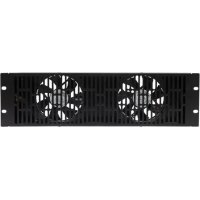
CAFH01 - TV Accessories SANUS - Free user manual and instructions
Find the device manual for free CAFH01 SANUS in PDF.


| Product Type | 19-inch rack cooling fan |
| Brand | SANUS |
| Model | CAFH01 |
| Compatibility | 19-inch racks (48.26 cm) |
| Power Supply | 12V DC via CAPT01 SANUS EcoSystem |
| Power Consumption | 0.54 A |
| Fan Type | Axial (estimated) |
| Number of Fans | 1 (possibility to install 2) |
| Installation | Top, rear panel, or front (upper 3U) |
| Use | Cooling of rack-mounted electronic equipment |
| Safety | Indoor use only, in a dry location |
| Grounding | Required for all doors and accessories |
| Maintenance | Clean with a dry cloth |
| Warranty | 5 years against manufacturing defects |
| Customer Support | Contact SANUS |
| Included Parts | Fan, power cord, mounting screws |
| Required Accessories | CAPT01 SANUS EcoSystem (not included) |
| Operation | Continuous or thermostat-controlled via CAPT01 |
Frequently Asked Questions - CAFH01 SANUS
User questions about CAFH01 SANUS
0 question about this device. Answer the ones you know or ask your own.
Ask a new question about this device
Download the instructions for your TV Accessories in PDF format for free! Find your manual CAFH01 - SANUS and take your electronic device back in hand. On this page are published all the documents necessary for the use of your device. CAFH01 by SANUS.
USER MANUAL CAFH01 SANUS
natural_image
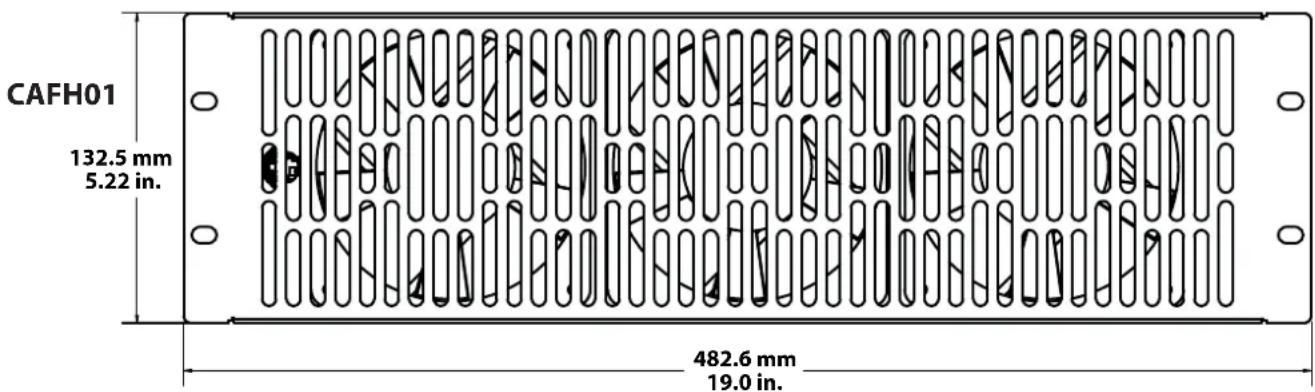
Technical illustration of two rectangular metal enclosure panels with vertical slots and mounting holes (no text or symbols)We are here to help! Please contact Customer Service with any questions.
Customer Service
Americas: 800-359-5520 • 651-484-7988 • info@sanus.com
Europe, Middle East, and Africa: +31 40 2324700 • europe.sanus@milestone.com
Asia Pacifi c: 86 755 8996 9226 • sanus.ap@milestone.com
SANUS • 2221 Hwy 36 West • Saint Paul, MN 55113 USA
©2011 Milestone AV Technologies, a Duchossois Group Company. All rights reserved. Sanus is a division of Milestone. All other brand names or marks are used for identification purposes and are trademarks of their respective owners.
English - How to use this manual
For best results, reference both the text and illustrations.
OPT This item is optional
English Text Pages 3-6
IMPORTANT SAFETY INSTRUCTIONS – SAVE THESE INSTRUCTIONS – PLEASE READ ENTIRE MANUAL PRIOR TO USE
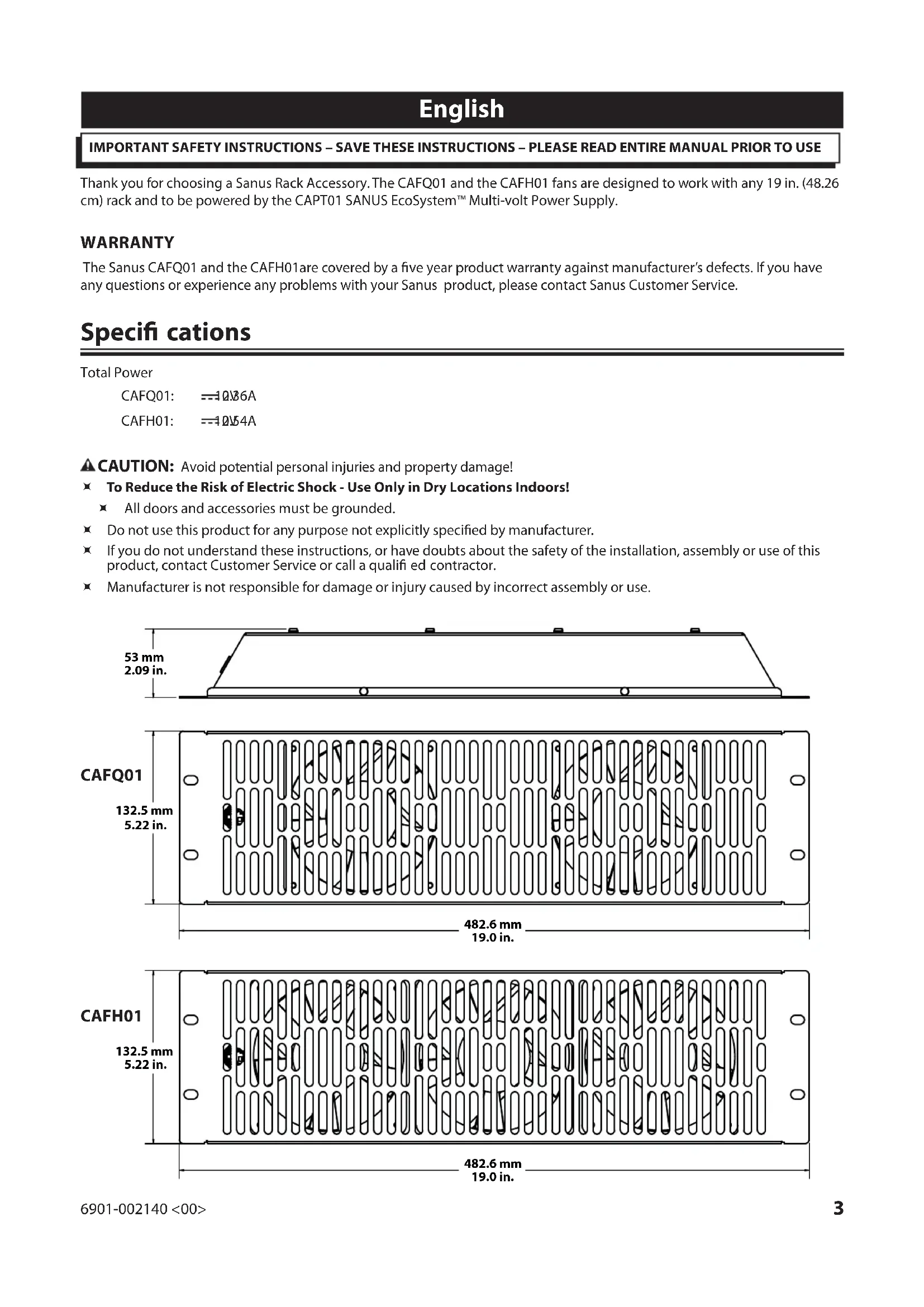
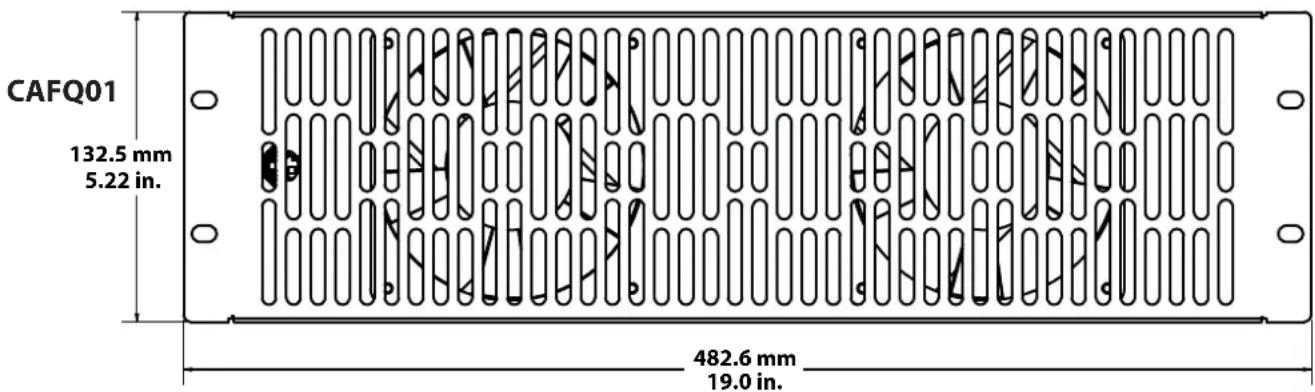
Thank you for choosing a Sanus Rack Accessory. The CAFQ01 and the CAFH01 fans are designed to work with any 19 in. (48.26 cm) rack and to be powered by the CAPT01 SANUS EcoSystem™ Multi-volt Power Supply.
WARRANTY
The Sanus CAFQ01 and the CAFH01 are covered by a five year product warranty against manufacturer's defects. If you have any questions or experience any problems with your Sanus product, please contact Sanus Customer Service.
Specifications
Total Power
CAFQ01: =10.86A
CAFH01: =1054A
▲ CAUTION: Avoid potential personal injuries and property damage!
To Reduce the Risk of Electric Shock - Use Only in Dry Locations Indoors!
All doors and accessories must be grounded.
Do not use this product for any purpose not explicitly specified by manufacturer.
If you do not understand these instructions, or have doubts about the safety of the installation, assembly or use of this product, contact Customer Service or call a qualified contractor.
Manufacturer is not responsible for damage or injury caused by incorrect assembly or use.

natural_image
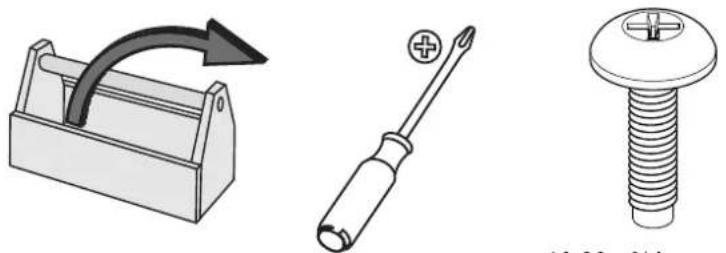
Illustration of three different electrical components: a toolbox with curved arrow, a screwdriver, and a threaded bolt (no text or symbols)10-32 x 34 in. screws
4 required per unit Not included.*
*Available from Sanus.
Supplied Parts and Hardware
WARNING: This product contains small items that could be a choking hazard if swallowed.
Before starting assembly, verify all parts are included and undamaged. If any parts are missing or damaged, do not return the damaged item to your dealer; contact Customer Service. Never use damaged parts!
![CAFQ01 [01] x 1 [02] x 1 CAFH01 [01] x 1 [02] x 1](/content/2026/03/523351/images/30392be5298491fa17f4a4eb3892518cf2118f56373a9c5dc2573ec3883cb80c.jpg)
A-Top

natural_image
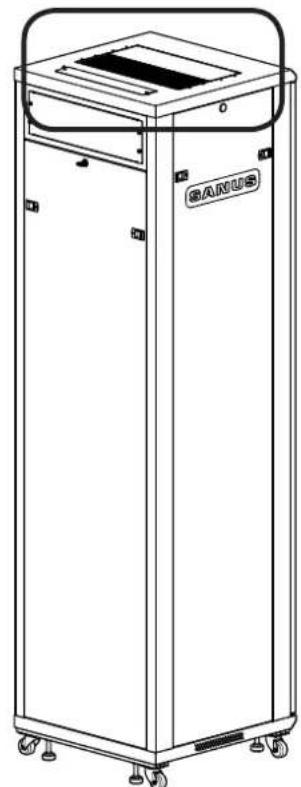
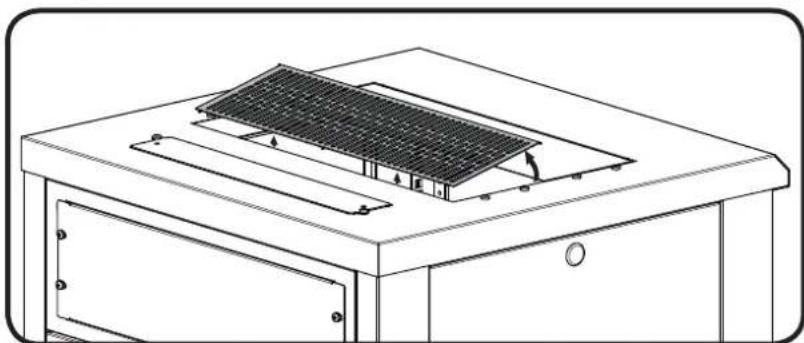
Line drawing of a BANUS industrial machine with wheels and top panel (no text or symbols on the device itself)Remove the vented panel. Mount the cooling fan [01] using the screws preinstalled in the top. For a second fan [01], remove the adjacent solid panel and add fan.
natural_image
Technical line drawing of a solar panel installation on a cabinet (no text or symbols)![[01]](/content/2026/03/523351/images/85d5ac46095f38858e672849fd36282e22c27ffa7e617a229cff1567e481cf44.jpg)
B-Back panel

Note: CFR21XX Series rack shown
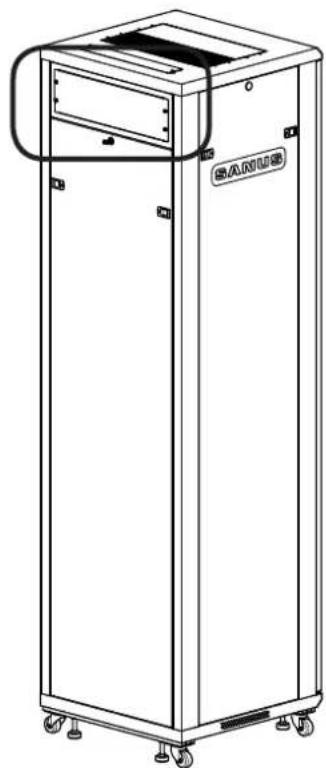
natural_image
Line drawing of a rectangular industrial machine with wheels and a side panel (no text or symbols)With the small back panel positioned at the top, mount fan [01] in place of the access panel. Reuse the screws from the access panel to mount the fan.
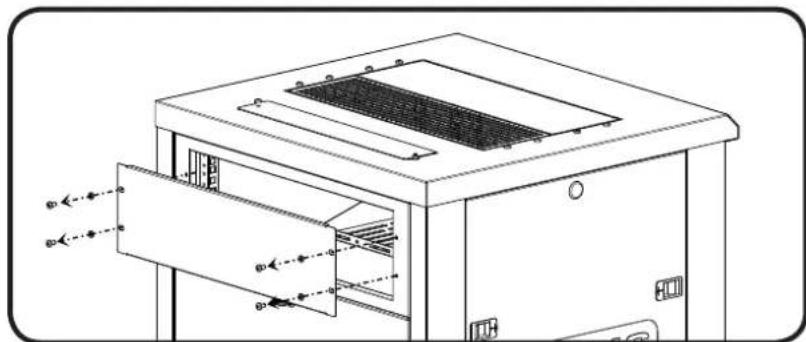
natural_image
Technical line drawing of a mechanical oven or enclosure with internal grating and ventilation duct (no text or symbols)![[01] SANUS](/content/2026/03/523351/images/cabd42bda143eef44fb4ff9f84c95f0a1ab9a4c61a56ba6b0d8d23092b27f40e.jpg)
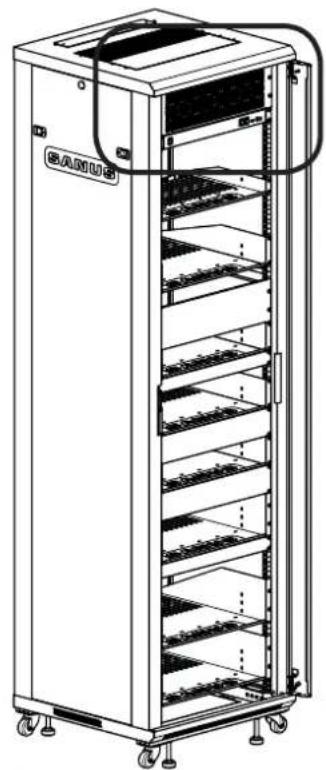
natural_image
Line drawing of a multi-tiered industrial storage cabinet with wheels and internal shelves (no text or symbols)Mount the fan [01] at the top 3U location on the front rails of the rack using four 10-32 x ^3/4 in. screws (not included). It is usually mounted directly above the CAPT01 SANUS EcoSystem™ Multi-volt Power Supply.
![[01]](/content/2026/03/523351/images/beb1c0d98ada27500ec7d6070325521bd2b81ed520c178187eac9921e993a564.jpg)
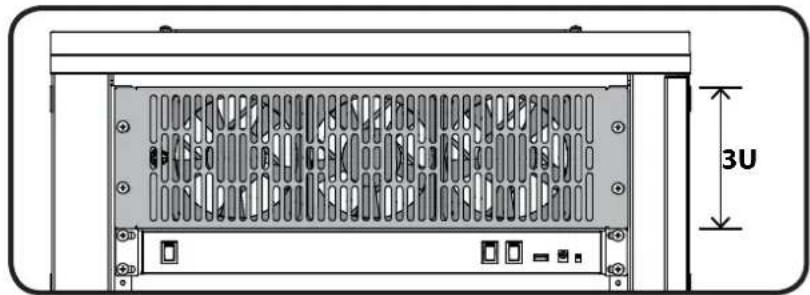
natural_image
Technical diagram of a computer rack with ventilation grilles and mounting ports, labeled 3U (no text or symbols beyond dimension marker)2 Plug in Fan
![[01] (CAPT01) [02]](/content/2026/03/523351/images/d6323c19c1fb2e9b175715d52632fa04991d9ef36075f4057d2ef5c48449fb95.jpg)
Make sure the master power switch of the CAPT01 SANUS EcoSystem™ Multi-volt Power Supply (CAPT01) is in the off position. Plug one end of the power cord [02] into the fan's [01] jack and the other end into one of the CAPT01's 12 Volt power jacks:
For continuous operation, plug the power cord into one of the "ALWAYS ON" jacks of the CAPT01.
For control by the thermostat, plug the power cord into one of the "THERMOSTAT CONTROLLED" jacks of the CAPT01.
Refer to the instructions for the CAPT01 for more information regarding powering the fan.
SANUS®
Français
CONSIGNES DE SÉCURITÉ IMPORTANTES – CONSERVEZ CES INSTRUCTIONS – VEUILLEZ LIRE ATTENTIVEMENT LE MANUEL AVANT D'UTILISER CE PRODUIT
Milestone AV Technologies and its affiliated corporations and subsidiaries (collectively, "Milestone"), intend to make this manual accurate and complete. However, Milestone makes no claim that the information contained herein covers all details, conditions, or variations. Nor does it provide for every possible contingency in connection with the installation or use of this product. The information contained in this document is subject to change without notice or obligation of any kind. Milestone makes no representation of warranty, expressed or implied, regarding the information contained herein. Milestone assumes no responsibility for accuracy, completeness or sufficiency of the information contained in this document.