CAFQ01 - TV Accessories SANUS - Free user manual and instructions
Find the device manual for free CAFQ01 SANUS in PDF.


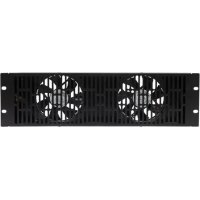
| Product Type | Cooling fan for 19-inch (48.26 cm) rack |
| Brand | Sanus |
| Model | CAFQ01 |
| Intended Use | Cooling of electronic equipment in a rack |
| Compatibility | 48.26 cm (19 inch) racks with front rails |
| Power Supply | 12 V DC via CAPT01 SANUS EcoSystem (not included) |
| Power Rating | 20 A (max) |
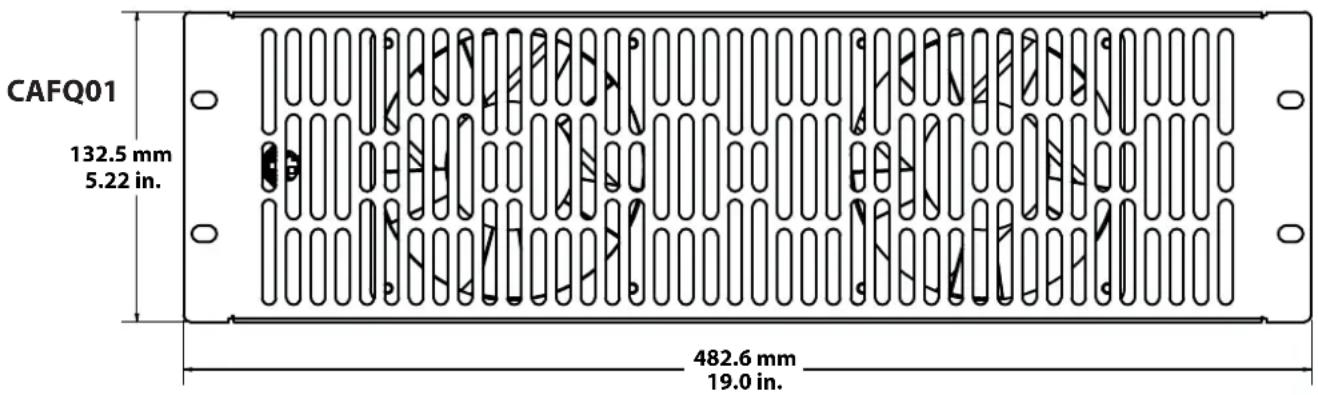
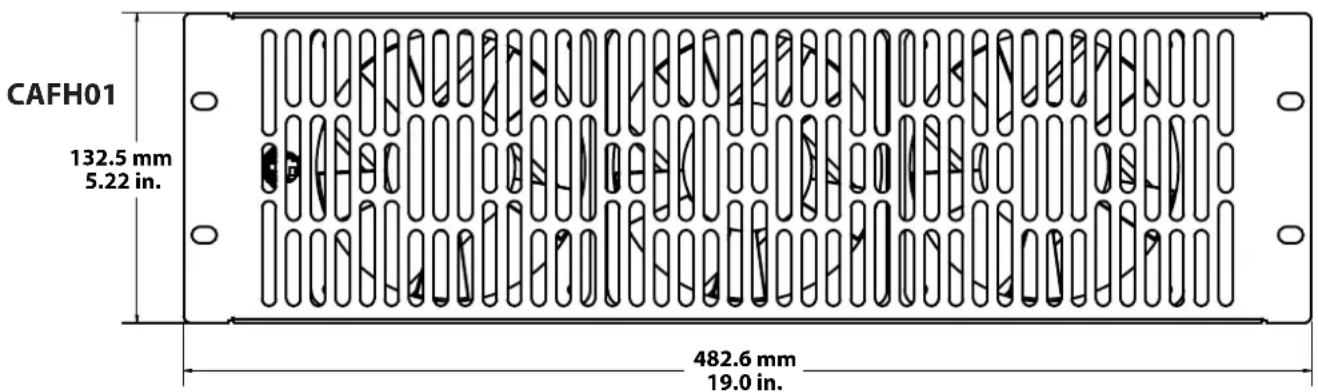
| Dimensions (width) | 48.26 cm (19 inches) |
| Occupied Height | 3U (13.34 cm) |
| Weight | Approximately 0.5 kg |
| Housing Material | Steel and plastic |
| Main Functions | Fan cooling, continuous or thermostatic operation |
| Temperature Control | Via thermostatic outlets of the CAPT01 |
| Installation | Mounting on top, rear panel, or front of the rack |
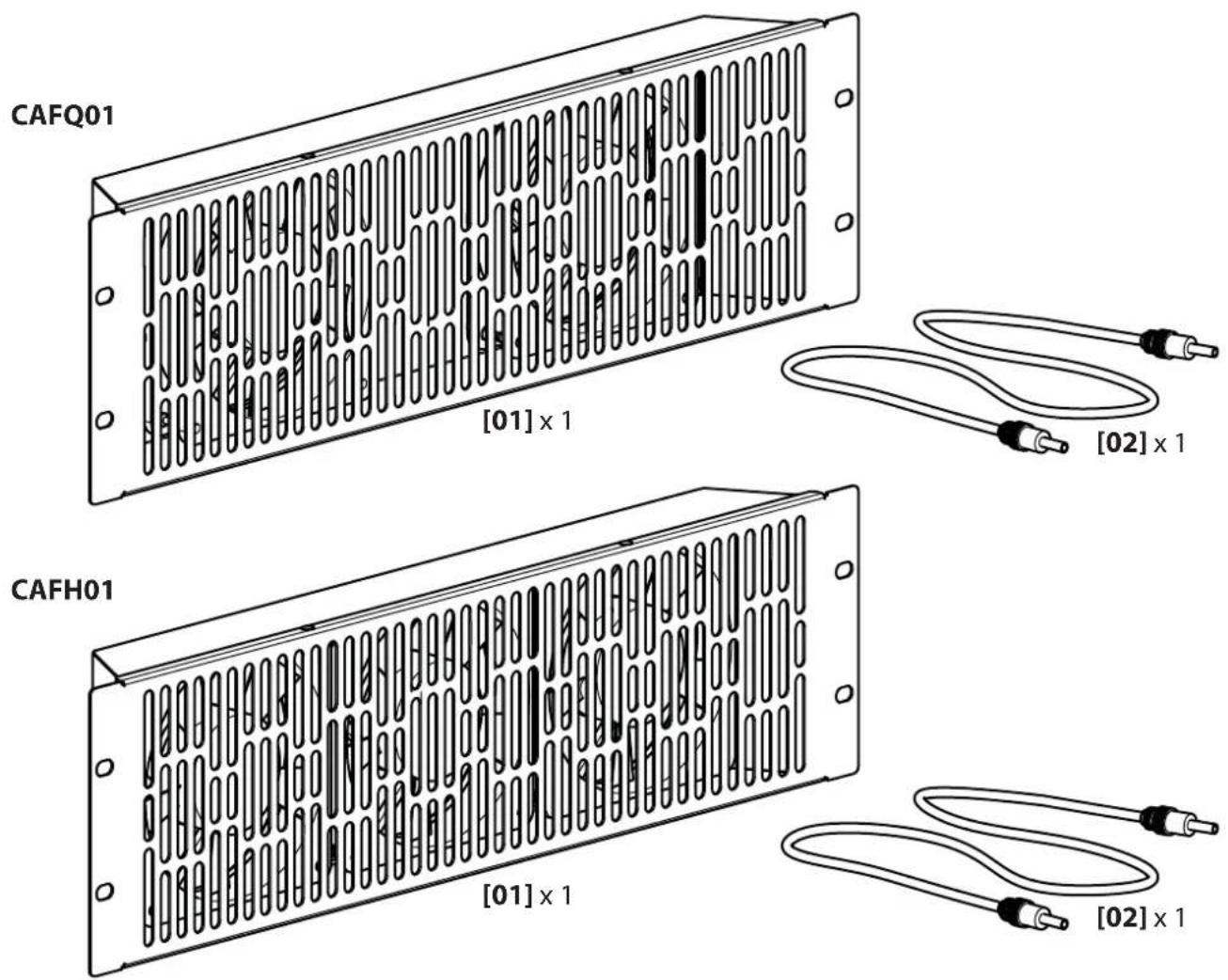
| Package Contents | Fan, power cord, mounting screws (pre-installed) |
| Safety | Indoor use only, dry locations, grounding required |
| Maintenance and Cleaning | Disconnect before cleaning, wipe with a dry cloth |
| Repairability | Spare parts available through Sanus customer service |
| Warranty | 5 years against manufacturing defects |
| Certifications | Compliant with applicable safety standards |
Frequently Asked Questions - CAFQ01 SANUS
User questions about CAFQ01 SANUS
0 question about this device. Answer the ones you know or ask your own.
Ask a new question about this device
Download the instructions for your TV Accessories in PDF format for free! Find your manual CAFQ01 - SANUS and take your electronic device back in hand. On this page are published all the documents necessary for the use of your device. CAFQ01 by SANUS.
USER MANUAL CAFQ01 SANUS
CAFQ01/CAFH01 Instruction Manual
We are here to help! Please contact Customer Service with any questions.
Customer Service
Americas: 800-359-5520 • 651-484-7988 • info@sanus.com
Europe, Middle East, and Africa: + 31 40 2324700 • europe.sanus@milestone.com
Asia Pacific c: 86 755 8996 9226 · sanus.ap@milestone.com
SANUS · 2221 Hwy 36 West · Saint Paul, MN 55113 USA
©2011 Milestone AV Technologies, a Duchossois Group Company. All rights reserved. Sanus is a division of Milestone.
All other brand names or marks are used for identification purposes and are trademarks of their respective owners.
English - How to use this manual
For best results, reference both the text and illustrations.
This item is optional
English Text Pages 3-6
IMPORTANT SAFETY INSTRUCTIONS - SAVE THESE INSTRUCTIONS - PLEASE READ ENTIRE MANUAL PRIOR TO USE
Thank you for choosing a Sanus Rack Accessory. The CAFQ01 and the CAFH01 fans are designed to work with any 19 in. (48.26 cm) rack and to be powered by the CAPT01 SANUS EcoSystem™ Multi-volt Power Supply.
WARRANTY
The Sanus CAFQ01 and the CAFH01 are covered by a five year product warranty against manufacturer's defects. If you have any questions or experience any problems with your Sanus product, please contact Sanus Customer Service.
Specifications
Total Power
CAFQ01: =10.86A
CAFH01: = 1054A
CAUTION: Avoid potential personal injuries and property damage!
To Reduce the Risk of Electric Shock - Use Only in Dry Locations Indoors!
All doors and accessories must be grounded.
Do not use this product for any purpose not explicitly specified by manufacturer.
If you do not understand these instructions, or have doubts about the safety of the installation, assembly or use of this product, contact Customer Service or call a qualif ed contractor.
Manufacturer is not responsible for damage or injury caused by incorrect assembly or use.

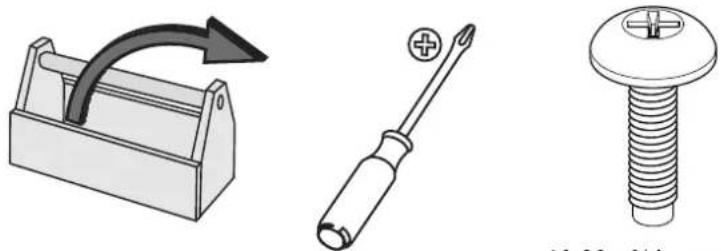
10-32 × 3 / 4 in. screws
4 required per unit
Not included.*
*Available from Sanus.
Supplied Parts and Hardware
WARNING: This product contains small items that could be a choking hazard if swallowed.
Before starting assembly, verify all parts are included and undamaged. If any parts are missing or damaged, do not return the damaged item to your dealer; contact Customer Service. Never use damaged parts!
A-Top

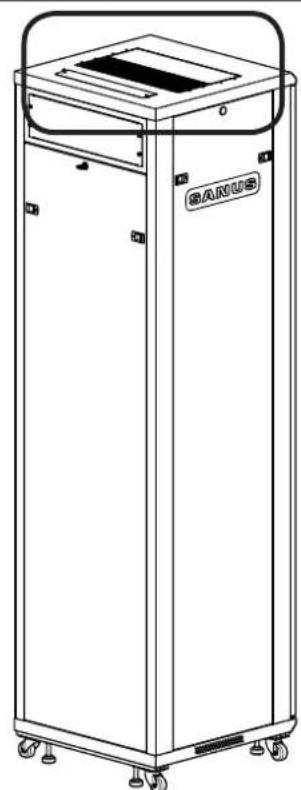
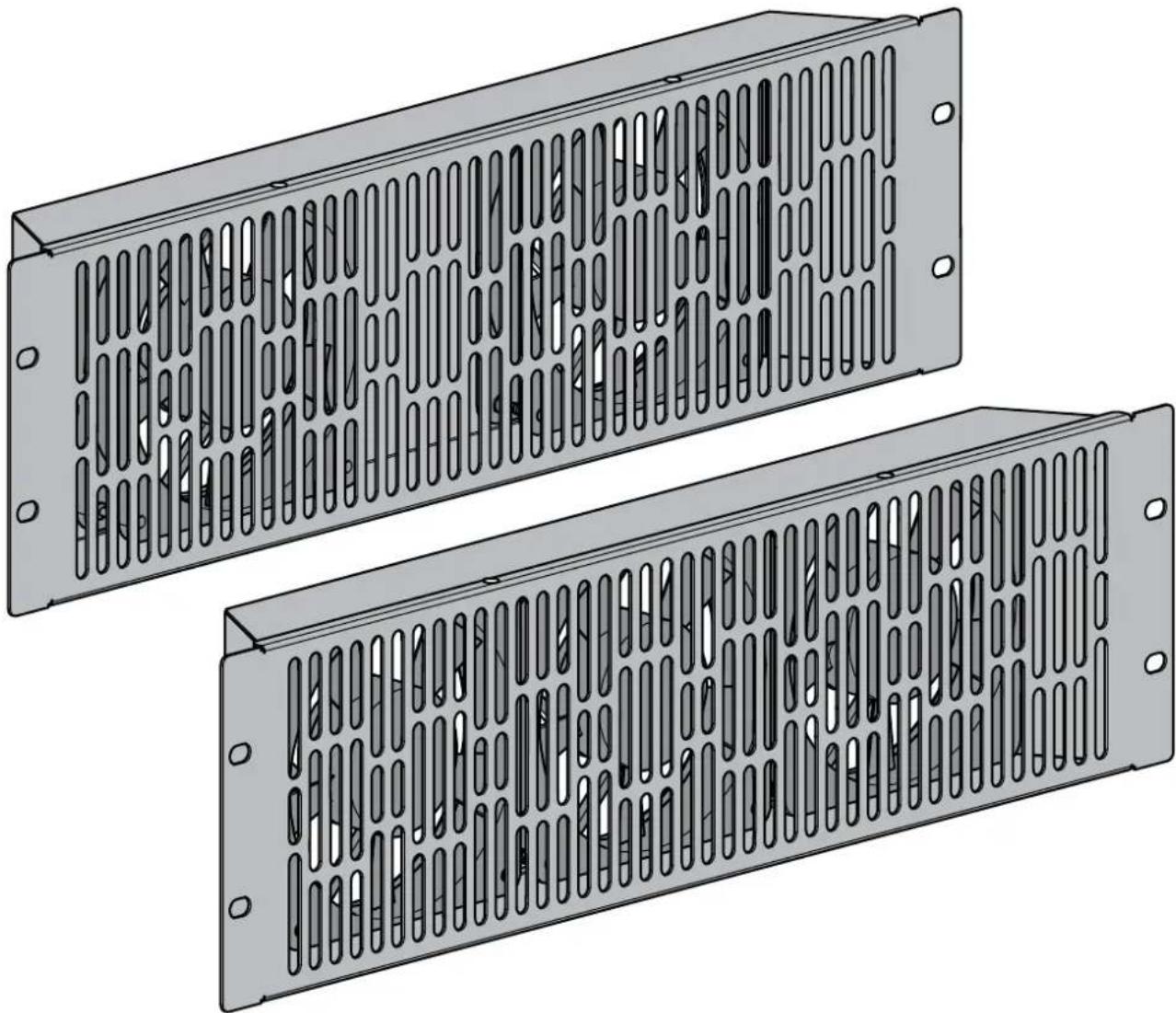
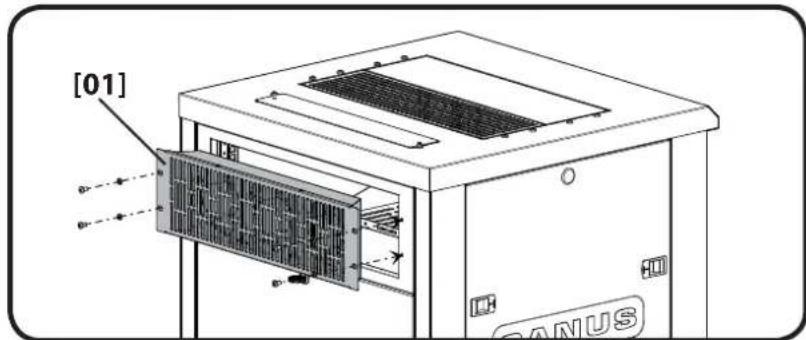
Remove the vented panel. Mount the cooling fan [01] using the screws preinstalled in the top. For a second fan [01], remove the adjacent solid panel and add fan.
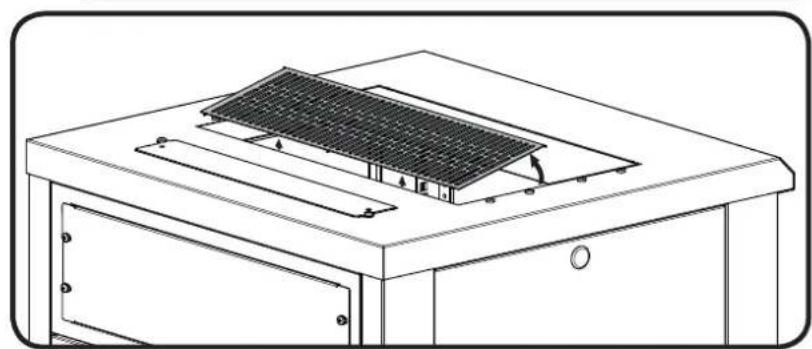
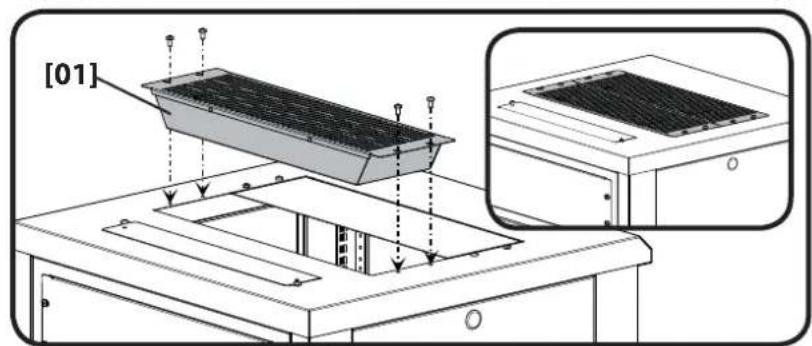
B-Back panel

Note: CFR21XX Series rack shown
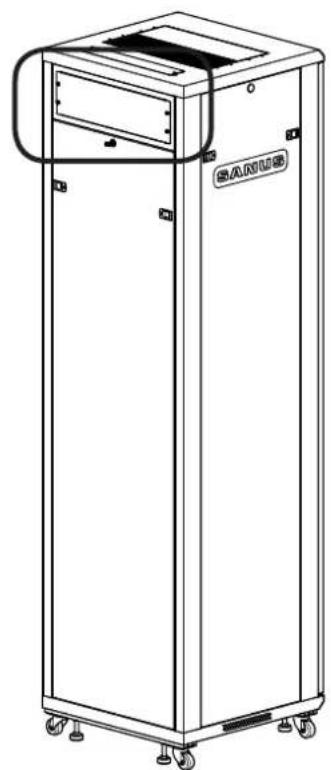
With the small back panel positioned at the top, mount fan [01] in place of the access panel. Reuse the screws from the access panel to mount the fan.
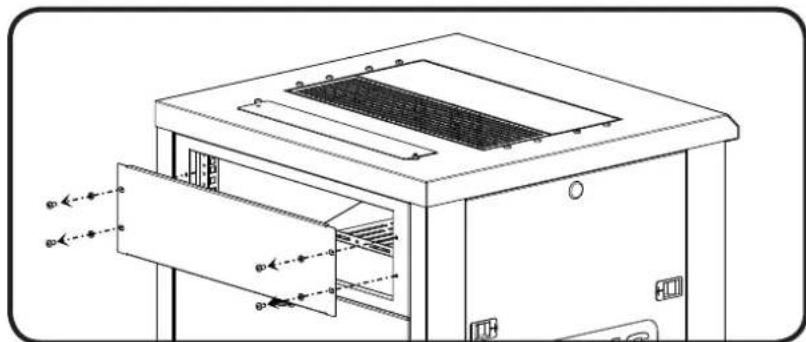
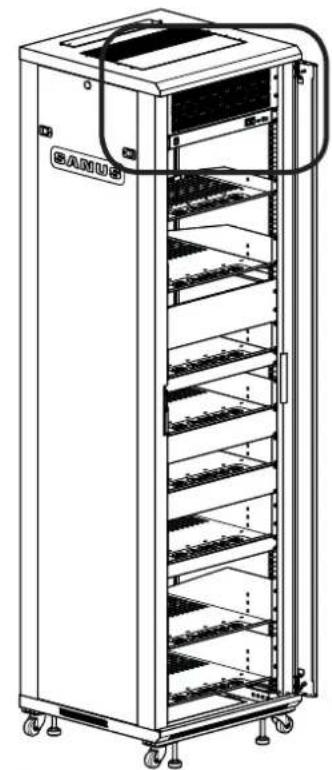
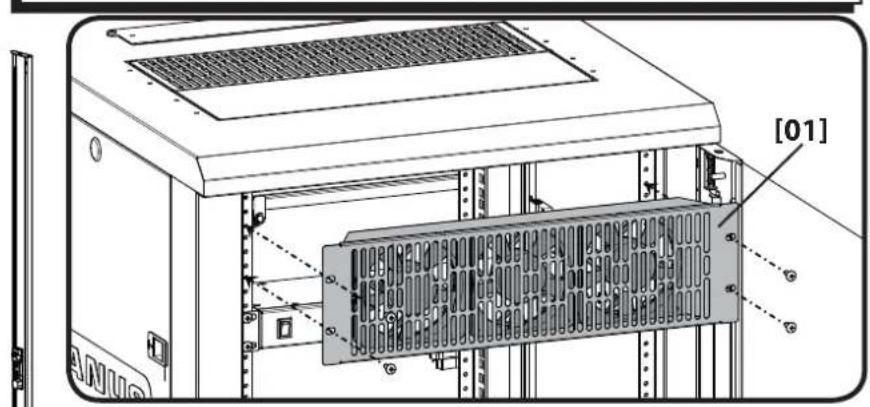
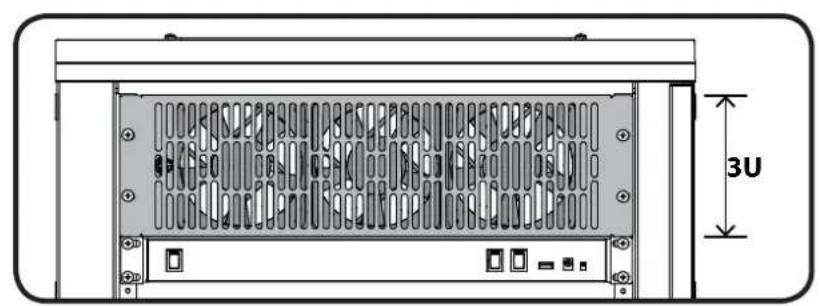
Mount the fan [01] at the top 3U location on the front rails of the rack using four 10 - 32 × 3/4 in. screws (not included). It is usually mounted directly above the CAPT01 SANUS EcoSystem™ Multi-volt Power Supply.
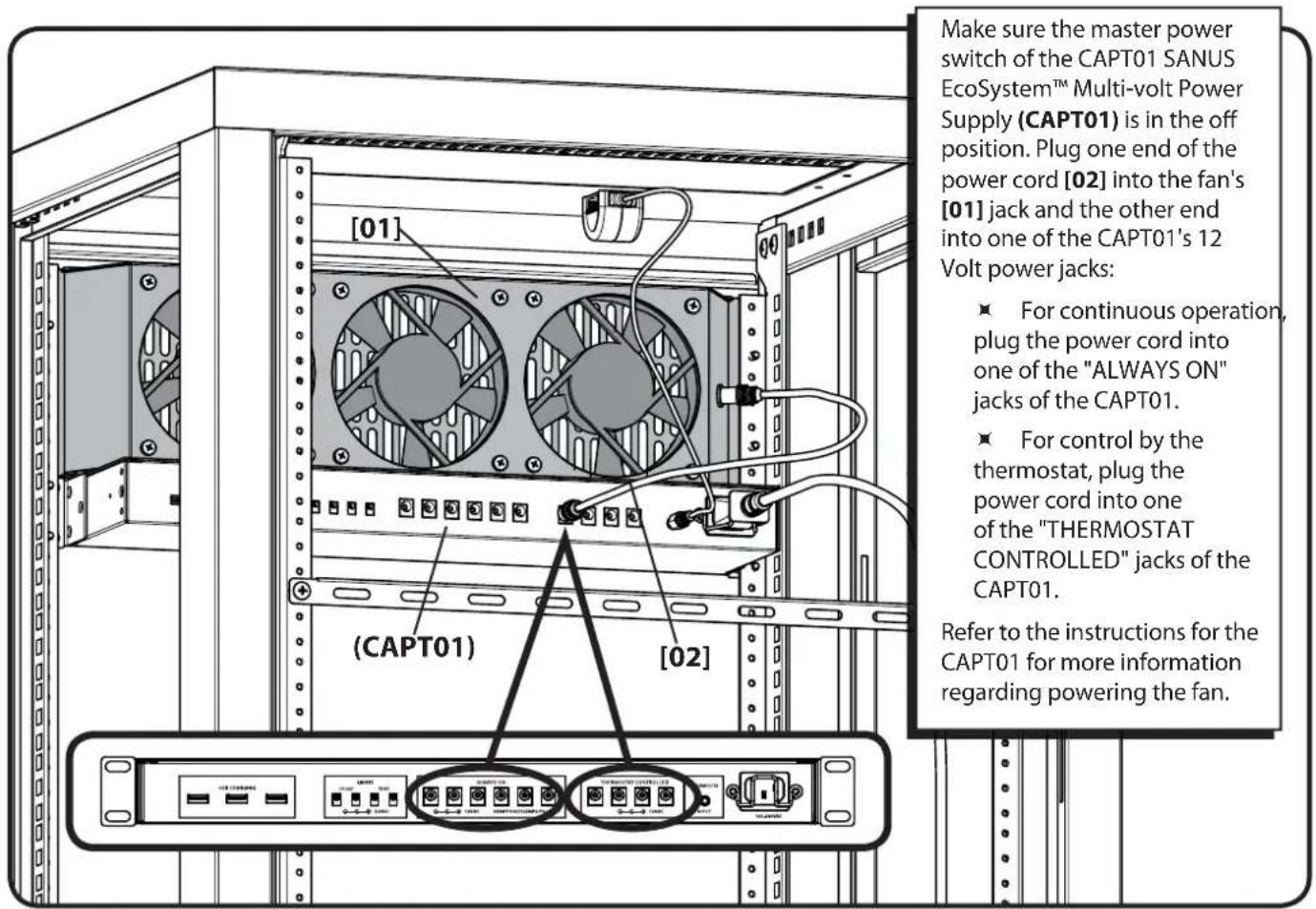
2 Plug in Fan
SANUS
Français
CONSIGNES DE SECURITE IMPORTANTES - CONSERVEZ CES INSTRUCTIONS - VEUILLEZ LIRE ATTENTIVEMENT LE MANUEL AVANT D'UTILISER CE PRODUIT
Note: Rack series CFR21XX mostrato
Note: Rack series CFR21XX mostrato
Note: Rack series CFR21XX mostrato
PNEOCTEPEXHE. Co6nIpaTe npabuHa 6e3oNaCHocT, TTO6bI PpeOTbpaTb BO3MOxHbI TpaBMbl NOBpeXdHeNc
Bo n36eKahne npaxKeHn 3IeKtpueckm TokOM nCNoB3yTe daHHe u3dene TOnbKO B cyxnx nomuehenx.
Bce DBePcbln npHnAdneXHoCTn DOJIKNbI 6bIb3a3eMJeHbl.
He nCnObn3yIte n3dennne IJRAKoON-JIN60 cEN, ABHO He orOBOpeHHoN pOn3BOIDTeJIeM.
EcnBbHe NoHMaete npBedeHHbIe HcTpyKunn IIN He yBepeHb B 63onacHOCTu YCTaHOBKn, c6OpKn IIN EKPlnyataun DaHHoro n3dJIIn, o6paTntecb B ceHTp NocnenpoaXHoro 06CnyxNBAHNn IIN IIO3BOHITe KBaIIHfUPOBaHHOMy NOprdAnky.
Ipn3BOJntJIb He Hecet OTBETCTBeHHOCTn 3a NOBpeKdHeNe O6OpyIOBaHn IIN NOLyHeNe TpaBMbl NO npuHHe HnpabNtBHO C6OpKn nn EKcNpyataun n3deJnn.
Ihctpymtebl, Heo6xOaMbIe IJy UCTaHOBKn cm. cTp. 4
IocTabraemble komnleKtyuOuNe n KpepeXhble 3JeMeHTbl cm. ctp.4
A PPEyPPEKDEHNE. B n3dennn ecb MeKne deTann, KOtOpbIe MOrY T cTaTb npuHOn ydyweHn npnnonaAHN B dbixaTeBhbIe nyTu.
Ipeed c6opko y6eHnTeCb,TO BCE dTaNN NMeOTcB H aNnHn H He NobpeXdHb. Ecn KaKne-1n6o DeTaN OTCyTCTBYOTnn IIOBpeXdHb, He Bo3BpaaaiTe NobpeXdHHyO DeTaN IpOaNBy; o6pATnTeCb B ceHTp nocnepnoJxHO 06CnyKuBaHN. HkOrda He nCnObl3yTe NobpeXdHbte DeTaN.
1 YctahOBka BeHTnIaTopa cm. ctp.5
CAFQ01:12V = = = 0.36A
CAFH01:12V = = 0.54A
Milestone AV Technologies and its affiliated corporations and subsidiaries (collectively, "Milestone"), intend to make this manual accurate and complete. However, Milestone makes no claim that the information contained herein covers all details, conditions, or variations. Nor does it provide for every possible contingency in connection with the installation or use of this product. The information contained in this document is subject to change without notice or obligation of any kind. Milestone makes no representation of warranty, expressed or implied, regarding the information contained herein. Milestone assumes no responsibility for accuracy, completeness or sufficiency of the information contained in this document.