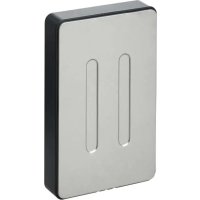
E06018 - Sensor Emos - Free user manual and instructions
Find the device manual for free E06018 Emos in PDF.



| Product type | Wireless sensor for weather station |
| Brand | Emos |
| Model | E06018 |
| Dimensions | 15 × 62 × 100 mm |
| Weight | 54 g |
| Power supply | 2 AAA 1.5 V batteries (not included) |
| Outdoor temperature measuring range | -50 °C to +70 °C |
| Temperature accuracy | ±1 °C (from 20 to 24 °C), ±2 °C (0 to 20 °C and 24 to 40 °C), ±3 °C (-20 to 0 °C and 40 to 50 °C), ±4 °C (other ranges) |
| Outdoor humidity measuring range | 1 to 99% RH |
| Humidity accuracy | ±5% |
| Transmission frequency | 433 MHz |
| Transmission power | 10 mW e.r.p. max |
| Radio range | Up to 100 m in open air |
| Number of channels | 3 (1, 2, 3) |
| Protection rating | Resistant to water drops (avoid permanent rain) |
| Fixing | Wall mounting hole |
| Maintenance | Clean with a slightly damp soft cloth. Do not use solvents or abrasive products. Do not immerse. |
| Safety | Keep out of reach of children. Do not expose to fire, extreme temperatures, or excessive humidity. Use only alkaline batteries of the same type. |
| Repairability | Do not attempt to repair yourself. Entrust any repair to a qualified specialist or the retailer. |
| General information | Compliant with directive 2014/53/EU. Declaration of conformity available at emos.eu. |
Frequently Asked Questions - E06018 Emos
User questions about E06018 Emos
0 question about this device. Answer the ones you know or ask your own.
Ask a new question about this device
Download the instructions for your Sensor in PDF format for free! Find your manual E06018 - Emos and take your electronic device back in hand. On this page are published all the documents necessary for the use of your device. E06018 by Emos.
USER MANUAL E06018 Emos
natural_image
Technical line drawing of a door panel and its side view showing two vertical oval cutouts (no text or symbols)2
GB | Wireless Sensor
Sensor Description
1 – opening for hanging on a wall; 2 – stand; 3 – TX button; 4 – switching sensor channel no. 1/2/3; 5 – battery compartment
Technical specifications:
outdoor temperature: -50 °C to +70 °C, increments of 0.1 °C temperature measurement accuracy: ±1 °C for 20 °C to +24 °C range, ±2 °C for 0 °C to +20 °C and 24 °C to +40 °C range, ±3 °C for -20 °C to 0 °C and 40 °C to +50 °C range, ±4 °C for other ranges
outdoor humidity: 1–99 % RH, 1 % resolution
humidity measurement accuracy: 5 %
radio signal range: up to 100 m in open area
wireless sensor: transmission frequency 433 MHz, 10 mW e.r.p. max.
sensor power supply: 2× 1.5 V AAA (not included)
sensor dimensions and weight: 15 × 62 × 100 mm, 54 g
Getting Started
- Connect the adapter to the station, then insert batteries first into the weather station (3× 1.5 V AAA), then into the wireless sensor (2× 1.5 V AAA). The battery compartment of the sensor is protected by screws; use a suitable screwdriver.
- When inserting the batteries make sure the polarity is correct to avoid damaging the weather station or sensor. Only use alkaline batteries of the same type; do not use rechargeable batteries.
- Place the two units next to each other. The weather station will automatically detect the sensor signal within 3 minutes. If signal from the sensor is not detected, long-press the button on the weather station to repeat the search.
- We recommend placing the sensor on the north side of the house. The range of the sensor may decrease substantially in areas with large number of obstacles.
-
The sensor is resistant to dripping water; however, it should not be exposed to sustained rain.
-
Do not place the sensor onto metal objects as this will reduce its transmission range.
-
If the low battery icon is displayed, replace batteries in the sensor or weather station.
Switching Channel and Connecting Additional Sensors
-
Choose the desired channel 1, 2, or 3 for the sensor by repeatedly pressing the ⏻ button. Then, long-press the ⏻ button; the 📂 icon will start flashing.
-
Unscrew the cover from the battery compartment on the rear of the sensor and set the sensor switch to the desired sensor channel number (1, 2, 3), then insert batteries (2× 1.5 V AAA). Data from the sensor will be loaded within 3 minutes.
-
If sensor signal is not found, remove the batteries and proceed again in accordance with steps 1 and 2 or press the TX button.
Upkeep and Maintenance
- Read the manual carefully before using this product.
- Do not expose the product to direct sunlight, extreme cold and moisture, and sudden changes in temperature as these may compromise detection accuracy.
- Do not place the product in locations prone to vibration and shocks; these may cause damage.
- Do not expose the product to excessive pressure, impacts, dust, high temperatures or humidity – these may cause malfunction, shorter battery life, damage to batteries and deformation of plastic parts.
- Do not place any open flame sources on the product, e.g. a lit candle, etc.
- Do not place the product in places with inadequate air flow.
- Do not tamper with the internal electric circuits of the product. Doing so might damage it and automatically void the warranty.
- The product should only be repaired by a qualified professional.
-
To clean the product, use a slightly moistened soft cloth. Do not use solvents or cleaning agents; they could scratch the plastic parts and cause corrosion of the electric circuits.
-
The product must not be exposed to dripping or splashing water.
- In the event of damage or defect on the product, do not perform any repairs by yourself.
- Have it repaired in the shop where you bought it.
- Place the product out of reach of children; it is not a toy.
- Remove flat batteries; they could leak and damage the product.
- Use only new batteries of the recommended type and make sure polarity is correct when replacing them.
- Do not throw batteries into a fire and do not disassemble or short-circuit them.
- This device is not intended for use by persons (including children) whose physical, sensory or mental disability or lack of experience and expertise prevents them from safely using the device, unless they are supervised or instructed in the use of the device by a person responsible for their safety. Children should be supervised to ensure they do not play with the device.
After use, the device and batteries become hazardous waste – do not throw them into unsorted municipal waste, but return them to a collection point – e.g. the shop where you purchased the product.
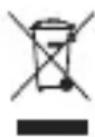
Do not dispose with domestic waste. Use special collection points for sorted waste. Contact local authorities for information about collection points. If the electronic devices would be disposed in landfill, dangerous substances may reach groundwater and subsequently food chain, where it could affect human health.
Hereby, EMOS spol. s r. o. declares that the radio equipment type E06018 is in compliance with Directive 2014/53/EU. The full text of the EU declaration of conformity is available at the following internet address: http://www.emos.eu/download.


Brand : Emos
Model : E06018
Category : Sensor