ManualGo.com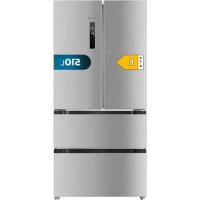
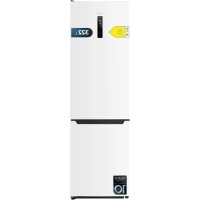
Bolero CoolMarket FD 510 E - Fridge CECOTEC - Free user manual and instructions
Find the device manual for free Bolero CoolMarket FD 510 E CECOTEC in PDF.



Download the instructions for your Fridge in PDF format for free! Find your manual Bolero CoolMarket FD 510 E - CECOTEC and take your electronic device back in hand. On this page are published all the documents necessary for the use of your device. Bolero CoolMarket FD 510 E by CECOTEC.
USER MANUAL Bolero CoolMarket FD 510 E CECOTEC
1. Parts and components 63
4. Instructions on food storage 68
5. Cleaning and maintenance 72
8. Disposal of old electrical and electronic
9. Technical support and warranty 76
Fig. 1 A. Refrigerator compartment
1. Refrigerator door shelf
2. Refrigerator glass shelves
5. Water dispenser (only for model 02463 Bolero CoolMarket FD 510 WD Inox E)
B. Freezer compartment
4. Freezer-compartment drawers
Control panel Fig. 2 / Fig 2.1
1. Refrigerator-compartment temperature indicator
2. Freezer-compartment temperature indicator
3. Refrigerator-compartment temperature control
4. Freezer-compartment temperature control
11. Locking the water dispenser (only for model 02463 Bolero CoolMarket FD 510 WD Inox E)
Note: The graphics in this manual are schematic representations and may not exactly match the product.
- This appliance is packaged in a way as to protect it during transport. Take the appliance out of its box and remove all packaging materials. You can keep the original box and other packaging elements in a safe place. This will help you prevent product damage when transporting it in the future. In case the original packaging is disposed of, make sure all packaging materials are recycled accordingly. - Make sure all parts and components are included and in good conditions. If there is any piece missing or in bad conditions, contact the ocial Cecotec Technical Support Service immediately.
Los derechos de propiedad intelectual sobre los textos de este manual pertenecen a CECOTEC INNOVACIONES, S.L. Quedan reservados todos los derechos. El contenido de esta publicación no podrá, ni en parte ni en su totalidad, reproducirse, almacenarse en un sistema de recuperación, transmitirse o distribuirse por ningún medio (electrónico, mecánico, fotocopia, grabación o similar) sin la previa autorización de CECOTEC INNOVACIONES, S.L.6564 BOLERO COOLMARKET FD 510 INOX E / DARK E / WD INOX E / GLASS E BOLERO COOLMARKET FD 510 INOX E / DARK E / WD INOX E / GLASS E ENGLISH ENGLISH - The feet and rear rollers must touch the oor to prevent the refrigerator from moving, vibrating, or rattling. - When moving the refrigerator, adjust the feet counterclockwise so that they do not touch the oor, then gently tilt the refrigerator to start moving it. Start-up - Connect the power cord and turn on the switch. - On rst use, the display will show the respective default temperature values (refrigerator compartment is set to 5°C, freezer compartment to -18°C). - The default mode is the power-saving mode, with the display timeout time being 20 seconds. This mode saves energy and increases the lifespan of the LED lights. Selecting modes and functions Each time you press the Function button, you will cycle through the dierent operating modes. Holiday mode The refrigerator compartment will run at 8°C while the freezer compartment will run at -15°C. Fast Freezing function Fast Freezing function: the freezer compartment will run continuously to freeze food faster and keep it fresh. The Fast Freezing function will automatically switch o after 24 hours of operation or when the freezer compartment reaches -28°C. When this occurs, the Fast Freezing icon will turn o and the freezer compartment will continue running at default temperature. Fast Cooling function By selecting the Fast Cooling function, the refrigerator compartment reaches the set temperature in the shortest possible time to keep food as fresh as possible. When you enable this function, the refrigerator-compartment temperature will be set to 2°C automatically. The programme lasts 150 minutes maximum and switches o automatically. When the Fast Cooling icon switches o, it means the Fast Cooling function is inactive, and the temperature setting reverts back to the one chosen before enabling the Fast Cooling function. Freezer-compartment settings. Fig. 6 The default temperature of the freezer compartment is -18°C. To change the temperature, press the Freezer-Compartment Temperature Control button to view all the setting options.
WARNING: do not place fresh food directly on top of frozen food.
Refrigerator-compartment settings. Fig 7 The default temperature of the refrigerator compartment is 5°C. To change the temperature, press the Refrigerator-Compartment Temperature Control button to view all the setting - This refrigeration appliance is not suitable for built-in installation. - Remove all packaging, including the plastic protection on the bottom of the appliance and the adhesive tape securing the shelves and door compartments inside. - Place the refrigerator in a suitable position and adjust the feet to level it. It is recommended to clean the appliance with a hot, soapy cloth and dry it thoroughly before use. - Place the refrigerator and adjust its height, clean it, let it rest for 4 to 6 hours, and switch it on. This will help ensuring that the compressor oil has properly settled, and that the appliance is running normally.
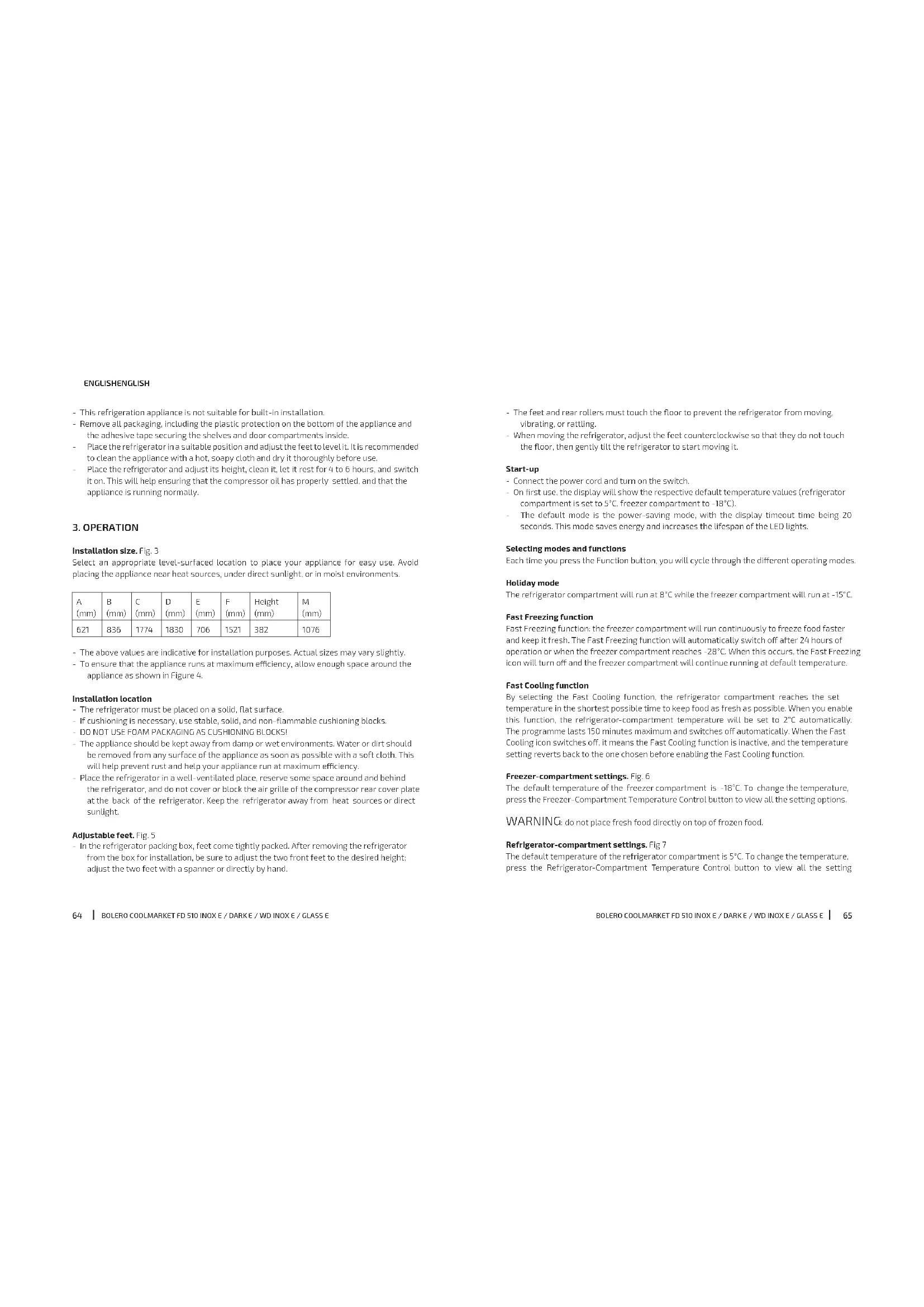
Installation size. Fig. 3 Select an appropriate level-surfaced location to place your appliance for easy use. Avoid placing the appliance near heat sources, under direct sunlight, or in moist environments.
- The above values are indicative for installation purposes. Actual sizes may vary slightly. - To ensure that the appliance runs at maximum eciency, allow enough space around the appliance as shown in Figure 4. Installation location - The refrigerator must be placed on a solid, at surface. - If cushioning is necessary, use stable, solid, and non-ammable cushioning blocks. - DO NOT USE FOAM PACKAGING AS CUSHIONING BLOCKS! - The appliance should be kept away from damp or wet environments. Water or dirt should be removed from any surface of the appliance as soon as possible with a soft cloth. This will help prevent rust and help your appliance run at maximum eciency. - Place the refrigerator in a well-ventilated place, reserve some space around and behind the refrigerator, and do not cover or block the air grille of the compressor rear cover plate at the back of the refrigerator. Keep the refrigerator away from heat sources or direct sunlight. Adjustable feet. Fig. 5 - In the refrigerator packing box, feet come tightly packed. After removing the refrigerator from the box for installation, be sure to adjust the two front feet to the desired height; adjust the two feet with a spanner or directly by hand.6766 BOLERO COOLMARKET FD 510 INOX E / DARK E / WD INOX E / GLASS E BOLERO COOLMARKET FD 510 INOX E / DARK E / WD INOX E / GLASS E ENGLISH ENGLISH Removable and easy-to-clean door seal The door seals are easy to remove and clean, allowing for ecient, long-lasting operation. Carrying. Fig. 8 - Do not carry the refrigerator horizontally or lying down. - Do not carry the refrigerator by the door or handle; carry the refrigerator by lifting from the bottom. - Never carry the appliance alone–at least two people are required for safe lifting or carrying of the appliance. Door shelf. Fig. 9 - Disassembly: hold the sides of the door shelf with both hands. Push it in from the side opposite the slot and push it in as shown in the Figure. Push until the edge of the door shelf separates from the groove in the slide. - Assembly: hold the sides of the door shelf with both hands. Install the clip on the slot rst. Then, push the other side slightly inwards–the clip will click into place on the slot and the door shelf will be installed. Make sure the appliance is installed correctly before using it. Fig. 9 key:
Instructions for locking the water dispenser (Fig. 10) - Push the child safety lock lever with your thumb as shown in Figure 10 (arrow 1)–the lever (2, Fig. 10) will lock and it will, in turn, lock the water dispenser. - Push it in the opposite direction to unlock the water dispenser. Instructions for installing the water tank (Fig. 11)
1. Grasp both sides of the tank with your hands and pull the tank assembly slightly upwards
2. Turn the water valve assembly counterclockwise to remove it from the water tank for
3. Move the tab on the water-tank cover slightly upwards to detach the water-tank cover
from the water tank. Lift the cover on the other side in the same way and clean the tank and the cover.
4. Install the water valve by turning it clockwise after cleaning. When installing the tank
cover, t one side rst (do not press down all the way), then the other side. Reinstall the water tank assembly at 45 degrees to the door. Press the outer edge of the water tank slightly downwards so that it clicks into the door. options. Lock/Unlock button - To enable the kids lock, press the Lock/Unlock button–a padlock icon will appear on the display. - When the refrigerator is locked, the other buttons will not work and, if touched, a chime will sound, and the lock icon will ash. - To disable the lock function, press and hold the Lock/Unlock button for 3 seconds until the icon stops ashing. Open door alarm When the refrigerator door stays open for more than 1 minute, an alarm will sound to remind the user to close the door. Once the door is closed, the alarm will automatically stop sounding. Switching the refrigerator compartment on and o Press and hold the Refrigerator-Compartment Temperature Control button for 5-10 sec. to switch the refrigerator compartment on and o. When the refrigerator compartment is switched o, the corresponding temperature indicator will switch o as well. When the refrigerator compartment is switched o, press and hold the Refrigerator-Compartment Temperature Control button for 5-10 sec. to switch it on again. Refrigerator compartment The refrigerator compartment is to be used primarily for storing food that will be consumed within a short time. Freezer compartment The freezer compartment is used for freezing food, storing deep-frozen food, and making ice cubes. It can preserve food for a long time. If the interior is stained with oil or fatty foods, it should be cleaned immediately to avoid prolonged contact with the coating and subsequent corrosion and cracking. Automatic defrosting The appliance is equipped with a programme that controls the frequency and duration of freezer defrosting. This allows for the freezer to defrost automatically, sparing you the trouble. LED display and temperature control The display shows the temperature of the refrigerator compartment and the freezer compartment respectively. To change the setting in either of the two compartments, simply press the up or down arrow depending on the change you wish to make.6968 BOLERO COOLMARKET FD 510 INOX E / DARK E / WD INOX E / GLASS E BOLERO COOLMARKET FD 510 INOX E / DARK E / WD INOX E / GLASS E ENGLISH ENGLISH - Defrosted food cannot be refrozen. - Glass bottles or containers must not be placed in the freezer or in front of the air outlet of the refrigerator-compartment duct. Otherwise, they may explode. - Food must not block the air outlet so as not to hinder proper air circulation. Food storage Find useful tips on food storage here below. The glass shelves and crisper drawer can be removed for food storage if necessary. Note: Do not allow food to directly touch surfaces inside the appliance. Dairy products and eggs - Most pre-packed dairy products have a best-before date. Store them in the refrigerator compartment and use them within the best-before date. - Butter can be easily contaminated by strong odours, so it is best to keep it in a sealed container. Eggs must be stored in the refrigerator compartment. Red meat - Place fresh red meat in a dish and cover it without pressing it with wax paper, plastic, or aluminium foil. - Store raw and cooked meat in dierent dishes. This will prevent liquids from transferring from raw meat and contaminating cooked meat. Poultry - You must rinse fresh whole poultry inside and outside under cold running water, dry it, and place it on a plate. Cover it without pressing with plastic or aluminium foil - You must also store poultry meat this way. Stu whole poultry right before cooking it. Otherwise, it can lead to food poisoning. Fish and seafood - You must consume whole sh and llets on the day of purchase. Store it in a dish covered with plastic wrap, wax paper, or aluminium foil until ready to eat. If storing overnight or longer, take special care to choose very fresh sh. - You must rinse whole sh with cold water to remove scales and dirt, and then dry it with paper towels. Place whole sh or llets in an airtight plastic bag. - Keep seafood refrigerated at all times. Consume it within 1-2 days. Convenience food and leftovers - You can store this food in an appropriate and covered container, so food does not dry. Conserve it only for 1-2 days. Note: the transparent silicone parts of the water valve may come o while removing the water tank. If it were the case, remove and reinstall them by following the steps below. a. Align the valve piece with the hole in the door and push it in. b. Once the piece ts tightly into the hole, installation will be complete. Filling up the water tank (Fig. 12) Open the water-tank inlet cover (1). Slowly ll the tank with water up to the maximum lling limit marked “2L”. Then, close the inlet cover (1). To avoid spillage, use a narrow-holed container to pour the water. IMPORTANT: - Fill up the water tank with drinkable water only. - External climate conditions directly inuence the cooling time of water, i.e., in summer the cooling time is longer than in winter.
4. INSTRUCTIONS ON FOOD STORAGE
Use precautions - The refrigerator may not operate consistently (there may be some defrosting of the contents, or the temperature may become too hot in the freezer compartment) if placed in locations with a temperature outside of the temperature range for which it’s designed for a long period of time. - The internal temperature may be aected by factors such as the location of the refrigerator, room temperature, and door opening frequency, etc., and you should take these factors into account if you decide to use any temperature-control devices. Instructions on food storage - When storing frozen foods, put them inside the freezer compartment. - Do not put bottled or canned foods in the freezer to prevent cracking due to ice formation. Before putting hot food in the refrigerator compartment, cool it down to room temperature rst for lower energy consumption. - Write the date of freezing on the food packaging bag to make sure they don’t stay frozen for too long. - Divide food into pieces and package them separately to ensure they freeze more easily and do not stick together. - Avoid loss of food quality by choosing packaging materials that are odourless, airtight, impermeable, and non-polluting. This will prevent other odours from easily contaminating the food. - Do not put too much fresh food in the freezer compartment at once, preferably not exceeding the freezer-compartment capacity of the refrigerator.7170 BOLERO COOLMARKET FD 510 INOX E / DARK E / WD INOX E / GLASS E BOLERO COOLMARKET FD 510 INOX E / DARK E / WD INOX E / GLASS E ENGLISH ENGLISH - Use before expiry date. - If possible, transport fully frozen food in an insulated bag and store it in the freezer compartment immediately. Storing frozen food Store at -18 °C or below. Avoid opening the freezer-compartment door unnecessarily. Freezing fresh food - Freeze only food that’s fresh and in good conditions. - To best preserve nutritional value, avour, and colour, vegetables should be blanched before freezing. Aubergines, peppers, courgettes, and asparagus do not require blanching. The following foods are suitable for freezing: Cakes and pastries, sh and seafood, meat, game, poultry, vegetables, fruits, herbs, shelled eggs, dairy products such as cheese and butter, ready meals and leftovers such as soups, stews, boiled meat and sh, potato dishes, soués, and desserts. The following foods are not suitable for freezing: Types of vegetables that are usually eaten raw, such as lettuce or radishes, shell eggs, grapes, apples, whole apples, pears and peaches, hard-boiled eggs, yoghurt, sour milk, sour cream, and mayonnaise. Recommended storage times for frozen foods in the freezer These times vary depending on food type. Frozen food can be stored for 1 to 12 months (-18°C minimum). FOOD Storage time Bacon, stews, milk 1 month Bread, ice cream, sausages, cakes, cooked seafood, oily sh, etc. 2 months Fish, seafood, pizza, pastries, and muns 3 months Ham, cakes, biscuits, veal and lamb chops, poultry pieces 4 months Butter, vegetables (blanched), whole eggs and yolks, cooked craysh, minced meat (raw), pork (raw) 6 months Fruit (dried or in syrup), egg whites, beef (raw), whole chicken, lamb (raw), fruit cakes 12 months Note: The times in the table are indicative and depend on external factors. Take them only as - Reheat the leftovers only once until they give o steam. Crisper drawer - This drawer is ideal for fresh fruit and vegetable storage in the refrigerator. - Take care not to store the following foods at temperatures below 6°C for long periods of time: Citrus fruit, melon, aubergine, pineapple, papaya, courgette, passion fruit, cucumber, pepper, and tomatoes. - There may be undesired changes at low temperature, like softening, browning or accelerated decomposition - Do not store avocados (until ripe), bananas or mangoes. FOOD Storage place (refrigerator compartment) Butter, cheese Door top shelf Eggs Door shelf Fruits and vegetables Crisper drawer Meat, sausages, cheese, milk Low area (lower shelf, 1 drawer cover) Dairy products, canned food, cans Door top shelf Drinks and bottles Door shelf FOOD Storage place (freezer compartment) Small frozen food Drawers Frozen packaged food Freezer-compartment drawer Fish, meat, ice cream Low area (bottom shelf or drawer) Note: do not allow food to touch the device surface directly. You should wrap the food separately in aluminium foil or in airtight plastic containers. Storing and freezing food in the freezer - For storing fully frozen food. - For making ice cubes. - For freezing food. Note: make sure the freezer-compartment door is properly close. Buying frozen food - The packaging must be intact.7372 BOLERO COOLMARKET FD 510 INOX E / DARK E / WD INOX E / GLASS E BOLERO COOLMARKET FD 510 INOX E / DARK E / WD INOX E / GLASS E ENGLISH ENGLISH Switch-o It is generally not recommended to switch o the refrigerator or unplug the power cord, otherwise the lifetime of the refrigerator may be aected. Energy-saving tips: - Make sure to keep the refrigerator away from heat sources and direct sunlight. - Before storing hot food, cool it down to room temperature and store it in the refrigerator. - Do not leave the door open. Reduce the door-opening frequency and shorten the opening time. - When defrosting frozen food, you can put it in the refrigerator compartment. - Make sure the temperature sensor is not obstructed or covered by food. Keep the food far enough away from the sensor.
Normal occurrences Button failure - Check if the refrigerator is in lock mode–when in lock mode, the buttons do not work. - Low voltage. The refrigerator doesn’t turn on. - It is recommended to install a voltage regulator of more than 1000 W in the installation location of the refrigerator to better protect it. Slow start-up If room temperature is too high, the refrigerator takes a long time to start. Some components heat up Some components heat up after some time of operation of the appliance. This is normal. Condensation droplets When outside air enters the cold inner surface of the refrigerator, condensation droplets may appear. If it’s rainy season or humidity at the place of installation is high, condensation droplets may appear on the outside of the refrigerator. This is a natural phenomenon that occurs in wet weather. Wipe o the water droplets with a dry cloth. Noise - When the refrigerator is switched on for the rst time, it will run at high speed to cool down quickly and may emit a louder sound. When the internal temperature drops below a certain level, the noise will decrease. - When the refrigerator is switched on or o, when various parts expand or contract, when reference.
5. CLEANING AND MAINTENANCE
Defrosting The refrigerator features an automatic defrosting function, eliminating the need to do it manually. Precautions for cleaning the inside and outside of the refrigerator: - Before cleaning, always switch o the appliance and unplug it from the mains. - During cleaning, make sure that no water enters the switch, display, door light, and top control panel. - Remove dirt from the outside of the refrigerator with a soft, clean cloth and allow the refrigerator to dry naturally. - When cleaning the door seal, always use clean water and a dry cloth and allow it to dry naturally. Dampen a soft cloth with lukewarm water or a neutral cleaning agent to clean the body of the refrigerator, except for the door seal. - Do not clean the refrigerator directly with water, as this will aect the electrical insulation properties, among other things. - The refrigerator must not be cleaned with metal scouring pads, brushes, abrasive cleaning agents, strong alkaline detergents, or ammable or toxic cleaning liquids. - After cleaning, connect the power plug of the refrigerator and switch it on again. General information Holiday When on holiday, it is best to keep the refrigerator in continuous operation and leave food that can be kept for a short time. If you wish to turn o the refrigerator, remove all food, disconnect the power plug, clean the inside of the refrigerator thoroughly, and open the door to prevent unpleasant odours. In case of power failure - Generally, a short power failure will not aect the temperature of the refrigerator abruptly. However, if the power failure lasts for a long time, you should decrease door-opening frequency and not put fresh food in the refrigerator (to avoid accelerating the interior temperature rise). - If you are aware of possible power failures, you can enable the Fast Freezing function and the Fast Cooling function in advance to keep the refrigerator temperature at the lowest value.7574 BOLERO COOLMARKET FD 510 INOX E / DARK E / WD INOX E / GLASS E BOLERO COOLMARKET FD 510 INOX E / DARK E / WD INOX E / GLASS E ENGLISH ENGLISH Note: If none of these situations match your problem, do not attempt to disassemble or repair the device by yourself. Repairs carried out by unqualied persons may result in injury or serious malfunctions. Please contact the local store where you made your purchase. The repair must be carried out by an authorised technician, and you must use only original spare parts.
7. TECHNICAL SPECIFICATIONS
You can nd more information on this model by scanning the QR code (and the energy label as well). Product Bolero CoolMarket FD 510 Inox E Bolero CoolMarket FD 510 Dark E Bolero CoolMarket FD 510 WD Inox E Bolero CoolMarket FD 510 Glass E Reference: 02461 02462 02463
QR code Voltage 220-240 V ~ Rated frequency 50 Hz Rated current 1 A Climate class SN/ N/ ST/ T (*) Refrigerant R600a (75 g) Insulation Cyclopentane (*) Refrigerator intended for use at room temperatures between 10 °C and 43 °C. This product features a light source with an energy eciency grade F. Technical specications may change without prior notice to improve product quality. Made in China | Designed in Spain
8. DISPOSAL OF OLD ELECTRICAL AND ELECTRONIC APPLIANCES
This symbol indicates that, according to the applicable regulations, the product various control devices are running, or when the temperature inside the refrigerator changes, you will hear noises. This is normal. The refrigerator heats up During operation, the temperature of the condenser is above 80ºC–do not touch it to avoid serious injury. The refrigerator takes a long time to cool down If room temperature is too high or you put too much fresh food in the refrigerator, it will take a long time to bring the temperature down to the set values. See the list below before contacting the ocial Technical Support Service. Fault Possible causes Possible solutions Nothing showed on the display. The plug of the appliance is not properly inserted in the socket. The mains fuse is switched o. Correctly connect the plug to the socket. Check for power: the fuse must be connected. Sounding alarm. Door is slightly open or has not been closed for more than 1 minute. Close the door completely. The refrigerator does not work. Defrost mode enabled. The power supply is not connected properly. This is normal if defrosting. Check if the power supply is connected properly. The refrigerator takes a long time to cool down. The refrigerator has recently been switched o for a period of time. You have put in too much fresh or hot food. Doors are opened too often or for too long. The refrigerator takes a few hours to cool down completely. Hot food causes the refrigerator to take longer to reach the desired temperature. Warm air entering the refrigerator has the same eect. Do not open the door too often. Vibration. The ground is uneven or weak. Vibration comes from objects placed on top of the refrigerator. The refrigerator touches the wall or a piece of furniture. Make sure that the oor is level, solid, and can support the weight of the refrigerator. Remove the objects. Move the refrigerator so that it does not touch the wall or furniture.7776 BOLERO COOLMARKET FD 510 INOX E / DARK E / WD INOX E / GLASS E BOLERO COOLMARKET FD 510 INOX E / DARK E / WD INOX E / GLASS E FRANÇAISENGLISH
Cecotec shall be liable to the end user or consumer for any lack of conformity that exists at the time of delivery of the product under the terms, conditions, and deadlines established by the applicable regulations. It is recommended that repairs are carried out by qualied personnel. If at any moment you detect any problem with your product or have any doubt, do not hesitate to contact the ocial Cecotec Technical Support Service at +34 963 210 728.
The intellectual property rights over the texts in this manual belong to CECOTEC INNOVACIONES, S.L. All rights reserved. The contents of this publication may not, in whole or in part, be reproduced, stored in a retrieval system, transmitted, or distributed by any means (electronic, mechanical, photocopying, recording or similar) without the prior authorization of CECOTEC