ManualGo.com
273720 - Saw MILWAUKEE - Free user manual and instructions
Find the device manual for free 273720 MILWAUKEE in PDF.



Download the instructions for your Saw in PDF format for free! Find your manual 273720 - MILWAUKEE and take your electronic device back in hand. On this page are published all the documents necessary for the use of your device. 273720 by MILWAUKEE.
USER MANUAL 273720 MILWAUKEE
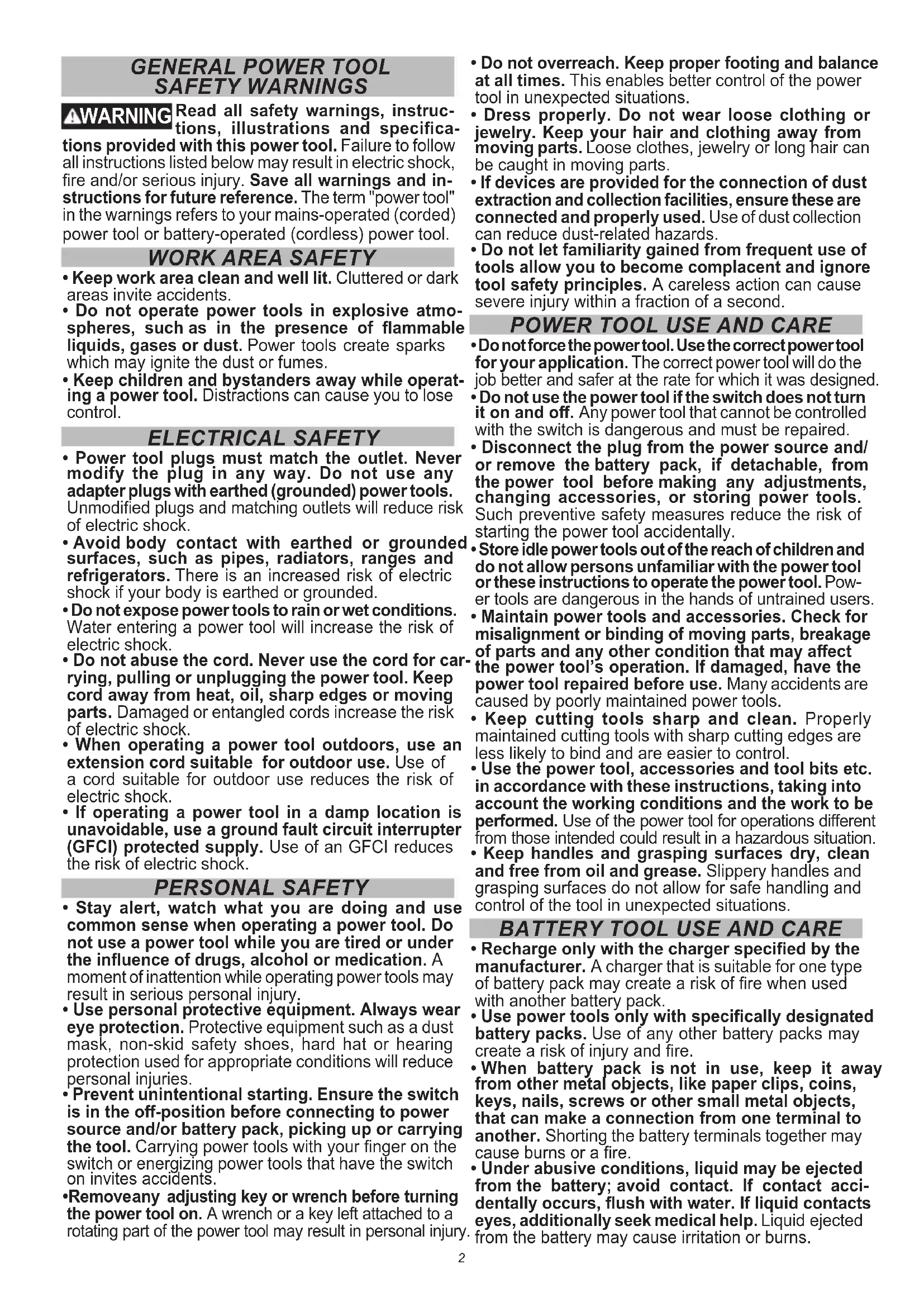
SAFETY WARNINGS WARNING Read all safety warnings, instruc- tions, illustrations and specica- tions provided with this power tool. Failure to follow all instructions listed below may result in electric shock, re and/or serious injury. Save all warnings and in- structions for future reference. The term "power tool" in the warnings refers to your mains-operated (corded) power tool or battery-operated (cordless) power tool.
- Keep work area clean and well lit. Cluttered or dark areas invite accidents.
- Do not operate power tools in explosive atmo- spheres, such as in the presence of ammable liquids, gases or dust. Power tools create sparks which may ignite the dust or fumes.
- Keep children and bystanders away while operat- ing a power tool. Distractions can cause you to lose control. ELECTRICAL SAFETY
- Power tool plugs must match the outlet. Never modify the plug in any way. Do not use any adapter plugs with earthed (grounded) power tools. Unmodied plugs and matching outlets will reduce risk of electric shock.
- Avoid body contact with earthed or grounded surfaces, such as pipes, radiators, ranges and refrigerators. There is an increased risk of electric shock if your body is earthed or grounded.
- Do not expose power tools to rain or wet conditions. Water entering a power tool will increase the risk of electric shock.
- Do not abuse the cord. Never use the cord for car- rying, pulling or unplugging the power tool. Keep cord away from heat, oil, sharp edges or moving parts. Damaged or entangled cords increase the risk of electric shock.
- When operating a power tool outdoors, use an extension cord suitable for outdoor use. Use of a cord suitable for outdoor use reduces the risk of electric shock.
- If operating a power tool in a damp location is unavoidable, use a ground fault circuit interrupter (GFCI) protected supply. Use of an GFCI reduces the risk of electric shock. PERSONAL SAFETY
- Stay alert, watch what you are doing and use common sense when operating a power tool. Do not use a power tool while you are tired or under the inuence of drugs, alcohol or medication. A moment of inattention while operating power tools may result in serious personal injury.
- Use personal protective equipment. Always wear eye protection. Protective equipment such as a dust mask, non-skid safety shoes, hard hat or hearing protection used for appropriate conditions will reduce personal injuries.
- Prevent unintentional starting. Ensure the switch is in the o-position before connecting to power source and/or battery pack, picking up or carrying the tool. Carrying power tools with your nger on the switch or energizing power tools that have the switch on invites accidents.
- Remove any adjusting key or wrench before turning the power tool on. A wrench or a key left attached to a rotating part of the power tool may result in personal injury.
- Do not overreach. Keep proper footing and balance at all times. This enables better control of the power tool in unexpected situations.
- Dress properly. Do not wear loose clothing or jewelry. Keep your hair and clothing away from moving parts. Loose clothes, jewelry or long hair can be caught in moving parts.
- If devices are provided for the connection of dust extraction and collection facilities, ensure these are connected and properly used. Use of dust collection can reduce dust-related hazards.
- Do not let familiarity gained from frequent use of tools allow you to become complacent and ignore tool safety principles. A careless action can cause severe injury within a fraction of a second.
POWER TOOL USE AND CARE
- Do not force the power tool. Use the correct power tool for your application. The correct power tool will do the job better and safer at the rate for which it was designed.
- Do not use the power tool if the switch does not turn it on and o. Any power tool that cannot be controlled with the switch is dangerous and must be repaired.
- Disconnect the plug from the power source and/ or remove the battery pack, if detachable, from the power tool before making any adjustments, changing accessories, or storing power tools. Such preventive safety measures reduce the risk of starting the power tool accidentally.
- Store idle power tools out of the reach of children and do not allow persons unfamiliar with the power tool or these instructions to operate the power tool. Pow- er tools are dangerous in the hands of untrained users.
- Maintain power tools and accessories. Check for misalignment or binding of moving parts, breakage of parts and any other condition that may aect the power tool’s operation. If damaged, have the power tool repaired before use. Many accidents are caused by poorly maintained power tools.
- Keep cutting tools sharp and clean. Properly maintained cutting tools with sharp cutting edges are less likely to bind and are easier to control.
- Use the power tool, accessories and tool bits etc. in accordance with these instructions, taking into account the working conditions and the work to be performed. Use of the power tool for operations dierent from those intended could result in a hazardous situation.
- Keep handles and grasping surfaces dry, clean and free from oil and grease. Slippery handles and grasping surfaces do not allow for safe handling and control of the tool in unexpected situations.
BATTERY TOOL USE AND CARE
- Recharge only with the charger specied by the manufacturer. A charger that is suitable for one type of battery pack may create a risk of re when used with another battery pack.
- Use power tools only with specically designated battery packs. Use of any other battery packs may create a risk of injury and re.
- When battery pack is not in use, keep it away from other metal objects, like paper clips, coins, keys, nails, screws or other small metal objects, that can make a connection from one terminal to another. Shorting the battery terminals together may cause burns or a re.
- Under abusive conditions, liquid may be ejected from the battery; avoid contact. If contact acci- dentally occurs, ush with water. If liquid contacts eyes, additionally seek medical help. Liquid ejected from the battery may cause irritation or burns.3
- Do not use a battery pack or tool that is damaged or modied. Damaged or modied batteries may exhibit unpredictable behavior resulting in re, explosion or risk of injury.
- Do not expose a battery pack or tool to re or ex- cessive temperature. Exposure to re or temperature above 265°F (130°C) may cause explosion.
- Follow all charging instructions and do not charge the battery pack or tool outside the temperature range specied in the instructions. Charging im- properly or at temperatures outside the specied range may damage the battery and increase the risk of re. SERVICE
- Have your power tool serviced by a qualied repair person using only identical replacement parts. This will ensure that the safety of the power tool is maintained.
- Never service damaged battery packs. Service of battery packs should only be performed by the manufacturer or authorized service providers.
- Hold power tool by insulated gripping surfaces, when performing an operation where the cutting accessory may contact hidden wiring. Cutting ac- cessory contacting a “live” wire may make exposed metal parts of the power tool “live” and could give the operator an electric shock.
- Use clamps or another practical way to secure and support the workpiece to a stable platform. Holding the work by hand or against your body leaves it unstable and may lead to loss of control.
- Keep hands away from all cutting edges and moving parts.
WARNING To reduce the risk of injury, when working in dusty situations, wear appropriate respiratory protection or use an OSHA compliant dust extraction solution.
- Always use common sense and be cautious when using tools. It is not possible to anticipate every situation that could result in a dangerous outcome. Do not use this tool if you do not understand these operating instructions or you feel the work is beyond your capability; contact Milwaukee Tool or a trained professional for additional information or training.
- Maintain labels and nameplates. These carry important information. If unreadable or missing, contact a MILWAUKEE service facility for a free replacement.
WARNING Some dust created by power sanding, sawing, grinding, drilling, and other construction activities contains chemicals known to cause cancer, birth defects or other reproductive harm. Some examples of these chemicals are:
- lead from lead-based paint
- crystalline silica from bricks and cement and other masonry products, and
- arsenic and chromium from chemically-treated lumber. Your risk from these exposures varies, depending on how often you do this type of work. To reduce your exposure to these chemicals: work in a well ventilated area, and work with approved safety equipment, such as those dust masks that are specially designed to lter out microscopic particles. SYMBOLOGY Volts Direct Current No Load Strokes per Minute (SPM)
UL Listing for Canada and U.S. FUNCTIONAL DESCRIPTION
1. Remove the battery pack.
2. Slide the cover onto the tool in the orientation
shown until it clips in place.
3. To remove, pull out the legs and away from tool.
Adjusting the Shoe The shoe may be tilted up to 45° in either direction. NOTE: Do not use the transparent blade cover and anti-splinter device when making bevel/angle cuts. To set a tilt angle for bevel/angle cuts: (Cat. No. 2737-20)
1. Remove the battery pack.
3. Pull the base for-
ward slightly until the detents are not engaged.
other than the pre- sets, set the de- sired angle without engaging a detent.
6. Tighten the shoe adjustment lever.
7. Make a test cut to verify the angle.
NOTE: If the shoe begins to slip when the lever is tightened, use the 4 mm hex wrench stored in the shoe to tighten the shoe adjustment hex sockets. Remove the shoe cover, turn the tool over, and tighten the hex sockets securely. (Cat. No. 2737B-20) NOTE: Do not attempt bevel cut with battery packs larger than 5.0Ah. Battery packs larger than 5.0Ah could result in the battery striking the workpiece during the cut.
1. Remove the battery pack.
Bevel Adjustment Screw
2. Remove the shoe cover.
3. Turn the tool upside down to ex-
pose the bottom of the shoe.
4. Using the 4 mm hex wrench stored
in the shoe, loosen the bevel ad- justment screw.
5. Pull the base forward slightly until
the detents are not engaged.
6. Tilt the shoe to the required preset
angle (0°, 15°, 30°, or 45°) and push the shoe into the detent.
7. To set an angle other than the pre-
sets, set the desired angle without engaging a detent.
8. Tighten the screw securely.
9. Make a test cut to verify the angle.
ASSEMBLY WARNING Recharge only with the charger specied for the battery. For spe- cic charging instructions, read the operator’s manual supplied with your charger and battery. Removing/Inserting the Battery To remove the battery, push in the release buttons and pull the battery pack away from the tool. WARNING Always remove battery pack before changing or removing accessories. To insert the battery, slide the pack into the body of the tool. Make sure it latches securely into place. WARNING Only use accessories specically recommended for this tool. Others may be hazardous. Installing Saw Blades Use only T-Shank jig saw blades. Slot Blade
1. Remove the battery pack.
2. Push and hold the Quik-Lok
tension lever to right to line up the slots.
3. Fit the saw blade into the groove
in the support roller and push it rmly into the plunger as far as it will go; the lug of the saw blade must be in the plunger.
4. Release the Quik-Lok tension
lever to secure the saw blade.
5. Check that the saw blade is held
rmly; the slot in the plunger will be at an angle to the blade.
6. To remove the blade, push the
lever to the right and the blade will be ejected. Installing the Transparent Blade Cover Do not use the transparent blade cover and anti- splinter device when making bevel/angle cuts.
1. Remove the battery pack.
2. To install, place the transparent blade cover in
front of the blade and slide it into place. The tabs will snap into the slots on the housing.
3. To remove, press in the sides of the transparent
blade cover and pull away from the blade. Installing the Anti-Splinter Device The anti-splinter device helps Shoe Anti-splinter device stabilize the workpiece and re- duce workpiece splinter. NOTE: Do not use the transpar- ent blade cover and anti-splinter device when making bevel/ angle cuts.
1. Remove the battery pack.
2. Slide the anti-splinter device
onto the shoe. Make sure the anti-splinter device is installed ush with the bot- tom of the shoe. Installing the Shoe Cover The shoe cover is used to prevent marring and scratch- ing of the workpiece surface. To attach the shoe cover:
1. Remove the battery pack.
2. Hook the front of the cover over the steel shoe.
3. Snap the rear of the shoe cover over the back of
the shoe. Be sure both sides are snapped in place.
4. When the shoe cover is not needed, remove it by
pulling the tabs on rear of the shoe cover down. Unhook the front of the shoe cover and remove.5 Selecting Speed Use lower speeds for materials such as plastics and laminates. Also, use lower speeds for hard metals. Use higher speeds for materials such as wood and soft metals (aluminum, copper, brass, etc.). (Cat. No. 2737-20) To vary the speed, increase or decrease pressure on the trigger. The further the trigger is pulled, the greater the speed. (Cat. No. 2737B-20) Rotate the speed selector dial to the desired speed (1 through 6). Select "A" for Auto-Controlled Start to start out at 1500 SPM and ramps up to 3500 SPM once the workpiece is contacted. WARNING To reduce the risk of injury, wear a dust mask or use an OSHA compli- ant dust extraction solution when working in dusty situations. Dust Collection Attachment NOTE: For the 2737B-20, the Dust Collection Attachment cannot be used with battery packs larger than 5.0Ah.
1. Remove the battery pack.
2. To install, line-up the small end of the dust collec-
tion attachment with the curved area at the back of the shoe. Slide into place.
3. To remove, pull the attachment away from saw.
Blower shuttle Set the blower shuttle to to blow air out the front of the jig saw to clear the cutting line of dust. Set the blower shuttle to to blow air out the dust chute when using a dust extraction solution. OPERATION WARNING Always remove battery pack before changing or removing accesso- ries. Only use accessories specically recom- mended for this tool. Others may be hazardous. WARNING To reduce the risk of injury, always wear proper eye protection marked to comply with ANSI Z87.1. To reduce the risk of injury, be sure the blade always extends beyond the shoe and workpiece throughout the stroke. Blades may shatter if they impact the workpiece. Starting and Stopping the Tool (Cat. No. 2737-20)
1. To start the tool, grasp the handle rmly and pull
2. To vary the speed, increase or decrease pressure
on the trigger. The further the trigger is pulled, the greater the speed.
3. To stop the tool, release the trigger. Allow the tool
to come to a complete stop before removing the blade from a partial cut or laying the tool down. (Cat. No. 2737B-20)
1. Set the speed control dial to the desired speed.
2. To start the tool, push the slide switch forward
until tool starts and release.
2. To vary the speed, turn the variable speed dial.
3. To stop the tool, press the slide switch and re-
lease. Allow the tool to come to a complete stop before removing the blade from a partial cut or laying the tool down. NOTE: If the switch is held on for more than 3 sec- onds, the tool will shut o. Locking the Trigger (Cat. No. 2737-20) To lock the trigger, push the trigger lock from the lock side of the tool. The trigger will not work while the switch is in the locked position. Always lock the trigger and remove the battery pack before performing main- tenance and changing accessories. Lock the trigger when storing the tool and when the tool is not in use. To unlock the trigger, push the trigger lock from the unlock side of the tool. Adjusting the Orbital Action The amount of orbital action may be adjusted with the orbital ac- tion selector lever. In general, a large orbital action (3) should be used with soft materials and a no orbital action (0) should be used with hard materials. When a smooth cut is required, no orbit (0) should be used. Material Orbital Action Wood 0-3 Metal 0-1 Aluminum 0-1 Plastic 0-2 Smooth Cut 0 WARNING To reduce the risk of injury, do not start the tool with the blade con- tacting the workpiece. To reduce the risk of injury, be sure the blade always extends beyond the shoe and workpiece throughout the stroke. Blades may shatter if they impact the workpiece.6 Making the Cut
1. Set the orbital action according the material to be cut.
2. Position the tool with the front part of the shoe on
the workpiece and start the tool.
3. Hold the shoe rmly against the workpiece and
guide the tool along the desired cutting line. Do not feed into the work too hard, light pressure on the saw blade will achieve the optimum cutting speed. Special Cutting Techniques
1. Straight cuts — To obtain a perfectly straight cut,
clamp a strip of wood as a guide along the work- piece or use the rip guide (accessory).
2. Bevel cuts — adjust the shoe to the correct angle
(see Adjusting the Shoe).
3. Cutting Sheet Metal — sheet metal may vibrate
when being cut. To minimize vibration clamp, the workpiece to a wood base. WARNING To reduce the risk of explosion, electric shock and property dam- age, always check the work area for hidden gas pipes, electrical wires or water pipes when mak- ing blind or plunge cuts. Plunge Cutting Plunge cuts can be made into soft materials without a pre- drilled hole. Harder materials require a starter hole with a diameter slightly over the width of the blade. To make a plunge cut:
2. Make sure nothing below
the intended cut area will be damaged.
3. Without turning the tool on,
place the front edge of the shoe solidly on workpiece.
4. Align the blade with the
intended cut line, but keep it above the workpiece.
5. Using the front edge of the
shoe as a pivot, turn on the tool and gradually lower the blade into the workpiece.
6. When the shoe is flat
against the workpiece, nor- mal cutting may take place. MAINTENANCE WARNING To reduce the risk of injury, always unplug the charger and remove the battery pack from the charger or tool before performing any maintenance. Never disassemble the tool, battery pack or charger. Contact a MILWAUKEE service facility for ALL repairs. Maintaining Tool Keep your tool, battery pack and charger in good repair by adopting a regular maintenance program. Inspect your tool for issues such as undue noise, misalignment or binding of moving parts, breakage of parts, or any other condition that may aect the tool operation. Return the tool, battery pack, and charger to a MILWAUKEE service facility for repair. After six months to one year, depending on use, return the tool, battery pack and charger to a MILWAUKEE service facility for inspection. If the tool does not start or operate at full power with a fully charged battery pack, clean the contacts on the battery pack. If the tool still does not work prop- erly, return the tool, charger and battery pack, to a MILWAUKEE service facility for repairs. WARNING To reduce the risk of personal in- jury and damage, never immerse your tool, battery pack or charger in liquid or allow a liquid to ow inside them. Cleaning Clean dust and debris from vents. Keep handles clean, dry and free of oil or grease. Use only mild soap and a damp cloth to clean, since certain clean- ing agents and solvents are harmful to plastics and other insulated parts. Some of these include gasoline, turpentine, lacquer thinner, paint thinner, chlorinated cleaning solvents, ammonia and household deter- gents containing ammonia. Never use ammable or combustible solvents around tools. Repairs For repairs, return the tool, battery pack and charger to the nearest authorized service center. ACCESSORIES WARNING Use only recommended accesso- ries. Others may be hazardous. For a complete listing of accessories, go online to www.milwaukeetool.com or contact a distributor.
SERVICE - UNITED STATES
1-800-SAWDUST (1.800.729.3878) Monday-Friday, 7:00 AM - 6:30 PM CST or visit www.milwaukeetool.com Contact Corporate After Sales Service Technical Support with technical, service/repair, or warranty questions. Email: metproductsupport@milwaukeetool.com Become a Heavy Duty Club Member at www.milwaukeetool.com to receive important notications regarding your tool purchases.
Monday-Friday, 7:00 AM - 4:30 PM CST or visit www.milwaukeetool.ca LIMITED WARRANTY USA & CANADA Every MILWAUKEE power tool* (see exceptions below) is warranted to the original purchaser only to be free from defects in material and workmanship. Subject to certain exceptions, MILWAUKEE will repair or replace any part on an electric power tool which, after examination, is determined by MILWAUKEE to be defective in material or workman- ship for a period of ve (5) years** after the date of purchase unless otherwise noted. Return of the power tool to a MILWAUKEE factory Service Center location or MILWAUKEE Authorized Service Station, freight prepaid and insured, is required. A copy of the proof of purchase should be included with the return product. This warranty does not apply to damage that MILWAUKEE determines to be from repairs made or attempted by anyone other than MILWAUKEE authorized personnel, misuse, alterations, abuse, normal wear and tear, lack of maintenance, or accidents. Normal Wear: Many power tools need periodic parts replacement and service to achieve best performance. This warranty does not cover repair when normal use has exhausted the life of a part including, but not limited to, chucks, brushes, cords, saw shoes, blade clamps,7 o-rings, seals, bumpers, driver blades, pistons, strikers, lifters, and bumper cover washers. *This warranty does not cover Air Nailers & Staplers; Airless Paint Sprayer; Cordless Battery Packs; Gasoline Driven Portable Power Generators; Hand Tools; Hoist – Electric, Lever & Hand Chain; M12™ Heated Gear; Reconditioned Product; and Test & Measure- ment Products. There are separate and distinct warranties available for these products. **The warranty period for Job Site Radios, M12™ Power Port, M18™ Power Source, Jobsite Fan and Trade Titan™ Industrial Work Carts is one (1) year from the date of purchase. The warranty period for the Drain Cleaning Cables and AIRSNAKE™ Drain Cleaning Air Gun Accessories is two (2) years from the date of purchase. The warranty period for the M18™ Compact Heat Gun, 8 Gallon Dust Extractor, M18™ Framing Nailers, M18 FUEL™ 1/2" Ext. Anvil Controlled Torque Impact Wrench w/ ONE-KEY™, and the M18 FUEL™ 1" High Torque Impact Wrench w/ ONE-KEY™ is three (3) years from the date of purchase. The warranty period for the LED in the LED Work Light and the LED Upgrade Bulb for the Work Light is the lifetime of the product subject to the limitations above. If during normal use the LED or LED Bulb fails, the part will be replaced free of charge. Warranty Registration is not necessary to obtain the applicable war- ranty on a MILWAUKEE power tool product. The manufacturing date of the product will be used to determine the warranty period if no proof of purchase is provided at the time warranty service is requested. ACCEPTANCE OF THE EXCLUSIVE REPAIR AND REPLACEMENT REMEDIES DESCRIBED HEREIN IS A CONDITION OF THE CON- TRACT FOR THE PURCHASE OF EVERY MILWAUKEE PRODUCT. IF YOU DO NOT AGREE TO THIS CONDITION, YOU SHOULD NOT PURCHASE THE PRODUCT. IN NO EVENT SHALL MILWAUKEE BE LIABLE FOR ANY INCIDENTAL, SPECIAL, CONSEQUENTIAL OR PUNITIVE DAMAGES, OR FOR ANY COSTS, ATTORNEY FEES, EXPENSES, LOSSES OR DELAYS ALLEGED TO BE AS A CON- SEQUENCE OF ANY DAMAGE TO, FAILURE OF, OR DEFECT IN ANY PRODUCT INCLUDING, BUT NOT LIMITED TO, ANY CLAIMS FOR LOSS OF PROFITS. SOME STATES DO NOT ALLOW THE EX- CLUSION OR LIMITATION OF INCIDENTAL OR CONSEQUENTIAL DAMAGES, SO THE ABOVE LIMITATION OR EXCLUSION MAY NOT APPLY TO YOU. THIS WARRANTY IS EXCLUSIVE AND IN LIEU OF ALL OTHER EXPRESS WARRANTIES, WRITTEN OR ORAL. TO THE EXTENT PERMITTED BY LAW, MILWAUKEE DISCLAIMS
ANY IMPLIED WARRANTIES, INCLUDING WITHOUT LIMITATION
ANY IMPLIED WARRANTY OF MERCHANTABILITY OR FITNESS FOR A PARTICULAR USE OR PURPOSE; TO THE EXTENT SUCH DISCLAIMER IS NOT PERMITTED BY LAW, SUCH IMPLIED WAR- RANTIES ARE LIMITED TO THE DURATION OF THE APPLICABLE EXPRESS WARRANTY AS DESCRIBED ABOVE. SOME STATES DO NOT ALLOW LIMITATIONS ON HOW LONG AN IMPLIED WAR- RANTY LASTS, SO THE ABOVE LIMITATION MAY NOT APPLY TO YOU, THIS WARRANTY GIVES YOU SPECIFIC LEGAL RIGHTS, AND YOU MAY ALSO HAVE OTHER RIGHTS WHICH VARY FROM STATE TO STATE. This warranty applies to product sold in the U.S.A. and Canada only. Please consult the ‘Service Center Search’ in the Parts & Service sec- tion of MILWAUKEE’s website www.milwaukeetool.com or call 1.800. SAWDUST (1.800.729.3878) to locate your nearest service facility for warranty and non-warranty service on a Milwaukee electric power tool. LIMITED WARRANTY - MEXICO,
CENTRAL AMERICA & CARIBBEAN
TECHTRONIC INDUSTRIES' warranty is for 5 years since the original purchase date. This warranty card covers any defect in material and workmanship on this Product. To make this warranty valid, present this warranty card, sealed/ stamped by the distributor or store where you purchased the product, to the Authorized Service Center (ASC). Or, if this card has not been sealed/stamped, present the original proof of purchase to the ASC. Call 55 4160-3547 to nd the nearest ASC, for service, parts, acces- sories or components. Procedure to make this warranty valid Take the product to the ASC, along with the warranty card sealed/ stamped by the distributor or store where you purchased the product, and any faulty piece or component will be replaced without cost for you. We will cover all freight costs relative with this warranty process. Exceptions This warranty is not valid in the following situations a) When the product is used in a dierent manner from the end-user guide or instruction manual. b) When the conditions of use are not normal. c) When the product was modied or repaired by people not authorized by TECHTRONIC INDUSTRIES. Note: If cord set is damaged, it should be replaced by an Authorized Service Center to avoid electric risks.
1. Remove the battery pack.
Monday-Friday, 7:00 AM - 4:30 PM CST www.milwaukeetool.ca