Intellitherm C57RFR - Thermostat Fantini Cosmi - Free user manual and instructions
Find the device manual for free Intellitherm C57RFR Fantini Cosmi in PDF.



| Product Type | Programmable wireless room thermostat |
| Dimensions (W x H x D) | 130 x 80 x 17 mm |
| Power supply | 2 AA alkaline batteries 1.5 V (2-year life) |
| Radio frequency | 868.35 MHz |
| Maximum range | 30 m indoors, 70 m outdoors |
| Comfort setting range | 2 °C to 62 °C |
| Economy setting range | 2 °C to 62 °C |
| Differential | ±0.25 °C |
| Reference thermal gradient | 4 °C/h |
| Programmable frost protection | 5 °C (via switch) |
| Programming | Weekly with 30-minute segments |
| Operating modes | Comfort, Economy, Off, Auto, Boost |
| Advanced functions | Hour counter, memory of min/max temperatures of the previous day |
| Summer/winter switching | Yes |
| Reset | Via button (cancels all programming) |
| ErP class | IV, 2% (EU Reg. 811/2013) |
| Standards | EN 50371, EN 60950-1, EN 300220-2, EN 301489-3 |
| Protection rating | Not specified |
| Maintenance and cleaning | Wipe with a soft, dry cloth. Do not use abrasive products. |
| Safety | Installation by qualified personnel, 1.5 m above the ground, away from heat sources and humidity. Do not dispose of with household waste. |
| Spare parts and repairability | Not specified |
Frequently Asked Questions - Intellitherm C57RFR Fantini Cosmi
User questions about Intellitherm C57RFR Fantini Cosmi
0 question about this device. Answer the ones you know or ask your own.
Ask a new question about this device
Download the instructions for your Thermostat in PDF format for free! Find your manual Intellitherm C57RFR - Fantini Cosmi and take your electronic device back in hand. On this page are published all the documents necessary for the use of your device. Intellitherm C57RFR by Fantini Cosmi.
USER MANUAL Intellitherm C57RFR Fantini Cosmi
Install the programmable thermostat at 1,5 meters above the floor level, far from kitchens, heat sources, windows and doors. Make sure the base is fixed to a level surface, without strains.
OFF MODE SELECTION
When in OFF mode, Intellitherm may be set to keep a fixed temperature of 5^ to protect the system from the risk of freezing. This selection must be carried out during the installation and before inserting the batteries.
Note: if this selection is needed to be changed after the installation, Intellitherm has to be reset and reprogrammed.
3 MOUNTING THE THERMOSTAT BODY ON THE BASE
4 INSERTING AND REPLACING THE BATTERIES
Insert two long life AA 1,5V alkaline batteries, paying attention to the indicated polarity. Batteries last approximately 2 years: when they begin to run down, the battery symbol starts to flash on the display. If the batteries are not replaced within 15 days, Intellitherm C57RF will switch-off automatically and the display will indicate OFF.
5 TIME SETTING (see the picture on the right)
6 CH173D SELF-LEARNING PROCEDURE
To let communicate a C57RF and a CH173D correctly, it is necessary to follow a procedure called "self-learning"; in this way the actuator will recognize and store the C57RF identity and it will be in position to perform all its controls, leaving out the controls of other transmitters that may be found in the same area (please note that the C57RF/CH173D system range is approximately 30 meters in free air).
To perform the self-learning procedure, proceed as follows: press the CH173D key for about 5 seconds, until the yellow LED starts flashing. Then press the C57RF RESET key, using a pointed object: a few seconds later, the LED on the left side of the CH173D will fast flash yellow and then it will return green with fixed light, thus indicating that the self-learning is finished.
Note: it is possible to control two or more CH173D actuators with a single C57RF: of course the self-learning procedure shall be performed on all the CH173D actuators (not necessary at the same time).
INSTALLATION
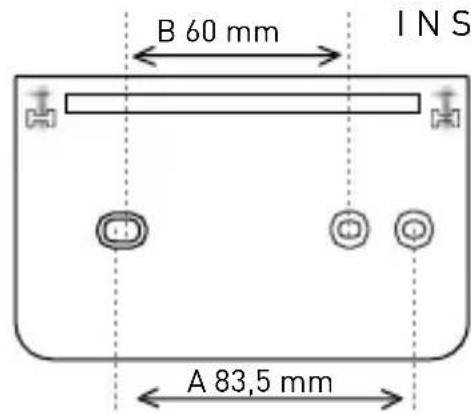
To separate the base from the frontal body, remove the battery cover and unscrew the screws, rotating the thermostat body downwards.
A for flush-mounting boxes [3 modules, 503]
B for round flush-mounting boxes

To be installed by qualified personnel only!
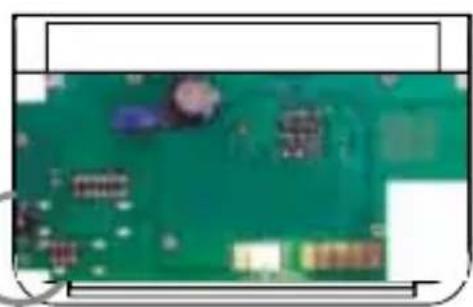
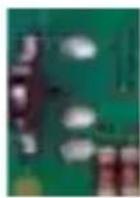
To set the ANTIFREEZE 5^ protection move the dip switch HIGH.
To switch the system completely OFF, move the dip switch DOWN.
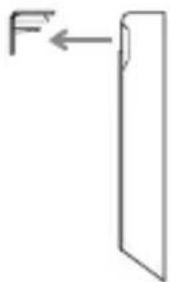
To insert batteries remove the cover pulling it frontaly
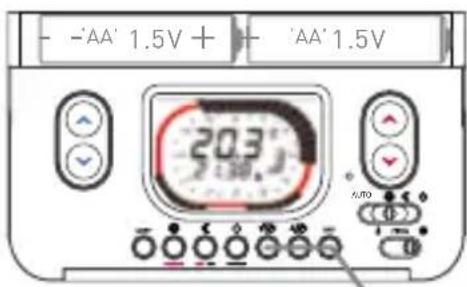
time and day setting keys
WEEKLY PROGRAMMABLE THERMOSTAT
Intellitherm
C57RF
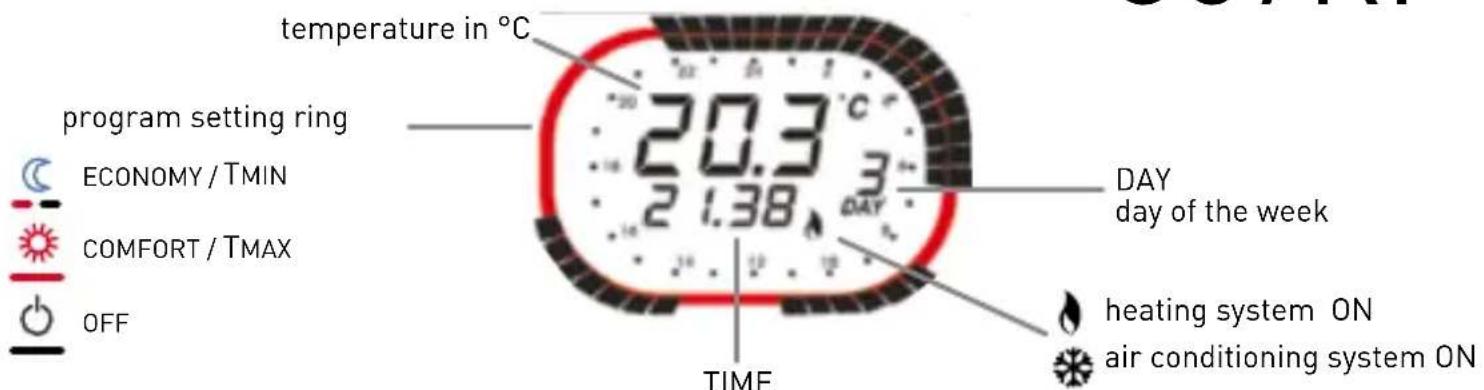
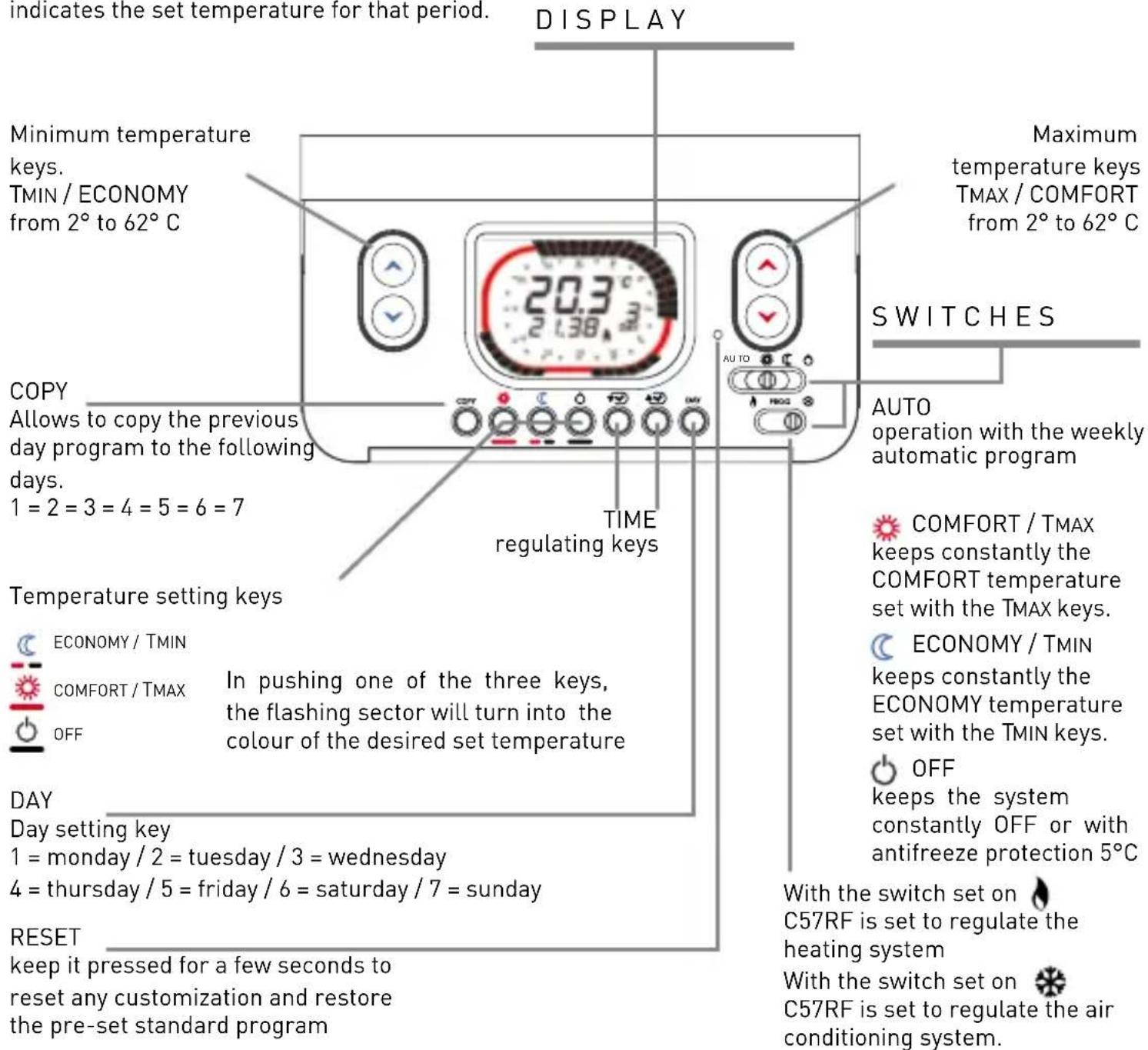
The program setting ring shows a 24-hours clock, divided into 30 min sectors. The sector colour indicates the set temperature for that period.
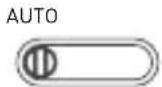
Once the C57RF is installed and connected, it is possible to use the weekly program with the pre-set operating time and temperatures, just positioning the switch on the AUTO position.
PROGRAMS
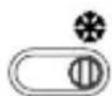
Verify that the switch is in the HEATING position

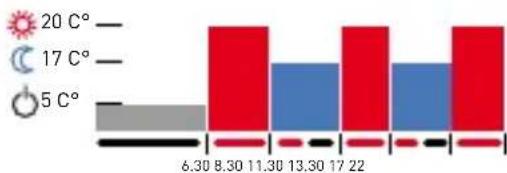
from monday DAY 1 to friday DAY 5
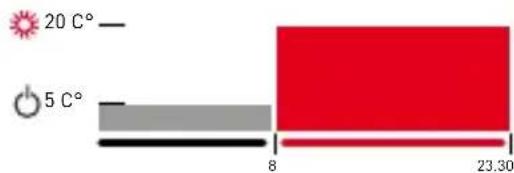
from saturday DAY 6 to sunday DAY 7
CUSTOMIZATION
It is possible to set the desired temperature for every 30 minutes.

Set the temperature
T MIN
T MAX
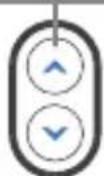
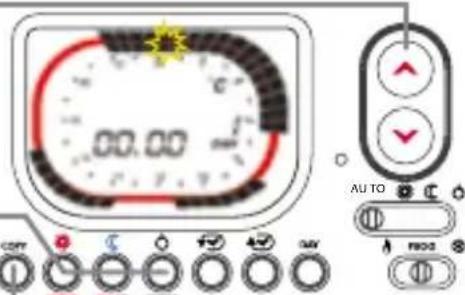

It is possible to set the desired temperature pressing one of the three keys. The sector will change the colour and advance 30 minutes.

COMFORT/TMAX ECONOMY/TMIN

OFF
To move the switch without changing the temperature, use the keys
Once finished to program the first day, it is either possible to copy the program for the following days, pressing the COPY or the DAY keys to change the day and repeat the previous operations.
Move the switches to the AUTO and PROG positions to start the program setting. The display will show time 00.00 and DAY1.
On the programming ring the sector which the temperature has to be changed flashes and corresponding time appears.
Once the changes are finished, position the switch to start the heating or to start the air-conditioning.
JOLLY FUNCTION
With this function C57RF enables you to cut out temporarily the automatic program at any time, without changing its settings, in order to have constantly the required temperature COMFORT - ECONOMY - OFF for a period from 1 to 240 hours.
AUTO

With the switch in the AUTO position, press the keys on or on to set for how many hours the C57RF has to cut the automatic program out, in order to force temporarily the temperature. The ring on the display will change the colour according to the selected temperature.

ECONOMY/TMIN COMFORT/TMAX OFF
Once the set time is passed, C57RF will resume the automatic program. To reduce or cut out the JOLLY period before the set time, press a different colour key than the one shown on the ring.
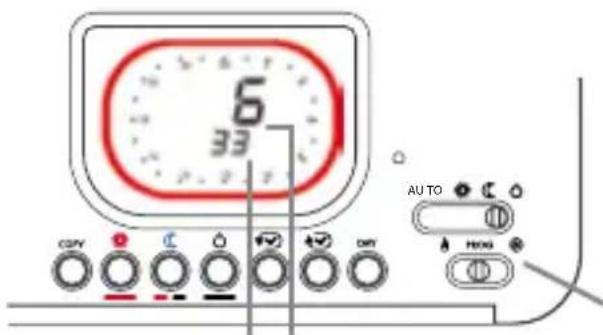
working HOURS since last initialisation
working HOURS on the day before
ADVANCED FUNCTIONS
With C57RF it is possible to know for how many hours the heating system worked the day before (closed relay - ON) and from the last Intellitherm initialization (last reset or battery insertion).
In setting switches like the picture the display shows the working hours
PREVIOUS DAY MINIMUM AND MAXIMUM TEMPERATURES
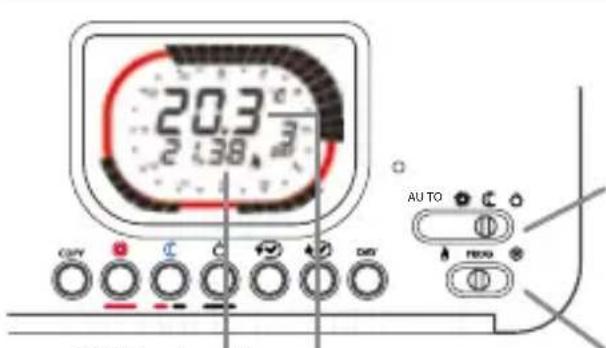
TIME when the temperature was recorded
MAXIMUM or MINIMUM room temperatures
With Intellitherm C57RF it is possible to verify the MINIMUM and MAXIMUM temperatures reached the day before and what time they were measured.
Move the switch to the ECONOMY position to read the MINIMUM temperature or move to the COMFORT position to read the MAXIMUM temperature.
Move the switch to PROG
SUMMER / AIR-CONDITIONING MODE

Intellitherm C57RF starts the AIR-CONDITIONING mode moving the switch to the SUMMER position The COMFORT/TMAX temperature can be regulated pressing the red keys. The red sectors on the ring indicate what time the air-conditioning is ON; the other colours indicate when the system is OFF.
TECHNICAL FEATURES
In compliance with the standards EN 50371, EN 60950-1, EN 3000220-2, EN 301489-3
In compliance with the directive 1999/5/EC
Class A software
Temperature regulation: COMFORT from 2^ to 62^ ; ECONOMY from 2^ to 62^
Differential: + / - 0,25^
Thermal gradient: 4^ / h
OFF mode with optional antifreeze protection (5^) by a dip switch
Maximum room temperature: T45
Power supply without connection to the electrical line with 2 AA 1,5V alkaline batteries [1 year battery life]
Radio frequency value: 868.350 Mhz = 15mW
Radio frequency maximum range: 30 meters indoor (according to the wall conformation); 70 meters outdoor
Automatic control of the battery charge; the display will indicate if the charge is inadequate
Battery replacement without data dropout.
Switch for the winter or summer operating modes.
Reset key to restore the set program.
Dimensions: 130 x 80 x 17 mm.
ErP classification: ErP Class IV; 2% [EU Reg. 811/2013 - 813/2013]
1 FIJAR A LA PARED
FONCTIONNEMENT D'ETÉ OU CLIMATISATION
Conforme aux directives 1999/5/EC
Logiciel classe A.
DISPOSAL OF PRODUCTS
The crossed out wheeled dust bin symbol indicates that products must be collected and disposed of separately from household waste. Integrated batteries and accumulators can be disposed of with the product. They will be separated at the recycling centres. The black bar indicates that the product was placed on the market after August 13, 2005. By participating in separate collection of products and batteries, you will help to assure the proper disposal of products and batteries and thus help to prevent potential negative consequences for the environment and human health. For more detailed information about the collection and recycling programmes available in your country, please contact your local city office or the shop where you purchased the product
ELIMINACION DEPRODUCTOS
MISE AU REBUT DES PRODUITS
- INSTALLATION
- WEEKLY PROGRAMMABLE THERMOSTAT
- Intellitherm
- C57RF
- CUSTOMIZATION
- JOLLY FUNCTION
- ADVANCED FUNCTIONS
- PREVIOUS DAY MINIMUM AND MAXIMUM TEMPERATURES
- SUMMER / AIR-CONDITIONING MODE
- TECHNICAL FEATURES
- FONCTIONNEMENT D'ETÉ OU CLIMATISATION
- DISPOSAL OF PRODUCTS
- ELIMINACION DEPRODUCTOS
- MISE AU REBUT DES PRODUITS
Brand : Fantini Cosmi
Model : Intellitherm C57RFR
Category : Thermostat