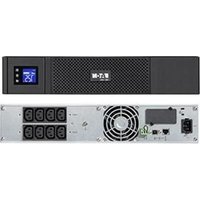
5S 1500 - Server EATON - Free user manual and instructions
Find the device manual for free 5S 1500 EATON in PDF.


User questions about 5S 1500 EATON
0 question about this device. Answer the ones you know or ask your own.
Ask a new question about this device
Download the instructions for your Server in PDF format for free! Find your manual 5S 1500 - EATON and take your electronic device back in hand. On this page are published all the documents necessary for the use of your device. 5S 1500 by EATON.
USER MANUAL 5S 1500 EATON
natural_image
3D rendering of a black server unit with ventilation slots and a power button (no text or symbols visible)Installation and user manual
English - Français
Deutsch - Italiano
natural_image
Simple line drawing of an open box with a curved arrow indicating rotation (no text or symbols)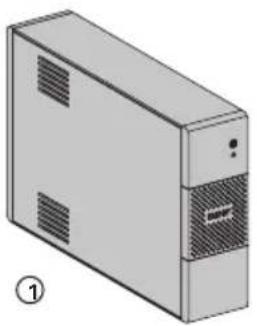
natural_image
Illustration of a server unit with ventilation slots and a labeled section (no text or symbols on the device itself)
text_image
EATOMSS Installation and use measures 工件②
text_image
Scanned document page with vertical Chinese text and horizontal lines, likely a formal or official form.③
natural_image
Pure electrical circuit lines without any symbols
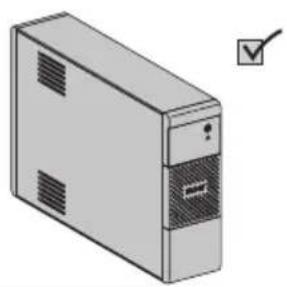
natural_image
Illustration of a desktop computer tower with ventilation slots and a checkmark (no text or symbols)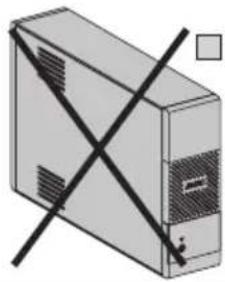
natural_image
Illustration of a computer tower with a black X-shaped warning symbol (no text or labels)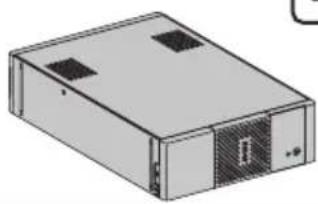
natural_image
Illustration of a rectangular electronic device with two ports and a ventilation grille (no text or symbols)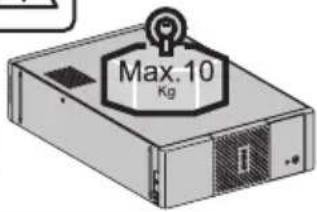
text_image
Max.10 KgCaution!
EN • Before installing the Eaton 5S, read the booklet ③ containing the safety instructions that must be followed. Then follow the instructions given in this manual ②.
natural_image
Diagram of a server rack connected to an external power outlet via cable (no text or symbols)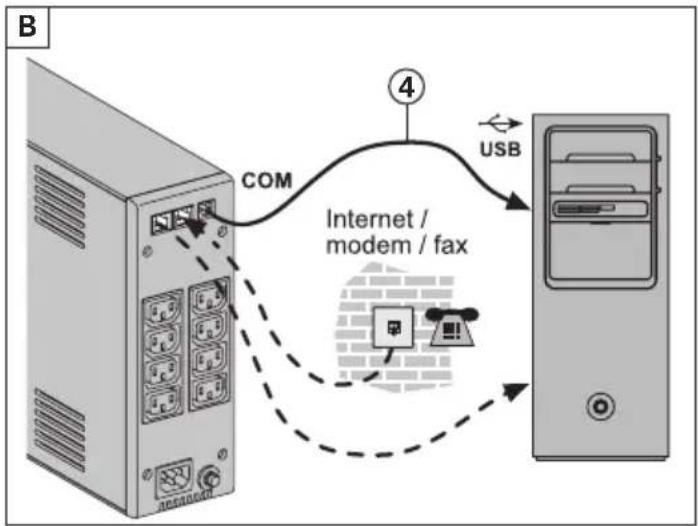
flowchart
graph TD
    A["Server"] -->|COM| B["Internet / modem / fax"]
    B -->|USB| C["Desktop"]
flowchart
graph TD
    A["Printer"] --> B["Server"]
    B --> C["1000 / 1500"]
    C --> D["5-20mn Cable Icon"]
    D --> E["Computer"]
    F["Server"] --> G["1000 / 1500"]
    G --> H["5-20mn Cable Icon"]
    H --> I["Computer"]
    J["Printer"] --> K["Server"]
    K --> L["1000 / 1500"]
    L --> M["5-20mn Cable Icon"]
    M --> N["Computer"]
text_image
D Beep >1s
text_image
Optional: Audible alarm configuration ON/OFFSwitch ON 6 s → BeepRegister warranty at: powerquality.eaton.com
Battery disposal and safety
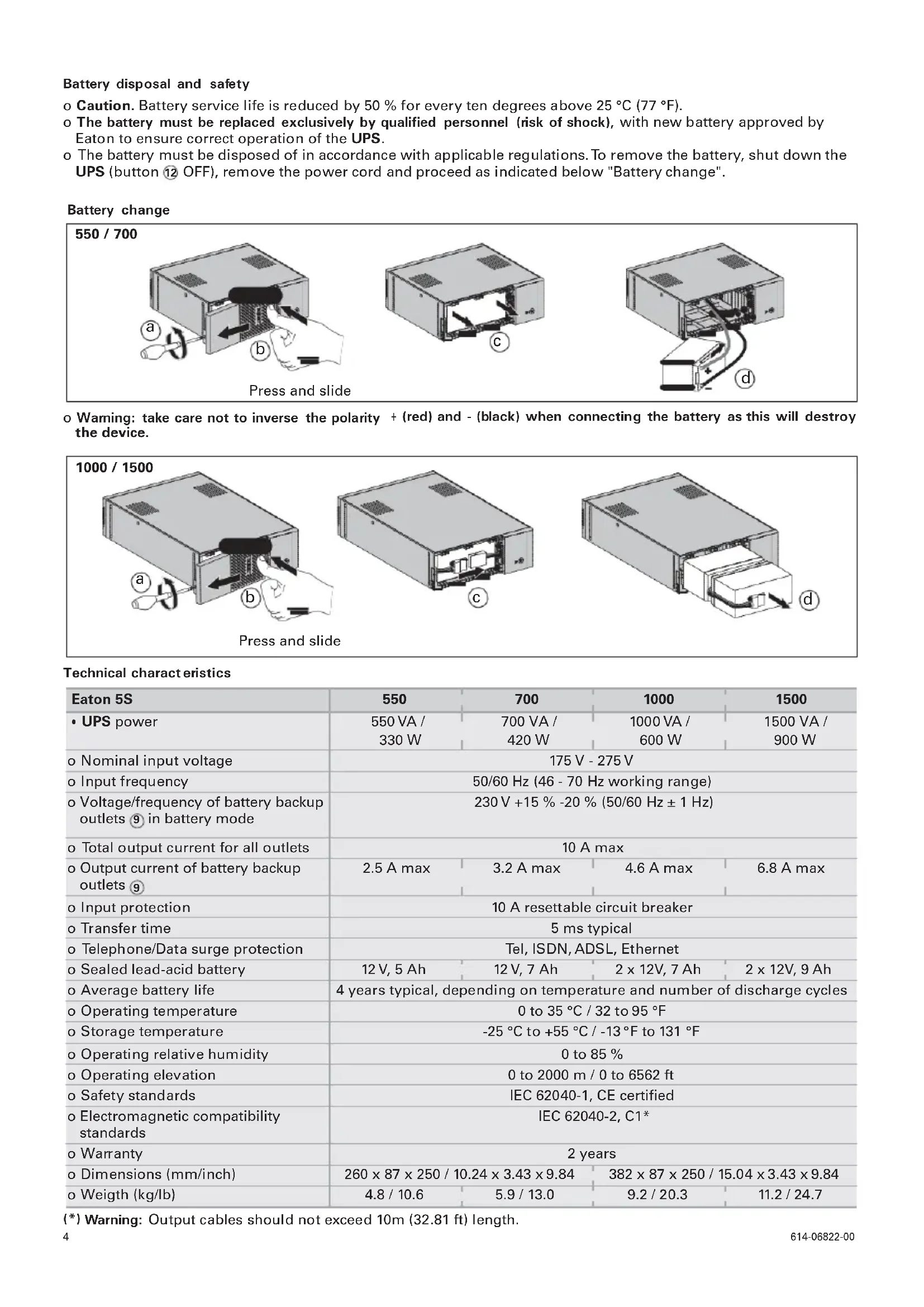
o Caution. Battery service life is reduced by 50 % for every ten degrees above 25 °C (77 °F).
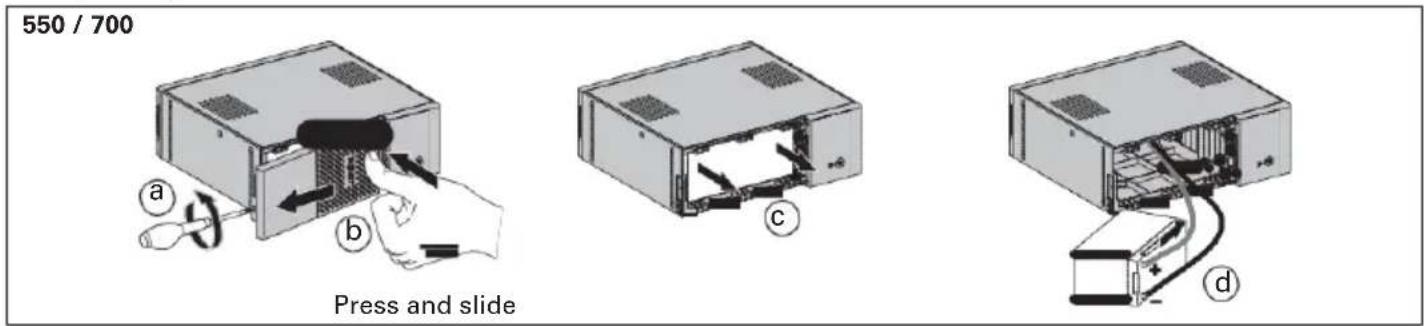
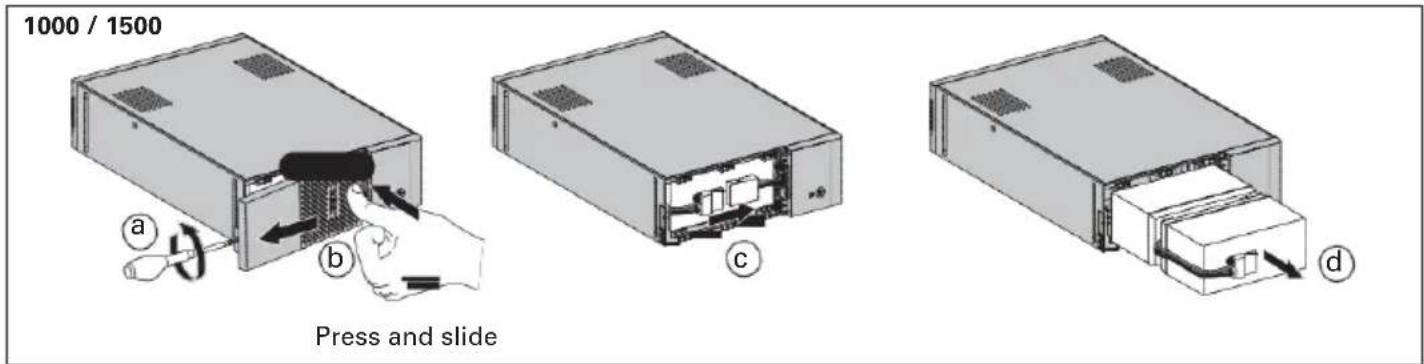
o The battery must be replaced exclusively by qualified personnel (risk of shock), with new battery approved by Eaton to ensure correct operation of the UPS.
o The battery must be disposed of in accordance with applicable regulations. To remove the battery, shut down the UPS (button 12 OFF), remove the power cord and proceed as indicated below "Battery change".
Battery change
text_image
550 / 700 a b Press and slide c do Warning: take care not to inverse the polarity + (red) and - (black) when connecting the battery as this will destroy the device.
text_image
1000 / 1500 a b c d Press and slideTechnical characteristics
| Eaton 5S | 550 | 700 | 1000 | 1500 |
| • UPS power | 550 VA /330 W | 700 VA /420 W | 1000 VA /600 W | 1500 VA /900 W |
| o Nominal input voltage | 175 V - 275 V | |||
| o Input frequency | 50/60 Hz (46 - 70 Hz working range) | |||
| o Voltage/frequency of battery backup outlets 9 in battery mode | 230 V +15 % -20 % (50/60 Hz ± 1 Hz) | |||
| o Total output current for all outlets | 10 A max | |||
| o Output current of battery backup outlets 9 | 2.5 A max | 3.2 A max | 4.6 A max | 6.8 A max |
| o Input protection | 10 A resettable circuit breaker | |||
| o Transfer time | 5 ms typical | |||
| o Telephone/Data surge protection | Tel, ISDN, ADSL, Ethernet | |||
| o Sealed lead-acid battery | 12 V, 5 Ah | 12 V, 7 Ah | 2 x 12V, 7 Ah | 2 x 12V, 9 Ah |
| o Average battery life | 4 years typical, depending on temperature and number of discharge cycles | |||
| o Operating temperature | 0 to 35 °C / 32 to 95 °F | |||
| o Storage temperature | -25 °C to +55 °C / -13 °F to 131 °F | |||
| o Operating relative humidity | 0 to 85 % | |||
| o Operating elevation | 0 to 2000 m / 0 to 6562 ft | |||
| o Safety standards | IEC 62040-1, CE certified | |||
| o Electromagnetic compatibility standards | IEC 62040-2, C1* | |||
| o Warranty | 2 years | |||
| o Dimensions (mm/inch) | 260 x 87 x 250 / 10.24 x 3.43 x 9.84 | 382 x 87 x 250 / 15.04 x 3.43 x 9.84 | ||
| o Weigth (kg/lb) | 4.8 / 10.6 | 5.9 / 13.0 | 9.2 / 20.3 | 11.2 / 24.7 |
(*) Warning: Output cables should not exceed 10m (32.81 ft) length.
1. Operating conditions
- This product is an Uninterruptible Power Supply (UPS) for computers and their peripherals, television sets, stereo systems and video recorders... It must not be used to supply other electrical equipment (lighting, heating, household appliances, etc.).
2. UPS connections
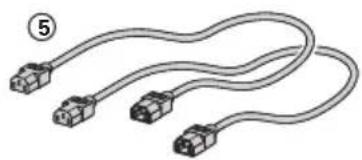
- Connectthe UPS ^1 to the AC-power system via a wall outlet with an earth connector, using the input cord of your computer (see figure A).
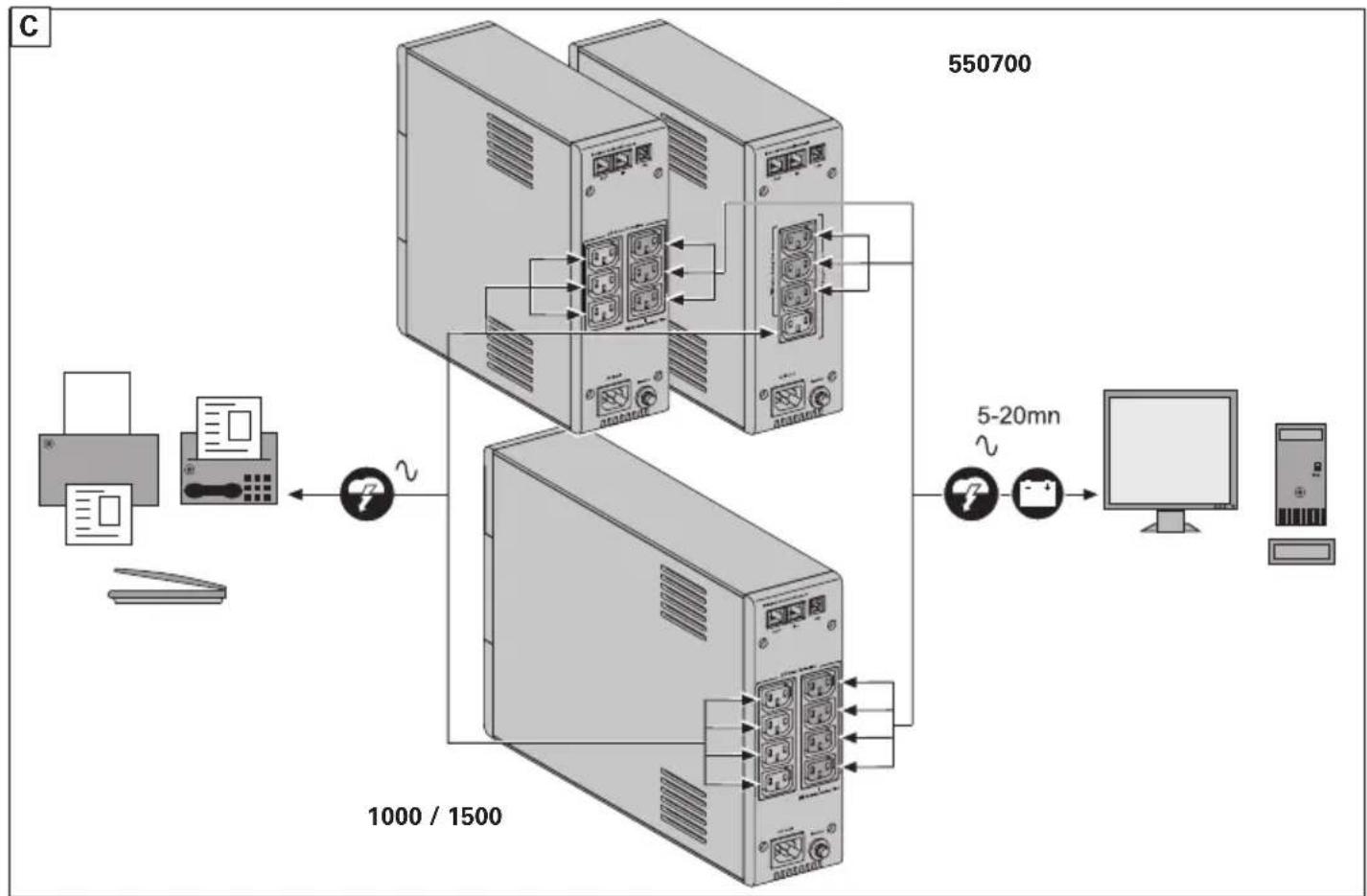
- Plug critical equipment (computer, monitor, modem, etc.) into the outlet® providing battery backup power and surge protection (see figure C), taking care not to exceed the rated current indicated in amperes.
- Other devices (printer, scanner, fax, etc.) can be connect to the surge protection outlet ^⑧ (see figure C). The surge protection outlets are not backed up by battery power in the event of a power outage.
- Optional Internet modem / Network connection:
A modem or Ethernet data line can be protected against surges by connecting it via the UPS. Connect the existing device cable between the wall outlet and the UPS, and use a similar cable between the UPS and the device, as indicated in figure B (cable not supplied).
• Optional USB connection:
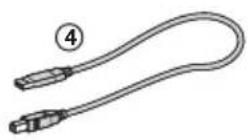
The UPS device can be connected to the computer using the USB cable ④ supplied (see figure B).
Eaton UPS Companion software is downloadable from powerquality.eaton.com.
Register for the warranty on powerquality.eaton.com.
3. Operation
- Battery charge: The UPS charges the battery as soon as it is connected to the AC outlet, whether button 12 is pressed or not. When used for the first time, the battery will only provide its maximum performance after it has been charged for 8 hours. It is recommended that the UPS be permanently connected to the AC power supply to ensure the best possible performance.
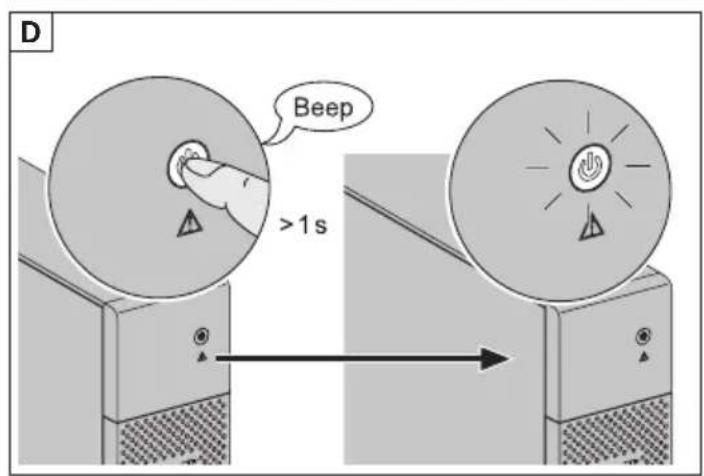
- Switching-on the UPS: press button2 for about 1 second.
- Surge protection outlets without battery backup: Equipment connected to these outlets is supplied as soon as the input AC cord is plugged in. They are not affected by button12.
- Battery backup outlets: Equipment connected to these outlets is supplied as soon as button 12 turns green (see figure D). These outlets can be turned on even if the UPS is not connected to AC power (button 12 flashes).
- AC-power disturbance: If AC power is disturbed or fails, the UPS continues to operate on battery power. Button 12 flashes green. In normal mode, the audible alarm beeps every ten seconds, then every three seconds when the end of battery backup time is near. In silent mode, the audible alarm simply beeps once when the UPS transfers to battery power.
- If the power outage lasts longer than the battery backup time, the UPS shuts down and automatically restarts when power is restored. Following a complete discharge, a few hours are required to recharge the battery back to full backup time.
• Surge protection: All outlets include surge protection. - Shutdown of the battery backup outlets: Press button 12 for more than two seconds.
text_image
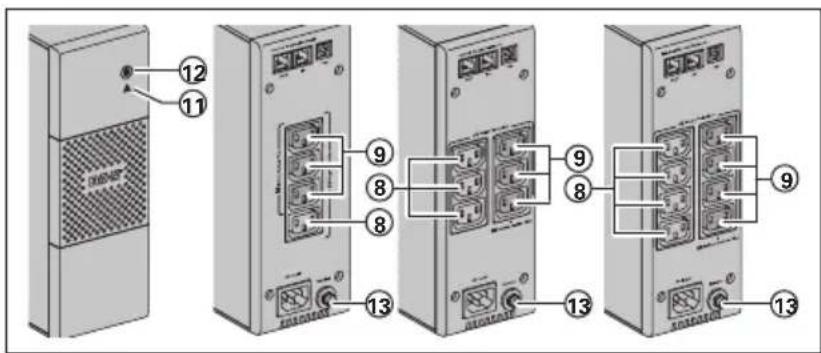
Diagram showing labeled components of a server rack with numbered parts, likely illustrating an internal or electrical setup.⑧ : Surge protection outlets.
⑨ : Battery backup outlets.
⑪ : LED ON indicate a UPS fault.
⑫ : ON/OFF button for the battery backup outlets.
⑬ : Protection (circuit breaker).
Troubleshooting (For further information, visit the www.powerquality.eaton.com site or contact after-sales support.)
| Problem Diagnostic Solution | |||
| 1 | The battery backup outlets ^9 are not supplied with power. | Button ^12 is not lighted on. Press button ^12 and check that it turns green. | |
| 2 | The connected devices are not supplied when AC power fails. | The devices are not connected to the battery backup outlets ^9 . | Connect the devices to the battery backup outlets ^9 . |
| 3 | AC power is available, but the UPS operates on battery power. | Circuit breaker ^13 , located at the rear of the UPS, has been tripped by an overload on the UPS output. | Disconnect excess equipment and reset the circuit breaker ^13 by pressing the corresponding button. |
| 4 | Green button ^12 and red LED ^11 are on and audible alarm beeps every 2 seconds. | The UPS battery backup outlets ^9 are overloaded. | Disconnect excess equipment connected to the battery backup outlets ^9 . |
| 5 | Red LED ^11 is on and the audible alarm beeps continuously. | A fault has occurred on the UPS. The battery backup outlets ^9 are no longer supplied. | Call after-sales support. |