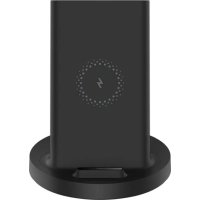
Mi 20W Wireless Charging Stand - Battery charger Xiaomi - Free user manual and instructions
Find the device manual for free Mi 20W Wireless Charging Stand Xiaomi in PDF.

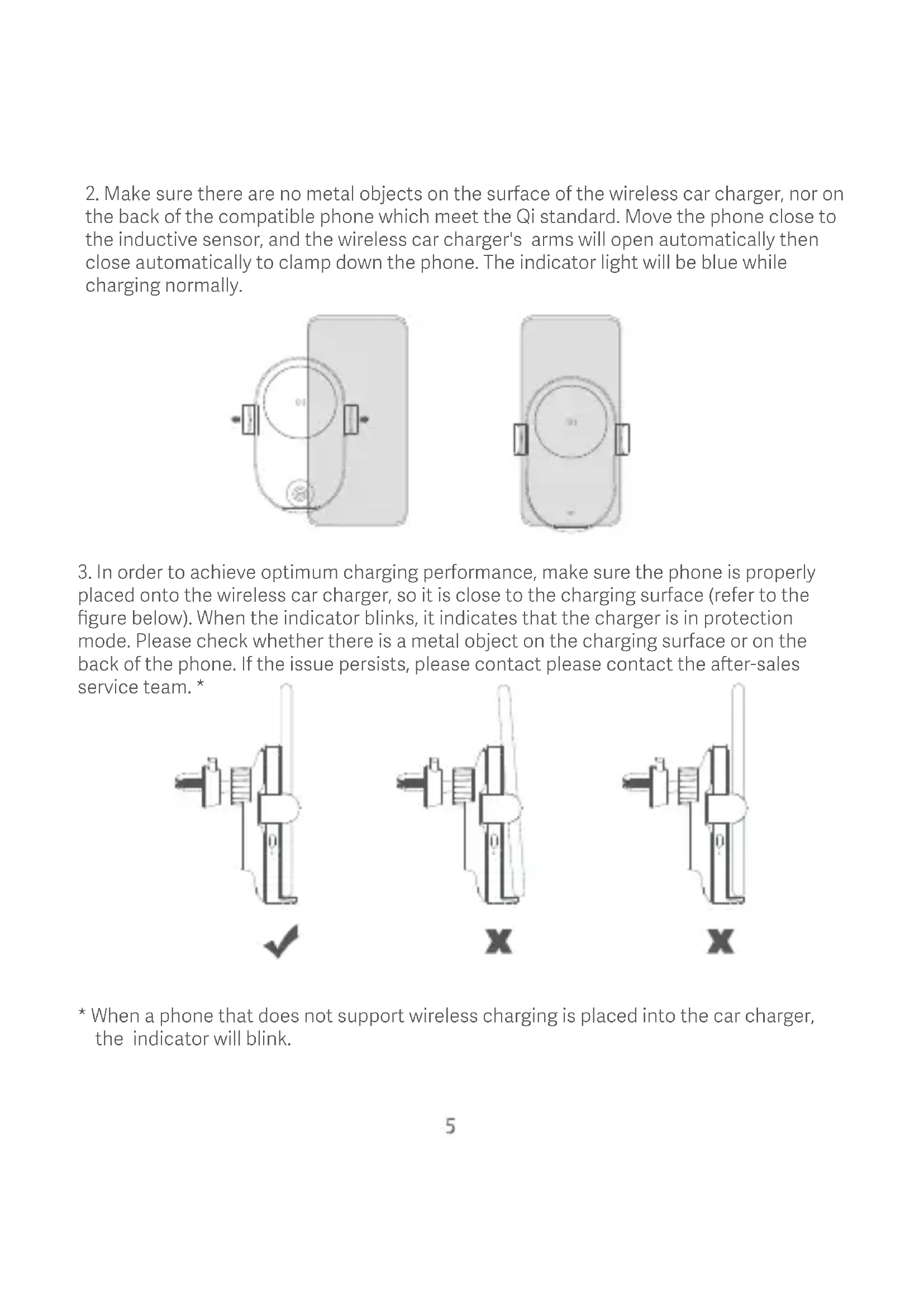


| Product Type | Wireless Car Charger |
| Brand | Xiaomi |
| Model | WCJ02ZM (Mi 20W Wireless Charging Stand) |
| Dimensions | 117.2 × 73.4 × 91.7 mm |
| Weight | Approx. 150 g |
| Power Supply | 12 V Cigarette Lighter (via included car charger) |
| Wireless Charging Power | 20 W maximum |
| Inductive Detection Distance | ≤ 4 mm |
| Operating Frequency | 110-148 kHz |
| Operating Temperature | 0 °C to 40 °C |
| Wireless Charging Standard | Qi |
| Charging Surface Material | 2.5D Glass |
| Input Port | USB Type-C |
| Compatibility | Qi-compatible smartphones; 20 W charging with select Xiaomi (Mi 9, Mi 10, Mi 11) |
| Main Features | Wireless charging, automatic inductive detection, auto-open/close clamping arms, release button, status indicator |
| Attachment | On air vent (clip) or flat surface (included adhesive mount) |
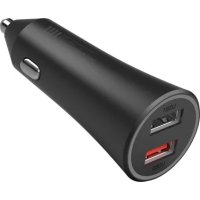
| Included Accessories | Car charger (cigarette lighter), USB-A to Type-C cable, adhesive mount, air vent clip |
| Care and Cleaning | Clean the glass surface with a soft cloth; avoid moisture and metallic objects |
| Safety | Do not disassemble, do not expose to fire or water, avoid magnetic cards, keep 20 cm away from medical implants |
| Spare Parts and Repairability | Not user-serviceable; contact customer service |
Frequently Asked Questions - Mi 20W Wireless Charging Stand Xiaomi
User questions about Mi 20W Wireless Charging Stand Xiaomi
0 question about this device. Answer the ones you know or ask your own.
Ask a new question about this device
Download the instructions for your Battery charger in PDF format for free! Find your manual Mi 20W Wireless Charging Stand - Xiaomi and take your electronic device back in hand. On this page are published all the documents necessary for the use of your device. Mi 20W Wireless Charging Stand by Xiaomi.
USER MANUAL Mi 20W Wireless Charging Stand Xiaomi
Mi 20W Wireless Car Charger User Manual · 4
Read this manual carefully before use, and retain it for future reference.
Mi 20W Wireless Car Charger is a wireless charger for use in cars. With convenient one-handed use, it offers smart identification and control, flexible inductive sensing, 2.5D glass surface, and Type-C port. It also supports charging phones that are featured with wireless charging.
PT: Inductive Sensor
How to Use
- Use the clamp to secure the Mi 20W Wireless Car Charger into the air vent and tighten the universal ball knob on the back. Plug in the supplied charger into the car's cigarette lighter or power port, and insert the USB-A interface into the charger's red USB port. Then plug in the Type-C interface into the car charger. When the indicator blinks blue three times, and the welcome light remains lit up, the wireless car charger is functioning normally.
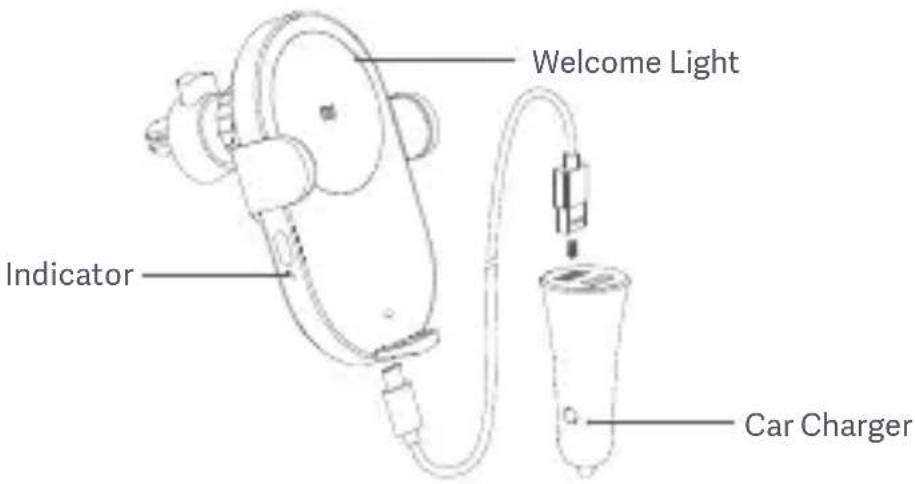
Note: Please properly tighten the universal ball knob before use to prevent accidental movement during use.
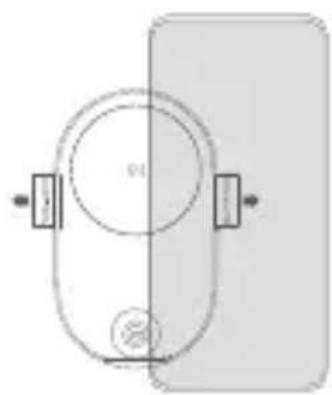
- Make sure there are no metal objects on the surface of the wireless car charger, nor on the back of the compatible phone which meet the Qi standard. Move the phone close to the inductive sensor, and the wireless car charger's arms will open automatically then close automatically to clamp down the phone. The indicator light will be blue while charging normally.
natural_image
Simple diagram of a device with a central circular component and two side connectors (no text or symbols)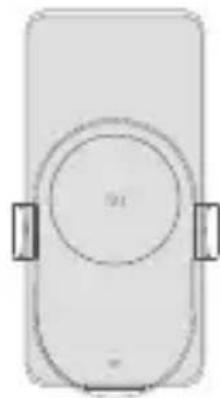
natural_image
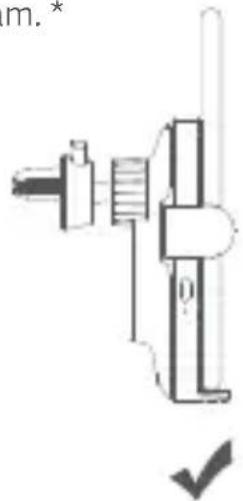
Simple line drawing of a rectangular device with a circular top and two side handles (no text or symbols)- In order to achieve optimum charging performance, make sure the phone is properly placed onto the wireless car charger, so it is close to the charging surface (refer to the figure below). When the indicator blinks, it indicates that the charger is in protection mode. Please check whether there is a metal object on the charging surface or on the back of the phone. If the issue persists, please contact please contact the after-sales service team.*
natural_image
Mechanical assembly diagram showing a shaft and housing with a checkmark indicator (no text or symbols)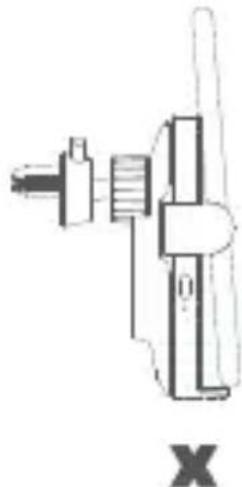
natural_image
Mechanical assembly diagram showing a shaft and housing with no visible text or symbols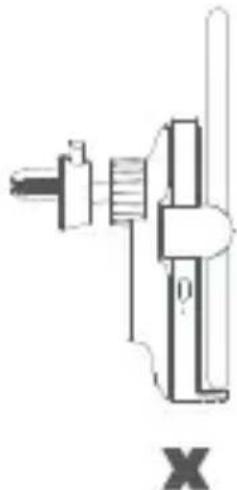
natural_image
Mechanical assembly diagram showing a shaft and housing with no visible text or symbols* When a phone that does not support wireless charging is placed into the car charger, the indicator will blink.
- When you need to remove the phone from the wireless car charger, press the release button to release the arms. The arms will open, and release the phone, then charging will stop.
Note: when the car's cigarette lighter or power port are not supplying power, the phone can be removed directly.

natural_image
Line drawings of two hands holding mechanical components, no text or symbols present- When the Mi 20W Wireless Car Charger cannot be secured into an air vent with its clamp, the supplied adhesive mount can be used to secure it onto a flat surface.
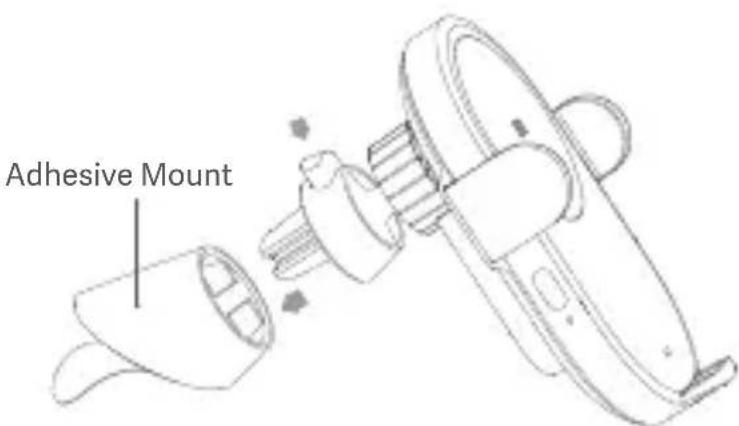
Note: The surface for mounting the wireless car charger needs to be clean and flat. Make sure press and hold it firmly for 5 to 10 seconds after mounting. Due to the strength of the adhesive, forced removal may damage the car's interior. It is recommended to have a professional remove the adhesive mount.
Precaution
- Do not drop or crush to this product.
- Keep the glass surface of the inductive sensor clean.
- Do not disassemble or modify the product.
- Do not place the product near or in a fire, nor submerge it in water.
- Do not use this product in severely hot, humid, or corrosive environments avoiding damage to its electrical circuit.
- Do not place any cards including ID card and bank card with a magnetic strip/chip near or onto the wireless car charger to avoid corrupting the card.
- Keep a distance of at least 20 cm between implanted medical devices (pacemakers, cochlear implants, etc.) and the product so as to avoid potential interference to medical devices.
- Do not allow children to touch or play with this product to avoid unnecessary accidents.
- Please unplug the car charger from the car's cigarette lighter or power port when it will not be used for a long time.
- For your user experience, it is not recommended to reuse the adhesive mount as the strength of the adhesive will be decreased.
The operating frequency for wireless charging is 110–148 KHz. - The equipment should be installed at least 20 cm (7.9 in) from your body or nearby persons.
Specifications
Product Name: Mi 20W Wireless Car Charger
Model: WCJ02ZM
Inductive Sensing Distance: ≤ 4 mm
Item Dimensions: 117.2 × 73.4 × 91.7 mm
Operating Temperature: 0^ C to 40^ C
Operation Frequency: 110–148 kHz (<35 dBuA/m @ 10 m)
*Wireless charging at 20 W is compatible with some Xiaomi phones such as Mi 9, Mi 10 and Mi 11.
Note: Illustrations of product, accessories, and user interface in the user manual are for reference purposes only. Actual product and functions may vary due to product enhancements.
EU Declaration of Conformity

The manufacturer hereby, declares that this equipment is in compliance with the applicable Directives and European Norms, and amendments. The full text of the EU declaration of conformity is available at the following internet address: http://www.mi.com/global/service/support/declaration.html
WEEE Information

All products bearing this symbol are waste electrical and electronic equipment (WEEE as in directive 2012/19/EU) which should not be mixed with unsorted household waste. Instead, you should protect human health and the environment by handing over your waste equipment to a designated collection point for the recycling of waste electrical and electronic equipment, appointed by the government or local authorities. Correct disposal and recycling will help prevent potential negative consequences to the environment and human health. Please contact the installer or local authorities for more information about the location as well as terms and conditions of such collection points.
For further information, please go to www.mi.com
Manufactured for: Xiaomi Communications Co., Ltd.
Manufactured by: Zimi Corporation
(a Mi Ecosystem company)
Address: A913, No. 159 Chengjiang Middle Road, Jiangyin, Jiangsu, China
User Manual Version: V5.0
natural_image
Two identical diagrams of a device with circular components and rectangular connectors, labeled '9' (no text or symbols on the devices themselves)natural_image
Line drawings of two hands holding mechanical components, no text or symbols presenthttp://www.mi.com/global/service/support/declaration.html
Adresse: A913, No. 159 Chengjiang Middle Road, Jiangyin, Jiangsu, China
natural_image
Simple diagram of a device with a circular component and two rectangular connectors (no text or symbols)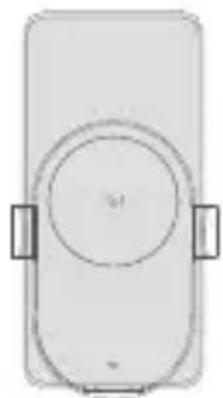
natural_image
Simple line drawing of a rectangular device with a circular top and two side handles (no text or symbols)natural_image
Line drawings of two hands holding mechanical components, no text or symbols presenthttp://www.mi.com/global/service/support/declaration.html
Informations DEEE

Adresse: A913, No. 159 Chengjiang Middle Road, Jiangyin, Jiangsu, China
natural_image
Simple line drawing of a device with a circular top and two rectangular connectors (no text or symbols)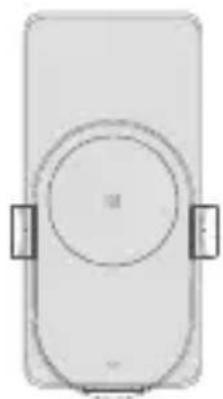
natural_image
Simple diagram of a rectangular device with a circular top and side connectors (no text or symbols)natural_image
Line drawings of two hands holding mechanical components, no text or symbols presentnatural_image
Two identical diagrams of a device with circular components and rectangular connectors, no text or symbols present.natural_image
Line drawings of two hands holding mechanical components, no text or symbols presenthttp://www.mi.com/global/service/support/declaration.html
Informazioni RAEE

Indirizzo: A913, No. 159 Chengjiang Middle Road, Jiangyin, Jiangsu, China
natural_image
Line drawings of two hands holding mechanical components, no text or symbols presenthttp://www.mi.com/global/service/support/declaration.html
EAC
Адрес: A913, No. 159 Chengjiang Middle Road, Jiangyin, Jiangsu, China
natural_image
Simple line drawing of a device with a circular top and rectangular base, no text or symbols present.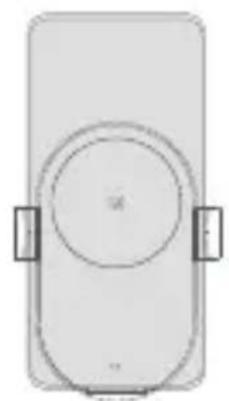
natural_image
Simple line drawing of a rectangular device with circular top and side connectors (no text or symbols)natural_image
Line drawings of two hands holding mechanical components, no text or symbols presenthttp://www.mi.com/global/service/support/declaration.html에서
확인할 수 있습니다.

의뢰업체: Xiaomi Communications Co., Ltd.
제조업체: Zimi Corporation
(Mi 생태계 기업)
주소: A913, No. 159 Chengjiang Middle Road, Jiangyin, Jiangsu, China
사용 설명서 버전: V5.0
natural_image
Two identical diagrams of a device with circular components and directional arrows, no text or symbols present.natural_image
Line drawings of two hands holding mechanical clamps, no text or symbols presentالإدخال: 5Two, 32012201521.821.122.122.122.122.122.122.122.122.122.122.122.122.122.122.122.122.122.122.122.122.122.122.122.122.122.12
20 1.35Ambir فولت
http://www.mi.com/global/service/support/declaration.html
CE
A913, No. 159 Chengjiang Road, Jiangyin, Jiangsu, China : العئوان and Technological Development Zone, Nanjing, Jiangsu, P.R. China
TR
Nasıl Kullanılır
natural_image
Line drawings of two hands holding mechanical clamps, no text or symbols presentAdres: A913, No. 159 Chengjiang Middle Road, Jiangyin, Jiangsu, China
natural_image
Simple diagram of a device with a circular component and two rectangular blocks, no text or symbols present.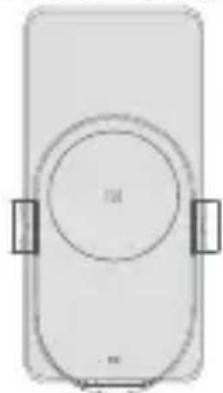
natural_image
Simple line drawing of a rectangular device with a circular top and two side handles (no text or symbols)natural_image
Line drawings of two hands holding mechanical clamps, no text or symbols presenthttp://www.mi.com/global/service/support/declaration.html

Adres: A913, No. 159 Chengjiang Middle Road, Jiangyin, Jiangsu, China
natural_image
Line drawings of two hands holding mechanical components, no text or symbols presentOperation Frequency: 110 - 148 kHz (<35dBuA/m @ 10 m)
http://www.mi.com/global/service/support/declaration.html

Morada: A913, No. 159 Chengjiang Middle Road, Jiangyin, Jiangsu, China
Xiaomi Technology Netherlands B.V.
Prinses Beatrixlaan 582, 2595BM, The Hague, The Netherlands
contact@support.mi.com
UK REP.
Xiaomi Technology UK Limited
Davidson House, Forbury Square, Reading, Berkshire RG1 3EU
contact@support.mi.com



Brand : Xiaomi
Model : Mi 20W Wireless Charging Stand
Category : Battery charger