
Rudder Pedals - Game controller LOGITECH - Free user manual and instructions
Find the device manual for free Rudder Pedals LOGITECH in PDF.
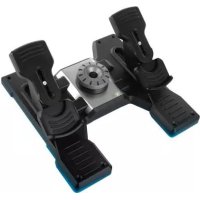

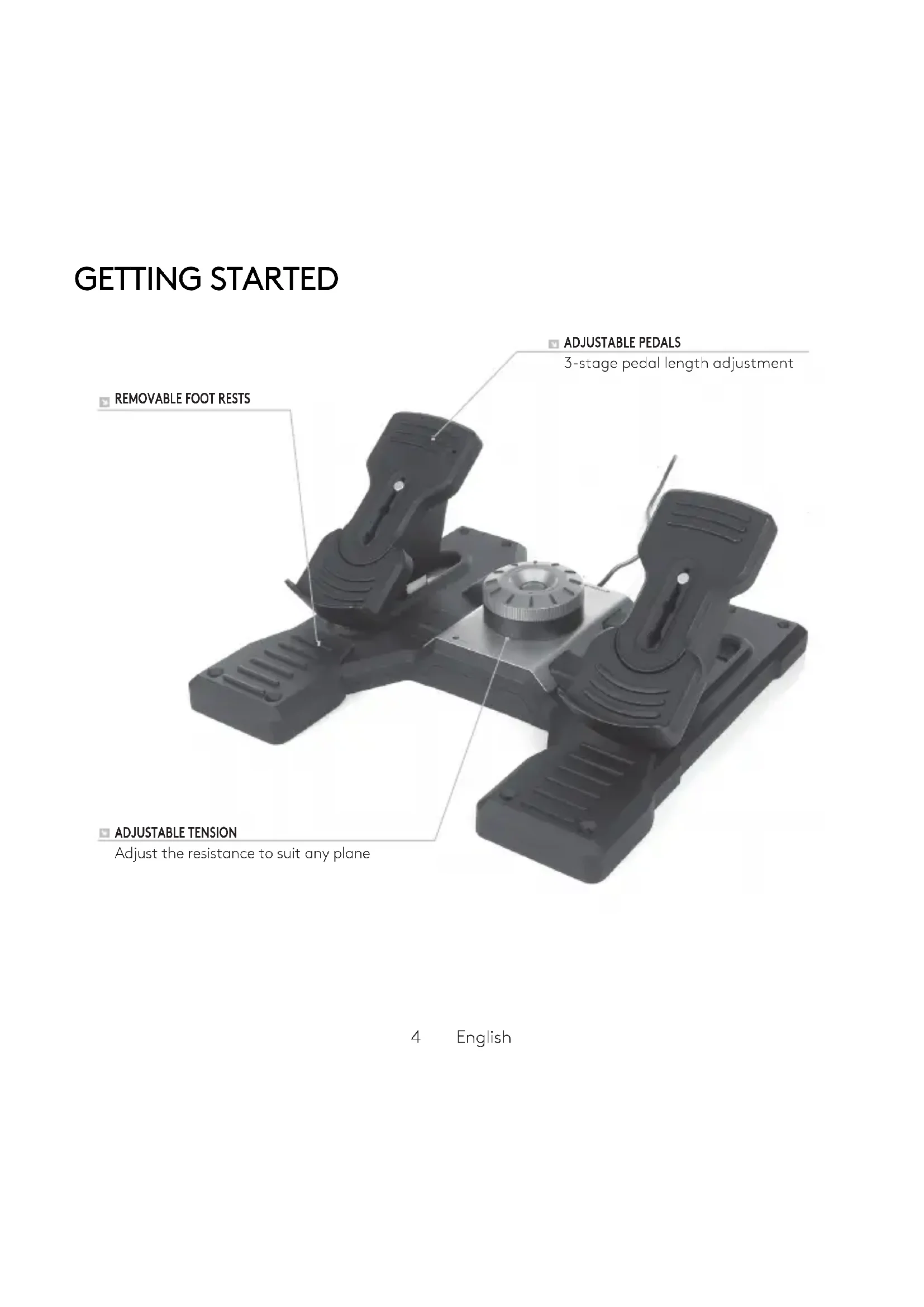

| Product type | Rudder pedals for flight simulator |
| Brand | Logitech |
| Model | Rudder Pedals |
| Category | Game controller |
| Main functions | Rudder with toe brakes, differential braking simulation, yaw control |
| Connectivity | USB 2.0 (integrated cable) |
| Power | Via USB, 5 V, 500 mA |
| System compatibility | PC (Windows, macOS), flight simulators (Microsoft Flight Simulator, X-Plane, etc.) |
| Dimensions (estimated) | 45 x 30 x 15 cm |
| Weight (estimated) | 2.5 kg |
| Materials | Durable plastic, metal for pedals |
| Pedal travel | Approximately 15 cm |
| Toe brake | Left/right differential braking simulation |
| Maintenance and cleaning | Clean with a soft dry cloth; avoid solvents |
| Safety | Do not open, do not expose to water, use the supplied power adapter |
| Warranty | Limited 2-year warranty (see support.logitech.com) |
| Spare parts and repairability | Contact Logitech support for repairs |
| General information | Compatible with Logitech G flight systems (modular) |
Frequently Asked Questions - Rudder Pedals LOGITECH
User questions about Rudder Pedals LOGITECH
0 question about this device. Answer the ones you know or ask your own.
Ask a new question about this device
Download the instructions for your Game controller in PDF format for free! Find your manual Rudder Pedals - LOGITECH and take your electronic device back in hand. On this page are published all the documents necessary for the use of your device. Rudder Pedals by LOGITECH.
USER MANUAL Rudder Pedals LOGITECH
Build your whole cockpit with our modular, interchangeable system.
Logitech G Flight Rudder Pedals are solid 3-axis rudder pedals designed to maximize realism by enabling foot control of the rudder and brakes function in flight simulation PC Games. The Rudder Pedals work with any Logitech G Flight products.
THE USB CABLE
Insert the Logitech G Flight Rudder Pedals USB plug into one of your PC's free USB sockets.
INSTALLATION FOR WINDOWS® 10, WINDOWS® 8.1 AND WINDOWS® 7
DRIVER INSTALLATION
1 Visit logitech.com/support/rudder-pedals to download the latest drivers and software for your operating system. 2 With device disconnected, follow the onscreen instructions to complete the installation. 3 At the Driver Setup screen, only when prompted, insert USB cable into one of your computer's USB ports, then click Next. 4 At the Driver Setup screen, click Next to test your controller. 5 When the Logitech Controller screen appears, test the controls to verify device operation. After the test, click OK.
SOFTWARE INSTALLATION
1 In the Software Setup screen, click Next and a pop-up box will ask if you "want to trust software from Logitech." Click yes, then click Next. 2 After installation, you have the option to Run Profile Editor, which will show you the programming environment. To skip the Profile Editor now, uncheck the box and click Finish to complete installation.
TECHNICAL SUPPORT
Online Support: support.logitech.com
CLOSER TO REALITY
LOGITECHFLIGHTPRODUCTS

UNMATCHED REALISM
LOGITECH FLIGHT SIMULATION PRODUCTS
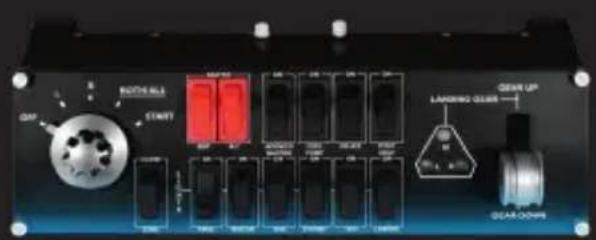
SWITCH PANEL
IN-COCKPIT CONTROLS
SWITCH PANEL
IN-COCKPIT CONTROLS
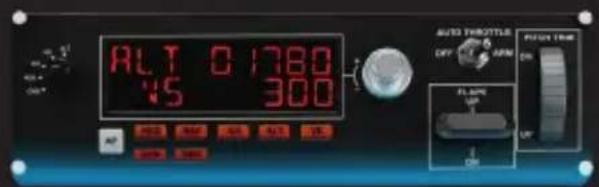
MULTI PANEL
IN-COCKPIT CONTROLS
INSTRUMENT PANEL
IN-COCKPIT CONTROLS
PERFECT PARTNERS
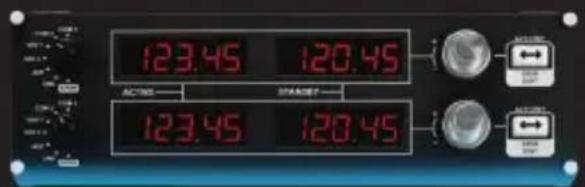
RADIO PANEL
IN-COCKPIT CONTROLS
RADIO PANEL
IN-COCKPIT CONTROLS
logitech
Important Safety, Compliance and Warranty Information
Read the manual before using the product.

POWER SUPPLY WARNING! The power supply is for indoor use only. Only use the power supply included with your product. Do not attempt to repair or use a damaged power supply. Do not immerse the power supply in water or subject it to physical abuse. Inspect the power supply regularly for cable, plug, and casing damage.
BATTERY WARNING: Improperly replaced batteries may present a risk of leak or explosion and personal injury. Mistreated rechargeable batteries may present a risk of fire or chemical burn. Do not disassemble or expose to conducting materials, moisture, liquid, or heat above 54°C (130°F). Do not use or charge the battery if it appears to be leaking, discolored, deformed, or in any way abnormal. Do not leave your battery discharged or unused for extended periods. Do not short circuit. Your device may contain an internal, rechargeable battery that is not replaceable. Battery life varies with usage. Non-operational batteries should be discarded according to local laws. If no laws or regulations govern, dispose of your device in a waste bin for electronics. Keep batteries away from children.
Safe Usage Guidelines for Products
- Do not open or modify the product except for battery removal and replacement.
- Do not disassemble or attempt to service this product.
- This product is safe under normal and reasonably foreseeable operating conditions. If the product is operating improperly, call Logitech support. The product must be returned to the manufacturer for any service or repair.
This is not a children's product and is not intended for use by children under 14 years old. Long periods of repetitive motion using the product may be associated with nerve, tendon, or muscle injury in your hands, wrists, arms, shoulders, neck, or back. See a qualified health professional for pain, numbness, weakness, swelling, burning, cramping, or stiffness. Please read guidelines at http://www.logitech.com/comfort. Use caution when operating moving parts. WARNING! The product contains small, detachable parts, which may cause choking, personal injury, or death, especially in children. Please exercise care in the use and handling of small parts, and keep them away from children under 4 years of age. For pluggable equipment, the socket-outlet shall be installed near the equipment and shall be easily accessible.
Use Guidelines: Safe & Proper Use of Your Product
- Use the product with listed/certified ITE computers and accessories.
- Connect the power supply or power cord to a properly wired and grounded electrical outlet.
- Disconnect the power source prior to defeating or bypassing the equipment safeguard. Restore the equipment safeguard before restoring power.
Warning. Risk of fire or explosion if the battery is replaced by an incorrect type. Ensure batteries are installed correctly by following the instructions provided. A battery subjected to extremely low air pressure may result in an explosion or the leakage of flammable liquid or gas.

Caution. Connect all power cords to a properly wired and grounded electrical outlet.

Moving parts. This product is not intended for use by children. Unplug this product when not in use for extended periods of time. Store product away from children when not in use for extended periods of time.
IC statement: CAN ICES-003 (B) / NMB-003 Class (B)
This device complies with Industry Canada licence-exempt RSS standard(s). Operation is subject to the following two conditions: (1) this device may not cause interference, and (2) this device must accept any interference, including interference that may cause undesired operation of the device. Cordless (Radio Transmitter) products: Section A. RSS-310 (27 MHz transmitters and receivers): This Category II radio communication device complies with Industry Canada Standard RSS-310. Section B. RSS-210 (2.4 GHz transmitters or transceivers): This Category I radio communication device complies with RSS-210 of Industry Canada.
Radiation Exposure Statement
This wireless product complies with the FCC and Industry Canada RF exposure limit for portable devices.
Logitech Compliance. This product complies with RoHS requirements as prescribed by E-Waste Management Rules by the Government of India. For Product Safety, EMC, and RF information, go to www.logitech.com/compliance. Maintenance is not required for product compliance.
Batteries, electronics and electrical equipment should not be disposed of with household waste. Wherever possible, they should be segregated and brought to an appropriate collection point to enable recycling and avoid potential impacts on the environment and human health. For more information, contact your local authorities or place of purchase, or visit www.logitech.com/compliance.
Logitech Limited Hardware Product Warranty - A Summary
Logitech warrants that its hardware product shall be free from defects in materials and workmanship for the length of time identified on your product package beginning from the date of the original retail purchase. See support.logitech.com for specific warranty information about your product and procedures to act on a warranty claim.
Logitech's entire liability and your exclusive remedy for any breach of warranty shall be, at Logitech's option, to repair or replace a functional equivalent of the product, or to refund the price paid, if the hardware is returned to the point of purchase or such other place as Logitech may direct along with a receipt. Warranty protections are in addition to rights provided under local consumer laws and may vary among countries. See full warranty information to know your consumer rights and the additional protections provided by this product warranty.
Logitech Address: Logitech, Inc., 7700 Gateway Blvd. Newark, California 94560.
For Australia/New Zealand Consumers Only: Our goods come with guarantees that cannot be excluded under the Australian Consumer Law. You are entitled to a replacement or refund for a major failure and for compensation for any other reasonably foreseeable loss or damage. You are also entitled to have the goods repaired or replaced if the goods fail to be of acceptable quality and the failure does not amount to a major failure. This warranty is provided by Logitech International S.A., EPFL - Innovation Park, Daniel Borel Innovation Center, 1015 Lausanne, Switzerland. Contact Information for Australia/New Zealand Consumers Only: The Woolstores Alexandria, Shed 72, Part Suite 2.02, 4F Huntley Street, Alexandria, Sydney, NSW Australia 2015. Telephone: 1800-025-544. For any product/warranty-related questions, please contact Customer Care (www.logitech.com/contact)
Contact Information for Asia Pacific Consumers: Logitech Asia Pacific Limited, 18/F, Cambridge House, Talkoo Place, 979 King's Road, Quarry Bay, Hong Kong. Full Warranty Information: support.logitech.com
- THE USB CABLE
- INSTALLATION FOR WINDOWS® 10, WINDOWS® 8.1 AND WINDOWS®
- DRIVER INSTALLATION
- SOFTWARE INSTALLATION
- TECHNICAL SUPPORT
- CLOSER TO REALITY
- UNMATCHED REALISM
- LOGITECH
- SAFE USAGE GUIDELINES FOR PRODUCTS
- USE GUIDELINES: SAFE & PROPER USE OF YOUR PRODUCT
- IC STATEMENT: CAN ICES-003 (B) / NMB-003 CLASS (B)
- RADIATION EXPOSURE STATEMENT
- LOGITECH LIMITED HARDWARE PRODUCT WARRANTY - A SUMMARY
Brand : LOGITECH
Model : Rudder Pedals
Category : Game controller