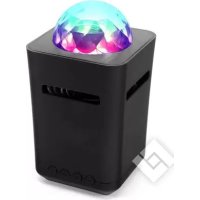
Dance - Speaker DCYBEL - Free user manual and instructions
Find the device manual for free Dance DCYBEL in PDF.



User questions about Dance DCYBEL
0 question about this device. Answer the ones you know or ask your own.
Ask a new question about this device
Download the instructions for your Speaker in PDF format for free! Find your manual Dance - DCYBEL and take your electronic device back in hand. On this page are published all the documents necessary for the use of your device. Dance by DCYBEL.
USER MANUAL Dance DCYBEL
natural_image
3D rendered black box with a spherical top and cutouts, resembling a smart speaker or device (no text or symbols visible)NOTICE D'UTILISATION GEBRUIKERSHANDLEIDING
MANUAL DE INSTRUÇÕES INSTRUCTION MANUAL
AVERTISSEMENTS
Downloaded from www.vandenborre.be
CONSIGNES DE SÉCURITÉ IMPORTANTES
text_image
Câble Micro USB
natural_image
Simple black line drawing of a string or rope-like object with a looped end (no text or symbols)flowchart
graph TD
    A["Device with cable"] --> B["Device connected via cable"]
    B --> C["Device connected via interface elements"]
    C --> D["Device connected via laptop"]
natural_image
Simple line drawing of a trash bin with two crossed lines indicating no waste or prohibition (no text or symbols)Hotline Darty France
natural_image
Simple black line drawing of a string or rope-like object with a looped end (no text or symbols)Draagriem
natural_image
Illustration of a laptop connected to a device via cable, showing cable routing and connection point (no text or symbols)NL-3
flowchart
graph LR
    A["Smartphone"] -->|Signal| B["Wireless Device"]
    B -->|Downloaded from| C["Mobile Device"]
flowchart
graph TD
    A["Device with cable"] --> B["Device connected via cable"]
    C["Device with screen"] --> D["Device connected via cable"]
    E["Device with laptop"] --> F["Device connected via cable"]
natural_image
Symbol of a trash bin crossed with diagonal lines, representing waste or discharge (no text or labels)text_image
Cable micro-USBnatural_image
Simple black string loop with loop handle (no text or symbols)natural_image
Illustration of a laptop connected to a USB cable via a power connector (no text or symbols present)ES-3
flowchart
graph LR
    A["Smart Phone"] -->|Signal Transmission| B["Smart Device"]
    B -->|Downloaded from| C["Mobile Interface"]
flowchart
graph TD
    A["Device with cable"] --> B["Device connected via cable"]
    C["Device with phone"] --> D["Device connected via cable"]
    E["Device with laptop"] --> F["Device connected via cable"]
natural_image
Illustration of a laptop connected to a device via cable, showing internal components (no text or symbols)flowchart
graph LR
    A["Smartphone"] -->|Signal| B["Wireless Device"]
    B -->|Downloaded from| C["Music Note"]
flowchart
graph TD
    A["Mobile Phone"] --> B["Laptop"]
    C["Mobile Phone"] --> D["Laptop"]
- This appliance is intended for domestic household use only and should not be used for any other purpose or in any other application, such as for non domestic use or in a commercial environment.
- Ventilation
Allow at least a 10 cm gap all around the product
- The ventilation should not be impeded by covering the ventilation openings with items, such as newspapers, table-cloths, curtains, etc.
- No naked flame sources, such as lighted candles, should be placed on the apparatus.
- Attention should be drawn to the environmental aspects of battery disposal. Don't throw used batteries in dustbin. Please contact your retailer in order to protect the environment.
- This apparatus is not suitable for use in a tropical climate.
- The apparatus shall not be exposed to dripping or splashing and that no objects filled with liquids, such as vases, shall be placed on the apparatus.
• CAUTION
Danger of explosion if battery is incorrectly replaced. Replace only with the same or equivalent type.
• To protect the environment, use local recycling facilities for battery disposal.
- Batteries (battery pack or batteries installed) shall not be exposed to excessive heat such as sunshine, fire or the like.
IMPORTANT SAFETY INSTRUCTIONS
- Keep the unit away from high temperature exposure and high humidity.
- Do not disassemble, modify or attempt to repair the unit.
- Only use the attachments/accessories recommended by the manufacturer.
- Store the unit away from dirt or dust.
Symbol
This mark is applied to show the equipment conforms to European safety and electro-magnetic compatibility standards.
Battery handling and usage
The product is supplied with one rechargeable Lithium 3.7V 500mAh battery incorporated in the product which is not accessible and cannot be replaced. Therefore when the product reaches the end of its useful life it must be disposed of at a recycling centre.
PARTES
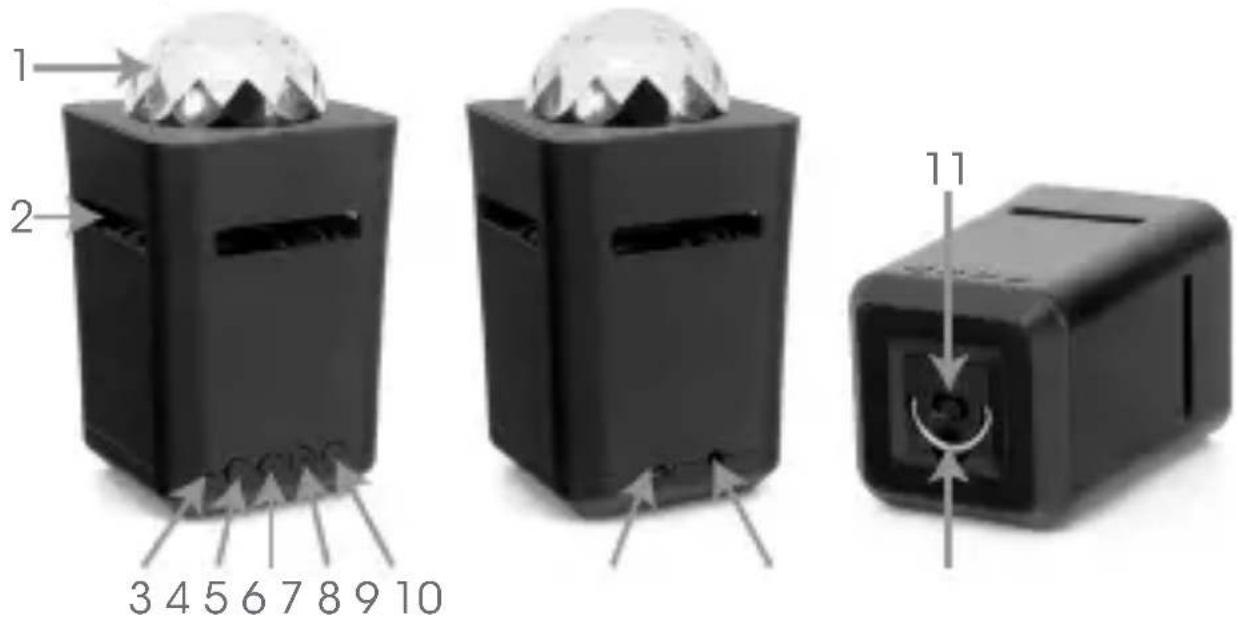
text_image
1 2 3 4 5 6 7 8 9 10 11| 1 | Disco light |
| 2 | Speaker (inside the housing) |
| 3 | Indicator light |
| 4 | Volume down/previous button |
| 5 | Play/Pause button |
| 6 | Disco light mode button |
| 7 | + Volume up/next button |
| 8 | Charging port |
| 9 | AUX IN jack |
| 10 | Power ON/OFF switch |
| 11 | Handle |
Accessories
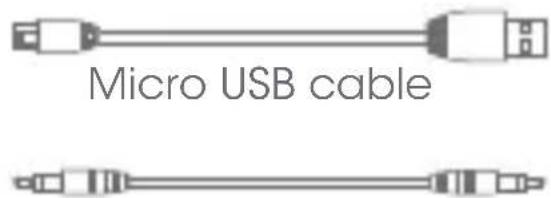
text_image
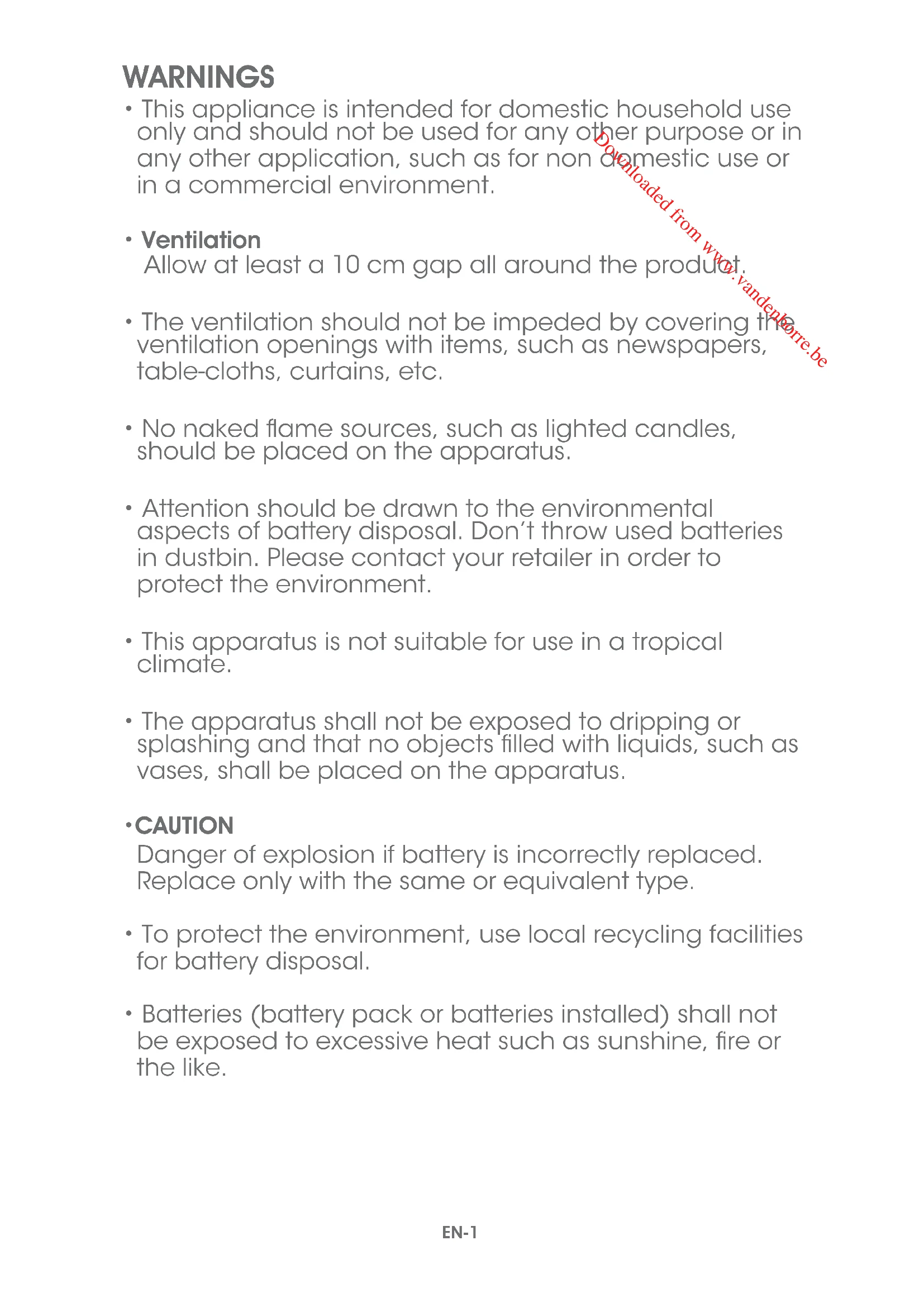
Micro USB cable3.5 mm audio cable
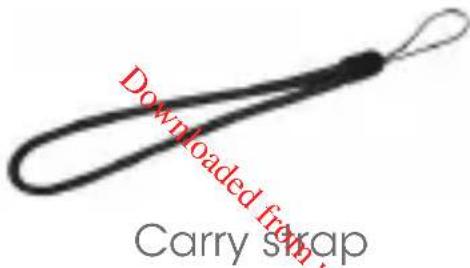
text_image
Downloaded from Carry swapWhen the USB cable is used as the disconnect device, the disconnect device shall remain readily operable. The marking plate is located at the side of the apparatus.
The speaker has a built-in Lithium battery. It is recommended to charge the internal battery for about 3 hours before using the speaker.
The fully-charged battery can give up to 5-hour playing time (based on 25% volume on speaker without LED).
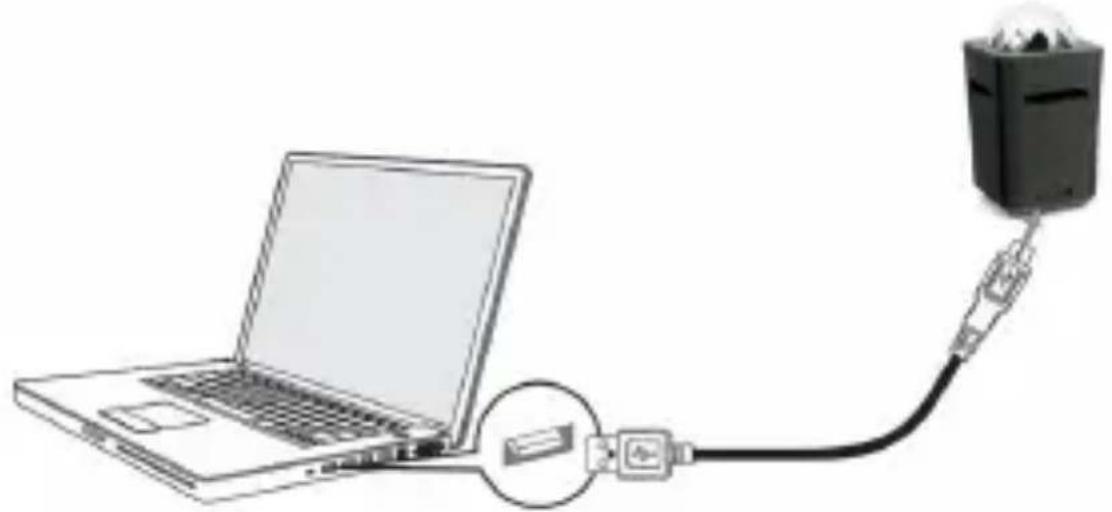
natural_image
Illustration of a laptop connected to a device via cable, showing internal components (no text or symbols)- Connect the micro USB plug end of the supplied cable to the charging port on the back of the speaker. Connect the standard USB plug end of the cable into the USB port on your computer or other USB charging device.
• The indicator light will illuminate red.
-
When the battery is fully charged, the red indicator light will go out.
-
After charging, remove the micro USB cable.
Low battery warning:
When you hear two beeps and notice that the indicator light is flashing red 3 times every 15 seconds, please recharge the speaker.
PARING WITH A BLUETOOTH-ENABLED DEVICE
1. Turn on the speaker.
• The speaker will enter Bluetooth mode and the indicator light will flash red and blue alternatively.
2. To pair, go to Bluetooth settings on your Bluetooth enabled device and connect to "Dance".
- Enter "0000" if asked for a passcode.
| Mode Status | |
| Bluetooth pairing | The indicator light will flash red and blue alternately. |
| Paired | You will hear jingle sound and the indicator light will flash blue twice at regular intervals.NOTE:Once the Bluetooth device is connected for the first time, the speaker will remember the paired setting and will automatically reconnect to the same Bluetooth device the next time they are in range. |
LISTENING TO MUSIC
flowchart
graph LR
    A["Smartphone"] -->|Signal| B["Wireless Device"]
    B --> C["Downloaded from wireless format"]
    style A fill:#f9f,stroke:#333
    style B fill:#ccf,stroke:#333
    style C fill:#cfc,stroke:#333
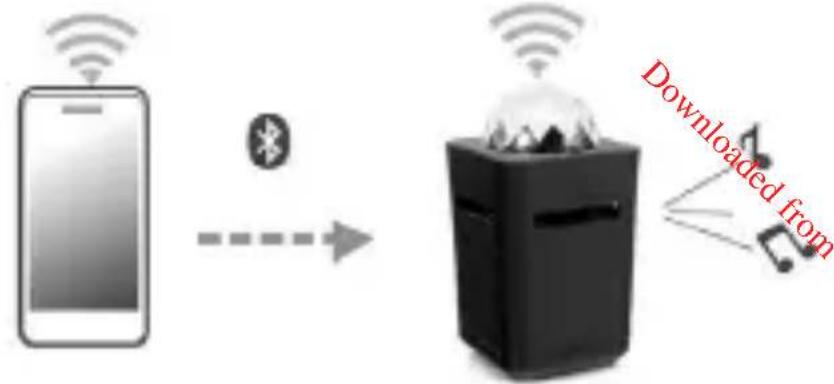
- Once the speaker has been successfully paired to you're be music device, you can listen to music by using ▶, + and - .
- Adjust the volume as desired by repeatedly pressing + /-.
- Select the desired track to play by pressing and holding + /— for about 1 second.
• To pause, press▶. To resume play, press▶ again.
NOTE: When you want to playback from another Bluetooth device, press and hold▶ for about 5 seconds to disconnect the speaker by from the Bluetooth device already in use.
AUX IN
flowchart
graph TD
    A["Device with cable"] --> B["Device connected via cable"]
    B --> C["Device connected via interface elements"]
    C --> D["Device connected via laptop"]
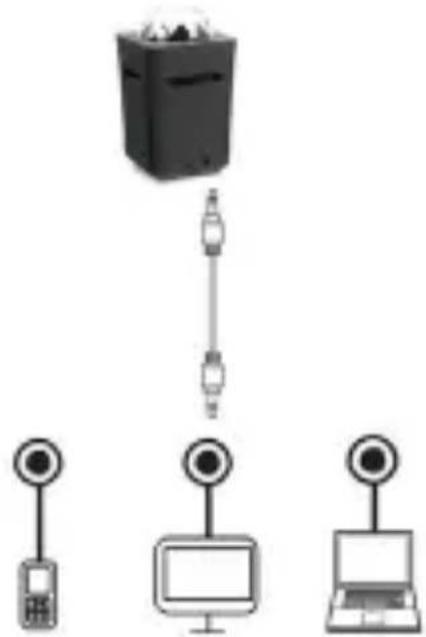
In Bluetooth mode, connect the supplied audio cable from an auxiliary audio device to the AUX IN jack of the unit. The system will automatically exit the Bluetooth mode and the indicator light will illuminate blue.
The volume can be adjusted by repeatedly pressing +/ -. To pause, press ▶I. To resume play, press ▶II again. Operate other functions on the external device as usual.
To enter Bluetooth mode again, disconnect the audio cable from the unit.
CHANGING THE DISCO LIGHT MODE
When the speaker is playing music, you can change the disco light mode to create the party ambience.
Repeatedly press the disco light button ✦ to select your desired light show setting.
Also, you can repeatedly press this button until the light show is turned off and just listen to music.
CLEANING AND MAINTENANCE
Clean the unit with a soft, damp cloth and wipe it with a dry cloth.
Never immerse it in water.
Do not use abrasive or chemical cleaning agents.
Store the unit in a cool, dry place, away from the dust or dirt.
SPECIFICATIONS
| DC input: | 5 V = 500 mA |
| Rechargeable battery: 3,7 V = 500 mAh | |
| Frequency range : 80Hz - 20KHz | |
| Output power : 3W RMS | |
| Transmission distance: | ≤ 10 m (It varies when the environmental factors and the connected Bluetooth devices are different) |
As a responsible retailer we care about the environment. As such we urge you to follow the correct disposal procedure for the product, packaging materials and if applicable, accessories and batteries. This will help conserve natural resources and ensure that the materials are recycled in a manner that protects health and the environment.
You must follow laws and regulations about disposal. Waste electrical products and batteries must be disposed of separately from household waste when the product reaches the end of its life. Contact the store where you bought the product and your local authority to learn about disposal and recycling. The batteries must be disposed of at your local recycling point.
We apologise for any inconvenience caused by minor inconsistencies in these instructions, which may occur as a result of product improvement and development.
Darty Holdings SAS © 14 route d'Aulnay 93140 Bondy, France 18 / 01 / 2017
EU Declaration of Conformity
Product Description –
We declare that the above product has been evaluated and deemed to comply with the requirements of the listed European Directives and standards:
RoHS 2 Directive (2011/65/EU) - Directive RoHS 2 (2011/65/UE)
BoHS-2 richtlijn (2011/65/EU) Directiva BoHS 2 (2011/65/UE)
EN 55015:2013+A1:2015
EN 55032:2015
EN 61000-3-2:2014
EN 61000-3-3:2013
EN 55020:2007+A11:2011
EN 61547:2009
ETS|EN 301489-1 V2.1.1
The person responsible for this declaration is:
Position - Porte: General Manager Direct Sourcing
Signature - Signature:
Date: 6th June, 2017