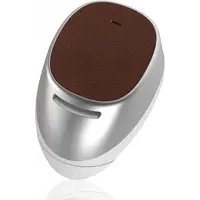
Moto Hint - Earplug MOTOROLA - Free user manual and instructions
Find the device manual for free Moto Hint MOTOROLA in PDF.



| Product Type | Earplug (Bluetooth earbud) |
| Brand | Motorola |
| Model | Moto Hint |
| Dimensions (approximate) | 20 mm diameter, 15 mm depth |
| Weight (approximate) | Approximately 6 grams |
| Battery type | Integrated rechargeable lithium-ion |
| Earpiece charging | Wireless via charging case |
| Case charging | Wired via micro USB |
| Talk time | Approximately 2.5 hours (estimated) |
| Standby time | Approximately 48 hours (estimated) |
| Sensors | In-ear detection (proximity sensor) |
| Main functions | Hands-free calls, voice commands, Moto Voice, music playback, call transfer |
| Controls | Touch area (tap to accept/reject/voice commands) |
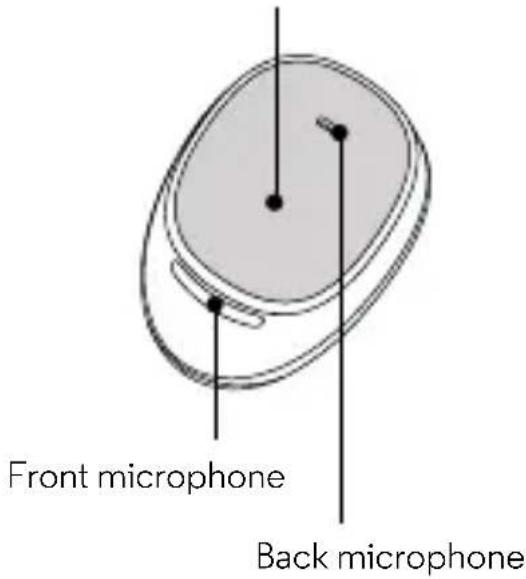
| Microphone | Rear-facing microphone |
| Indicators | White light on earpiece and case (flashing during charging, solid when charged) |
| Connectivity | Bluetooth (version not specified) |
| Multi-device | Up to two devices connected simultaneously |
| Moto Voice compatibility | Requires Moto Voice app on compatible phone (Moto X, Droid) |
| Care and cleaning | Remove the gel tip, clean the opening, replace the tip |
| Product reference | Moto Hint |
| Manual number | 68017721003-A |
| Regulatory information | QDID:D023072 |
Frequently Asked Questions - Moto Hint MOTOROLA
User questions about Moto Hint MOTOROLA
0 question about this device. Answer the ones you know or ask your own.
Ask a new question about this device
Download the instructions for your Earplug in PDF format for free! Find your manual Moto Hint - MOTOROLA and take your electronic device back in hand. On this page are published all the documents necessary for the use of your device. Moto Hint by MOTOROLA.
USER MANUAL Moto Hint MOTOROLA
Note: Fully charge your headset before use.
Wireless Charging
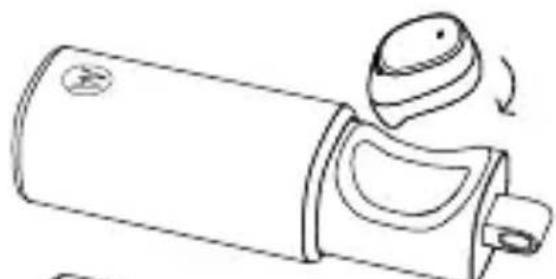
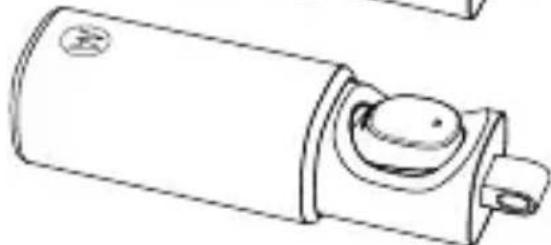
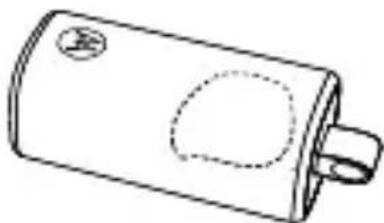
Insert headset and close case to begin charging. Headset is "on" when removed from the case. A fully charged case can recharge your headset twice.
Wired Charging
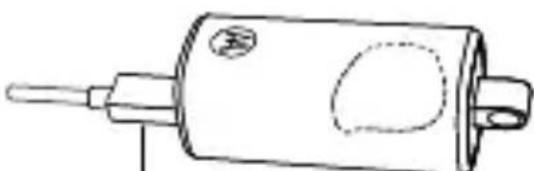
micro USB
Charge the case and headset by plugging in the charging cable.
Wearing
Fit
Remove the headset from the case and carefully place it in your ear.
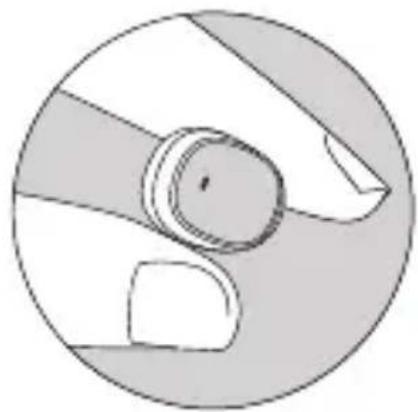
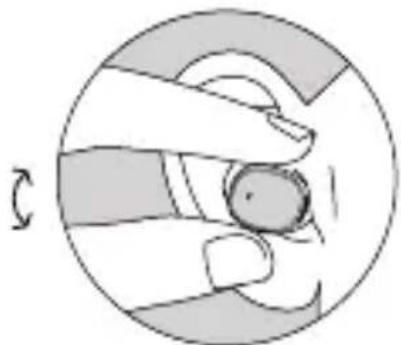
Adjust
Twist your headset to make it fit comfortably.
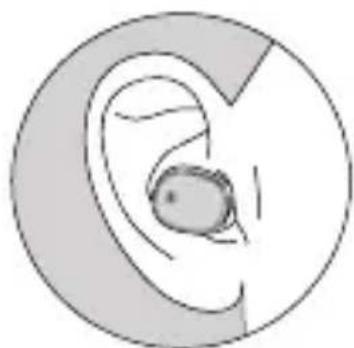
Connect and go
Follow voice prompts to connect to your phone.
Talking
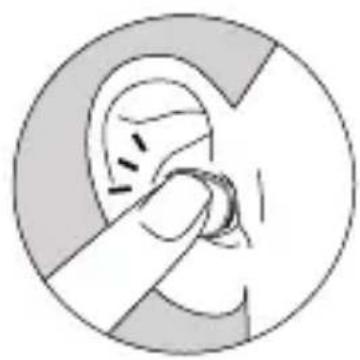
Call/Voice Touch area
Touch to answer/ignore a call or start voice commands.
Incoming call
Answer Say "answer" or touch headset.
Ignore Say "ignore".
Call options
Voice command a command, like "Call Francis Martin, mobile". Note: This feature is phone dependent.
End call Touch headset.
Change Use your phone. volume
Take headset out of ear to:
- Transfer a call to your phone.
- Pause music.
Put headset in ear to:
- Answer an incoming call.
- Transfer a call to headset.
Moto Voice
Tell your Moto Hint headset what you want. Get directions, check voicemail, play your favourite song, or start a search using Moto Voice.
- If you have Moto Voice on your phone and have trained it with your launch phrase, then you're ready to start using voice control.
- If you need to set up Moto Voice, go to the Moto application on your phone.
Note: You'll need the Moto Voice feature on your Moto X or Droid phone to use voice control on your Moto Hint. If your phone doesn't have Moto Voice, the headset still supports voice commands (see page 4).
Lighting
Headset light indicator
In-ear Off.
Removed from case
Turns on briefly to show power to headset.
Note: You will hear a prompt when the battery is low.
Charge case light indicator
Wired charging of case and headset
Headset in case
Headset and case are charging.
Case Case ch
arging.
Light
Charge
status
Blinks white
Charging.
Solid white
Jilly charged.
Wireless charging of headset
| Headset in case | Charging. |
| Light | Charge | status |
| Blinks white | Charging. | |
| Solid white Fully charged headset. | ||
Notes:
- To check if charging is complete, open and shut the case.
- Lights turn off to save power. Headset will continue to charge until fully charged.
Cleaning
Pull off the ear gel and inspect the opening for blockages. Remove any unwanted materials from the opening. Push the ear gel back onto the headset.
Second device
Do you use two phones? Or a phone and a tablet? Connect with both of them.
1 Pair each device with the headset as normal. You don't have to turn off the first device to pair with the second one, as long as it's done within five minutes of turning on the headset.
2 Once paired, to connect with both devices simply turn them on. You'll hear "device (number) connected" as each device connects with your headset.
Notes:
-
Two phones connected: If you are on a call and you receive a call on the other phone. Touch the headset to answer the second call. End the second call to return to the first call.
-
Two phones connected, not on a call: Touch the headset to activate voice recognition on the first phone. Voice recognition only works on the first phone.
Settings
Touch and hold the Call/Voice Touch area of the headset for 8 seconds, and then release. Headset will announce that it is in the "Settings Menu". Follow the voice prompts to turn the following features on or off:
- Ear detect: Sensor for audio detect when in ear.
- Moto Voice: Always on voice detection.
- Voice prompts: Voice dialling for calls, and more.
- Caller ID alert: Hear caller ID for incoming calls.
- Wide-band audio: Use HD Audio Plus for increased clarity and richer sound.
- Voice answer: Speak to answer incoming calls.
- Pass-through audio: Allow ambient sound through headset.
Note: This feature is set to off. When turned on, it will reduce power, talk and standby times.
- Restore factory settings: Reset all settings on your headset to the defaults.
Caution: This erases all pairing information stored on the headset.
Get what you need
Support: Visit
www.motorola.com/support or
contact the Motorola Customer
Support Centre at: 0870-9010-555.
MOTOROLA and the Stylised M Logo are
trademarks or registered trademarks of Motorola
Trademark Holdings, LLC. All other product or
service names are the property of their respective owners.
© 2014 Motorola Mobility LLC. All rights reserved.
Product ID: Moto Hint
QD ID: D023072
Manual Number: 68017721003-A
fr

moto hint
commençons