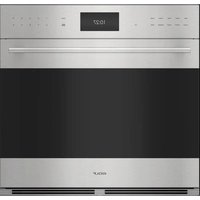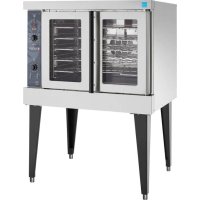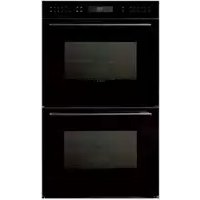
E Series DO30CEBTH - Oven WOLF - Free user manual and instructions
Find the device manual for free E Series DO30CEBTH WOLF in PDF.



| Brand | Wolf |
| Model | E Series DO30CEBTH |
| Product Type | Connected built-in electric oven |
| Connection Technology | Wi-Fi and Bluetooth |
| Mobile App | Sub-Zero Group Owner's App (iOS and Android) |
| System Compatibility | iOS 9 or later, Android 4.3 or later |
| Power Supply | 240 V, 30 A (standard estimate) |
| Wireless Connectivity | Wi-Fi 2.4 GHz, Bluetooth |
| Connected Features | Remote control, notifications, diagnostics |
| System Requirements | MySubZero account and Internet connection |
| MAC Address | Label on connectivity module (lower edge) |
| Bluetooth Range | Less than 6 meters |
| Certifications | FCC (ID: MHI-CONAPPWM), IC (3681C-CONAPPWM) |
| Number of pages in the manual | 17 pages |
Frequently Asked Questions - E Series DO30CEBTH WOLF
User questions about E Series DO30CEBTH WOLF
0 question about this device. Answer the ones you know or ask your own.
Ask a new question about this device
Download the instructions for your Oven in PDF format for free! Find your manual E Series DO30CEBTH - WOLF and take your electronic device back in hand. On this page are published all the documents necessary for the use of your device. E Series DO30CEBTH by WOLF.
USER MANUAL E Series DO30CEBTH WOLF
CONNECT YOUR APPLIANCE
NEVER SECOND-GUESS WHAT'S HAPPENING IN YOUR KITCHEN
See how much you can do when you're not in the kitchen. Monitor and control your Sub-Zero, Wolf, and Cove appliances remotely.
ENSURE OPTIMAL PERFORMANCE
Connect today for remote service assistance and instant software updates.
For a full list of features, visit subzero-wolf.com/connect

9017336REVA

SUB-ZERO GROUP OWNER'S APP
QUICK START

9017335REVA
QUICK START
ALL YOU NEED
A Sub-Zero or Wolf connected appliance.
An Apple iPhone 6 or newer running iOS 9 or higher, or (coming soon) an Android phone running version 4.3 or higher.
A wireless router and internet connection with your network name and password.
DOWNLOAD THE APP
Download the free Sub-Zero Group Owner's App from the Apple App Store or Google Play.

Download on the App Store

GETITON GooglePlay
With Bluetooth enabled on your phone, stand within a few feet of the appliance, open the app and follow the on-screen instructions.
For assistance, flip to the troubleshooting section, visit subzero-wolf.com/connect or call our 24/7 Customer Care team at (800) 222-7820.
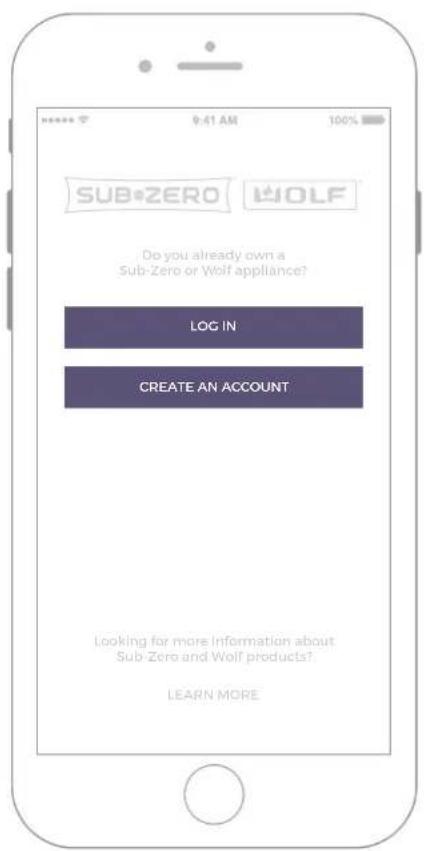
1 Log in or create an account.
2 Tap to add appliances.
3 Tap to select appliances.
6 Tap to interact with appliances.
Frequently Asked Questions
Am I required to create an account?
Yes, a MySubZero account is required to register connected appliances. This enhances the security of your appliance and ensures unauthorized users cannot access your appliances.
Is an Internet connection required?
Yes, for the remote features to work from outside the home, an internet connection is required.
Do you collect any data?
Yes. We collect the same data we collect during the manufacturing process to validate performance and help diagnose issues in a timely manner. Please refer to App terms and conditions for details.
Do you share my data?
Your data is only shared with our development partners for the purpose of improving your user experience and product performance.
What about my privacy?
Your privacy is extremely Important to us. You can change your data sharing preferences at any time. We do not identify users in the data analysis, and work to protect and maintain your privacy with the utmost of care.
Where is the MAC address for the appliance?
You will find the MAC address on a label on the bottom edge of the connectivity module. This module will not be visible from the outside of the appliance.
TROUBLESHOOTING
The app is not finding my appliances.
Verify Bluetooth is enabled on your phone, the appliances are turned on, you are within 20 feet of the appliances and the connected features are enabled.
The app indicates my internet connection is not working, but I can access other web pages.
Verify your phone is using the same Wi-Fi network used for the appliance setup. Some networks, like business networks, may have additional firewall settings that prevent the appliance from communicating.
INTEGRATOR GUIDE
This document is provided as clarification to integrators using the Connected Appliance Wireless Module (the 'radio module') to ensure installations meet operational and regulatory requirements.
Integrators should also access and refer to:
- Connected Appliance Wireless Module User Guide
MECHANICAL & ELECTRICAL CONSIDERATIONS
To achieve proper operation of the radio module, OEM integrators should comply with the following:
DC power should be provided to the radio in the range of 7 15V
- Mechanical installation should be such that the radio module is solidly secured, particularly in appliances that may have electric motors, etc. that can cause vibration like refrigerators and dishwashers.
- Mechanical installation should consider module and antennae (features along the edge of the radio module circuit board) placement and orientation so as to optimize connections with an intended access point or router. For example: flush-mount of the radio module against metal features, metal plates or metal enclosures is prohibited since it will have a detrimental effect on radio performance.
END-USER INSTALLATION
When the Connected Appliance Wireless Module is sold for end-user installation:
- It should be clear plug-and-play mechanical installation (RJ-12 for the RS-485 interface) for the end-user with no option to modify it (the mechanical and electrical considerations listed above are considerations and requirements for the OEM integrator, not the end-user installer).
- There should be no user configuration requirements except standard provisioning required on a wireless LAN network to provide an internet connection (this is the case with all connected appliance wireless modules).
- The wireless module should not operate with in-compatible or un-approved RS-485 appliance networks or hosts.
- The wireless module must remain self-contained (usage of the integrated antennae and built-in RF control) with no access to modifying power levels or antennae configurations.
REGULATORY CONSIDERATIONS
No modifications of the radio module are allowed, especially as regards to:
■Power regulation
Integrated shielding
Antennae
Labeling indicating FCC and IC identification numbers
Otherwise regulatory approval is voided for that installation.
To comply with regulatory exposure limits, the radio module must not be installed in any manner in which the separation distance between an end user and the module's antennae is less than 20 cm.
Appliances that contain the radio module are required to be marked in an area easily accessible by an end user as follows:
This device contains the WLAN / Bluetooth radio:
FCC ID: MHI-CONAPPWM
IC:3681C-CONAPPWM
MODEL: CONAPPWM
A user guide with required Regulatory verbiage below (FCC statement and IC notice) for the Federal Communication Commission and Industry Canada must be made readily available to the end user either in hard-copy or electronic form. The usage of the FCC logo either on the label (for larger devices) or in the user documentation (in this case and typical of physically small transceivers) is required and governed by FCC usage guidelines. Usage of the logo constitutes a declaration of conformity (DoC) to the FCC rules and regulations.
FEDERAL COMMUNICATIONS COMMISSION (FCC) STATEMENT
This equipment has been tested and found to comply with the limits for a Class B digital device, pursuant to Part 15 of the FCC Rules. These limits are designed to provide reasonable protection against harmful interference in a residential installation. This equipment generates, uses, and can radiate radio frequency energy and, if not installed and used in accordance with the instructions, may cause harmful interference to radio communications. However, there is no guarantee the interference will not occur in a particular installation. If this equipment does cause harmful interference to radio or television reception, which can be determined by turning the equipment off and on, the user is encouraged to consult an authorized dealer or service representative for help. Changes or modifications not expressly approved by the party responsible for compliance could void the user's authority to operate the equipment.
This device complies with Part 15 of the FCC Rules. Operation is subject to the following two conditions: (1) this device may not cause harmful interference, and (2) this device must accept any interference received, including interference that may cause undesired operation.
This equipment complies with FCC radiation exposure limits set forth for an uncontrolled environment. Information on this equipment including data relative to maximum permissible RF exposure is on file with the FCC and can be found at https://www.fcc.gov/oet/ea/fccid after searching on the FCC ID for this equipment listed on the product labeling.
RESPONSIBLE PARTY:
Sub-Zero Inc.
4717 Hammersley Road
Madison, WI 53711
Phone (608) 271-2233
INDUSTRY CANADA NOTICE FOR CONNECTED APPLIANCES
This device complies with Industry Canada license-exempt RSS standard(s). Operation is subject to the following two conditions: (1) this device may not cause interference, and (2) this device must accept any interference, including interference that may cause undesired operation of the device.
Download on the App Store

GET IT ON Google Play
This device complies with Industry Canada license-exempt RSS standard(s). Operation is subject to the following two conditions: (1) this device may not cause interference, and (2) this device must accept any interference, including interference that may cause undesired operation of the device.