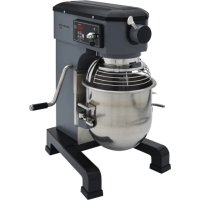
HMM10 - Food Processor Centerline - Free user manual and instructions
Find the device manual for free HMM10 Centerline in PDF.


| Product Type | Professional Stand Mixer |
| Brand | Centerline (by Hobart) |
| Model | HMM10 |
| Bowl Capacity | 10 Quarts (approx. 9.5 L) |
| Number of Speeds | 3 |
| Speed Range | Low (heavy doughs), Medium (cake batters), High (whipping) |
| Timer | Digital, adjustable from 0 to 59 minutes and 0 to 59 seconds |
| Bowl Type | Stainless steel, manual lift |
| Included Agitators | Flat beater, wire whip, dough hook |
| Attachment Hub | No. 12 |
| Safety Guard | Yes, with safety interlock |
| Power Supply | See nameplate (3-prong grounded plug) |
| Cleaning | Daily with damp cloth; do not use hose |
| Lubrication | Slides every 6 months with Lubriplate 630AA; planetary gear with mineral oil |
| Clearance Adjustment | Bowl/beater clearance: 1/8 in (3 mm) max |
| Safety | Guard closed and bowl in raised position required for operation |
| After-Sales Service | Contact Hobart at 1-888-4HOBART |
Frequently Asked Questions - HMM10 Centerline
User questions about HMM10 Centerline
0 question about this device. Answer the ones you know or ask your own.
Ask a new question about this device
Download the instructions for your Food Processor in PDF format for free! Find your manual HMM10 - Centerline and take your electronic device back in hand. On this page are published all the documents necessary for the use of your device. HMM10 by Centerline.
USER MANUAL HMM10 Centerline
Electrical Connections (Cord Connected Mixers) 4
Check Initial Operation 4
OPERATION 5
STANDARD CONTROLS 6
Model HMM10 (With Three Mix Speeds) 6
Mixer Speeds 6
Button Function Description 6
BOWL PLACEMENT 7
Agitator 7
To Install 7
To Remove. 7
Prepare For Mixing 8
Mixing Modes 8
Timed Mixing Mode 9
Operating Notes 9
Unloading 10
Wire Cage Assembly 10
Remove and Clean Bowl Guard Wire Cage 11
Reinstall Bowl Guard Wire Cage 11
Agitators and Attachments 12
CLEANING 13
MAINTENANCE 14
Lubrication 14
Slideways 14
Planetary Seal 14
Adjustments 15
Agitator Clearance 15
Measure Clearance 15
Adjust the Bowl/Agitator Clearance 15
TROUBLESHOOTING 16
Service 16
Installation, Operation and Care of Centerline by Hobart 10-Quart Mixer
SAVE THESE INSTRUCTIONS
GENERAL
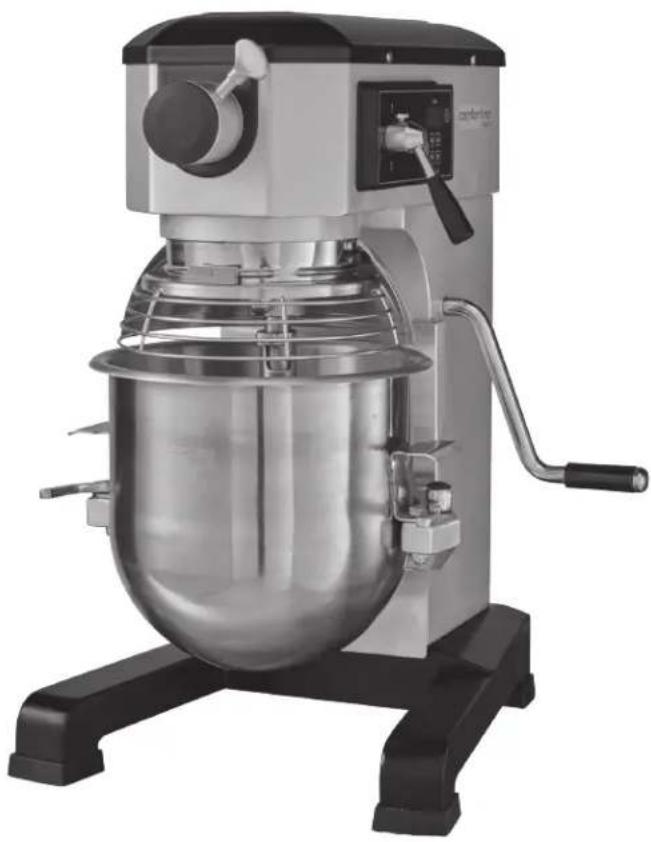
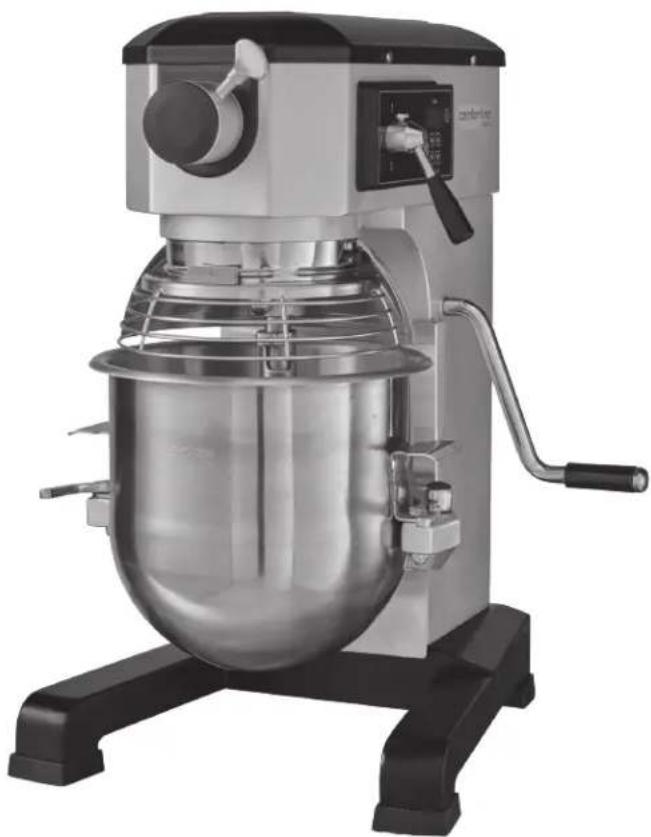
The Centerline by Hobart 10-quart mixer is a bench-type mixer which features three-speeds, a digital timer, a manual bowl lift, and a #12 attachment hub as standard equipment.
A variety of attachments, agitators, and accessories are available. These are described in the Agitators and Attachments section of this manual.
INSTALLATION
UNPACKING
The mixer was inspected before leaving the factory. The carrier assumes full responsibility for safe delivery upon acceptance of the shipment. Check for possible shipping damage immediately after receipt.
If the mixer is found to be damaged, complete the following steps:
- Carrier must be notified within five business days of receipt.
- Carrier's local terminal must be notified immediately upon discovery (note the time, date, and who was spoken to), and follow up and confirm with written or electronic communication.
- All original packing materials must be kept for inspection purposes.
- The mixer cannot have been moved, installed, or modified.
- Notify Hobart customer care at (800) 333-7447.
LOCATION
Prior to installation, test the electrical service to ensure it agrees with the specifications on the mixer data plate.
Place the mixer on a suitable sturdy level surface. There should be adequate space around the mixer for the user to operate the controls and to install and remove bowls.
ELECTRICAL CONNECTIONS (Cord Connected Mixers)
WARNING The electrical cord on this mixer is equipped with a three-pronged grounding plug which must be connected to a properly grounded receptacle. If the receptacle is not the proper grounding type, contact an electrician. DO NOT remove the grounding prong from the plug.
WARNING Electrical and grounding connections must comply with the applicable portion of the National Electrical Code and/or other local electrical codes.
Check Initial Operation
- Apply power to the mixer by inserting the cord plug into a properly grounded outlet.
- Mixer will beep three times indicating mixer is ready.
- Install the bowl on the bowl support and raise into the mix position, with the bowl support up and bowl guard wire cage closed.
- Turn the speed gear shift lever to 1.
- Run the mixer by pushing the ON/OFF button.
OPERATION
WARNING Moving agitator in bowl. Keep hands, clothing and utensils out of bowl while in operation. Do not use without interlocked guards.
The Centerline by Hobart mixers are equipped with a timer and controls. Refer to Fig. 1 for operating parts and OPERATION section for their functions.
The bowl guard wire cage must be in closed position or the mixer will not operate.
The bowl must be mounted, and the bowl support must be raised (mix position) or the mixer will not operate.
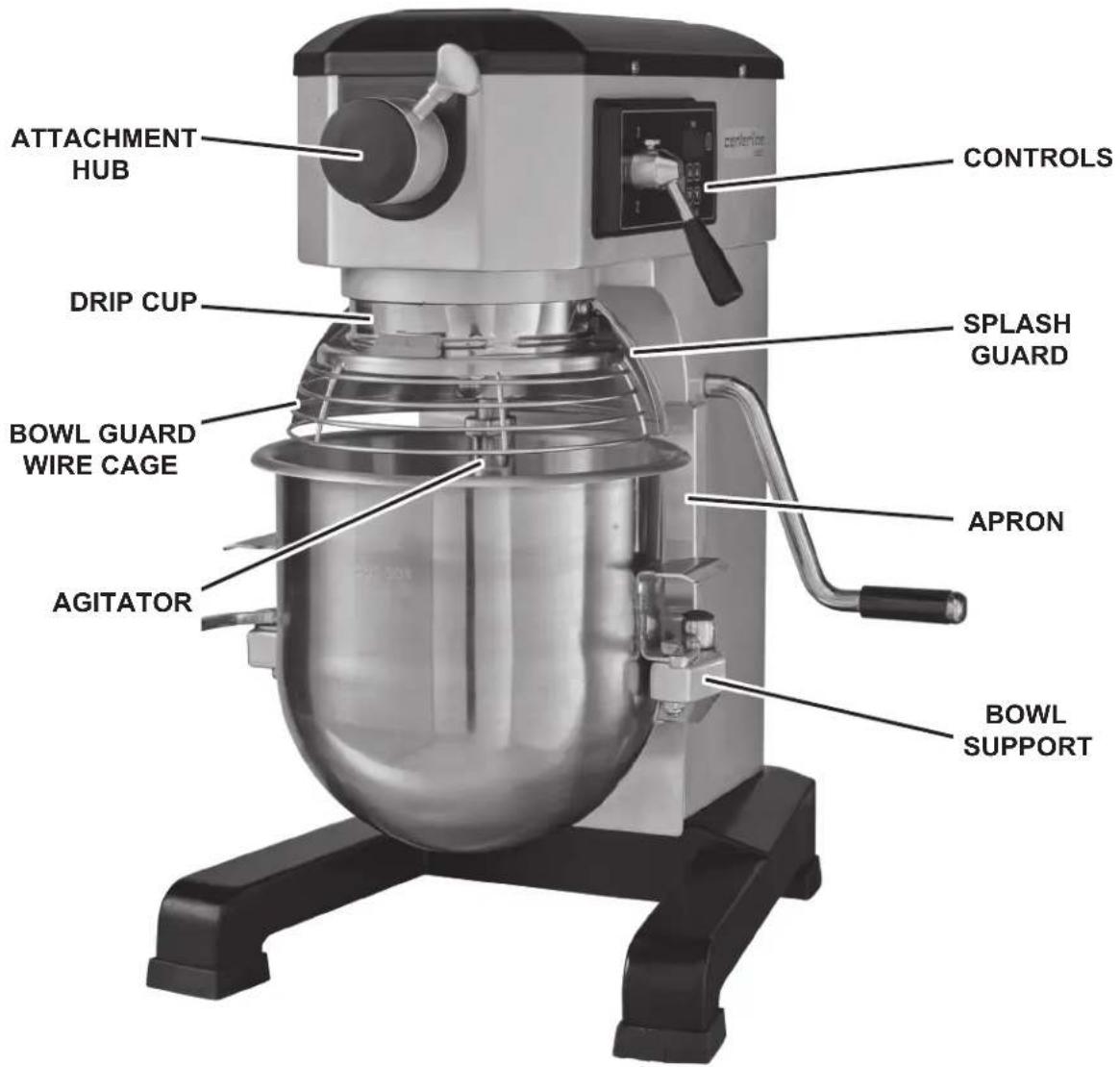
Fig.1
STANDARD CONTROLS
MODEL HMM10 (With Three Mix Speeds)
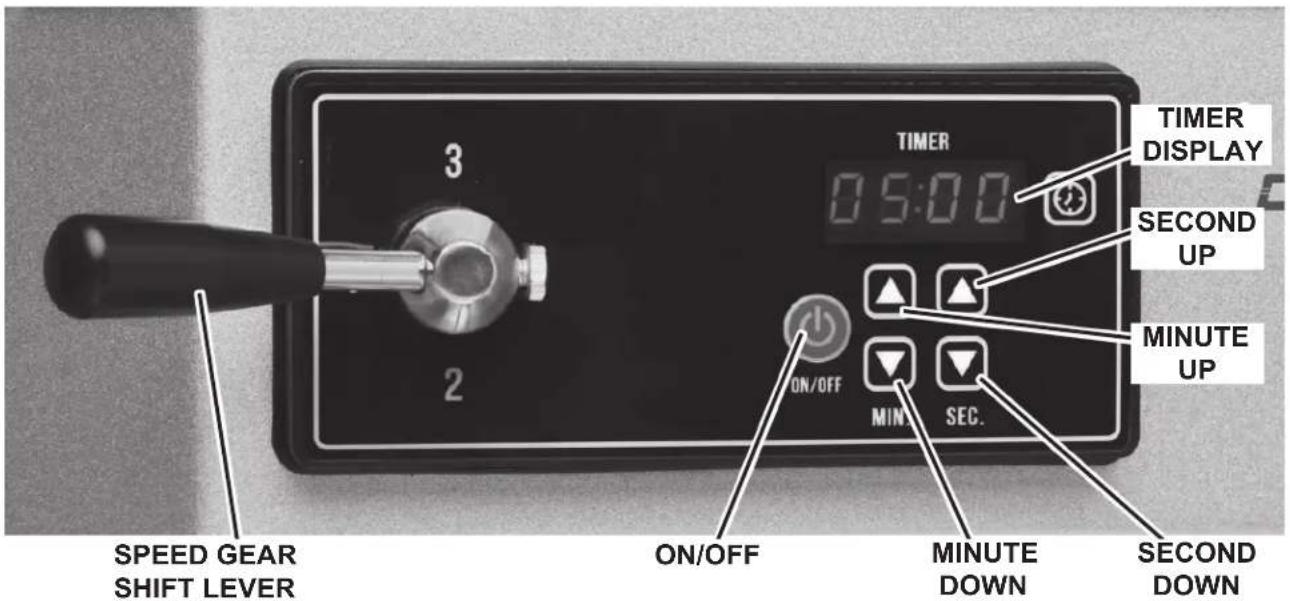
Fig. 2
MIXER SPEEDS
SPEED 1 (Low) This speed is for heavy mixtures such as heavy batters, potatoes, pizza dough, and bread dough.
SPEED 2 (Medium) This speed is for mixing cake batters and mashing potatoes.
SPEED 3 (High) This speed is for incorporating air into light batches, as well as finishing whipped items.
BUTTON FUNCTION DESCRIPTION
NOTE: The mixer will beep once when any button is pressed.
| ON/OFF | ON/OFF | Press the ON/OFF button to start the mixer. If the mixer is running, press the ON/OFF button to stop the mixer. |
| SECUPARROW | SEC UP | Press once to increase the time in 1 second increments. Press and hold to quickly increase time until released. Range is 0-59. |
| SEC DOWN | Press once to decrease the time in 1 second increments. Press and hold to quickly decrease time until released. Range is 0-59. | |
| MINUPARROW | MIN UP | Press once to increase the time in 1 minute increments. Press and hold to quickly increase time until released. Range is 0-59. |
| MIN DOWN | Press once to decrease the time in 1 minute increments. Press and hold to quickly decrease time until released. Range is 0-59. | |
| MINARROW | MIN DOWN | Press once to increase the time in 1 minute increments. Press and hold to quickly decrease time until released. Range is 0-59. |
| MIN DOWN | Press once to decrease the time in 1 minute increments. Press and hold to quickly decrease time until released. Range is 0-59. |
NOTE: The seconds and minutes are set independently.
NOTE: The ON/OFF button is used to clear overload error.
BOWL PLACEMENT
The bowl must be installed on the bowl support before the agitator is installed.
To install the bowl, lower the bowl support and move bowl clamps to the open position (Fig. 3). Position the bowl so the alignment bracket on the back of the bowl is in the bowl retainer and the alignment pins on the front of the bowl support fit in the holes on the sides of the bowl. Lock the bowl in place by rotating the bowl clamps (Fig. 4).
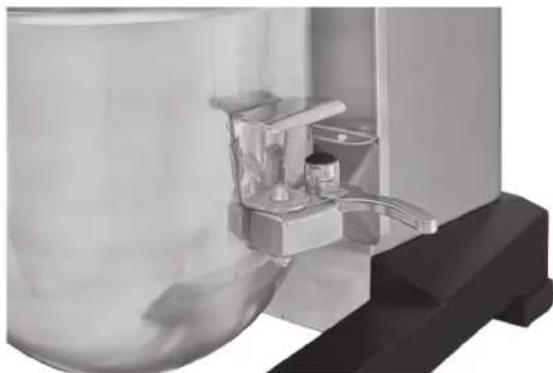
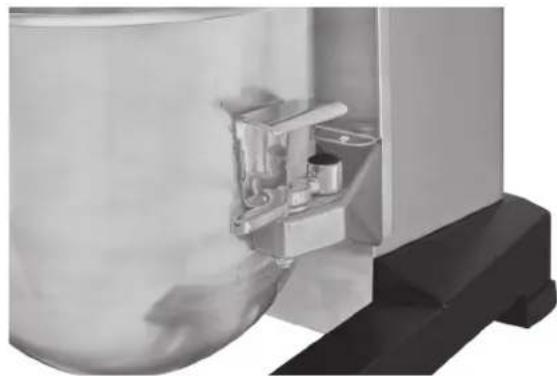
Fig. 3 Fig. 4
AGITATOR
To install an agitator, the bowl must be on the bowl support.
To Install
- Lower the bowl.
- Open the bowl guard wire cage.
- Place the agitator inside the bowl and align the horizontal slot on the agitator with the agitator shaft pin.
- Slide the agitator up the agitator shaft and turn it clockwise to seat the shaft pin in the slot of the agitator shank.
To Remove
- Open the bowl guard wire cage.
- Lower the bowl.
- Lift the agitator and turn it counterclockwise. Slide agitator down and off the agitator shaft.
PREPARE FOR MIXING
- Place the mixing bowl on the bowl support.
- Pour ingredients into the bowl.
- Place the agitator inside the bowl, and then attach it to the agitator shaft (Fig. 5).
- Lift bowl support.
- Correctly close the bowl guard wire cage.
- The mixer is now ready for mixing.

Fig. 5
UNTIMED MIXING MODES
- Turn the speed gear shift lever (Fig. 6) to select a mix speed. The timer display reads OFF (Fig. 6).
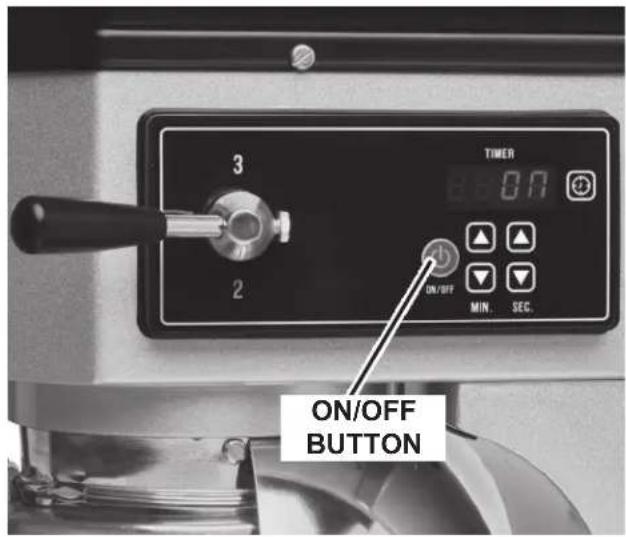
NOTE: GearSafe™ protects gears if speeds are changed during mixing operation without stopping mixer. - Press the ON/OFF button (Fig. 7) to begin mixing. The timer display reads ON (Fig. 7).
NOTE: If the bowl guard wire cage is opened or the bowl is lowered at any time, the mixing operation will stop. To resume the mixing operation, close the wire cage or raise the bowl and press the ON/OFF button. - Press the ON/OFF button to stop the mixer. The timer display reads OFF.
- Press the ON/OFF button to resume mixing operation if needed.
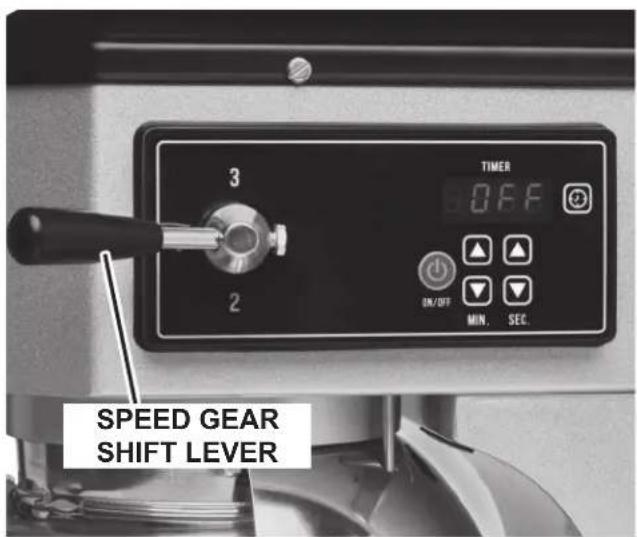
Fig. 6 Fig. 7
TIMED MIXING MODE
- Turn the speed gear shift lever (Fig. 6) to select a mix speed. The timer display reads OFF (Fig. 6).
- Press the MIN UP/DOWN and SEC UP/DOWN arrows until the timer display reads the desired mixing time (Fig. 8). This is the set time.
- Press the ON/OFF button to begin mixing; the timer starts counting down from the set time.
- To stop the mixer at any time, press the ON/OFF button. To resume mixing, press the ON/OFF button. For example: The mixer is started at speed 1 for 30 seconds and is stopped after 10 seconds. Pressing the ON/OFF button will resume the mixing operation and the remaining 20 seconds will count down.
NOTE: If the wire cage is opened or the bowl is lowered at any time, the mixing operation will stop. To resume the mixing operation, close the wire cage or raise the bowl and press the ON/OFF button.
- When the timer reaches 00:00, the mixer stops and beeps three times. The count-down timer then displays the last set time.
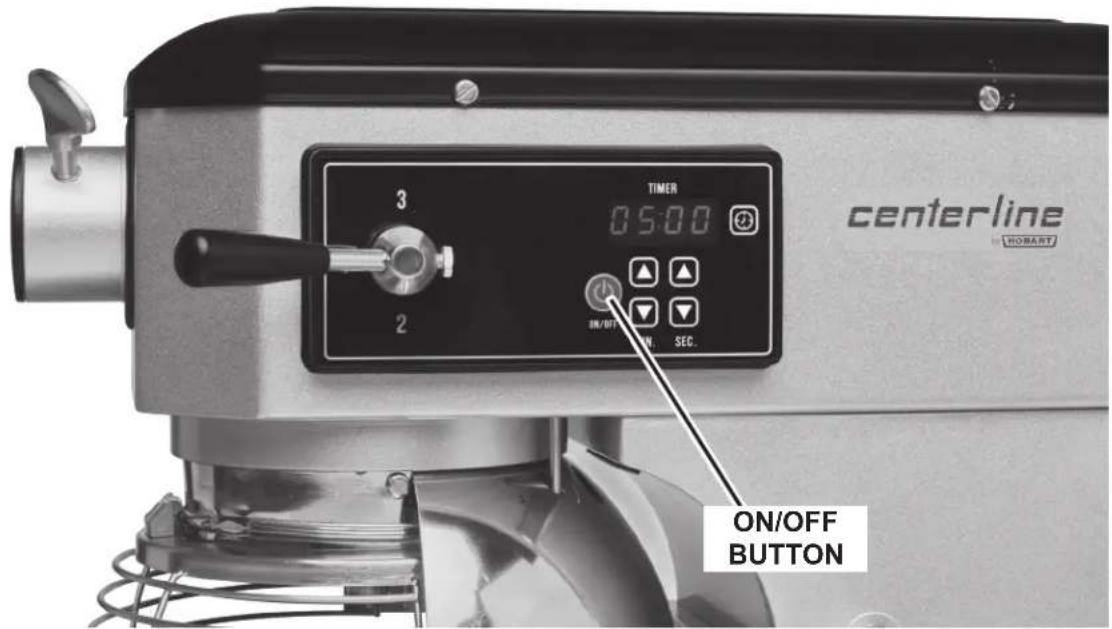
Fig. 8
OPERATING NOTES
- If the mixer is stopped during a mixing operation, the timer also stops. The timer starts again (with the time remaining) when the ON/OFF button is pressed (Fig. 8).
UNLOADING
- Open the bowl guard wire cage assembly.
- Lower bowl support.
- Remove the agitator from the agitator shaft.
- Open the bowl clamps.
- Lift the bowl off the pins and remove from the bowl support.
WIRE CAGE ASSEMBLY
The bowl guard wire cage assembly can be rotated out-of-the-way to the left to add ingredients or to access the bowl and agitator.
Note how the plastic carriers allow the wire cage to ride around the circumference of the planetary drip cup.
- Open the bowl guard wire cage: rotate it to your left (Fig. 9).
- Close the bowl guard wire cage; rotate it to your right until it stops in the closed position (Fig. 10).
NOTE: The bowl guard wire cage must be returned to the closed position for the mixer to operate.
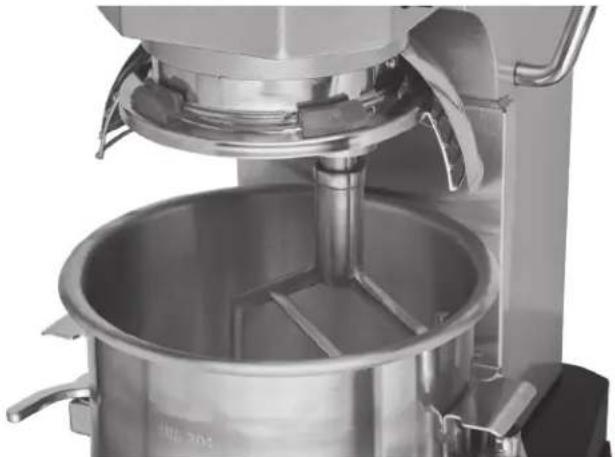
Fig. 9
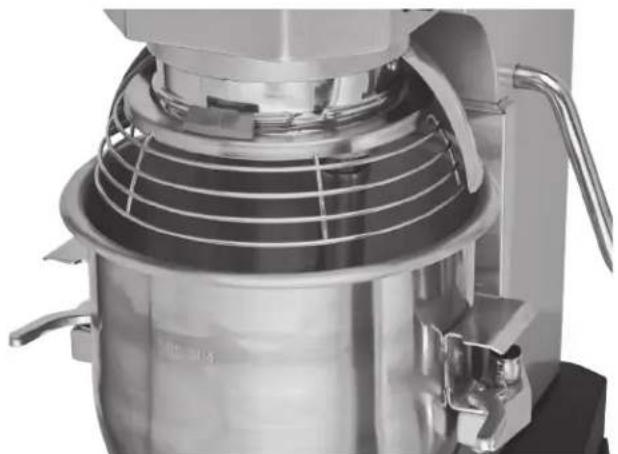
Fig. 10
Remove and Clean Bowl Guard Wire Cage
Lower the bowl. Rotate the wire cage assembly to the left until it is positioned underneath the splash guard. Remove the agitator and bowl.
While holding the wire cage assembly with both hands, rotate it completely to the left. When the front-center retainer (Fig. 11) reaches the end of its travel, it can be lowered through the flat (Fig. 11) on the ridge of the drip cup (Fig. 11). After lowering the front-center retainer, move the wire cage assembly slightly to the rear so the rear retainers clear the ridge on the drip cup. The wire cage assembly can now be lowered and removed.
Wash the bowl guard wire cage assembly in a sink, rinse with clear water, and dry with a clean cloth.
The splash guard can be wiped off and/or washed with a cloth or sponge using warm, soapy water. Rinse with clear water and dry with a clean cloth.
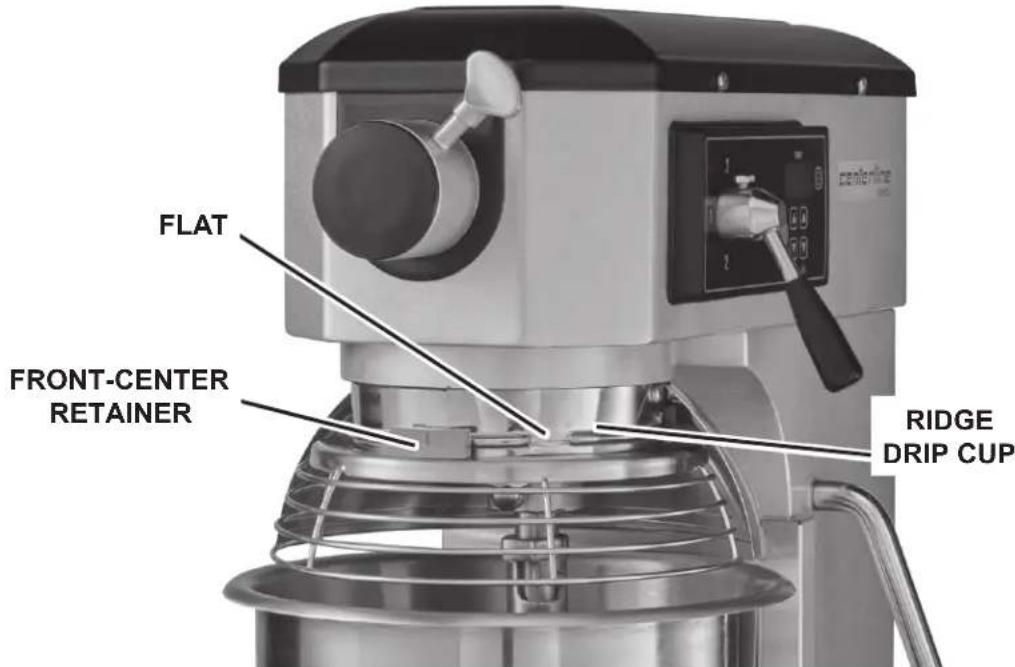
Fig. 11
Reinstall Bowl Guard Wire Cage
Hold the wire cage assembly so its top ring is positioned around the planetary drip cup with the grooves in both nylon rear retainers straddling the ridge on the drip cup at the rear. Lift the wire cage assembly so the front-center retainer passes up through the flat on the ridge of the drip cup and rotate the wire cage assembly to the right. The wire cage assembly is properly assembled when all three retainers straddle the ridge on the drip cup in three opposed locations. Rotate the wire cage assembly to the right until it stops at the front-center position.
Rotate the wire cage out-of-the-way to the left to install or remove the agitator and bowl or to add ingredients.
Return the wire cage to its front-center position to operate the mixer.
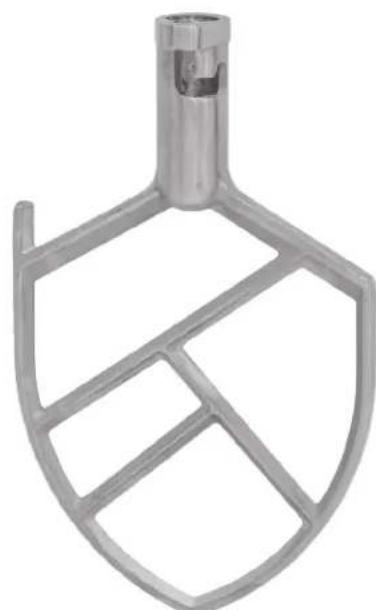
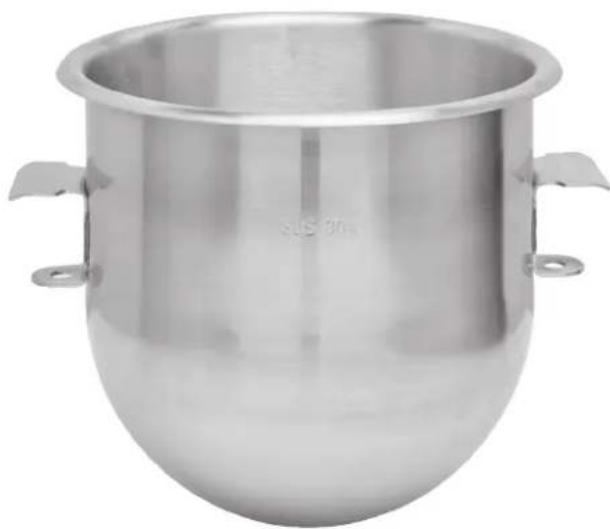
AGITATORS AND ATTACHMENTS
Flat Beater Wire Whip
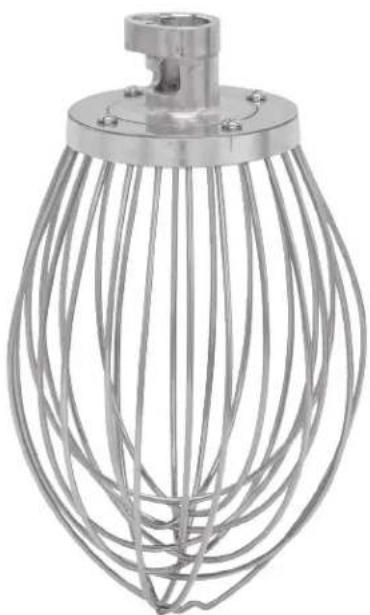
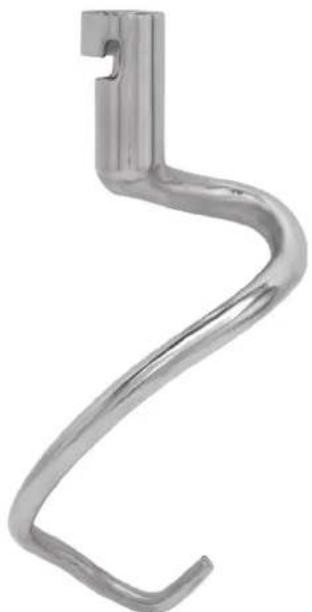
Dough Hook Bowl (SST)
CLEANING
WARNING Unplug mixer power cord before beginning any cleaning procedure.
The mixer should be thoroughly cleaned daily. DO NOT use a hose to clean the mixer; it should be washed with a clean, damp cloth. The base allows ample room for cleaning under the mixer. The apron (Fig. 1) may be removed for cleaning by loosening the screws. The drip cup (Fig. 1) should be wiped clean. For cleaning the bowl guard wire cage assembly, refer to page 11.
MAINTENANCE
WARNING Unplug mixer power cord before beginning any maintenance procedure.
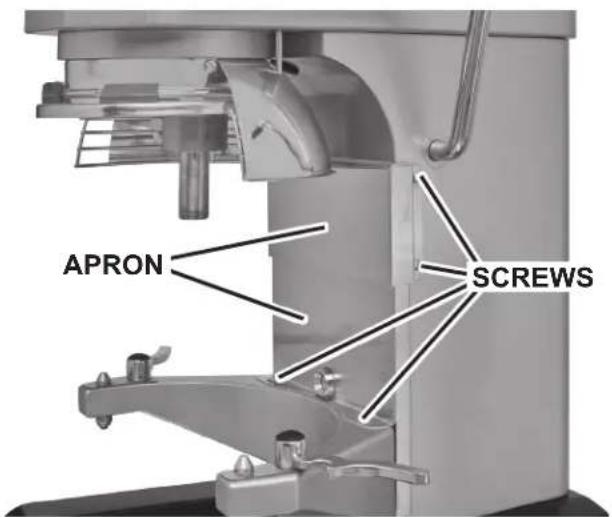
LUBRICATION
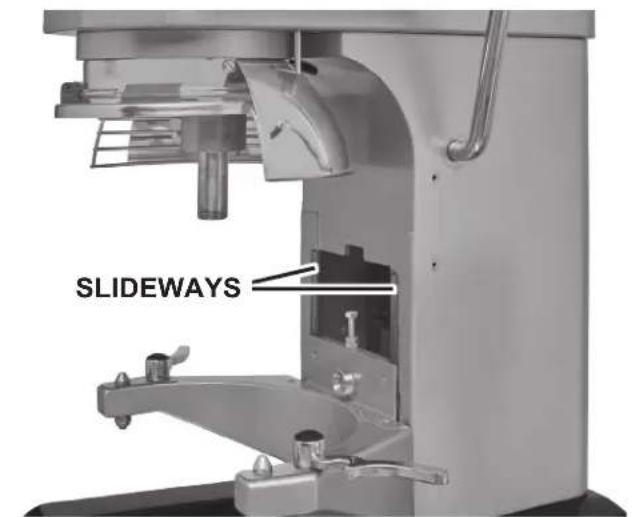
Fig. 12
Slideways
The sideways (Fig. 12) should be lubricated approximately twice a year. To reach these areas, fully lower the bowl support and remove the apron (Fig. 12), which is secured by screws. Wipe a thin coat of Lubriplate 630AA on each sidewalk. Install the apron.
Planetary Seal
Occasionally, the planetary seal (Fig. 13) may become dry and begin to squeak. To correct this, work a little lubrication (mineral oil) under the lip of the seal.
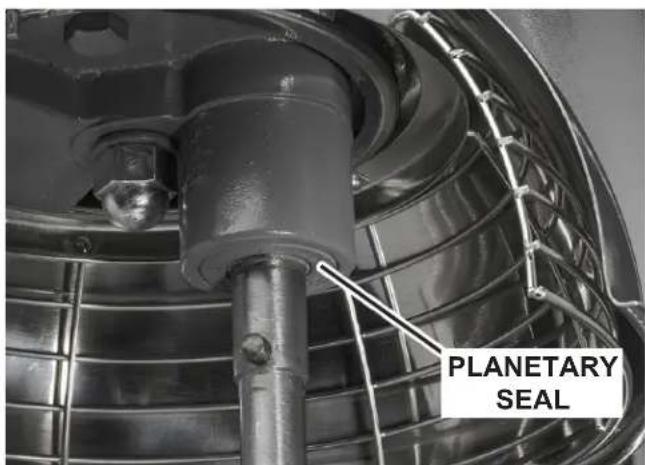
Fig. 13
ADJUSTMENTS
Agitator Clearance
The agitator clearance should be checked periodically. The agitator must not touch the bowl. The maximum clearance between the bottom of the bowl and the B flat beater is 1/8 (3mm).
Install a bowl and agitator (e.g., beater). If the bowl and beater come into contact before the bowl support reaches its stop, adjust the stop screw. Refer to Adjust the Bowl/Agitator Clearance.
Measure Clearance
Pour enough flour in the bowl to cover the bottom of the bowl where the beater travels. With the bowl fully raised (beater should not touch the bottom of the bowl), briefly run the mixer at the lowest speed.
Turn off the mixer, disconnect the electrical power supply, and measure the depth of flour where the beater has traced a path. This measurement should be taken at several points around the bowl to assure accuracy.
Adjust the Bowl/Agitator Clearance
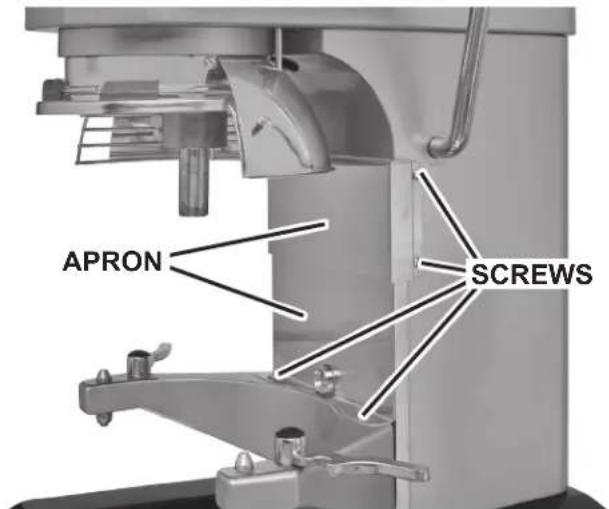
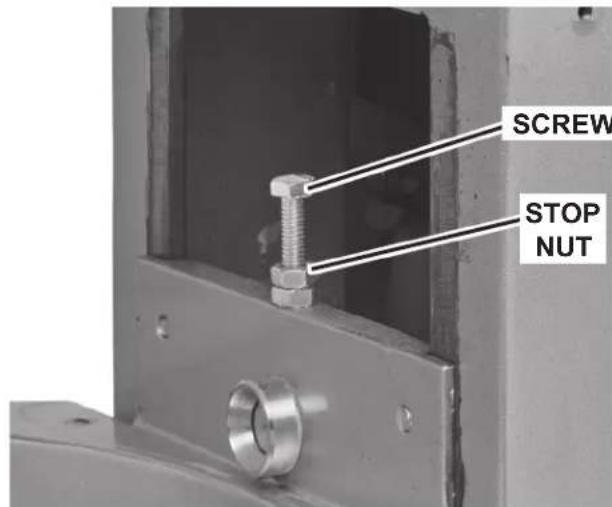
Fig. 14 Fig. 15
- Remove the apron (Fig. 14), which is secured by screws.
- Adjust the clearance by loosening the stop nut and moving the screw (Fig. 15) clockwise to increase the clearance or counterclockwise to decrease the clearance.
After the adjustments are made, tighten the stop nut and replace the apron, and secure it with the screws. - Carefully operate the bowl lift several times to check the adjustment.
TROUBLESHOOTING
| Symptoms Possible Causes | |
| Mixer will not start Flashing time display - see below. | Branch circuit protector is in open position - check fuse or disconnect switch. |
| Mixer is overloaded. | |
| Wire cage is not in the closed position. | |
| Bowl is not in closed (mix) position or bowl is not in up position. | |
| Agitator touches bowl Improper agitator clearance | - see Maintenance for adjustment procedure. |
| Agitator is not installed properly. | |
| Planetary seal squeaks Seal requires occasional lu | brication - see Maintenance. |
| Timer display flashing time and machine is beeping | If the timer display is flashing and machine is beeping, press ON/OFF button to reset. If symptom still exists, contact your local Hobart Service office. |
| Timer display reads OP (Fig. 16) Speed gear shift | ever is not properly seated. |
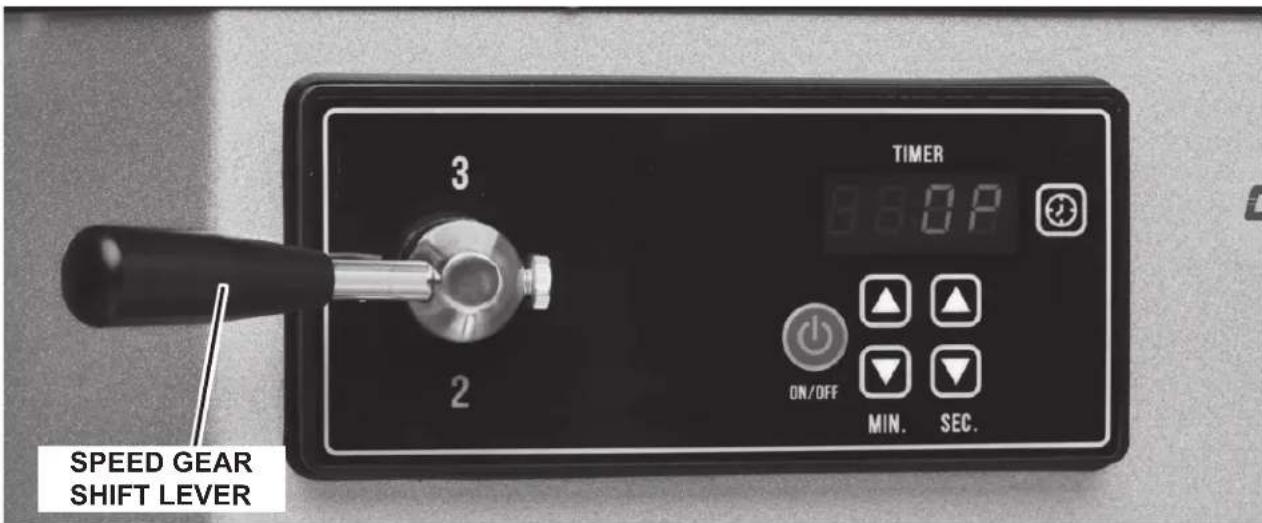
Fig. 16
SERVICE
If service is needed on this equipment, contact your local Hobart Service office at (888) 4HOBART.
MANUAL DE
INSTRUCCIONES
MODELO
HMM10
701 S. RIDGE AVENUE
TROY, OHIO 45373
937-332-3000
www.hobartcorp.com
TABLA DE CONTENIDO
GENERAL 3
INSTALLACION 3
Desembalaje 3
Ubicacion 3
MANUEL D'INSTRUCTION
MODELE HMM10
701 S. RIDGE AVENUE
TROY, OHIO 45373
937-332-3000
www.hobartcorp.com
TABLE DES MATIÈRES
RENSEIGNEMENTS GENÉRAUX 3
INSTALLATION 3
Déballage 3
Emplacement 3