ASUS DUALGTX1660A6GEVO - Graphic card

DUALGTX1660A6GEVO - Graphic card ASUS - Free user manual and instructions

Find the device manual for free DUALGTX1660A6GEVO ASUS in PDF.

📄 376 pages English EN Download 💬 AI Question
Notice ASUS DUALGTX1660A6GEVO - page 5
Pick your language and provide your email: we'll send you a specifically translated version.

User questions about DUALGTX1660A6GEVO ASUS

0 question about this device. Answer the ones you know or ask your own.

Ask a new question about this device

The email remains private: it is only used to notify you if someone responds to your question.

No questions yet. Be the first to ask one.

Download the instructions for your Graphic card in PDF format for free! Find your manual DUALGTX1660A6GEVO - ASUS and take your electronic device back in hand. On this page are published all the documents necessary for the use of your device. DUALGTX1660A6GEVO by ASUS.

USER MANUAL DUALGTX1660A6GEVO ASUS

Drivers and Utilities

Installation Guide

E15279

Revised Edition V6

March 2019

No part of this manual, including the products and software described in it, may be reproduced, transmitted, transcribed, stored in a retrieval system, or translated into any language in any form or by any means, except documentation kept by the purchaser for backup purposes, without the express written permission of ASUSTeK Computer Inc. ("ASUS").

Product warranty or service will not be extended if: (1) the product is repaired, modified or altered, unless such repair, modification of alteration is authorized in writing by ASUS; or (2) the serial number of the product is defaced or missing.

ASUS PROVIDES THIS MANUAL "AS IS" WITHOUT WARRANTY OF ANY KIND, EITHER EXPRESS OR IMPLIED, INCLUDING BUT NOT LIMITED TO THE IMPLIED WARRANTIES OR CONDITIONS OF MERCHANTABILITY OR FITNESS FOR A PARTICULAR PURPOSE. IN NO EVENT SHALL ASUS, ITS DIRECTORS, OFFICERS, EMPLOYEES OR AGENTS BE LIABLE FOR ANY INDIRECT, SPECIAL, INCIDENTAL, OR CONSEQUENTIAL DAMAGES (INCLUDING DAMAGES FOR LOSS OF PROFITS, LOSS OF BUSINESS, LOSS OF USE OR DATA, INTERRUPTION OF BUSINESS AND THE LIKE), EVEN IF ASUS HAS BEEN ADVISED OF THE POSSIBILITY OF SUCH DAMAGES ARISING FROM ANY DEFECT OR ERROR IN THIS MANUAL OR PRODUCT.

SPECIFICATIONS AND INFORMATION CONTAINED IN THIS MANUAL ARE FURNISHED FOR INFORMATIONAL USE ONLY, AND ARE SUBJECT TO CHANGE AT ANY TIME WITHOUT NOTICE, AND SHOULD NOT BE CONSTRUED AS A COMMITMENT BY ASUS. ASUS ASSUMES NO RESPONSIBILITY OR LIABILITY FOR ANY ERRORS OR INACCURACIES THAT MAY APPEAR IN THIS MANUAL, INCLUDING THE PRODUCTS AND SOFTWARE DESCRIBED IN IT.

Products and corporate names appearing in this manual may or may not be registered trademarks or copyrights of their respective companies, and are used only for identification or explanation and to the owners' benefit, without intent to infringe.

Contents

Notices....5

Safety information....6

About this guide 7

  1. Support CD information 8

  2. VGA drivers 9

2.1 Installing the VGA drivers 9

2.2 Uninstalling the VGA drivers....10

  1. ASUS GPU Tweak utility....11

3.1 Installing ASUS GPU Tweak....11

3.2 Uninstalling ASUS GPU Tweak 12

  1. ASUS APRP 13

4.1 Installing ASUS APRP 13

4.2 Uninstalling ASUS APRP....14

  1. XSplit Gamecaster 15

5.1 Installing XSplit Gamecaster....15

5.2 Uninstalling XSplit Gamecaster 16

  1. ASUS AURA 17

6.1 Installing ASUS AURA 17

6.2 Uninstalling ASUS AURA 18

  1. Other information.... 19

7.1 Browse the Support CD 19

7.2 Contact Information....19

7.3 Viewing the Readme file 20

Appendix: Basic troubleshooting 21

Notices

Federal Communications Commission Statement

This device complies with Part 15 of the FCC Rules. Operation is subject to the following two conditions:

  • This device may not cause harmful interference
  • This device must accept any interference received including interference that may cause undesired operation.

This equipment has been tested and found to comply with the limits for a Class B digital device, pursuant to Part 15 of the FCC Rules. These limits are designed to provide reasonable protection against harmful interference in a residential installation. This equipment generates, uses, and can radiate radio frequency energy and, if not installed and used in accordance with manufacturer's instructions, may cause harmful interference to radio communications. However, there is no guarantee that interference will not occur in a particular installation. If this equipment does cause harmful interference to radio or television reception, which can be determined by turning the equipment off and on, the user is encouraged to try to correct the interference by one or more of the following measures:

  • Reorient or relocate the receiving antenna.
  • Increase the distance between the equipment and receiver.
  • Connect the equipment to an outlet on a circuit different from that to which the receiver is connected.
  • Consult the dealer or an experienced radio/TV technician for help.

ASUS DUALGTX1660A6GEVO - Federal Communications Commission Statement - 1

The use of shielded cables for connection of the monitor to the graphics card is required to assure compliance with FCC regulations. Changes or modifications to this unit not expressly approved by the party responsible for compliance could void the user's authority to operate this equipment.

Canadian Department of Communication Statement

This digital apparatus does not exceed the Class B limits for radio noise emissions from digital apparatus set out in the Radio Interference Regulations of the Canadian Department of Communications.

This class B digital apparatus complies with Canadian ICES-003.

REACH

Complying with the REACH (Registration, Evaluation, Authorisation, and Restriction of Chemicals) regulatory framework, we published the chemical substances in our products at ASUS REACH website at http://csr.asus.com/english/REACH.htm

Macrovision Corporation Product Notice

This product incorporates copyright protection technology that is protected by method claims of certain U.S. patents and other intellectual property rights owned by Macrovision Corporation and other rights owners. Use of this copyright protection technology must be authorized by Macrovision Corporation, and is intended for home and other limited viewing uses only, unless otherwise authorized by Macrovision Corporation. Reverse engineering or disassembly is prohibited.

Safety information

Electrical safety

  • When adding or removing devices to or from the system, ensure that the power cables for the devices are unplugged before the signal cables are connected. If possible, disconnect all power cables from the existing system before you add a device.
  • Make sure that your power supply is set to the correct voltage in your area. If you are not sure about the voltage of the electrical outlet you are using, contact your local power company.
  • If the power supply is broken, do not try to fix it by yourself. Contact a qualified service technician or your retailer.

Operation safety

  • Before installing devices on your motherboard, carefully read all the manuals that came with the package.
  • Before using the product, make sure all cables are correctly connected and the power cables are not damaged. If you detect any damage, contact your dealer immediately.
  • To avoid short circuits, keep paper clips, screws, and staples away from connectors, slots, sockets and circuitry.
  • Avoid dust, humidity, and extreme temperature. Do not place the product in any area where it may be exposed to moisture.
  • Place the product on a stable surface.
  • If you encounter technical problems with the product, contact a qualified service technician or your retailer.

About this guide

Conventions used in this guide

To make sure that you perform certain tasks properly, take note of the following symbols used throughout this manual.

ASUS DUALGTX1660A6GEVO - Conventions used in this guide - 1

WARNING: Information to prevent injury to yourself when completing a task.

ASUS DUALGTX1660A6GEVO - Conventions used in this guide - 2

CAUTION: Information to prevent damage to the components when completing a task.

ASUS DUALGTX1660A6GEVO - Conventions used in this guide - 3

IMPORTANT: Information that you MUST follow to complete a task.

ASUS DUALGTX1660A6GEVO - Conventions used in this guide - 4

NOTE: Useful tips and additional information for completing a task.

Where to find more information

Refer to the following sources for additional information and for product and software updates.

1. ASUS Websites

The ASUS websites worldwide (https://www.asus.com/) provide updated information on ASUS hardware and software products. The ASUS websites are listed in the ASUS Contact Information on the inside front cover of this installation guide.

2. Optional Documentation

Your product package may include optional documentation, such as warranty flyers, that may have been added by your dealer. These documents are not part of the standard package.

1. Support CD information

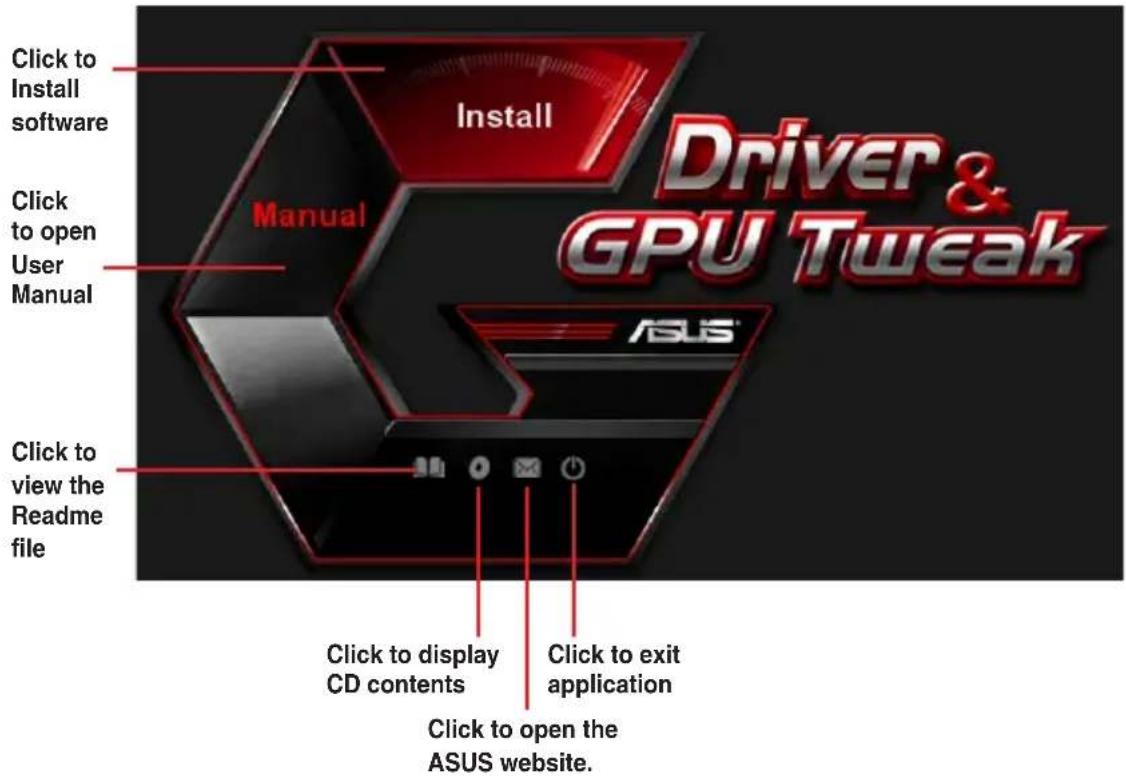
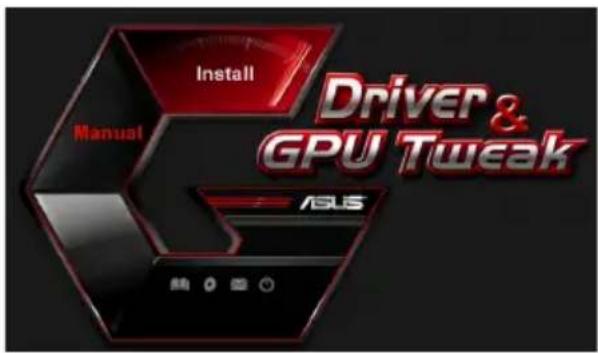
The support CD contains the drivers and utilities for your VGA card. Click the icons on the support CD's main menu to install software, obtain ASUS contact information, browse CD contents, or view the Readme file.

ASUS DUALGTX1660A6GEVO - Support CD information - 1

  • The screens in this manual are for reference only and may not exactly match what you see on your screen.
  • The device driver and utility in the support CD apply only to specific ASUS VGA card models.
  • You may need administrator rights to install the drivers and utilities. See your Windows® 10 / 8.1 / 8 / 7 documentation for details.
  • The contents of the support CD are subject to change at any time without notice. Visit the ASUS website at www.asus.com for updates.

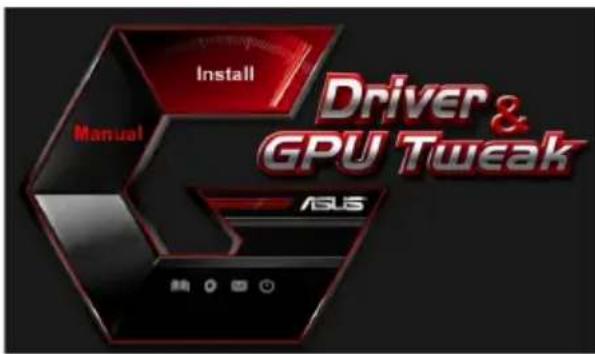
Insert the CD into your computer's optical drive. If Autorun is enabled, the Main Menu launches automatically.

ASUS DUALGTX1660A6GEVO - Support CD information - 2

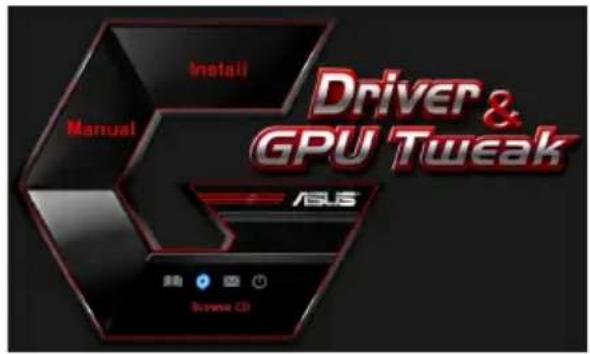
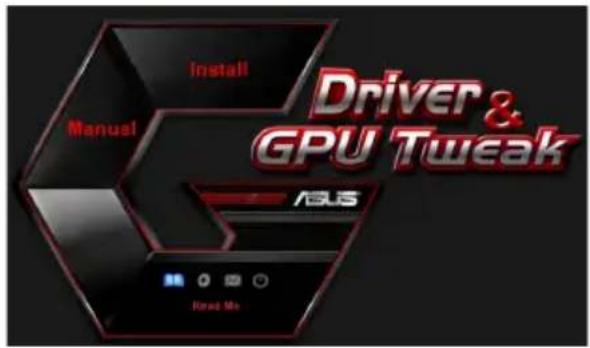
text_image Click to Install software Click to open User Manual Install Driver & GPU Tweak Manual Click to view the Readme file Click to display CD contents Click to exit application Click to open the ASUS website.

ASUS DUALGTX1660A6GEVO - Support CD information - 3

If Autorun is NOT enabled on your computer, browse the contents of the support CD to locate the file UI.exe. Double-click the UI.exe to run the support CD installation program.

2. VGA drivers

The VGA driver is the software program that makes the device work with your operating system. After physically installing your graphics card, use any of the recommended methods in this section to install, update, or remove the VGA driver.

ASUS DUALGTX1660A6GEVO - VGA drivers - 1

If you are replacing an old graphics card with a new ASUS graphics card, uninstall the old display driver from your system.

2.1 Installing the VGA drivers

2.1.1 Installing the VGA drivers in Windows ^® 10 / 8.1 / 8 / 7 (64-bit)

To install the VGA driver in Windows ^® 10 / 8.1 / 8 / 7 (64-bit):

  1. Insert the support CD into your optical drive.
  2. If Autorun is enabled, the main menu appears automatically. If Autorun is disabled, run UI.exe from the root directory of your support CD.

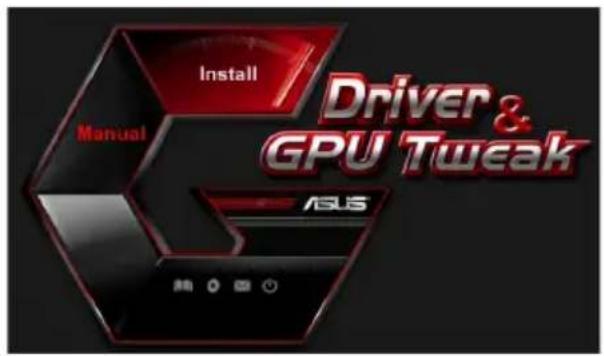
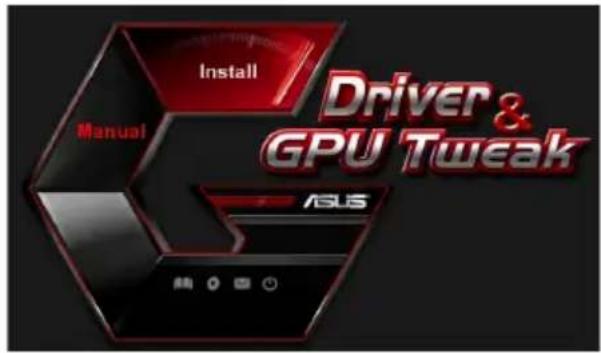
  3. From the main menu, click Install.

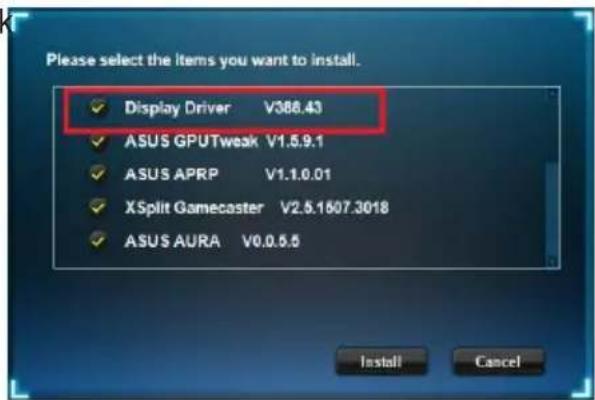
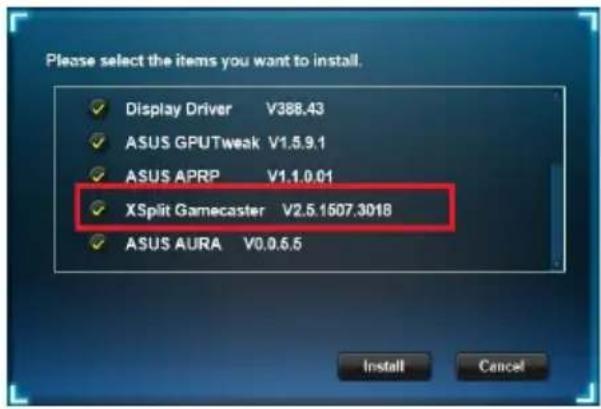
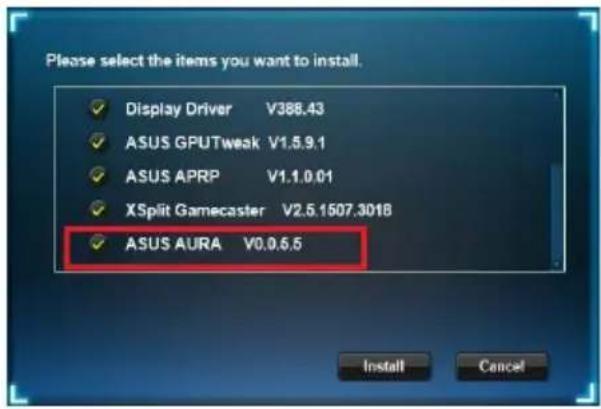
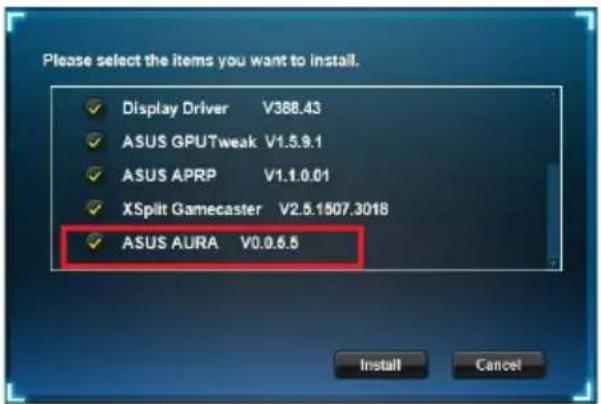
  4. Select Display Driver and click the Install button.

ASUS DUALGTX1660A6GEVO - Installing the VGA drivers in Windows ^® 10 / 8.1 / 8 / 7 (64-bit) - 1

text_image Install Driver & GPU Tweak Manual ASUS

ASUS DUALGTX1660A6GEVO - Installing the VGA drivers in Windows ^® 10 / 8.1 / 8 / 7 (64-bit) - 2

text_image Please select the items you want to install. Display Driver V386.43 ASUS GPUWeak V1.5.9.1 ASUS APRP V1.1.0.01 XSplit Gamecaster V2.5.1507.3018 ASUS AURA V0.0.5.5 Install Cancel
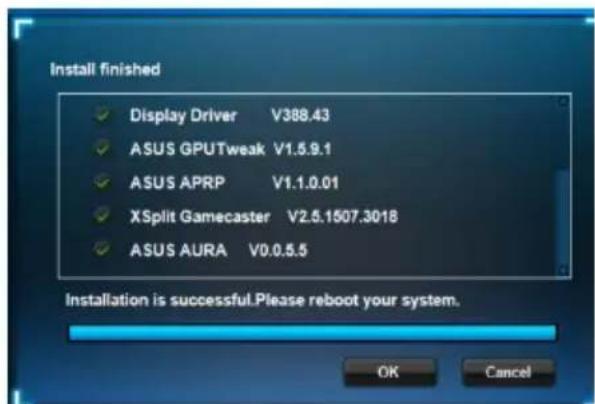
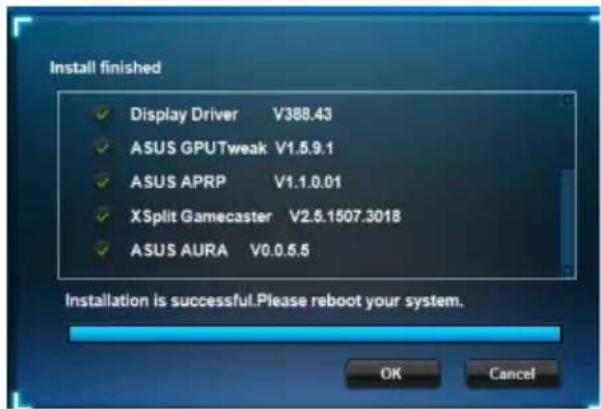
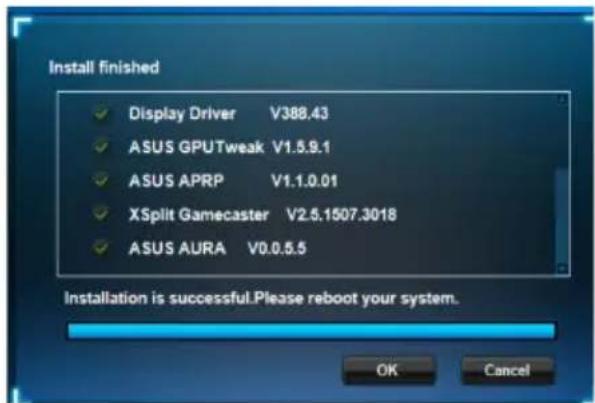
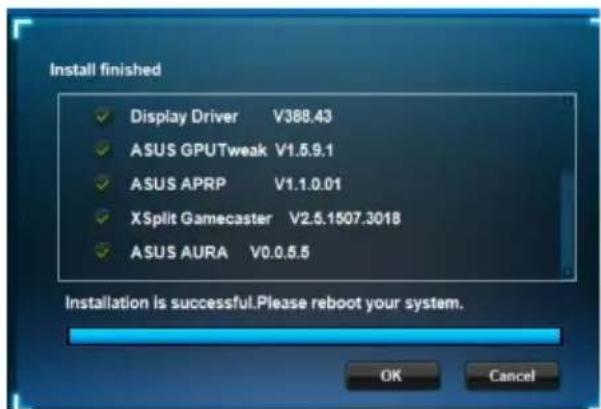
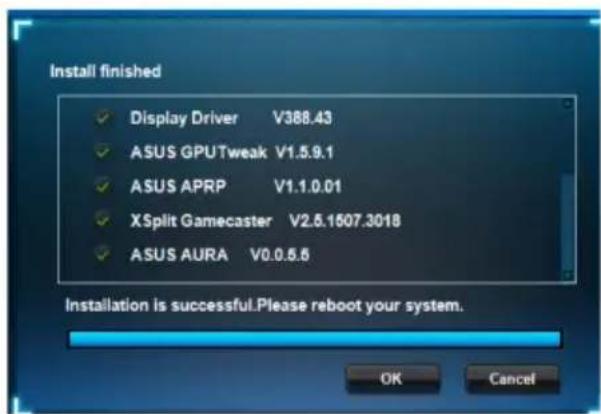
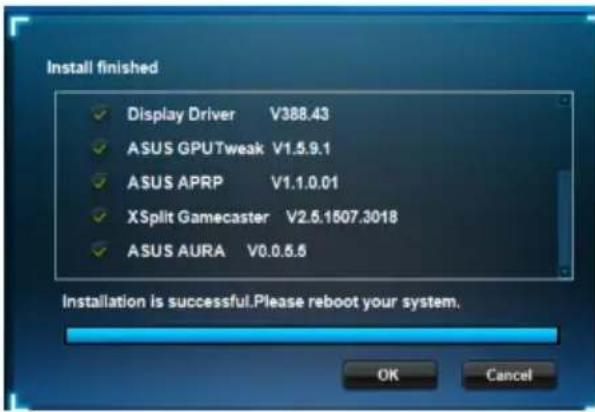
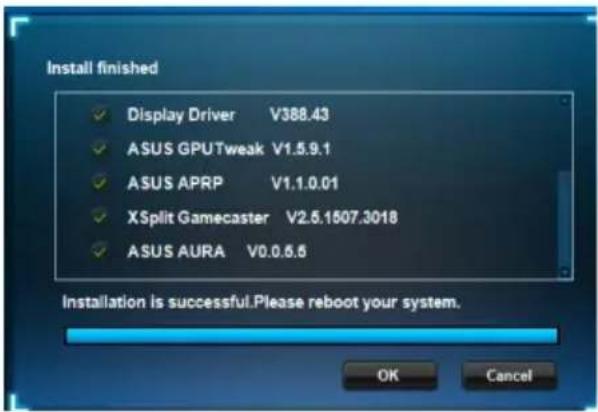
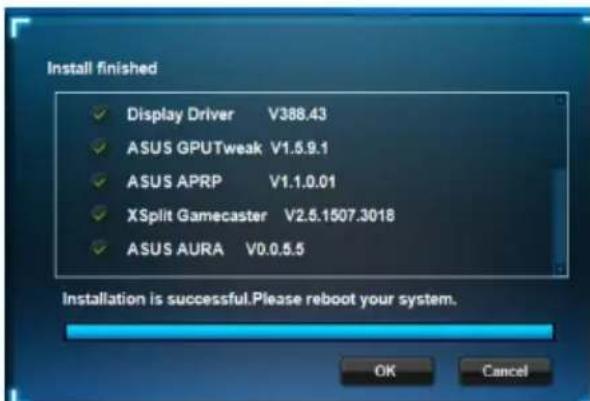
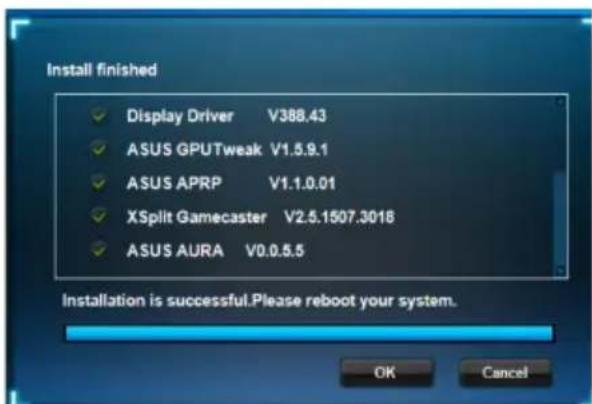
  1. Once installation is complete, click OK to reboot the system.

ASUS DUALGTX1660A6GEVO - Installing the VGA drivers in Windows ^® 10 / 8.1 / 8 / 7 (64-bit) - 3

text_image Install finished ✓ Display Driver V388.43 ✓ ASUS GPU Tweak V1.5.9.1 ✓ ASUS APRP V1.1.0.01 ✓ XSplit Gamecaster V2.5.1507.3018 ✓ ASUS AURA V0.0.5.5 Installation is successful.Please reboot your system. OK Cancel

2.2 Uninstalling the VGA drivers

2.2.1 Uninstalling the VGA drivers in Windows ^® 10 / 8.1 / 8 / 7 (64-bit)

To remove the VGA drivers in Windows ^® 10 / 8.1 / 8 / 7 (64-bit):

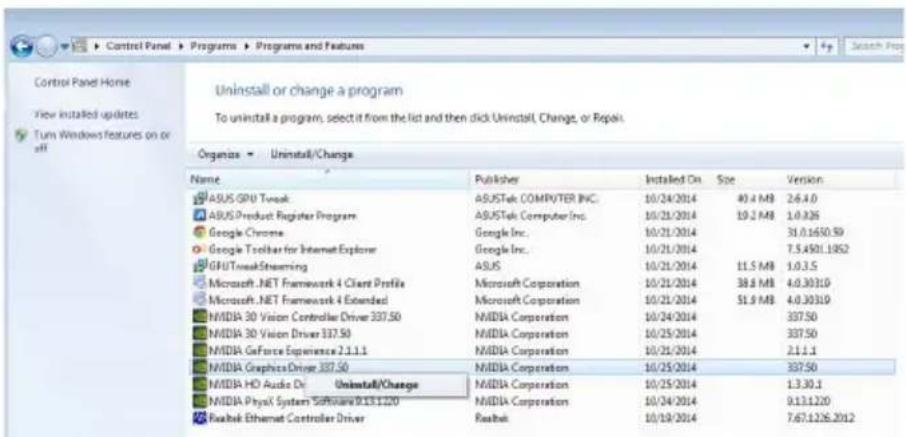
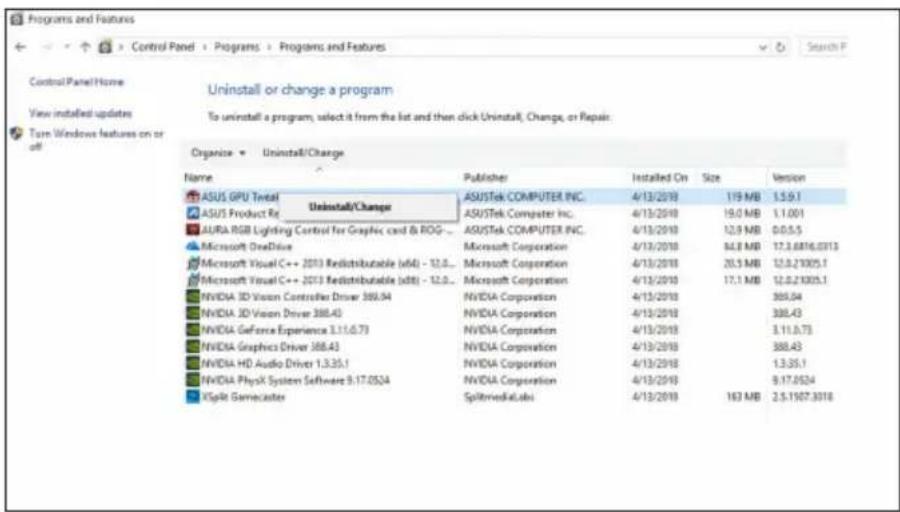
- Click Start > Control Panel > Programs > Programs and Features, select Graphics driver. Click Uninstall.

ASUS DUALGTX1660A6GEVO - Uninstalling the VGA drivers in Windows ^® 10 / 8.1 / 8 / 7 (64-bit) - 1

text_image Control Panel Home View installed updates Turn Windows features on or off Uninstall or change a program To uninstall a program, select it from the list and then click Uninstall Change, or Repairs. Organize - Uninstall/Change Name Publisher Installed On See Version ASUS GPU Tongk ASUSTek COMPUTER INC. 10/24/2014 40.4 MB 2.6.4.0 ASUS Product Register Program ASUSTek Computer Inc. 10/21/2014 10.2 MB 1.0.326 Google Chrome Google Inc. 10/21/2014 31.0.1650.59 Google Toolbar for Internet Explorer Google Inc. 10/21/2014 7.5.4501.1952 GPU Tongk Streaming ASUS 10/21/2014 11.5 MB 1.0.3.5 Microsoft .NET Framework 4 Client Profile Microsoft Corporation 10/21/2014 38.8 MB 4.0.30310 Microsoft .NET Framework 4 Extended Microsoft Corporation 10/21/2014 51.9 MB 4.0.30310 MIDIA 3D Vision Controller Driver 337.50 NVIDIA Corporation 10/24/2014 337.50 MIDIA 3D Vision Driver 337.50 NVIDIA Corporation 10/25/2014 337.50 MIDIA GeForce Experience 2.1.1.1 NVIDIA Corporation 10/25/2014 2.1.1.1 MIDIA Graphics Driver 337.50 NVIDIA Corporation 10/25/2014 337.50 MIDIA HD Audio Dr Uninstall/Change NVIDIA Corporation 10/25/2014 1.3.30.1 MIDIA PhysX System Software 9.13.1220 NVIDIA Corporation 10/24/2014 9.13.1220 Realtek Ethernet Controller Driver Restek 10/18/2014 7.67.1226.2012

3. ASUS GPU Tweak utility

ASUS GPU Tweak utility allows you to monitor and optimize the settings of your ASUS Graphics card.

3.1 Installing ASUS GPU Tweak

3.1.1 Installing ASUS GPU Tweak in Windows 10 / 8.1 / 8 / 7 (64-bit)

To install ASUS GPU Tweak in Windows® 10 / 8.1 / 8 / 7 (64-bit):

  1. Insert the support CD into your optical drive.
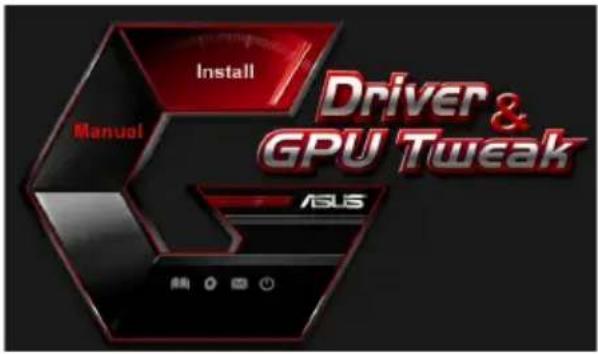
  2. If Autorun is enabled, the main menu appears automatically. If Autorun is disabled, run UI.exe from the root directory of your support CD.

ASUS DUALGTX1660A6GEVO - Installing ASUS GPU Tweak in Windows  10 / 8.1 / 8 / 7 (64-bit) - 1

text_image Install Driver & GPU Tweak Manual ASUS
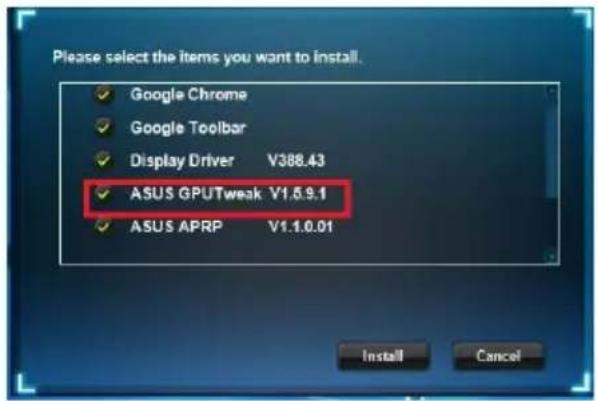
  1. From the main menu, click Install.
    Select ASUS GPU Tweak and click the Install button.

ASUS DUALGTX1660A6GEVO - Installing ASUS GPU Tweak in Windows  10 / 8.1 / 8 / 7 (64-bit) - 2

text_image Please select the items you want to install. Google Chrome Google Toolbar Display Driver V388.43 ASUS GPUWeak V1.5.9.1 ASUS APRP V1.1.0.01 Install Cancel
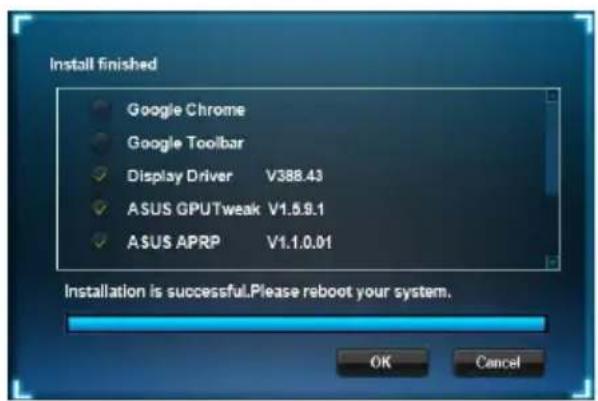
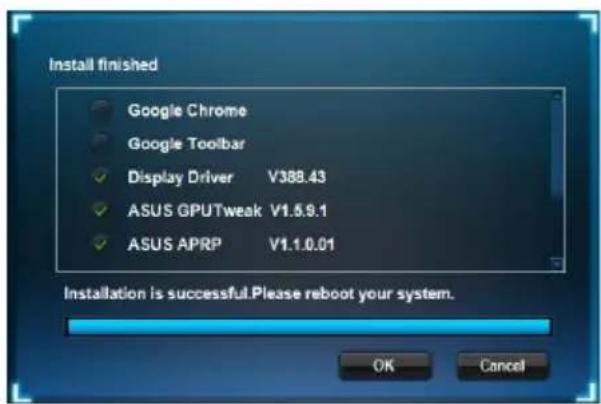
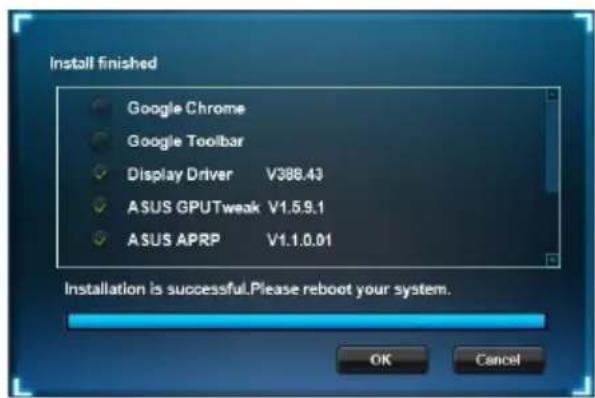
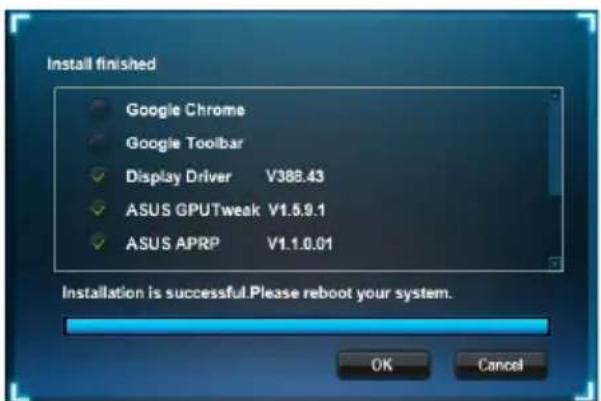
  1. Once installation is complete, click OK.

ASUS DUALGTX1660A6GEVO - Installing ASUS GPU Tweak in Windows  10 / 8.1 / 8 / 7 (64-bit) - 3

text_image Install finished Google Chrome Google Toolbar ✓ Display Driver V388.43 ✓ ASUS GPUTweak V1.5.9.1 ✓ A\$US APRP V1.1.0.01 Installation is successful.Please reboot your system. OK Cancel

3.2 Uninstalling ASUS GPU Tweak

3.2.1 Removing ASUS GPU Tweak in Windows ^® 10 / 8.1 / 8 / 7 (64-bit)

To remove ASUS GPU Tweak in Windows ^® 10 / 8.1 / 8 / 7 (64-bit):

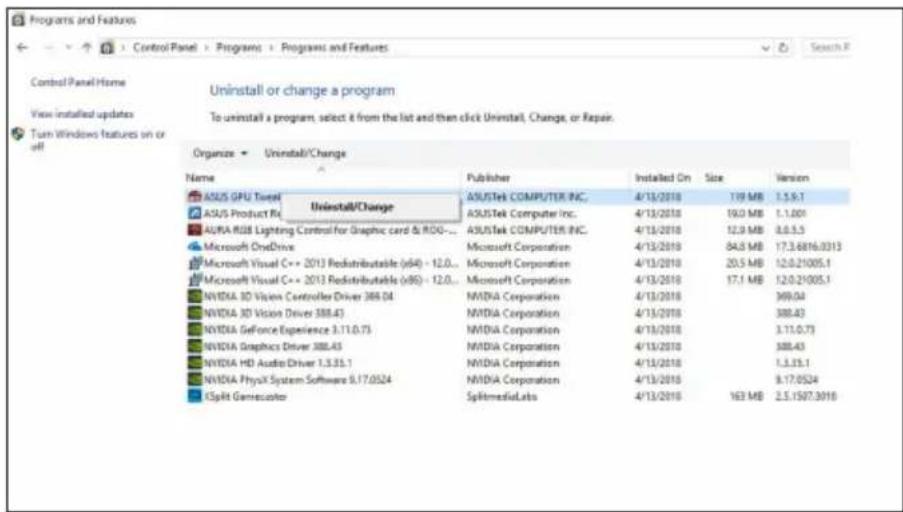
- Click Start > Control Panel > Programs > Programs and Features, select ASUS GPU Tweak. Click Uninstall.

ASUS DUALGTX1660A6GEVO - Removing ASUS GPU Tweak in Windows ^® 10 / 8.1 / 8 / 7 (64-bit) - 1

text_image Control Panel Home View installed updates Turn Windows features on or off Uninstall or change a program To uninstall a program, select it from the list and then click Uninstall, Change, or Repair. Organize ▶ Uninstall/Change Name ASUS GPU Taside ASUS Product Rx Uninstall/Change ASUSTek COMPUTER INC. ASUSTek Computer Inc. ALPHA RGB Lighting Control for Graphic card & RDG... Microsoft OneDrive Microsoft Visual C++ 2013 Redistributable (x64) - 12.0... Microsoft Visual C++ 2013 Redistributable (x85) - 12.0... NVIDIA 3D Vision Controller Driver 388.04 NVIDIA 3D Vision Driver 388.43 NVIDIA GeForce Experience 3.11.0.73 NVIDIA Graphics Driver 388.43 NVIDIA HD Audio Driver 1.3.35.1 NVIDIA PhysX System Software 9.17.0524 ISplit Gamecolor Publisher Installed On Size Version ASUSTek COMPUTER INC. Microsoft Corporation Microsoft Corporation Microsoft Corporation NVIDIA Corporation NVIDIA Corporation NVIDIA Corporation NVIDIA Corporation NVIDIA Corporation SplikmediaLabs 4/13/2018 4/13/2018 4/13/2018 4/13/2018 4/13/2018 4/13/2018 4/13/2018 4/13/2018 4/13/2018 4/13/2018 4/13/2016 199 MB 19.0 MB 12.9 MB 84.8 MB 20.5 MB 17.1 MB 369.04 388.43 3.11.0.73 388.43 1.3.35.1 9.17.0524 163 MB 2.5.1507.3016

4. ASUS APRP

4.1 Installing ASUS APRP

4.1.1 Installing ASUS APRP in Windows ^® 10 / 8.1 / 8 / 7 (64-bit)

To install ASUS APRP in Windows ^® 10 / 8.1 / 8 / 7 (64-bit):

  1. Insert the support CD into your optical drive.
  2. If Autorun is enabled, the main menu appears automatically. If Autorun is disabled, run UI.exe from the root directory of your support CD.

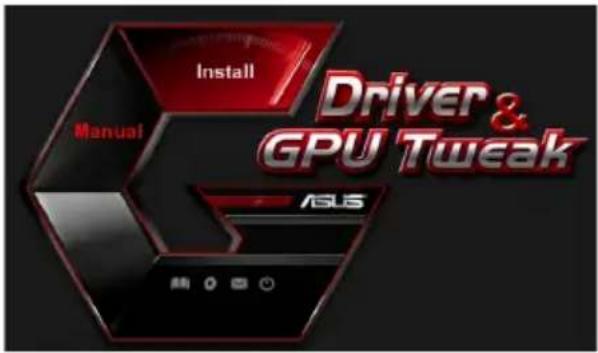
ASUS DUALGTX1660A6GEVO - Installing ASUS APRP in Windows ^® 10 / 8.1 / 8 / 7 (64-bit) - 1

text_image Install Driver & GPU Tweak Manual ASUS
  1. From the main menu, click Install.
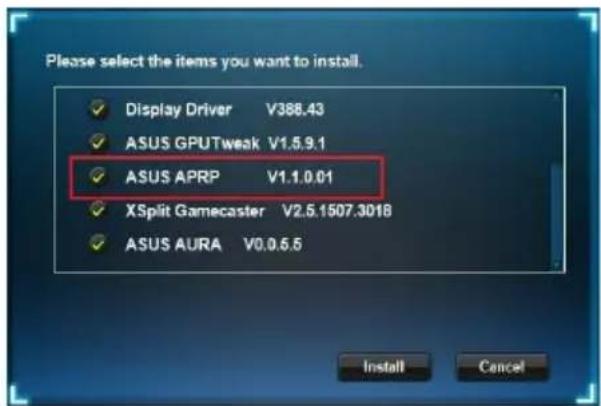
    Select ASUS APRP and click the Install button.

ASUS DUALGTX1660A6GEVO - Installing ASUS APRP in Windows ^® 10 / 8.1 / 8 / 7 (64-bit) - 2

text_image Please select the items you want to install. Display Driver V388.43 ASUS GPUWeak V1.5.9.1 ASUS APRP V1.1.0.01 XSplit Gamecaster V2.5.1507.3018 ASUS AURA V0.0.6.5 Install Cancel
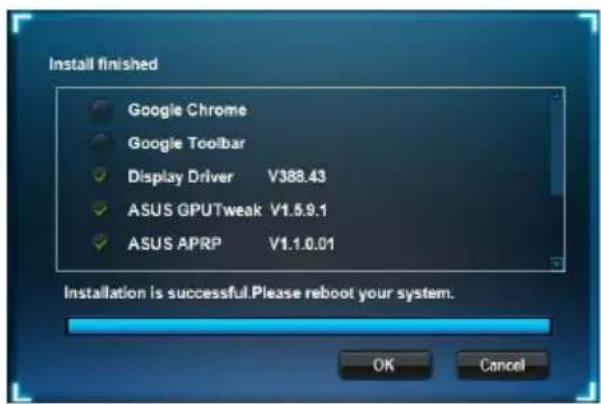
  1. Once installation is complete, click OK.

ASUS DUALGTX1660A6GEVO - Installing ASUS APRP in Windows ^® 10 / 8.1 / 8 / 7 (64-bit) - 3

text_image Install finished Google Chrome Google Toolbar ✓ Display Driver V388.43 ✓ ASUS GPU Tweak V1.5.9.1 ✓ ASUS APRP V1.1.0.01 Installation is successful. Please reboot your system. OK Cancel

4.2 Uninstalling ASUS APRP

4.2.1 Removing ASUS APRP in Windows ^® 10 / 8.1 / 8 / 7 (64-bit)

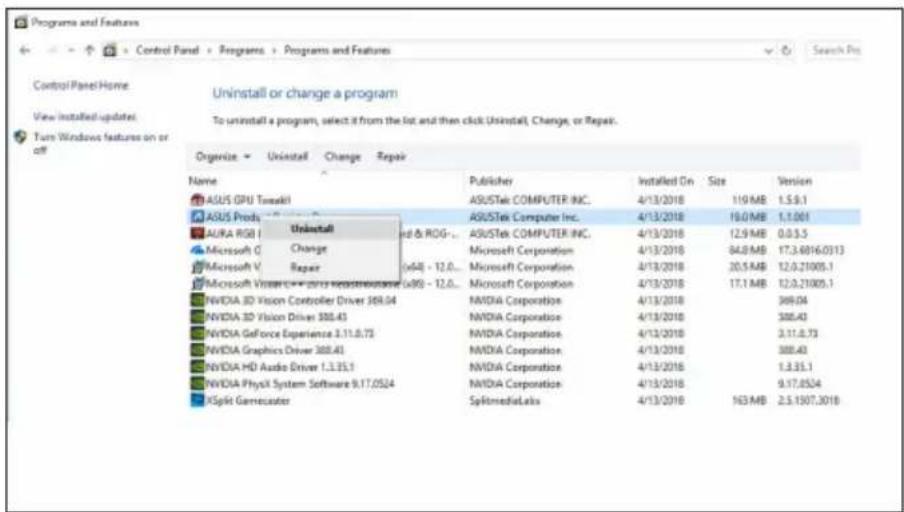
To remove ASUS APRP in Windows ^® 10 / 8.1 / 8 / 7 (64-bit):

- Click Start > Control Panel > Programs > Programs and Features, select ASUS APRP. Click Uninstall.

ASUS DUALGTX1660A6GEVO - Removing ASUS APRP in Windows ^® 10 / 8.1 / 8 / 7 (64-bit) - 1

text_image Control Panel Home View Installed update: Turn Windows features on or off Uninstall or change a program To uninstall a program, select it from the lot and then click Uninstall, Change, or Repair. Organize - Uninstall Change Repair Name ASUS GPU Tenskii ASUS Produs AURA RGB | Uninstall Microsoft G Change Microsoft V Repair Microsoft Vision Control NVIDIA 3D Vision Controller Driver 369.04 NVIDIA 3D Vision Driver 388.43 NVIDIA GeForce Experience 3.11.0.73 NVIDIA Graphics Driver 388.43 NVIDIA HD Audio Driver 1.3.35.1 NVIDIA Physix System Software 9.17.0524 XSplit Generator Publisher Installed On Size Version ASUSTek COMPUTER INC. 4/13/2018 119 MB 1.5.9.1 ASUSTek Computer Inc. 4/13/2018 19.0 MB 1.1.001 ASUSTek COMPUTER INC. 4/13/2018 12.9 MB 0.0.3.5 Microsoft Corporation 4/13/2018 84.0 MB 17.3.6916.0313 Microsoft Corporation 4/13/2018 20.5 MB 12.0.21005.1 Microsoft Corporation 4/13/2018 17.1 MB 12.0.21005.1 NVIDIA Corporation 4/13/2018 369.04 NVIDIA Corporation 4/13/2018 388.43 NVIDIA Corporation 4/13/2018 3.11.0.73 NVIDIA Corporation 4/13/2018 388.43 NVIDIA Corporation 4/13/2018 1.3.35.1 NVIDIA Corporation 4/13/2018 9.17.0524 SplikemediaLaks 4/13/2018 163 MB 2.5.1307.3018

5. XSplit Gamecaster

5.1 Installing XSplit Gamecaster

5.1.1 Installing XSplit Gamecaster in Windows ^® 10 / 8.1 / 8 / 7 (64-bit)

To install XSplit Gamecaster in Windows® 10 / 8.1 / 8 / 7 (64-bit):

  1. Insert the support CD into your optical drive.
  2. If Autorun is enabled, the main menu appears automatically. If Autorun is disabled, run UI.exe from the root directory of your support CD.

ASUS DUALGTX1660A6GEVO - Installing XSplit Gamecaster in Windows ^® 10 / 8.1 / 8 / 7 (64-bit) - 1

text_image Install Driver & GPU Tweak Manual ASIS
  1. From the main menu, click Install.
    Select XSplit Gamecaster and click the Install button.

ASUS DUALGTX1660A6GEVO - Installing XSplit Gamecaster in Windows ^® 10 / 8.1 / 8 / 7 (64-bit) - 2

text_image Please select the items you want to install. Display Driver V388.43 ASUS GPUTweak V1.5.9.1 ASUS APRP V1.1.0.01 XSplit Gamecaster V2.5.1507.3018 ASUS AURA V0.0.6.5 Install Cancel
  1. Once installation is complete, click OK.

ASUS DUALGTX1660A6GEVO - Installing XSplit Gamecaster in Windows ^® 10 / 8.1 / 8 / 7 (64-bit) - 3

text_image Install finished ✓ Display Driver V388.43 ✓ ASUS GPU Tweak V1.5.9.1 ✓ ASUS APRP V1.1.0.01 ✓ XSplit Gamecaster V2.5.1507.3018 ✓ ASUS AURA V0.0.5.5 Installation is successful.Please reboot your system. OK Cancel

5.2 Uninstalling XSplit Gamecaster

5.2.1 Removing XSplit Gamecaster in Windows ^ 10 / 8.1 / 8 / 7 (64-bit)

To remove XSplit Gamecaster in Windows® 10 / 8.1 / 8 / 7 (64-bit):

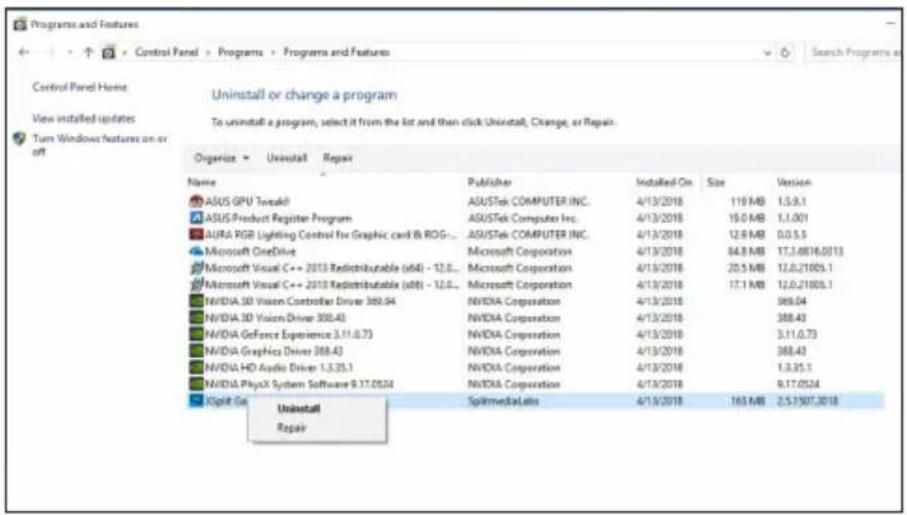
- Click Start > Control Panel > Programs > Programs and Features, select XSplit Gamecaster. Click Uninstall.

ASUS DUALGTX1660A6GEVO - Removing XSplit Gamecaster in Windows ^ 10 / 8.1 / 8 / 7 (64-bit) - 1

text_image Control Panel Home Uninstall or change a program View installed updates To uninstall a program, select it from the list and then click Uninstall, Change, or Repair. Turn Windows features on or off Organize ▶ Uninstall Repair Name ASUS GPU Treadall ASUS Product Register Program AURA RGB Lighting Control for Graphic card & ROG... Microsoft OneDrive Microsoft Visual C++ 2013 Redistributable (x64) - 12.0... Microsoft Visual C++ 2013 Redistributable (x65) - 12.0... NVIDIA 3D Vision Controller Driver 369.54 NVIDIA 3D Vision Driver 300.43 NVIDIA GeForce Experience 3.11.8.73 NVIDIA Graphics Driver 368.43 NVIDIA HD Audio Driver 1.3.35.1 NVIDIA PhysX System Software 9.17.0524 XSplit Go Uninstall Repair Publisher ASUSTek COMPUTER INC. ASUSTek Computer Inc. ASUSTek COMPUTER INC. Microsoft Corporation Microsoft Corporation Microsoft Corporation Microsoft Corporation NVIDIA Corporation NVIDIA Corporation NVIDIA Corporation NVIDIA Corporation NVIDIA Corporation NVIDIA Corporation Splimmedia Labs Installed On Size 119 MB 15.0 MB 12.8 MB 84.8 MB 20.5 MB 17.1 MB 369.04 4/13/2018 4/13/2018 4/13/2018 4/13/2018 4/13/2018 4/13/2018 4/13/2018 4/13/2018 4/13/2018 4/13/2018 4/13/2016 163 MB 2.5.1907.3018

6. ASUS AURA

6.1 Installing ASUS AURA

6.1.1 Installing ASUS AURA in Windows ^® 10 / 8.1 / 8 / 7 (64-bit)

To install ASUS AURA in Windows ^® 10 / 8.1 / 8 / 7 (64-bit):

  1. Insert the support CD into your optical drive.
  2. If Autorun is enabled, the main menu appears automatically. If Autorun is disabled, run UI.exe from the root directory of your support CD.

ASUS DUALGTX1660A6GEVO - Installing ASUS AURA in Windows ^® 10 / 8.1 / 8 / 7 (64-bit) - 1

text_image Install Driver & GPU Tweak Manual ASUS
  1. From the main menu, click Install.
    Select ASUS AURA and click the Install button.

ASUS DUALGTX1660A6GEVO - Installing ASUS AURA in Windows ^® 10 / 8.1 / 8 / 7 (64-bit) - 2

text_image Please select the items you want to install. Display Driver V388.43 ASUS GPUTweak V1.5.9.1 ASUS APRP V1.1.0.01 XSplit Gamecaster V2.5.1507.3018 ASUS AURA V0.0.6.5 Install Cancel
  1. Once installation is complete, click OK.

ASUS DUALGTX1660A6GEVO - Installing ASUS AURA in Windows ^® 10 / 8.1 / 8 / 7 (64-bit) - 3

text_image Install finished ✓ Display Driver V388.43 ✓ ASUS GPU Tweak V1.5.9.1 ✓ ASUS APRP V1.1.0.01 ✓ XSplit Gamecaster V2.5.1507.3018 ✓ ASUS AURA V0.0.5.5 Installation is successful.Please reboot your system. OK Cancel

6.2 Uninstalling ASUS AURA

6.2.1 Removing ASUS AURA in Windows ^® 10 / 8.1 / 8 / 7 (64-bit)

To remove ASUS AURA in Windows ^® 10 / 8.1 / 8 / 7 (64-bit):

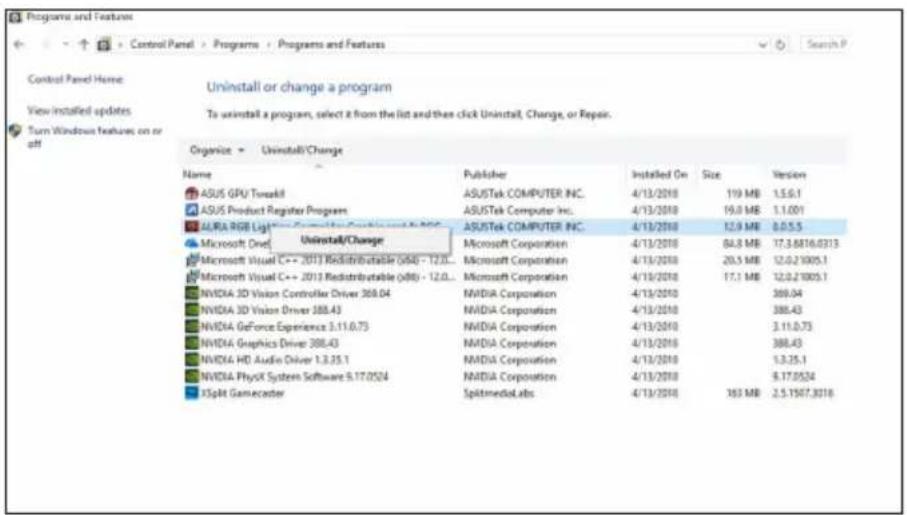
- Click Start > Control Panel > Programs > Programs and Features, select ASUS AURA. Click Uninstall.

ASUS DUALGTX1660A6GEVO - Removing ASUS AURA in Windows ^® 10 / 8.1 / 8 / 7 (64-bit) - 1

text_image Programs and Features Control Panel Home: Uninstall or change a program View installed updates Turn Windows features on or off To uninstall a program, select it from the list and then click Uninstall, Change, or Repair. Organize Uninstall/Change Name Publisher Installed On Size Version ASUS GPU Workbit ASUSTek COMPUTER INC. 4/13/2018 119 MB 1.5.6.1 ASUS Product Register Programs ASUSTek Computer Inc. 4/13/2018 19.0 MB 1.1.001 ALIRA RGB Light ASUSTek COMPUTER INC. 4/13/2018 12.9 MB 0.0.5.5 Microsoft One Uninstall/Change Microsoft Corporation 4/13/2018 84.8 MB 17.3.6816.0313 Microsoft Visual C++ 2013 Redistributable (DB) - 12.0... Microsoft Corporation 4/13/2018 20.5 MB 12.0.2 1005.1 Microsoft Visual C++ 2013 Redistributable (DB) - 12.0... Microsoft Corporation 4/13/2018 17.3 MB 12.0.2 1005.1 NVIDIA 3D Vision Controller Driver 308.04 NVIDIA Corporation 4/13/2018 389.04 NVIDIA 3D Vision Driver 388.43 NVIDIA Corporation 4/13/2018 388.43 NVIDIA GeForce Experience 3.11.0.73 NVIDIA Corporation 4/13/2018 3.11.0.73 NVIDIA Graphics Driver 308.43 NVIDIA Corporation 4/13/2018 388.43 NVIDIA HD Audio Driver 1.3.25.1 NVIDIA Corporation 4/13/2018 1.3.25.1 NVIDIA PhysX System Software 9.17.0524 NVIDIA Corporation 4/13/2018 9.17.0524 XSplit Gamecode SplitmediaLabs 4/13/2018 163 MB 2.5.1967.3016

7. Other information

7.1 Browse the Support CD

To browse the support CD:

  1. Insert the support CD into your optical drive.
  2. If Autorun is enabled, the main menu appears automatically. If Autorun is disabled, run UI.exe from the root directory of your support CD.

ASUS DUALGTX1660A6GEVO - Browse the Support CD - 1

text_image Driver & GPU Tweak Install Manual ASUS Svreme CD
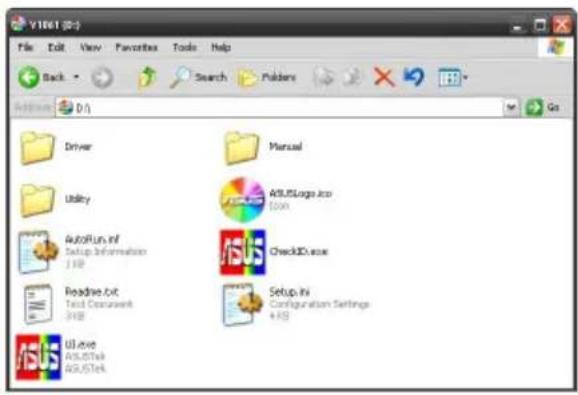
  1. From the main menu, click Browse CD to view the contents of the CD.

ASUS DUALGTX1660A6GEVO - Browse the Support CD - 2

text_image V1801 (OS) File Edit View Favorites Tools Help Back Search Favorites D:\ Driver Utility AutoRun.ini Setup Information J KB Readfile.txt Test Document 3 KB UI.exe ASUSTek ASUSTek Manual ASUSLogo.io $box Check20.exe Setup.ini Configuration Settings +KB

7.2 Contact Information

  1. Insert the support CD into your optical drive.
  2. If Autorun is enabled, the main menu appears automatically.
    If Autorun is disabled, run UI.exe from the root directory of your support CD.
  3. From the main menu, click Contact Us to open the ASUS website for additional information.

7.3 Viewing the Readme file

To view the Readme file:

  1. Insert the support CD into your optical drive.
  2. If Autorun is enabled, the main menu appears automatically. If Autorun is disabled, run UI.exe from the root directory of your support CD.

ASUS DUALGTX1660A6GEVO - Viewing the Readme file - 1

text_image Install Driver & GPU Tweak Manual ASUS Read Mix
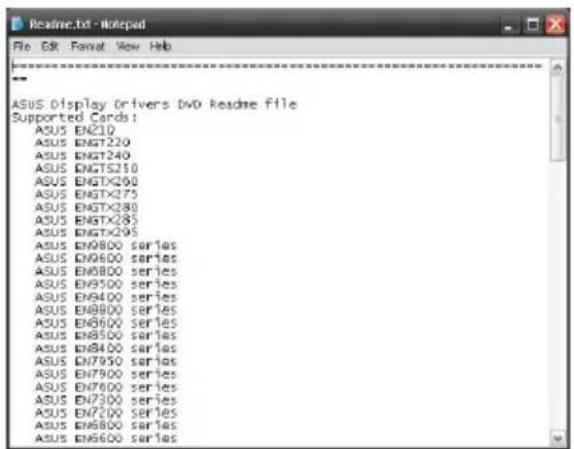
  1. From the main menu, click Read Me to display the Readme text file.

ASUS DUALGTX1660A6GEVO - Viewing the Readme file - 2

text_image ASUS Display Drivers DVD Readme file Supported Cards: ASUS EN210 ASUS ENGT220 ASUS ENGT240 ASUS ENGT5210 ASUS ENGT×260 ASUS ENGT×275 ASUS ENGT×280 ASUS ENGT×285 ASUS ENGT×295 ASUS EN9800 series ASUS EN9600 series ASUS EN9800 series ASUS EN9500 series ASUS EN9400 series ASUS EN9300 series ASUS EN9200 series ASUS EN9100 series ASUS EN9000 series ASUS EN8900 series ASUS EN8800 series ASUS EN8700 series ASUS EN8600 series ASUS EN8500 series ASUS EN8400 series ASUS EN8300 series ASUS EN8200 series ASUS EN8100 series ASUS EN8000 series ASUS EN7900 series

Appendix: Basic troubleshooting

If you encounter any of the following scenarios after installing your graphics card, try performing one of the possible solutions before calling for technical support.

If you still have some issues with the product, please visit https://www.asus.com/support for more information.

Problem No display after the card is installed
Cause Your card might not be properly installed.
Solution Make sure that the card is not tilted or skewed on the slot.
Cause Your monitor might not be properly connected.
Solution Make sure that the signal cable is properly connected to your monitor and graphics card.
Cause Your graphics card is not supported by your motherboard.
Solution Check the technical documentation that came with your motherboard and check the required specifications for your graphics card (e.g. AGP voltage requirement).
Cause The graphics card's auxiliary power is not connected.
Solution Make sure that the auxiliary power cables are properly connected with the power supply unit.
Cause Insufficient power supply.
Solution Make sure that your power supply unit can provide the minimum power requirement to your system.
Cause Incorrect motherboard hardware system settings (e.g. system control panel connections).
Solutions • Make sure that the system control panel cables are connected properly (e.g. power switch, reset).
Problem Wrong color balance
Cause Your card might not be properly installed.
Solution Make sure that the card is not tilted or skewed on the slot.
Cause Your video controls might not be properly set.
Solution • Manually configure your video controls to your desired settings.
Cause There may be unsupported graphics card drivers installed in your system. Conflicts may occur with graphics card drivers from different vendors.
Solution • Remove any unused graphics card drivers installed on your system.
Cause The graphics card's auxiliary power is not connected.
Solution Make sure that the auxiliary power cables are properly connected to the power supply unit.
Cause If your monitor comes with BNC connectors, the port connections may be incorrect.
Solution Make sure that all BNC connectors are connected properly to its corresponding port.
Cause Your monitor software settings might be incorrect.
Solution Configure your monitor to supported display settings.
Cause Your monitor might not be properly connected.
Solution Make sure that the signal cable is properly connected to your monitor and graphics card.
Problem The screen image is garbled
Cause Your monitor cannot support the selected display setting.
Solution Make sure that your monitor can support your desired display setting. Refer to the technical documentation that came with your monitor.
Cause Your graphics card cannot support the desired system setting.
Solution Make sure that your graphics card can support your desired display setting. See the specifications table that came with this graphics card package.
Cause Some graphics driver files might be corrupt.
Solution Remove your current graphics drivers and reinstall the graphics drivers from the support CD.
Cause Poor heat dissipation inside the chassis.
Solution Make sure that the chassis fan, CPU, and heatsink with fan, and/or the graphics card GPU fan are working properly.
Cause GPU or VGA memory overclocked beyond optimal working conditions.
Solutions Restore default frequency settings of GPU and VGA memory.

ASUS DUALGTX1660A6GEVO - Appendix: Basic troubleshooting - 1

Other problems that you might encounter can be related to other parts or accessories (e.g., motherboard, power supply unit, LCD/CRT) of your system.

ASUS®

顯示卡

驅動程式與公用程式

安装指南

T15279

第六版

2019年3月

Federal Communications Commission Statement

This device complies with Part 15 of the FCC Rules. Operation is subject to the following two conditions:

• This device may not cause harmful interference
- This device must accept any interference received including interference that may cause undesired operation.

This equipment has been tested and found to comply with the limits for a Class B digital device, pursuant to Part 15 of the FCC Rules. These limits are designed to provide reasonable protection against harmful interference in a residential installation. This equipment generates, uses, and can radiate radio frequency energy and, if not installed and used in accordance with manufacturer's instructions, may cause harmful interference to radio communications. However, there is no guarantee that interference will not occur in a particular installation. If this equipment does cause harmful interference to radio or television reception, which can be determined by turning the equipment off and on, the user is encouraged to try to correct the interference by one or more of the following measures:

• Reorient or relocate the receiving antenna.
- Increase the distance between the equipment and receiver.
- Connect the equipment to an outlet on a circuit different from that to which the receiver is connected.
- Consult the dealer or an experienced radio/TV technician for help.

ASUS DUALGTX1660A6GEVO - Federal Communications Commission Statement - 1

The use of shielded cables for connection of the monitor to the graphics card is required to assure compliance with FCC regulations. Changes or modifications to this unit not expressly approved by the party responsible for compliance could void the user's authority to operate this equipment.

Canadian Department of Communication Statement

This digital apparatus does not exceed the Class B limits for radio noise emissions from digital apparatus set out in the Radio Interference Regulations of the Canadian Department of Communications.

This class B digital apparatus complies with Canadian ICES-003.

華碩 REACH

text_image Please select the items you want to install. Display Driver V388.43 ASUS GPUWeak V1.5.9.1 ASUS APRP V1.1.0.01 XSplit Gamecaster V2.5.1507.3018 ASUS AURA V0.0.5.5 Install Cancel

ASUS DUALGTX1660A6GEVO - 華碩 REACH - 1

text_image Install finished ✓ Display Driver V388.43 ✓ ASUS GPUTweak V1.5.9.1 ✓ ASUS APRP V1.1.0.01 ✓ XSplit Gamecaster V2.5.1507.3018 ✓ ASUS AURA V0.0.5.5 Installation is successful.Please reboot your system. OK Cancel

2.2 移除 VGA 驅動程式

text_image Install finished Google Chrome Google Toolbar Display Driver V388.43 ASUS GPUTweak V1.5.9.1 ASUS APRP V1.1.0.01 Installation is successful.Please reboot your system. OK Cancel

3.2 移除華碩 GPU Tweak

text_image Please select the items you want to install. Display Driver V388.43 ASUS GPUTweak V1.5.9.1 ASUS APRP V1.1.0.01 XSplit Gamecaster V2.5.1507.3018 ASUS AURA V0.0.6.5 Install Cancel
  1. 安裝完成後,點選 OK(確定)。

ASUS DUALGTX1660A6GEVO - 移除華碩 GPU Tweak - 1

text_image Install finished Google Chrome Google Toolbar ✓ Display Driver V388.43 ✓ ASUS GPUWeak V1.5.9.1 ✓ ASUS APRP V1.1.0.01 Installation is successful.Please reboot your system. OK Cancel

4.2 移除華碩 APRP

text_image Please select the items you want to install. Display Driver V386.43 ASUS GPUTweak V1.5.9.1 ASUS APRP V1.1.0.01 XSplit Gamecaster V2.5.1507.3018 ASUS AURA V0.0.6.5 Install Cancel
  1. 安裝完成後,點選 OK(確定)。

ASUS DUALGTX1660A6GEVO - 移除華碩 APRP - 1

text_image Install finished ✓ Display Driver V388.43 ✓ ASUS GPU Tweak V1.5.9.1 ✓ ASUS APRP V1.1.0.01 ✓ XSplit Gamecaster V2.5.1507.3018 ✓ ASUS AURA V0.0.5.5 Installation is successful.Please reboot your system. OK Cancel

5.2 移除 XSplit Gamecaster

text_image Please select the items you want to install. Display Driver V388.43 ASUS GPUTweak V1.5.9.1 ASUS APRP V1.1.0.01 XSplit Gamecaster V2.5.1507.3018 ASUS AURA V0.0.6.5 Install Cancel
  1. 安裝完成後,點選 OK(確定)。

ASUS DUALGTX1660A6GEVO - 移除 XSplit Gamecaster - 1

text_image Install finished ✓ Display Driver V388.43 ✓ ASUS GPU Tweak V1.5.9.1 ✓ ASUS APRP V1.1.0.01 ✓ XSplit Gamecaster V2.5.1607.3018 ✓ ASUS AURA V0.0.5.5 Installation is successful.Please reboot your system. OK Cancel

6.2 移除 ASUS AURA

text_image ASUS display drivers DVD readme file supported cards: ASUS EN210 ASUS ENGT220 ASUS ENGT240 ASUS ENGT5210 ASUS ENGT×260 ASUS ENGT×275 ASUS ENGT×280 ASUS ENGT×285 ASUS ENGT×295 ASUS EN9800 series ASUS EN9800 series ASUS EN9800 series ASUS EN9500 series ASUS EN9400 series ASUS EN8800 series ASUS EN8600 series ASUS EN8500 series ASUS EN8400 series ASUS EN7950 series ASUS EN7900 series ASUS EN7600 series ASUS EN7300 series ASUS EN7200 series ASUS EN6800 series ASUS EN6600 series

附錄:疑難排解

Federal Communications Commission Statement

This device complies with Part 15 of the FCC Rules. Operation is subject to the following two conditions:

• This device may not cause harmful interference
- This device must accept any interference received including interference that may cause undesired operation.

This equipment has been tested and found to comply with the limits for a Class B digital device, pursuant to Part 15 of the FCC Rules. These limits are designed to provide reasonable protection against harmful interference in a residential installation. This equipment generates, uses, and can radiate radio frequency energy and, if not installed and used in accordance with manufacturer's instructions, may cause harmful interference to radio communications. However, there is no guarantee that interference will not occur in a particular installation. If this equipment does cause harmful interference to radio or television reception, which can be determined by turning the equipment off and on, the user is encouraged to try to correct the interference by one or more of the following measures:

• Reorient or relocate the receiving antenna.
- Increase the distance between the equipment and receiver.
- Connect the equipment to an outlet on a circuit different from that to which the receiver is connected.
- Consult the dealer or an experienced radio/TV technician for help.

ASUS DUALGTX1660A6GEVO - Federal Communications Commission Statement - 1

The use of shielded cables for connection of the monitor to the graphics card is required to assure compliance with FCC regulations. Changes or modifications to this unit not expressly approved by the party responsible for compliance could void the user's authority to operate this equipment.

Canadian Department of Communication Statement

This digital apparatus does not exceed the Class B limits for radio noise emissions from digital apparatus set out in the Radio Interference Regulations of the Canadian Department of Communications.

This class B digital apparatus complies with Canadian ICES-003.

华硕 REACH

text_image Please select the items you want to install. Display Driver V388.43 ASUS GPUTweak V1.5.9.1 ASUS APRP V1.1.0.01 XSplit Gamecaster V2.5.1507.3018 ASUS AURA V0.0.5.5 Install Cancel
text_image Install finished ✓ Display Driver V388.43 ✓ ASUS GPU Tweak V1.5.9.1 ✓ ASUS APRP V1.1.0.01 ✓ XSplit Gamecaster V2.5.1507.3018 ✓ ASUS AURA V0.0.5.5 Installation is successful.Please reboot your system. OK Cancel

2.2 卸载 VGA 驱动程序

text_image Please select the items you want to install. Google Chrome Google Toolbar Display Driver V388.43 ASUS GPU Tweak V1.5.9.1 ASUS APRP V1.1.0.01 Install Cancel
  1. 安装完成后,点击【OK】(确定)。

ASUS DUALGTX1660A6GEVO - 卸载 VGA 驱动程序 - 1

text_image Install finished Google Chrome Google Toolbar Display Driver V388.43 ASUS GPUTweak V1.5.9.1 ASUS APRP V1.1.0.01 Installation is successful. Please reboot your system. OK Cancel

3.2 卸载华硕 GPU Tweak

3.2.1 在 Windows ^ 10/8.1/8/7(64 bit)中卸载华硕 GPU Tweak 请按照以下步骤在 Windows ^ 10/8.1/8/7(64 bit)中卸载华硕 GPU Tweak:

text_image Please select the items you want to install. Display Driver V388.43 ASUS GPUTweak V1.5.9.1 ASUS APRP V1.1.0.01 XSplit Gamecaster V2.5.1507.3018 ASUS AURA V0.0.6.5 Install Cancel
  1. 安装完成后,点击【OK】(确定)。

ASUS DUALGTX1660A6GEVO - 卸载华硕 GPU Tweak - 1

text_image Install finished Google Chrome Google Toolbar Display Driver V388.43 ASUS GPUTweak V1.5.9.1 ASUS APRP V1.1.0.01 Installation is successful. Please reboot your system. OK Cancel

4.2 卸载华硕 APRP

4.2.1 在 Windows ^ 10/8.1/8/7(64 bit)中卸载华硕 APRP 请按照以下步骤在 Windows ^ 10/8.1/8/7(64 bit)中卸载华硕 APRP:

text_image Please select the items you want to install. Display Driver V388.43 ASUS GPUWeak V1.5.9.1 ASUS APRP V1.1.0.01 XSplit Gamecaster V2.5.1507.3018 ASUS AURA V0.0.6.5 Install Cancel
  1. 安装完成后,点击【OK】(确定)。

ASUS DUALGTX1660A6GEVO - 卸载华硕 APRP - 1

text_image Install finished ✓ Display Driver V388.43 ✓ ASUS GPU Tweak V1.5.9.1 ✓ ASUS APRP V1.1.0.01 ✓ XSplit Gamecaster V2.5.1607.3018 ✓ ASUS AURA V0.0.5.5 Installation is successful.Please reboot your system. OK Cancel

5.2 卸载 XSplit Gamecaster

5.2.1 在 Windows ^ 10/8.1/8/7(64 bit)中卸载 XSplit Gamecaster 请按照以下步骤在 Windows ^ 10/8.1/8/7(64 bit)中卸载 XSplit Gamecaster:

text_image Please select the items you want to install. ✓ Display Driver V388.43 ✓ ASUS GPUWeak V1.5.9.1 ✓ ASUS APRP V1.1.0.01 ✓ XSplit Gamecaster V2.5.1507.301B ✓ ASUS AURA V0.0.6.5 Install Cancel
  1. 安装完成后,点击【OK】(确定)。

ASUS DUALGTX1660A6GEVO - 卸载 XSplit Gamecaster - 1

text_image Install finished ✓ Display Driver V388.43 ✓ ASUS GPU Tweak V1.5.9.1 ✓ ASUS APRP V1.1.0.01 ✓ XSplit Gamecaster V2.5.1507.3018 ✓ ASUS AURA V0.0.5.5 Installation is successful.Please reboot your system. OK Cancel

6.2 卸载 ASUS AURA

6.2.1 在 Windows ^ 10/8.1/8/7(64 bit)中卸载 ASUS AURA 请按照以下步骤在 Windows ^ 10/8.1/8/7(64 bit)中卸载 ASUS AURA:

text_image ASUS display drivers DVD readme file supported cards: ASUS EN210 ASUS ENGT220 ASUS ENGT240 ASUS ENGT5210 ASUS ENGT×260 ASUS ENGT×275 ASUS ENGT×280 ASUS ENGT×285 ASUS ENGT×295 ASUS EN9800 series ASUS EN9800 series ASUS EN9800 series ASUS EN9500 series ASUS EN9400 series ASUS EN8800 series ASUS EN8600 series ASUS EN8500 series ASUS EN8400 series ASUS EN7950 series ASUS EN7900 series ASUS EN7600 series ASUS EN7300 series ASUS EN7200 series ASUS EN6800 series ASUS EN6600 series

附录:疑难排解

text_image Please select the items you want to install. Display Driver V388.43 ASUS GPUTweak V1.5.9.1 ASUS APRP V1.1.0.01 XSplit Gamecaster V2.5.1507.3018 ASUS AURA V0.0.5.5 Install Cancel
text_image Install finished ✓ Display Driver V388.43 ✓ ASUS GPU Tweak V1.5.9.1 ✓ ASUS APRP V1.1.0.01 ✓ XSplit Gamecaster V2.5.1507.3018 ✓ ASUS AURA V0.0.5.5 Installation is successful.Please reboot your system. OK Cancel
text_image Install finished Google Chrome Google Toolbar Display Driver V388.43 ASUS GPU Tweak V1.59.1 ASUS APRP V1.10.01 Installation is successful.Please reboot your system. OK Cancel
text_image Please select the items you want to install. Display Driver V388.43 ASUS GPUWeak V1.5.9.1 ASUS APRP V1.1.0.01 XSplit Gamecaster V2.5.1507.3018 ASUS AURA V0.0.6.5 Install Cancel
text_image Install finished Google Chrome Google Toolbar ✓ Display Driver V388.43 ✓ ASUS GPUTweak V1.5.9.1 ✓ ASUS APRP V1.1.0.01 Installation is successful.Please reboot your system. OK Cancel
text_image Please select the items you want to install. Display Driver V388.43 ASUS GPUTweak V1.5.9.1 ASUS APRP V1.1.0.01 XSplit Gamecaster V2.5.1507.3016 ASUS AURA V0.0.6.5 Install Cancel
text_image Install finished ✓ Display Driver V388.43 ✓ ASUS GPU Tweak V1.5.9.1 ✓ ASUS APRP V1.1.0.01 ✓ XSplit Gamecaster V2.6.1507.3018 ✓ ASUS AURA V0.0.5.5 Installation is successful.Please reboot your system. OK Cancel
text_image Please select the items you want to install. Display Driver V388.43 ASUS GPUWeak V1.5.9.1 ASUS APRP V1.1.0.01 XSplit Gamecaster V2.5.1507.3018 ASUS AURA V0.0.6.5 Install Cancel
text_image Install finished ✓ Display Driver V388.43 ✓ ASUS GPU Tweak V1.5.9.1 ✓ ASUS APRP V1.1.0.01 ✓ XSplit Gamecaster V2.5.1507.3018 ✓ ASUS AURA V0.0.5.5 Installation is successful.Please reboot your system. OK Cancel
text_image ASUS Display Drivers DVD Readme file Supported Cards: ASUS EN210 ASUS ENGT220 ASUS ENGT240 ASUS ENGT5210 ASUS ENGT×260 ASUS ENGT×275 ASUS ENGT×280 ASUS ENGT×285 ASUS ENGT×295 ASUS EN9800 series ASUS EN9600 series ASUS EN9500 series ASUS EN9400 series ASUS EN9300 series ASUS EN9200 series ASUS EN9100 series ASUS EN9000 series ASUS EN8900 series ASUS EN8800 series ASUS EN8700 series ASUS EN8600 series ASUS EN8500 series ASUS EN8400 series ASUS EN8300 series ASUS EN8200 series ASUS EN8100 series ASUS EN8000 series
text_image Please select the items you want to install. Display Driver V388.43 ASUS GPUTweak V1.5.9.1 ASUS APRP V1.1.0.01 XSplit Gamecaster V2.5.1507.3018 ASUS AURA V0.0.0.0 Install Cancel

ASUS DUALGTX1660A6GEVO - 附录:疑难排解 - 1

text_image Install finished ✓ Display Driver V388.43 ✓ ASUS GPU Tweak V1.5.9.1 ✓ ASUS APRP V1.1.0.01 ✓ XSplit Gamecaster V2.5.1507.3018 ✓ ASUS AURA V0.0.5.5 Installation is successful. Please reboot your system. OK Cancel
text_image Install finished Google Chrome Google Toolbar Display Driver V388.43 ASUS GPUTweak V1.5.9.1 A$US APRP V1.1.0.01 Installation is successful.Please reboot your system. OK Cancel
text_image Please select the items you want to install. Display Driver V388.43 ASUS GPUTweak V1.5.9.1 ASUS APRP V1.1.0.01 XSplit Gamecaster V2.5.1507.3018 ASUS AURA V0.0.6.5 Install Cancel
text_image Install finished Google Chrome Google Toolbar ✓ Display Driver V388.43 ✓ ASUS GPUTweak V1.5.9.1 ✓ ASUS APRP V1.1.0.01 Installation is successful. Please reboot your system. OK Cancel
text_image Please select the items you want to install. Display Driver V388.43 ASUS GPUTweak V1.5.9.1 ASUS APRP V1.1.0.01 XSplit Gamecaster V2.5.1507.3018 ASUS AURA V0.0.6.5 Install Cancel
text_image Install finished ✓ Display Driver V388.43 ✓ ASUS GPU Tweak V1.5.9.1 ✓ ASUS APRP V1.1.0.01 ✓ XSplit Gamecaster V2.5.1507.3018 ✓ ASUS AURA V0.0.5.5 Installation is successful.Please reboot your system. OK Cancel
text_image Please select the items you want to install. Display Driver V388.43 ASUS GPUTweak V1.5.9.1 ASUS APRP V1.1.0.01 XSplit Gamecaster V2.5.1507.3018 ASUS AURA V0.0.6.5 Install Cancel
text_image Install finished ✓ Display Driver V388.43 ✓ ASUS GPU Tweak V1.5.9.1 ✓ ASUS APRP V1.1.0.01 ✓ XSplit Gamecaster V2.5.1507.3018 ✓ ASUS AURA V0.0.5.5 Installation is successful.Please reboot your system. OK Cancel
text_image ASUS Display Drivers DVD Readme file Supported Cards: ASUS EN210 ASUS ENGT220 ASUS ENGT240 ASUS ENGT5250 ASUS ENGT×260 ASUS ENGT×275 ASUS ENGT×280 ASUS ENGT×285 ASUS ENGT×295 ASUS EN9800 series ASUS EN9600 series ASUS EN9500 series ASUS EN9400 series ASUS EN9300 series ASUS EN9200 series ASUS EN9100 series ASUS EN9000 series ASUS EN8900 series ASUS EN8800 series ASUS EN8700 series ASUS EN8600 series ASUS EN8500 series ASUS EN8400 series ASUS EN8300 series ASUS EN8200 series ASUS EN8100 series ASUS EN8000 series ASUS EN7900 series
text_image Please select the items you want to install. Display Driver V388.43 ASUS GPUTweak V1.5.9.1 ASUS APRP V1.1.0.01 XSplit Gamecaster V2.5.1507.3018 ASUS AURA V0.0.0.0 Install Cancel
text_image Install finished ✓ Display Driver V388.43 ✓ ASUS GPU Tweak V1.5.9.1 ✓ ASUS APRP V1.1.0.01 ✓ XSplit Gamecaster V2.5.1507.3018 ✓ ASUS AURA V0.0.5.5 Installation is successful.Please reboot your system. OK Cancel
text_image Install finished Google Chrome Google Toolbar Display Driver V388.43 ASUS GPU Tweak V1.5.9.1 ASUS APRP V1.1.0.01 Installation is successful.Please reboot your system. OK Cancel

3.2 Désinstaller ASUS GPU Tweak

3.2.1 Désinstaller ASUS GPU Tweak sous Windows® 10 / 8.1 / 8 / 7 (versions 64 bits)

text_image Please select the items you want to install. Display Driver V388.43 ASUS GPUTweak V1.5.9.1 ASUS APRP V1.1.0.01 XSplit Gamecaster V2.5.1507.3018 ASUS AURA V0.0.5.5 Install Cancel
text_image Install finished Google Chrome Google Toolbar ✓ Display Driver V388.43 ✓ ASUS GPUTweak V1.5.9.1 ✓ ASUS APRP V1.1.0.01 Installation is successful. Please reboot your system. OK Cancel

4.2 Désinstaller ASUS APRP

4.2.1 Désinstaller ASUS APRP sous Windows® 10 / 8.1 / 8 / 7 (versions 64 bits)

text_image Please select the items you want to install. Display Driver V388.43 ASUS GPUTweak V1.5.9.1 ASUS APRP V1.1.0.01 XSplit Gamecaster V2.5.1507.3018 ASUS AURA V0.0.5.5 Install Cancel
text_image Install finished ✓ Display Driver V388.43 ✓ ASUS GPU Tweak V1.5.9.1 ✓ ASUS APRP V1.1.0.01 ✓ XSplit Gamecaster V2.5.1507.3018 ✓ ASUS AURA V0.0.5.5 Installation is successful.Please reboot your system. OK Cancel

5.2 Désinstaller XSplit Gamecaster

5.2.1 Désinstaller XSplit Gamecaster sous Windows® 10 / 8.1 / 8 / 7 (versions 64 bits)

text_image Please select the items you want to install. Display Driver V388.43 ASUS GPUTweak V1.5.9.1 ASUS APRP V1.1.0.01 XSplit Gamecaster V2.5.1507.3018 ASUS AURA V0.0.6.5 Install Cancel
text_image Install finished ✓ Display Driver V388.43 ✓ ASUS GPU Tweak V1.5.9.1 ✓ ASUS APRP V1.1.0.01 ✓ X Split Gamecaster V2.5.1507.3018 ✓ ASUS AURA V0.0.5.5 Installation is successful.Please reboot your system. OK Cancel

6.2 Désinstaller ASUS AURA

6.2.1 Désinstaller ASUS AURA sous Windows® 10 / 8.1 / 8 / 7 (versions 64 bits)

text_image ASUS Display Drivers DVD Readme file Supported Cards: ASUS EN210 ASUS ENGT220 ASUS ENGT240 ASUS ENGT5210 ASUS ENGT×260 ASUS ENGT×275 ASUS ENGT×280 ASUS ENGT×285 ASUS ENGT×295 ASUS EN9800 series ASUS EN9600 series ASUS EN9500 series ASUS EN9400 series ASUS EN9300 series ASUS EN9200 series ASUS EN9100 series ASUS EN9000 series ASUS EN8900 series ASUS EN8800 series ASUS EN8700 series ASUS EN8600 series ASUS EN8500 series ASUS EN8400 series ASUS EN8300 series ASUS EN8200 series ASUS EN8100 series ASUS EN8000 series ASUS EN7900 series

Erklärung des Canadian Department of Communications

text_image Please select the items you want to install. Display Driver V386.43 ASUS GPUWeak V1.5.9.1 ASUS APRP V1.1.0.01 XSplit Gamecaster V2.5.1507.3018 ASUS AURA V0.0.5.5 Install Cancel
text_image Install finished ✓ Display Driver V388.43 ✓ ASUS GPU Tweak V1.5.9.1 ✓ ASUS APRP V1.1.0.01 ✓ XSplit Gamecaster V2.5.1507.3018 ✓ ASUS AURA V0.0.5.5 Installation is successful. Please reboot your system. OK Cancel
text_image Install finished Google Chrome Google Toolbar Display Driver V388.43 ASUS GPUTweak V1.5.9.1 A$US APRP V1.1.0.01 Installation is successful.Please reboot your system. OK Cancel

3.2 Deinstallieren von ASUS GPU Tweak

text_image Please select the items you want to install. Display Driver V388.43 ASUS GPUTweak V1.5.9.1 ASUS APRP V1.1.0.01 XSplit Gamecaster V2.5.1507.3018 ASUS AURA V0.0.6.5 Install Cancel
text_image Install finished Google Chrome Google Toolbar ✓ Display Driver V388.43 ✓ ASUS GPUTweak V1.5.9.1 ✓ ASUS APRP V1.1.0.01 Installation is successful. Please reboot your system. OK Cancel

4.2 Deinstallieren von ASUS APRP

text_image Please select the items you want to install. Display Driver V388.43 ASUS GPUTweak V1.5.9.1 ASUS APRP V1.1.0.01 XSplit Gamecaster V2.5.1507.3018 ASUS AURA V0.0.6.5 Install Cancel
text_image Install finished ✓ Display Driver V388.43 ✓ ASUS GPUTweak V1.5.9.1 ✓ ASUS APRP V1.1.0.01 ✓ XSplit Gamecaster V2.5.1507.3018 ✓ ASUS AURA V0.0.5.5 Installation is successful.Please reboot your system. OK Cancel

5.2 Deinstallieren von XSplit Gamecaster

text_image Please select the items you want to install. Display Driver V388.43 ASUS GPUTweak V1.5.9.1 ASUS APRP V1.1.0.01 XSplit Gamecaster V2.5.1507.3018 ASUS AURA V0.0.6.5 Install Cancel
text_image Install finished Display Driver V388.43 ASUS GPU Tweak V1.5.9.1 ASUS APRP V1.1.0.01 X Split Gamecaster V2.5.1507.3018 ASUS AURA V0.0.5.5 Installation is successful.Please reboot your system. OK Cancel

6.2 Deinstallieren von ASUS AURA

text_image ASUS Display Drivers DVD Readme file Supported Cards: ASUS EN210 ASUS ENGT220 ASUS ENGT240 ASUS ENGT5210 ASUS ENGT×260 ASUS ENGT×275 ASUS ENGT×280 ASUS ENGT×285 ASUS ENGT×295 ASUS EN9800 series ASUS EN9600 series ASUS EN9800 series ASUS EN9500 series ASUS EN9400 series ASUS EN9800 series ASUS EN9600 series ASUS EN9500 series ASUS EN9400 series ASUS EN7950 series ASUS EN7900 series ASUS EN7600 series ASUS EN7300 series ASUS EN7200 series ASUS EN6800 series ASUS EN6600 series

Dichiarazione FCC (Federal Communications Commission)

Per installare i driver VGA in Windows® 10 / 8.1 / 8 / 7 (64-bit):
text_image Please select the items you want to install. Display Driver V386.43 ASUS GPUTweak V1.5.9.1 ASUS APRP V1.1.0.01 XSplit Gamecaster V2.5.1507.3018 ASUS AURA V0.0.5.5 Install Cancel
text_image Install finished ✓ Display Driver V388.43 ✓ ASUS GPU Tweak V1.5.9.1 ✓ ASUS APRP V1.1.0.01 ✓ XSplit Gamecaster V2.5.1507.3018 ✓ ASUS AURA V0.0.5.5 Installation is successful.Please reboot your system. OK Cancel

Per disinstallare i driver VGA in Windows® 10 / 8.1 / 8 / 7 (64-bit):

text_image Please select the items you want to install. Google Chrome Google Toolbar Display Driver V388.43 ASUS GPUTweak V1.5.9.1 ASUS APRP V1.1.0.01 Install Cancel
text_image Install finished Google Chrome Google Toolbar Display Driver V388.43 ASUS GPUTweak V1.5.9.1 ASUS APRP V1.1.0.01 Installation is successful.Please reboot your system. OK Cancel
text_image Please select the items you want to install. Display Driver V388.43 ASUS GPUTweak V1.5.9.1 ASUS APRP V1.1.0.01 XSplit Gamecaster V2.5.1507.301B ASUS AURA V0.0.6.5 Install Cancel
text_image Install finished Google Chrome Google Toolbar ✓ Display Driver V388.43 ✓ ASUS GPUWeak V1.5.9.1 ✓ ASUS APRP V1.1.0.01 Installation is successful. Please reboot your system. OK Cancel
text_image Please select the items you want to install. Display Driver V388.43 ASUS GPUTweak V1.5.9.1 ASUS APRP V1.1.0.01 XSplit Gamecaster V2.5.1507.3016 ASUS AURA V0.0.6.5 Install Cancel
text_image Install finished ✓ Display Driver V388.43 ✓ ASUS GPU Tweak V1.5.9.1 ✓ ASUS APRP V1.1.0.01 ✓ XSplit Gamecaster V2.5.1507.3018 ✓ ASUS AURA V0.0.5.5 Installation is successful.Please reboot your system. OK Cancel
text_image Please select the items you want to install. Display Driver V388.43 ASUS GPUTweak V1.5.9.1 ASUS APRP V1.1.0.01 XSplit Gamecaster V2.5.1507.3018 ASUS AURA V0.0.6.5 Install Cancel
text_image Install finished ✓ Display Driver V388.43 ✓ ASUS GPU Tweak V1.5.9.1 ✓ ASUS APRP V1.1.0.01 ✓ X Split Gamecaster V2.5.1507.3018 ✓ ASUS AURA V0.0.5.5 Installation is successful.Please reboot your system. OK Cancel
text_image ASUS Display Drivers DVD Readme File Supported Cards: ASUS EN210 ASUS ENGT220 ASUS ENGT240 ASUS ENGT5210 ASUS ENGTX200 ASUS ENGTX271 ASUS ENGTX280 ASUS ENGTX295 ASUS EN080D series ASUS EN060D series ASUS EN080D series ASUS EN950D series ASUS EN940D series ASUS EN890D series ASUS EN860D series ASUS EN850D series ASUS EN840D series ASUS EN795D series ASUS EN790D series ASUS EN740D series ASUS EN730D series ASUS EN720D series ASUS EN680D series ASUS EN660D series
text_image Please select the items you want to install. Display Driver V386.43 ASUS GPUTweak V1.5.9.1 ASUS APRP V1.1.0.01 XSplit Gamecaster V2.5.1507.3018 ASUS AURA V0.0.0.0 Install Cancel

ASUS DUALGTX1660A6GEVO - Dichiarazione FCC (Federal Communications Commission) - 1

text_image Install finished ✓ Display Driver V388.43 ✓ ASUS GPU Tweak V1.5.9.1 ✓ ASUS APRP V1.1.0.01 ✓ XSplit Gamecaster V2.5.1507.3016 ✓ ASUS AURA V0.0.5.5 Installation is successful.Please reboot your system. OK Cancel
text_image Please select the items you want to install. Google Chrome Google Toolbar Display Driver V388.43 ASUS GPUTweak V1.5.9.1 ASUS APRP V1.1.0.01 Install Cancel
text_image Install finished Google Chrome Google Toolbar ✓ Display Driver V388.43 ✓ ASUS GPUTweak V1.59.1 ✓ ASUS APRP V1.1.0.01 Installation is successful.Please reboot your system. OK Cancel
text_image Please select the items you want to install. Display Driver V388.43 ASUS GPUTweak V1.5.9.1 ASUS APRP V1.1.0.01 XSplit Gamecaster V2.5.1507.301B ASUS AURA V0.0.6.5 Install Cancel
text_image Install finished Google Chrome Google Toolbar Display Driver V388.43 ASUS GPUTweak V1.5.9.1 ASUS APRP V1.1.0.01 Installation is successful.Please reboot your system. OK Cancel
text_image Please select the items you want to install. Display Driver V388.43 ASUS GPUTweak V1.5.9.1 ASUS APRP V1.1.0.01 XSplit Gamecaster V2.5.1507.3018 ASUS AURA V0.0.6.5 Install Cancel
text_image Install finished ✓ Display Driver V388.43 ✓ ASUS GPU Tweak V1.5.9.1 ✓ ASUS APRP V1.1.0.01 ✓ XSplit Gamecaster V2.5.1507.3018 ✓ ASUS AURA V0.0.5.5 Installation is successful.Please reboot your system. OK Cancel
text_image Please select the items you want to install. Display Driver V388.43 ASUS GPUTweak V1.5.9.1 ASUS APRP V1.1.0.01 XSplit Gamecaster V2.5.1507.301B ASUS AURA V0.0.6.5 Install Cancel
text_image Install finished ✓ Display Driver V388.43 ✓ ASUS GPU Tweak V1.5.9.1 ✓ ASUS APRP V1.1.0.01 ✓ X Split Gamecaster V2.5.1507.3018 ✓ ASUS AURA V0.0.5.5 Installation is successful.Please reboot your system. OK Cancel
text_image ASUS Display Drivers DVD Readme File Supported Cards: ASUS EN210 ASUS ENGT220 ASUS ENGT240 ASUS ENGT5210 ASUS ENGTX200 ASUS ENGTX271 ASUS ENGTX280 ASUS ENGTX285 ASUS ENGTX295 ASUS EN080D series ASUS EN060D series ASUS EN080D series ASUS EN950D series ASUS EN940D series ASUS EN890D series ASUS EN860D series ASUS EN850D series ASUS EN840D series ASUS EN795D series ASUS EN790D series ASUS EN760D series ASUS EN730D series ASUS EN720D series ASUS EN680D series ASUS EN660D series
  1. XSplit Gamecaster....214

5.1 XSplit Gamecaster 설치하기 214

text_image Please select the items you want to install. Display Driver V388.43 ASUS GPUTweak V1.5.9.1 ASUS APRP V1.1.0.01 XSplit Gamecaster V2.5.1507.3018 ASUS AURA V0.0.5.5 Install Cancel
text_image Install finished ✓ Display Driver V388.43 ✓ ASUS GPU Tweak V1.5.9.1 ✓ ASUS APRP V1.1.0.01 ✓ XSplit Gamecaster V2.5.1507.3018 ✓ ASUS AURA V0.0.5.5 Installation is successful.Please reboot your system. OK Cancel
text_image Install finished Google Chrome Google Toolbar ✓ Display Driver V388.43 ✓ ASUS GPU Tweak V1.5.9.1 ✓ ASUS APRP V1.1.0.01 Installation is successful.Please reboot your system. OK Cancel
text_image Please select the items you want to install. Display Driver V388.43 ASUS GPUTweak V1.5.9.1 ASUS APRP V1.1.0.01 XSplit Gamecaster V2.5.1507.3018 ASUS AURA V0.0.6.5 Install Cancel
text_image Install finished Google Chrome Google Toolbar ✓ Display Driver V388.43 ✓ ASUS GPUWeak V1.5.9.1 ✓ ASUS APRP V1.1.0.01 Installation is successful.Please reboot your system. OK Cancel
text_image Please select the items you want to install. Display Driver V388.43 ASUS GPUTweak V1.5.9.1 ASUS APRP V1.1.0.01 XSplit Gamecaster V2.5.1507.3018 ASUS AURA V0.0.5.5 Install Cancel
text_image Install finished ✓ Display Driver V388.43 ✓ ASUS GPU Tweak V1.5.9.1 ✓ ASUS APRP V1.1.0.01 ✓ XSplit Gamecaster V2.5.1607.3018 ✓ ASUS AURA V0.0.5.5 Installation is successful. Please reboot your system. OK Cancel
text_image Please select the items you want to install. Display Driver V388.43 ASUS GPUTweak V1.5.9.1 ASUS APRP V1.1.0.01 XSplit Gamecaster V2.5.1507.3018 ASUS AURA V0.0.6.5 Install Cancel
text_image Install finished ✓ Display Driver V388.43 ✓ ASUS GPU Tweak V1.5.9.1 ✓ ASUS APRP V1.1.0.01 ✓ X Split Gamecaster V2.5.1507.3018 ✓ ASUS AURA V0.0.5.5 Installation is successful. Please reboot your system. OK Cancel
text_image ASUS DISPLAY DRIVERS DVD Readme file supported cards: ASUS ENQ20 ASUS ENGT220 ASUS ENGT240 ASUS ENGT5210 ASUS ENGTX260 ASUS ENGTX275 ASUS ENGTX280 ASUS ENGTX285 ASUS ENGTX295 ASUS EN980D series ASUS EN980D series ASUS EN980D series ASUS EN950D series ASUS EN940D series ASUS EN980D series ASUS EN900D series ASUS EN850D series ASUS EN840D series ASUS EN795D series ASUS EN790D series ASUS EN780D series ASUS EN730D series ASUS EN720D series ASUS EN680D series ASUS EN660D series

부록: 기본 문제해결

  1. XSplit Gamecaster....236
text_image Please select the items you want to install. Display Driver V388.43 ASUS GPUTweak V1.5.9.1 ASUS APRP V1.1.0.01 XSplit Gamecaster V2.5.1507.3018 ASUS AURA V0.0.5.6 Install Cancel
text_image Install finished ✓ Display Driver V388.43 ✓ ASUS GPU Tweak V1.5.9.1 ✓ ASUS APRP V1.1.0.01 ✓ XSplit Gamecaster V2.5.1507.3018 ✓ ASUS AURA V0.0.5.5 Installation is successful.Please reboot your system. OK Cancel
text_image Please select the items you want to install. Display Driver V388.43 ASUS GPUTweak V1.5.9.1 ASUS APRP V1.1.0.01 XSplit Gamecaster V2.5.1507.3018 ASUS AURA V0.0.5.5 Install Cancel
text_image Install finished ✓ Display Driver V388.43 ✓ ASUS GPU Tweak V1.5.9.1 ✓ ASUS APRP V1.1.0.01 ✓ XSplit Gamecaster V2.5.1507.3018 ✓ ASUS AURA V0.0.5.5 Installation is successful.Please reboot your system. OK Cancel

3.2 Odinstalowanie ASUS GPU Tweak

3.2.1 Usuwanie ASUS GPU Tweak w Windows® 10 / 8.1 / 8 / 7 (64 bitowym)

text_image Please select the items you want to install. Google Chrome Google Toolbar Display Driver V388.43 ASUS GPUTweak V1.5.9.1 ASUS APRP V1.1.0.01 Install Cancel
text_image Install finished Google Chrome Google Toolbar ✓ Display Driver V388.43 ✓ ASUS GPU Tweak V1.5.9.1 ✓ ASUS APRP V1.1.0.01 Installation is successful.Please reboot your system. OK Cancel
text_image Please select the items you want to install. Display Driver V388.43 ASUS GPUTweak V1.5.9.1 ASUS APRP V1.1.0.01 XSplit Gamecaster V2.5.1507.3016 ASUS AURA V0.0.6.5 Install Cancel
text_image Install finished ✓ Display Driver V388.43 ✓ ASUS GPU Tweak V1.5.9.1 ✓ ASUS APRP V1.1.0.01 ✓ XSplit Gamecaster V2.5.1507.3018 ✓ ASUS AURA V0.0.5.5 Installation is successful.Please reboot your system. OK Cancel

5.2 Odinstalowanie XSplit Gamecaster

5.2.1 Usuwanie XSplit Gamecaster w systemie Windows® 10 / 8.1 / 8 / 7 (64 bitowym)

text_image Please select the items you want to install. Display Driver V388.43 ASUS GPUTweak V1.5.9.1 ASUS APRP V1.1.0.01 XSplit Gamecaster V2.5.1507.301B ASUS AURA V0.0.6.5 Install Cancel
text_image Install finished ✓ Display Driver V388.43 ✓ ASUS GPU Tweak V1.5.9.1 ✓ ASUS APRP V1.1.0.01 ✓ XSplit Gamecaster V2.5.1507.3018 ✓ ASUS AURA V0.0.5.5 Installation is successful. Please reboot your system. OK Cancel
text_image ASUS Display Drivers DVD Readme file Supported Cards: ASUS EN210 ASUS ENGT220 ASUS ENGT240 ASUS ENGT5210 ASUS ENGTX200 ASUS ENGTX275 ASUS ENGTX280 ASUS ENGTX285 ASUS ENGTX295 ASUS EN9800 series ASUS EN9600 series ASUS EN9800 series ASUS EN9500 series ASUS EN9400 series ASUS EN9300 series ASUS EN9200 series ASUS EN9100 series ASUS EN9000 series ASUS EN8900 series ASUS EN8800 series ASUS EN8700 series ASUS EN8600 series ASUS EN8500 series ASUS EN8400 series ASUS EN7950 series ASUS EN7900 series ASUS EN7800 series ASUS EN7700 series ASUS EN7600 series ASUS EN7500 series ASUS EN7400 series ASUS EN7300 series ASUS EN7200 series ASUS EN7100 series
  1. XSplit Gamecaster....258

5.1 Instalar o XSplit Gamecaster....258

5.2 Desinstalar o XSplit Gamecaster....259

  1. ASUS AURA 260

6.1 Instalar o ASUS AURA 260

6.2 Desinstalar o ASUS AURA....261
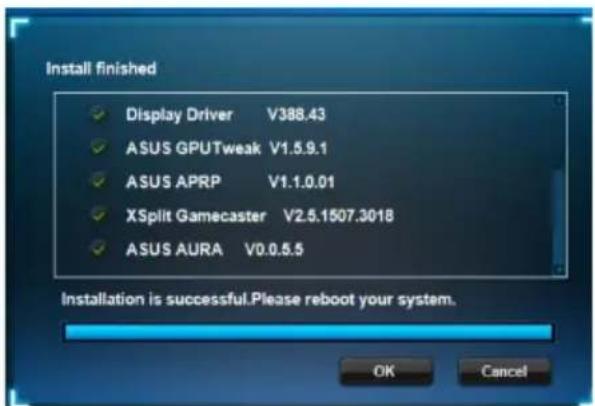
text_image Please select the items you want to install. ✓ Display Driver V388.43 ✓ ASUS GPUTweak V1.5.9.1 ✓ ASUS APRP V1.1.0.01 ✓ XSplit Gamecaster V2.5.1507.3018 ✓ ASUS AURA V0.0.5.5 Install Cancel

ASUS DUALGTX1660A6GEVO - Usuwanie XSplit Gamecaster w systemie Windows® 10 / 8.1 / 8 / 7 (64 bitowym) - 1

text_image Install finished ✓ Display Driver V388.43 ✓ ASUS GPU Tweak V1.5.9.1 ✓ ASUS APRP V1.1.0.01 ✓ XSplit Gamecaster V2.5.1507.3018 ✓ ASUS AURA V0.0.5.5 Installation is successful.Please reboot your system. OK Cancel

2.2 Desinstalar o controlador VGA

2.2.1 Remover os Windows ^® 10 / 8.1 / 8 / 7 (64 bit):

Para remover o controlador VGA no Windows®10 / 8.1 / 8 / 7 (64 bit):

text_image Please select the items you want to install. Google Chrome Google Toolbar Display Driver V388.43 ASUS GPUWeak V1.5.9.1 ASUS APRP V1.1.0.01 Install Cancel
text_image Install finished Google Chrome Google Toolbar Display Driver V388.43 ASUS GPUTweak V1.5.9.1 ASUS APRP V1.1.0.01 Installation is successful. Please reboot your system. OK Cancel

3.2 Desinstalar o ASUS GPU Tweak

3.2.1 Remover o ASUS GPU Tweak no Windows ^® 10 / 8.1 / 8 / 7 (64 bit)

Para remover o ASUS GPU Tweak no Windows ^® 10 / 8.1 / 8 / 7 (64 bit):

- Clique em Start (Iniciar) > Control Panel (Painel de controlo) > Programs (Programas) > Programs and Features (Programas e Funcionalidades). Seleccione ASUS GPU Tweak. Clique em Uninstall (Desinstalar).
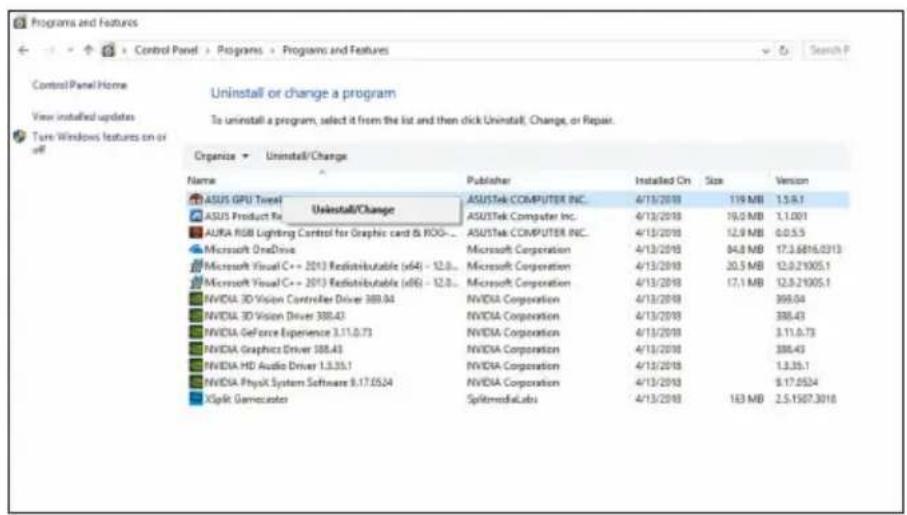
ASUS DUALGTX1660A6GEVO - Remover o ASUS GPU Tweak no Windows ^® 10 / 8.1 / 8 / 7 (64 bit) - 1

text_image Programs and Features Control Panel Home Uninstall or change a program View installed updates To uninstall a program, select it from the list and then click Uninstall, Change, or Repair. Tune Windows features on or off Organize ▶ Uninstall/Change Name ASUS GPU Tires ASUS Product Rx AUXA RGB Lighting Control for Graphic card & ROG... Microsoft OneDrive Microsoft Visual C++ 2013 Redistributable (x64) - 12.0... Microsoft Visual C++ 2013 Redistributable (x86) - 12.0... NVIDIA 3D Vision Controller Driver 388.43 NVIDIA 3D Vision Driver 388.43 NVIDIA GeForce Experience 3.11.0.73 NVIDIA Graphics Driver 388.43 NVIDIA HD Audio Driver 1.3.35.1 NVIDIA PhysX System Software 9.17.0524 Xilinx Gamencaler Publisher ASUSTek COMPUTER INC. ASUSTek Computer Inc. ASUSTek COMPUTER INC. Microsoft Corporation Microsoft Corporation Microsoft Corporation NVIDIA Corporation NVIDIA Corporation NVIDIA Corporation NVIDIA Corporation NVIDIA Corporation SVMmediaLabs Installed On Size 119 MB 19.0 MB 12.9 MB 84.8 MB 20.5 MB 17.1 MB 4/13/2010 4/13/2010 4/13/2010 4/13/2010 4/13/2010 4/13/2010 4/13/2010 4/13/2010 4/13/2010 4/13/2010 4/13/2015 388.43 3.11.0.73 388.43 1.3.35.1 9.17.0524 163 MB 2.5.1507.3018
text_image Please select the items you want to install. Display Driver V388.43 ASUS GPUTweak V1.5.9.1 ASUS APRP V1.1.0.01 XSplit Gamecaster V2.5.1507.3018 ASUS AURA V0.0.6.5 Install Cancel
text_image Install finished Google Chrome Google Toolbar ✓ Display Driver V388.43 ✓ ASUS GPU Tweak V1.5.9.1 ✓ ASUS APRP V1.1.0.01 Installation is successful. Please reboot your system. OK Cancel

4.2 Desinstalar o ASUS APRP

4.2.1 Remover o ASUS APRP no Windows ^® 10 / 8.1 / 8 / 7 (64 bit)

Para remover o ASUS APRP no Windows®10 / 8.1 / 8 / 7 (64 bit):

- Clique em Start (Iniciar) > Control Panel (Painel de controlo) > Programs (Programas) > Programs and Features (Programas e Funcionalidades). Seleccione ASUS APRP. Clique em Uninstall (Desinstalar).
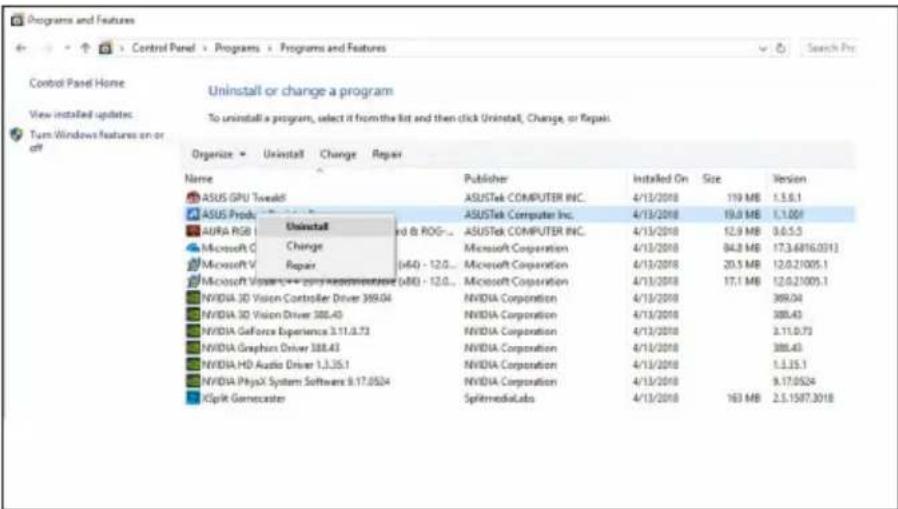
ASUS DUALGTX1660A6GEVO - Remover o ASUS APRP no Windows ^® 10 / 8.1 / 8 / 7 (64 bit) - 1

text_image Control Panel Home View installed updates Turn Windows features on or off Uninstall or change a program To uninstall a program, select it from the list and then click Uninstall, Change, or Repair. Organize Uninstall Change Repair Name Publisher Installed On Size Version ASUS GPU Toxwald ASUSTek COMPUTER INC. 4/13/2018 119 MB 1.5.6.1 ASUS Proda ASUSTek Computer Inc. 4/13/2018 19.0 MB 1.1.004 ADRA RGB Uninstall ASUSTek COMPUTER INC. 4/13/2018 12.9 MB 0.6.5.3 Microsoft C Change Microsoft Corporation 4/13/2018 84.8 MB 17.3.6816.0313 Microsoft V Repair Microsoft Corporation 4/13/2018 20.5 MB 12.0.21005.1 Microsoft Vision Control System 368-12.0... NVIDIA Corporation 4/13/2018 17.1 MB 12.0.21005.1 NVIDIA 3D Vision Controller Driver 369.04 NVIDIA Corporation 4/13/2018 369.04 NVIDIA 3D Vision Driver 388.43 NVIDIA Corporation 4/13/2018 388.43 NVIDIA GeForce Experience 3.11.0.73 NVIDIA Corporation 4/13/2018 2.11.0.73 NVIDIA Graphics Driver 388.43 NVIDIA Corporation 4/13/2018 388.43 NVIDIA HD Audio Driver 1.3.35.1 NVIDIA Corporation 4/13/2018 1.3.35.1 NVIDIA PhynX System Software 8.17.0524 NVIDIA Corporation 4/13/2018 9.17.0524 KipKit Gamecaster SphermediaLabs 4/13/2018 163 MB 2.5.1587.3018

5. XSplit Gamecaster

5.1 Instalar o XSplit Gamecaster

5.1.1 Instalar o XSplit Gamecaster no Windows® 10 / 8.1 / 8 / 7 (64 bit)

Para instalar o XSplit Gamecaster no Windows® 10 / 8.1 / 8 / 7 (64 bit):

text_image Please select the items you want to install. Display Driver V388.43 ASUS GPUTweak V1.5.9.1 ASUS APRP V1.1.0.01 XSplit Gamecaster V2.5.1507.3018 ASUS AURA V0.0.6.5 Install Cancel
text_image Install finished ✓ Display Driver V388.43 ✓ ASUS GPU Tweak V1.5.9.1 ✓ ASUS APRP V1.1.0.01 ✓ XSplit Gamecaster V2.5.1507.3018 ✓ ASUS AURA V0.0.5.5 Installation is successful.Please reboot your system. OK Cancel

5.2 Desinstalar o XSplit Gamecaster

5.2.1 Remover o XSplit Gamecaster no Windows® 10 / 8.1 / 8 / 7 (64 bit)

Para remover o XSplit Gamecaster no Windows® 10 / 8.1 / 8 / 7 (64 bit):

- Clique em Start (Iniciar) > Control Panel (Painel de controlo) > Programs (Programas) > Programs and Features (Programas e Funcionalidades). Seleccione XSplit Gamecaster. Clique em Uninstall (Desinstalar).
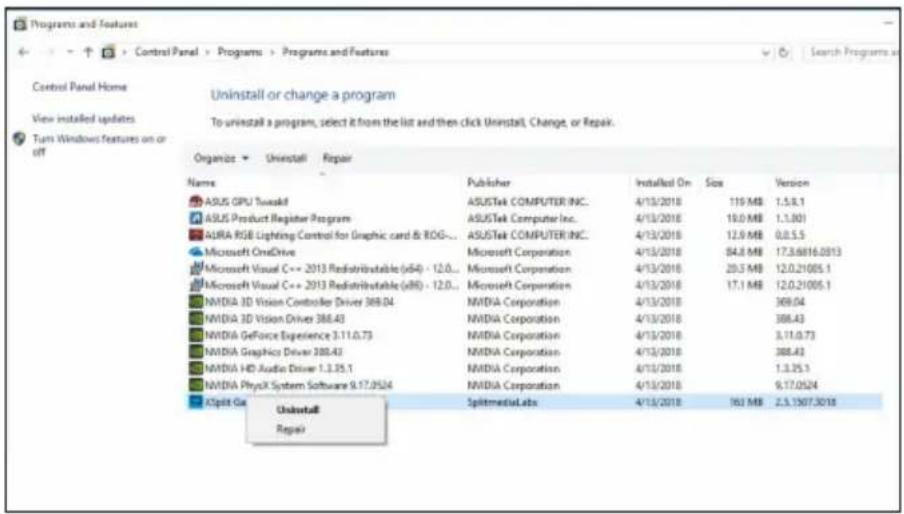
ASUS DUALGTX1660A6GEVO - Remover o XSplit Gamecaster no Windows® 10 / 8.1 / 8 / 7 (64 bit) - 1

text_image Control Panel Home View installed updates Turn Windows Features on or off Uninstall or change a program To uninstall a program, select it from the list and then click Uninstall, Change, or Repair. Organize Uninstall Repair Name Publisher Installed On Size Version ASUS GPU Towackl ASUSTek COMPUTER INC. 4/13/2018 119 MB 1.5.3.1 ASUS Product Register Program ASUSTek Computer Inc. 4/13/2018 19.0 MB 1.3.301 ADRA RGB Lighting Control for Graphic card & BOG... ASUSTek COMPUTER INC. 4/13/2018 12.9 MB 0.0.5.5 Microsoft OneDrive Microsoft Corporation 4/13/2018 84.8 MB 17.3.6816.0313 Microsoft Visual C++ 2013 Redistributable (v84) - 12.0... Microsoft Corporation 4/13/2018 29.5 MB 12.0.21005.1 Microsoft Visual C++ 2013 Redistributable (v85) - 12.0... Microsoft Corporation 4/13/2018 17.1 MB 12.0.21005.1 NVIDIA 3D Vision Controller Driver 369.04 NVIDIA Corporation 4/13/2018 369.04 NVIDIA 3D Vision Driver 386.43 NVIDIA Corporation 4/13/2018 386.43 NVIDIA GeForce Experience 3.11.0.73 NVIDIA Corporation 4/13/2018 3.11.0.73 NVIDIA Graphics Driver 388.43 NVIDIA Corporation 4/13/2018 388.43 NVIDIA HD Audio Driver 1.3.35.1 NVIDIA Corporation 4/13/2018 1.3.35.1 NVIDIA Physix System Software 9.17.0524 NVIDIA Corporation 4/13/2018 9.17.0524 Alclip Go SplitmediusLabs 4/13/2018 163 MB 2.5.1307.3018 Uninstall Repair

6. ASUS AURA

6.1 Instalar o ASUS AURA

6.1.1 Instalar o ASUS AURA no Windows® 10 / 8.1 / 8 / 7 (64 bit)

Para instalar o ASUS AURA no Windows® 10 / 8.1 / 8 / 7 (64 bit):

text_image Please select the items you want to install. Display Driver V388.43 ASUS GPUTweak V1.5.9.1 ASUS APRP V1.1.0.01 XSplit Gamecaster V2.5.1507.3018 ASUS AURA V0.0.6.5 Install Cancel
text_image Install finished ✓ Display Driver V388.43 ✓ ASUS GPU Tweak V1.5.9.1 ✓ ASUS APRP V1.1.0.01 ✓ XSplit Gamecaster V2.6.1507.3018 ✓ ASUS AURA V0.0.5.5 Installation is successful.Please reboot your system. OK Cancel

6.2 Desinstalar o ASUS AURA

6.2.1 Remover o ASUS AURA no Windows ^® 10 / 8.1 / 8 / 7 (64 bit)

Para remover o ASUS AURA no Windows®10 / 8.1 / 8 / 7 (64 bit):

- Clique em Start (Iniciar) > Control Panel (Painel de controlo) > Programs (Programas) > Programs and Features (Programas e Funcionalidades). Seleccione ASUS AURA. Clique em Uninstall (Desinstalar).
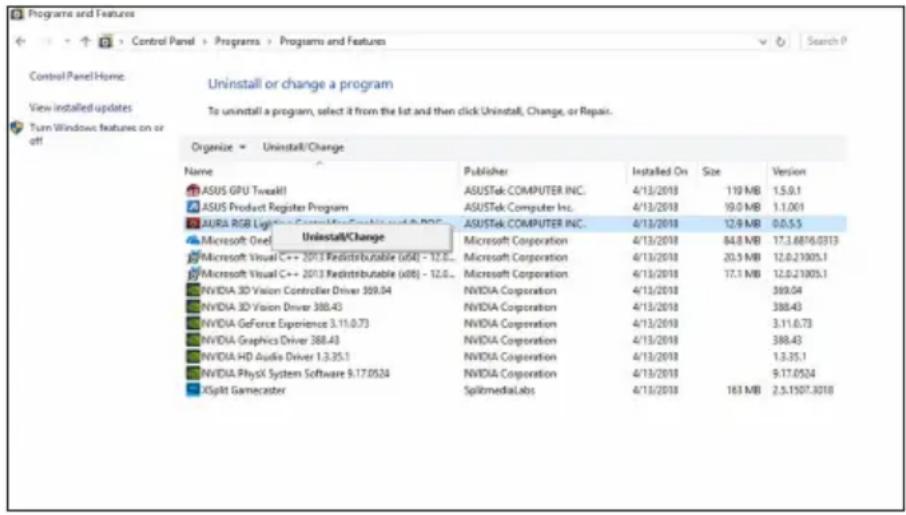
ASUS DUALGTX1660A6GEVO - Remover o ASUS AURA no Windows ^® 10 / 8.1 / 8 / 7 (64 bit) - 1

text_image Control Panel Home: View installed updates Turn Windows features on or off Uninstall or change a program To uninstall a program, select it from the list and then click Uninstall, Change, or Repair. Organize Uninstall/Change Name Publisher Installed On Size Version ASUS GPU TiveAll ASUSTak COMPUTER INC. 4/13/2018 119 MB 1.5.0.1 ASUS Product Register Program ASUSTak Computer Inc. 4/13/2018 19.0 MB 1.1.001 AURA RGB Light-Compu-Computer & A BOS ASUSTak COMPUTER INC. 4/13/2018 12.9 MB 0.0.5.5 Microsoft One Install/Change Microsoft Corporation 4/13/2018 84.8 MB 17.3.6816.0313 Microsoft Visual C++ 2013 Redistributable (dll) - 12.6... Microsoft Corporation 4/13/2018 20.3 MB 12.0.21905.1 Microsoft Visual C++ 2013 Redistributable (dll) - 12.6... Microsoft Corporation 4/13/2018 17.1 MB 12.0.21905.1 NVIDIA 3D Vision Controller Driver 359.04 NVIDIA Corporation 4/13/2018 388.04 NVIDIA 3D Vision Driver 388.43 NVIDIA Corporation 4/13/2018 388.43 NVIDIA GeForce Experience 3.11.0.73 NVIDIA Corporation 4/13/2018 3.11.0.73 NVIDIA Graphics Driver 388.43 NVIDIA Corporation 4/13/2018 388.43 NVIDIA HD Audio Driver 1.3.35.1 NVIDIA Corporation 4/13/2018 1.3.35.1 NVIDIA PhysX System Software 9.17.0524 NVIDIA Corporation 4/13/2018 9.17.0524 XSplit Gamescenter SplitmediaLabs 4/13/2018 163 MB 2.5.1907.3018
text_image ASUS Display Drivers DVD Readme file Supported Cards: ASUS EN210 ASUS ENGT220 ASUS ENGT240 ASUS ENGT5210 ASUS ENGT×260 ASUS ENGT×275 ASUS ENGT×280 ASUS ENGT×285 ASUS ENGT×295 ASUS EN9800 series ASUS EN9600 series ASUS EN9500 series ASUS EN9400 series ASUS EN9300 series ASUS EN9200 series ASUS EN9100 series ASUS EN9000 series ASUS EN7600 series ASUS EN7300 series ASUS EN7200 series ASUS EN6800 series ASUS EN6600 series
  1. XSplit Gamecaster....280

5.1 Instalar XSplit Gamecaster....280

5.2 Desinstalar XSplit Gamecaster 281

  1. ASUS AURA 282

6.1 Instalar ASUS AURA 282

6.2 Desinstalar ASUS AURA....283

text_image Please select the items you want to install. Display Driver V388.43 ASUS GPUTweak V1.5.9.1 ASUS APRP V1.1.0.01 XSplit Gamecaster V2.5.1507.3018 ASUS AURA V0.0.5.5 Install Cancel
text_image Install finished ✓ Display Driver V388.43 ✓ ASUS GPU Tweak V1.5.9.1 ✓ ASUS APRP V1.1.0.01 ✓ XSplit Gamecaster V2.5.1507.3018 ✓ ASUS AURA V0.0.5.5 Installation is successful.Please reboot your system. OK Cancel
text_image Install finished Google Chrome Google Toolbar ✓ Display Driver V388.43 ✓ ASUS GPUTweak V1.59.1 ✓ ASUS APRP V1.10.01 Installation is successful.Please reboot your system. OK Cancel

3.2 Desinstalar ASUS GPU Tweak

3.2.1 Quitar ASUS GPU Tweak en Windows ^® 10 / 8.1 / 8 / 7 (64 bit)

Para quitar ASUS GPU Tweak en Windows 10 / 8.1 / 8 / 7 (64 bit):

text_image Please select the items you want to install. Display Driver V388.43 ASUS GPUTweak V1.5.9.1 ASUS APRP V1.1.0.01 XSplit Gamecaster V2.5.1507.3018 ASUS AURA V0.0.6.5 Install Cancel
text_image Install finished Google Chrome Google Toolbar ✓ Display Driver V388.43 ✓ ASUS GPUTweak V1.5.9.1 ✓ ASUS APRP V1.1.0.01 Installation is successful.Please reboot your system. OK Cancel

4.2 Desinstalar ASUS APRP

4.2.1 Quitar ASUS APRP en Windows ^® 10 / 8.1 / 8 / 7 (64 bit)

Para quitar ASUS APRP en Windows ^® 10 / 8.1 / 8 / 7 (64 bit):

text_image Please select the items you want to install. Display Driver V388.43 ASUS GPUTweak V1.5.9.1 ASUS APRP V1.1.0.01 XSplit Gamecaster V2.5.1507.3018 ASUS AURA V0.0.6.5 Install Cancel
text_image Install finished ✓ Display Driver V388.43 ✓ ASUS GPUWeak V1.5.9.1 ✓ ASUS APRP V1.1.0.01 ✓ XSplit Gamecaster V2.5.1507.3018 ✓ ASUS AURA V0.0.6.6 Installation is successful.Please reboot your system. OK Cancel

5.2 Desinstalar XSplit Gamecaster

5.2.1 Quitar XSplit Gamecaster en Windows ^® 10 / 8.1 / 8 / 7 (64 bit)

Para quitar XSplit Gamecaster en Windows ^® 10 / 8.1 / 8 / 7 (64 bit):

- Haga clic en Start (Inicio) > Control Panel (Panel de control) > Programs (Programas) > Programs and Features (Programas y características) y seleccione XSplit Gamecaster. Haga clic en Uninstall (Desinstalar).
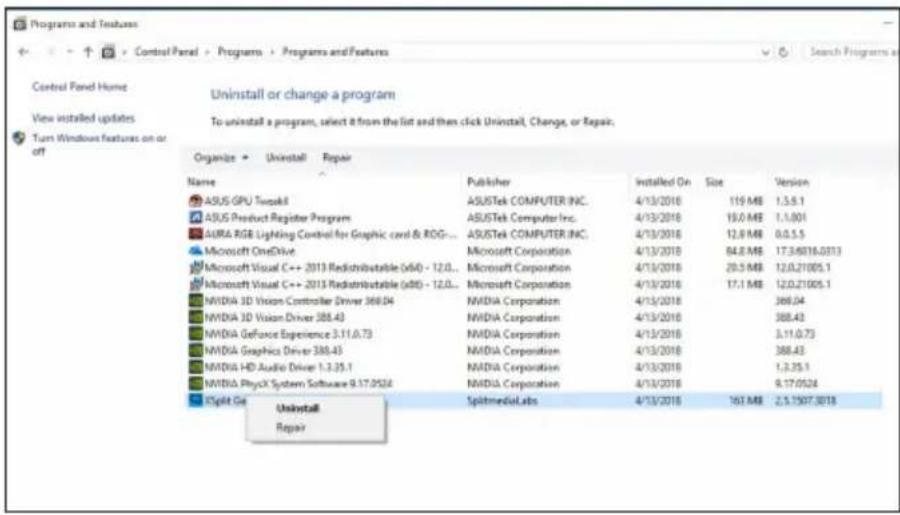
ASUS DUALGTX1660A6GEVO - Quitar XSplit Gamecaster en Windows ^® 10 / 8.1 / 8 / 7 (64 bit) - 1

text_image Control Panel Home View installed updates Turn Windows features on or off Uninstall or change a program To uninstall a program, select it from the list and then click Uninstall, Change, or Repair. Organize Uninstall Repair Name Publisher Installed On Size Version ASUS GPU Tncsall ASUSTek COMPUTER INC. 4/13/2018 119 MB 1.5.5.1 ASUS Product Register Program ASUSTek Computer Inc. 4/13/2018 15.0 MB 1.1.001 AURA RGE Lighting Control for Graphic card & RDG... ASUSTek COMPUTER INC. 4/13/2018 12.8 MB 0.0.5.5 Microsoft OneDrive Microsoft Corporation 4/13/2018 64.8 MB 17.3.6916.0313 Microsoft Visual C++ 2013 Redistributable (x60 - 12.0... Microsoft Visual C++ 2013 Redistributable (x80 - 12.0... NVIDIA 3D Vision Controller Driver 368.04 NVIDIA Corporation 4/13/2018 20.5 MB 12.0.21005.1 NVIDIA 3D Vision Driver 388.43 NVIDIA Corporation 4/13/2018 17.1 MB 12.0.21005.1 NVIDIA GeForce Experience 3.11.0.73 NVIDIA Corporation 4/13/2018 368.43 NVIDIA Graphics Driver 388.43 NVIDIA Corporation 4/13/2018 3.11.0.73 NVIDIA HD Audio Driver 1.3.25.1 NVIDIA Corporation 4/13/2018 368.43 NVIDIA PhysiC System Software 9.17.0526 NVIDIA Corporation 4/13/2018 1.2.25.1 Split Go Splitmediol Labs 4/13/2018 9.17.0526 Uninstall Repair

6. ASUS AURA

text_image Please select the items you want to install. Display Driver V388.43 ASUS GPUTweak V1.5.9.1 ASUS APRP V1.1.0.01 XSplit Gamecaster V2.5.1507.3018 ASUS AURA V0.0.6.5 Install Cancel
text_image Install finished ✓ Display Driver V388.43 ✓ ASUS GPU Tweak V1.5.9.1 ✓ ASUS APRP V1.1.0.01 ✓ XSplit Gamecaster V2.5.1507.3018 ✓ ASUS AURA V0.0.5.5 Installation is successful.Please reboot your system. OK Cancel

6.2 Desinstalar ASUS AURA

6.2.1 Quitar ASUS AURA en Windows ^® 10 / 8.1 / 8 / 7 (64 bit)

Para quitar ASUS AURA en Windows ^4 10 / 8.1 / 8 / 7 (64 bit):

text_image ASUS Display Drivers DVD Readme File Supported Cards: ASUS EN210 ASUS ENGT220 ASUS ENGT240 ASUS ENGT5250 ASUS ENGTX260 ASUS ENGTX273 ASUS ENGTX280 ASUS ENGTX283 ASUS ENGTX293 ASUS EN0800 series ASUS EN0600 series ASUS EN0800 series ASUS EN9500 series ASUS EN9400 series ASUS EN8800 series ASUS EN8600 series ASUS EN8500 series ASUS EN8400 series ASUS EN7950 series ASUS EN7900 series ASUS EN7800 series ASUS EN7300 series ASUS EN7200 series ASUS EN6800 series ASUS EN6600 series
natural_image Four cartoon-style green trash can icons showing different expressions of surprise or surprise (no text or symbols)
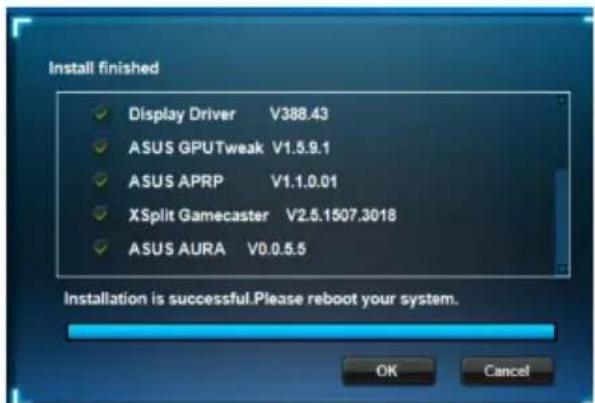
text_image Please select the items you want to install. Display Driver V388.43 ASUS GPUTweak V1.5.9.1 ASUS APRP V1.1.0.01 XSplit Gamecaster V2.5.1507.3018 ASUS AURA V0.0.5.6 Install Cancel

ASUS DUALGTX1660A6GEVO - Quitar ASUS AURA en Windows ^® 10 / 8.1 / 8 / 7 (64 bit) - 1

text_image Install finished ✓ Display Driver V388.43 ✓ ASUS GPU Tweak V1.5.9.1 ✓ ASUS APRP V1.1.0.01 ✓ XSplit Gamecaster V2.5.1507.3018 ✓ ASUS AURA V0.0.5.5 Installation is successful.Please reboot your system. OK Cancel
text_image Please select the items you want to install. Google Chrome Google Toolbar Display Driver V388.43 ASUS$ GPU Tweak V1.5.9.1 ASUS$ APRP V1.1.0.01 Install Cancel
text_image Install finished Google Chrome Google Toolbar Display Driver V388.43 ASUS GPUTweak V1.5.9.1 ASUS APRP V1.1.0.01 Installation is successful.Please reboot your system. OK Cancel
text_image Please select the items you want to install. Display Driver V388.43 ASUS GPUWeak V1.5.9.1 ASUS APRP V1.1.0.01 XSplit Gamecaster V2.5.1507.3018 ASUS AURA V0.0.6.5 Install Cancel
text_image Install finished Google Chrome Google Toolbar ✓ Display Driver V388.43 ✓ ASUS GPUTweak V1.5.9.1 ✓ ASUS APRP V1.1.0.01 Installation is successful.Please reboot your system. OK Cancel
text_image Please select the items you want to install. Display Driver V388.43 ASUS GPUTweak V1.5.9.1 ASUS APRP V1.1.0.01 XSplit Gamecaster V2.5.1507.3018 ASUS AURA V0.0.5.5 Install Cancel
text_image Install finished ✓ Display Driver V388.43 ✓ ASUS GPU Tweak V1.5.9.1 ✓ ASUS APRP V1.1.0.01 ✓ X Split Gamecaster V2.5.1507.3018 ✓ ASUS AURA V0.0.5.5 Installation is successful. Please reboot your system. OK Cancel
text_image Please select the items you want to install. Display Driver V388.43 ASUS GPUTweak V1.5.9.1 ASUS APRP V1.1.0.01 XSplit Gamecaster V2.5.1507.3018 ASUS AURA V0.0.6.5 Install Cancel
text_image Install finished ✓ Display Driver V388.43 ✓ ASUS GPU Tweak V1.5.9.1 ✓ ASUS APRP V1.1.0.01 ✓ XSplit Gamecaster V2.5.1607.3018 ✓ ASUS AURA V0.0.5.5 Installation is successful.Please reboot your system. OK Cancel
text_image ASUS display drivers dvp readme file supported cards: ASUS EN010 ASUS ENGT220 ASUS ENGT240 ASUS ENGT5210 ASUS ENGTX260 ASUS ENGTX275 ASUS ENGTX280 ASUS ENGTX285 ASUS ENGTX295 ASUS EN900D series ASUS EN900D series ASUS EN900D series ASUS EN900D series ASUS EN900D series ASUS EN900D series ASUS EN900D series ASUS EN900D series ASUS EN900D series ASUS EN900D series ASUS EN900D series ASUS EN900D series
text_image Please select the items you want to install. Display Driver V388.43 ASUS GPUTweak V1.5.9.1 ASUS APRP V1.1.0.01 XSplit Gamecaster V2.5.1507.3018 ASUS AURA V0.0.5.5 Install Cancel
  1. Kada instalacija završi, kliknite OK (U redu) za ponovno pokretanje sustava.

ASUS DUALGTX1660A6GEVO - Quitar ASUS AURA en Windows ^® 10 / 8.1 / 8 / 7 (64 bit) - 2

text_image Install finished ✓ Display Driver V388.43 ✓ ASUS GPU Tweak V1.5.9.1 ✓ ASUS APRP V1.1.0.01 ✓ XSplit Gamecaster V2.5.1507.3018 ✓ ASUS AURA V0.0.5.5 Installation is successful.Please reboot your system. OK Cancel

2.2 Deinstaliranje VGA upravljačkog programa

2.2.1 Deinstaliranje VGA upravljačkog programa u sustavu Windows 10 / 8.1 / 8 / 7(64 bita)

Uklanjanje VGA upravljačkog programa u sustavu Windows* 10 / 8.1 / 8 / 7(64 bita):

- Kliknite Start > Control Panel (Upravljačka ploča) > Programs (Programi) > Programs and Features (Programi i funkcije), odaberite grafički upravljački program. Kliknite Uninstall (Deinstaliraj).
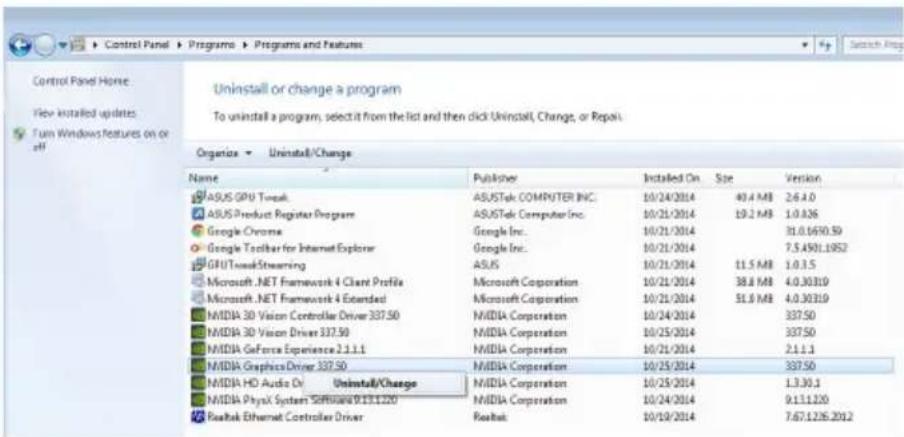
ASUS DUALGTX1660A6GEVO - Deinstaliranje VGA upravljačkog programa u sustavu Windows 10 / 8.1 / 8 / 7(64 bita) - 1

text_image Control Panel Home View installed updates Turn Windows features on or off Uninstall or change a program To uninstall a program, select it from the list and then click Uninstall, Change, or Report. Organize Uninstall/Change Name Publisher Installed On Size Version ASUS GPU Track ASUSTek COMPUTER INC. 10/24/2014 40.4 MB 2.6.4.0 ASUS Product Register Program ASUSTek Computer Inc. 10/21/2014 19.2 MB 1.0.836 Google Chrome Google Inc. 10/21/2014 31.0.1690.50 Google Toolbar for Internet Explorer Google Inc. 10/21/2014 7.5.4901.1952 GPU Track Streaming ASUS 10/21/2014 11.5 MB 1.0.1.5 Microsoft .NET Framework 4 Client Profile Microsoft Corporation 10/21/2014 38.8 MB 4.0.30319 Microsoft .NET Framework 4 Extended Microsoft Corporation 10/21/2014 31.8 MB 4.0.30319 MIDIA 3D Vision Controller Driver 337.50 MIDIA Corporation 10/24/2014 337.50 MIDIA 3D Vision Driver 337.50 MIDIA Corporation 10/25/2014 337.50 MIDIA GeForce Experience 2.1.1.1 MIDIA Corporation 10/21/2014 2.1.1.1 MIDIA Graphics Driver 337.50 MIDIA Corporation 10/25/2014 337.50 MIDIA HD Audio Dr Uninstall/Change MIDIA Corporation 10/25/2014 1.3.30.1 MIDIA Physi System Software 9.13.12:0 MIDIA Corporation 10/24/2014 9.1.1.12:0 Realtek Ethernet Controller Driver Realtek: 10/19/2014 7.67.1236.2012

3. Uslužni program ASUS GPU Tweak

Uslužni program ASUS GPU Tweak omogućuje vam nadzor i optimiziranje postavki ASUS grafičke kartice.

3.1 Instaliranje ASUS GPU Tweak

3.1.1 Instaliranje ASUS GPU Tweak u Windows °10 / 8.1 / 8 / 7(64 bita)

Instaliranje ASUS GPU Tweak u Windows® 10 / 8.1 / 8 / 7(64 bita):

  1. Stavite CD za podršku u pogon optičkog diska.
  2. Ako je aktivirano automatsko pokretanje (Autorun), automatski će se pojaviti glavni izbornik.
    Ako je onemogućeno automatsko pokretanje, pokrenite datoteku UI.exe u osnovnom direktoriju CD-a za podršku.

  3. Na glavnom izborniku kliknite Install (Instaliraj).

Odaberite ASUS GPU Tweak i kliknite gumb Install (Instaliraj).
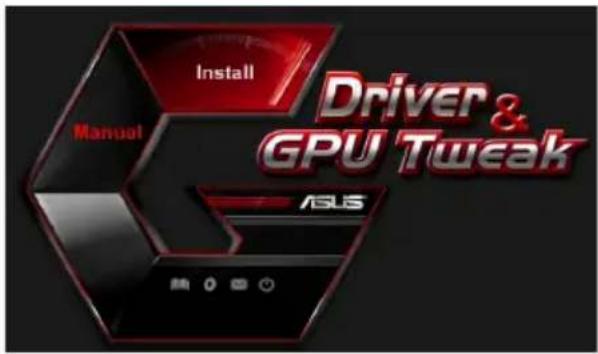
ASUS DUALGTX1660A6GEVO - Instaliranje ASUS GPU Tweak u Windows °10 / 8.1 / 8 / 7(64 bita) - 1

text_image Install Driver & GPU Tweak Manual ASUS

ASUS DUALGTX1660A6GEVO - Instaliranje ASUS GPU Tweak u Windows °10 / 8.1 / 8 / 7(64 bita) - 2

text_image Please select the items you want to install. Google Chrome Google Toolbar Display Driver V388.43 ASUS GPUWeak V1.5.9.1 ASUS APRP V1.1.0.01 Install Cancel
text_image Install finished Google Chrome Google Toolbar Display Driver V388.43 ASUS GPUTweak V1.5.9.1 ASUS APRP V1.1.0.01 Installation is successful.Please reboot your system. OK Cancel

3.2 Deinstaliranje ASUS GPU Tweak

3.2.1 Uklanjanje ASUS GPU Tweak u Windows ^® 10 / 8.1 / 8 / 7(64 bita)

Uklanjanje ASUS GPU Tweak u Windows ^® 10 / 8.1 / 8 / 7(64 bita):

- Kliknite Start > Control Panel (Upravljačka ploča) > Programs (Programi) > Programs and Features (Programi i funkcije), odaberite ASUS GPU Tweak. Kliknite Uninstall (Deinstaliraj).

ASUS DUALGTX1660A6GEVO - Uklanjanje ASUS GPU Tweak u Windows ^® 10 / 8.1 / 8 / 7(64 bita) - 1

text_image Control Panel Home View installed updates Turn Windows features on or off Uninstall or change a program To uninstall a program, select it from the list and then click Uninstall, Change, or Repair: Organize ▼ Uninstall/Change Name Publisher Installed On Size Version ASUS GPU Total Uninstall/Change ASUS Product Ret ASUSTek COMPUTER INC. 4/13/2018 119 MB 1.5.9.1 AURA RGB Lighting Control for Graphics card & ROG... ASUSTek COMPUTER INC. 4/13/2018 19.0 MB 1.1.001 Microsoft OneDrive ASUSTek COMPUTER INC. 4/13/2018 12.9 MB 0.0.5.5 Microsoft Visual C++ 2013 Redistributable (xfd) - 12.0... Microsoft Corporation 4/13/2018 64.8 MB 17.3.6816.0913 Microsoft Visual C++ 2013 Redistributable (xfd) - 12.0... Microsoft Corporation 4/13/2018 20.5 MB 12.0.21005.1 NVIDIA 3D Vision Controller Driver 388.94 NVIDIA Corporation 4/13/2018 17.1 MB 12.0.21005.1 NVIDIA 3D Vision Driver 388.43 NVIDIA Corporation 4/13/2018 388.43 NVIDIA GeForce Experience 3.11.6.73 NVIDIA Corporation 4/13/2018 388.43 NVIDIA Graphics Driver 388.43 NVIDIA Corporation 4/13/2018 1.3.35.1 NVIDIA HD Audio Driver 1.3.35.1 NVIDIA Corporation 4/13/2018 9.17.0524 NVIDIA PhysX System Software 9.17.0524 NVIDIA Corporation 4/13/2018 9.17.0524 XSplit Gamecaster SplitmediaLubi 4/13/2018 163 MB 2.5.1907.3018

4. ASUS APRP

4.1 Instaliranje ASUS APRP

4.1.1 Instaliranje ASUS APRP u Windows ^® 10 / 8.1 / 8 / 7(64 bita)

Instaliranje ASUS APRP u Windows® 10 / 8.1 / 8 / 7(64 bita):

  1. Stavite CD za podršku u pogon optičkog diska.
  2. Ako je aktivirano automatsko pokretanje (Autorun), automatski će se pojaviti glavni izbornik. Ako je onemogućeno automatsko pokretanje, pokrenite datoteku UI.exe u osnovnom direktoriju CD-a za podršku.

  3. Na glavnom izborniku kliknite Install (Instaliraj). Odaberite ASUS APRP i kliknite gumb Install (Instaliraj).
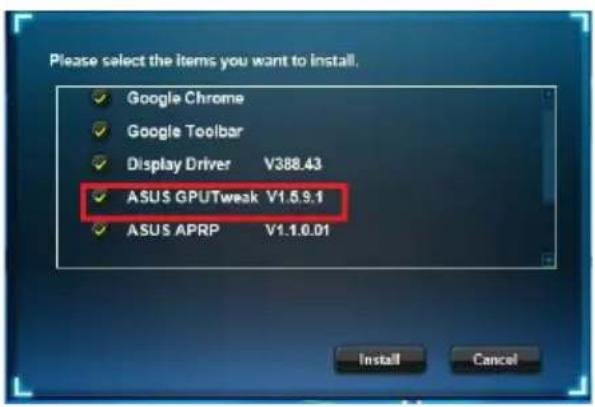
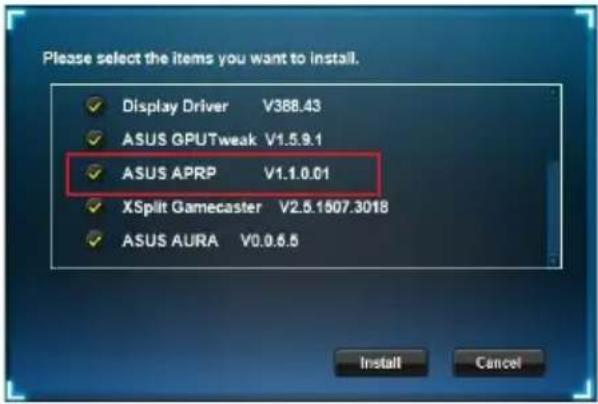
ASUS DUALGTX1660A6GEVO - Instaliranje ASUS APRP u Windows ^® 10 / 8.1 / 8 / 7(64 bita) - 1

text_image Install Driver & GPU Tweak Manual ASUS

ASUS DUALGTX1660A6GEVO - Instaliranje ASUS APRP u Windows ^® 10 / 8.1 / 8 / 7(64 bita) - 2

text_image Please select the items you want to install. Display Driver V388.43 ASUS GPUTweak V1.5.9.1 ASUS APRP V1.1.0.01 XSplit Gamecaster V2.5.1507.3018 ASUS AURA V0.0.6.5 Install Cancel
text_image Install finished Google Chrome Google Toolbar ✓ Display Driver V388.43 ✓ ASUS GPUTweak V1.5.9.1 ✓ ASUS APRP V1.1.0.01 Installation is successful. Please reboot your system. OK Cancel

4.2 Deinstaliranje ASUS APRP

4.2.1 Uklanjanje ASUS APRP u Windows ^° 10 / 8.1 / 8 / 7(64 bita)

Uklanjanje ASUS APRP u Windows ^® 10 / 8.1 / 8 / 7(64 bita):

Kliknite Start > Control Panel (Upravljačka ploča) > Programs (Programi) > Programs and Features (Programi i funkcije), odaberite ASUS APRP. Kliknite Uninstall (Deinstaliraj).
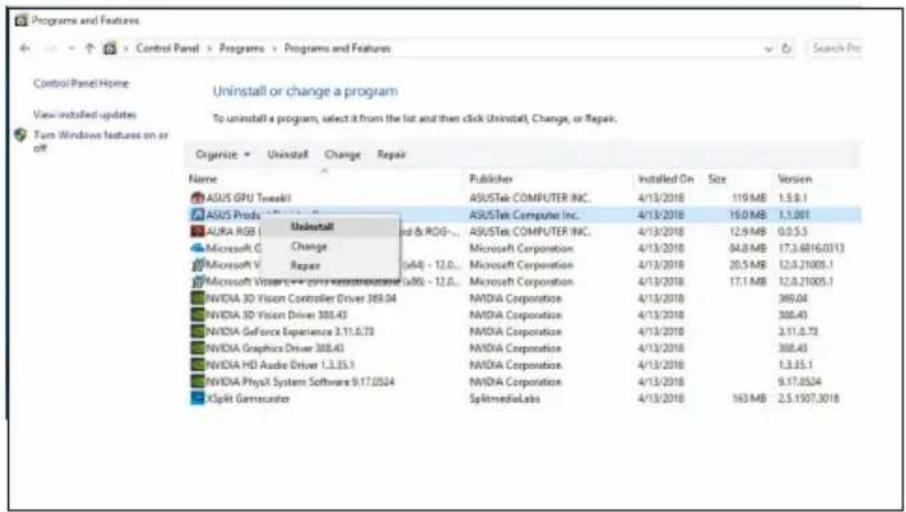
ASUS DUALGTX1660A6GEVO - Uklanjanje ASUS APRP u Windows ^° 10 / 8.1 / 8 / 7(64 bita) - 1

text_image Programs and Features Control Panel > Programs > Programs and Features Search Pro Control Panel Home Uninstall or change a program View installed updates Turn Windows features on or off To uninstall a program, select it from the list and then click Uninstall, Change, or Repair. Organize Uninstall Change Repair Name ASUS GPU Tewakil ASUS Prod AURA RGB Uninstall Microsoft G Change Microsoft V Repair Microsoft Vision Control Panel NVIDIA 3D Vision Controller Driver 368.04 NVIDIA 3D Vision Driver 308.43 NVIDIA GeForce Experience 3.11.0.73 NVIDIA Graphics Driver 308.43 NVIDIA HD Audio Driver 1.3.35.1 NVIDIA PhysX System Software 9.17.0524 XGInit Gamescenter Publisher Installed On Size Version ASUSTek COMPUTER INC. ASUSTek Computer Inc. ASUSTek COMPUTER INC. Microsoft Corporation 4/13/2018 12.9 MB 1.5.8.1 Microsoft Corporation 4/13/2018 15.0 MB 1.1.001 Microsoft Corporation 4/13/2018 12.9 MB 0.0.5.5 Microsoft Corporation 4/13/2018 84.8 MB 17.3.6816.0313 Microsoft Corporation 4/13/2018 20.5 MB 12.0.21005.1 Microsoft Corporation 4/13/2018 17.1 MB 12.0.21005.1 NVIDIA Corporation 4/13/2018 369.04 NVIDIA Corporation 4/13/2018 308.43 NVIDIA Corporation 4/13/2018 3.11.0.73 NVIDIA Corporation 4/13/2018 308.43 NVIDIA Corporation 4/13/2018 1.3.35.1 NVIDIA Corporation 4/13/2018 9.17.0524 SplimediaLabs 4/13/2018 163 MB 2.5.1507.3018

5. XSplit Gamecaster

5.1 Instaliranje XSplit Gamecaster

5.1.1 Instaliranje XSplit Gamecaster u Windows \* 10 / 8.1 / 8 / 7 (64 bita)

Instaliranje XSplit Gamecaster u Windows° 10 / 8.1 / 8 / 7 (64 bita):

  1. Stavite CD za podršku u pogon optičkog diska.
  2. Ako je aktivirano automatsko pokretanje (Autorun), automatski će se pojaviti glavni izbornik.
    Ako je onemogućeno automatsko pokretanje, pokrenite datoteku Ul.exe u osnovnom direktoriju CD-a za podršku.
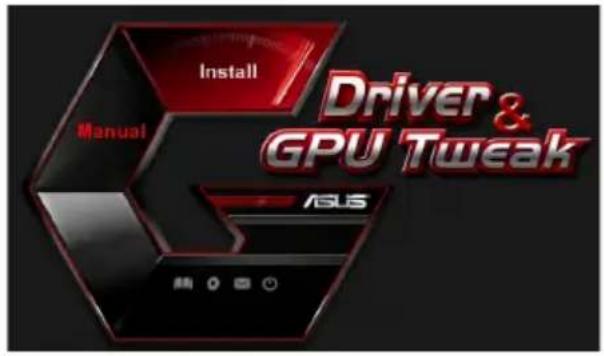
ASUS DUALGTX1660A6GEVO - Instaliranje XSplit Gamecaster u Windows \* 10 / 8.1 / 8 / 7 (64 bita) - 1

text_image Install Driver & GPU Tweak Manual ASUS
  1. Na glavnom izborniku kliknite Install (Instaliraj).

Odaberite XSplit Gamecaster i kliknite gumb Install (Instaliraj).
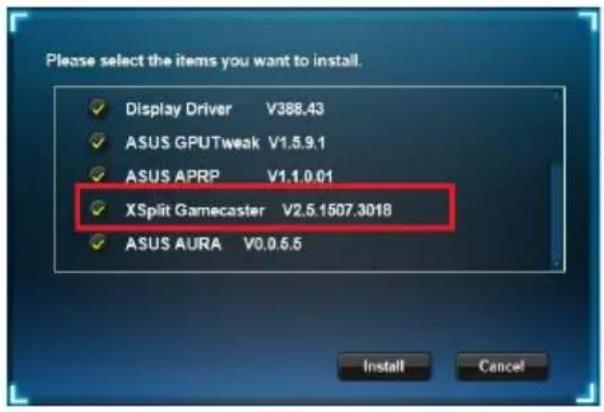
ASUS DUALGTX1660A6GEVO - Instaliranje XSplit Gamecaster u Windows \* 10 / 8.1 / 8 / 7 (64 bita) - 2

text_image Please select the items you want to install. Display Driver V388.43 ASUS GPUTweak V1.5.9.1 ASUS APRP V1.1.0.01 XSplit Gamecaster V2.5.1507.3018 ASUS AURA V0.0.6.5 Install Cancel
text_image Install finished ✓ Display Driver V388.43 ✓ ASUS GPU Tweak V1.5.9.1 ✓ ASUS APRP V1.1.0.01 ✓ X Split Gamecaster V2.5.1507.3018 ✓ ASUS AURA V0.0.5.5 Installation is successful.Please reboot your system. OK Cancel

5.2 Deinstaliranje XSplit Gamecaster

5.2.1 Uklanjanje XSplit Gamecaster u Windows ^* 10 / 8.1 / 8 / 7 (64 bita)

Uklanjanje XSplit Gamecaster u Windows ^4 10 / 8.1 / 8 / 7 (64 bita):

- Kliknite Start > Control Panel (Upravljačka ploča) > Programs (Programi) > Programs and Features (Programi i funkcije), odaberite XSplit Gamecaster. Kliknite Uninstall (Deinstaliraj).
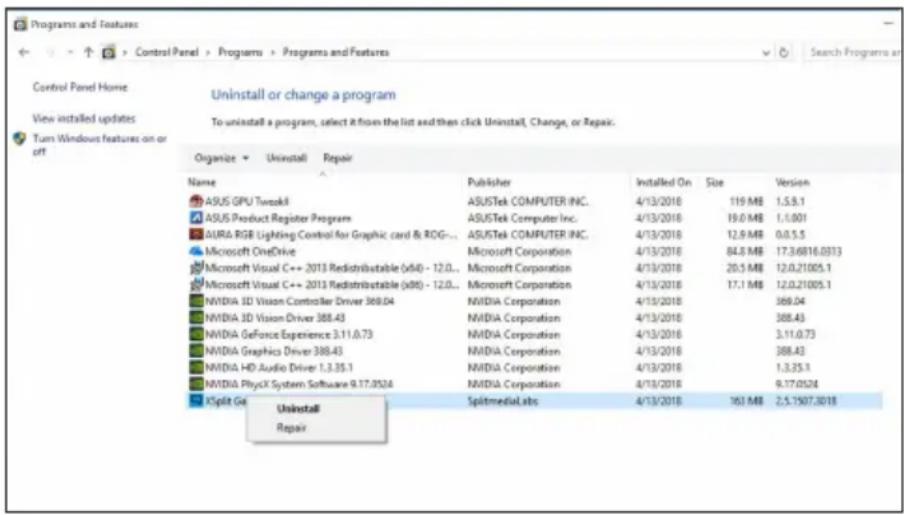
ASUS DUALGTX1660A6GEVO - Uklanjanje XSplit Gamecaster u Windows ^* 10 / 8.1 / 8 / 7 (64 bita) - 1

text_image Control Panel Home View installed updates Turn Windows features on or off Uninstall or change a program To uninstall a program, select it from the list and then click Uninstall, Change, or Repair. Organize Uninstall Repair Name Publisher Installed On Size Version ASUS GPU Twookil ASUSTek COMPUTER INC. 4/13/2016 119 MB 1.5.8.1 ASUS Product Register Program ASUSTek Computer Inc. 4/13/2016 19.0 MB 1.1.001 AURS RGB Lighting Control for Graphic card & RDG... Microsoft OneDrive Microsoft Corporation 4/13/2016 12.9 MB 0.0.5.5 Microsoft Visual C++ 2013 Redistributable (x84) - 12.0... Microsoft Corporation 4/13/2016 84.8 MB 17.3.6816.0313 Microsoft Visual C++ 2013 Redistributable (x85) - 12.0... Microsoft Corporation 4/13/2016 20.5 MB 12.0.21005.1 NVIDIA 3D Vision Controller Driver 369.04 NVIDIA Corporation 4/13/2016 17.1 MB 12.0.21005.1 NVIDIA 3D Vision Driver 388.43 NVIDIA Corporation 4/13/2016 369.04 NVIDIA GeForce Experience 3.11.0.73 NVIDIA Corporation 4/13/2016 388.43 NVIDIA Graphics Driver 388.43 NVIDIA Corporation 4/13/2016 3.11.0.73 NVIDIA HD Audio Driver 1.3.35.1 NVIDIA Corporation 4/13/2016 388.43 NVIDIA PhysiC System Software 9.17.0524 NVIDIA Corporation 4/13/2016 1.3.35.1 XSplit Go SplitmediaLabs 4/13/2016 9.17.0524 Uninstall Repair

6. ASUS AURA

6.1 Instaliranje ASUS AURA

6.1.1 Instaliranje ASUS AURA u Windo/8.1/8/7(64 bita)

Instaliranje ASUS Streaming:

  1. Stavite CD za podršku u pogon optičkog diska.
  2. Ako je aktivirano automatsko pokretanje (Autorun), automatski će se pojaviti glavni izbornik.
    Ako je onemogućeno automatsko pokretanje, pokrenite datoteku UI.exe u osnovnom direktoriju CD-a za podršku.

  3. Na glavnom izborniku kliknite Install (Instaliraj).

Odaberite SUS AURA i kliknite gumb Install (Instaliraj).
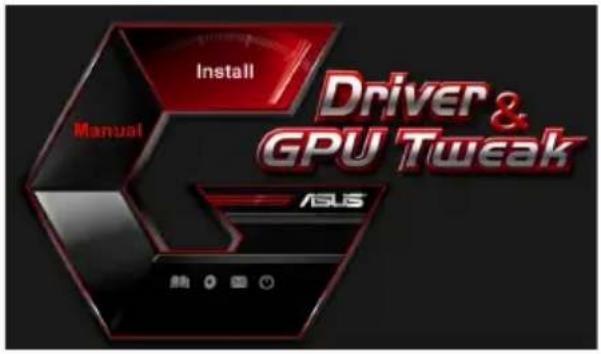
ASUS DUALGTX1660A6GEVO - Instaliranje ASUS AURA u Windo/8.1/8/7(64 bita) - 1

text_image Install Driver & GPU Tweak Manual ASUS

ASUS DUALGTX1660A6GEVO - Instaliranje ASUS AURA u Windo/8.1/8/7(64 bita) - 2

text_image Please select the items you want to install. Display Driver V388.43 ASUS GPUTweak V1.5.9.1 ASUS APRP V1.1.0.01 XSplit Gamecaster V2.5.1507.3018 ASUS AURA V0.0.6.5 Install Cancel
text_image Install finished ✓ Display Driver V388.43 ✓ ASUS GPU Tweak V1.5.9.1 ✓ ASUS APRP V1.1.0.01 ✓ XSplit Gamecaster V2.5.1507.3018 ✓ ASUS AURA V0.0.5.6 Installation is successful.Please reboot your system. OK Cancel

6.2 Deinstaliranje ASUS AURA

6.2.1 Uklanjanje ASUS AURA u Windows ^° 10 / 8.1 / 8 / 7(64 bita)

Uklanjanje ASUS AURA u Windows ^® 10 / 8.1 / 8 / 7(64 bita):

Kliknite Start > Control Panel (Upravljačka ploča) > Programs (Programi) > Programs and Features (Programi i funkcije), odaberite ASUS AURA. Kliknite Uninstall (Deinstaliraj).
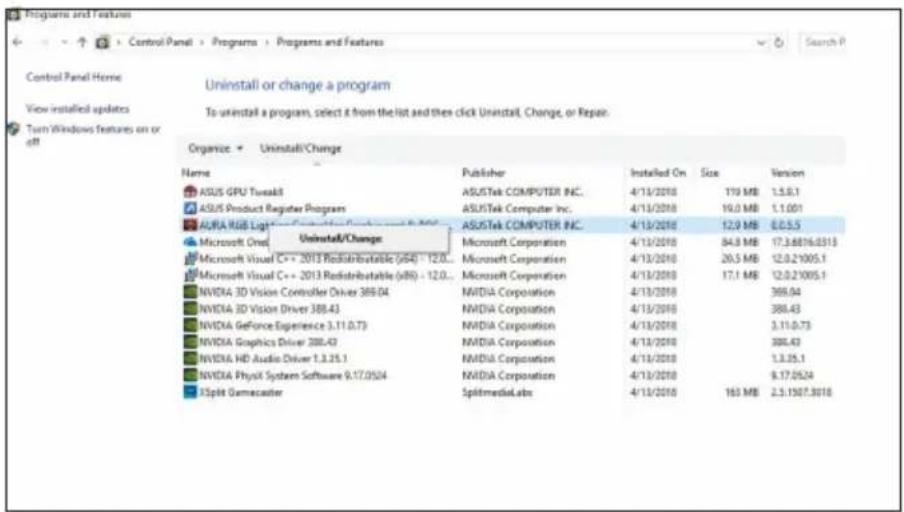
ASUS DUALGTX1660A6GEVO - Uklanjanje ASUS AURA u Windows ^° 10 / 8.1 / 8 / 7(64 bita) - 1

text_image Control Panel Home View installed updates Turn/Windows Features on or off Uninstall or change a program To uninstall a program, select it from the list and then click Uninstall, Change, or Repair. Organize: Uninstall/Change Name Publisher Installed On Size Version ASUS GPU Toxakti ASUSTek COMPUTER INC. 4/13/2018 179 MB 1.5.5.1 ASUS Product Register Programs ASUSTek Computer Inc. 4/13/2018 19.0 MB 1.1.001 ASUR A RGB Light Uninstall/Change ASUSTek COMPUTER INC. 4/13/2018 12.9 MB 0.0.5.5 Microsoft One Microsoft Corporation 4/13/2018 84.8 MB 17.3.6816.0513 Microsoft Visual C++ 2013 Redistributable (664) - 12.0... Microsoft Corporation 4/13/2018 20.5 MB 12.0.21005.1 Microsoft Visual C++ 2013 Redistributable (68) - 12.0... Microsoft Corporation 4/13/2018 17.1 MB 12.0.21005.1 NVIDIA 3D Vision Controller Driver 389-04 NVIDIA Corporation 4/13/2018 398.04 NVIDIA 3D Vision Driver 389-43 NVIDIA Corporation 4/13/2018 398.43 NVIDIA GeForce Experience 3.11.0.73 NVIDIA Corporation 4/13/2018 3.11.0.73 NVIDIA Graphics Driver 388-43 NVIDIA Corporation 4/13/2018 398.43 NVIDIA HD Audio Driver 1.3.25.1 NVIDIA Corporation 4/13/2018 1.3.25.1 NVIDIA Physi System Software 9.17.0524 NVIDIA Corporation 4/13/2018 9.17.0524 ISplit Gamecaster SplitmediaLabs 4/13/2018 165 MB 2.5.1507.3018

7. Ostale informacije

text_image ASUS Display Drivers DVD Readme File Supported Cards: ASUS EN210 ASUS ENGT220 ASUS ENGT240 ASUS ENGT5250 ASUS ENGTX200 ASUS ENGTX271 ASUS ENGTX280 ASUS ENGTX285 ASUS ENGTX295 ASUS EN080D series ASUS EN060D series ASUS EN080D series ASUS EN950D series ASUS EN940D series ASUS EN890D series ASUS EN860D series ASUS EN850D series ASUS EN840D series ASUS EN795D series ASUS EN790D series ASUS EN780D series ASUS EN730D series ASUS EN720D series ASUS EN680D series ASUS EN660D series
text_image Please select the items you want to install. Display Driver V388.43 ASUS GPUWeak V1.5.9.1 ASUS APRP V1.1.0.01 XSplit Gamecaster V2.5.1507.3018 ASUS AURA V0.0.5.5 Install Cancel
  1. Po končani namestitvi kliknite gumb OK (V redu), da znova zaženete računalnik.
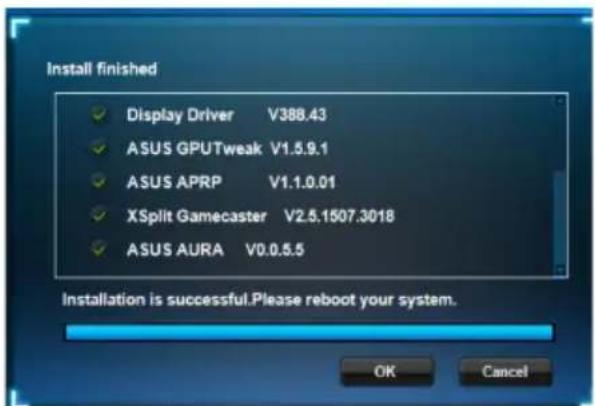
ASUS DUALGTX1660A6GEVO - Ostale informacije - 1

text_image Install finished ✓ Display Driver V388.43 ✓ ASUS GPU Tweak V1.5.9.1 ✓ ASUS APRP V1.1.0.01 ✓ XSplit Gamecaster V2.5.1507.3018 ✓ ASUS AURA V0.0.5.5 Installation is successful.Please reboot your system. OK Cancel

2.2 Odstranjevanje gonilnika kartice VGA

2.2.1 Odstranjevanje gonilnika kartice VGA v sistemih Windows® 10 / 8.1 / 8 / 7 (64-bitne izdaje)

Gonilnik kartice VGA v sistemih Windows® 10 / 8.1 / 8 / 7 (64-bitne izdaje) odstranite tako:

- Kliknite Start > Control Panel (Nadzorna plošča) > Programs (Programi) > Programs and Features (Programi in funkcije) in izberite gonilnik grafične kartice. Kliknite Uninstall (Odstrani).
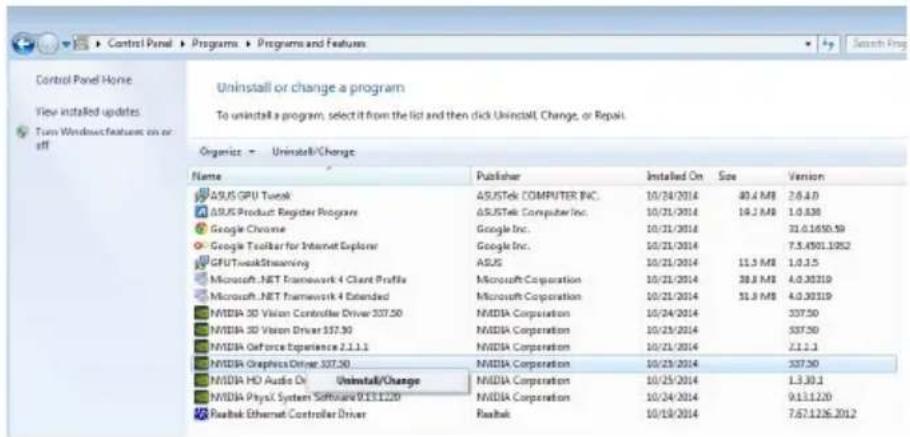
ASUS DUALGTX1660A6GEVO - Odstranjevanje gonilnika kartice VGA v sistemih Windows® 10 / 8.1 / 8 / 7 (64-bitne izdaje) - 1

text_image Control Panel Home View installed updates Turn Windows features on or off Uninstall or change a program To uninstall a program, select it from the list and then click Uninstall Change, or Repair. Organize - Uninstall/Change Name Publisher Installed On Size Institution ASUS GPU Work ASUSTek COMPUTER INC. 10/24/2014 40.4 MB 2.6.4.0 ASUS Product Register Program ASUSTek Computer Inc. 10/21/2014 19.2 MB 1.0.838 Google Chrome Google Inc. 10/21/2014 31.0.1650.59 Google Toolbar for Internet Explorer Google Inc. 10/21/2014 7.5.4501.1052 GPU Stream Streaming ASUS 10/21/2014 11.3 MB 1.0.15 Microsoft .NET Framework 4 Client Profile Microsoft Corporation 10/21/2014 38.8 MB 4.0.30319 Microsoft .NET Framework 4 Extended Microsoft Corporation 10/21/2014 31.9 MB 4.0.30319 MIDIA 3D Vision Controller Driver 337.50 MIDIA Corporation 10/24/2014 337.50 MIDIA 3D Vision Driver 337.30 MIDIA Corporation 10/23/2014 537.50 MIDIA GeForce Experience 2.1.1.1 MIDIA Corporation 10/21/2014 2.1.1.1 MIDIA Graphics Driver 337.30 MIDIA Corporation 10/23/2014 337.50 MIDIA HD Audio Or Uninstall/Change MIDIA Corporation 10/25/2014 1.3.30.1 MIDIA PhysX System Software 9.13.1.2.20 MIDIA Corporation 10/24/2014 9.13.1.2.20 Realtek Ethernet Controller Driver Reeltek 10/19/2014 7.67.1236.2012

3. Pripomoček ASUS GPU Tweak

text_image Please select the items you want to install. Google Chrome Google Toolbar Display Driver V388.43 ASUS GPUWeak V1.5.9.1 ASUS APRP V1.1.0.01 Install Cancel
  1. Po končani namestitvi kliknite gumb OK (V redu).
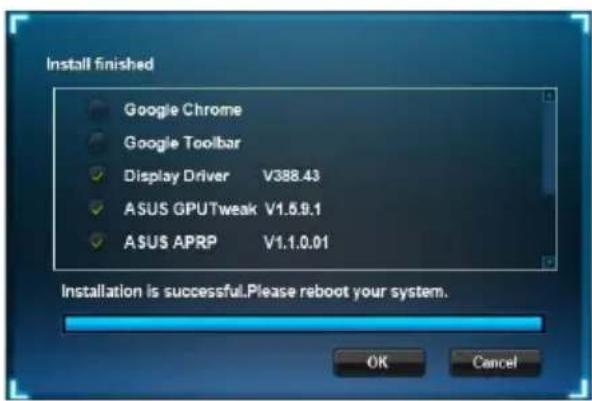
ASUS DUALGTX1660A6GEVO - Pripomoček ASUS GPU Tweak - 1

text_image Install finished Google Chrome Google Toolbar Display Driver V388.43 ASUS GPUTweak V1.5.9.1 ASUS APRP V1.1.0.01 Installation is successful.Please reboot your system. OK Cancel
text_image Please select the items you want to install. Display Driver V388.43 ASUS GPUTweak V1.5.9.1 ASUS APRP V1.1.0.01 XSplit Gamecaster V2.5.1507.3018 ASUS AURA V0.0.6.5 Install Cancel
  1. Po končani namestitvi kliknite gumb OK (V redu).
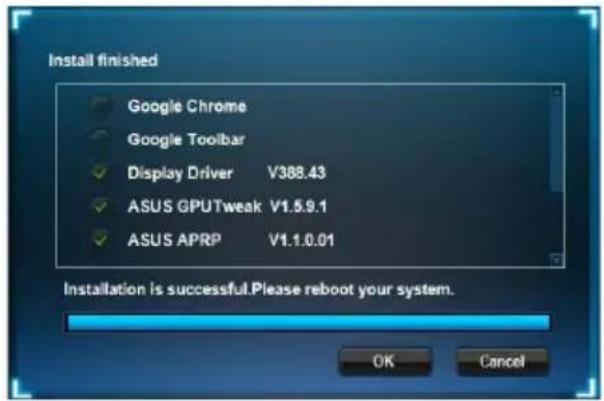
ASUS DUALGTX1660A6GEVO - Pripomoček ASUS GPU Tweak - 2

text_image Install finished Google Chrome Google Toolbar ✓ Display Driver V388.43 ✓ ASUS GPUTweak V1.5.9.1 ✓ ASUS APRP V1.1.0.01 Installation is successful.Please reboot your system. OK Cancel
text_image Please select the items you want to install. Display Driver V388.43 ASUS GPUTweak V1.5.9.1 ASUS APRP V1.1.0.01 XSplit Gamecaster V2.5.1507.3018 ASUS AURA V0.0.6.5 Install Cancel

4. Po končani namestitvi kliknite gumb OK (V redu).
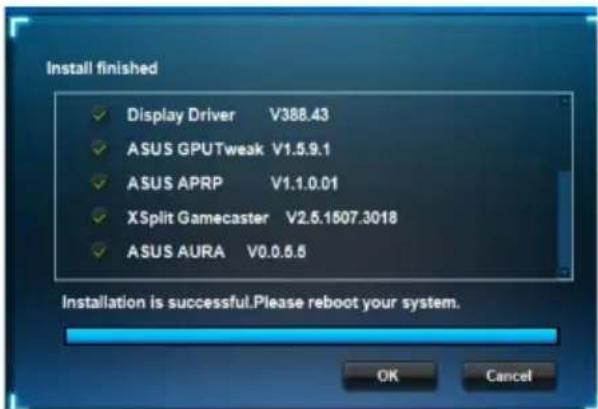
ASUS DUALGTX1660A6GEVO - Po končani namestitvi kliknite gumb OK (V redu). - 1
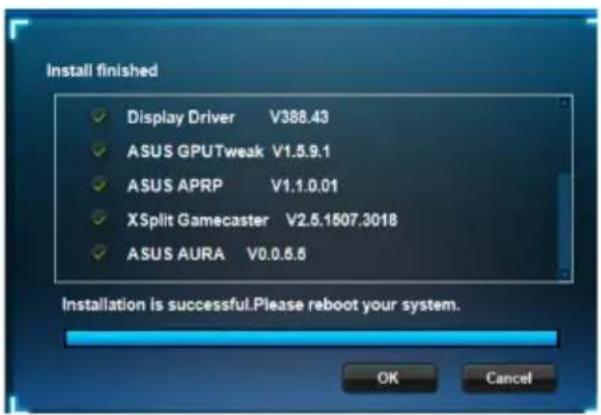
text_image Install finished ✓ Display Driver V388.43 ✓ ASUS GPU Tweak V1.5.9.1 ✓ ASUS APRP V1.1.0.01 ✓ XSplit Gamecaster V2.5.1507.3018 ✓ ASUS AURA V0.0.5.5 Installation is successful.Please reboot your system. OK Cancel
text_image Please select the items you want to install. Display Driver V388.43 ASUS GPUTweak V1.5.9.1 ASUS APRP V1.1.0.01 XSplit Gamecaster V2.5.1507.3016 ASUS AURA V0.0.5.5 Install Cancel
  1. Po končani namestitvi kliknite gumb OK (V redu).

ASUS DUALGTX1660A6GEVO - Po končani namestitvi kliknite gumb OK (V redu). - 2

text_image Install finished ✓ Display Driver V388.43 ✓ ASUS GPU Tweak V1.5.9.1 ✓ ASUS APRP V1.1.0.01 ✓ XSplit Gamecaster V2.5.1507.3018 ✓ ASUS AURA V0.0.6.6 Installation is successful.Please reboot your system. OK Cancel

6.2 Odstranjevanje pripomočka ASUS AURA

6.2.1 Odstranjevanje pripomočka ASUS AURA v sistemih Windows® 10 / 8.1 / 8 / 7 (64-bitne izdaje)

ASUS AURA v sistemih Windows® 10 / 8.1 / 8 / 7 (64-bitne izdaje) odstranite tako:

Kliknite Start > Control Panel (Nadzorna plošča) > Programs (Programi) > Programs and Features (Programi in funkcije) in Izberite »ASUS AURA«. Kliknite Uninstall (Odstrani).
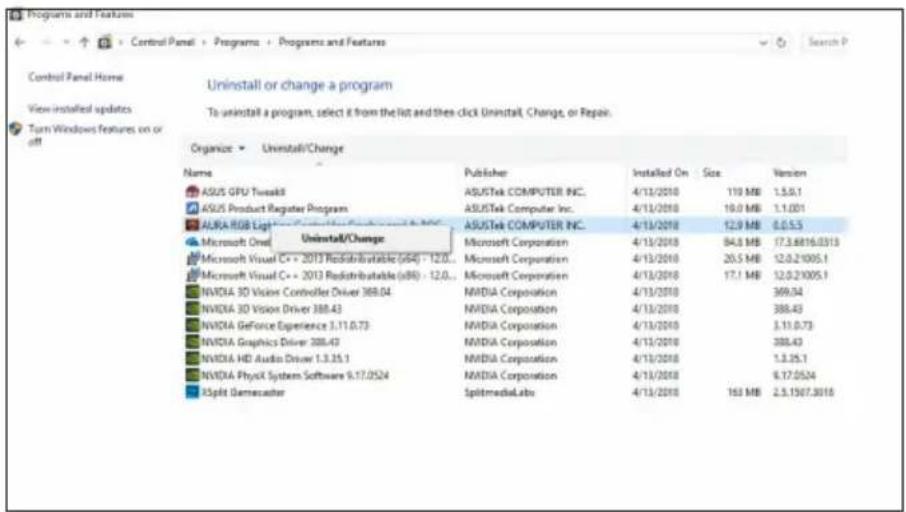
ASUS DUALGTX1660A6GEVO - Odstranjevanje pripomočka ASUS AURA v sistemih Windows® 10 / 8.1 / 8 / 7 (64-bitne izdaje) - 1

text_image Control Panel Home View installed updates Turn Windows features on or off Uninstall or change a program To uninstall a program, select it from the list and then click Uninstall, Change, or Repair. Organize ▶ Uninstall/Change Name Publisher Installed On Size Version ASUS GPU Tweet8 ASUSTek COMPUTER INC. 4/12/2010 119 MB 1.5.6.1 ASUS Product Register Program ASUSTek Computer Inc. 4/13/2010 10.0 MB 1.1.001 ALISA RGB Light ASUSTek COMPUTER INC. 4/13/2010 12.9 MB 0.0.5.5 Microsoft One Uninstall/Change Microsoft Corporation 4/13/2010 84.8 MB 17.3.6816.0313 Microsoft Visual C++ 2013 Redistributable (d84) - 12.0... Microsoft Corporation 4/13/2010 20.5 MB 12.0.21005.1 Microsoft Visual C++ 2013 Redistributable (d85) - 12.0... Microsoft Corporation 4/13/2010 17.1 MB 12.0.21005.1 NVIDIA 3D Vision Controller Driver 368.04 NVIDIA Corporation 4/13/2010 369.04 NVIDIA 3D Vision Driver 368.43 NVIDIA Corporation 4/13/2010 388.43 NVIDIA GeForce Experience 3.11.0.73 NVIDIA Corporation 4/13/2010 3.11.0.73 NVIDIA Graphics Driver 368.43 NVIDIA Corporation 4/13/2010 388.43 NVIDIA HD Audio Driver 1.3.35.1 NVIDIA Corporation 4/13/2010 1.3.25.1 NVIDIA PhysX System Software 9.17.0524 NVIDIA Corporation 4/13/2010 9.17.0524 XSplit Gamescenter SplitmediaLabo 4/13/2010 163 MB 2.5.1567.3016

7. Druge informacije

text_image ASUS Display Drivers DVD Readme File Supported Cards: ASUS EN210 ASUS ENGT220 ASUS ENGT240 ASUS ENGT5210 ASUS ENGTX200 ASUS ENGTX271 ASUS ENGTX280 ASUS ENGTX285 ASUS ENGTX295 ASUS EN0800 series ASUS EN0600 series ASUS EN0800 series ASUS EN9500 series ASUS EN9400 series ASUS EN8800 series ASUS EN8600 series ASUS EN8500 series ASUS EN8400 series ASUS EN7950 series ASUS EN7900 series ASUS EN7800 series ASUS EN7300 series ASUS EN7200 series ASUS EN6800 series ASUS EN6600 series

Dodatek: Odpravljanje osnovnih težav

text_image Please select the items you want to install. Display Driver V388.43 ASUS GPUTweak V1.5.9.1 ASUS APRP V1.1.0.01 XSplit Gamecaster V2.5.1507.3018 ASUS AURA V0.0.5.5 Install Cancel
text_image Install finished Display Driver V388.43 ASUS GPU Tweak V1.5.9.1 ASUS APRP V1.1.0.01 XSplit Gamecaster V2.5.1507.3018 ASUS AURA V0.0.5.5 Installation is successful.Please reboot your system. OK Cancel
text_image Please select the items you want to install. Google Chrome Google Toolbar Display Driver V388.43 ASUS GPUTweak V1.5.9.1 ASUS APRP V1.1.0.01 Install Cancel
text_image Install finished Google Chrome Google Toolbar Display Driver V388.43 ASUS GPUTweak V1.5.9.1 ASUS APRP V1.1.0.01 Installation is successful.Please reboot your system. OK Cancel
text_image Please select the items you want to install. Display Driver V388.43 ASUS GPUTweak V1.5.9.1 ASUS APRP V1.1.0.01 XSplit Gamecaster V2.5.1507.3018 ASUS AURA V0.0.6.5 Install Cancel
text_image Install finished Google Chrome Google Toolbar ✓ Display Driver V388.43 ✓ ASUS GPUWeak V1.5.9.1 ✓ ASUS APRP V1.1.0.01 Installation is successful.Please reboot your system. OK Cancel
text_image Please select the items you want to install. Display Driver V388.43 ASUS GPUTweak V1.5.9.1 ASUS APRP V1.1.0.01 XSplit Gamecaster V2.5.1507.3018 ASUS AURA V0.0.6.5 Install Cancel
text_image Install finished ✓ Display Driver V388.43 ✓ ASUS GPU Tweak V1.5.9.1 ✓ ASUS APRP V1.1.0.01 ✓ XSplit Gamecaster V2.5.1507.3018 ✓ ASUS AURA V0.0.5.5 Installation is successful.Please reboot your system. OK Cancel
text_image Please select the items you want to install. ✓ Display Driver V388.43 ✓ ASUS GPUTweak V1.5.9.1 ✓ ASUS APRP V1.1.0.01 ✓ XSplit Gamecaster V2.5.1507.3018 ✓ ASUS AURA V0.0.6.5 Install Cancel
text_image Install finished ✓ Display Driver V388.43 ✓ ASUS GPU Tweak V1.5.9.1 ✓ ASUS APRP V1.1.0.01 ✓ XSplit Gamecaster V2.5.1507.3018 ✓ ASUS AURA V0.0.5.6 Installation is successful. Please reboot your system. OK Cancel
text_image ASUS Display Drivers DVD Readme File Supported Cards: ASUS EN210 ASUS ENGT220 ASUS ENGT240 ASUS ENGT5210 ASUS ENGT×200 ASUS ENGT×271 ASUS ENGT×280 ASUS ENGT×285 ASUS ENGT×295 ASUS EN080D series ASUS EN060D series ASUS EN080D series ASUS EN950D series ASUS EN940D series ASUS EN890D series ASUS EN860D series ASUS EN850D series ASUS EN840D series ASUS EN795D series ASUS EN790D series ASUS EN780D series ASUS EN730D series ASUS EN720D series ASUS EN680D series ASUS EN660D series
Table of contents Click a title to access it
Manual assistant
Powered by Anthropic
Waiting for your message
Product information

Brand : ASUS

Model : DUALGTX1660A6GEVO

Category : Graphic card