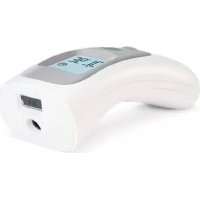
Thermo Distance HHT73130GB - Thermometer TERRAILLON - Free user manual and instructions
Find the device manual for free Thermo Distance HHT73130GB TERRAILLON in PDF.



User questions about Thermo Distance HHT73130GB TERRAILLON
0 question about this device. Answer the ones you know or ask your own.
Ask a new question about this device
Download the instructions for your Thermometer in PDF format for free! Find your manual Thermo Distance HHT73130GB - TERRAILLON and take your electronic device back in hand. On this page are published all the documents necessary for the use of your device. Thermo Distance HHT73130GB by TERRAILLON.
USER MANUAL Thermo Distance HHT73130GB TERRAILLON
MANUEL D'UTILISATION – INSTRUCTION MANUAL
THERMO DISTANCE

text_image
ANS DE GARANTIE YEARS GUARANTEE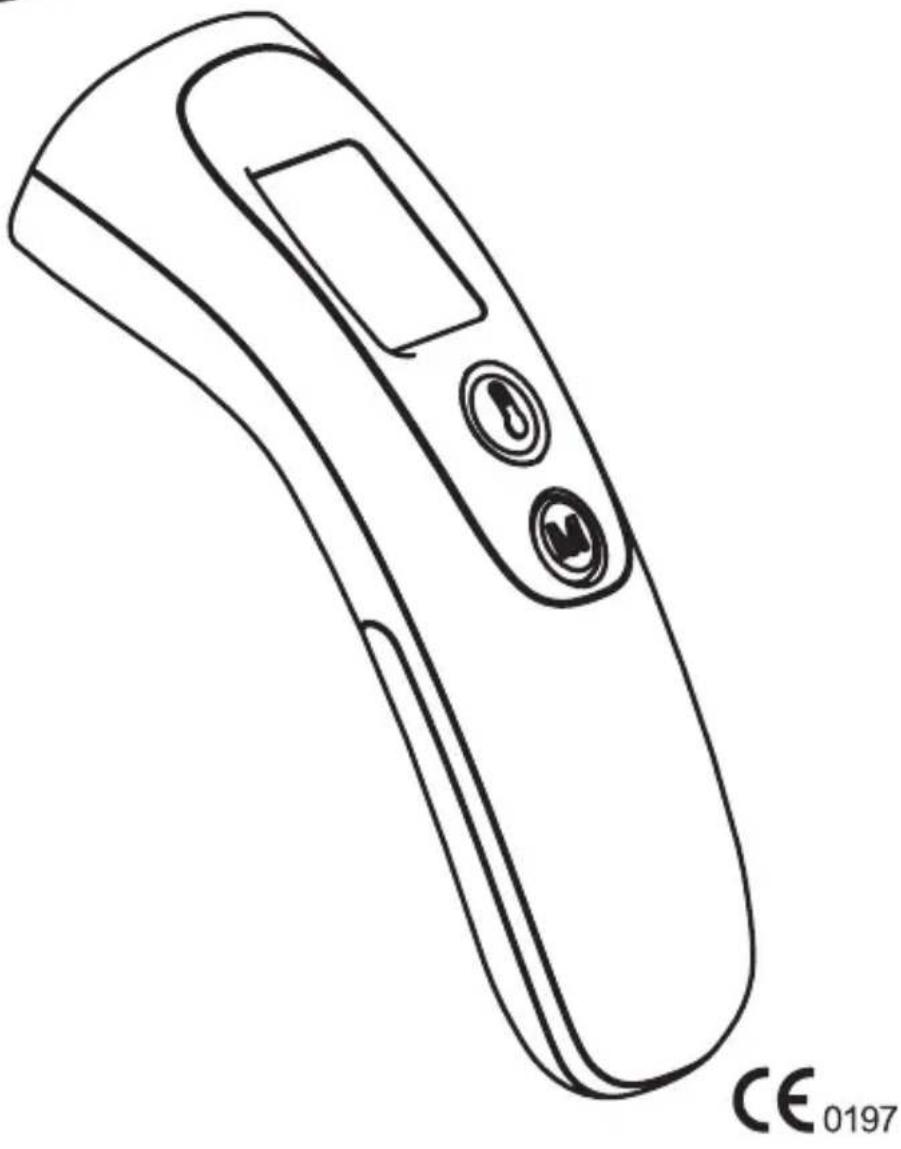
natural_image
Line drawing of a handheld electronic device with two buttons and a display (no text or symbols)Terraillon®
LE BIEN-ÊTRE PRÉCISÉMENT
| |
- | - | -
THERMO DISTANCE
FR THERMOMÈTRE INFRAROUGE SANS CONTACT NOTICE D'UTILISATION.... 4
EN NON-CONTACT INFRARED THERMOMETER INSTRUCTION MANUAL 12
natural_image
Hand holding a pen or tool, no visible text or symbols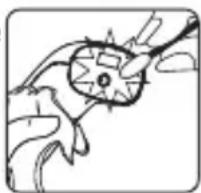
SÉCURITÉ
text_image
Diagram of a remote control device with labeled parts including a display, switch, and battery casingnatural_image
Simple line drawing of a mobile phone with front panel and back panel (no text or symbols)FR
THERMOMÈTRE INFRAROUGE SANS CONTACT
natural_image
Line drawing of a hand holding a small electronic device (no text or symbols visible)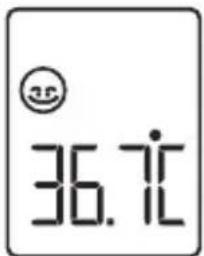
text_image
36.71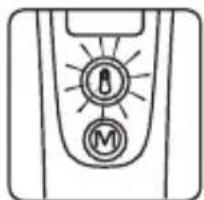
natural_image
Simple line drawing of a door with two circular buttons labeled 'M' and a lock symbol (no text or numbers present)
Vert: 34.0°C (93.2°F) \~ 37.9°C (100.3°F)
Rouge : 38.0°C (100.4°F) \~ 42.9°C (109.3°F)
You have just bought this product and we thank you for your purchase. We hope you enjoy using the product. In order to be completely satisfied, we recommend that you read these directions carefully.
MAINTENANCE
- Clean the thermometer with a soft, dry cloth.
- Clean both lenses with a cotton swab moistened with alcohol and immediately wipe dry with a clean cotton swab. After cleaning, allow at least 20 minutes drying time before taking temperatures.
- Do not touch either lens with your fingers.
- Do not submerge the thermometer in water or any other liquid.
- Do not rinse the thermometer in water.
- Do not use water directly on the LCD screen.
- Store the thermometer in the dry, clean place.
- If the thermometer is not used for a long time, remove the batteries.
natural_image
Hand holding a small electronic device with a screen (no visible text or symbols)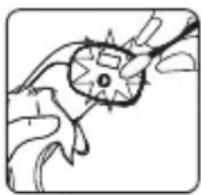
natural_image
Simple line drawing of a hand holding a small object with a pointed tip, no text or symbols presentSAFETY
- Keep out of reach of children.
- Do not use this appliance for any other purposes than those for which it was designed (human body temperature).
- Use of this thermometer is for monitoring purposes only and is not intended as a diagnostic tool. Make sure that any unusual readings are communicated to your physician. Under no circumstances should you change your prescribed medicine doses.
RECOMMENDATION
- Store and use the thermometer in the same room.
- Do not use in areas where it may be subject to room temperature variations.
- Determine your normal temperature range by taking your temperatures when healthy. These readings can be used as a form of reference to compare with future readings when ill.
- Before taking your temperature, make sure your forehead is free of sweat and hair, and make sure the infrared sensor is clean.
EN
NON-CONTACT INFRARED THERMOMETER
- Do not take temperature within 30 minutes of eating, exercising, or taking a bath.
- Wait one minute between each temperature reading. Two consecutive readings may give slightly different measurements. Should this occur, take the average of the two.
- Do not attempt to disassemble the thermometer.
- Keep thermometer away from direct sunlight and store well away from any source of heat in a clean, dry location.
- Do not drop or break the thermometer. Do not use if broken. Do not disassemble.
- Don't use a mobile phone nearby when the thermometer is working or do not use in an area with possible electromagnetic interferences.
- If these recommendations are not respected, the readings may be inaccurate.
- Temperature will vary depending on the part of the body. This is why you should not compare rectal and forehead temperature readings, for example.
- Temperature will also vary depending on the person, age, and time of day.
BODY TEMPERATURE
Normal body temperature is a range. A person's normal temperature range tends to decrease with age. The following table shows normal temperature ranges by age:
| 0 – 2 years | 36.4 – 38 °C 97.5 – | 100.4 °F |
| 3 – 10 years | 36.1 – 37.8 °C 97.0 – | 100.0 °F |
| 11 – 65 years | 35.9 – 37.6 °C 96.6 – | 99.7 °F |
| > 65 years | 35.8 – 37.5 °C 96.4 – | 99.5°F |
The range of normal temperature varies from person to person and can be influenced by many factors such as time of day, measure from different sites, level of activity, medications, emotion and so on. So we recommend that you practice with the Thermometer on yourself and family members when you are healthy. This way you know how the thermometer works and can feel more confident of the measurements you take when a family member is ill.
EN
NON-CONTACT INFRARED THERMOMETER
PRODUCT DESCRIPTION
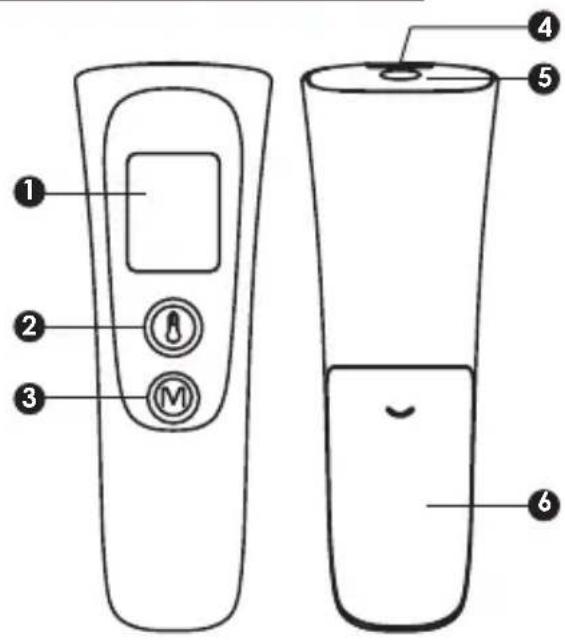
text_image
Diagram of a remote control device with labeled parts including a display, buttons, and a water bottle.1 LCD screen
② Measurement button
③ MEM button
4 Distance sensor
5 Infrared sensor
6 Battery compartment
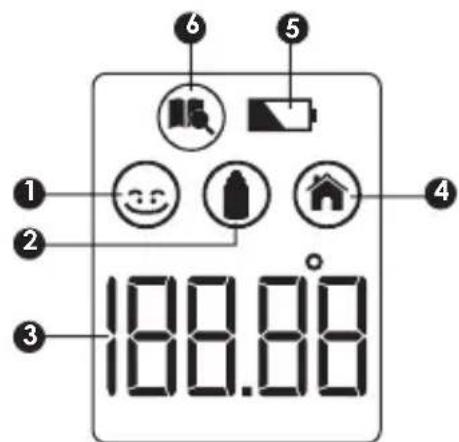
text_image
1 2 3 100.00 6 5 4① Forehead temperature symbol
② Object temperature symbol
③ Temperature display
4 Ambient temperature symbol
5 Low battery symbol
6 Memory symbol
INSERTING & CHANGING BATTERIES
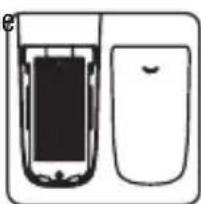
- To insert or change the 2 LR3 batteries (supplied with thermometer), open the battery compartment by sliding off its cover, insert the batteries ensuring that the negative and positive ends are in the right place, and replace the cover before use.
- When the low battery indicator appears on the LCD, or the thermometer does not function at all, you should replace new battery as soon as possible.
natural_image
Simple line drawing of a mobile phone with front and back views (no text or symbols)EN
NON-CONTACT INFRARED THERMOMETER
CHOOSING THE TEMPERATURE MEASURING UNIT (C° OR F°)
- Press one of both buttons to turn on thermometer. Then, to switch from one measuring unit to the other, press around 5 seconds [M].
USING THE PRODUCT
FOREHEAD TEMPERATURE
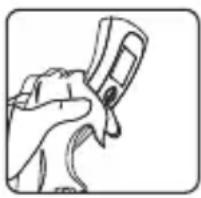
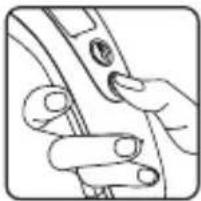
Place the thermometer in your hand as shown with your thumb on the [measure] button.
natural_image
Line drawing of a hand pressing down on a curved object (no text or symbols)- Press the [measure] button ⏻ to turn on the thermometer.
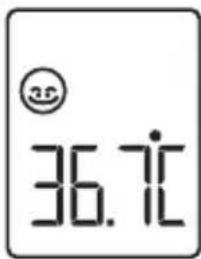
- Place the thermometer from 0 to 5cm of the forehead and press the [measure] button again. A double beep sound indicates that the distance is correct.
- If the position is OK, release the button, but keeping the thermometer flat until you hear another double beep sound indicating that the temperature has been taken. The screen lights up displaying temperature. The measurement is complete and the thermometer may be removed from the head.
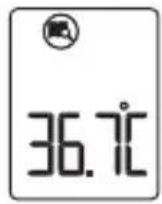
- You can read the temperature on the display and the color indicator (red or green) around the [measure] button helps to analyze the temperature, if fever or not.
text_image
36.71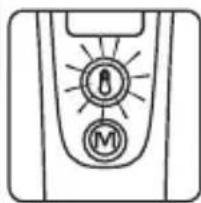
natural_image
Simple line drawing of a device control panel with two circular buttons labeled 'B' and 'M' (no text or symbols beyond labels)
Green: 34.0°C (93.2°F) \~ 37.9°C (100.3°F)
Red: 38.0°C (100.4°F) \~ 42.9°C (109.3°F)
• Temperature is automatically memorised.
CAUTION:
After press the measure button, the distance sensor will detect the distance between the forehead and thermometer. If the distance is between 0-5cm, it will directly test the forehead temperature.
If the distance is more than 5cm, short successive beep sounds will be issued indicating that the thermometer should be moved to the forehead in 0-5 cm. When the correct distance is reached a double beep signals it.
If it is not the proper distance for forehead temperature, the thermometer will measure ambient temperature.
EN
NON-CONTACT INFRARED THERMOMETER
CAUTION:
External factors may influence forehead temperature particularly when an individual has:
- been exposed to very hot or very cold temperatures.
- been recently swimming or bathing.
- had their forehead covered.
In these cases, let the individual stay away from the above scenario and station in a room for 30 minutes prior to talking a temperature.
OBJECTS OR LIQUID TEMPERATURE
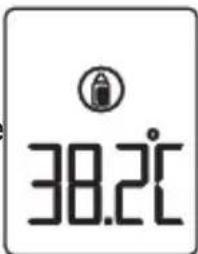
- To measure the temperature of the surface of an object or liquid, put the thermometer in object mode.
- Press the [Measure] and [Mem] buttons together in order to display like right screen.

text_image
FoodCAUTION:
Make sure don't use this mode to measure body temperature.
- Hold the thermometer and ensure the probe is around 0-5 cm from the liquid or surface whose temperature you want to measure. Press the [measure] button 🔒 to start the measurement.
- A beep sounds signals the end of measurement. Remove the thermometer from the object. The LCD displays the measured temperature.
text_image
38.2°CCAUTION:
With object measurement, the current surface temperature of the object is displayed. It can be different from its internal temperature, especially if the surface is exposed to direct sunlight or a draught.
- The thermometer will automatically return back to standby mode and to body temperature mode after 1 minute.
EN
NON-CONTACT INFRARED THERMOMETER
CHECK THE MEMORY
- There are a total of 9 memory data for recording forehead temperature measurements.
- The current measurement is always stored in the last storage space. When all storage spaces have been occupied, the oldest measurement is always deleted from the memory.
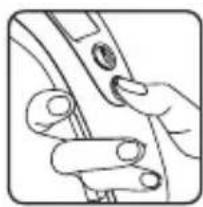
- Press [M] button to turn on thermometer and [M] button again to enter in memory data 📄.
The LCD displays memory number followed by measured temperature like figures. Press the [MEM] button repeatedly to go to the memory number you need (9 is the youngest, 1 the oldest).
natural_image
Illustration of a hand holding a small electronic device with a button (no text or symbols visible)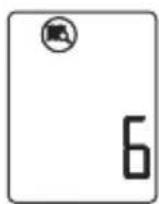
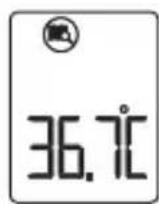
EN
NON-CONTACT INFRARED THERMOMETER
TROUBLESHOOTINGS
| Troubles Checklists | Counter measures | ||
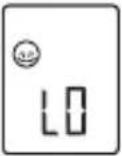 | 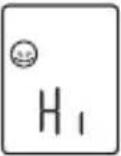 | The measured temperature is lower than 32.0°C/89.6°F or higher than 42.9°C/109.3°F Please check the operation method | Follow User's Manual for proper measurement. |
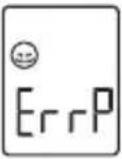 | 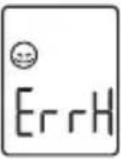 | Hardware problem Contact your distributor | |
 | Operating temperature is out of the range | Use the thermometer in the range of operating conditions. | |
| The measurement is not accurate or if there is any doubt on the measured result | Please check if the infrared sensor is clean or not | Clean the infrared sensor with cotton swab according to user manual | |
| Please check the measuring way is correct or not | Ensure you have read the manual and know how to use the thermometer properly.Please keep the thermometer and patient in the measuring room at least 30 minutes before usingPlease take the measurement indoorDo not held the thermometer in your hand too long. It could affect the accuracy | ||
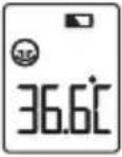 | Please check if there is low battery symbol on LCD | Change new battery | |
EN
NON-CONTACT INFRARED THERMOMETER
PROTECT THE ENVIRONMENT
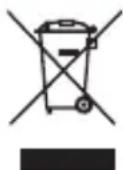
Dispose of used batteries in a designed container so that they can be collected and recycled. Do not mix different types of batteries. Do not mix new and used batteries. After life, dispose of this product at a designated waste recycling point.
GUARANTEE
This product is guaranteed against defects in materials or manufacturing. During the guarantee period, any such defects will be replaced free of charge (proof of purchase must be shown in the case of a complaint under guarantee). The guarantee does not cover damage resulting from improper use or negligence. In the event of a claim, first contact the shop where you purchased the product.
DE
KONTAKTLOSES INFRAROT-THERMOMETER
natural_image
Hand holding a pen or tool, no visible text or symbols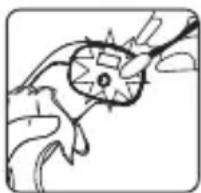
SICHERHEIT
text_image
Diagram of a remote control device with labeled parts including a display, keypad, and speaker screennatural_image
Simple line drawing of a mobile phone with front and back views (no text or symbols)DE
KONTAKTLOSES INFRAROT-THERMOMETER
natural_image
Illustration of a hand holding a small electronic device with a button (no text or symbols visible)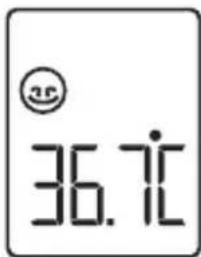
text_image
36.71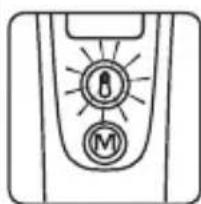
natural_image
Simple line drawing of a device control panel with two circular buttons labeled 'I' and 'M' (no text or symbols beyond icons)
Grün: 34.0°C (93.2°F) \~ 37.9°C (100.3°F)
Rot: 38.0^ (100.4°F) 42.9^ (109.3°F)
text_image
Diagram of a remote control device with labeled parts including a display, function button, and battery casingnatural_image
Simple line drawing of a mobile phone with front and back views (no text or symbols)NL
CONTACTLOZE INFRAROODTHERMOMETER
MEETEENHEID KIEZEN (°C of °F)
natural_image
Illustration of a hand holding a finger with a circular button, no text or symbols present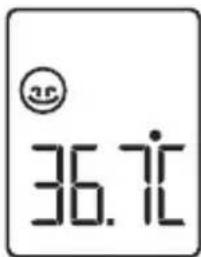
text_image
36.71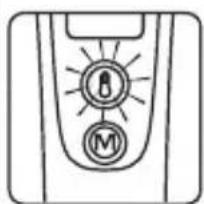
natural_image
Simple line drawing of a device control panel with no text or symbols
Groen: 34.0°C (93.2°F) \~ 37.9°C (100.3°F)
Rood: 38.0°C (100.4°F) \~ 42.9°C (109.3°F)
text_image
Diagram of a remote control device with labeled parts including a display, buttons, and a water bottle.natural_image
Simple line drawing of a mobile phone with front and back views (no text or symbols)IT
TERMOMETRO A INFRAROSSI SENZA CONTATTO
SCELTA DELL'UNITÀ DI MISURA (°C o °F)
natural_image
Line drawing of a hand pressing down on a curved object (no text or symbols)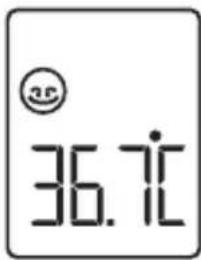
text_image
35 36.7°C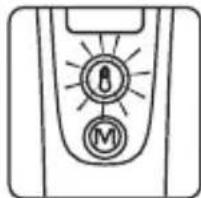
natural_image
Simple line drawing of a device control panel with two buttons labeled 'M' and a lock symbol (no text or numbers present)
Verde:
da 34,0 °C (93.2 °F) a 37,9 °C (100.3 °F)
Rosso:
da 38,0 °C (100.4 °F) a 42,9 °C (109.3 °F)
natural_image
Line drawing of a hand pressing a button on a device (no text or symbols)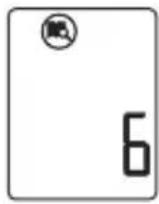
IT
TERMOMETRO A INFRAROSSI SENZA CONTATTO
VISUALIZZAZIONI SPECIALI
TEMPERATURA CORPORAL
text_image
Diagram of a remote control device with labeled parts including a display, keypad, and speaker screennatural_image
Simple line drawing of a mobile phone with front and back views (no text or symbols)ES
TERMÓMETRO INFRARROJO SIN CONTACTO
natural_image
Line drawing of a hand holding a small object with a circular button (no text or symbols)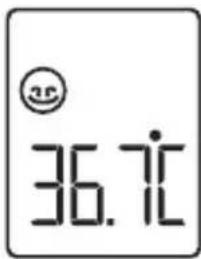
text_image
36.71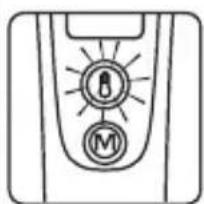
natural_image
Simple line drawing of a device control panel with two buttons labeled 'I' and 'M' (no text or symbols beyond icons)
Verde: 34.0°C (93.2°F) \~ 37.9°C (100.3°F)
Rojo: 38.0^ (100.4°F) 42.9^ (109.3°F)
TEMPERATURA CORPORAL
text_image
Diagram of a remote control device with labeled parts including a display, keypad, and speaker screennatural_image
Simple line drawing of a mobile phone with front and back views (no text or symbols)PT
TERMÓMETRO DE INFRAVERMELHOS SEM CONTACTO
ESCOLHA DA UNIDADE DE MEDIÇÃO (°C ou °F)
natural_image
Line drawing of a hand holding a small electronic device (no text or symbols visible)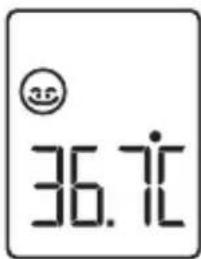
text_image
36.71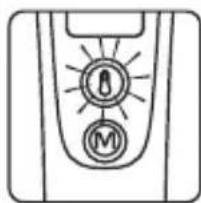
natural_image
Simple line drawing of a device control panel with two circular buttons labeled 'I' and 'M' (no text or symbols beyond icons)
Verde: 34.0°C (93.2°F) \~ 37.9°C (100.3°F)
| Power supply: DC 3V (2 x AAA battery) | |
| Body measuring range: 32.0°C ~ 42.9°C (89.6°F ~ 109.3°F) | |
| Forehead measuring accuracy: ±0.2°C(±0.4°F) for35.0°C (95.0°F) ~ 42.0°C (107.6°F)±0.3°C (±0.5°F) for other range | |
| Object measuring range: -22°C ~ 80.0°C (+7.6°F ~ 176.0°F) | |
| Object measuring accuracy: ±2.0°C(±4.0°F) | |
| Displayed room temperature range: 5.0°C ~ 59.9°C (41.0°F~139.8°F) | |
| Room temperature accuracy: ±1°C (±2°F) | |
| Measure time: 1 second | |
| Measure interval: 1 second | |
| Dimension: 130.1(L)x45.0(W)x50.3(D)mm | |
| Weight: About 72.0g (without battery) | |
| Forehead and object operating condition: 15.0°C~40.0°C (59.0°F~104.0°F)with a relative humidity of 15%~85%Atmosphere pressure: 700hPa-1060hPa | |
| Storage and transport condition: -20°C~55°C (-4°F~131°F) with a relativehumidity of 15%~90%Atmosphere pressure: 700hPa-1060hPa | |
Service life: 2 years
Service life of the battery: With a new battery (Carbon) approx. 6 months based on the use frequency at 5 times/day

Caution:
This thermometer has been thoroughly tested and inspected to assure proper performance and operation!
NORMALIZED SYMBOLS
 | Applied part of type BF (The applied part is the probe tip) |
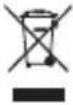 | Disposal in accordance with Directive 2012/19/EU (WEEE) |
 | Complies with the European Medical Device Directive (93/42/EEC) and amended by directive 2007/47/EC requirements. Notified body TÜV Rheinland (CE0197) |
 | The name and the address of the manufacturer |
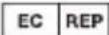 | The name and the address of the Authorized EC-representative in Europe |
 | Caution |
 | Refer to Instruction Manual |
 | The first number 2: Protected against solid foreign objects of 12,5 mm Φ and greater. The second number: Protected against vertically falling water drops when enclosure titled up to 15°. Vertically falling drops shall have no harmful effects when the enclosure is titled at any angle up to 15°, on either side of the vertical. |
IMPORTANT INFORMATION REGARDING ELECTROMAGNETIC COMPATIBILITY(EMC)
With the increased number of electronic devices such as PC's and mobile (cellular) telephones, medical devices in use may be susceptible to electromagnetic interference from other devices. Electromagnetic interference may result in incorrect operation of the medical device and create a potentially unsafe situation. Medical devices should also not interfere with other devices.
In order to regulate the requirements for EMC (Electro Magnetic Compatibility) with the aim to prevent unsafe product situations, the EN60601-1-2 standard has been implemented. This standard defines the levels of immunity to electromagnetic interferences as well as maximum levels of electromagnetic emissions for medical devices. Medical devices manufactured by Shenzhen Dongdixin Technology Co., Ltd. conform to this EN60601-1-2:2007 standard for both immunity and emissions. Nevertheless, special precautions need to be observed: The use of accessories and cables other than those specified by manufacturer, with the exception of cables sold by manufacturer as replacement parts for internal components, may result in increased emission or decreased immunity of the device.
- The medical devices should not be used adjacent to or stacked with other equipment. In case adjacent or stacked use is necessary, the medical device should be observed to verify normal operation in the configuration in which it will be used.
- Refer to further guidance below regarding the EMC environment in which the device should be used.
| Guidance and manufacturer's declaration – electromagnetic emissions | ||
| The thermometer are intended for use in the electromagnetic environment specified below. The customer or the user of these thermometer should assure that it is used in such environment. | ||
| Emissions test Compliance | Electromagnetic environment - guidance | |
| RF emissionsCISPR 11 | Group 1 | The thermometer use RF energy only for its internal function. Therefore, its RF emissions are very low and are not likely to cause any interference in nearby electronic equipment. |
| RF emissionsCISPR 11 | Class B | The thermometer are suitable for use in all establishments, including domestic establishments and those directly connected to the public low-voltage power supply network that supplies buildings used for domestic purposes. |
| Harmonic emissionsIEC 61000-3-2 | Not applicable | |
| Voltage fluctuations/flicker emissionsIEC61000-3-3 | Not applicable | |
| Guidance and manufacturer's declaration – electromagnetic immunity | |||
| The thermometer are intended for use in the electromagnetic environment specified below. The customer or the user of these thermometer should assure that it is used in such environment. | |||
| Immunity test | IEC 60601 Test level | Compliance level | Electromagnetic environment – guidance |
| Electrostatic discharge (ESD) IEC 61000-4-2 | ±6 kV contact ±8 kV air | ±6 kV contact ±8 kV air | Floor should be wood, concrete, or ceramic tile. If floors are covered with synthetic material, the relative humidity should be at least 30 %. |
| Electrical fast transient/burst IEC 61000-4-4 | Not applicable | Not applicable | Not applicable |
| Surge IEC 61000-4-5 | Not applicable | Not applicable | Not applicable |
| Voltage dips, short interruptions and voltage variations on power supply IEC 61000-4-11 | Not applicable | Not applicable | Not applicable |
| Power frequency (50/60 Hz) magnetic field IEC 61000-4-8 | 3 A/m 3 A/m | Power frequency magnetic fields should be at levels characteristic of a typical location in a typical commercial or hospital environment. | |
| The thermometer are intended for use in the electromagnetic environment specified below. The customers or the users of these thermometer should assure that it is used in such environment. | |||
| Immunity test | IEC 60601 Test level | Compliance level | Electromagnetic environment – guidance |
| Conducted RF IEC 61000 -4-6 | Not applicable | 3 V/m | Portable and mobile RF communications equipment should be used no closer to any part of the thermometer including cables, than the recommended separation distance calculated from the equation appropriate to the frequency of the transmitter. Recommend separation distance d = 1.2 d = 1.2 80 MHz to 800 MHz d = 2.3 800 MHz to 2.5 GHz where P is the maximum output power rating of the transmitter in watts (W) according to he transmitter manufacturer and d is the recommended separation distance in meters (m).Field strengths from fixed RF transmitters as determined by an electromagnetic site survey, |
| Radiated RF IEC 61000-4-3 | 3 V/m 80 MHz to 2.5 GHz | ||
a. should be less than the compliance level in each frequency range.b. Interference may occur in the vicinity of equipment marked with he following symbol: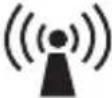 | |||
| Note1: At 80 MHz and 800 MHz, the higher frequency range applies.Note2: These guidelines may not apply in all situations.Electromagnetic propagation is affected by absorption and reflection from structures, objects, and people. | |||
| aField strengths from fixed transmitters, such as base stations for radio (cellular/ cordless) telephones and land mobile radio, AM and FM radio broadcast, and TV broadcast cannot be predicted the oretically with accuracy. To assess the electromagnetic environment due to fixed RF transmitters, an electromagnetic site survey should be considered. If the measured field strength in the location in which the thermometer are used exceeds the applicable RF compliance level above, the thermometer should be observed to verify normal operation. If abnormal performance is observed, additional measures may be necessary, such as reorienting or relocating the thermometer.bOver the frequency range 150 kHz to 80MHz, field strengths should be less than 3 V/m.Recommended separation distance between portable and mobile RF communications equipment and the thermometer | |||
| The thermometer are intended for use in an electromagnetic environment in which radiated RF disturbances are controlled. The customers or the users of these thermometer can help prevent electromagnetic interference by maintaining a minimum distance between portable and mobile RF communications equipment (transmitters) and the thermometer as recommended below, according to the maximum output power of the communications equipment. | |||
| Output Power of Transmitter in Watt | Separation distance according to frequency of transmitter in meter | ||
| 150 kHz to 80 MHZ d = 1.2 √P | 80 MHz to 800 MHZ d = 1.2 √P | 800 MHz to 2.5 GHz d = 2.3 √P | |
| 0.01 0.12 0.12 0.23 | |||
| 0.1 0.38 0.38 0.73 | |||
| 1 1.2 1.2 2.3 | |||
| 10 3.8 3.8 7.3 | |||
| 100 12 12 23 | |||
| For transmitters rated at a maximum output power not listed above, the recommended separation distance d in meters (m) can be estimated using the equation applicable to the frequency of the transmitter, where P is the maximum output power rating of the transmitter in watts (W) according to the transmitter manufacturer.Note: At 80MHz and 800MHz, the separation distance for the higher frequency range appliesNote: These guidelines may not apply in all situations. Electromagnetic propagation is affected by absorption and reflection from structures, objects, and people. | |||

Model: TH1009N / THERMO DISTANCE
Shenzhen Dongdixin Technology Co., LTD.
No.3 Building XiliBaimang Xusheng Industrial
Estate 518108, Nanshan Shenzhen, China.

Shanghai International Holding Corp. GmbH (Europe)
Eiffestraße 80, 20537 Hamburg Germany
Terraillon®
Terraillon SAS France & Headquarters
1, rue Ernest Gouin
78290 Croissy-sur-Seine - France
Quarry Bay - Hong Kong
Tel: + 852 (0)2960 7200
customerservice@terraillon-asia.com