 ManualGo.com
Active Life Extreme Challenge (Wii) - Game NINTENDO - Free user manual and instructions
Find the device manual for free Active Life Extreme Challenge (Wii) NINTENDO in PDF.

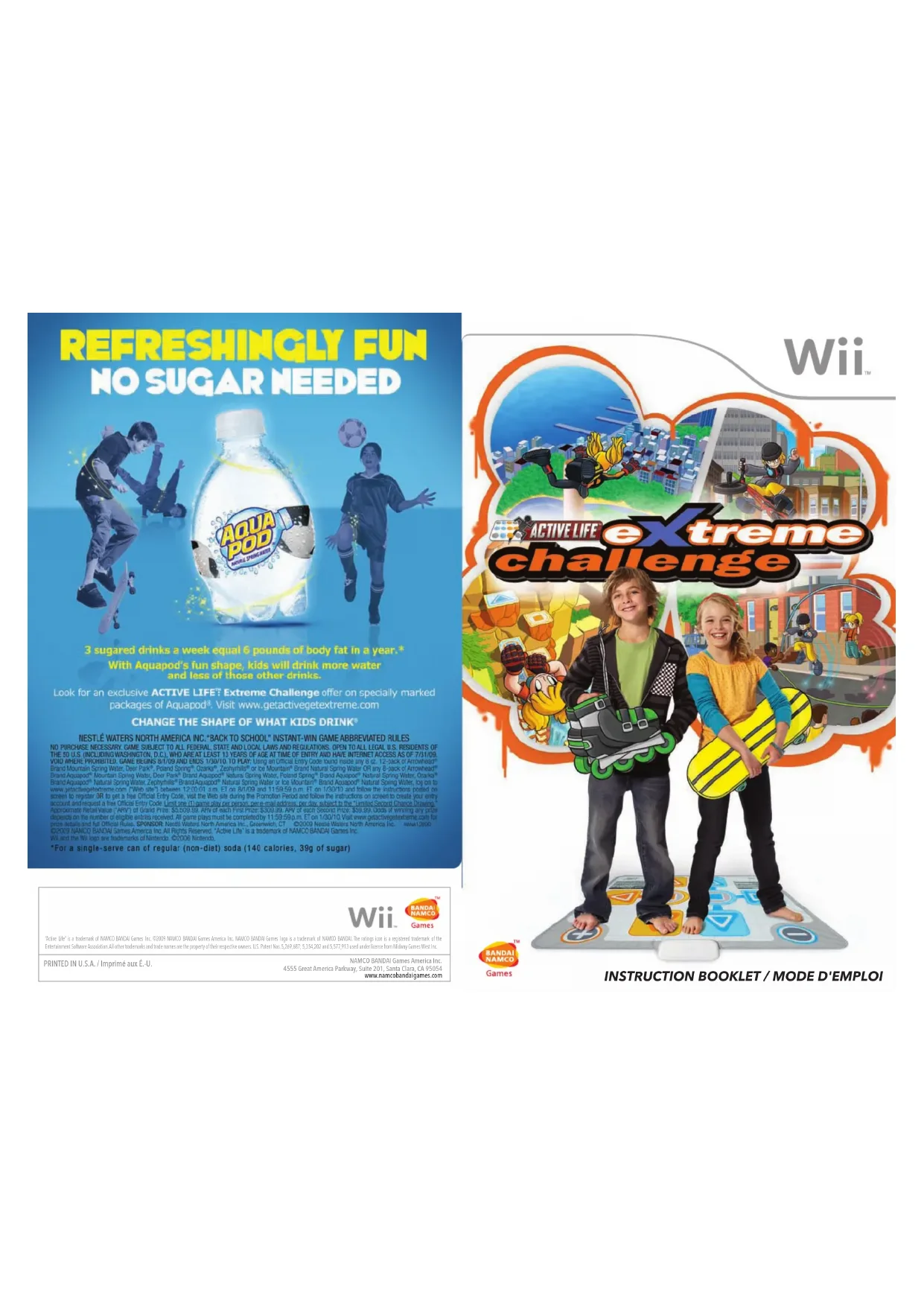

Download the instructions for your Game in PDF format for free! Find your manual Active Life Extreme Challenge (Wii) - NINTENDO and take your electronic device back in hand. On this page are published all the documents necessary for the use of your device. Active Life Extreme Challenge (Wii) by NINTENDO.
USER MANUAL Active Life Extreme Challenge (Wii) NINTENDO
PRINTED IN U.S.A. / Imprimé aux É.-U. NAMCO BANDAI Games America Inc. 4555 Great America Parkway, Suite 201, Santa Clara, CA 95054 www.namcobandaigames.com “Active Life” is a trademark of NAMCO BANDAI Games Inc. ©2009 NAMCO BANDAI Games America Inc. NAMCO BANDAI Games logo is a trademark of NAMCO BANDAI. The ratings icon is a registered trademark of the Entertainment Software Association. All other trademarks and trade names are the property of their respective owners. U.S. Patent Nos. 5,269,687; 5,354,202 and 5,577,913 used under license from Midway Games West Inc.Nintendo, Wii and the Official Seal are trademarks of Nintendo. © 2006 Nintendo. Licensed by Nintendo Playing video games can make your muscles, joints, skin or eyes hurt. Follow these instructions to avoid problems such as tendinitis, carpal tunnel syndrome, skin irritation or eyestrain:
as tingling, numbness, burning or stiffness, stop and rest for several hours before playing again.
condition should consult a doctor before playing a video game.
Ř 3DUHQWVVKRXOGZDWFKWKHLUFKLOGUHQSOD\YLGHRJDPHV6WRSSOD\LQJDQGFRQVXOWDGRFWRULI\RXRU
your child has any of the following symptoms: Convulsions Eye or muscle twitching Altered vision Loss of awareness Involuntary movements Disorientation
2. Play video games on the smallest available television screen.
3. Do not play if you are tired or need sleep.
WARNING – Seizures CAUTION – Motion Sickness WARNING – Repetitive Motion Injuries and Eyestrain The Official Seal is your assurance that this product is licensed or manufactured by Nintendo. Always look for this seal when buying video game systems, accessories, games and related products. $FWLYH/LIHLVDWUDGHPDUNRI1$0&2%$1'$,*DPHV,QFk1$0&2%$1'$,*DPHV$PHULFD,QF Nintendo, Wii and the Official Seal are trademarks of Nintendo. © 2006 Nintendo. Licensed by Nintendo Playing video games can make your muscles, joints, skin or eyes hurt. Follow these instructions to avoid problems such as tendonitis, carpal tunnel syndrome, skin irritation or eyestrain:
- Avoid excessive play. Parents should monitor their children for appropriate play.
- Take a 10 to 15 minute break every hour, even if you don't think you need it.
- If your hands, wrists, arms or eyes become tired or sore while playing or if you feel symptoms such as tingling, numbness, burning or stiffness, stop and rest for several hours before playing again.
- If you continue to have any of the above symptoms or other discomfort during or after play, stop playing and see a doctor. PLEASE CAREFULLY READ THE Wii™ OPERATIONS MANUAL COMPLETELY BEFORE USING YOUR Wii HARDWARE SYSTEM, GAME DISC OR ACCESSORY. THIS MANUAL CONTAINS IMPORTANT HEALTH AND SAFETY INFORMATION. IMPORTANT SAFETY INFORMATION: READ THE FOLLOWING WARNINGS BEFORE YOU OR YOUR CHILD PLAY VIDEO GAMES.
- Some people (about 1 in 4000) may have seizures or blackouts triggered by light flashes or patterns, and this may occur while they are watching TV or playing video games, even if they have never had a seizure before.
- Anyone who has had a seizure, loss of awareness, or other symptom linked to an epileptic condition, should consult a doctor before playing a video game.
- Parents should watch their children play video games. Stop playing and consult a doctor if you or your child has any of the following symptoms: Convulsions Eye or muscle twitching Altered vision Loss of awareness Involuntary movements Disorientation
- To reduce the likelihood of a seizure when playing video games:
1. Sit or stand as far from the screen as possible.
2. Play video games on the smallest available television screen.
3. Do not play if you are tired or need sleep.
4. Play in a well-lit room.
5. Take a 10 to 15 minute break every hour.
Playing video games can cause motion sickness in some players. If you or your child feels dizzy or nauseous when playing video games, stop playing and rest. Do not drive or engage in other demanding activity until you feel better. This Nintendo game is not designed for use with any unauthorized device. Use of any such device will invalidate your Nintendo product warranty. Copying of any Nintendo game is illegal and is strictly prohibited by domestic and international intellectual property laws. “Back-up” or “archival” copies are not authorized and are not necessary to protect your software. Violators will be prosecuted. REV–E
IMPORTANT LEGAL INFORMATION
WARNING – Seizures CAUTION – Motion Sickness WARNING – Repetitive Motion Injuries and Eyestrain The Official Seal is your assurance that this product is licensed or manufactured by Nintendo. Always look for this seal when buying video game systems, accessories, games and related products.
CAUTION: WRIST STRAP USE
Please use the wrist strap to help prevent injury to other people or damage to surrounding objects or the Wii Remote in case you accidentally let go of the Wii Remote during game play. Also remember the following:
- Make sure all players put on the wrist strap properly when it is their turn.
- Do not let go of the Wii Remote during game play.
- Dry your hands if they become moist.
- Allow adequate room around you during game play and make sure that all areas you might move into are clear of other people and objects.
- Stay at least three feet from the television.
- Use the Wii Remote Jacket. Manufactured under license from Dolby Laboratories. Dolby, Pro Logic, and the double-D symbol are trademarks of Dolby Laboratories. This game is presented in Dolby Pro Logic II. To play games that carry the Dolby Pro Logic II logo in surround sound, you will need a Dolby Pro Logic II, Dolby Pro Logic or Dolby Pro Logic IIx receiver. These receivers are sold separately.
Please note that when first loading the Game Disc into the Wii console, the Wii will check if you have the latest system menu, and if necessary a Wii system update screen will appear. Press OK to proceed.Table of Contents Table of Contents Getting Started > pg. 04 Starting a New Game > pg.08 Game Modes > pg.09 Game Activities > pg.10active life : extreme challenge active life : extreme challenge
getting started Setting Up Your Wii™ console 1. Set up your Wii™ console according to the instructions in the Wii Operations Manual.2. Make sure that the Wii console’s power is turned OFF. Connect the Mat Controller’s plug to the corresponding Controller Socket on the Wii console. Be sure to connect it to Controller Socket 1 on the Wii console. Note: If you connect the Mat Controller to any Controller Socket besides Controller Socket 1, you will not be able to use it for gameplay. Important: Connect the Mat Controller before turning on your Wii console.3. Press the Power Button and the Power LED will light up.4. Insert the Active Life™: Extreme Challenge disc in the disc slot.5. Follow on-screen instructions and refer to this manual for more information about playing Active Life™: Extreme Challenge. To avoid damage to discs or the Wii console:• Insert only Wii-compatible discs into the disc slot.• Never use oddly shaped discs, such as star-shaped or heart-shaped discs.• Do not apply labels, stickers, or other foreign objects to discs. Saving Data Save data must be saved to your Wii console.
Wii Remote™ Here we explain the basic controls for the Wii Remote™. Note: Some button and motion functions may be different depending on the Activity you are playing. Follow the on-screen instructions or refer to other sections in this instruction manual for more information.• Highlight menu option• Turn power ON/OFF• Highlight menu option• Accept (in Menu Screen)• Pause / in-game options• Accept• Go Back / Cancel• Go Back / Cancel (in Menu Screen)• Display/close HOME Button MenuPointerPower Button+ Control PadA Button+ Button- ButtonHOME ButtonB ButtonController Socket 1Controller Socket 1active life : extreme challenge active life : extreme challenge
Using the Active Life™ Mat Controller Here we explain the basic controls for the Active Life™ Mat Controller.
- Pause / in-game options• Accept (in Menu Screen)+ Button+ Button - Button • Go Back / Cancel (in Menu Screen)Note: Some button functions may be different depending on the Activity you are playing. Follow the on-screen instructions or refer to other sections in this instruction manual for more information.Arrows• Highlight menu option (in Menu Screen) Safety Procedures Using The Active Life™ Mat Controller Cautions (Please Read before Playing)Important Safety Information• Only step on the pad with your bare feet. Shoes may damage the pad’s sensors.• Position the pad away form hard oors and furniture. Place cushions around the pad to break any fall.• Dry the pad thoroughly before using it to prevent any slipping. If the pad becomes wet with sweat or other liquid, stop playing and dry it.• Do not use the pad if you are currently consulting a doctor, if you are pregnant, or in bad health.• Do not use the pad if you are under the inuence of alcohol or other drugs that can impair your balance, perception, or judgment. • Children should be supervised by an adult to ensure safe use of the pad.
- Do not keep the pad near open ames or other heat sources. Mii Support The use of Mii characters is unlocked after the player has completed all activities in Beginner’s Course in Extreme Tournament. To select a Mii, the player must return to the Character Selection Screen and select their desired created Mii.active life : extreme challenge active life : extreme challenge
active life : extreme challenge Starting a New Game / Game Modes Starting a New Game / Game Modes starting a new game / game modes
Starting a New Game Press the A Button at the Title Screen to bring up the Main Menu. Select SINGLE PLAYER or MULTI-PLAYER from the Main Menu, and create a new Player prole by selecting a character and inputting your Player name. Once complete, you are prompted to select between Extreme Tournament, Challenge Mode, or Free Play. While playing, all of your rankings are saved under your created prole and can be accessed the next time you play. This prole is selectable from the Player selection screen.Single Player >Play solo through Extreme Tournament, Challenge Mode, or Free Play modes.Multiplayer >You and a friend can compete head-to-head in Extreme Tournament, Challenge Mode, or Free Play modes.View/ Delete Player Data >Manage Player proles.View Rankings >View top scores and times for each Activity and skill level.Options >Select to turn Ghost Display ON or OFF. You can also view Staff Credits here. Game Modes Here we explain the main game modes available in Active Life™: Extreme ChallengeExtreme Tournament >Take on a variety of extreme sports tournament style! Test your skills in tournaments of three to ve Activities ranging in skill from Beginner to Master. This mode even allows you to create your own course sets! Challenge Mode >These challenges feature many of the same Activities as the other modes, but with exciting new objectives and rules! Choose this mode if you are looking for some extra challenge in your extreme sports.Free Play >Choose any Activity and jump right into the action!Menu ChoiceDescriptionsMenu ChoiceDescriptionsGame ModeDescriptionsGame ModeDescriptionsactive life : extreme challenge active life : extreme challenge active life : extreme challenge
Game Activities Game Activities Game Activities Here we explain the many activities you can play!Street Luge >Single player: Hop on your board and plunge down the slope toward the goal! This activity is played sitting down, so take a seat on the mat. Here, you can press to move left and to move right. Press and simultaneously to accelerate. Note: The more weight you place on the buttons, the faster you go.Double Dutch (Normal) >Single player: Jump stylishly over the two ropes as you compete in Double Dutch. You play this game by jumping on the mat. Start by placing your feet on and . Jump and lift both feet off the mat to leap over the ropes. The ropes’ speed changes over time. In order to handle the ropes at their fastest, quickly alternate between and to do high-speed jumps. Multiplayer: Player 1 stands on and , while Player 2 stands on and . Double Dutch Fusion >Single player: Perform graceful tricks while playing Double Dutch Fusion. Place your feet on and and jump by lifting both feet off the buttons. Perform tricks by landing on the button that matches the image displayed in the bottom of the screen. If you are new to this Activity, make sure to watch the teacher’s example of how to play. Multiplayer: Player 1 stands on and , and Player 2 stands on and . As a team, the players work together to step on the button icons that are displayed in the bottom of the screen. Player 1 can easily reach , , , and and Player 2 can reach , , , and .Base Jumping >Single player: Clear all of the panels and open your parachute in time to make the perfect landing! Play this game while standing on the mat so you can easily press all the required buttons. To clear panels, simply step on the correct button icon that corresponds to the mat. Larger panels may require you to step on the button several times before they are cleared. Once the panels have been cleared, open your parachute and complete the stage. Multiplayer: Be the rst to clear all of the panels and open your parachute! Player 1 is positioned on , , , and , and Player 2 is stationed on , , and . ACTIVITY DESCRIPTIONSACTIVITY DESCRIPTIONSACTIVITY DESCRIPTIONSACTIVITY DESCRIPTIONS game activities,active life : extreme challenge active life : extreme challenge active life : extreme challenge
Game Activities Game Activities BMX (Flatland) >Single player: Perform ashy tricks with your bike! Play this game by jumping on the mat and holding the Wi Remote. Place your feet on and and hold the Wii Remote in front of you with both hands, much like how you would hold the handlebars of a bike. Step on the buttons displayed on the right side of the screen to perform tricks. Quickly executing tricks leads to amazing combos! Multiplayer: Player 1 is positioned on and , while Player 2 stands on and .Note: This game uses the Wii Remote.BMX (Street) >Single player: Aim for the top speed with your bike. Place your feet on and and hold the Wii Remote in front of you with both hands. Tilting left moves the bike to the left, while tilting right moves the bike to the right. For some sweet jumps, lift both feet off the mat Multiplayer: Try to get the highest speed on your bike. Note: This game uses the Wii Remote.Rock Climbing (Difficult) >Single player: Scale the cliff all the way to its peak! You play this game on your knees while using your hands to press the buttons on the mat.. To climb, place your hand on the button marked on the cliff wall. Press each button rmly, making sure that one hand is always pressing a button. If you take both hands off the mat, you will lose your grip and be forced to regain your grip by repeatedly tapping on and to keep from falling. Multiplayer: If a Player takes both hands off the mat, he or she can recover by pressing certain buttons. Player 1 quickly taps and , and Player 2 taps and to keep from falling.Rock Climbing (Speed) >Single player: Reach the top of the cliff while dodging boulders. Play this game on your knees while using your hands to press the buttons on the mat.. Quickly press , , , and . Press and alternately to climb to the left, and press and alternately to climb to the right. Using and alternately allows you to move straight up.Multiplayer: When one Player is climbing, the other Player can drop boulders to make climbing more difcult. To drop boulders to the left, shake the Nunchuk; to drop them to the right, shake the Wii Remote. Drop a boulder straight down by shaking the Wii Remote and Nunchuk at the same time. Note: This game uses the Wii Remote and Nunchuk. ACTIVITY DESCRIPTIONS ACTIVITY DESCRIPTIONS ACTIVITY DESCRIPTIONS ACTIVITY DESCRIPTIONS game activitiesactive life : extreme challenge active life : extreme challenge active life : extreme challenge
Game Activities Game Activities game activitiesSkateboarding (Vertical) >Single player: Nail mid-air tricks with your skateboard. Play this game by jumping on the mat. Position your feet on and and catch some mad air by lifting your feet off the mat. The key is to time your jumps right before reaching the red lines at the edge of the half pipe. Pressing on the many buttons on the mat allows you to perform different tricks in mid-air.Skateboarding (Freestyle) >Single player: Land gnarly tricks on your skateboard. Play this game while standing on the mat. Place your feet on and and get ready to land some sweet moves. After watching your opponent perform tricks, it’s your turn. Don’t forget which button your friend pressed during Remember Mode. When your turn starts, press the same sequence of buttons your opponent pressed during their turn. At the end of your turn, you can add to the string which increases with each successful round. The rst person to make a mistake loses.Multiplayer: While Player 1 performs rst, Player 2 must memorize the buttons Player 1 presses during their turn. Next, Player 2 has to repeat the tricks by inputting the same sequence of buttons Player 1 pressed. If Player 2 is successful, Player 1 returns to the mat and goes again. The number of buttons to memorize increases each round. The rst person to make a mistake loses.BMX (Speed) >Single player: Rocket down a steep hill on a bike! Place your feet on and and hold the Wii Remote in front of you with both hands. Step on and to pedal the bike, and tilt the Wii Remote to move side to side. To accelerate, step on and . The faster you step on the buttons, the faster your bike goes! You can race even faster by shaking the Wii Remote.Note: This game uses the Wii Remote.Kite Surfing >Single player: Perform mid-air tricks while kite surng! Place your feet on and while holding the Wii Remote in your right hand and the Nunchuk in your left hand. Use the Wii Remote to move the kite to the right, and use the Nunchuk to move the kite to the left. The more you catch, the longer you will stay in the air. To jump lift both feet off the mat. Pressing on the many buttons on the mat allows you to perform different tricks in mid-air.Note: This game uses the Wii Remote and Nunchuk. ACTIVITY DESCRIPTIONS ACTIVITY DESCRIPTIONS ACTIVITY DESCRIPTIONS ACTIVITY DESCRIPTIONSactive life : extreme challenge active life : extreme challenge active life : extreme challenge