 ManualGo.com
New Super Mario Bros (Wii) - Game NINTENDO - Free user manual and instructions
Find the device manual for free New Super Mario Bros (Wii) NINTENDO in PDF.



Download the instructions for your Game in PDF format for free! Find your manual New Super Mario Bros (Wii) - NINTENDO and take your electronic device back in hand. On this page are published all the documents necessary for the use of your device. New Super Mario Bros (Wii) by NINTENDO.
USER MANUAL New Super Mario Bros (Wii) NINTENDO
NEED HELP WITH INSTALLATION, MAINTENANCE OR SERVICE? Nintendo Customer Service
SUPPORT.NINTENDO.COM
or call 1-800-255-3700 NEED HELP PLAYING A GAME? Recorded tips for many titles are available on Nintendo’s Power Line at (425) 885-7529. This may be a long-distance call, so please ask permission from whoever pays the phone bill.If the information you need is not on the Power Line, you may want to try using your favorite Internet search engine to find tips for the game you are playing. Some helpful words to include in the search, along with the game’s title, are: “walk through,” “FAQ,” “codes,” and “tips.” BESOIN D’AIDE POUR L’INSTALLATION, L’ENTRETIEN OU LA RÉPARATION? Service à la clientèle de Nintendo
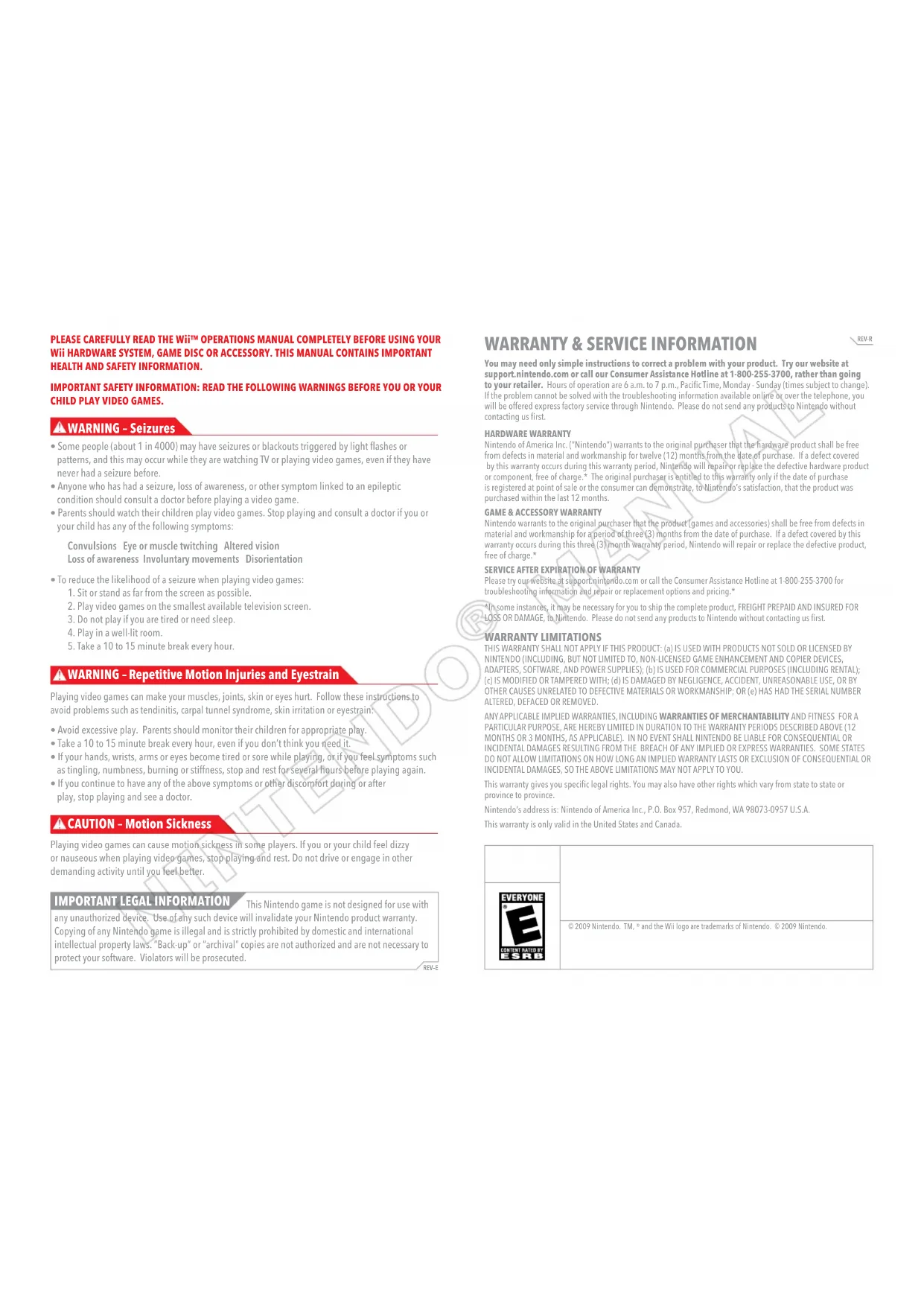
You may need only simple instructions to correct a problem with your product. Try our website at support.nintendo.com or call our Consumer Assistance Hotline at 1-800-255-3700, rather than going to your retailer. Hours of operation are 6 a.m. to 7 p.m., Pacific Time, Monday - Sunday (times subject to change). If the problem cannot be solved with the troubleshooting information available online or over the telephone, you will be offered express factory service through Nintendo. Please do not send any products to Nintendo without contacting us first. HARDWARE WARRANTY Nintendo of America Inc. (“Nintendo”) warrants to the original purchaser that the hardware product shall be free from defects in material and workmanship for twelve (12) months from the date of purchase. If a defect covered by this warranty occurs during this warranty period, Nintendo will repair or replace the defective hardware product or component, free of charge.* The original purchaser is entitled to this warranty only if the date of purchase is registered at point of sale or the consumer can demonstrate, to Nintendo’s satisfaction, that the product was purchased within the last 12 months.
GAME & ACCESSORY WARRANTY
Nintendo warrants to the original purchaser that the product (games and accessories) shall be free from defects in material and workmanship for a period of three (3) months from the date of purchase. If a defect covered by this warranty occurs during this three (3) month warranty period, Nintendo will repair or replace the defective product, free of charge.*
SERVICE AFTER EXPIRATION OF WARRANTY
Please try our website at support.nintendo.com or call the Consumer Assistance Hotline at 1-800-255-3700 for troubleshooting information and repair or replacement options and pricing.* *In some instances, it may be necessary for you to ship the complete product, FREIGHT PREPAID AND INSURED FOR LOSS OR DAMAGE, to Nintendo. Please do not send any products to Nintendo without contacting us first. WARRANTY LIMITATIONS THIS WARRANTY SHALL NOT APPLY IF THIS PRODUCT: (a) IS USED WITH PRODUCTS NOT SOLD OR LICENSED BY NINTENDO (INCLUDING, BUT NOT LIMITED TO, NON-LICENSED GAME ENHANCEMENT AND COPIER DEVICES, ADAPTERS, SOFTWARE, AND POWER SUPPLIES); (b) IS USED FOR COMMERCIAL PURPOSES (INCLUDING RENTAL); (c) IS MODIFIED OR TAMPERED WITH; (d) IS DAMAGED BY NEGLIGENCE, ACCIDENT, UNREASONABLE USE, OR BY OTHER CAUSES UNRELATED TO DEFECTIVE MATERIALS OR WORKMANSHIP; OR (e) HAS HAD THE SERIAL NUMBER ALTERED, DEFACED OR REMOVED. ANY APPLICABLE IMPLIED WARRANTIES, INCLUDING WARRANTIES OF MERCHANTABILITY AND FITNESS FOR A PARTICULAR PURPOSE, ARE HEREBY LIMITED IN DURATION TO THE WARRANTY PERIODS DESCRIBED ABOVE (12 MONTHS OR 3 MONTHS, AS APPLICABLE). IN NO EVENT SHALL NINTENDO BE LIABLE FOR CONSEQUENTIAL OR INCIDENTAL DAMAGES RESULTING FROM THE BREACH OF ANY IMPLIED OR EXPRESS WARRANTIES. SOME STATES DO NOT ALLOW LIMITATIONS ON HOW LONG AN IMPLIED WARRANTY LASTS OR EXCLUSION OF CONSEQUENTIAL OR INCIDENTAL DAMAGES, SO THE ABOVE LIMITATIONS MAY NOT APPLY TO YOU. This warranty gives you specific legal rights. You may also have other rights which vary from state to state or province to province. Nintendo’s address is: Nintendo of America Inc., P.O. Box 957, Redmond, WA 98073-0957 U.S.A. This warranty is only valid in the United States and Canada. PLEASE CAREFULLY READ THE Wii™ OPERATIONS MANUAL COMPLETELY BEFORE USING YOUR Wii HARDWARE SYSTEM, GAME DISC OR ACCESSORY. THIS MANUAL CONTAINS IMPORTANT HEALTH AND SAFETY INFORMATION. IMPORTANT SAFETY INFORMATION: READ THE FOLLOWING WARNINGS BEFORE YOU OR YOUR CHILD PLAY VIDEO GAMES.
- Somepeople(about1in4000)mayhaveseizuresorblackoutstriggeredbylightashesor patterns, and this may occur while they are watching TV or playing video games, even if they have never had a seizure before.
- Anyonewhohashadaseizure,lossofawareness,orothersymptomlinkedtoanepileptic condition should consult a doctor before playing a video game.
- Parentsshouldwatchtheirchildrenplayvideogames.Stopplayingandconsultadoctorifyouor your child has any of the following symptoms: Convulsions Eye or muscle twitching Altered vision Loss of awareness Involuntary movements Disorientation
- Toreducethelikelihoodofaseizurewhenplayingvideogames:
1. Sit or stand as far from the screen as possible.
2. Play video games on the smallest available television screen.
3. Do not play if you are tired or need sleep.
4. Play in a well-lit room.
5. Take a 10 to 15 minute break every hour.
Playing video games can make your muscles, joints, skin or eyes hurt. Follow these instructions to avoid problems such as tendinitis, carpal tunnel syndrome, skin irritation or eyestrain:
- Ifyourhands,wrists,armsoreyesbecometiredorsorewhileplaying,orifyoufeelsymptomssuch as tingling, numbness, burning or stiffness, stop and rest for several hours before playing again.
- Ifyoucontinuetohaveanyoftheabovesymptomsorotherdiscomfortduringorafter play, stop playing and see a doctor. Playing video games can cause motion sickness in some players. If you or your child feel dizzy or nauseous when playing video games, stop playing and rest. Do not drive or engage in other demanding activity until you feel better. This Nintendo game is not designed for use with any unauthorized device. Use of any such device will invalidate your Nintendo product warranty. Copying of any Nintendo game is illegal and is strictly prohibited by domestic and international intellectual property laws. “Back-up” or “archival” copies are not authorized and are not necessary to protect your software. Violators will be prosecuted. REV–E
IMPORTANT LEGAL INFORMATION
CAUTION – Motion Sickness WARNING – Repetitive Motion Injuries and Eyestrain WARNING – Seizures REV-R3
Contents Starting a Game New Super Mario Bros. Wii File-Selection Screen When you’re playing for the rst time, simply select a new le. If you’d like to continue a previous game, nd the le you’d like to play with , then select it with . Then choose the number of players, and the game will begin. You can always add new players or drop players from the map screen at any time (see page 9). A balloon will appear when the le has quick-save data. Copying and Erasing Files If you’d like to copy an existing le, select the le you’d like to copy and press . To erase a le, select a le you’d like to erase, then press
- CAUTION! Once a le has been erased or copied over, it’s gone forever and can’t be restored. Be careful! You can’t copy quick-save data. Free-for-All and Coin Battle You can play Free-for-All and Coin Battle with two to four players. In these modes, you can cooperate or compete with your friends on the course of your choice. Each player will need a Wii Remote. Saving Game progress will be saved on the le you select from the le-selection screen. You can also choose to quick save if you want to take a break and quit the game for a while. Then, you can continue your quick-save game once. Do not reset or turn off your Wii console while the game is saving. Please see your Wii Operations Manual: Channels and Settings for information about how to delete les in your Wii system memory. You will need 1 free block of memory in your Wii system memory to create save data. Starting a Game p. 4
- Controls p. 5
- Game Screen p. 7
- Mario’s Actions p. 12
- Multiplayer Game p. 17
- Free-for-All and Coin Battle System Menu UpdatePlease note that when rst loading the Game Disc into the Wii console, the system will check if you have the latest version of the system menu, and if necessary a Wii system menu update screen will appear. Select OK to proceed with the update. Please note that the Wii console must have the latest version of the Wii system menu in order to play the Game Disc.When the system menu is updated, unauthorized hardware and/or software modications may be detected and unauthorized content may be removed, causing the immediate or delayed inoperability of your console. Failure to accept the update may render this game, and future games, unplayable. Please note that Nintendo cannot guarantee that unauthorized software or accessories will continue to function with the Wii console after this or future updates of the Wii system menu.To play this game in English, change your language settings in the Wii System Settings.Insert the New Super Mario Bros. Wii Game Disc in the Wii console and follow the on-screen instructions.New Super Mario Bros. Wii Contents Balloon5 New Super Mario Bros. Wii p. 20
CAUTION: WRIST STRAP USE
Please use the wrist strap to help prevent injury to other people or damage to surrounding objects or the Wii Remote in case you accidentally let go of the Wii Remote during game play. Also remember the following:
- Make sure all players put on the wrist strap properly when it is their turn.
- Do not let go of the Wii Remote during game play.
- Dry your hands if they become moist.
- Allow adequate room around you during game play and make sure that all areas you might move into are clear of other people and objects.
- Stay at least three feet from the television.
- Use the Wii Remote Jacket. In New Super Mario Bros. Wii, you’ll hold the Wii Remote controller horizontally to play. This manual will explain in-game controls assuming you’re holding the Wii Remote sideways. Wii Remote™ (horizontal) You can also play using a Wii Remote and Nunchuk™ controller.
- Enter pipes and doors Put yourself in a bubble (see page 18) You can’t enter a bubble in Coin Battle.
- Dash (while pressing left or right)
- Access items on a map (see page 8)
- Swim (in water) Access the world-selection screen (see page 9) How to Play with a Nunchuk Controller Walk/Duck Dash Dash/Lift Jump/Swim In this game, you’ll be shaking the Wii Remote and tilting it left and right. On-screen controller explanations and icons assume that you are playing using only the Wii Remote, even if you are using the Nunchuk controller. Shake the Wii Remote
- Move a tilt lift Nunchuk Style Nunchuk Style7
Game ScreenNew Super Mario Bros. Wii Game Screen Items Press from the map to access your collection of items. Any items you get from Toad houses will be stored here. To use an item, select it and press
When you’re playing with friends (see page 17), items will power up all of the characters. Map Screen Move Mario on the map with . Press to play the course Mario is standing on. You can advance to the next course when you reach the goal of the current course (see page 10). Defeat the boss in the castle at the end of the world to advance to the next world. Press to scroll across the map screen using . Press again to return your view to normal. When more than one person is playing, map movement is controlled by Mario (P1). Toad Mark If you see this icon, there’s a Toad trapped in a block somewhere in the course. When you carry the Toad all the way to the goal… Course Name and Star Coins Course name and number of Star Coins collected on the course are displayed here. Collected Star Coins Star Coins not yet found Mario’s Remaining Lives Peach’s Castle Toad’s House If you bump into an enemy on the map, you’ll encounter it in a course. Collect all the Toad balloons to make a chest appear. Cleared Course Unopened Course (Flashing red) Course that has not been cleared (Solid red) Course cleared using Super Guide (see page 11) Course Enemy Course The Koopalings are hunkered down in fortresses and castles, just waiting to challenge you. Fortress/Castle Spend Star Coins here to buy game tips. Visit Toad houses to win 1-Ups or power-ups. Bowser Flag A ag with a Bowser icon will appear on courses you can resume from the midway point.9
Game Screen Menu On the map screen, press to access the menu. Press up or down on , then press to conrm. Star Coins Select this option to check the number of Star Coins you’ve collected on each world. Add/Drop Players Select this option to add more players or drop players if someone wants to take a break. To play with multiple players, you will need a Wii Remote for each player (see page 17). Quick Save If you want to quit the game and take a break, you can choose to save your progress with a quick save. Then, the next time you play, you can pick up right where you left off. However, a quick save isn’t like a normal save--you can only continue a quick save one time. Quick-save data will be cleared when you continue the game. If you quit the game without saving, you will resume from your last save point. Save Every time you defeat a boss in a fortress or castle, you’re given the option to save your progress. If you save, you will record all of your current progress. Once you beat the game and watch the ending, you can save anytime from the menu. World-Selection Screen From the map, press to access the world-selection screen. On this screen, you can instantly travel to any world you’ve already visited. Select the world you want to travel to with , then press to go there. Midway Points and Goals Each course has a midway point and a goal at the end. When you reach the goal, you can advance to the next course. Some special courses do not have a midway point. Midway Points Courses have ags at their midway points. When you pass a midway point, the image on the ag will change. Then, if you make a mistake and lose a life later in the course, you can start from the ag when you replay the course. When you pass a ag, you will power up to Super Mario. Even if you’ve passed the midway point, if you play another course and return to this course, or if your game ends, you’ll have to start over from the beginning. Goals Every course has a pole at the end. When you reach the end of a course, face the pole and jump as high as you can. The higher Mario grabs on to the pole, the more points you’ll earn. Bowser’s minions are waiting to challenge you in fortresses and castles. Blunders and Game Over Getting clobbered by enemies and falling into pits makes Mario lose a life. If Mario loses all of his lives, your game ends, and you’ll have to start over from your last save point with ve lives left. When you lose all your lives, your game will automatically continue and the number of times you’ve had to continue will appear.New Super Mario Bros. Wii
Game Screen Mario’s Moves These are Mario’s standard moves. When playing multiplayer, Luigi, Yellow Toad, and Blue Toad use the same controls. Walk Left or right on
Press left or right on to walk. Dash Left or right on + Press and hold while pressing left or right on to move from a walk to a dash. Mario can dash over one-block-wide gaps without falling into them. Duck Down on Press and hold down on to duck. Do this while dashing to make Mario slide for a bit while ducking. Jump and Stomp Press to jump. Press and release for short jumps, and press and hold for longer jumps. Jumping on top of enemies is the most basic way to attack them. If you press right when you land on an enemy, you’ll be able to jump higher than usual. Spin Jump Shake the Wii Remote Shake the Wii Remote to make Mario spin and jump. You can also spin jump to turn screws in some courses. For Nunchuk controls, see page 6. Mario’s Actions Pause Menu Press on the action screen to halt the game and open the pause menu. Select menu items with , then conrm with . Continue Select this option to resume your game. Exit Course Leave the course and return to the map screen. You can only select Exit Course on courses you’ve already cleared. If you exit a course, any coins or points you’ve collected will not be saved. Super Guide If you’re having trouble with a tough course and lose a life enough times in a row, a will appear in the course. Hit the block to activate Super Guide and call in Mario’s bro, Luigi, to take control of the game and show you a safe route through the course as he heads for the goal. Press at any time while Super Guide is active to resume control and play the rest of the course as Luigi. Any coins and points Luigi collects while Super Guide is active will not be saved. Once you clear the course by yourself, the will disappear.13
Mario’s Actions Hit Block from Below Jump while standing beneath blocks to hit (and sometimes break) them. Hitting blocks from below allows you to attack any enemies standing on them. Double Jump/Triple Jump Dash +
then when landing Jump while dashing, then press again just as Mario touches down to perform a double jump or even higher triple jump. Ground Pound Down on while in the air Press down on while in the air to perform a ground pound. Slide Down on on slopes Press down on to slide down slopes—you’ll plow through most enemies you slide into. Wall Jump While sliding:
While sliding down a wall, press in the direction of the wall, then press to kick off the wall and jump upward. Grab and Throw Hit shelled enemies to make them hide inside their shells. Then you can pick them up by contacting them while pressing . Release to throw the shell. Lift and Throw + shake the Wii Remote You can lift up barrels and certain types of blocks by touching them and holding down while shaking the Wii Remote. Release to throw them. For Nunchuk controls, see page 6. Swim Left or right on
In the water, press and hold left or right on , then press to swim. Move a Tilt Lift Tilt the Wii Remote When you get on a lift like the one shown below, an icon will appear. When you tilt the Wii Remote, the lift will tilt. When you are playing in a group, whoever jumps on the lift rst will operate it. A character icon will indicate who can control the lift. For Nunchuk controls, see page 6. Icon Mario Luigi Yellow Toad Blue Toad Climb and Hit Fences / while climbing the fence Press up on to grab on to a fence. Then press up, down, left, or right on to move, and press to hit the fence and attack enemies on the other side. Press to let go. Press on ip panels to spin them and move to the other side. You can cooperate with other characters by lifting them up during a course (see page 19). You can lift and throw some types of blocks.15
Mario’s Actions Propeller Mario Grab a Propeller Mushroom to transform into Propeller Mario and launch into the sky! Propeller Jump and Spin Down Shake the Wii Remote and spin jump to rocket up. During your jump, you can press down on to quickly descend. You can even attack enemies by spinning down onto them. For Nunchuk controls, see page 6. Ice Mario Find an Ice Flower to turn into Ice Mario. Then you can hurl ice balls at enemies to freeze them solid. Throw Ice Balls Press to throw ice balls. Any enemy hit with an ice ball will freeze into a block of solid ice. A frozen enemy will not be able to move for a bit. Throw/Break Ice Blocks To pick up a frozen enemy, press and shake the Wii Remote. Then release
throw the block. You can also shatter frozen enemies by ground-pounding on top of them. For Nunchuk controls, see page 6. Penguin Mario Pick up a Penguin Suit to transform into Penguin Mario. As Penguin Mario, you can move freely through water and over ice—and even throw ice balls. Belly Slide Press down on on slopes or while dashing to hop on your belly and slide. Mario will topple most enemies he hits while belly-sliding. If you run into most blocks from the side while you’re sliding, you’ll plow right through them. Penguin Mario can also slide over water. Swim In the water, press up, down, left, or right to swim in the water. Press to swim with big strokes through the water. Mini Mario Snag a Mini Mushroom to shrink Mario down to micro size. Attacks become weaker, and the only way to take down an enemy is to ground-pound them. In this teeny form, Mario can go into small pipes and travel down tiny paths. If he gets hit by enemies, though, Mini Mario’s done for. Jump/Walk on Water Mini Mario can lightly oat through the air as he jumps. Mini Mario can also walk and run on water. Shake the Wii Remote and down on + shake the Wii Remote Down on while dashing
Multiplayer Game Select the Number of Players After selecting a le on the le-selection screen (see page 4), you can choose to play with two to four players. You can change the number of players in the middle of a game (see page 9). Select Characters Player 1 controls Mario. Players 2 to 4 can press on their Wii Remotes to select a character. Press left or right to select the character you’d like to play, then press
conrm your choice and join the game. The game begins when Player 1 selects Start Game. During a multiplayer game, players 2-4 can press on the character-selection screen to drop from the game. Player 1 can press to add Wii Remotes. On the Add Wii Remote screen, press and at the same time on the Wii Remotes you’d like to add. Game Screen Each Character’s Remaining Lives Time Blunders and Revival When you make a mistake, your character will lose a life. When a character makes a blunder and has remaining lives, they will oat back to the course in a bubble. Shake the Wii Remote when you’re in a bubble to oat toward other characters. When the bubble touches another character, the bubble will pop and you will be back in the game. When all the characters make a blunder at the same time, you will return to the map screen. Enter a Bubble Press to put your character in a bubble. While you’re in a bubble, you can’t be attacked by enemies. Shake the Wii Remote to oat toward another player. Going into a bubble will not make you lose a life. If everybody ends up in a bubble, or all the players are in bubbles and the remaining player loses a life, then you’ll return to the map screen. You can’t enter a bubble when playing Coin Battle (see page 20). Pipes and Goals If any player enters a pipe, the other players will warp to the same place after a short time. If any player reaches the goal, the rest of the players will have a short time to reach the ag before the course ends. Score Coins and Star Coins The number of Star Coins collected is a total for all players.New Super Mario Bros. Wii
Multiplayer Game Cooperative Game Play Cooperate with other players to clear courses! Lift Characters Move right next to a player and press while shaking the Wii Remote to lift them up. Players that have been lifted can shake the Wii Remote anytime to get down. Move Press and hold while lifting someone to move while lifting them up. When the character being lifted up has a power-up, they can use that special ability while being carried to help clear the course. Throw You can throw a character you have picked up by releasing . Watch out for enemies and pits when you throw them! Cooperative Jump When you jump on a character’s head, you can bounce off of them. If you press right when you land on another character, you can use the extra bounce to jump even higher than usual. Simultaneous Ground Pound When multiple characters ground-pound at exactly the same moment, a burst of energy defeats all on-screen enemies on the ground. + shake the Wii Remote Free-for-All and Coin Battle Free-for-All In this mode, you can choose to play any course with your friends. An icon will appear on courses you have cleared. This icon will be reset if you exit the mode or turn the Wii console power off. Blunders If everybody loses a life and nobody is left alive on the screen, or you lose all your lives, you will fail to clear the course, and you’ll return to the course-selection screen. Coin Battle In this mode, it’s a mad scramble for coins while you head for the goal. Whoever collects the most coins during the course is the winner. At the end, players are ranked. Blunders If everybody loses a life at the same time, or everyone loses all their lives, the game proceeds to the ranking screen. Rankings and Victory Tally Rankings are determined by the number of coins you collect. Players are ranked according to score on the Final Results screen, but only the top player will have the game counted toward their total number of victories. That way, you can see which player has won the most matches this play session. The victory tally is reset when you return to the title screen or turn off your Wii console.Because of my most recent kidnapping, I’ve had plenty of time here in lonely captivity to write you a few hints and words of inspiration that I hope will help you during your quest to save me. Be careful, Mario, but hurry--this castle is so…dingy! Use your famous moves! Use all those special moves you do to grab coins and power-ups in hard- to-reach places. If you can’t break a block or jump to a suspicious pipe, try using a combination of moves, or even a power-up. Look for secrets! Each course doesn’t necessarily have just one goal, Mario. On some courses, there are hidden goals and secret paths that open up new places on the map! Don’t be afraid to explore. Don’t sweat it! If you’re having a hard time making it through a course, use Super Guide! If you keep making mistakes and losing lives on the same course, you can call in your brother, Luigi, to show you the way through the course. Then, you can always go back and nish the challenge yourself. Collect Star Coins! There are three Star Coins hidden in each course. Something good is bound to happen when you collect Star Coins, Mario! Go to Peach Castle for a hint! At Peach Castle, you can spend Star Coins to watch hint movies. I just know they’ll help you on your adventure. More hint movies will become available as you progress through your adventure. So be sure to visit Peach Castle every once in a while, even if I’m not there. Oh, this is making me homesick… Save Toads! Some of the Toads have been trapped in blocks! When you get near a block that has a Toad trapped in it, you’ll hear it calling out to you. When you break the block and free them, lift them up and carry them to the goal. I’m sure the Toads will give you some kind of reward for saving them… *Oh, and, Mario--you can only save Toads when you are playing by yourself.REV-R RENSEIGNEMENTS SUR L’ENTRETIEN ET LA GARANTIE Certains problèmes pourraient être facilement résolus à l’aide de quelques instructions simples. Avant de retourner chez votre détaillant, visitez notre site Internet à support.nintendo.com, ou appelez le service à la clientèle au 1 800 255-3700. Nos heures d’ouverture sont de 6 h à 19 h, heure du Pacifique, du lundi au dimanche (heures sujettes à changement). Si le problème ne peut pas être résolu en consultant le soutien technique en ligne ou au téléphone, Nintendo vous offrira un service de réparation express. Veuillez nous contacter avant d’expédier tout produit chez Nintendo.