 ManualGo.com
The Munchables (Wii) - Game NINTENDO - Free user manual and instructions
Find the device manual for free The Munchables (Wii) NINTENDO in PDF.


Download the instructions for your Game in PDF format for free! Find your manual The Munchables (Wii) - NINTENDO and take your electronic device back in hand. On this page are published all the documents necessary for the use of your device. The Munchables (Wii) by NINTENDO.
USER MANUAL The Munchables (Wii) NINTENDO
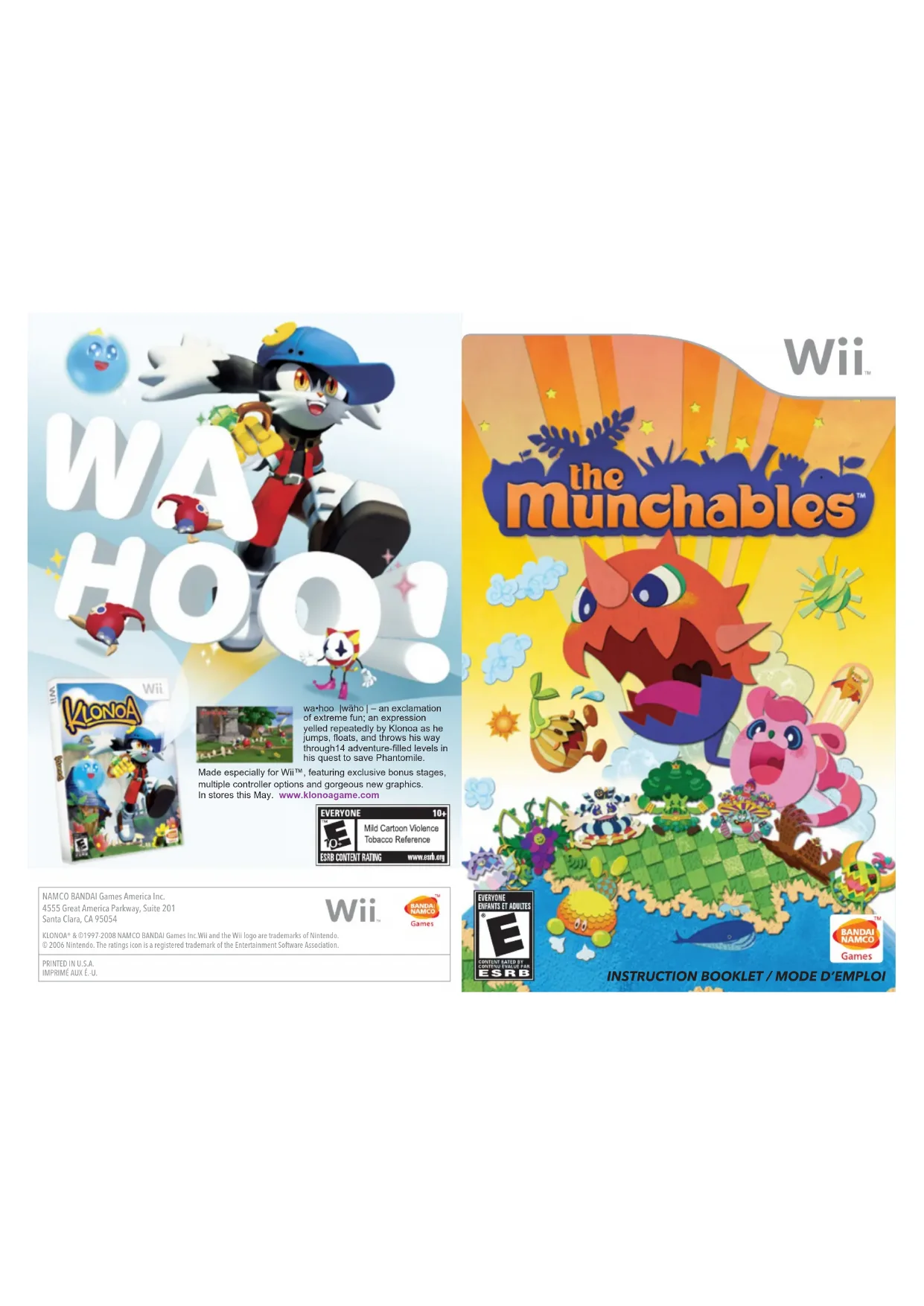
Made especially for Wii™, featuring exclusive bonus stages, multiple controller options and gorgeous new graphics. In stores this May. www.klonoagame.com KLONOA® & ©1997-2008 NAMCO BANDAI Games Inc.Wii and the Wii logo are trademarks of Nintendo. © 2006 Nintendo. The ratings icon is a registered trademark of the Entertainment Software Association. PRINTED IN U.S.A. IMPRIMÉ AUX É.-U. NAMCO BANDAI Games America Inc. 4555 Great America Parkway, Suite 201 Santa Clara, CA 95054 wa•hoo |wäho| – an exclamation of extreme fun; an expression yelled repeatedly by Klonoa as he jumps, floats, and throws his way through14 adventure-filled levels in his quest to save Phantomile.Nintendo, Wii and the Official Seal are trademarks of Nintendo. © 2006 Nintendo. Licensed by Nintendo Playing video games can make your muscles, joints, skin or eyes hurt. Follow these instructions to avoid problems such as tendinitis, carpal tunnel syndrome, skin irritation or eyestrain:
- Avoid excessive play. Parents should monitor their children for appropriate play.
- Take a 10 to 15 minute break every hour, even if you don't think you need it.
- If your hands, wrists, arms or eyes become tired or sore while playing, or if you feel symptoms such as tingling, numbness, burning or stiffness, stop and rest for several hours before playing again.
- If you continue to have any of the above symptoms or other discomfort during or after play, stop playing and see a doctor. PLEASE CAREFULLY READ THE Wii™ OPERATIONS MANUAL COMPLETELY BEFORE USING YOUR Wii HARDWARE SYSTEM, GAME DISC OR ACCESSORY. THIS MANUAL CONTAINS IMPORTANT HEALTH AND SAFETY INFORMATION. IMPORTANT SAFETY INFORMATION: READ THE FOLLOWING WARNINGS BEFORE YOU OR YOUR CHILD PLAY VIDEO GAMES.
- Some people (about 1 in 4000) may have seizures or blackouts triggered by light flashes or patterns, and this may occur while they are watching TV or playing video games, even if they have never had a seizure before.
- Anyone who has had a seizure, loss of awareness, or other symptom linked to an epileptic condition should consult a doctor before playing a video game.
- Parents should watch their children play video games. Stop playing and consult a doctor if you or your child has any of the following symptoms: Convulsions Eye or muscle twitching Altered vision Loss of awareness Involuntary movements Disorientation
- To reduce the likelihood of a seizure when playing video games:
1. Sit or stand as far from the screen as possible.
2. Play video games on the smallest available television screen.
3. Do not play if you are tired or need sleep.
4. Play in a well-lit room.
5. Take a 10 to 15 minute break every hour.
Playing video games can cause motion sickness in some players. If you or your child feel dizzy or nauseous when playing video games, stop playing and rest. Do not drive or engage in other demanding activity until you feel better. This Nintendo game is not designed for use with any unauthorized device. Use of any such device will invalidate your Nintendo product warranty. Copying of any Nintendo game is illegal and is strictly prohibited by domestic and international intellectual property laws. “Back-up” or “archival” copies are not authorized and are not necessary to protect your software. Violators will be prosecuted. REV–E
IMPORTANT LEGAL INFORMATION
WARNING – Seizures CAUTION – Motion Sickness WARNING – Repetitive Motion Injuries and Eyestrain The Official Seal is your assurance that this product is licensed or manufactured by Nintendo. Always look for this seal when buying video game systems, accessories, games and related products.
CAUTION: WRIST STRAP USE
Please use the wrist strap to help prevent injury to other people or damage to surrounding objects or the Wii Remote in case you accidentally let go of the Wii Remote during game play. Also remember the following:
- Make sure all players put on the wrist strap properly when it is their turn.
- Do not let go of the Wii Remote during game play.
- Dry your hands if they become moist.
- Allow adequate room around you during game play and make sure that all areas you might move into are clear of other people and objects.
- Stay at least three feet from the television.
- Please note that when first loading the Game Disc into the Wii console, the Wii will check if you have the latest system menu, and if necessary a Wii system update screen will appear. Press OK to proceed. The Munchables™ & © 2009 Namco Bandai Games Inc. All Rights ReservedThe planet of Star Ving. It is a fantastic world made up of many islands connected by rainbows. This is the home of the greedy, hungry creatures known as The Munchables™. These islands are also the home of the shining Legendary Orbs as well as the Great Elder. But one day, a eet of mysterious UFOs lled with space pirates, the Tabemon monsters descended to Star Ving, and stole the Legendary Orbs! The planet of Star Ving is now in peril. It’s up to Chomper and Munchy to take back the Legendary Orbs! Recipe 1: Starting the Game p. 3
- Recipe 2: Controls p. 5
- Recipe 3: Stages p. 7
- Recipe 4: Great Elder’s House p. 11
- Warranty Story Chomper As the greediest Munchables, eating yummy things is the greatest pleasure they know. Munchy p. 14
Great Elder He is the leader of the planet of Star Ving and is loved by all its residents. Space Pirates Tabemon monsters plotting to take over the entire universe. They also look incredibly tasty. Table of Contents
Starting the Game Begin by inserting the The Munchables™ Wii™ disc into your Wii console’s disc slot, which also automatically powers up your Wii.
Once the Health & Safety screen (shown on the right) dis- plays, please read the information, then press when nished. *This screen will be displayed even if your Wii console does not have a game disc inserted.
Using the Wii Remote, point at the Disc Channel on the Wii Menu screen, then press .
Once the channel screen appears, point at Start and press .
After reading the Strap Usage screen’s warning, press . The game’s opening movie will play back, followed by the game’s title screen. Press any button at the title screen to bring up two options. Use the Control Stick to select the Start Game option, then press . The game then starts loading your save data. *The type of controller used when you initially press at the title screen must be set as your controller for the duration of your session. In this section, you can change various settings for music, sound eects, and the game screen. If you are playing The Munchables™ for the rst time, select a “New Game” le. If you are continuing a previously saved game, select the le containing your last save data. This allows you to delete save data les. *Once a le is deleted, it cannot be recovered or restored. Please be careful when deleting data. When playing The Munchables™ for the rst time, a screen asking if you wish to create a save le for the game displays prior to the title screen. Select “Yes” on this screen to create a save le on your Wii console’s internal memory. Once this is done, the game will automatically save your progress after nishing a stage.
- When creating a save le, your Wii console’s internal memory must have at least one block or more of available free space.
- For information on how to delete the The Munchables™ save le from your Wii console’s internal memory, please refer to the Functions, Wii Op- tions section of your Wii’s instruction manual. Settings Loading Save Data Title Screen Saving Your Game Data Start here! Delete
Controls You have a few controller options when playing The Munchables™; you can use the Wii Remote and Nunchuk together, the Classic Controller, or a Nin- tendo GameCube controller. In this manual, we will explain the controller functions for the Wii Remote/Nunchuk combination as well as the Classic Controller.
- When using a Nintendo GameCube controller, pay attention to the button icons displayed on the screen. Check your settings! Controls listed in black text are for navigating menus, while controls in red are for in-game actions. Control Stick Lock-On Select menu items, Move Select menu items The controller used at the title screen auto- matically sets as the controller required for the rest of your session. When the screen on the right appears, press on your desired controller. You will now be able to use that controller for the rest of your session.
- For more information on how to connect and use each controller with your Wii console, Display menu Conrm, Eat Back, Attack Skip (Through Events) / Display Pause Screen JumpSelect menu itemsSelect menu items, Move Jump Lock-On Conrm, Eat Back, Attack Skip (through events)/Display Pause screen Z ButtonHome Button+ ButtonB ButtonA Button Control Pad please consult the instruction manuals for your Wii console and individual controllers. Lift Wii Remote Up Classic Controller Changing Controllers Wii Remote and Nunchuk
Stages While playing The Munchables™, you will be eating various Space Pirates and making use of many dierent items and devices as you proceed through the game. Tread lightly, because you take damage if any attacks from the Space Pirates hit you! The number of Space Pirates you have eaten in the current stage. Character’s Level StomachYour stomach lls up as you continue to eat. Once it’s full, your character will evolve. Hints Space Pirate’s Level This indicator only displays if the Space Pirate possesses a higher level than your character. This area displays hints that will help you navigate through the stage. If you can manage to eat several Space Pirates in a row, use a Turbo Eat or other technique to consume a few of them at once, you will receive a bonus based on the total number of Space Pirates eaten during that stage. Devices A number of dierent devices found throughout the game will help you move through dicult areas; two examples are listed below. Stand on top of one of these and it will erupt, propelling you upwards. This will enable you to y towards a faraway location. FountainCannon Items Eating certain items provides you with a variety of benets for a short length of time. Two examples are listed below. Vacuum You will be able to suck in small Space Pirates around you just by moving. Quake You will create a shockwave against the Space Pirates, preventing them from moving. You’ll often encounter acorns lying on the ground as you move through the dierent stages. Continue to eat and collect them; you just might nd a nice surprise waiting for you... Press to see how many acorns you’ve collected! Be Sure to Collect Acorns! Bonuses Lots of yummy things! The Stage Screen
8If you are attacked by a Space Pirate or come in contact with traps, your charac- ter takes damage. Damaged characters will shrink in size and remain in great danger until they can recover. If you take damage after already taking damage, the game will end. Although characters will return to normal size on their own after a certain amount of time has passed, you can speed up the process by quickly shaking the Wii Remote side to side. When you’ve been knocked down in size, be sure to shake the Wii Remote as fast as you can! When the game ends, you’ll see the screen shown to the right. If you want to try again, select Retry, but if you wish to quit the game, choose Quit. Press during a stage to tempo- rarily pause the game. Continue Resume playing the game. Retry Start at the beginning of the current stage. Quit Quit the game and return to the World Map.
- Please be aware that your game data will not be saved if you select Retry or Quit. Penalty When you take damage, the number of Space Pirates you have eaten for that stage decreases. The number of acorns you have collected/the number of acorns in the current stage. Get a friend to join you! Have a friend help you on your adventure. Using a second Wii Remote aim the cursor at enemies and press or to shoot. Pause! Damage Game Over The Danger of Being Small
Great Elder’s House At the Great Elder’s House, you can set o for the World Map or check your current progress. Go Outside This will take you out to the World Map. Shut Down This will quit the game, returning you to the title screen. Closet You can accessorize your character with various items acquired throughout the game. Jewelry Box It displays your grades for every stage in the game world. You can also select a stage to play through again if you want to improve your grades. Tabemon Channel You can view the dierent in-game movies and listen to the game’s music. Tabemon Encyclopedia This section provides information about the Space Pirates eaten during the course of the game. Lots of ways to have fun!
RELATIONS Todd Thorson
SimulTrans, LLC RECORDING STUDIO Cup of Tea Productions, Inc. NSI Studios SOUND ENGINEER Danielle Hunt CASTING Cup of Tea Productions, Inc. DIRECTOR Wendee Lee EDITOR Danielle Hunt PROJECT MANAGERS (Voice Recording) Lainie Bushey Danielle Hunt WEB DESIGN Beck Interactive PACKAGING DESIGN Corey Tran MANUAL DESIGN O Base Productions SPECIAL THANKS Genichi Ito Makoto Iwai Shuji Nakata Myrna Dobron Charmaine Morena Moto Aida Lee Hsiao Shroom Man Gaelle Glickeld Shin Young Ryan Grissom In Joon Hwang Janna Smith Scott Hartz Daniel Castillo Martin NguyenNotes NotesDES CONSEILS OFFERTS EN LIGNE DÈS MAINTENANT! Des conseillers sont disponibles de 9h00 à 17h00 du lundi au vendredi, fuseau horaire du Pacifique. Veuillez nous contacter LIVE HELP NOW AVAILABLE ONLINE! Ever get stuck and just need that extra edge to beat the level? Having problems getting your game to work properly? Now you can get one-on-one help from NAMCO BANDAI Games America Inc. using your web browser! Simply go to livehelp.namco.com for more details. Live Counselors available from 9am-5pm Monday-Friday Pacific Time. NAMCO BANDAI Games America Inc. ATTN: Customer Service 4555 Great America Parkway, Suite 201 Santa Clara, CA 95054 Before returning any defective materials to us, please contact us for a Return Merchandise Authorization (RMA) number. You can reach us at the address above, via e-mail at support@namcobandaigames.com or contact us at (408) 235-2222. Please note that any materials sent to us without an RMA number will be refused and returned. We highly recommend that you use a traceable and / or insured method of shipping the materials to us. NAMCO BANDAI Games America Inc. Online: www.namcobandaigames.com Visit our Website to get information about our new titles. LIMITED WARRANTY NAMCO BANDAI Games America Inc. warrants to the original purchaser that this NAMCO BANDAI Games America Inc. game pack shall be free from defects in material and workmanship for a period of ninety (90) days from the date of purchase. If a defect covered by this limited warranty occurs during this 90-day limited warranty period, NAMCO BANDAI Games America Inc. will repair or replace the defective game pack or component part , at its option, free of charge. This limited warranty does not apply if the defects have been caused by negligence, accident, unreasonable use, modification, tampering, or any other cause not related to defective material or workmanship.
LIMITATIONS ON WARRANTY
Any applicable implied warranties of merchantability and fitness for a particular purpose, are hereby limited to ninety (90) days from the date of purchase and are subject to the conditions set forth herein. In no event shall NAMCO BANDAI Games America Inc. be liable for consequential or incidental damages resulting from the possession or use of this product. The provisions of the limited warranty are valid in the United States only. Some states do not allow limitations on how long an implied warranty lasts, or exclusion of consequential or incidental damages, so the above limitation or exclusion may not apply to you. This limited warranty provides you with specific legal rights. You may have other rights which vary from state to state.