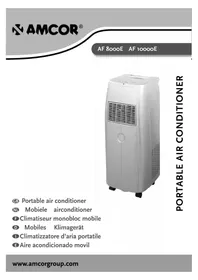
AF 8000E - Air Conditioning Amcor - Free user manual and instructions
Find the device manual for free AF 8000E Amcor in PDF.


| Product type | Portable air conditioner |
| Brand | Amcor |
| Model | AF 8000E |
| Dimensions (W x H x D) | 305 x 750 x 380 mm |
| Net weight | 20 kg |
| Power supply | 220-240 V / 50 Hz |
| Cooling capacity (BTU/h) | 6000 |
| Cooling capacity (kW) | 1.75 |
| Power consumption (W) | 690 |
| Current (A) | 3.1 |
| Dehumidification (L/24h) | 20 |
| Refrigerant | R410A |
| Compressor type | Rotary |
| Fan speeds | 2 (low, high) |
| Temperature range (thermostat) | 17 to 32 °C |
| Timer | 1 to 12 hours |
| Operating modes | Cooling, fan, AUTO |
| Remote control | Yes (2 AAA batteries) |
| Air direction | Manual horizontal and vertical |
| Continuous drainage | Yes (with supplied hose) |
| Activated carbon filter | Replaceable (every 3 to 6 months) |
| Filter maintenance | Washable air filter at max 40 °C, do not rinse the carbon filter |
| Safety | Unplug before maintenance, do not use extension cord, keep out of reach of children |
| Installation | Window or wall (hole with adapter diameter) |
| Exhaust hose length | 300 to 1500 mm (extendable) |
Frequently Asked Questions - AF 8000E Amcor
User questions about AF 8000E Amcor
0 question about this device. Answer the ones you know or ask your own.
Ask a new question about this device
Download the instructions for your Air Conditioning in PDF format for free! Find your manual AF 8000E - Amcor and take your electronic device back in hand. On this page are published all the documents necessary for the use of your device. AF 8000E by Amcor.
USER MANUAL AF 8000E Amcor
- Handle
- Control panel
- Air outlet
- Air inlet with filter
- Exhaust hose with adapter
- Power cord hanger
- Exhaust air outlet
- Water stopper (plug inside
- Casters
- Cap - hole cover
- Wall adapter
2.Exhaust those
3.Drainage hose - Remotecontrol
- Foam (extension)
- Foam with hole for exhaust hose
7.Filter
THANK YOU
Thank you for choosing this innovative Amcor air conditioner. We suggest that you keep this manual in a safe place for future reference. It describes the many benefits and advanced features this unique product has to offer. Before you use your air conditioner you should carefully read these instructions to maximise this product's performance.
For over 50 years Amcor has specialised in complete indoor environmental control, manufacturing and marketing; dehumidifiers, portable air conditioners, coolers, air purifiers, ionisers and aroma therapy scent diffusers. These world class products incorporate the latest technological developments.
SAFETY INSTRUCTIONS
IMPORTANT!
- The unit is designed for indoor operation.
Rating: This unit must be connected to a 220-240 V / 50 Hz earthed outlet. - The installation must be in accordance with regulations of the country where the unit is used.
If you are in any doubt about the electrical installation, have it checked and if necessary modified by a qualified electrician.
- The air conditioner is safe. However, as with other electrical appliances, use it with care.
- Keep out of the reach of children.
- Do not clean the unit by spraying it or immersing it in water.
- Do not insert any object into the openings of the unit.
- Disconnect it from the mains before cleaning the unit or any of its components.
- Never connect the unit to an electrical outlet using an extension cord. If an outlet is not available, one should be installed by a licensed electrician.
- Never operate this appliance if it has a damaged cord or plug. Do not lead the cord over sharp edges.
- A damaged supply cord should be replaced by the manufacturer, its service agent or a qualified person in order to avoid a hazard.
- Any service other than regular cleaning or filter replacement should be performed by an authorized service representative. Failure to do so could result in a loss of warranty.
Do not use your air conditioner:

If the power cable wires are frayed or cut
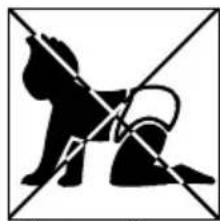
When small children may be left unattended
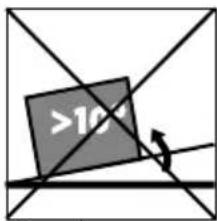
On a slope or uneven surface

Close to a heat source
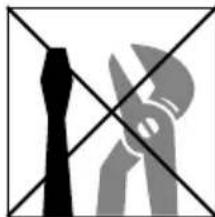
This products is not made for DIY repair
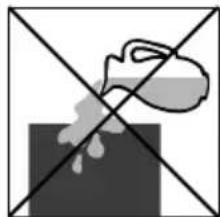
If there is a risk of liquid falling on the unit
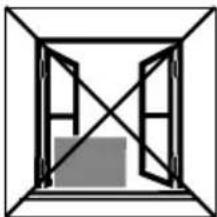
Inside unit exposed to the weather outdoors
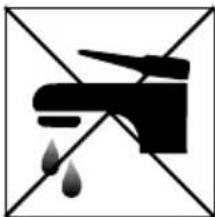
In a permanent very humid environment
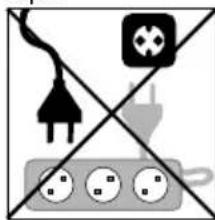
If an extension lead may become overloaded
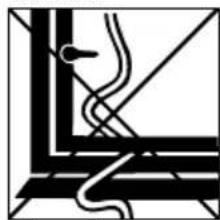
Where the power cable may be damaged
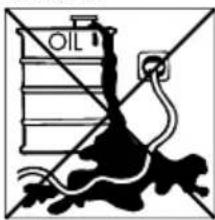
Where it may be damaged by chemicals
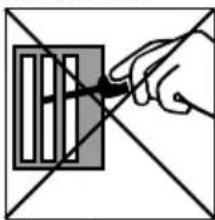
Where there is a risk of interference by foreign objects
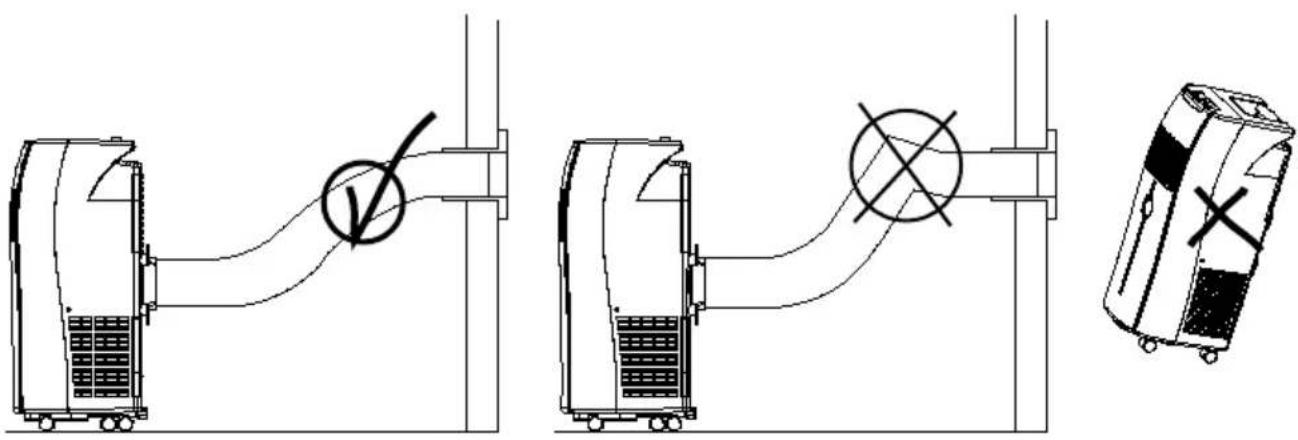
Reminder:
Waste electrical products must not be disposed of with household waste
This product should be taken to our local recycling centre for safe treatment.
POSITIONING
This unit can easily be moved from one room to another. In doing so keep this in mind:
- The air conditioner must stand upright on an even surface.
- Do not position near bath, douche or other permanent wet or damp area.
- Keep for free air circulation at least 50~cm free from any obstacle or curtains.
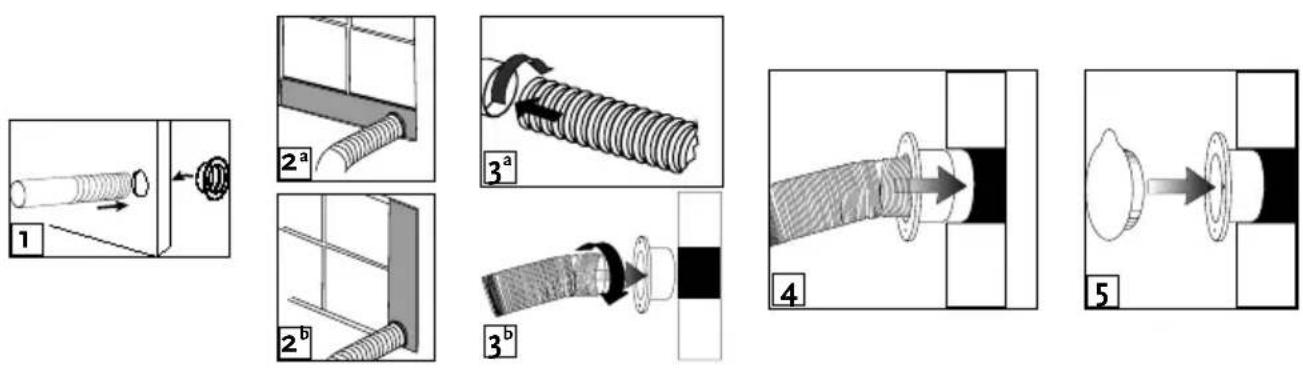
Window foam fitting
If necessary, cut the foam to the height or width of the window.
- Pass the adapter (11) through the opening in the foam (16) and put the exhaust hose (12) into the hose adapter (11) (fig. 1).
- Place the foam with the hole (16) – if needed together with the foam extension (15) – in the window and close this as far as possible to refrain the warm air from re-entering the room.
Depending on how the window opens, vertically (fig. 2a) or horizontally (fig. 2b).
- Connect the exhaust hose to the air conditioner (fig. 3a).
Permanent wall fitting
Make sure that no pipes or wires run through the chosen spot.
- Drill a hole to fit the outer diameter of the adapter (11).
- Connect the exhaust hose (12) to the air conditioner (fig. 3a).
- Connect the exhaust hose to the adapter (fig. 3b).
- Place the adapter with hose in the hole (fig. 4) and fix with plugs and screws. Use the cap (10) to close the hole when the air conditioner is not placed (fig. 5).
Important
The flexible exhaust hose can be extended from 300 to 1500mm for mounting. This length has been designed especially according to the specifications of the air conditioner. Do not use an extension or exchange for a different hose as that may lead to malfunctioning.
The exhaust air must flow freely, any blockage can lead to overheating of the air conditioner. Take care to prevent any kink or bend in the exhaust hose.
OPERATION

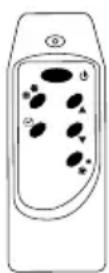
1. ON/OFF
Press the ON/OFF-button to switch the unit on or off.
2. Setting the timer
Press the button to set the operating hours (1 to 12 hours, 1 hour each press). When set, the LED will light up.
When the set hours have elapsed, the unit will turn off automatically. The display will show the hour(s) remaining when you press the button.
By pressing the button but without turning the unit on, you can pre-set in how many hour(s) the unit will switch on automatically.
3. Setting the operating mode
Select the required operating mode: cooling *, fan or AUTO. The corresponding LED will lit. In AUTO mode the unit will select cooling or fan depending on the ambient temperature.
4. Fan speed
Select the fan speed, the corresponding LED will lit: 2 low or high.
5. Temperature setting, increase (up) or decrease (down)
When the unit is ON the display shows the ambient temperature, and any LED of operating mode, fan speed, timer is on.
Press button or see the set temperature and adjust if necessary - in the range from 17^ to 32^ with the and buttons (1°C each press). After a few seconds the room temperature will be displayed.
Warning lights and COMP
When the water container is full, the unit automatically stops, the warning light will flash to signal that the container must be emptied.
When the unit is cooling, the compressor light COMP will be on. If this light is off
further cooling is not needed at this time, or the compressor may be de-icing its coils. The fan can still be on.
Remote control
The air conditioner responds to all signals that are sent by the remote control. Two AAA-batteries are required to use the remote control. Point the remote control hand set towards the control panel of the unit and press the relevant button, the red LED on the hand set will flash whenever a button is pressed.
Note: the air flow direction can not be adjusted with the remote control.
Air flow
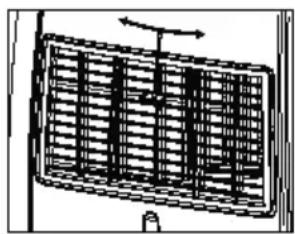
Adjust the left-right direction of the out flowing air by turning the roller on the front of the air outlet grill.
Adjust the air flow up and down by turning the outlet grill around at its horizontal axis.
Important:
- The compressor will start approximately 3 minutes after the unit is turned on (this will help prolong the life of the compressor). After switching the unit off, please wait at least 3 minutes before turning the unit back on.
- The cooling will switch off when the room temperature is lower than the set one. Ventilation will however continue to work at the set level. When the ambient temperature rises above the chosen value, the cooling will resume.
PERMANENT
DRAINAGE
Permanent drainage eliminates the need to empty the water container.
Switch off the unit and remove the plug from the mains.
- Empty the water container as usual.
- Keep the rubber plug and drain knob in a safe place.
- Insert the drainage hose over the sprout.
- Lead the other end of the drainage hose to a normal water outlet.
Make sure the hose has no sharp bends and slopes down all the way to let the water flow freely.
- Connect to the mains and start using the unit again.
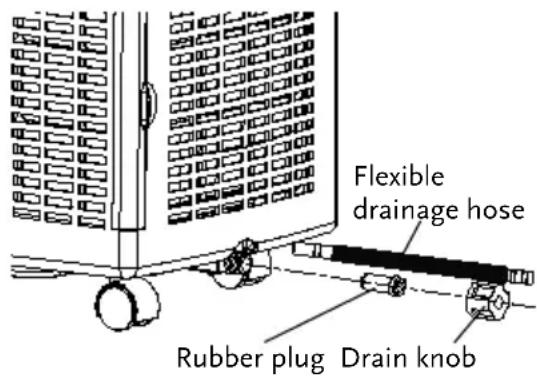
When the unit is relocated or permanent drainage is not wanted any more, simply disconnect the unit from the mains, remove the drainage hose and replace the rubber plug and drain knob.
EMPTYING THE WATER CONTAINER
During the process of cooling, some water will be extracted from the air into the unit. Most of this water is used to cool the unit and make it run more efficiently. This is a feature not found in most portable air conditioners.
If the unit is operated in VERY HUMID air, water will collect in the container inside the unit. If the water container is full, the compressor will stop, but the fan will continue to circulate the air. The warning light will flash to inform you to empty the internal container. To make the cooling function work again, empty this container- must be emptied.
Switch off the unit and remove the plug from the mains.
- Position a flat container or dish on the floor under the drain hole. Do not allow the water to drip continuously into the container as it might easily overflow.
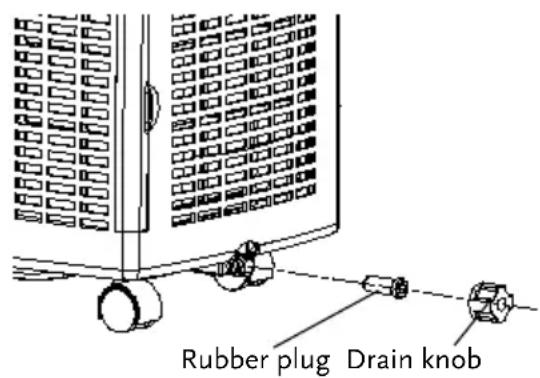
- Remove the drain knob.
- Remove the rubber plug, the water will flow in the container. When this is nearly full, replace the plug to stop the water flow and empty it. Repeat this process until all water has been removed.
- Replace the rubber plug into the drain hole firmly, the warning light should not flash any longer.
- Replace the drain knob.
CLEANING
Always unplug the unit from the power supply (wall outlet) before beginning the cleaning.
Housing
Use a soft, damp cloth to wipe the body clean. Never use strong chemicals, oil-based products, detergents, chemically treated cloths or other cleaning solutions. These could possibly damage the housing.
Filter
The active carbon filter must not be rinsed.
Use a vacuum cleaner or tap the filter lightly to remove loose dust and dirt from the filters and then rinse only the dust filter thoroughly under running water (not warmer than 40^ ). Dry thoroughly before replacing.
Notice! Never operate the air conditioner without the filters.
INSTALLATION OF CARBON FILTER(S)
It is recommended to replace an active carbon filter every 3 to 6 months.
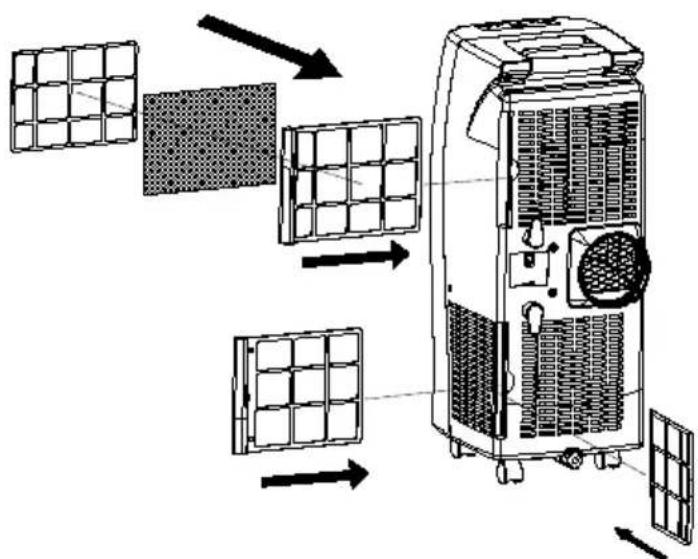
- Remove the filter frames from the unit by pulling them out.
- Separate the filter from the filter frame.
- Remove the active carbon filter from its plastic bag.
- Insert the active carbon filter into the filter frame.
Fix the filter by reassembling the fixer onto the filter frame. - Re-fit the filter frames inside the unit.
STORAGE
See the instructions "Emptying the water container".
- Drain the condensed water completely.
- Clean or change the filter.
- Put the unit on a warm day in fan mode for a couple of hours to ensure that the inside can dry out completely.
- Store the power cable as shown, protect the unit against dust (put back into its original carton) and store in a dry place not accessible for children.
- Do not stock heavy objects on top of the unit.
TROUBLE SHOOTING
| Never try to repair or dismantle the air condition yourself. Incompetent repairs result in loss of warranty and can endanger the user and the property. | ||
| Problem Cause | Solution | |
| The air conditioner does not function. | No power supply. Connect to a functioning outlet and switch on. | |
| Is the power light flashing? Empty the drain pan. | ||
| Timer function is active. Deactivate the TIMER function. | ||
| The air conditioner does not seem to perform. | The unit is in direct sunlight. Close curtains. | |
| Windows or doors open, many people or a heat source in the room. | Close doors and windows, place an extra air conditioner. | |
| The filter is dirty. Clean or replace the filter. | ||
| Air inlet or air outlet blocked. Remove the blockage. | ||
| Room temperature lower than the selected value. | Change temperature selection. Set at the lowest possible setting: 17 °C. | |
| The unit is noisy. | Unit stands uneven. Place on an even, solid surface (less vibrations). | |
| The compressor does not work. | The overheat protection is probably activated. | Wait 3 minutes until the temperature has decreased, then turn on the unit again. |
| The remote control does not function. | Distance too great. Make sure the remote control is correctly aimed at the control panel. | |
| Remote control signal not detected by the control panel. | ||
| The batteries are drained. Replace the batteries. | ||
| To correct problems that have not been described in the table and/or if the recommended solutions fail to solve the problem, contact an authorized service centre. | ||
TECHNICAL DATA
| Model AF 8000E AF 10000E | |||
| Cooling capacity measured conform EN 14511 | BTU/h 6000 8000 | ||
| kW 1.75 | 2.35 | ||
| Mains 220-240 V / 50 Hz / 1Ph | |||
| Power consumption W 690 870 | |||
| Current A 3.1 4 | |||
| Dehumidification L/24h 20 24 | |||
| Refrigerant | R410A | ||
| Compressor | rotary | ||
| Fan speeds | 2 | ||
| Thermostat | °C | 17 - 32 | |
| Timer | h | 1 - 12 | |
| Dimensions (W x H x D) | mm 305 | x 750 x 380 | |
| Net weight | kg | 20 | 20.6 |
| Subject to modifications without prior notice. Please refer to the rating label for greater precision. | |||
ONDERDELEN


Suite 2007, Tower 6, The Gateway,
Harbour City, 9 Canton Road,
Tsim Sha Tsui, Kowloon,
Hong Kong
Tel: +852 2997 6865
Fax:+85229976091
Email: amcorhk@amcorgroup.com
United Kingdom
Amcor Ltd
9 Ryan Drive, West Cross Centre,
Great West Road, Brentford,
MIDDLEX, TW8 9ER
United Kingdom
Tel: +44 20 8560 4141
Fax: +44 20 8232 8814
Email: amcoruk@amcorgroup.com
USA
Amcor Inc.
685A Gotham Parkway, Carlstadt,
New Jersey 07072
United States of America
Tel: +1 201 460 8100
Amcor International Ltd
1 Sapir St.,
P.O.Box 12001
Hertzelia Pituach,
Israel
Tel: +972 9 951 5351
Fax: +972 9 958 5650
Email: amcoril@amcorpgroup.com
Singapore
Amcor Investments (Singapore) Pte Ltd
545 Orchard Road,
13-02, Far East Shopping Centre,
Singapore 238882
Tel:+6562979881
Fax:+6562978891
Email: amcorsg@amcorgroup.com
China
Shan Xia Industrial Development Zone,
Heng Li Town, Dongguan City,
Guangdong Province, China
Plant One - Amcor (China) Ltd
Tel: +86 769 8372 1090
Fax:+8676983721790
Email: amcorcn@amcorgroup.com
Plant Two - Amcor Appliances Ltd
Tel:+8676983721970
Fax: +86 769 8372 1790
Email: amcorappl@amcorgroup.com

A