10032448 - Fan Klarstein - Free user manual and instructions
Find the device manual for free 10032448 Klarstein in PDF.


| Product Type | Stand Fan with Mist Function |
| Brand | Klarstein |
| Model | 10032448 |
| Article Numbers | 10032447, 10032448 |
| Power Supply | 220-240 V ~ 50-60 Hz |
| Power | Not specified in the manual |
| Speeds | 8 speeds |
| Operating Modes | Normal, Natural, Night, ECO |
| Mist Function | Yes, independent of the fan |
| Timer | Up to 9 hours |
| Oscillation Function | Yes, enable/disable by key |
| Remote Control | Included, range 3.5 to 5 meters |
| Display | LED, temperature display in standby |
| Water Tank | Integrated, for mist function |
| Safety | Automatic shut-off when water level is low (beep and flashing) |
| Cleaning | Unplug, let cool, wipe with damp cloth |
| Materials | Not specified |
| Weight | Not specified |
| Dimensions (approx.) | Not specified |
| Warranty | Not specified |
Frequently Asked Questions - 10032448 Klarstein
User questions about 10032448 Klarstein
0 question about this device. Answer the ones you know or ask your own.
Ask a new question about this device
Download the instructions for your Fan in PDF format for free! Find your manual 10032448 - Klarstein and take your electronic device back in hand. On this page are published all the documents necessary for the use of your device. 10032448 by Klarstein.
USER MANUAL 10032448 Klarstein
Congratulations on purchasing this equipment. Please read this manual carefully and take care of the following hints to avoid damages. Any failure caused by ignoring the mentioned items and cautions mentioned in the instruction manual are not covered by our warranty and any liability.
CONTENT
Technical Data 8
Declaration of Conformity 8
Safety Instructions 9
Device Overview 9
Operation 10
Cleaning and Care 12
Hints on Disposal 12
TECHNICAL DATA
| Article number 10032447, 10032448 | |
| Power supply 220-240 V ~ 50-60 Hz |
DECLARATION OF CONFORMITY

Producer:
Chal-Tec GmbH, Wallstraße 16, 10179 Berlin, Germany.
This product is conform to the following European Directives:
2014/30/EU (EMC)
2014/35/EU (LVD)
2011/65/EU (RoHS)
206/2012/EU (ErP)
SAFETY INSTRUCTIONS
Children over 8 years of age and physically restricted people should only use the unit if they have been previously familiarised with the functions and the safety precautions by a supervisor. Ensure that children do not play with the device. Children 8 years and older may only clean the device under supervision.
Make sure the power cord and plug are clean and dry.
- Check the voltage on the device label before use. Only connect the device to mains sockets that correspond to the voltage of the device.
- Do not place the device near open flames, water or flammable materials.
- Only use the device in the presence of children only when they are under supervision.
Make sure the device is level before starting it.
- If you will not be using the device for a long time, unplug it from the power outlet and store it in a clean dry place.
DEVICE OVERVIEW
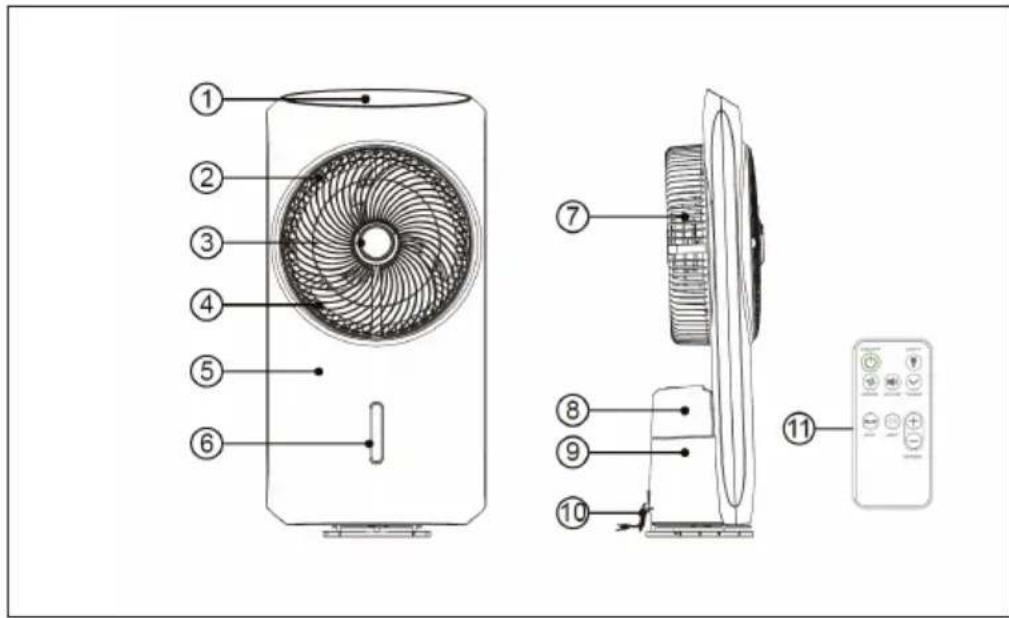
| 1 Control panel 7 Back fan grill | |
| 2 Front fan grill 8 Tank | |
| 3 Decorative ring 9 Tank housing | |
| 4 Fan blades 10 power cable | |
| 5 Front housing 11 Remote control | |
| 6 Decorative ring |
OPERATION
Remote control operation
The maximum distance between the remote control and the unit is between 3.5-5 metres.
- Mute: When turned on, the unit will run in normal mode. Press the VOICE button on the remote control to activate muting.
Control panel and button functions
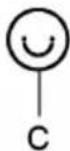
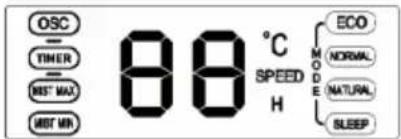
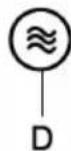
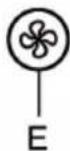
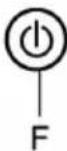
| A | MIST button (nebulizer) |
| B | TIMER button |
| C | OSC button (oscillating function) |
| D | MODE button (mode) |
| E | SPEED button (speed) |
| F | ON / OFF button (turn device on / off) |
Note: If you do not press any of the buttons for more than 60 seconds, the backlight of the control panel will automatically turn off. Press any key to turn it back on.
MIST button
- The nebulizer function can be used independently of the other functions, even if the fan is not running.
- By default, this feature is turned off.
Note: Make sure that there is water in the tank before using this feature. If the tank is empty or the water is running low, the timer light will flash and a warning signal will sound. In this case, add water immediately. Always refill with fresh water.
TIMER button
The timer can be set to a maximum of 9 hours.
- The set time is shown on the display. In standby mode the display shows the temperature.
OSC button
- Press the button to swing the fan left and right.
- Press the button again to exit the oscillation function.
MODE button
- When switched on, the device will run in normal mode.
- Press the MODE button several times to enter the mode in the following selection sequence: Normal (Normal Mode) > Natural (Natural Mode) > SLEEP (Sleep Mode) > ECO (Sleep Mode).
The corresponding icon of the selected mode will light up in the display. - As long as the device is connected to the mains, the set mode will be saved and called up the next time it is used.
ECO mode (energy-saving mode)
After selecting the ECO mode, the device will check the current room temperature and then select the appropriate function:
| Temperature Function | |
| >22°C normal mode + speed level 1 | |
| 22-25°C normal mode + speed level 2 | |
| 25-28°C normal mode + speed level 4 | |
| 28-32°C normal mode + speed level 7 | |
| >32°C normal mode + speed level 8 |
Note: The ECO mode takes about 30 seconds to determine the current room temperature.
SPEED button
The device has 8 speed levels.
- Press the button several times to set the desired speed, and the display will show the corresponding value.
CLEANING AND CARE
Note: Before cleaning, disconnect the plug from the socket and allow the device to cool completely.
Never immerse the power cord, plug, or device in water or other liquids. Soften the outside with a damp cloth, being careful not to allow water to enter the housing. Do not use scouring pads or chemical cleaners.
HINTS ON DISPOSAL
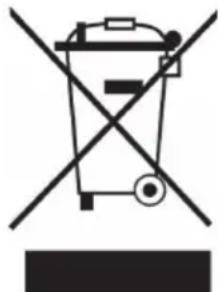
According to the European waste regulation 2012/19/EU this symbol on the product or on its packaging indicates that this product may not be treated as household waste. Instead it should be taken to the appropriate collection point for the recycling of electrical and electronic equipment. By ensuring this product is disposed of correctly, you will help prevent potential negative consequences for the environment and human health, which could otherwise be caused by inappropriate waste handling of this product. For more detailed information about recycling of this product, please contact your local council or your household waste disposal service.
Estimado cliente:

Brand : Klarstein
Model : 10032448
Category : Fan