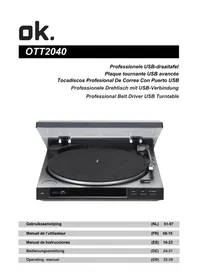
OTT2040 - Turntable OK - Free user manual and instructions
Find the device manual for free OTT2040 OK in PDF.

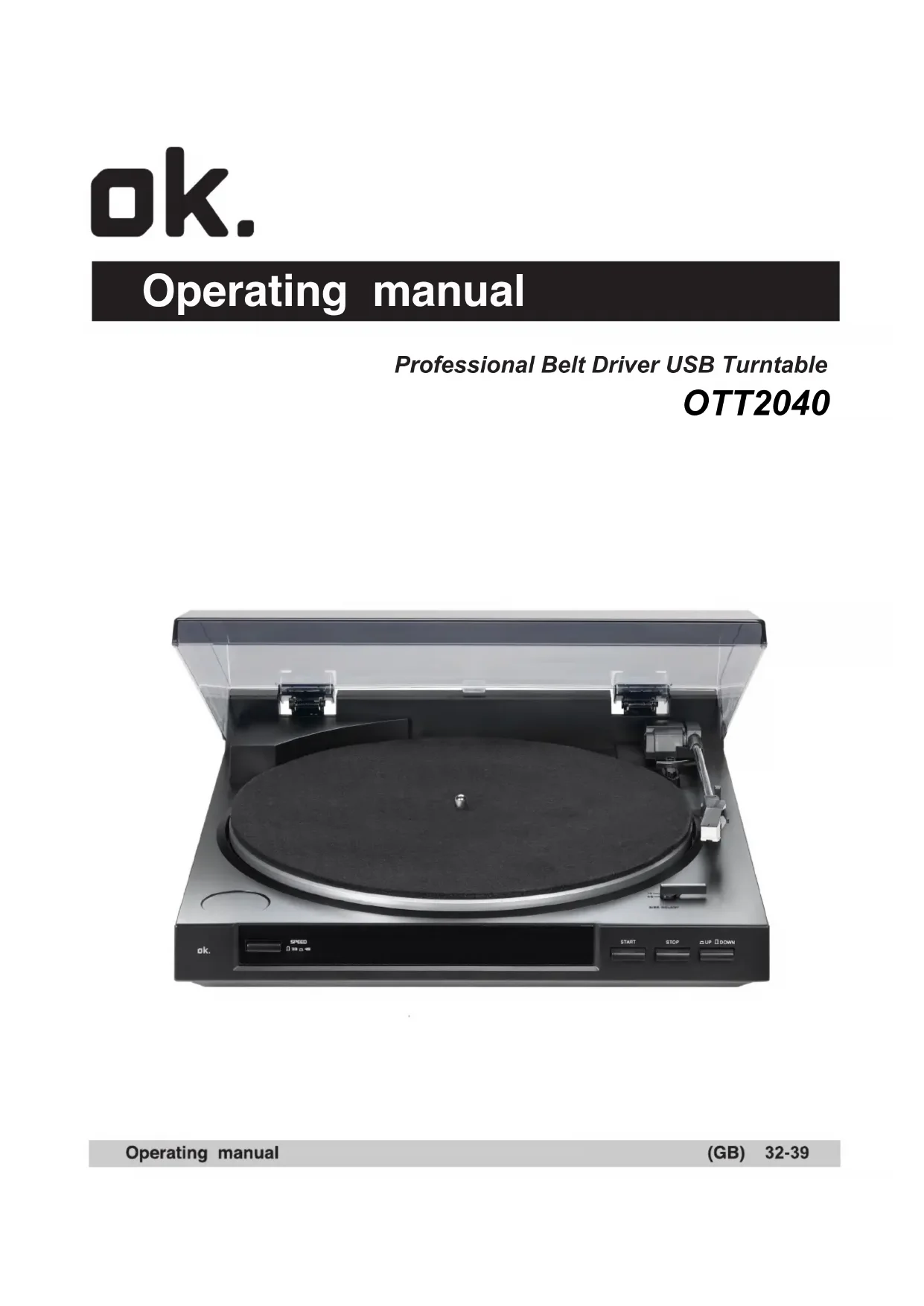


| Product Type | Advanced USB Turntable |
| Brand | OK |
| Model | OTT2040 |
| Dimensions (L x D x H) | 350 x 348 x 95.4 mm |
| Weight | 2.47 kg |
| Power Supply | AC 230V / 50Hz |
| Power Consumption | 3 W |
| Playback Speeds | 33 1/3 and 45 RPM |
| Drive Type | Belt drive |
| Motor | DC |
| Platter | Plastic, diameter 195 mm |
| Tone arm | Dynamic, straight shape, balanced with soft texture absorption |
| Arm Length | 195 mm |
| Cartridge (stylus) | Replaceable |
| Phono Output Level | 1.5 ~ 3.6 mV at 1 kHz (5 cm/s) |
| Line Output Level | 90 ~ 216 mV at 1 kHz (5 cm/s) |
| Channel Separation | Less than 50 dB (DIN-B) |
| USB Function | Recording: 16 bits, 44.1 kHz or 48 kHz |
| Computer Interface | USB 1.1, compatible with Windows XP and macOS |
| USB Input | USB cable (max. 3 m) |
| Outputs | RCA (phono/line) with switch |
| Record Size Selector | 30 cm (12") / 17 cm (7") |
| Automatic Functions | START, STOP, automatic arm return |
| Included Accessories | Platter, cover, felt mat, 45 RPM adapter, USB cable, software CD (Audacity) |
| Maintenance | Clean stylus with kit, dry cloth for surfaces |
| Safety | Instructions: avoid water, heat, ventilation, power cord |
| Warranty | Warranty void in case of corrosion, oxidation, battery leakage or other liquids |
Frequently Asked Questions - OTT2040 OK
User questions about OTT2040 OK
0 question about this device. Answer the ones you know or ask your own.
Ask a new question about this device
Download the instructions for your Turntable in PDF format for free! Find your manual OTT2040 - OK and take your electronic device back in hand. On this page are published all the documents necessary for the use of your device. OTT2040 by OK.
USER MANUAL OTT2040 OK
Professional Belt Driver USB Turntable
L (wit) Linker kanaal
R (rood)
Rechter kanaal
More than 15dB at 1KHz
Within 2.5 dB at 1KHz
Note:
Dynamic balanced straight shaped arm w/soft damping control
Brazo recto dinamicamente balanceado con control suave de amortiguamento.
Professional Belt Driver USB Turntable
OTT2040
CAUTION
D O NOT OPEN
RISK OF ELECTRIC SHOCK

CAUTION: To reduce the risk of electric shock, do not remove any cover. No user-serviceable parts inside. Refer servicing to qualified service personnel only.
This symbol is intended to alert you to the presence of dangerous voltage inside the product that presents a risk of electric shock. Do not open the product's case.

The exclamation point within the equilateral triangle is intended to alert the user to the presence of important operation and maintenance (servicing) instructions in the literature accompanying this appliance.
POWER-CORD CAUTION
Handle the power cord by the plug. Do not pull out the plug by tugging the cord and never touch the power cord when your hands are wet as this could cause a short circuit or electric shock. Do not place the unit, a piece of furniture, etc., on the power cord, or pinch the cord, Never make a knot in the cord or tie with other cords. The power cords should be routed such that they are not likely are not likely to be stepped on. A damaged power cord can cause a fire or give you an electrical shock. Check the power cord once in a while. When you find it damaged, ask your nearest authorized service center or your dealer for a replacement.
HANDLING PRECAUTIONS
1.Install on a solid, flat surface - but not on top of a speaker.
2.Install away from high heat, moisture, or direct sunlight. Avoid dust, dirt, smoke and steam.
3.Install away from a TV set and tuner, To avoid interference. use an outdoor antenna or turn off the TV set and tuner.
4. Moisture may condense on the turntable if it is brought from a cold area to a warm room, or if room temperature increases rapidly. If so, do not use until moisture evaporates:
5.To clean records, use an antistatic spray or cleaning fluid and soft cloth. Wiping with a dry cloth or brush may cause static noise.
BEFORE USE
Check for the following parts included in the package with the main unit:
-
Operating instructions
-
Turntable Platter
-
Dust cover
Software CD
45 rpm adaptor
-
Slipmat
-
USB cable
SAFETY INSTRUCTIONS
- Read Instructions - All the safety and operating instructions should be read before the appliance is operated.
- Retain Instructions - The safety and operating instructions should be retained for future reference.
- Heed Warnings - All warnings on the appliance and in the operating instructions should be adhered to.
- Follow Instructions - All operating and use instructions should be followed.
- Water and Moisture - The appliance should not be used near water - for example, near a bathtub, washbowl, kitchen sink, laundry tub, in a wet basement, or near a swimming pool, and the like.
- Carts and Stands - The appliance should be used only with a cart or stand that is recommended by the manufacturer.

An appliance and cart combination should be moved with care. Quick stops, excessive force, and uneven surfaces may cause the appliance and cart combination to overturn.
- Wall or Ceiling Mounting - The appliance should be mounted to a wall or ceiling only as recommended by the manufacturer.
- Ventilation - The appliance should be situated so that its location or position does not interfere with its proper ventilation. For example, the appliance should not be situated on a bed, sofa, rug, or similar surface that may block the ventilation openings; or, placed in a built-in installation, such as a bookcase or cabinet that may impede the flow of air through the ventilation openings
- Heat - The appliance should be situated away from heat sources such as radiators, heat registers, stoves, or other appliances (including amplifiers) that produce heat.
- Power Sources - The appliance should be connected to a power supply only of the type described in the operating instructions or as marked on the appliance.
- Grounding or Polarization - Precautions should be taken so that the grounding or polarization means of an appliance is not defeated.
- Power-Cord Protection - Power-supply cords should be routed so that they are not likely to be walked on or pinched by items placed upon or against them, paying particular attention to cords at plugs, convenience receptacles, and the point where they exit from the appliance.
- Cleaning - The appliance should be cleaned only as recommended by the manufacturer Clean by wiping with a cloth slightly damp with water. Avoid getting water inside the appliance.
- Disconnect power cord before servicing.
- Replace critical components only with factory parts or recommended equivalents.
- For AC line powered units - Before returning repaired unit to user, use an ohmmeter to measure iron both AC plug badges to all exposed metallic parts. The resistance should be more than 100,000ohms.
- Nonuser Periods - The power cord of the appliance should be unplugged from the outlet when left unused for a long period of time.
- Object and Liquid Entry - Care should be taken so that objects do not fall and liquids are not spilled into the enclosure through openings.
-
Damage Requiring Service - The appliance should be serviced by qualified service personnel when:
-
The power-supply cord or the plug has been damaged; or
- Objects have fallen, or liquid has been spilled into the appliance; or
- The appliance has been exposed to rain; or
- The appliance does not appear to operate normally or exhibits a marked change in performance; or
-
The appliance has been dropped, or the enclosure damaged
-
Servicing - The user should not attempt to service the appliance beyond that described in the operating instructions. All other servicing should be referred to qualified service personnel.
CONDENSATION
When the turntable is brought into a warm room from previously cold surroundings or when the room temperature is suddenly increased, condensation may form inside and the turntable may not be able to attain its full performance. In cases like this, use the turntable after allowing it to stand for about an hour or after raising the room temperature gradually.
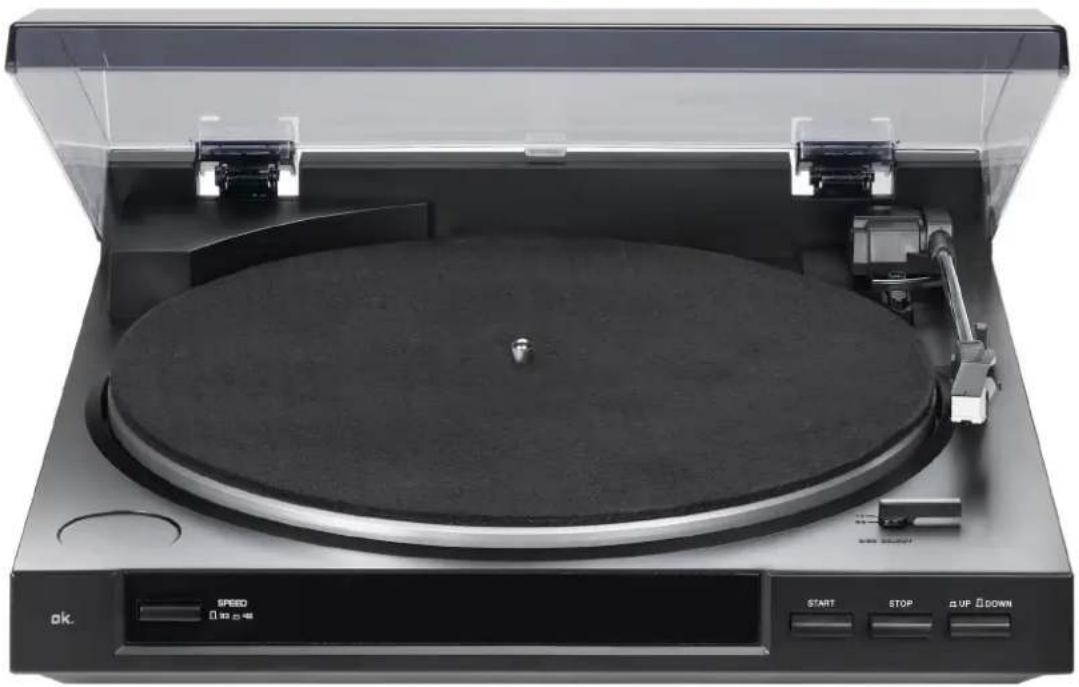
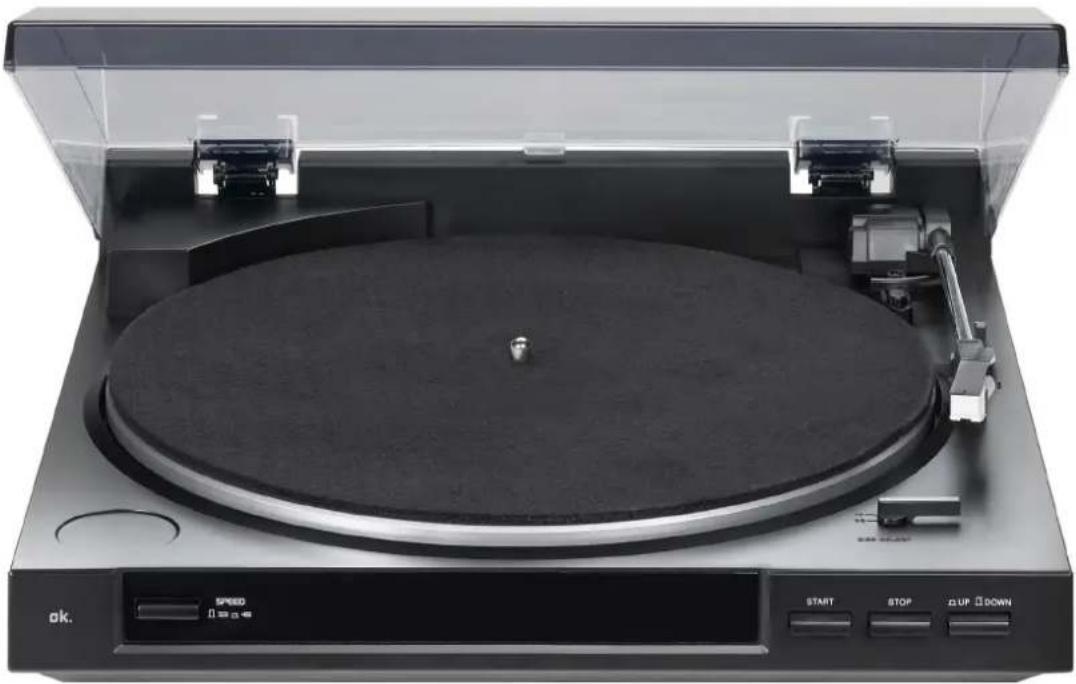
NAMES OF PARTS
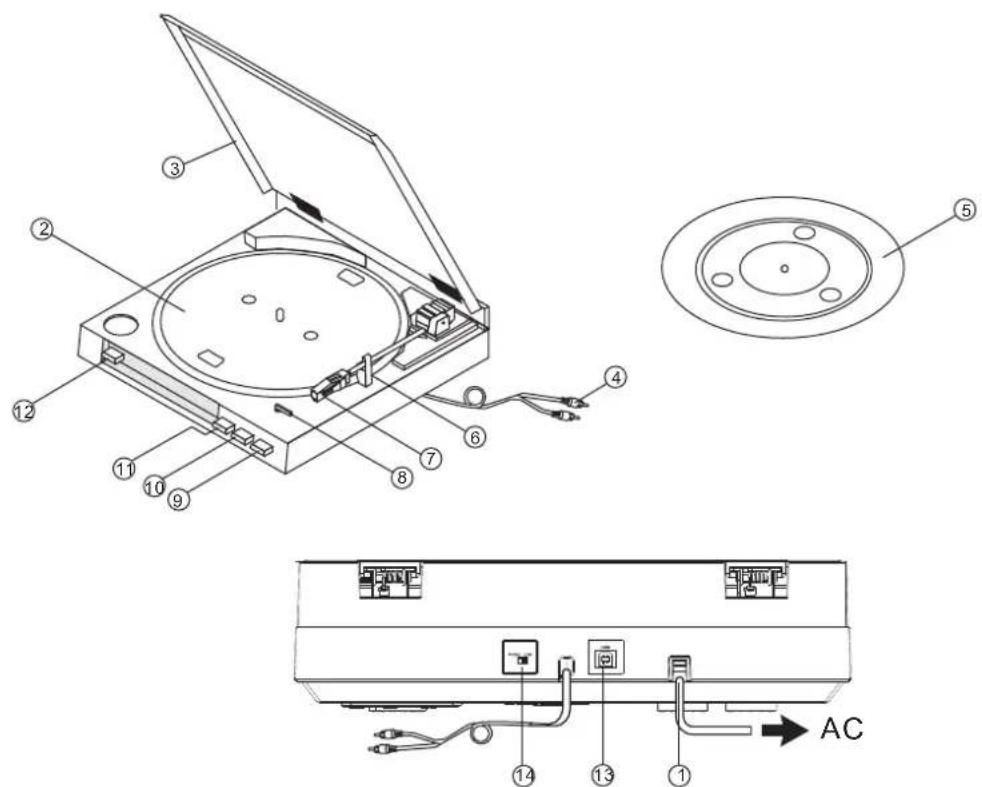
- AC power cord
- Turntable platter
- Dust cover
4.RCA output jack - Platter mat
- Tonearm
-
Cartridge
-
SIZE select (30/17)
- Arm-elevation button (UP/DOW N)
- STOP button
- START button
12.SPEED button ( 33/45) - USB socket (USB cable limit within 3M)
- Phono/line switch
BEFORE OPERATION
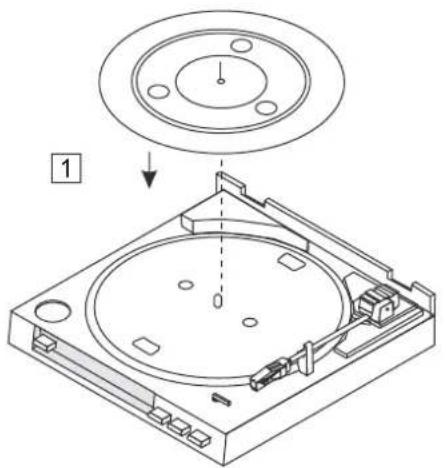
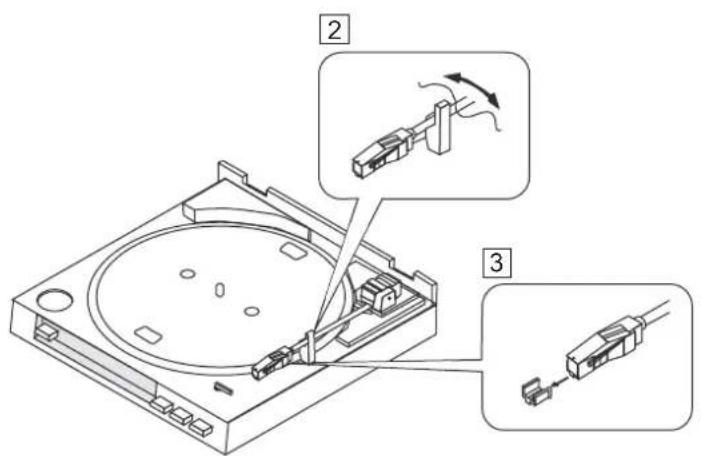
ASSEMBLY
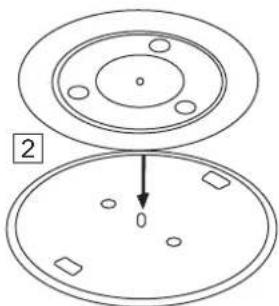
Place the mat on top of the platter.
Remove the tie securing the tonearm.
3 Remove the stylus guard.
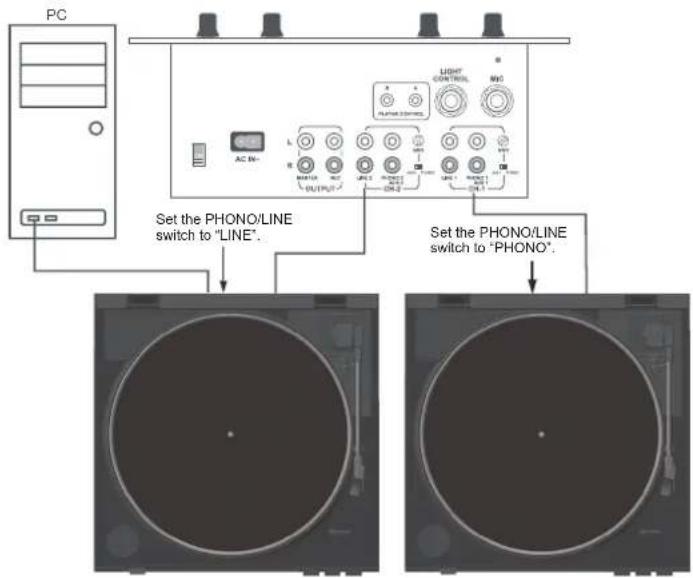
CONNECTIONS
Before connecting the unit it is advised that you also consult your current equipment instruction manual.
Note: Be sure to turn off the equipment before you make changes to the different connections.
- Connect the power cord to an AC outlet.
- Connect the RCA cable to the PHONO input of your AMPLIFIER.
Output terminals Amplifier(Receiver)
L (White) L Channel
R (Red) R Channel
NOTE: You can also use a line input by setting the phono /line switch at the rear of the turntable to line.
3. Connect PC via USB cord.
OPERATION
3
7
4
B
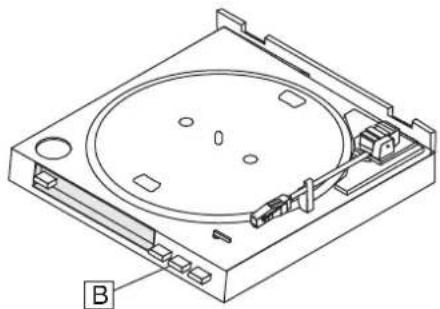
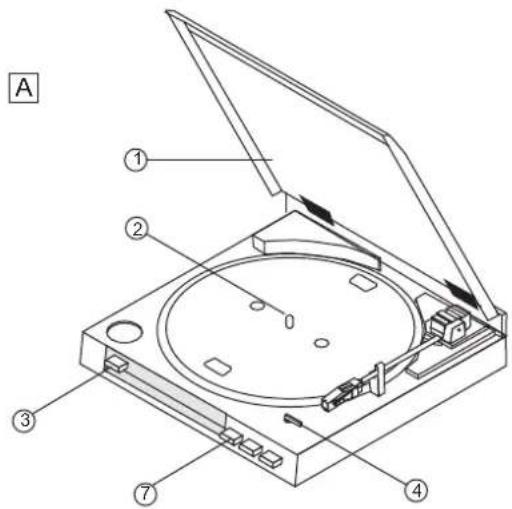
Automatic Play (A)
- 30-cm (12") LP records and 17-cm (7") EP records can be played automatically.
- Open the dust cover.
-
Place the record on the player
-
Place the EP adaptor over the center spindle when playing 17-cm (7") EP records.
-
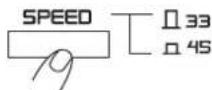
Set the SPEED button to 45 or 33.
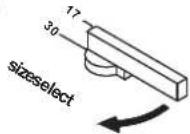
- Set the SIZE selector to 17 or 30.
- Close the dust cover.
- Set the input selector on the amplifier.
- Press the START button.
-
Adjust the volume control on the amplifier.
-
The tonearm will automatically return to the rest position when the record finishes.
To Stop During Play (B)
Press the STOP button.
Precautions when playing records
- Do not rotate or stop the platter manually.
- Do not stop the tonearm manually when it is returning automatically.
- Moving or jarring the unit without securing the tonearm can damage the tonearm.
- Playing flexible records or badly warped records can damage the records and the stylus.
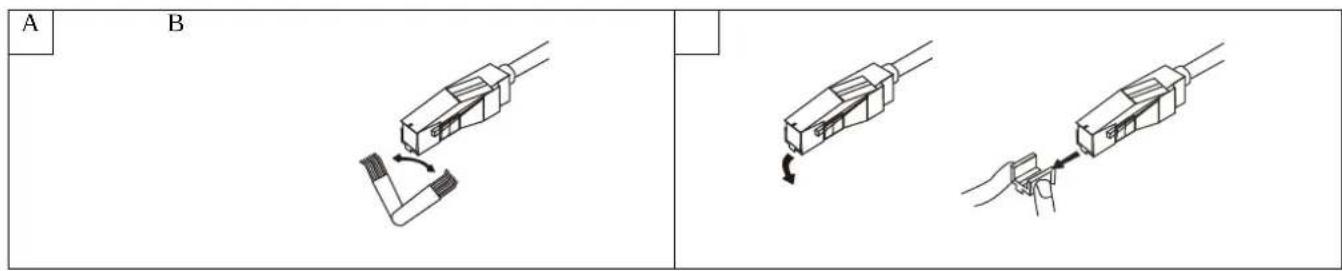
Cleaning the stylus A
A dirty stylus will cause noise and poor sound quality. Use a stylus cleaning kit and brush off the dirt in the direction of the arrow.
Do not brush in the opposite direction or from side to side, since this can damage the stylus.
Replacing the stylus B
When the sound quality drops, replace the stylus with a new one. Remove the old stylus by pulling it downwards gently, and push the new stylus into place as shown.
Maintenance of external surfaces
-
Use a polishing cloth or dry cloth to wipe off dust and dirt.
-
When the surfaces are very dirty, wipe with a soft cloth dipped in some neutral cleanser diluted five or six times with water, and wrung out well, and then wipe again with a dry cloth. Do not use furniture wax or cleaners.
-
Never use thinners, benzene, insecticide sprays and other chemicals on or near this unit, since these will corrode the surfaces.
RECOMMENDED SOFTWARE: AUDACITY
Audacity is free software, licensed under the GNU General Public LicenseGPL). More information can be found on the web at http://www.audacityteam.org/download
Note : Please ensure you have installed the software before starting.
Setting up your PC to work with Audacity
- Connect an input source to the unit
2 Connect the USB lead to your computer - Install the Audacity recording software
- Open the Audacity program
- Select 'Help' from the menu and choose 'Manual' for more explanation
SPECIFICATIONS
GENERAL
:ledoM
:noisnemiD
:thgieW
:yIppus rewoP
Power consumption:
OTT2040 Professional Belt Drive USB turntable
350(W) x 348(D) x 95.4(H)mm
2.47 kg
AC230V/50Hz
3W
TURNTABLE SECTION
epyT
rotoM
dohtem gnivirD
rettalp elbatnruT
sdeep
rettulf dnaoW
oit
ecnarelot de8p
usB noitcn
2-speed full-auto
DC motor
Belt drive
195 mm dia. Plastic
33^1 / 3 and 45 rpm
Less than 0,25% (WTD) at 3KHz (JIS)
More than 50dB (DIN-B)
3000Hz +3%,-2%
USB rec. function
A/D, D/A
16 bit 44.1KHz or 48KHz USB selectable
Computer interface
USB 1.1 compliant, Windows XP or MAC OSX
TONEARM SECTION
Type
Dynamic balanced straight shaped arm w/soft damping control
Effective arm length
195 mm
Phono output level
1,5~3,6 mV at 1KHz
5cm/sec (HP-4005)
Line output level
90~216mV at 1KHz
5cm/sec (HP-4005)
Channel Separation
More than 15dB at 1KHz
Channel Balance
Within 2.5 dB at 1KHz
Note:
Corrosion, oxidation, battery-leakage and any other gradually acidic defect of this nature will invalidate the guarantee.
DISPOSAL
Disposal of Used Electrical & Electronic Equipment
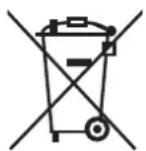
The meaning of the symbol on the product, its accessory or packaging indicates that this product shall not be treated as household waste. Please, dispose of this equipment at your applicable collection point for the recycling of electrical & electronic equipments waste. In the European Union and Other European countries which there are separate collection systems for used electrical and electronic product. By ensuring the correct disposal of this product, you will help
prevent potentially hazardous to the environment and to human health, which could otherwise be caused by unsuitable waste handling of this product. The recycling of materials will help conserve natural resources. Please do not therefore dispose of your old electrical and electronic equipment with your household waste. For more detailed information about recycling of this product, please contact your local city office, your household waste disposal service or the shop where you purchased the product.

- Note:
- CAUTION
- POWER-CORD CAUTION
- HANDLING PRECAUTIONS
- BEFORE USE
- SAFETY INSTRUCTIONS
- CONDENSATION
- NAMES OF PARTS
- BEFORE OPERATION
- ASSEMBLY
- CONNECTIONS
- OPERATION
- Automatic Play (A)
- To Stop During Play (B)
- Precautions when playing records
- Cleaning the stylus A
- Replacing the stylus B
- Maintenance of external surfaces
- RECOMMENDED SOFTWARE: AUDACITY
- Setting up your PC to work with Audacity
- SPECIFICATIONS
- GENERAL
- TURNTABLE SECTION
- TONEARM SECTION
- DISPOSAL
- Disposal of Used Electrical & Electronic Equipment
Brand : OK
Model : OTT2040
Category : Turntable