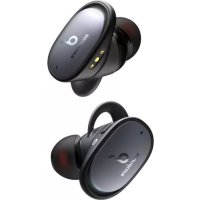
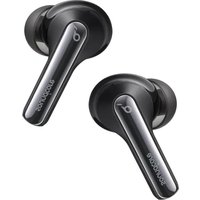
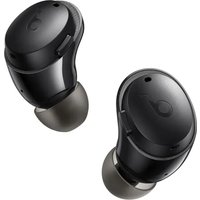
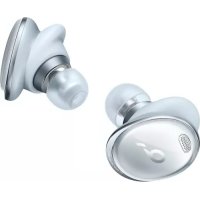
Liberty 2 Pro - Earplug soundcore - Free user manual and instructions
Find the device manual for free Liberty 2 Pro soundcore in PDF.



| Product Type | True Wireless Earbuds |
| Brand | Soundcore |
| Model | Liberty 2 Pro |
| Bluetooth Technology | Bluetooth 5.0 |
| Bluetooth Range | 10 meters |
| Frequency Response | 20 Hz – 20 kHz |
| Impedance | 8 Ω |
| Speaker | Dynamic and Balanced Armature |
| Earbud Battery Capacity | 65 mAh each |
| Case Battery Capacity | 500 mAh |
| Charging Time | 1.5 hours |
| Earbud Battery Life | 8 hours |
| Total Battery Life with Case | 32 hours |
| Charging Input | 5V 500 mA (USB-C) |
| Wireless Charging | Yes (case compatible) |
| Acoustic Isolation | Passive (thanks to ear tips and wings) |
| Dedicated App | SoundCore (HearID, equalizer, control customization, firmware update) |
| Care and Cleaning | Clean with a soft, dry cloth. Do not use liquids. Dry completely before charging. |
| Safety | Do not expose to water. Use the provided USB-C cable or a certified wireless charger. Fully recharge every 45 days to preserve battery life. |
| Spare Parts and Repairability | Ear tips and wings of 4 sizes included. No user-repairable parts. |
Frequently Asked Questions - Liberty 2 Pro soundcore
User questions about Liberty 2 Pro soundcore
0 question about this device. Answer the ones you know or ask your own.
Ask a new question about this device
Download the instructions for your Earplug in PDF format for free! Find your manual Liberty 2 Pro - soundcore and take your electronic device back in hand. On this page are published all the documents necessary for the use of your device. Liberty 2 Pro by soundcore.
USER MANUAL Liberty 2 Pro soundcore
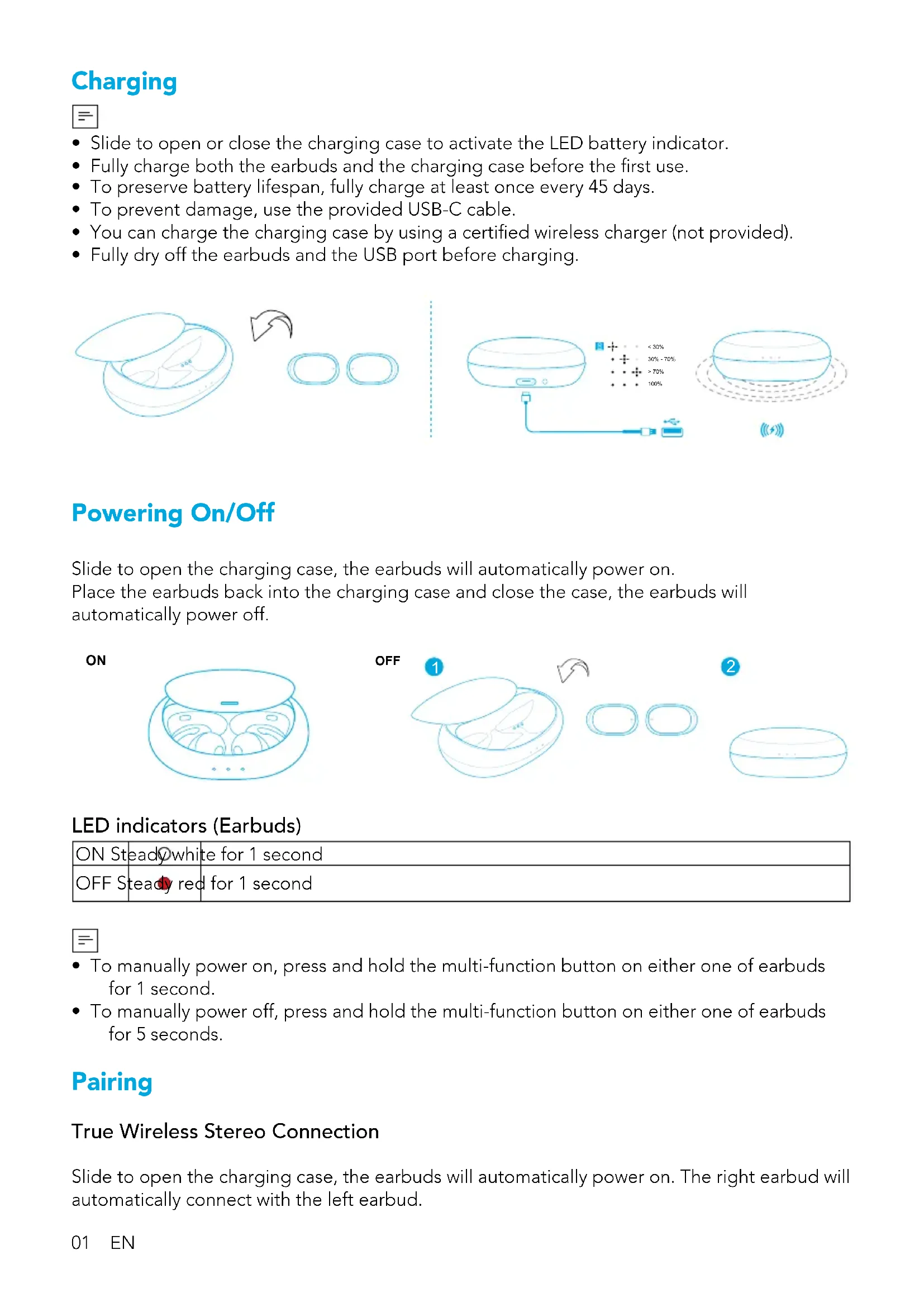
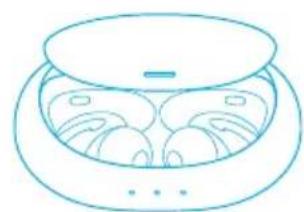
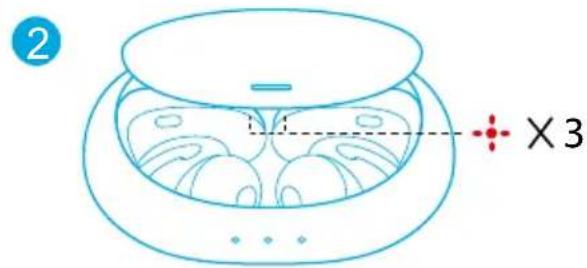
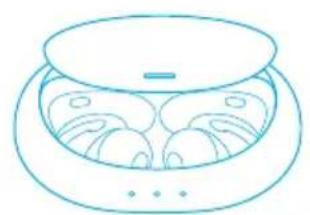
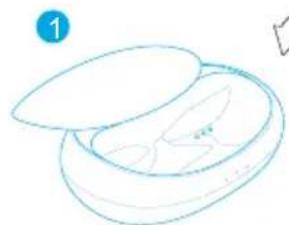
- Slide to open or close the charging case to activate the LED battery indicator.
- Fully charge both the earbuds and the charging case before the first use.
- To preserve battery lifespan, fully charge at least once every 45 days.
- To prevent damage, use the provided USB-C cable.
- You can charge the charging case by using a certified wireless charger (not provided).
- Fully dry off the earbuds and the USB port before charging.

Powering On/Off
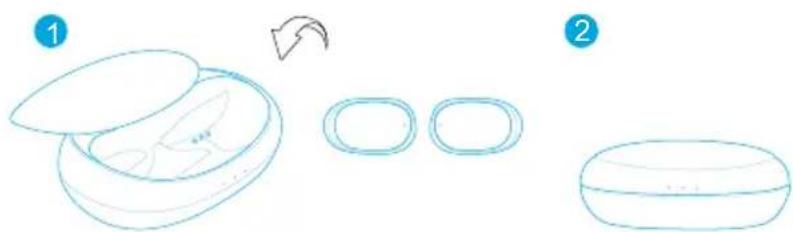
Slide to open the charging case, the earbuds will automatically power on.
Place the earbuds back into the charging case and close the case, the earbuds will automatically power off.
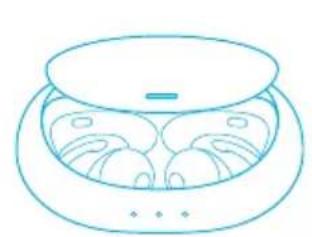
ON
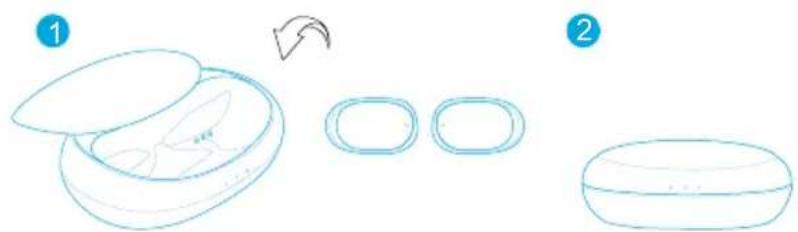
OFF
LED indicators (Earbuds)
| ON Steady white for 1 second |
| OFF Steady red for 1 second |

- To manually power on, press and hold the multi-function button on either one of earbuds for 1 second.
- To manually power off, press and hold the multi-function button on either one of earbuds for 5 seconds.
Pairing
True Wireless Stereo Connection
Slide to open the charging case, the earbuds will automatically power on. The right earbud will automatically connect with the left earbud.
LED indicators (Earbuds)
| - - | Breathing white TWS connecting | |
| ○ | Steady white for 1 second TWS concreted |

- When powered off, press and hold the multi-function button on both earbuds for 1 second, the earbuds will enter TWS connecting mode.
- When powered on and connected, place either one of the earbuds into the charging case and close the case, you can keep using the other one.
- When powered on and connected, if either one of the earbuds is out of battery and powered off, you can keep using the other one.
- When you are on a call, place either one of the earbuds into the charging case, the microphone in the other earbud will be activated.
Bluetooth Pairing with your Device
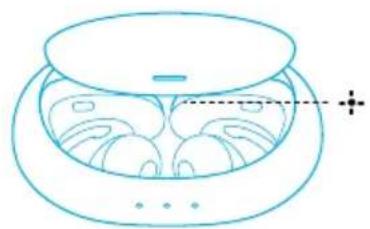
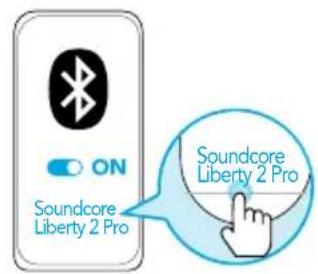
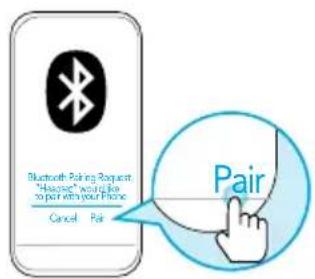
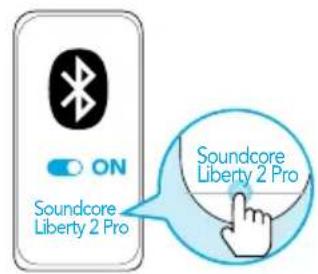
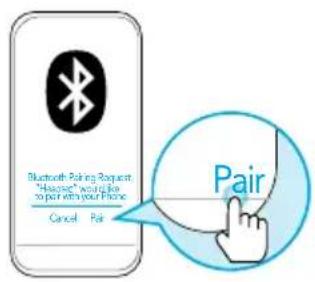
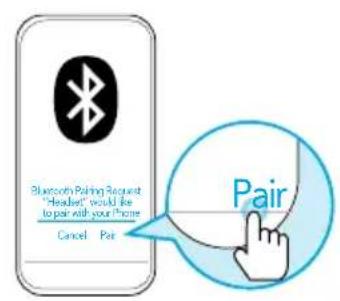
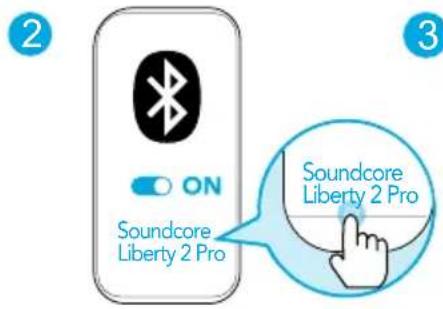
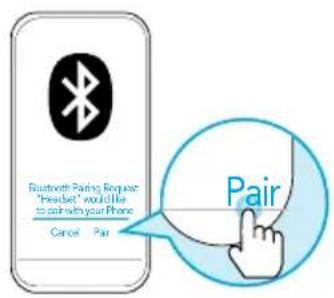
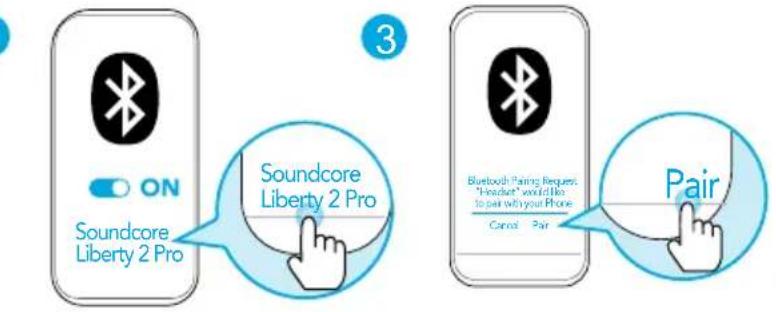
The earbuds will enter pairing mode when powered on. You are requested to confirm the connection when you see a pop-up.



LED indiators (Earbuds)
| - - | Flashing white Bluetooth pairing | |
| ○ | Steady white for 1 second Bluetooth | connected |

- In the pairing process, some devices are incompatible with Qualcomm True Wireless Primary-Secondary dual pairing names, it may notice "connection unsuccessful" when you tap "Pair" or even no screen pops up. Don't worry and it will not influence the using.
- Once successfully paired, the primary earbud connects with your device and transfers signal to the secondary earbud, the latter one will not connect with your device. As a result, in the Bluetooth pairing list on your device, it may indicate that only one side is connected while the other side is not.
| BLUETOOTH | |
| Soundcore XXX | Connected |
| Soundcore XXX-L | Not Connected |
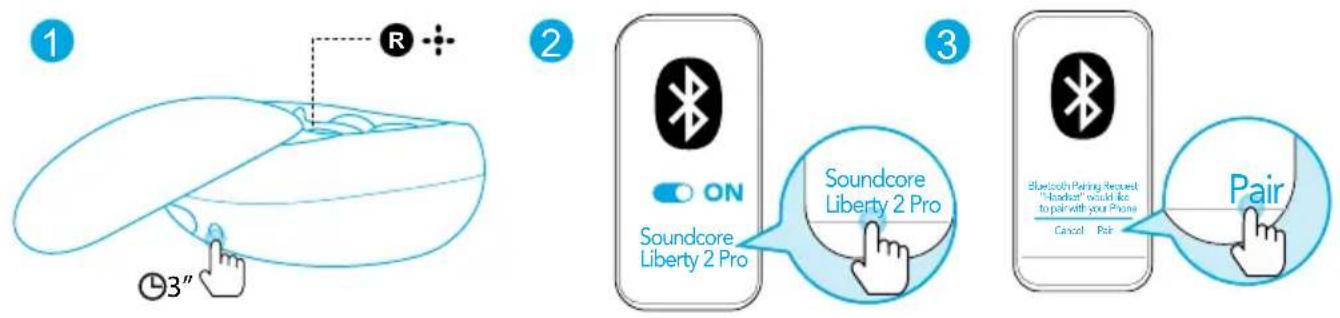
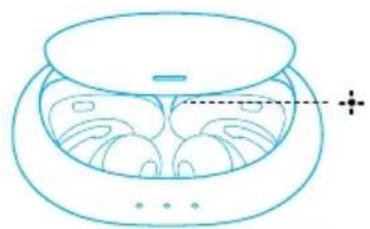
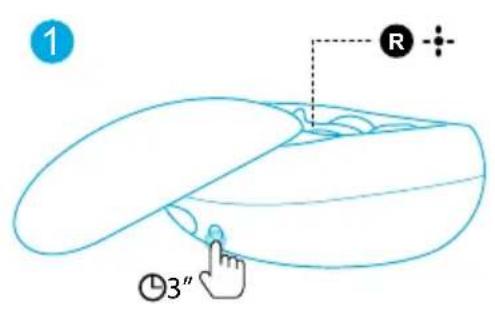
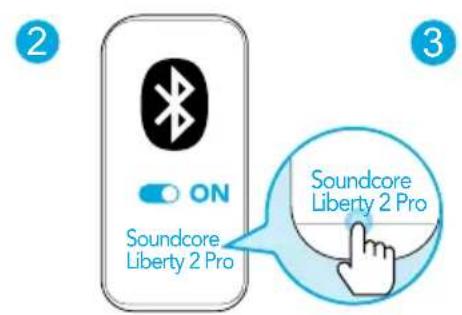
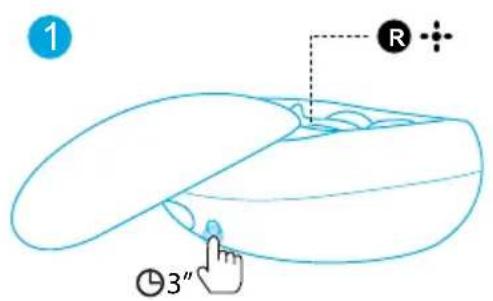
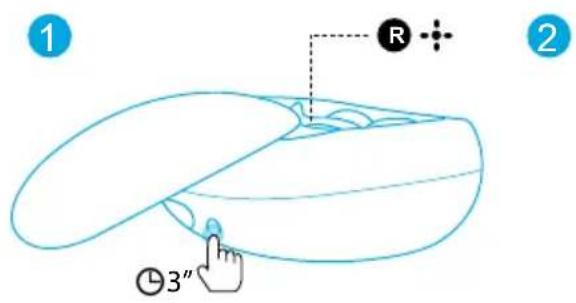
To pair with another Bluetooth device, place the earbuds back into the charging case and make sure they are being charged, keep the case cover open, then press and hold the button on the charging case for 3 seconds. The LED indicator on the right earbud will flash rapidly.
三
- Each time you power on your Soundcore earphones, it will automatically connect to your last successfully connected device if available within the Bluetooth range.
- Mono mode: When Bluetooth connected, you can use either one of the earbuds only by putting the other one back into the charging case and closing the cover.
Wearing
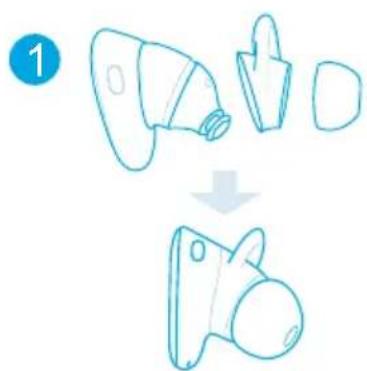
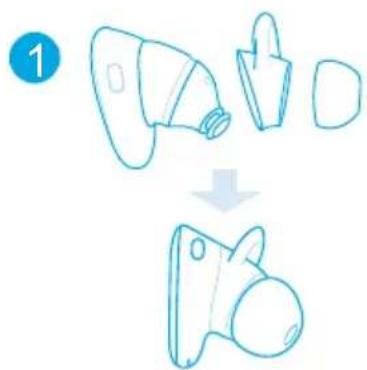
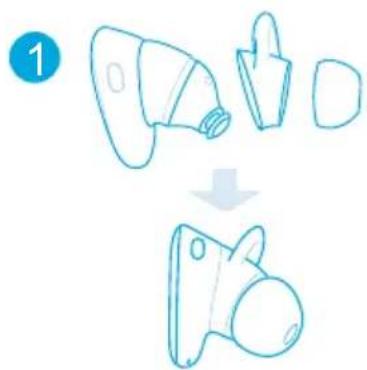
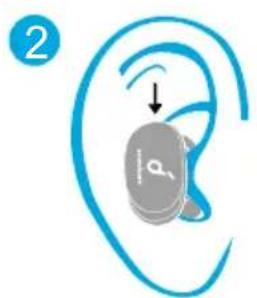
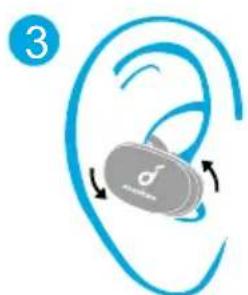
- Choose the EarTips and EarWings that fit your ears best.
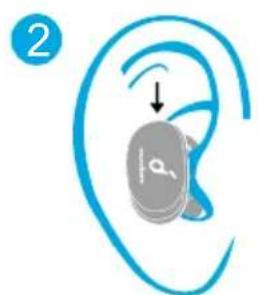
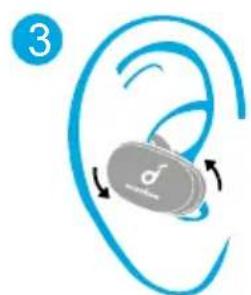
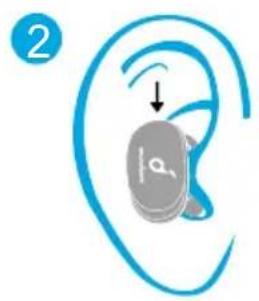
- Insert the earbuds into the inner canal of your ears.
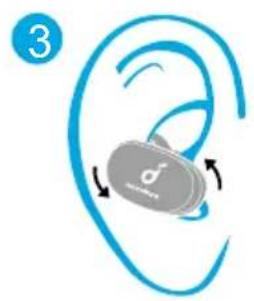
- Turn and find the most comfortable position.
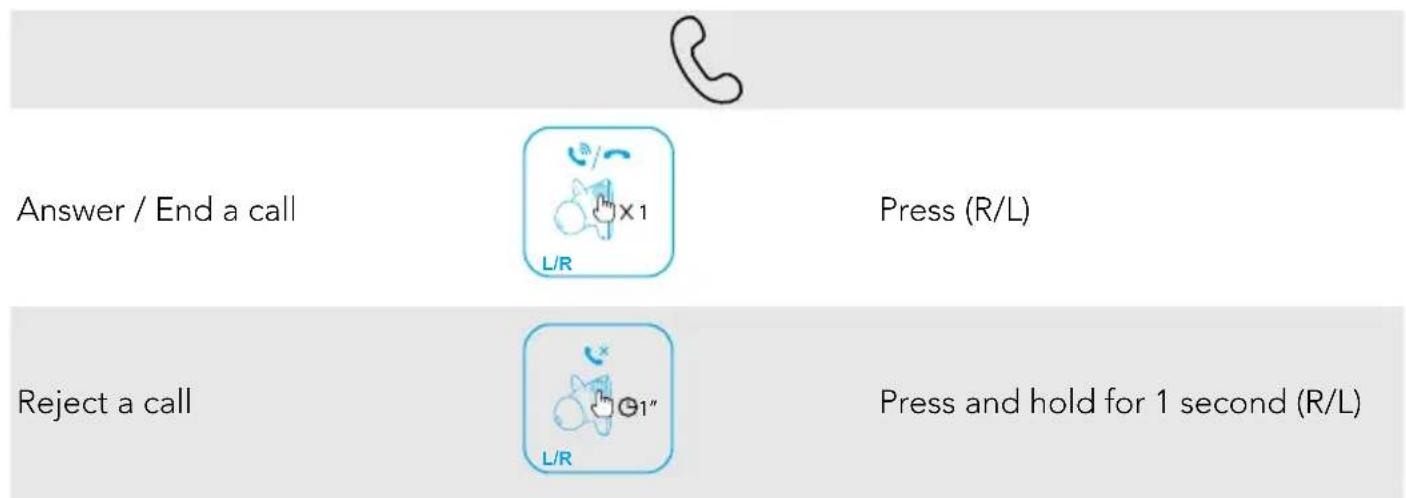
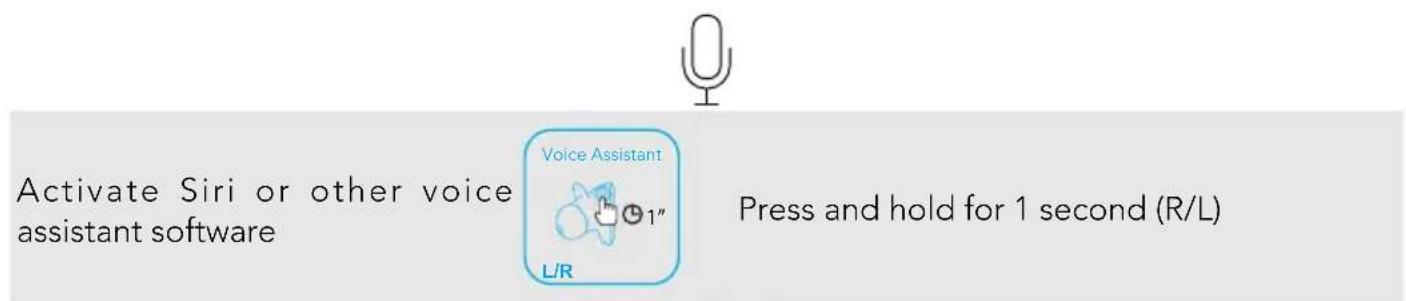
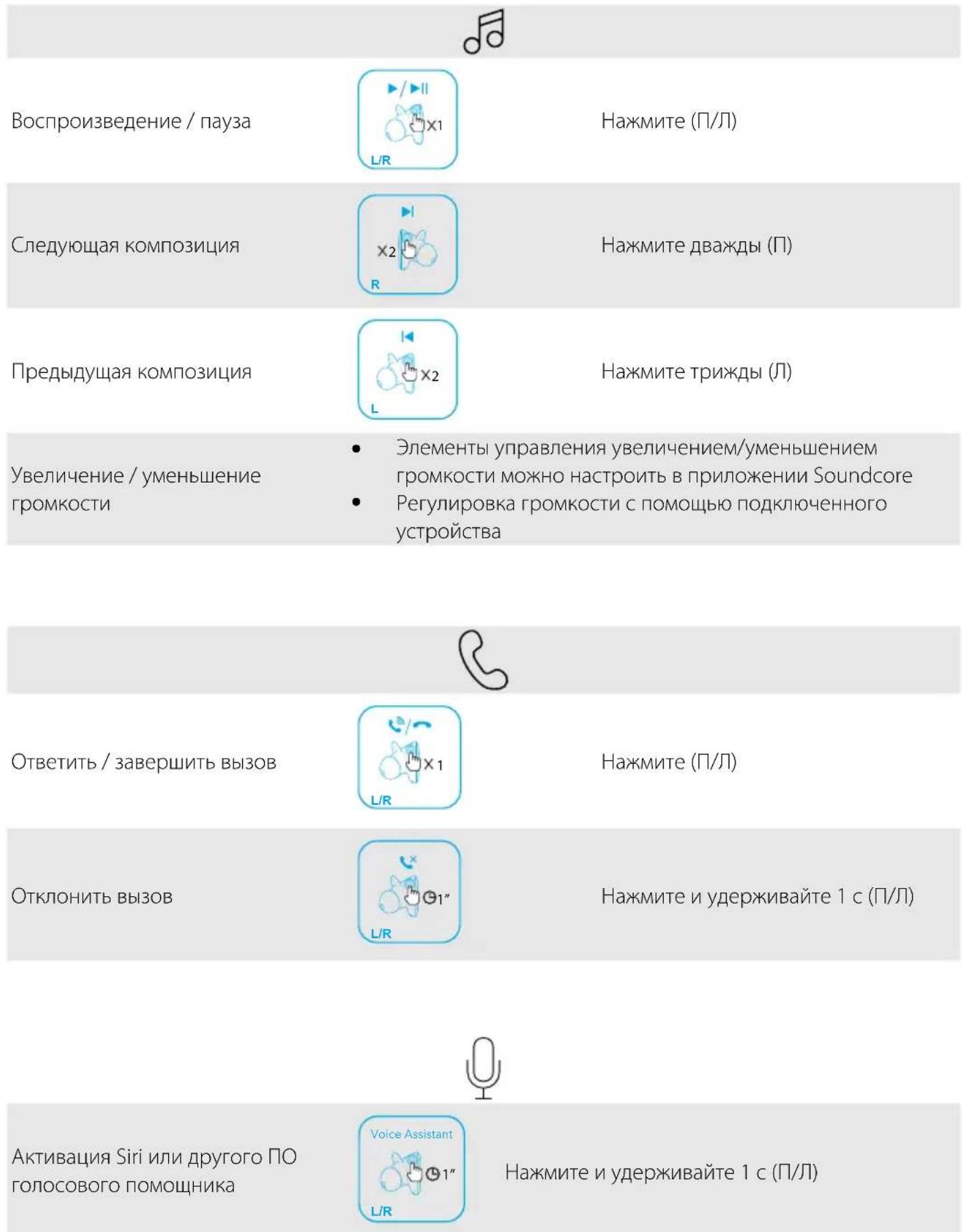
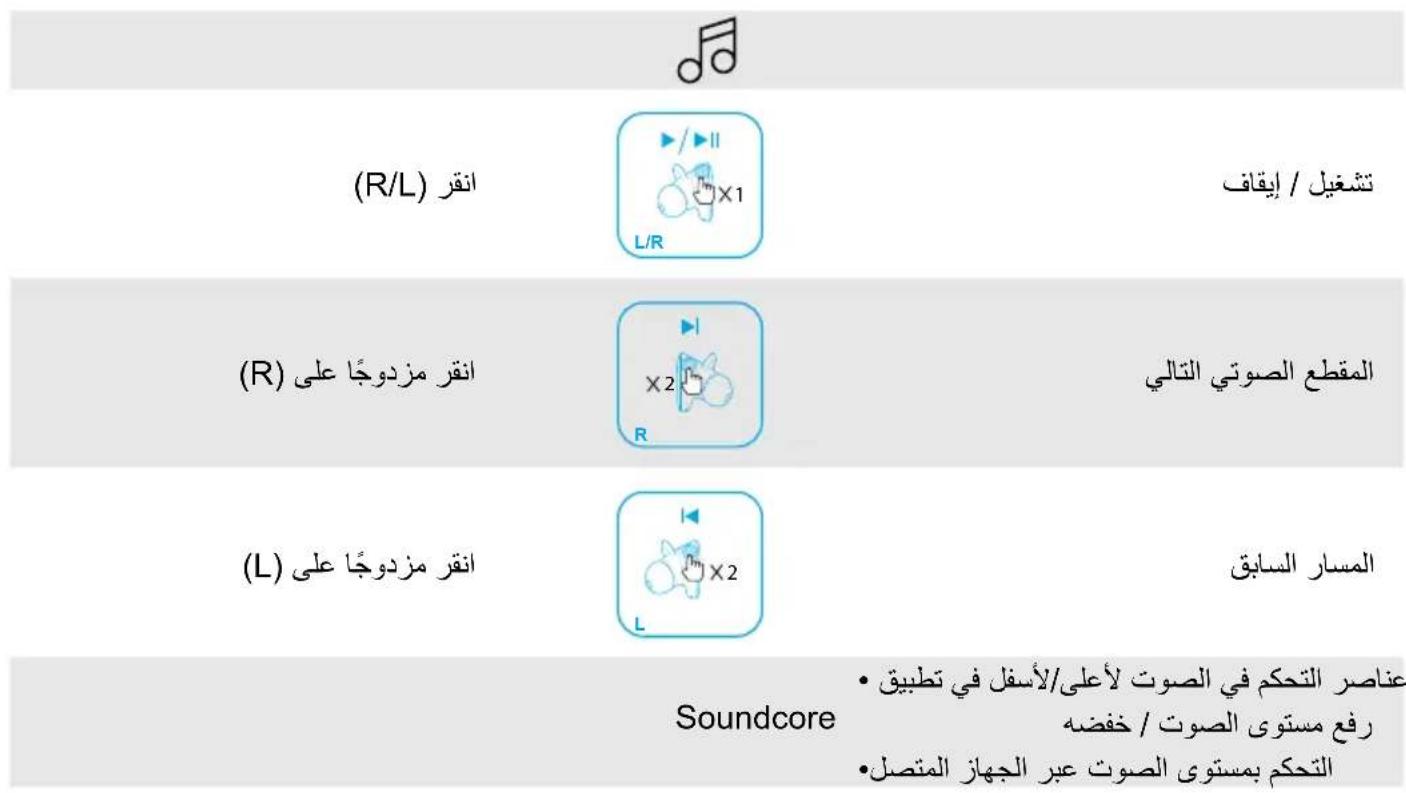
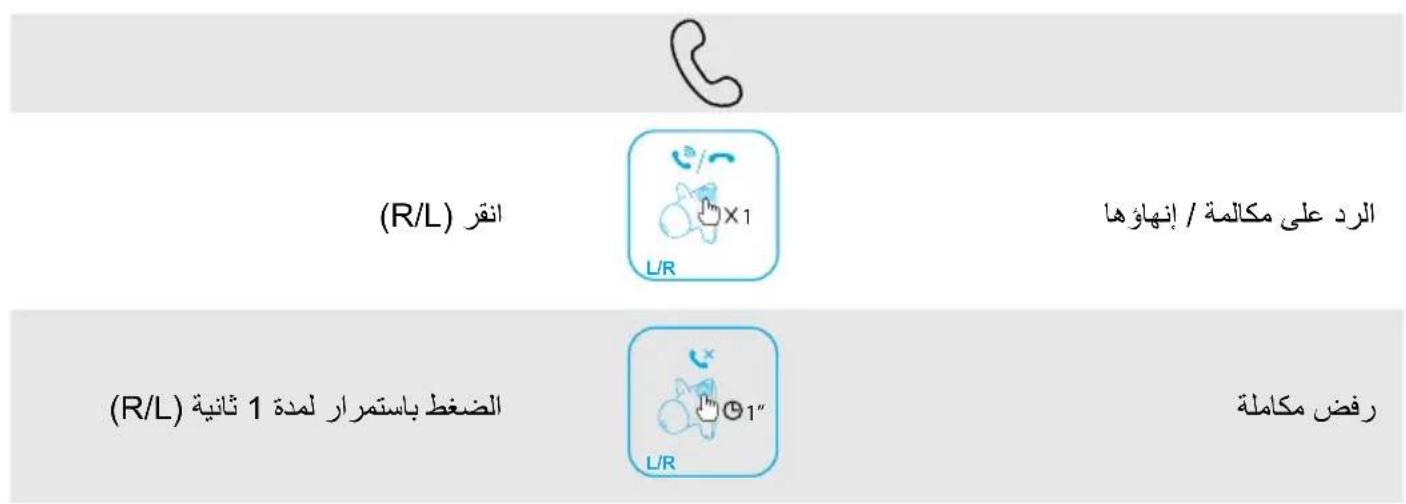
Controls
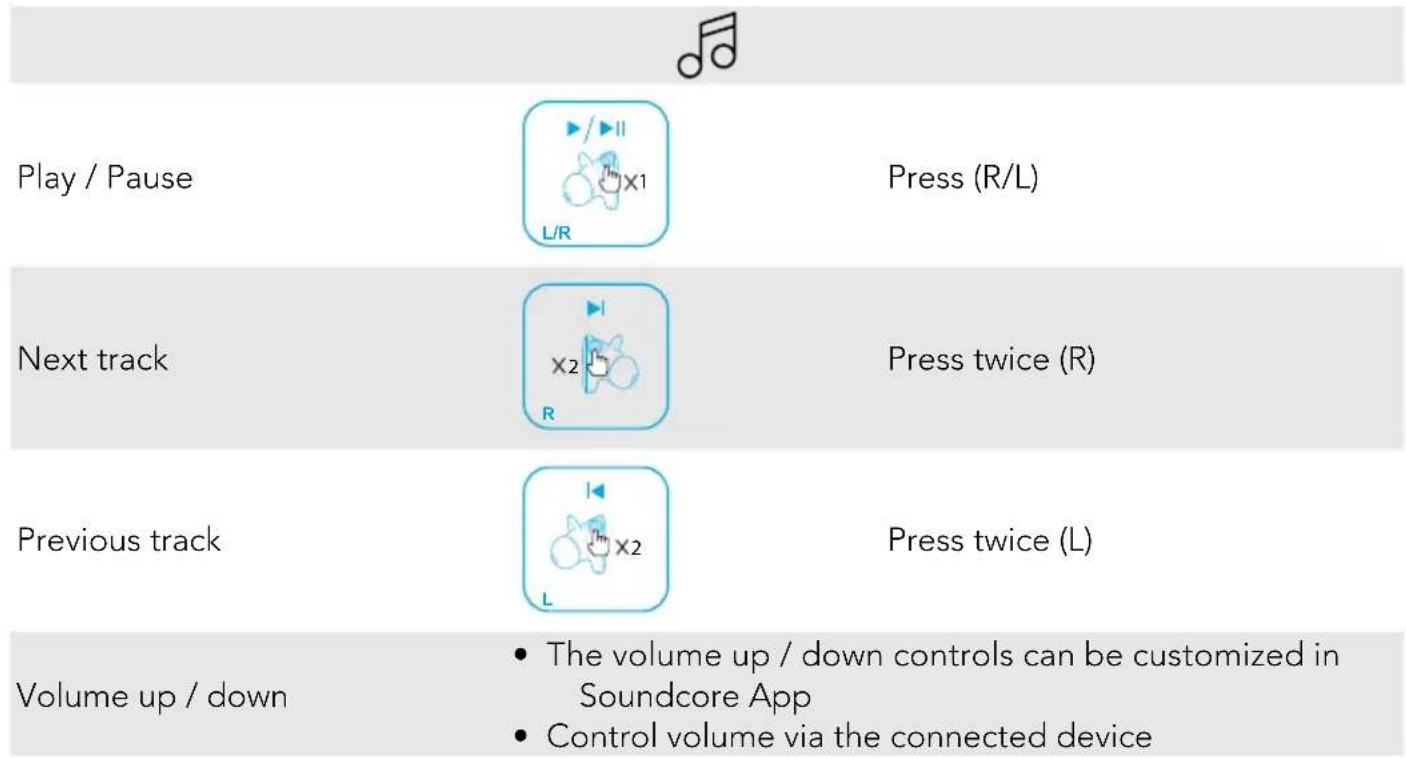
All of the controls in stereo mode can be customized in the Soundcore App.
Soundcore App
Make sure the earbuds firmware is always up-to-date before using.
Download the Soundcore App for HearID, UI customization, EQ settings, and earbuds firmware update.
- HearID: HearID maps your personal hearing sensitivity at multiple frequencies and analyzes the results. It tailors the EQ settings and creates a personalized sound profile for you.
- UI customization: In stereo mode, all of the controls can be customized in the App. In mono mode, the controls are fixed.
- EQ settings: There're more than 20 EQ settings you can choose in the App to optimize your experience while enjoying different music genres.
- Earbuds firmware update: The earbuds firmware can be updated in the App. You will be informed once the new version of firmware is detected when you connect the earbuds with the App.

Google Play and the Google Play logo are trademarks of Google Inc.

Apple and the Apple logo are trademarks of Apple Inc.
Reset
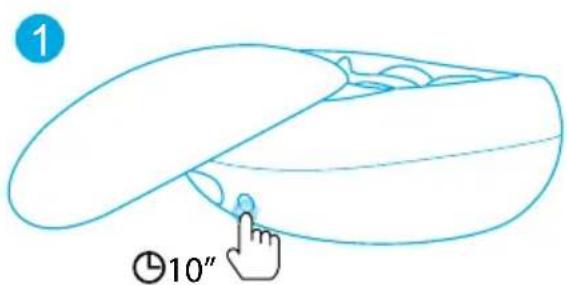
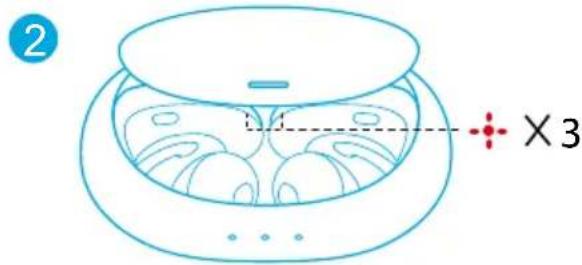
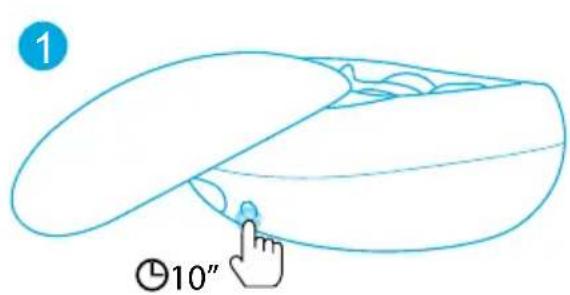
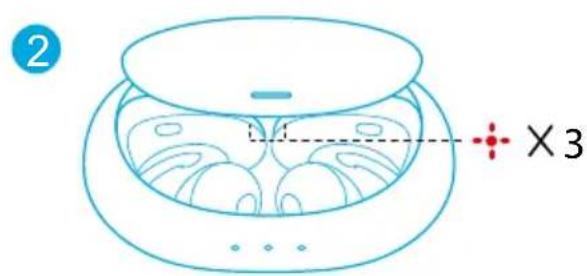
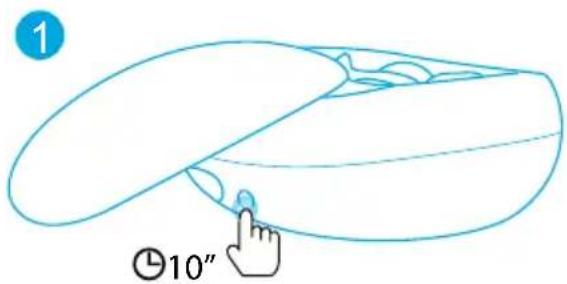
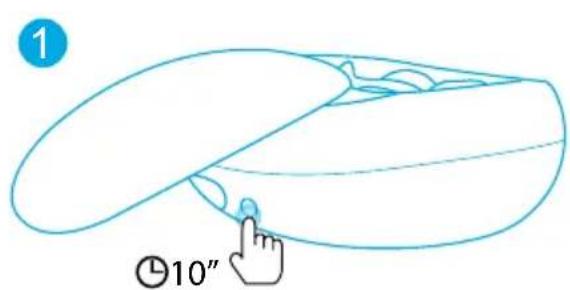
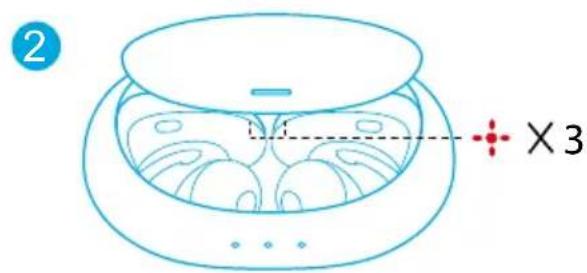
Reset the earbuds if the earbuds cannot connect properly with each other or with your device. Place the earbuds into the charging case and make sure they are being charged. Keep the charging case open, then press and hold the button on the charging case for 10 seconds until the LED indicators on both earbuds flash red 3 times.
All the memory data will be cleared.
Specifications
Specifications are subject to change without notice.
| Input 5 V 500 mA | --- |
| Rated output power 5 mW @ 1% THD | |
| Battery capacity 65 mA x 2 (earbuds); 500 mA (charging case) | |
| Charging time 1.5 hours | |
| Playtime (varies by volume level and content) | 8 hours (Totally 32 hours with the charging case) |
| Driver Dynamic and Balanced Armature | |
| Frequency response 20 Hz - 20 kHz | |
| Impedance 8 Ω | |
| Bluetooth version V 5.0 | |
| Bluetooth range 10 m / 33 ft | |
Qualcomm® aptX™ Technical specifications
Compression ratio: 4:1
Word depth: Support 16bit and 24bit
Decoding delay: Sample rate 48kHz < 2ms
Dynamic range: 16bit>92dB, 24bit>120dB
Data rates: 352kbps
Decode mode: Stereo
Qualcomm aptX is a product of Qualcomm Technologies, Inc. and/or its subsidiaries. Qualcomm is a trademark of Qualcomm Incorporated, registered in the United States and other countries. aptX is a trademark of Qualcomm Technologies International, Ltd., registered in the United States and other countries.
Nabijeni

Google Play and the Google Play logo are trademarks of Google Inc.

Apple and the Apple logo are trademarks of Apple Inc.
Resetováni
Google Play and the Google Play logo are trademarks of Google Inc.

Apple and the Apple logo are trademarks of Apple Inc.
Nulstil
Google Play and the Google Play logo are trademarks of Google Inc.

Apple and the Apple logo are trademarks of Apple Inc.
Zurücksetzen
Google Play and the Google Play logo are trademarks of Google Inc.

Apple and the Apple logo are trademarks of Apple Inc.
Enavaφopá
Av ta akouotiká δev μπopouv va ouvδθouv ωοτá εITE μεtaú touc εite με tη ouokéun oac, πρoxwpnoTE OTNV Σavaφopa touc.
ToioeTne ta akouotika meoa otn thnk foptionc kai a i oti φoptiovta. Afnote Tn thnk foptionc avoixtn kai uotepa niote napatetapeva to koumni otn thnk e10 8eutepoAeTTa wonou or EvdeikTeC LED kai ota duo akouotiká va avaaboHoouv 3 opec oc kokkivo xpwa.
Apple and the Apple logo are trademarks of Apple Inc.
Restablecer
Google Play and the Google Play logo are trademarks of Google Inc.

Apple and the Apple logo are trademarks of Apple Inc.
Nollaaminen
Google Play and the Google Play logo are trademarks of Google Inc.

Apple and the Apple logo are trademarks of Apple Inc.
Réinitialisation
Google Play and the Google Play logo are trademarks of Google Inc.

Apple and the Apple logo are trademarks of Apple Inc.
Visszaállítás
Google Play and the Google Play logo are trademarks of Google Inc.

Apple and the Apple logo are trademarks of Apple Inc.
Reimpostazione
Google Play and the Google Play logo are trademarks of Google Inc.
Apple and the Apple logo are trademarks of Apple Inc.
Resetten
True Wireless Stereo-tilkobling
Google Play and the Google Play logo are trademarks of Google Inc.

Apple and the Apple logo are trademarks of Apple Inc.
Tilbakedill

Apple and the Apple logo are trademarks of Apple Inc.
Resetowanie
Google Play and the Google Play logo are trademarks of Google Inc.

Apple and the Apple logo are trademarks of Apple Inc.
Repor
Bluetooth-conpajkeHne c Baunm yctpoiCTBOM
Hayshnki nepeydt B pexm copjxehn npn BKloueHn. Pn noBHeHn BCnblBaIoJero 3KpaHa 6ydt 3a npoesho nodTbepeHne nokluyeHn.



CocToHHe cBeToaNoDHoro HnDnKaTopa (HayuHnKn)
| -〇- | Miraet 6eblm Bbipolnnyetc conpajene | Bluetooth |
| 〇 | Горот 6eblm CBetOM B Teчене 1 c Bluetoh nodkluyen | Bluetooth nodkluyen |

B xode npocecca copjxehn IJI HeKOTOpbIX yCTpOInCTB, HecOBMeCTnMbIX C DBOHbIMN OCHOBHbIMN-DONOHHTeINbHbIMN IMeHAMN copjxehn texHOJrN Qualcomm True Wireless, moXeT NOABITc co6ueHne «He ydaIOcB yCTaHOBtB NOKIIoueHne» npi Haxatn «COnpJxehne» nI IN daXe MoXeT He NORBtCB BCnblBaIOUIN 3kpaH.3TO He 6ydet ppeNTCTBOBaTb NCNOB3OBAHIO.
- Iocne ycneHoro coopjxehn ochoBHO hyuHK noKlouaetc K Baewmy yctpoiCTby n nepedaet cnHaI Ha BTOPOH hayuHK, KOtOpbI He 6yDet noKloueH K Baewmy yctpoiCTby.B pe3yIbTaTe 3TOrO, cncok coopjxehn Bluetooth Ha BAwem yctpoiCTbe MoXet OTo6paKaTb TOnbko NOkHueHne ODHO CTOpOHbl, a He 06enx.
| BLUETOOTH | |
| Soundcore XXX | Connected |
| Soundcore XXX-L | Not Connected |
Для сороженя с дугьm Bluetooth-устовnomeCTBOM nOmeCTte hayшнкOBoproHвЗapныфтлр n ybeintecb,чTo OHI 3apжehbl,держITE Фтлр OTKpbITbIM,3aTeM haxmnte u ydepxnBaIte KhoNky Ha HIXHNeЧТи 3apJHOrOФтлр aВ TeueHne 3 c.CBeToOnoHbIn HndkaTOp Ha npabom Hayshnke NaHHT 6bICTpo Mngatb.
三
- Пи Кадом Влючени Hayшнки Soundcore 6удТ abTomatnueckи NOДКЛЮЧаТьСК NOСпeДнemу успeшно NOДКЛЮчEHHomу yCTpoiCTByВЗОн DeiCTBnA Bluetooth.
MoHooHueckn peKm: KOrda yctaHOblno Bluetooth-coeINHeHne, Bbl moKeTe nCNoB3OBaTb IIO6o N3 HayuHKOB, NOJXNB dpyroB 3aprHbI cyTnpN 3aKpbIB erO KpbUKy.
Houenne
- BbI6epnte Hacaikn Ha HayuHnKn 3ayuHnbl, NOxOJaUne Bam LyuWe BCero.
- BCTaBbTe HayuHnKn ByuHoN KaHaJ.
3.Повернiteх,чTo6bI HaHTn HAn6OJee yNo6Hoe nOJOKeHne.
Злем entblуypablenna
Bce 3eIemEnbI ynpabHeHn B cTepeoOohueckom pexmE MoXHO HaCTpOnTb B npIoJxHn Soundcore.
Прилaxes Soundcore
Pepd nCpOJIb3OBaHnEM HayuHnKOB Bcerda y6eJdaITeCb, YTO yCTaHOBJeHa NOcIeHJa npoWuBka HayuHnKOB.
Google Play and the Google Play logo are trademarks of Google Inc.
Apple and the Apple logo are trademarks of Apple Inc.
C6poc
BbnoHnTe c6poc HayshNKOB, eCNI HayshNKn He NOdkIouaOTcA pyr K dpyry nn K yCTpoiCTBy NaJnxJaUM o6pa3OM.
IomeCTte HayuHKnB 3apnHy fytnp n y6eNTecb, YTO OHn NOHOCbIO 3apxHebl.PpO TkpbITOM 3apnHOM fytnp HeKmTe n yepKNaTe KhoNky Ha 3apnHOM fytnp B TeueHne 10 c, Noka CBETODNoHbIE HnIKaTOpbl Ha oBOx HayuHKnax He MInHy T KpaChbIM CBeTom 3 pa3(a).
Bce coxpaehHbIe daHHbIe 6ydyT ydaJeHbl.
TexHnueckne xapakTepncTnKn

Texnueckne xapaKtepncTKMOrTy 6bTb n3MeHeHb 6e3 npEdbapntbHOro yBeOMnHeHHa.
BxoHnToK5V 500mA
一
HOMnHaJIbHaI MOUHOCTb BbIXoDHorO CnHrHaJa 5 MBT @ KO3ΦΦNueHT HeINHeINHbIX NCKaKeHN 1%
Emokctb akkymyIaTopa 65 mA x 2 (hayuHnKn); 500 mA (3apAHyBn foTnp)
Bpem3apdkn1.54
BpemBaCpOn3BeDHeNn (3aBncnt OT ypoBn 8u (Bcero 32 u BmecTe c 3apAnbIM cyTlpaOM) rpoMkoCTn n BocnpOn3BOIDMOrMaTePnaIa)
Pa3Mep DnHaMnKa DnHaMnuecka n c6aNaHCnpoBaHHa apMaTypa
YacToTHaXapaKTepeNCTnKa 20Tc-20Kt
IIMpeDanC8Ω
Bepcsn Bluetooth V 5.0
Papnuc DeiCTBnA Bluetooth 10 M
Nabijanie

- Posunutim możete otvorit' alebo zatvorit nabijacie puzdro, a tym aktivovat LED kontrolku baterie.
Pred prvym pouzitim obe sluchadla a nabijace puzdro plne nabite. - Ak chcete predlizit zivotnost baterie, nabite ju doplna minimalenz za 45 dni/dni.
- Aby sa predislo poškodeniu, použite dodany kabel USB-C.
- Nabijacie puzdro możete nabit pomocou bezdrótovej nabijacky s osvedćením (nie sącastou balenia).
Pred nabijanim uplne osuste sluchadla a USB port.

Zapnutie/vypnutie
Otverte nabijace puzdro, sluchadla sa automaticky zapnú.
Umiestnite sluchadla spat do nabijaceho puzdra a zatvorte ho, sluchadla sa automaticky vypnu.
ON
OFF
Google Play and the Google Play logo are trademarks of Google Inc.

Apple and the Apple logo are trademarks of Apple Inc.
Resetovanie
Google Play and the Google Play logo are trademarks of Google Inc.

Apple and the Apple logo are trademarks of Apple Inc.
Ponastavi
Google Play and the Google Play logo are trademarks of Google Inc.

Apple and the Apple logo are trademarks of Apple Inc.
Aterställning

Google Play and the Google Play logo are trademarks of Google Inc.

Apple and the Apple logo are trademarks of Apple Inc.
Sifirlama
Google Play and the Google Play logo are trademarks of Google Inc.

Apple and the Apple logo are trademarks of Apple Inc.
リ setterト
Google Play and the Google Play logo are trademarks of Google Inc.

Apple and the Apple logo are trademarks of Apple Inc.
新屋建
IeHbDgRtoRtoReoJrtoJtAoiJnJatciWuOaBorJcEnjchSooNtEwYiHerBtToTaeLepyHn.
IeHBrTe 10 H
Google Play and the Google Play logo are trademarks of Google Inc.

Apple and the Apple logo are trademarks of Apple Inc.
重置

Apple and the Apple logo are trademarks of Apple Inc.
重設
Google Play and the Google Play logo are trademarks of Google Inc.

Apple and the Apple logo are trademarks of Apple Inc.
Reiniciar
True Wireless Stereo
i 1
Qualcomm True 120000000000000000000000000000000000000000000000000000000000000000000000000
| BLUETOOTH | |
| Soundcore XXX | Connected |
| Soundcore XXX-L | Not Connected |
aballll eblc gaii jn nn nnnn a bala yj rnae i 1211 100000000000000000000000000000000000000000000000000000000000

Jilali Ie Jusie SsSoundcore 1i Cclaw Lg o s jS .j5. iJ .Bluetooth gbls
y 1
iiee eae
1
.2
3
Soundcore
Ee 10000000000000000000000000000000000000000000000000000000000000000000
:
Soundcore

GETITON Google Play

Download on the App Store
Google Play and the Google Play logo are trademarks of Google Inc.
Apple and the Apple logo are trademarks of Apple Inc.
C
Jckjckjckjckjckjckjckjckjckjckjckjckjckjckjckjckjckjckjckjckjckjckjckjckjckjckjckjckjckjckjckjckjckjckjckjckjckjckjckjckjckjckjckjckjckjckjckjckjckjckjck
a 10 10
.
5V = 500mA
Kll gill 1% 5
1 1
()500:()x265
1.5
()8 8
gall ginaa (aliz)
(5)
jglg jglg jglg
20-20 20
8 1
5.0Bluetooth
33/10Bluetooth

.771C
.
45 1nnn nn nnnnnnnnnnnnnnnnnnnnnnnnnnnnnnnnnnnnnnnnnnnnnnnnnnnnnnnnnnnnnnnnnnnnnnnnnnnnnnnnnnnnnnnnnnnnn
.79101
.(717)
.

1
nONIOIN 1yNNIYIN,nynn nn n
nuiin 11 ninn, nyn nn nnnn nn nnn
ON
OFF
2
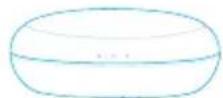
(n)
n 1 nnnn nn nnnn nn nnnn nnnn nnnn nnnn nnnn nnnn nnnn nnnn nnnn nnnn nnnn nnnn nnnn nnnn nnnn nnnn nnnn nnnn nnnn nnnn nnnn nnnn nnnn nnnn nnnn nnnn nnnn nnnn nnnn nnnn nnnn nnnn nnnn nnnn
ynnn nn nnnnnnnnnnnnnnnnnnnnnnnnnnnnnnnnnnnnnnnnnnnnnnnnnnnnnnnnnnnnnnnnnnnnnnnnnnnnnnnnnnnnnnnnnnnnnnnnnnnnnnnnnnnnnnn
nunnnn
n nn nnnnnnnnnnnnnnnnnnnnnnnnnnnnnnnnnnnnnnnnnnnnnnnnnnnnnnnnnnnnnnnnnnnnnnnnnnnnnnnnnnnnnnnnnnnnnnnnnnnnnnnnnnnnn
unnnn
.7y91
y nn y Bluetooth
ynn nn nynn nn nn nn nn nn nn nn nn nn nn nn nn nn nn nn nn nn nn nn nn nn nn nn nn nn nn nn nn nn nn nn nn nn nn nn nn nn nn nn nn nn nn nn nn nn nn nn nn nn nn nn nn nn nn nn nn nn nn nn nn nn nn nn nn nn nn nn nn nn nn nn nn nn nn nn nn nn nn nn nn nn

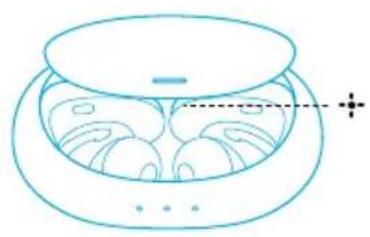


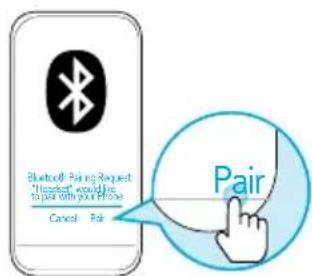
(n)
| Bluetooth® | (1 GHz) x 2Gbps | ○ |

Qualcomm True Wireless 1nnn nn nnnn nn nnnn nn nnnn nn nnnn nn nnnn nn nnnn nn nnnn nn nnnn nn nnnn nn nnnn nn nnnn nn nnnn nn nnnn nn nnnn nn nnnn nn nnnn nn nnnn nn nnnn nn nnnn nn nnnn nn nnnn nn nnnn nn nnnn nn nnnn nn nnnn nn
,
n"p",,u nnnnbluetooth wunwn nnwn,duwn.77nnnnn nnnnn .x7 uinnnnn TNN Tn
| BLUETOOTH | |
| Soundcore XXX | Connected |
| Soundcore XXX-L | Not Connected |
10n nn nnnn nn nnnnnnnnnnnnnnnnnnnnnnnnnnnnnnnnnnnnnnnnnnnnnnnnnnnnnnnnnnnnnnnnnnnnnnnnnnnnnnnnnnnnnnnnnnnnnnnnnnnnnnnnnnnnnnnnnnnnnnnnnnnnnnn

Google Play and the Google Play logo are trademarks of Google Inc.

Apple and the Apple logo are trademarks of Apple Inc.
OID'X
n nn nnnn nn nnnn nn nnnn nn nnnn nn nnnn nn nnnn nn nnnn nn nnnn nn nnnn nn nnnn nn nnnn nn nnnn nn nnnn nn nnnn nn nnnn nn nnnn nn nnnn nn nnnn nn nnnn nn nnnn nn nnnn nn nnnn nn nnnn nn nnnn nn nnnn nn nannn nn nannn nn nannn nn nannn nn nannn nn nannn nn nannn nn nannn nn nannn nn nannn nn nannn nn nannn nn nannn nn nannn nn nannn nn nannn nn nannn nn nannn nn nannn nn nannn nn nannn nn
17nnn m
yynnnn 77 nnnn

5V = 500mA
nann
THD 1% @ uuiu5 nnnn nn
(y)500;(n)x265
nno
1.5 no yo nT
(nynn nn no nww 8 no) nww 8 (nnn nn nn nnwn) nnwn n
TINNNTIITIIN
20-20
Ω8n
V5.0Bluetooth non
33/ non 10 Bluetooth nii
- Powering On/Off
- LED indicators (Earbuds)
- Pairing
- True Wireless Stereo Connection
- Bluetooth Pairing with your Device
- LED indiators (Earbuds)
- 三
- Wearing
- Controls
- Soundcore App
- Reset
- Specifications
- Nabijeni
- Resetováni
- Nulstil
- Zurücksetzen
- Enavaφopá
- Restablecer
- Nollaaminen
- Réinitialisation
- Visszaállítás
- Reimpostazione
- Resetten
- True Wireless Stereo-tilkobling
- Tilbakedill
- Resetowanie
- Repor
- Bluetooth-conpajkeHne c Baunm yctpoiCTBOM
- CocToHHe cBeToaNoDHoro HnDnKaTopa (HayuHnKn)
- Houenne
- Злем entblуypablenna
- Прилaxes Soundcore
- Pepd nCpOJIb3OBaHnEM HayuHnKOB Bcerda y6eJdaITeCb, YTO yCTaHOBJeHa NOcIeHJa npoWuBka HayuHnKOB.
- C6poc
- TexHnueckne xapakTepncTnKn
- Nabijanie
- Zapnutie/vypnutie
- Resetovanie
- Ponastavi
- Aterställning
- Sifirlama
- リ setterト
- 新屋建
- 重置
- 重設
- Reiniciar
- Soundcore
- GETITON Google Play
- Download on the App Store
- y nn y Bluetooth
- OID'X
Brand : soundcore
Model : Liberty 2 Pro
Category : Earplug