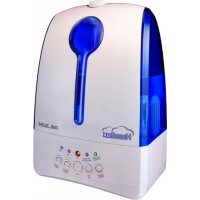
Humilux 30542 - Humidifier PALSON - Free user manual and instructions
Find the device manual for free Humilux 30542 PALSON in PDF.


| Product Type | Ultrasonic Humidifier |
| Brand | Palson |
| Model | Humilux 30542 |
| Technology | High-frequency Ultrasonic |
| Power Supply | Mains 220-240 V ~50/60 Hz |
| Rated Power | 17 to 30 W depending on mist level |
| Mist Levels | 4 (Low, Medium, High, Maximum) |
| Programmable Timer | 2, 8 or 12 hours |
| Ionizer Function | Yes (independent activation) |
| Automatic Shut-off | In case of water shortage |
| Recommended Relative Humidity Range | 45-65% RH |
| Operating Temperature | 5-40 °C |
| Maximum Ambient Humidity | < 80% RH |
| Recommended Water Type | Demineralized or boiled water |
| Cleaning Frequency | Weekly |
| Parts to clean regularly | Transducer, tank, float |
| Energy Consumption | Economical (85-90% savings compared to a classic steam model) |
| Safety Protection | Do not use without water, do not disassemble the base |
Frequently Asked Questions - Humilux 30542 PALSON
User questions about Humilux 30542 PALSON
0 question about this device. Answer the ones you know or ask your own.
Ask a new question about this device
Download the instructions for your Humidifier in PDF format for free! Find your manual Humilux 30542 - PALSON and take your electronic device back in hand. On this page are published all the documents necessary for the use of your device. Humilux 30542 by PALSON.
USER MANUAL Humilux 30542 PALSON
Our products have been developed to attain the highest standards of quality, functionality and design. We hope you enjoy using your new HUMILUX ultrasonic ionising humidifier from PALSON.
SAFETY GUIDE:
Warning: bear in mind the following points; if you do not heed them, you may suffer injury due to electric shocks.
- Do not dismantle the base without consulting a qualified person.
- If the power cable is damaged, it must be replaced by the manufacturer or its authorised technical service or by a qualified technician, to prevent risks.
- If you notice a strange smell during normal operation, turn it off and disconnect the power source, and ask a qualified person to check the unit.
- Unplug the unit during filling, cleaning and maintenance work.
- Keep all detergents and chemicals out of the reach of children.
- Take special care when cleaning the unit with clean water, detergents and chemical solutions and if any of these substances should enter your mouth or eyes, seek medical advice, to prevent serious injury.
- Do not touch the water tank or the components submerged in it when the unit is in operation.
- Do not turn on the unit if there is no water in the tank.
- Do not scour or scrape the ultrasonic atomiser transducer.
- Do not allow water enter the base when cleaning the unit, to prevent damage being done to the components.
- Do not move the unit when the water tank is full.
- Place the unit on a flat surface with the machine at least 2 metres from furniture items and other electrical appliances.
- This product is not to be used by children or other persons whose physical, sensory or mental states that prevent them from using it safely without supervision. Children must be supervised to ensure they do not play with this product.
HUMIDIFIER:
The ultrasonic humidifier uses an ultrasonic high-frequency oscillator to divide the water into tiny particles with a diameter of approximately 1 - 5 m (micrometres). The ventilation system expels this water into dry air, where it evaporates to generate the required humidity. A soft, even steam can be clearly observed on the outside of the unit.
FUNCTIONS:
- Highly effective in humidifying, with considerable output.
- Low energy consumption, saving between 85 and 90% of electricity compared to normal steam humidifiers.
- Long useful life.
Automatic control of humidity level, safety protection against absence of water.
CORRECT HUMIDITY LEVEL:
What exactly is relative humidity? Relative humidity is the real percentage of water steam content with respect to saturated water steam content at the same temperature and in the same space. It is normally expressed as % RH , (e.g., 45% RH ). Atmospheric air always contains water steam, and the percentage depends on the weather conditions. The higher the temperature, the more water steam the air will contain. For this reason, we use the term "relative humidity". On heating cold air to a comfortable temperature in the winter, the relative percentage of water steam falls and this leads to a reduction in the relative humidity. To maintain a comfortable, healthy atmosphere in the home, water or water steam must be artificially incorporated into the air in the rooms. This process is called air humidification.
RELATIVE HUMIDITY LEVELS IN DIFFERENT SITUATIONS:
The most comfortable RH for humans: 45-65%RH
The ideal RH for prophylactic and healing purposes: 40 - 55% RH
Computers and telecommunications appliances: 45-60%RH
Furniture and musical instruments: 40-60%RH
- Libraries, art galleries and museums: 40-60%RH
ULTRASONIC HUMIDIFIER FUNCTIONS:
- Increases and regulates the relative humidity of the atmospheric air.
- Eliminates electrostatic charges.
- Prevents diverse diseases.
- Maintains a healthy atmosphere and protecting the skin.
- Adjusts the room temperature.
OPERATING INSTRUCTIONS
When using the appliance for the first time, put it at room temperature for half an hour before using it (especially if the outdoor temperature is lower than 5^ ).
It is advisable to use the unit at a temperature of 5 to 40^ with a relative humidity of less than 80% RH .
Use clean water at a temperature lower than 40^
Check the water tank and ensure it is clean.
Operating steps:
- Remove the water tank (3) from the base (14), turn the valve cap (7) in the direction for loosening it, pressing ("loosen", "fasten") and fill the water tank (3) with clean water. Close the valve cap (7) and place the water tank (3) carefully on the base (14).
- Connect the nozzle (1) to the connector at the top part of the water tank (3).
- Connect the power cable to the socket (18); the machine will automatically be put in standby mode.
CAUTION: do not use the unit when the water tank is empty.
GB
- Turn on the unit by pressing "I" (15). The blue power LED will go on. The machine will operate with the lowest steam output and the fan motor will operate simultaneously. When the appliance is not plugged in, all the functions (except the "ION" function) will be deactivated and the on LED will go off.
- IONS: with the appliance in standby mode, press the ION button. This function is automatically activated in any atmosphere. The fan motor will operate at the same time. If the unit is not performing the humidifying function, when the "ION" function is turned off, the fan motor will stop, but if the unit is performing the humidifying function, when the "ION" is turned off, the fan motor will continue to operate.
- TIME: the room humidification time can be programmed. The adjustments will be repeated at intervals of 2 hours, 8 hours and 12 hours.
- STEAM: 4 steam outputs levels can be selected: low, medium, high and maximum for different steam outputs. The corresponding power is 17-19 W (low), 19-23 W (medium), 23-27 W (high) and up to 27-30 W (maximum).
- Protection in the case of absence of water: when there is no water in the tank, the "NO WATER" lamp will go on and the machine will stop. The timing and humidity adjustments will be cancelled, and on adding water, the functions will restart.
TROUBLESHOOTING GUIDE
Consult the following table to solve problems detected during normal operation:
| Problem Possible causes Solution | ||
| The LED display is off No power supply Connect to the mains | ||
| The "I" button has not been pressed | Press "I" | |
| The LED display is on but there is no steam or air | The tank has no water Fill the tank with water | |
| There is too much water in the tank Remove some of the water from the tank and close the watertight lid. | ||
| The LED display is on and there is air but no steam | The steam output is set at the lowest level. | Adjust the steam output |
| The LED display is on and there is water, but the display indicates there is none | The float is blocked Shake the float to remove the blockage | |
| The steam has an odd smell The unit is new Remove the water tank, open the lid and leave it to cool down for 12 hours on the cold setting | ||
| The water is dirty or has been in the tank for too long | Clean the tank and add clean water | |
| The quantity of cold steam is too small | There are incrustations in the tank | Clean the transducer |
| The water is dirty or has been in the tank for too long | Clean the water tank, replace the water with clean water | |
| The water is too cold | Add hot water | |
| Strange noises | The water tank makes a noise when the water level is too low | Fill the water tank |
| The unit is on an unstable surface | Move the unit to a flat, stable surface | |
| Steam is coming out of the nozzle | There is an opening between the nozzle and the water tank | Submerge the nozzle in water for a while and then connect it to the water tank connector |
| The water does not flow down to the tank | The filter is retaining it Rinse the filter | with running water |
| The display shows HF or LF Insufficient contact in the humidity sensor | Put in the proper position | |
| There is water in the sensor Place the unit in a well-ventilated place | ||
CLEANING AND MAINTENANCE:
If the water is hard, meaning it contains excessive calcium and magnesium, this could cause lime scale problems and lead to incrustations in the water tank, transducer and the interior surface of the water tank. The incrustations on the transducer surface will prevent the unit from functioning correctly.
We recommend you proceed as follows:
- Use boiled or distilled water.
- Clean the transducer, water tank and unit every week.
- Change the water in the tank more often to keep it clean.
- Check that the water tank has no water and has been dried well before storing the unit for long periods of time.
- Clean the whole unit and check that all the parts are completely dry before storing it for long periods of time.
- Do not use chemicals to clean it.
How to clean the transducer:
- Put 5-10 drops of detergent on the transducer surface and wait for 2-5 minutes.
- Remove the incrustations from the surface with a brush.
- Rinse the transducer with tap water.
How to clean the tank:
- Clean the tank with a soft cloth and detergent if it has incrustations.
- If the incrustations are blocking the safety switch, pour some detergent over them and clean it with a cloth.
- Rinse the water tank with clean water.
ENVIRONMENTAL PROTECTION
Discarded electrical products should not be thrown away with household waste. This appliance must be taken to your local recycling centre for safe disposal.
Thank you for confiding in us by purchasing one of our products.
F
jia 1 jiao clao Jiaui
2
iiaie biliil jssj 1j jai la z.3
4
5
6
:aiall jaaaiii ayis
5-2 10-5
2
Jssll Jcay 1al1 Jaa 3
1
Aa aia 1y eai Cui 1i bai, aei jai ai bai jai ai
aaii i aiaal al gall aiiall 1sll bll 1g 1aiaaiall al gll ciS 2
3
A
y
aiol o jw
1
Jlalll
aillblill jll lal laii
:aiyaiyaiy
%65-45:JxJxJxJxJxJxJxJx
55-40:
%60-45:1yaiyjgjy
%60-40:
%60-40:cal, qill gill cll, cal
gaiagall gaiy yjbj jglp
JSS
A
A
1111 1
jll 1
8 8
()5
%80 40-5 a
40 20
i#bi aS jao sLg, oall jia gle
jaiiuiuiui
loosen",fasten" (7) 14) (3)
A1y (14) 3 (3) cll jis (7) plall jie (3) cll
(3) all jz jz jz jz jz jz jz jz jz jz jz jz jz jz jz jz jz jz jz jz jz jz jz jz jz jz jz jz jz jz jz jz jz jz jz jz jz jz jz
3
j j 10
Jaa aal ala Jaae "ION" aagol laai jbi
Disposal of old Electrical & Electronic Equipment (Applicable throughout the European Union and other European countries with separate collection programs)
This symbol, found on your product or on its packaging, indicates that this product should not be treated as household waste when you wish to dispose of it. Instead, it should be handed over to an applicable collection point for the recycling of electrical and electronic equipment. By ensuring this product is disposed of correctly, you will help prevent negative consequences to the enviroment and human health, which could otherwise be caused by inappropriate disposal of this product. The recycling of materials will help to conserve natural resources. For more detailed information about the recycling of this product, please contact your local city office, household waste disposal service or the retail store where you purchased this product.
Aeae aee ae eae aee aee aee aee aee aee aee aee aee aee aee aee aee aee aee aee aee aee aee aee aee aee aee aee aee aee aee aee aee aee aee aee aee aee aee aee aee aee aee aee aee aee aee aee aee aee aee aee aee aee aeeee
Auta o ujbao, pca e eva npov n pca e eva keto, dfeiv on to npov Ev npoei va anvietnate i Otu cve oikako utkeia. AvtBte, tpoetie va kataebe pcoe a eva bokc onuie ts oukykoioc nou Exei Eidekeue otny avakkuwanaekpkiuv kau vnu kaptropivukv enotaiuov. Kavovtnas autc, oicg Bonge Tauton wote va atopatouov oupopeb opvntkec ouvetene otnc oioe, utnpoeva utmoBaiTe To peipalakai Ka n Tnykojuua veia, o itone B a mtupocovva mtpaxboov evau to npov ixse ompoppei me troto ovakpbiH avakkuwau tonu ukiow BonBa 0r taovunpvotai oi quokoi tropoi Eav emBuetae TaPAPAVu nlpopopn oneKtkemu nvy avakkuwau autou tou npovvloc, va EMBTE OE eonqn ie ptnv antipoaewme Tns nOngs, me tv utnpedra tsuykoiuTuv UTOAEmuTu ne Me to ayauzPeo sto otioy apodaate auto to npov.
NoctaHOBNHE6 OTCNYKHNHCBW CBOB CPOK 3NEKTPNHECKHX N AIEKTPOHHLX np6bopax (npmHeHETcBA EBpOENckCM CO3E INpyHX EBpOENckCH pTaHAX DnCCTEM pa3dEBHORo C5OpA HytINNa3auin OTXDOB)
DAnHHB CMMBOH, HaneceHHB Ha hN eRnne HnHa erO yNAKOBKY, O3HaaET, TcO C hEneH MeH b6aHTBaC Kc CbHbHbM b6TobbIM MycOpOM, a CNeyET cDaBaT B CnueHnHpOaHHBn NHTPnMe 3NeKTPnCeckHX n 3NeKTPoHHx nPb6OpCB Dnra Eero dAHeHWeH tyNHn3aUHN. Co6NIOA3TO npABINHO, Bbl NmoraTe PnpOEtPbATNTB BO3MOXHbEOTnauTeBHL NoCNECTBn HA OKpyKaOuyo Cpdy N 3DopOBBe INoDei, KOToPBte MOrYt BO3HNkHTy, ECNI 3TO nADenne 6yDet Bbl6pouHEo BO6HuHM PyEM. YTNInaIaI MaTePAHNO CTnCO6CTayet COxPAHENIO npOpDHBx pecypcoB. DnI NOnyehn DAONOHENTNBn HmOpMAuIN 6yTNInaIaI DaHHOI NOdENe B6pOAtTECb KropOcKHM BnactrM, B cnKyb6cbpaBbIX OTXODB IN M Bma3MH, rIe Bbl npO6peHn 30T npH6Op
a 1



- SAFETY GUIDE:
- HUMIDIFIER:
- FUNCTIONS:
- CORRECT HUMIDITY LEVEL:
- RELATIVE HUMIDITY LEVELS IN DIFFERENT SITUATIONS:
- ULTRASONIC HUMIDIFIER FUNCTIONS:
- OPERATING INSTRUCTIONS
- Operating steps:
- GB
- TROUBLESHOOTING GUIDE
- CLEANING AND MAINTENANCE:
- We recommend you proceed as follows:
- How to clean the transducer:
- How to clean the tank:
- ENVIRONMENTAL PROTECTION
- F
- jaiiuiuiui
Brand : PALSON
Model : Humilux 30542
Category : Humidifier