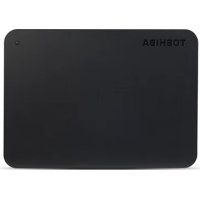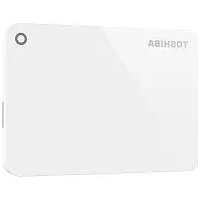
Canvio Advance - External hard drive TOSHIBA - Free user manual and instructions
Find the device manual for free Canvio Advance TOSHIBA in PDF.



| Product type | External hard drive |
| Brand | Toshiba |
| Model | Canvio Advance |
| Interface | USB 3.0 (backward compatible with USB 2.0) |
| Power supply | USB bus (self-powered) |
| Default formatting | NTFS (Windows) |
| Compatible operating systems | Windows 10, 8.1, 7; macOS v10.12 / OS X v10.11/v10.10 (after reformatting) |
| Connection | Plug-and-play |
| Indicator light | Power/Data |
| Included cable | USB 3.0 Micro-B to Standard-A cable |
| User manual | Preloaded on the hard drive |
| Cleaning | Use standard products, unplug before cleaning |
| Safety | Safe ejection via system icon |
| Enclosure type | External portable |
| USB hub compatibility | Must be powered |
| Main use | Data storage and backup |
| Transfer rate | USB 3.0 up to 5 Gbit/s, USB 2.0 up to 480 Mbit/s |
Frequently Asked Questions - Canvio Advance TOSHIBA
User questions about Canvio Advance TOSHIBA
0 question about this device. Answer the ones you know or ask your own.
Ask a new question about this device
Download the instructions for your External hard drive in PDF format for free! Find your manual Canvio Advance - TOSHIBA and take your electronic device back in hand. On this page are published all the documents necessary for the use of your device. Canvio Advance by TOSHIBA.
USER MANUAL Canvio Advance TOSHIBA
Introduction. 3
Check the Components 3
System Requirements 3
Installing the drive. 4
Connecting the drive to your computer 4
Dismount and disconnect the drive 5
Further Advise 5
Frequently Asked Questions 6
Troubleshooting 7
TOSHIBASupport 8
Regulatory statements 8
Introduction
Thank you for choosing our TOSHIBA Canvio Advance Hard Drive.
Please read this User's Manual carefully, as it contains all relevant information for installation, usage and maintenance of the drive, as well as security and safety advice.
In case it does not behave as expected, please refer to the "Frequently Asked Questions" section at the end of this manual.
Check the Components
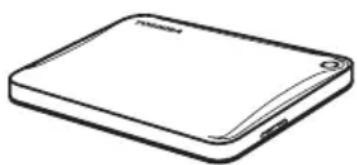
Canvio Advance (including User's Manual and Instruction Manual for Safety and Comfort)
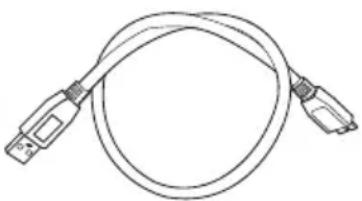
USB 3.0 Micro-B cable

Support document
This User's Manual is uploaded on the drive itself. We recommend to backup the User's Manual onto a CD or your local hard drive, directly after the drive being installed.
Please refer to "Instruction Manual for Safety and Comfort" that is preloaded on this external hard drive.
System Requirements
■ Formatted NTFS for Windows® 10 / Windows 8.1 / Windows® 7
Requires reformatting for macOS v10.12 / OS X v10.11 / v10.10
One free port of USB 3.0 or USB 2.0
NOTE
USB 3.0 is backward compatible with USB 2.0.
Installing the drive
Some information about bus-powered operation and the supplied USB cable:
- Your drive is bus-powered. Therefore, there is no need to connect an external power supply as all needed current will be supplied by the connected USB port(s).
Passive USB hubs or USB connectors like keyboards, mice or similar products cannot be used or connected to the drive.
Make sure that the connectors will be inserted correctly.
Never use pressure for connecting the cables. Check the polarity before connecting!
Connecting the drive to your computer
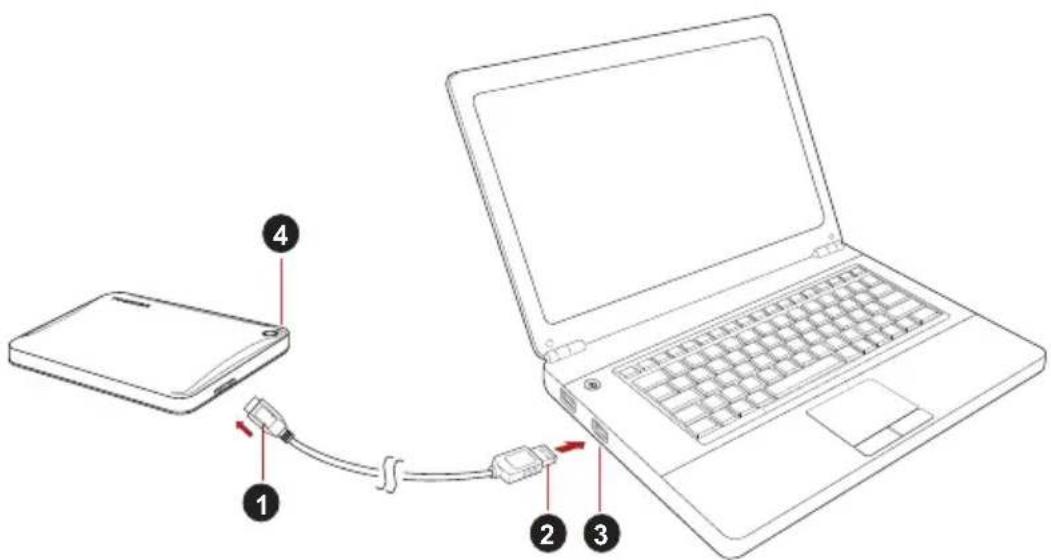
- USB 3.0 Micro-B connector 3. USB 3.0 host
backward compatible to USB 2.0
-
USB 3.0 Standard-A connector 4. Power/Data indicator light
-
With your computer powered on and fully booted up, plug the USB 3.0 Standard-A connector into a USB port of your host system, or an active USB HUB.
NOTE
You may need USB 3.0 Express Card Host Controller for your computer if the computer doesn't have USB 3.0 port. You also can connect the device to USB 2.0 port of your computer, However the transfer rate will be downgraded to that of USB 2.0.
- Now, plug the USB 3.0 micro-B connector into the corresponding port of the drive itself.
Immediately,
the Power/Data indicator light will illuminate
the drive will power up
the drive should mount and a new drive icon should appear in "My Computer"
Dismount and disconnect the drive
It is strongly recommended not to unplug the drive by just unplugging the cable connection as it may be that data is written to the drive at that time.
Such data will be lost and the drive may be damaged physically!
Please follow the steps below for a safe dismount of the drive (Windows®).
- Click the "Hardware and Eject Media - icon"
A pop-up message box will appear listing the external devices connected to your computer. - Select the TOSHIBA drive to eject.
After a few seconds, you will get the notification that it is now safe to remove the device. - Click "OK" and you can unplug the drive now.
Cleaning the drive case / enclosure
Before cleaning the drive, make sure that it's physically disconnected from the computer. We suggest to use standard products for cleaning it and to make sure that possible remaining liquid on the surface will be wiped off.
Further Advise
For any further action of normal operation such as renaming the drive, backup data, or file management, we suggest to read your operation system user's manual.
Also for maintenance tasks such as defragmenting and optimisation we suggest to refer to the operating system user's manual.
We also strongly suggest having anti-virus software installed to protect your data against intended damage caused by virus or trojan programs.
Frequently Asked Questions
Q: Do I need USB drivers for Windows?
A: No, they are already available with your operating system.
Q: Can I boot my system from the drive?
A: No, because Windows® does not support booting from external hard drives.
Q: Why doesn't the drive need a fan?
A: The drives are designed to have optimal heat dissipation, and therefore no fan is required. This results in a near silent operation.
Q: Why is the capacity of my drive (as shown in Windows®) lower than the drives actual stated capacity?
A: This difference can be explained because of the different methods of calculating the capacity.
Hard drive manufacturers calculate on the decimal system, while the operating system calculates in the binary system.
Example decimal:
1TB = 1,000GB
[ 1GB = 1,000MB = 1,000,000KB = 1,000,000,000 ] bytes
Example binary:
[ 1GB = 1,024MB = 1,048,576KB = 1,073,741,824 \text{ bytes} ]
As a result, a 1TB (decimal) hard disk appears in Windows to have just 931GB (binary).
Q: Can I use my drive to copy an operating system from one computer to another?
A: No, you must follow the operating system supplier instructions for installation. A simple copy does not work.
Troubleshooting
My computer does not recognize the disk drive at all.
Make sure all of your connections are secure.
If your drive is connected via a USB hub, make sure that it has its own power supply.
If using an add-on card, make sure it is working properly and update the software/firmware.
Is it dangerous if the drive feels warm whilst in operation?
A: This is normal, and therefore not dangerous.
The drive gives me a "Device cannot start."
A: Two possible reasons. It is either a power problem and you should check the connections, or the drive has a malfunction and requires service.
I cannot see my drive in "My Computer", but it does appear in the Device Manager.
A: Follow these instructions:
- Right-click "My Computer".
- Select "Manage" in the pop-up menu.
- Select "Disk Management". You should see a list of available storage devices.
- Check whether your drive is listed.
- Right-click the right hand box and select "Delete Partition" in the pop-up menu.
- Right-click the box and select "Create New Partition" in the pop-up menu.
- Then select "Primary Partition" in the partition wizard window. Click next.
- A drive letter will be displayed, which you can change. Click next.
- Confirm to format the drive.
NOTE
When you format the drive all the data on your drive will be deleted.
As I try to format the drive, I receive the message "Could not complete format".
A: This can be caused by formatting the drive with FAT file system. Try "NTFS" file system. This should solve the problem.
TOSHIBA Support
Need help?
Please contact TOSHIBA's hard drive and storage products support page:
www.toshiba.eu/externalstorage/support
For warranty claims, please check: www.externalhdd.storrepair.de/
Regulatory statements
CE Compliance
This product is CE marked in accordance with the requirements of the applicable EU Directives.
Responsible for CE marking is Toshiba Electronics Europe GmbH, Hansaallee 181, 40549 Dusseldorf, Germany.
Working Environment
The Electromagnetic Compliance (EMC) of this product has been verified typically for this product category for a so called Residential, Commercial & Light Industry Environment. Any other working environment has not been verified by Toshiba and the use of this product in these working environments is maybe restricted or cannot be recommended. Possible consequences of the use of this product in non verified working environments can be: Disturbances of other products or of this product in the nearby surrounding area with temporarily malfunction or data loss/ corruption as result. Example of non verified working environments and related advices:
Industrial environment (e. g. where 3-phase 380V mains is being used mainly): Danger of disturbances of this product due to possible strong electromagnetic fields especially near to big machinery or power units.
Medical environment: The compliance to the Medical Product Directive has not been verified by Toshiba, therefore this product cannot be used as a medical product without further verification. The use in usual office environments e.g. in hospitals should be no problem if there is no restriction by the responsible administration.
Automotive environment: Please search the owner instructions of the related vehicle for advices regarding the use of this product (category).
■ Aviation environment: Please follow the instructions of the flight personnel regarding restrictions of use.
Additional Environments not Related to EMC
- Outdoor use: As a typical home/office equipment this product has no special resistance against ingress of moisture and is not strong shock proofed.
- Explosive atmosphere: The use of this product in such special working environment (Ex) is not allowed.
Following information is only valid for EU-member States:
REACH - Compliance Statement
Toshiba will meet all REACH (Registration, Evaluation, Authorization and Restriction of Chemicals) requirements and is committed to provide customers with information about the chemical substances in our products according to REACH regulation.
Disposal of products
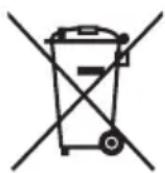
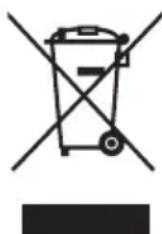
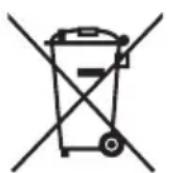
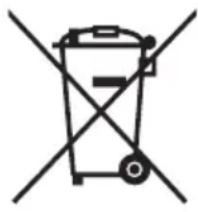
The use of the symbol indicates that this product may not be treated as household waste. By ensuring this product is disposed of correctly, you will help prevent potential negative consequences for the environment and human health, which could otherwise be caused by inappropriate waste handling of this product. For more detailed information about recycling of this product, please contact your local city office, your household waste disposal service or the shop where you purchased the product.
The following information is valid only for Turkey:
Compliant with AEEE Regulation.
Notices
©2018 TOSHIBA Electronics Europe GmbH. All rights reserved.
TOSHIBA reserves the right to make technical changes. TOSHIBA assumes no liability for damages incurred directly or indirectly from errors, omissions or discrepancies between this product and the documentation.
The Toshiba name and its logos are registered trademarks of Toshiba. Other trademarks mentioned or appearing in this document are the property of their respective owners. Errors and omissions excepted.
Windows is either registered trademark or trademark of Microsoft Corporation in the United States and/or other countries.
Mac, macOS and OS X are trademarks of Apple Inc.
All other company names, product names, and service names mentioned herein may be trademarks of their respective companies.
One Gigabyte (1GB) means 10^9 = 1,000,000,000 bytes and one Terabyte (1TB) means 10^12 = 1,000,000,000,000 bytes using powers of 10. A computer operating system, however, reports storage capacity using powers of 2 for the definition of 1GB = 2^30 = 1,073,741,824 bytes and 1TB = 2^40 = 1,099,511,627,776 bytes, and therefore shows less storage capacity. Available storage capacity (including examples of various media files) will vary based on file size, formatting, setting, software and operating system and other factors.
Obsah
www.toshiba.eu/externalstorage/support
1 GB = 1.024 MB = 1.048.576 KB = 1.073.741.824 Byte
www.toshiba.eu/externalstorage/support
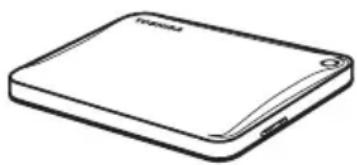
Canvio Advance (inklusive
www.toshiba.eu/externalstorage/support
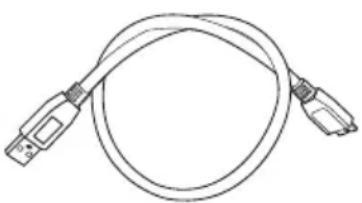
Cable USB 3.0 Micro-B
1 GB = 1.024 MB = 1.048.576 KB = 1.073.741.824 bytes
www.toshiba.eu/externalstorage/support
1 Gt = 1000 Mt = 1000000 kt = 1000000000 tavua
Binaarjärestelmä:
1 Gt = 1024 Mt = 1048576 kt = 1073741824 tavua
www.toshiba.eu/externalstorage/support
Cable USB 3.0 micro-B
1 Go = 1000 Mo = 1000000 Ko = 100000000 octets
Exemple binaire :
1 Go = 1 024 Mo = 1 048 576 Ko = 1 073 741 824 octets
www.toshiba.eu/externalstorage/support
www.toshiba.eu/externalstorage/support
Tia aIomegaic yyyunonc, EIOKeOeite Tn dEuvon:
www.externalhdd.storrepair.de/
www.toshiba.eu/externalstorage/support
U vezi popravaka u jamstvenom roku potražite: www.externalhdd.storrepair.de/
Regulativne izjave
CE sukladnost
Ovaj proizvod nosi CE oznaku sukladno zahtjevima važecih direktiva EZ. Toshiba Electronics Europe GmbH, Hansaallee 181, 40549 Düsseldorf, Njemačka odgovorna je za CE oznake.
Radno okruženje
Elektromagnetska sukladnost (EMC) ovo proizvoda se obicno verificirera za kategoriju ovo proizvoda i vrijedi za takozvana stambena, komercijalna i lakoindustrijska okruženja. Sva druga okruženja u Toshibi nisu verificirana i upotreba ovo proizvoda u tim radnim okruženjima moze bitiograničena ili se ne preporučuje. Moguce posljedice korištenja ovo proizvoda u neverificiranim okruženjima mogu biti: ometanje rada drugih urežaja ili ovo guredaja u bližem okolnom području, posljedica Čega je povremeni neispravan rad ili gubitak/ostećenje podataka. Primjeri neverificiranih radnih okruženja i odgovarajući savjeti:
Industrijsko okruženje (npr. gdje se pretežno koristi trofazna mreža od 380 V): opasnost od smetnji na ovom urežaju zbog mogucišn snažnih elektromagnetskih polja osobito u blizini velikih strojeva ili jedinica za napajanje.
■ Medicinska okrużenja: sukladnost s direktivom o medicinskim proizvodima;nije verificirana u Toshibi, te se stoga ovaj proizvod bez dalnjih verifikacja ne smije koristiti kao medicinski proizvod. Upotreba u uobićajenim uredskim okrużenjima, npr. u bolnicama ne predstavlja problem ako odgovarajuca administracja;nije nametnula odgovarajuca ogranićenia.
Automobilska oprema: molimo vas potražite savjete o upotrebi ovog proizvoda (kategorije) u vlasničkim uputama svakog pojedinog vozila.
Zrakoplovna oprema: držite se uputa koje cete dobiti od zrakoplovnog osoblja u vezi ograničenja uporabe.
www.toshiba.eu/externalstorage/support
m = 311 ;
1 GB = 1.024 MB = 1.048.576 KB = 1.073.741.824 byte
www.toshiba.eu/externalstorage/support
1 GB = 1.024 MB = 1.048.576 KB = 1.073.741.824 bytes
A: Volg deque instructions:
www.toshiba.eu/externalstorage/support
Feilmeldingen Device cannot start (Kan/DD) vises.
www.toshiba.eu/externalstorage/support
For garantikrav, se www.externalhdd.storrepair.de/
www.toshiba.eu/externalstorage/support
1GB = 1.024MB = 1.048.576KB = 1.073.741.824 bytes
www.toshiba.eu/externalstorage/support
www.toshiba.eu/externalstorage/support
Za zahtve u vezi garancije pogledajte stranu:
www.externalhdd.storrepair.de/
Regulativne izjave
Usaglašenost sa oznakom CE
Ovaj proizvod nosi oznaku CE u skladu sa zahevima primenljivih Direktiva EU. Odgovorna za oznaku CE je kompanija Toshiba Electronics Europe GmbH, Hansaallee 181, 40549 Düsseldorf, Nemačka.
Radno okruženje
Elektromagnetna usaglasenost (EMC) ovog proizvoda odobrena je tipicno za ovu kategoriju uredaja, za takozvano stambeno, komercijalno i neintezivno industrijsko okruženje. Svako drugo radno okruženje kompanija Toshiba ne odobrava, a upotreba ovog proizvoda u takvim radnim okruženjima moze bitiograničena ili se ne moze preporuciti. Moguce posledice upotrebe ovog proizvoda u neodobrenim radnim okruženjima mogu biti ometanja drugih proizvoda ili ovog proizvoda u okolnoj oblasti uz privremeni otkaz ili gubitak/ostećenje podataka kao rezultat. Primer neodobrenih radnih okruženja i saveta vezanih za njih:
Industrijsko okrużenje (npr. gde se uglavnom koristi trofazno napajanje od 380 V): opasnost od smetnji kod ovog proizvoda usled moguciḥ snažnih elektromagnetnih polja, posebno u blizini velikih mašina ili strujnih uredaja.
■ Medicinsko okruženje: usaglašenost sa Direktivom za medicinske proizvode ne je potvrǎda od strane kompanije Toshiba, stoga se ovaj proizvod ne moze koristiti u medicinske svrhe bez dodatne potvrde. Upotreba u uobičajenim kancelarijskim okruženjima, npr. u bolnicama, ne bi trebalo da predstavlja problem, ukoliko ne postoje ograničanja od strane odgovorne administracione.
Automobilsko okrużenje: pogledajte korisnicka uputstva za dato vozilo za savete koji se odnose na upotrebu ovog proizvoda (kategorija).
Vazdušno okruženje: sledite savete letačkog osoblja koji se odnose na ograničenja upotrebe.
Ostala okrużenja koja nisu vezana za EMC
Upotreba na otvorenom: kao tipicna kuca/kancelarijska oprema, ovaj proizvod nema posebnu opcornost na prodor vlage i nije otporan na jak udar.
Eksplozivna atmosfera: upotreba ovog proizvoda u takvom specijalnom radnom okrużenju (Ex)不同程度 dozvoljena.
Informacije koje slede vaze isključivo za korisnike u državama-članicama EU:
REACH - Izjava o usaglašenosti
Toshiba ispunjava sve zahteve uredbe REACH (registrracija, evaluacija, autorizacija i restrikcija hemikalija) i pruza kupcima informacije o hemijskim supstancama u svojim proizvodima u skladu sa uredbom REACH.
Odlaganje proizvoda na OTPad
B: MoJHo IIN NcIOnb3OBAbT DnCK IJIa KOnIpuOBaHna OepaCNoHHoN CnCTeMbI C OndHOrO KOMNbIOTepa Ha dpyro?
O: Het, onepaunohnyo cnctemy Heo6xOIMO yCTaHOBnB B COOTBeTCTBnC nHctpyKzmae ee noCTabuika. Ipoctoe konnpobahne He oecneHTee pa60tocno6hoctb.
Bo3moxhble npo6neMbI n cnoc06bI nx peweHn
IeK He paCno3HaeTcKOMNbIbTePOM.
Y6eNTecb HaHexHocTN BCex CoeHHeHn.
Ecnn nck noKniueh uepe3 KOHcHTpaTop USB, y6eNTecb TOM, YTO KOHcHTpaTop IMeet CO6CTBHeHHb INCTOuHk NITaHna.
EcnHcNoB3yETcIIIaTapacupeHn,y6eHTecbBTOM,TOOHa yHKUHOHPyeT HndJexKaum Opa30M,INpH Heo6xOIMocTn 0bHOITE ee nporpamMHoe oecneueHne,B TOM YNCJI BCTpoEHoe.
Onaceh Jn HarpB DnCKa BO BpeMa pa60Tb?
O: 3To HopmaJIbHO I IO3TOMy He onaCHO.
ДиCK coo6uaeT ob own6ke «3anyck yctpoiCTBa HeBO3MOxKeH».
O: Bo3MOxHbI DBe npuHbI. NIO BO IMeTcra npo6nema C nHTaHneM HEO6XoDIMO npOBepNTb COeINHeHna, NIO DO INCK HeNCnPpABeH I Tpe6yET pEMOnTa.
ДиСК OTCyTCTByeТ B OKHe «Мон КOMNbIOTep», HO npCvTCTByeТВ ДИСпЕТчЕе yCTpoIcTB.
O: CneyuTe 3TNM INHCTpyKUmaI:M
- Μεικητε πραθουν ΚΗΝΚΟύ ΚΗΥΟΚ «Μοῦς Κόμπβοτε».
2.Bo BCnIbBAHOUeMeHIO BbI6epNTe «YnpaBHeHne» - BbI6epnte «UnpaBneHne dinckamn».
Должeh OTKpbITbcr cncockdoCTyINhblx yctpoiCTB xpaHeHna. - PpOBepbTe, npncyTCTByeT JnB CnNcKe BaU DNCK.
- Μεπκητe παβοι ΚΗΝΚΟΙ B OKHe ΣραBa I BO BCΠλΒΑΙΟις ΜΕΗΟ BBιδεριτε «YιαπιΤb pa3Дeŋ」.
- Μελκητe npaBoN KhoNkoB OkHe. Bo BCnIbIbAIOUeM MeHIO Bbl6epnte «Co3dAtb HOBbl pa3deI>.
- 3aTeM B OKHe MaCTepa pa3dEnOB Bbl6epnTe «OChOBHOJ pa3dEn». HaxmTe KhoNky «JaIee».
8.БудET OTObpaXeHa 6yKbA DnCKa, KOTOpYIO Bbl MoXeTe N3MeHnTb. HaxMnte KhoNky «ДaJIeE» - Повпердente Фор matироване диска.
ПРIMЕЧАНЕ
Koada duck byem omphiopmamupoaH, ece haxoduewuecra Ha HeMaDaHHbIe 6ydyum ydaJIeHbI.
www.toshiba.eu/externalstorage/support
3aЯВленья O COOTBETCTBnHopMaTnBhbIM Tpe6obahniaM
CoOTBcTbHe Tpe6OBaHnIe CE
Данhoeи3дени IMeET МаркИровky CE,OTbeuaIouyTOpe6OBaHnM COOTBeTCTByIOuIX DInpeKtNB EC.
OTBETCTBEHHOCTb 3a 3Ty MapKIpOBky HeceT KOMnHaNnaToshiba Electronics Europe GmbH, Hansaallee 181,40549 Dusseldorf, Germany (FepMaHnA).
CoOTBcTcBHe Tpe6OBaHnIeEAC

YcnoBna 3KcnnyatauHn
CoOTBeTCTBHe DaHNOrO N3dEJIrN Tpe6OBaHnM B OTHOWeHn
3JIeKTPOMaTHHTOH COBMecTUMOCn IPOBepAIOcB TINOBbIM DJIa DAHHoN
KaTeOpn N3dEJIrN CnOCo6OM PrIMeHNtIbHO K TaK Ha3bIBaEMbIM
6bITOBbIM, KOMMepeCKm IM MeIKONpOMbIuJIeHNbIM ycNOBnM. IPOBepKa
Ha BO3MOxHOCTb NCNoIb3OBaHnB A DpyrNX YCNOBnX KopnpaUnei
Toshiba He npOBoDnIacb. IcNoIb3OBaHnE DaHHoro N3dEJIrN B DpyrNX
ycNOBnIX MOKeT 6bITb ORpaHnueHo IN He peKOMeHdyETcR. Bo3MOxHbI
CLeyIOUe NocJeDCTBn IAcNoIb3OBaHnRA DaHHOR O3dEJIrN B
HeNPoBepEHbIX ycNOBnX: HApUSeHnE HopMaJbHO pa60TbI DpyrNX
HaxOJauxxCra NObNI3OCTn N3dEJIrN INI daHHORO N3dEJIrN C
NocNeDuOUsm BbIXODom IN3 CTPOR JIn6O NotepR INI NOBpeJDeHnEm
DaHHbIX. PpIMePbI HeNPoBepEHbIX ycNOBn IcNoJIb3OBaHnR IN
COOTBeTCTByIOUne peKOMeHdaUuN:
IpnmbiHJIeHHbIe ycNoBnA (HaNPmep, MeCTa, rIe npEnMyIecTBeHHO nCNOJb3yeTcra 3-Фa3HbI ToK c HApPjKeHnem 380 B): onaChoctb HApUWeHn B pa6Ote DaHHoro I3DeJIINr I3-3a BO3MOXhBIX CInlbHbIX 3JIeKtpOMaHHTbIX NOpE, OCOBeHNO pAdOM C KpyNhbIM 06OpyIDOBAHnEM m 3HeprTeTnuecknM yCTaHOBkAmn.
MeHncknue ycnoBna: Kopnpaunr Toshiba He npoBoiHa npOBepky DaHHoro n3deJnHa COOTBeTCTBne DnpeKtNBe O MeHnHCKnx N3DeJnAx, PO3OMy DaHHoe N3deJnne HEnb3ra NcNoIb3OBaTb B MeHnHcknx CeJnx 6e3 COOTBeTCTByUOSeI npOBepKn. NcNoIb3OBaHne B O6bIHyBIX OΦInChbIX YcNOBnX, HApPIMep, B BoJIbHIuax, He DoJHXo PpNBecTI K BO3HNKHOBEHnIO npo6IeM pN pOTcyTCTBnOrpaHnHeHn Co CTOPOHbI OTBeTCTBeHHo aDMNHnCTpaun.
A BTOTaHcNOpT:peKOMeHdaaunBOTHOSeHnNCNoJb3OBaHnJaAHHOrOn3dEInn(JIINKaTeGopnnn3deIin)CMOTpuTeBpyKOBOdCTBeNOJb3OBaTeIeCOOTBetCTByIOUeTo TpaHCnOpTHORo CpeDCTBa.
Bo3nyhBn TpaHcnpT: co6IouaTe yka3aHnaJeTHoro nepcoHana no orpaHnueHnIO nCNoJb3OBAHnA N3dEInr.
Друге усанов,在 Связанье с заEktpomarHHTOH COBMECTUMOCTbIO
IcnoJb3OBAHnE B aTMocΦepHbIX ycIOBnX: DaHHoe n3dJIe, ABJRAcB TINuHbIM 6bITOBbIM/OfncHbIM O6OpyIOBaHNem, He 6bnJaet OcOboi COpOTnBnREMOCTbIO K IpoHnKHOBeHNIO BnA rN U yCTOnuHBOCTbIO K CInJbHbIM yDapam.
B3pbIbOONaChnay aTMocfepa: nCNoJIb3OBAHne daHHoro n3eJIy B TaKnx ocobix ycnoBnax (Ex) He donyckaetcra.
m = 311 ;
PnBHeHbI 3decb CmBOJ yKa3bIBaET Ha TO, YTO C HAcTOraIM
N3dennem HeJIb3ra ObpaataBcR, KaC 6bITOBbIMN OTXoJaMn.
OBeCneueHne npabINbHOy UTIN3aunu N3dennr cNooc6CTByeT
PpeoTbPaAeHNIO OTPuaTeNbHbIX NocJeCDTBn DnRA OKpykaUoaei
Cpebl N 3DopOBbY IIODei, KOTOpBIE MOyT 6bITb Bbl3BaHbl
HeHaJIeKAsm UdaJIeHNEm HAcToIeRO N3dennr B OTXoDbI. 3a
NoDPo6HOu INΦopMaUne O nopAKe BTOpNUHO nepepa6OTKn
HaCToIeRO N3dEInra ObpaauTEcB K MeCTbIM BnactrM, B
MyHUNaJIbHyU Cnyk6y, OTBETCTBeHHyU 3a JIKBnDaunio OTXoDoB,
Pi6o No MeCTy npno6peTeHna HAcToIeRO N3dEInra.
www.toshiba.eu/externalstorage/support
www.toshiba.eu/externalstorage/support
www.toshiba.eu/externalstorage/support
www.toshiba.eu/externalstorage/support
aal aal aal aal aal aal aal aal aal aal aal aal aal aal aal aal aal aal aal aal aal aal aal aal aal aal aal aal aal aal aal aal aal aal aal aal aal aal aal aal aal aal aal
1
pil
Windows® 10, Windows 8.1, Windows® 7 NTFS
USB 3.0 Jgall jy gll y gill gll gll gll gll gll gll gll gll gll gll gll gll gll gll gll gll gll gll gll gll gll gll gll gll gll gll gll gll gll gll gll gll gll gll gll gll gll gll gll gll gll gll gll gll gll gll gll gll gll gll gell
J 111111111111111111111111111111111111111111111111
"Hardware and Eject Media" 1
. jgsslll lglal gjzj 0g jybl aiaa aillw r y
TOSHIBA 1
J 1 J
"OK" 1e jai r .jR
/
1,000,000,000 = 1,000,000 = 1,000 = 1
:ilill lill Jio
1073741824 = 1048576 = 1024
1 1
Windows
.931
j:
Jy y 1
JSL
y
A
USB
A
add-on card)
1
a
a
1j 1
Device cannot start
j 1 j 1 j 1 j 1 j 1 j 1 j 1 j 1 j 1 j 1 j 1 j 1 j 1 j 1 j 1 j 1 j 1 j 1 j 1 j 1 j 1 j 1 j 1 j 1 j 1 j 1 j 1 j 1 j 1 j
ii
Device Manager My Computer
:
"My Computer" 1
"Manage" j1 4 -aaiiaai
"Disk Management" -
aaii jjii 0jgai s
2 .
"Delete Partition" 1
aieeial
0 -aai
"Create New Partition"
aaii
-ai
"Primary Partition" -V
.
J 1
aiee gaoi iiaai 1000
"Could not complete format"
.
.FAT 1
Aikaii 11jN jy jy jy. "NTFS" 11j1
: 1
www.toshiba.eu/externalstorage/support
www.externalhdd.storrepair.de/
a#i1
CE
LJIILI LJIJIJIJIJIJIJIJIJIJIJIJIJIJIJIJIJIJIJIJIJIJIJIJIJIJIJIJIJIJIJIJIJIJIJIJIJIJIJIJIJIJIJIJIJIJIJIJIJIJIJIJIJIJIJIJIJIJIJIJIJIJIJIJIJIJIJIJIJIJIJIJIJIJIJIJIJIJIJIJIJIJIJIJIJIJIJIJIJIJIJIJIJIJIJIJIJIJIJIJIJ
CE
JooJI
Aeill lal jll (EMC) yssyblgagg (Residential, Commercial & Light Industry aieaieaieaieaieaieaieaieaieaieaieaieaieaieaieaieaieaieaieaieaieaieaieaieaieaieaieaieaaieaaiaeaiaaaiaaaiaaaiaaaiaaaiaaaiaaaiaaaiaaaiaaaiaaaiaaaiaaaiaaaiaaaiaaaiaaaiaaaiaaaiaaaiaaaiaaaiaaaiaaaiaaaiaaaiaaaiaaaiaaaiaaaiaaaiaaaiaaaiaaaiaaaiaaaiaaaiaaaiaaaiaaaiaaaiaaaiaaaiaaaiaaaiaaaiaaaiaaaiaaaiaaaiaaaa aa aee aee aee aee aee aee aee aee aee aee aee aee aee aee aee aee aee aee aee aee aee aee aee aee aee aee aee aee aee aee aee aee aee aee aee aee aee aee aee aee aee aee aee aee aee aee aee aee aee aee aae aee aee aee aee aee aee aee aee aee aee aee aee aee aee aee aee aee aee aee aee aee aee aee aee aee aee aee aee aee aee aee
aaglll lalldn nnnn nn nnnn nnnn nnnn nnnn nnnn nnnn nnnn nnnn nnnn nnnn nnnn nnnn nnnn nnnn nnnn nnnn nnnn nnnn nnnn nnnn nnnn nnnn nnnn nnnn nnnn nnnn nnnn nnnn nnnn nnnn nnnn nnnn nnnn nnnn
(Ex) 1JJIJI JIJIJI JIJIJIJIJIJIJIJIJIJIJIJIJIJIJIJIJIJIJIJIJIJIJIJIJIJIJIJIJIJIJIJIJIJIJIJIJIJIJIJIJIJIJIJIJIJIJIJIJIJIJIJIJIJIJIJIJIJIJIJIJIJIJIJIJIJIJIJIJIJIJIJIJIJIJIJIJIJIJIJIJIJIJIJIJIJIJIJIJIJIJIJIJIJIJIJIJIJIJIJIJIJ
.
y
REACH
e aie g aie ae eae ae ae ae ae ae ae ae ae ae ae ae ae ae ae ae ae ae ae ae ae ae ae ae ae ae ae ae ae ae ae ae ae ae ae ae ae ae ae ae ae ae ae ae ae ae ae ae ae ae ae ae ae ae ae ae ae ae ae ae ae ae ae ae ae ae ae ae ae ae ae ae ae ae ae ae ae ae ae ae ae ae ae ae ae ae ae ae aaee
g 100000000000000000000000000000000000000000000
.REACH
iiaai
J 100000000000000000000000000000000000000000000000000000000000000000000000
iiia 1i j
#
AEEE
. TOSHIBA Electronics Europe GmbH 2018©
j 1
1111 1111 1111 1111 1111 1111
.
y 1 y
I 1
10 1,000,000,000,000 = 10
1,073,741,824 = 2³⁰ = 2²²²²²²²²²²²²²²²²²²²²²²²²²²²²²²²²²²²²²²²²²²²²²²²²²²²²²²²²²²²²²²²²²²²²²²²²²²²²²²²²²²²²
1,099,511,627,776 = 240 =
e 1 (aolal bilwll cial a lal s L) o jgaiall jjzill aew alia
Jolg jn Jg g Jg jg jg jg jg jg jg
UM_ADVANCE_V170801