HPG527BT - Radio CALIBER - Free user manual and instructions
Find the device manual for free HPG527BT CALIBER in PDF.


| Product type | Portable Bluetooth speaker with FM radio |
| Brand | Caliber |
| Model | HPG527BT |
| Category | Radio / Portable speaker |
| Power supply | Built-in rechargeable battery via micro-USB port (5V) |
| Battery life | Varies depending on usage (volume, music type) |
| Wireless connectivity | Bluetooth (A2DP, AVRCP profiles) |
| Audio inputs | AUX input (3.5 mm jack), USB port, micro SD card reader |
| FM radio | Yes, with automatic station search and memory |
| Hands-free function | Built-in microphone, answer/hang up via play button |
| Operating temperature | 0°C to +45°C |
| Included accessories | USB-micro-USB cable |
| Maintenance | Clean with a soft, dry cloth; no chemicals |
| Safety | Unplug during storms or prolonged non-use |
| Repairability | Do not attempt to repair yourself; return to an authorized dealer |
Frequently Asked Questions - HPG527BT CALIBER
User questions about HPG527BT CALIBER
0 question about this device. Answer the ones you know or ask your own.
Ask a new question about this device
Download the instructions for your Radio in PDF format for free! Find your manual HPG527BT - CALIBER and take your electronic device back in hand. On this page are published all the documents necessary for the use of your device. HPG527BT by CALIBER.
USER MANUAL HPG527BT CALIBER
natural_image
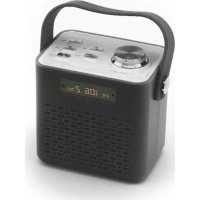
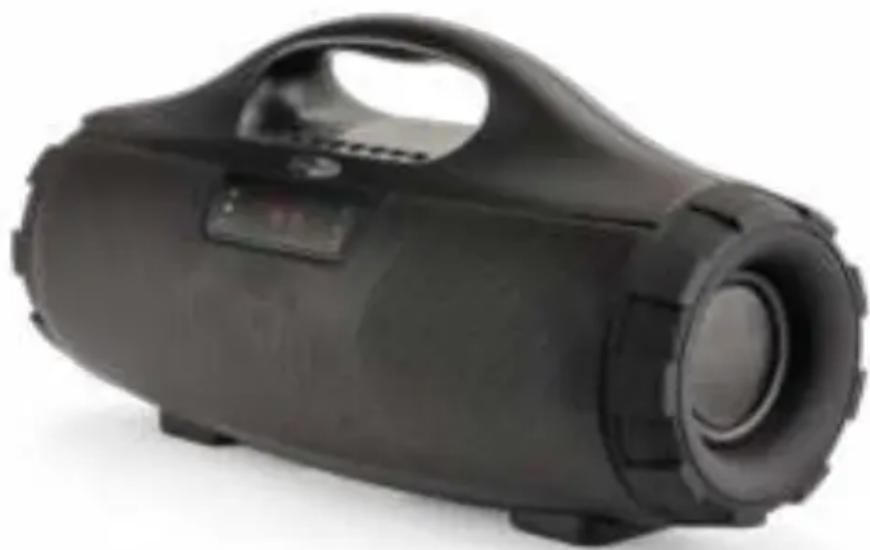
Black portable electronic device with a handle and front panel, no visible text or symbolsHPG 527BT
Manual
SPECIFICATIONS, CONNECTIONS AND BUTTONS

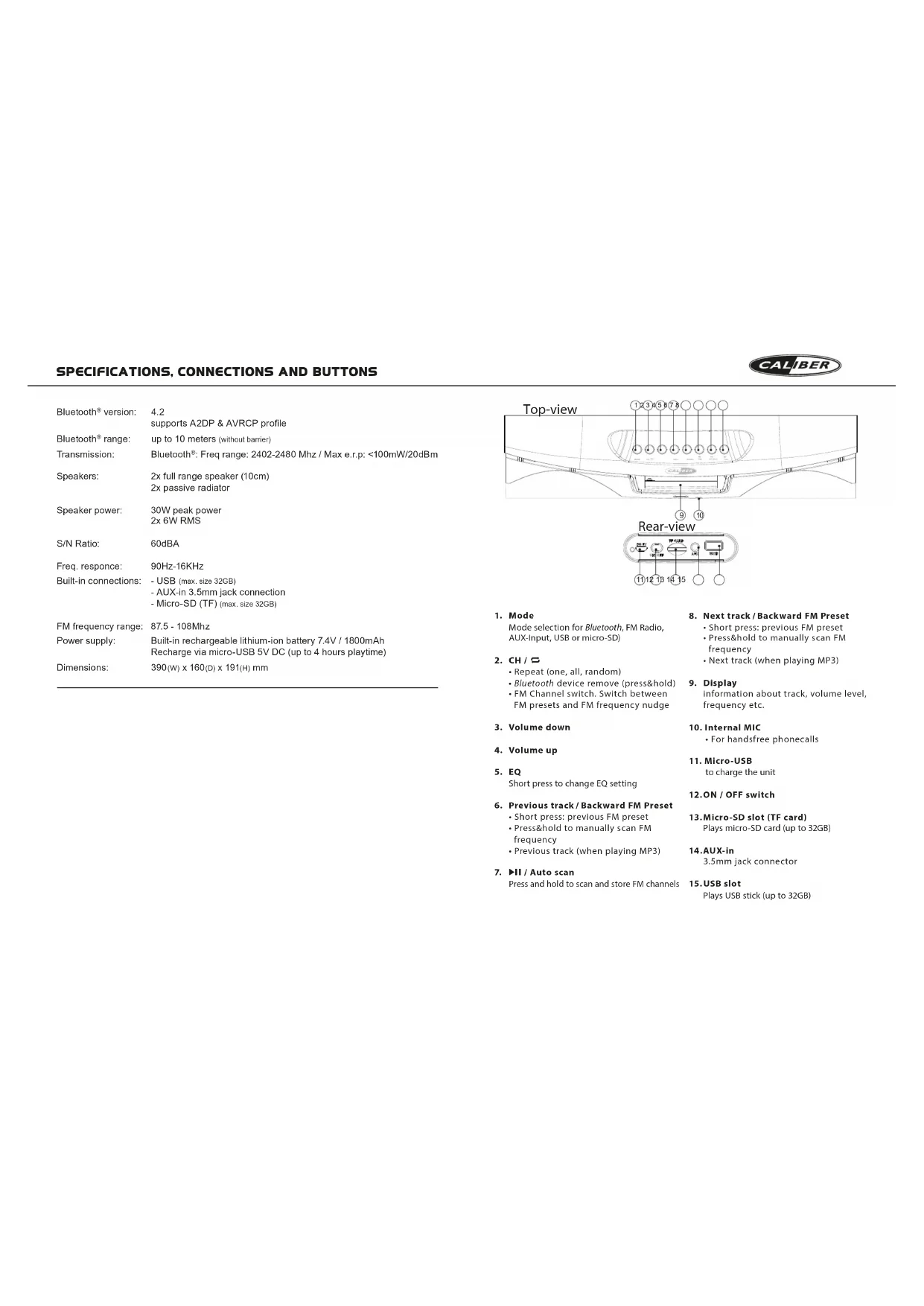
| Bluetooth®version: | 4.2supports A2DP & AVRCP profile |
| Bluetooth®range: | up to 10 meters (without barrier) |
| Transmission: | Bluetooth®: Freq range: 2402-2480 Mhz / Max e.r.p: <100mW/20dBm |
| Speakers: | 2x full range speaker (10cm)2x passive radiator |
| Speaker power: | 30W peak power2x 6W RMS |
| S/N Ratio: | 60dBA |
| Freq. response: | 90Hz-16KHz |
| Built-in connections: | - USB (max, size 32GB)- AUX-in 3.5mm jack connection- Micro-SD (TF) (max, size 32GB) |
| FM frequency range: | 87.5 - 108Mhz |
| Power supply: | Built-in rechargeable lithium-ion battery 7.4V / 1800mAhRecharge via micro-USB 5V DC (up to 4 hours playtime) |
| Dimensions: | 390(w) x 160(D) x 191(H) mm |
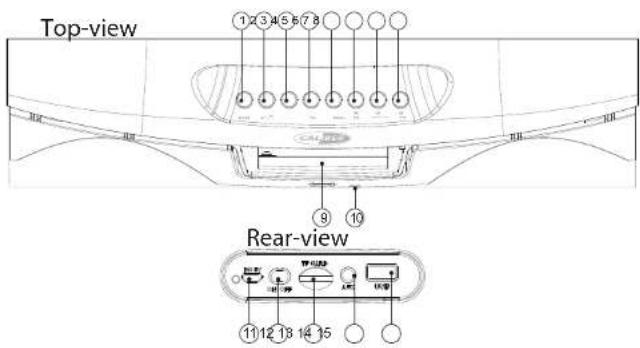
1. Mode
Mode selection for Bluetooth, FM Radio, AUX-Input, USB or micro-SD)
2. CH /
- Repeat (one, all, random)
- Bluetooth device remove (press&hold)
- FM Channel switch. Switch between FM presets and FM frequency nudge
3. Volume down
4. Volume up
5. EQ
Short press to change EQ setting
6. Previous track/Backward FM Preset
- Short press: previous FM preset
- Press&hold to manually scan FM frequency
- Previous track (when playing MP3)
7. ▶II / Auto scan
Press and hold to scan and store FM channels
8. Next track/Backward FM Preset
- Short press: previous FM preset
- Press&hold to manually scan FM
frequency - Next track (when playing MP3)
9. Display
information about track, volume level, frequency etc.
10. Internal MIC
- For handsfree phonecalls
11. Micro-USB
to charge the unit
12.ON / OFF switch
13. Micro-SD slot (TF card)
Plays micro-SD card (up to 32GB)
14.AUX-in
3.5mm jack connector
15. USB slot
Plays USB stick (up to 32GB)
MANUAL

Precautions
Points to observe for safe usage
Read this manual carefully before using this item and its components. They contain instructions on how to use this product in a safe and effective manner. Callor Europa BV cannot be responsible for problems resulting from failure to observe the instructions in this manual.
Turn off the device immediately in case of a problem. Failure to do so may cause personal injury or damage to the product. Return it is your authorized Caliber Europe BV dealer for repairing.
Product cleaning.
Use a soil dry cloth for periodic cleaning of the product. For more severe stains, please dampen the cloth with water only. Anything also has the chance of dissolving the paint or damaging the plastic.
Temperature.
Ensure that the ambient temperature is between 0°C and +45°C before turning on the device.
Maintenance
If you have problems, do not attempt to repair the unit yourself. Return it to your Galiber Europe BV dealer for servicing.
A
Placement. Place the product on a flat surface. Provide enough space around the product for sufficient ventilation.
△ Heat
Do not locate the appliance in the vicinity of a heat surface or in direct sunlight.
Voltage.
Check the main voltage indicated on the adapter/product rating label in accordance to the local electricity supply. If it doesn't, return the product to the store where you bought it.
Plug.
Remove the plug from the outlet, when the product is unused for a long period of time and during thunderstorms.
Replace bottom
Replace battery. The built-in rechargeable battery is not replaceable. Do not remove or replace the battery, do not throw in the trash or in the fire. Use only supplied charging adapter.
Below the descriptions of the features/options of the HPG 527BT. The numbers between the “(...)” refer to the key or connections on the unit. The illustrations can be found in the front of this manual.
Warning: Make sure all volume knobs are set to minimum levels before powering ON speaker.
Power ON/OFF
- Switch the [∅] (12) to turn ON.
- Switch [ ◎ ] (12) again to turn OFF.
Battery charging
The device has a built-in rechargeable battery. The unit is provided with a USB-to-Micro USB cable. Connect the USB to a 5V USB port and the other end to the DC-in of the unit (11). While charging, the indicator will light up and will turn OFF when fully charged.
The unit will operate without the charging cable using the internal battery.
The battery discharge depends on the use of it. E.G: Heavy, loud, bass music will use more energy to produce than spoken word.
Bluetooth connection
• Turn ON the speaker.
- Use the [MODE] button (1) to select the Bluetooth mode.
- Set your Bluetooth device to 'Search' using the devices' Bluetooth menu.
- Choose 'HPG527BT_CALIBER' from the list.
- When the devices are paired successfully, a sound will be heard and you can start playing music on your device. If your device supports AVRCP you can use the buttons on the HPG527BT to control the playback.
Playing from USB-stick / micro SD card
• Tum the speaker ON.
- Insert a USB / micro SD card into the slot, the stored music will be played automatically.
- While playing, short press [◀◀] or [▶◀] (6/8) to select the previous or next song.
Note: Under Bluetooth or AUX-in mode, if a USB is inserted it will automatically start playing. To return to the previous mode, use the [MODE] button.
FM Mode
• Turn ON the speaker.
- Press the [MODE] button (1) to switch to FM mode.
- Long press the [▶▶] button (7) to search and store FM stations automatically.
- Use [◀◀] / [▶◀] to switch between stored FM stations.
Hands free calls
When a mobile phone is connected by Bluetooth, the HPG can be used as a speakerphone. The built-in microphone is located on the front of the unit. While having a telephone conversation, please speak in that direction.
- Call pickup: If there is an incoming call you can press the [▶II] (7) to pause the music and answer the call. After the conversation, press [▶II] (7) again to hang up and the music will automatically resume playing.
- Reject call: If the connected phone receives an incoming call, push and hold the [▶II] (7) for 3 seconds to reject the call.
- Making a call: Make sure your phone is connected. Use your phone to dial as usual, than listen and talk through the HPG. After the conversation, press [▶II] (7) again to hang up and the music will automatically resume playing.
AUX-IN:
You can connect an external device e.g. MP3 player to the AUX-in of the HPG527BT using a jack-to-jack cable.
- When an external device is connected, use the [MODE] button to switch to LINE mode.
- Start playing music on your external device.
Note: The playback control buttons on the HPG527BT will not work in this mode.
MANUEL

Précautions
The following table is in English:
GB Old appliances and/or batteries must not be disposed with garbage! If the device/battery can not be used anymore, every user is legally obliged to dispose of old appliances and/or batteries separated from the garbage, e.g. at a collection point of his municipality/district
GB Caliber hereby declares that the item HPG527BT is in compliance with the essential requirements and other relevant provisions of Directive RoHs 2011/65/EU and RED 2014/53/EU.
Latest declaration form can be found at: www.caliber.nl/media/forms/DeclarationHPG527BT.pdf
natural_image
Black cylindrical device with handle and circular lens, no visible text or symbolsWWW.CALIBER.NL
CALIBER EUROPE BV · Kortakker IO · 4264 AE Veen · The Netherlands