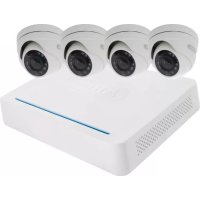
TVVR33009 - Digital Video Recorder ABUS - Free user manual and instructions
Find the device manual for free TVVR33009 ABUS in PDF.



| Product type | Analog HD digital video recorder |
| Brand | ABUS |
| Model | TVVR33009 |
| Number of channels | 4 channels |
| Recording resolution | 1080p (HD) |
| Built-in storage | 1 TB hard drive |
| Power supply | 12 V DC, universal power adapter |
| Power consumption | Approximately 10 W |
| Dimensions (W × D × H) | 260 × 220 × 45 mm |
| Weight | Approximately 1.5 kg |
| Operating temperature | 0 °C to 40 °C |
| Interfaces | HDMI, VGA, USB, RJ45, BNC inputs |
| Main functions | Continuous recording, scheduled recording, motion detection, remote viewing |
| Maintenance and cleaning | Clean with a soft dry cloth. Avoid any liquid. |
| Security | Administrator password protection, reset via USB key with GUID file |
| Spare parts and repairability | Power adapter, network cable, remote control (optional) |
| General information | Designed for indoor use, compatible with analog HD cameras |
Frequently Asked Questions - TVVR33009 ABUS
User questions about TVVR33009 ABUS
0 question about this device. Answer the ones you know or ask your own.
Ask a new question about this device
Download the instructions for your Digital Video Recorder in PDF format for free! Find your manual TVVR33009 - ABUS and take your electronic device back in hand. On this page are published all the documents necessary for the use of your device. TVVR33009 by ABUS.
USER MANUAL TVVR33009 ABUS
Quickguide fur Digitalrekorder I Videüberwachungsgset: TVVR33009 I TVVR33049T I TVVR33049D
Scoge of delivery 20
7777777777 25
Hardwae InstaTioL 27
Tips for camera installation 29
System activation 31
Preventing access 32
Software Set-up 31
Français
Leraiie de la inviision 42
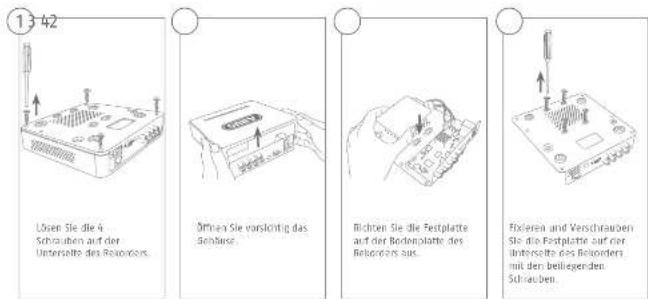
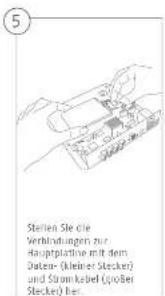
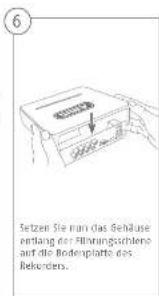
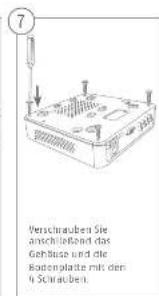
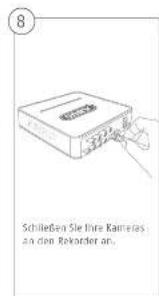
Hardwareinstallation
1
Deutsch

Deutsch
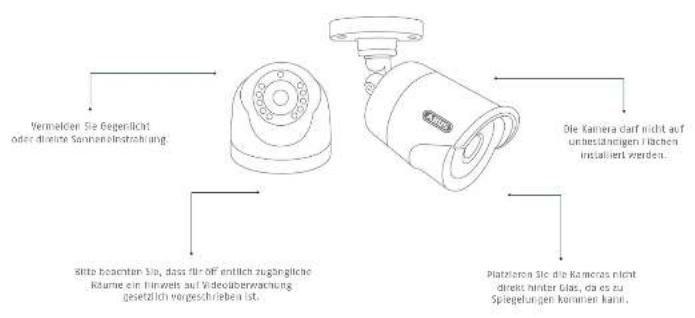
Tipps zur Kamerainstallation
m

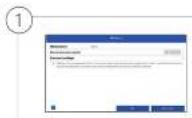
Systemaktivierung
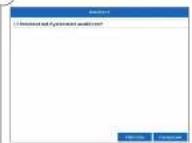
When we see the link between death and, will the Ernrichmann passagier be behind him? Start now: not even a automatically aggressive man. Still see us on "Mikshuis".
(3)
This quick start guide describes the Initial Installation steps for your network camera.
In-depth Information can be found in the user guide, which can be downloaded via the IP Installer or from the abus.com homepage.


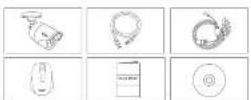
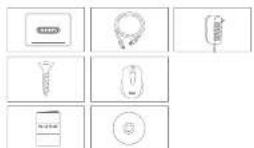
Scope of delivery
TWR33049T
- R-Channel Analogue HD Video Recorder - B-Channel Analogue HD Video Recorders (incl. 1TB HDD)
4-4 Analogue HD 1065p Mini Outdoor Camera
Universal power supply unit
× 30 m cxaxle1 cable - 1× 1 m network cable
USB Mause
Quick guide
TVP33009
-8-Channel Analogie HD Video Recorde
- 10x10 network cable
1X
Power supply unit
- USB mouse
4

English
Warnings
I keep the recorder and camera away from strong magnetic fields.

Keep liquids away from the returder.

Turn the recorder off before connecting or removing peripheral devices.

Ersusie uninterrupted power supply.

only score the recorder and camera in the ambient conditions recommended by the manufacturer.

Ensure that there is always sufficient ventilation.

English
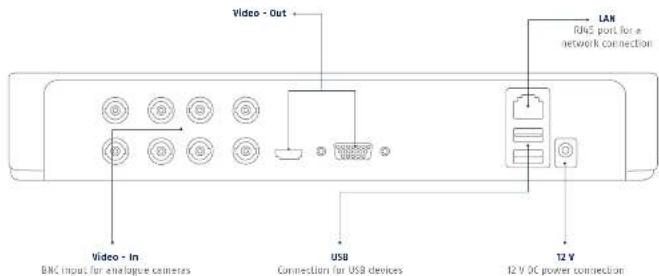
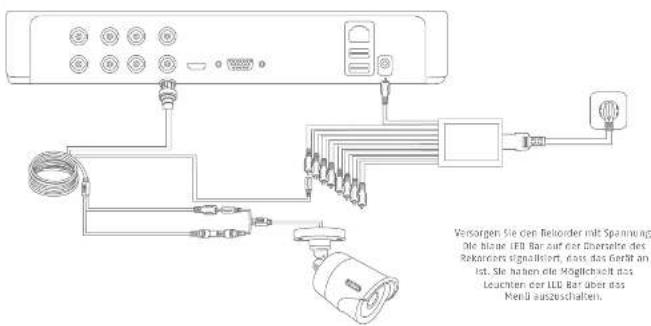
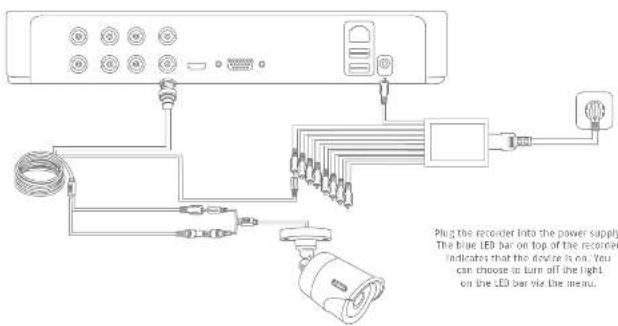
Connections
English
ABUS
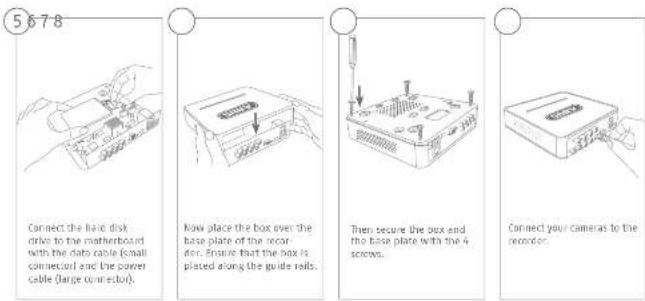
Hardware Installation
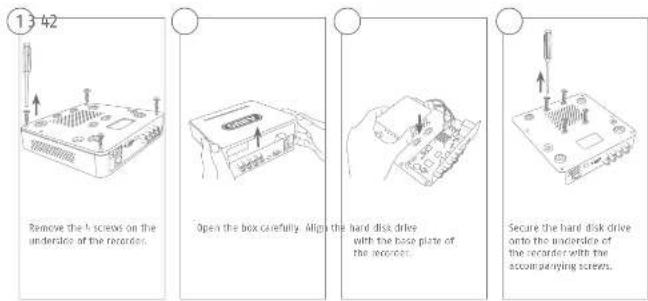
Pn n n n n n n n n n n n n n n n n n n

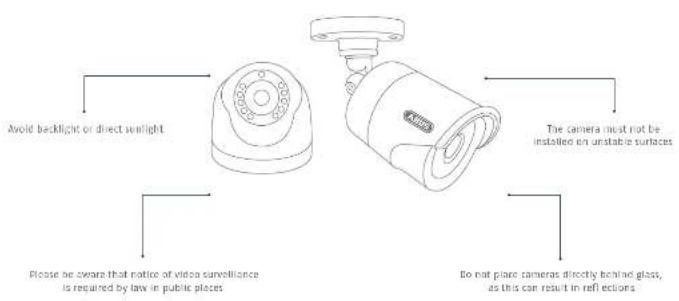
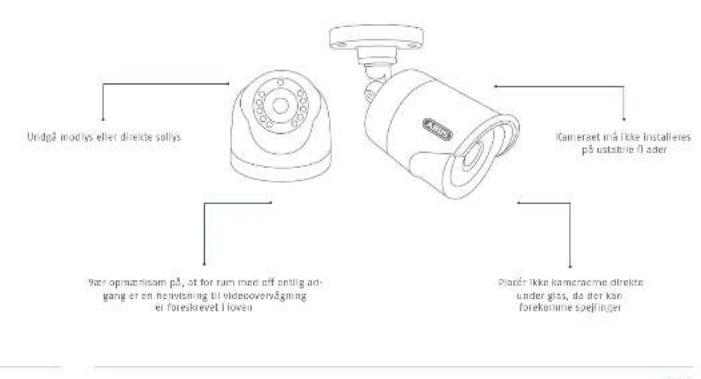
Tips for camera installation

English
System activation

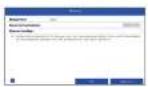
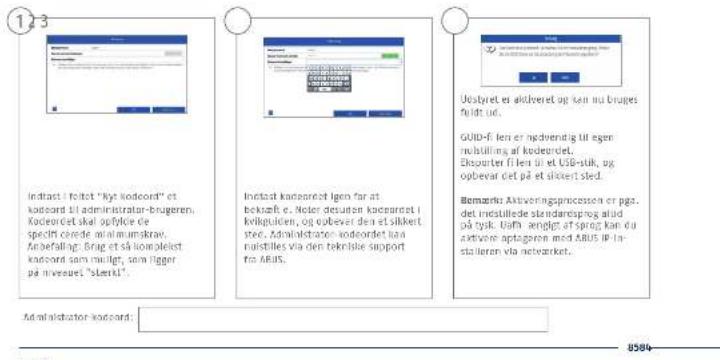
In the file "New password" enter a password for the admin user. The password must meet the specified requirements. For example, you can recommend items aspassionate that is as complexas possible and is classified as 'strong'.
Admin password:
English

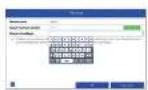
Re-enter the password to confirm it. Make a route of the password in the quick start guide as well and keep it in a safe place. The admin password can only be reset by ARUS technical support.


The device is activated and all of its functions can now be used.
You will require the Cullie T in order to reset the password yourself. Export the Hie an to a USS stick and stanch it firmly.
Moter Due to the pre-set default language, the aiming process is always in German. Language independently, you can activate the recorder with the ABUS IP-Installation site the network.
3120

Resetting the password

You can only reset the mainpacific yourself using the Solid 3 key.
Please be aware that this file becomes invalid if the password is subsequently changed or the QIUI file has already been used. In both cases, a new file will need to be created manually.

GUID import, local Interface:
Click on the "Forgotten password" button in the local dialog.
Insert a JSB data carrier containing the secure field ID and select this file. Click on the "import" button to reset the password.

GUID import, web interface:
Open your accounts with Interface and click on the 'Forgotten password' button. Insert a USB data carrier containing the secure SUID file and select this list. Click on the 'import' button to reset the password.
Note: Reciting the email password is a critical and complex process. Please ensure that you have access to this data in the event of an emergency by starting the password securely (leave a note in these instructions or keep the GUI file on an external data carrier). Therefore, please plan for this eventuality at initial start-up and specify where and how this data will be stored and who will have access to it.
Important: If the password needs to be reset, and the password has not been noticed above and the 4810 file cannot be accessed (or is no longer valid), you will need to contact Technical Support at the ABUS Security Center. To reset the password with the help of ABUS, you may refer to the technical support with a network connection to the recorder, and there must be another access in order to receive the data that will be provided to you by technical support. If these requirements are not met, it will not be possible to reset the password on the recorder.
English
Soft ware Set-up

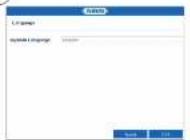
select the desired language and click "Apply".

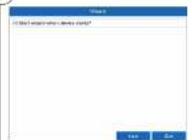
If you unlock the checkbox, the set-up wizard will not automatically pop up the next time the software starts up. Click "Next!".

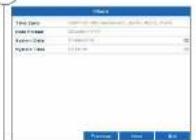
Specify time zone, date and system time. Use Time by clicking, Reindex
English
332

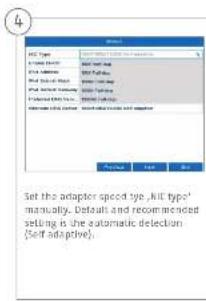
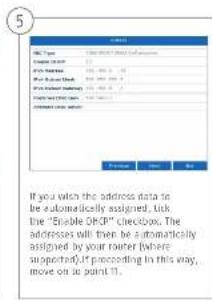
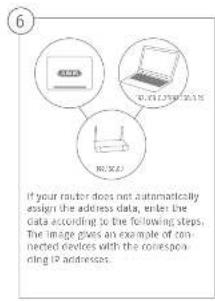
English
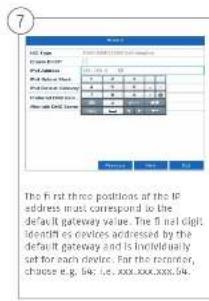
English
J5J4

English
3736
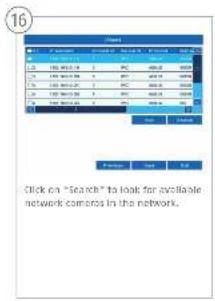
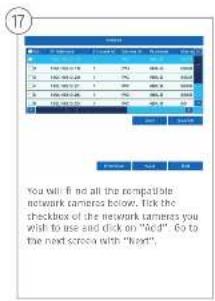
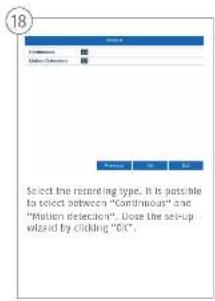

there clients, cheri dianl.
Vellie 3 beque it allimentation
Participant to join post-employment
Sg for on agsdstrmsforsing.

Dpebevar kun optageren og kameraet
under Singvertet setting scheme, 271
sfo, at der aird fides
LiskeKerig Veriatio


7918
Dansk
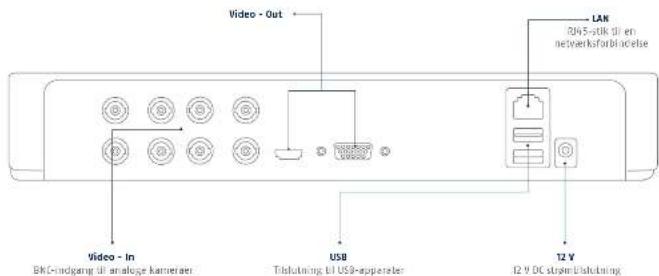
Tilslutninger
Dansk
ABUS
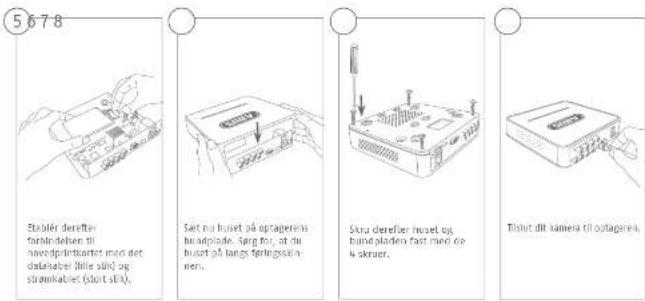
Hardwareinstallation
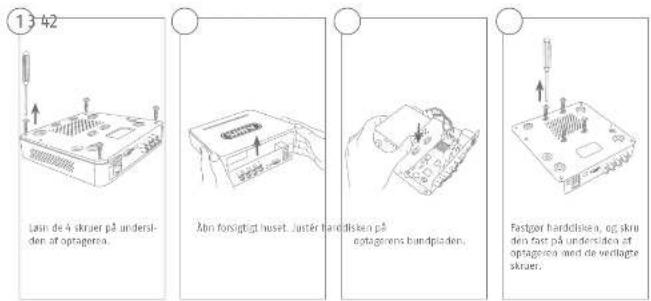
A
8180

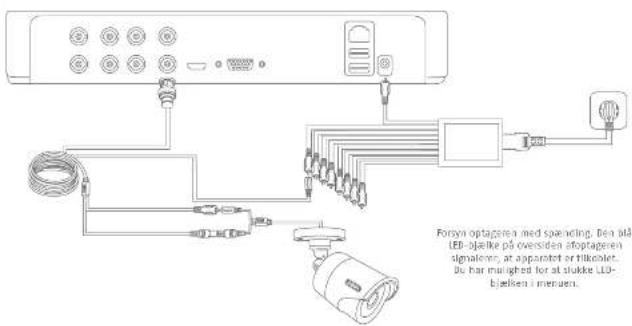
Tips vedrørende kamerainstallation
Dansk

Systemaktivering

Nulstil kodeord

Dau koholeukende sievelustille
somalinitator-koedeardet Vla
sulfinion.
Von unipanikomma, vi. Il ha veni bluer agydiad, his houdeodet e fergolende.
vivit auiu, vi. Il ha veni bluer, il viveni bluer orius fi gangi, ogge uide illide skal der opretes en my fi immanu.

DO NOT USE THE SEMICARE OR COILTING WITH A COLDING TUBE (CUB) AND GROUND Hocker KnottWings R BAAAM & Co. 1985
Any zachowic ten stan 1 zapewolde beeplerzna
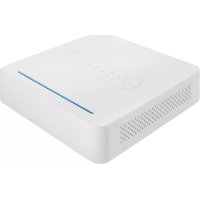
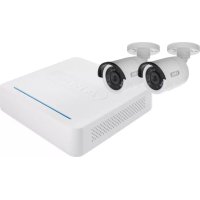
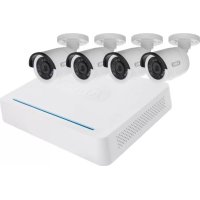
- Quickguide fur Digitalrekorder I Videüberwachungsgset: TVVR33009 I TVVR33049T I TVVR33049D
- Français
- Systemaktivierung
- Scope of delivery
- TWR33049T
- TVP33009
- Warnings
- System activation
- Resetting the password
- GUID import, local Interface:
- GUID import, web interface:
- Soft ware Set-up
- Systemaktivering
- Nulstil kodeord
Brand : ABUS
Model : TVVR33009
Category : Digital Video Recorder