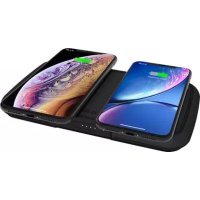
Duo Wireless Charger ZEPB04B - Power bank Zens - Free user manual and instructions
Find the device manual for free Duo Wireless Charger ZEPB04B Zens in PDF.

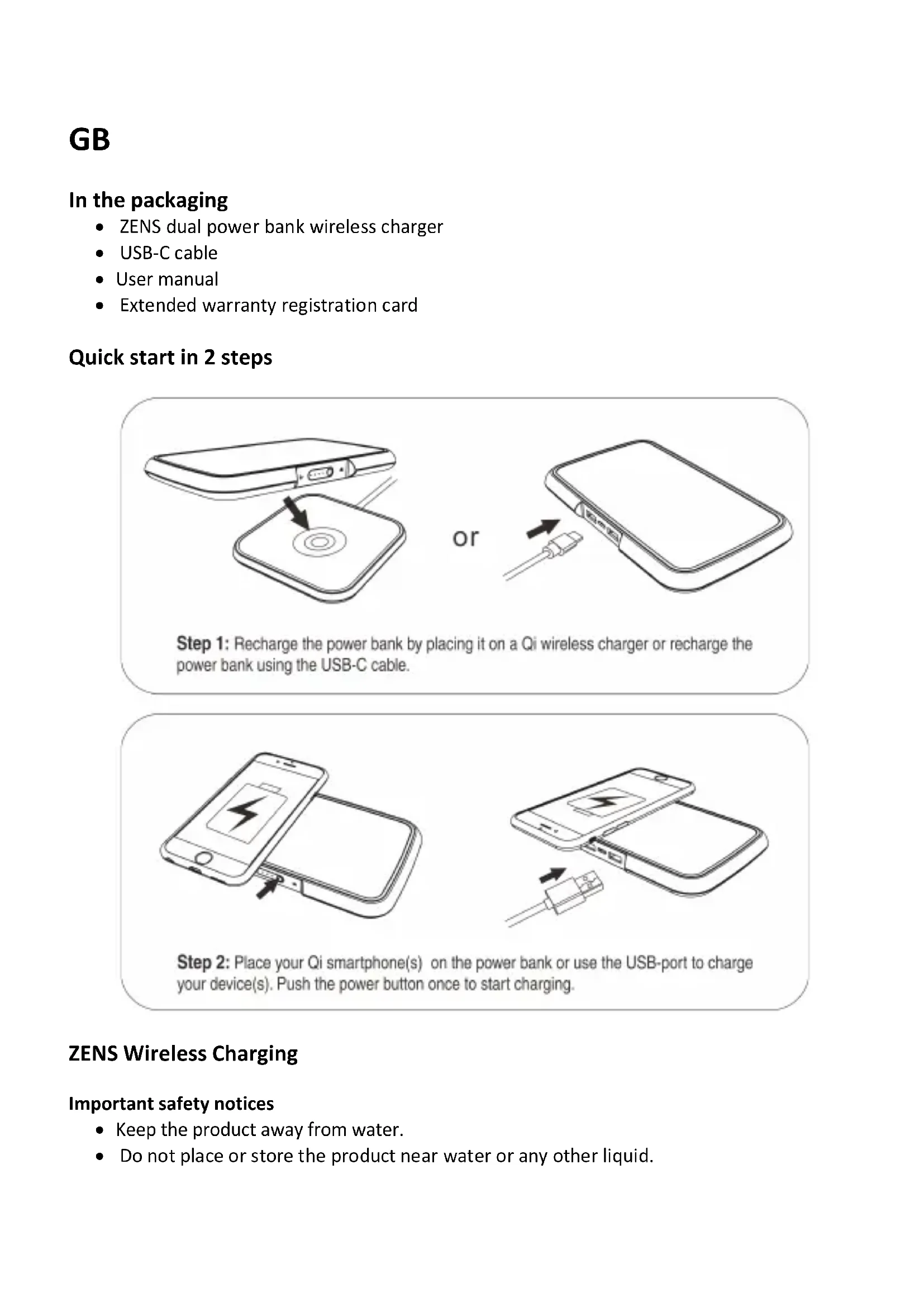


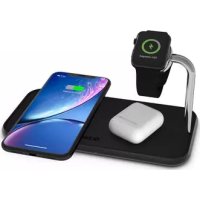
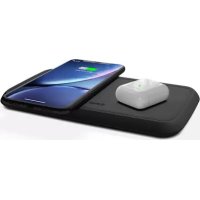
| Product Type | Portable battery with dual wireless charger |
| Brand | Zens |
| Model | Duo Wireless Charger ZEPB04B |
| Main functions | Qi wireless charging for two smartphones simultaneously, USB port for wired charging, built-in rechargeable battery via induction or USB-C |
| Power supply | Rechargeable internal battery; input: USB-C or Qi wireless charger; output: wireless (2x) and USB (1x) |
| Battery capacity | Not specified (common estimate 5000–10000 mAh) |
| Dimensions | Not specified (approximately 150 x 80 x 15 mm) |
| Weight | Not specified (approximately 200 g) |
| Material | Plastic and textile (cover) |
| Indicator light | Yes, status indicator (fast flashing in case of incorrect voltage) |
| Power button | Yes, to start charging |
| Package contents | Duo Wireless Charger, USB-C cable, user manual, warranty registration card |
| Power adapter included | No |
| Care and cleaning | Clean with a soft dry cloth; do not use liquids; ensure the device is dry before connecting |
| Safety | Water protection (do not expose to liquids), do not use with an extension cord, do not overload outlets, avoid heated surfaces, not recommended for medical implant wearers without medical advice |
| Warranty | 24 months from purchase date, covers material and manufacturing defects |
| After-sales service | Contact support@makezens.com for a return number; shipping costs borne by the customer |
| Repairability | Repairs only by ZENS or authorized providers; do not open |
| Compatibility | Qi-compatible devices; smartphones with wireless charging function |
Frequently Asked Questions - Duo Wireless Charger ZEPB04B Zens
User questions about Duo Wireless Charger ZEPB04B Zens
0 question about this device. Answer the ones you know or ask your own.
Ask a new question about this device
Download the instructions for your Power bank in PDF format for free! Find your manual Duo Wireless Charger ZEPB04B - Zens and take your electronic device back in hand. On this page are published all the documents necessary for the use of your device. Duo Wireless Charger ZEPB04B by Zens.
USER MANUAL Duo Wireless Charger ZEPB04B Zens
natural_image
Blue circular icon with a power button inside, surrounded by a black speech bubble (no text or symbols)ZENS®
natural_image
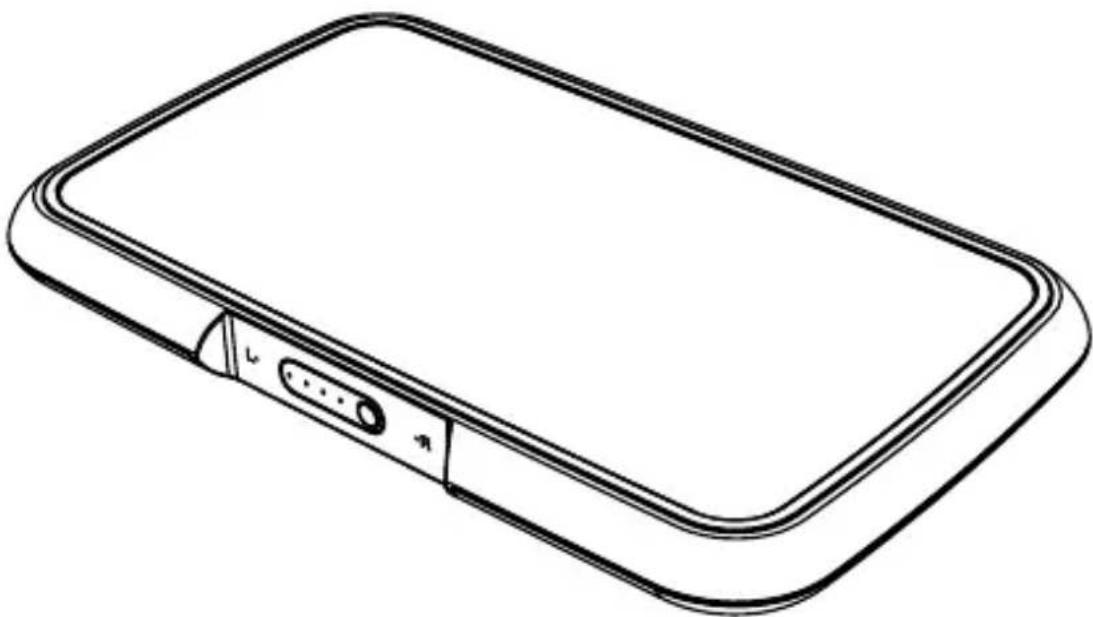
Line drawing of a rectangular electronic device with a USB port and cable connector (no text or symbols)• ZENS dual power bank wireless charger
- USB-C cable
- User manual
- Extended warranty registration card
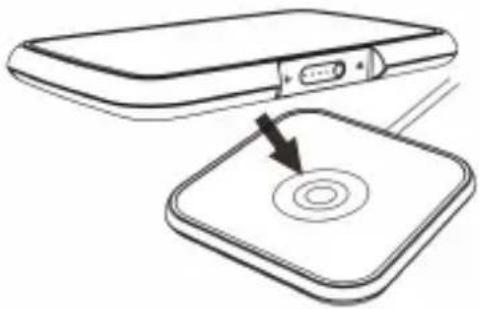
Quick start in 2 steps
natural_image
Diagram showing a device with a circular button on its surface, connected to a rectangular device (no text or symbols present)or
natural_image
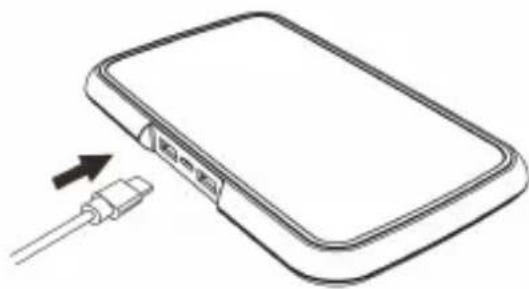
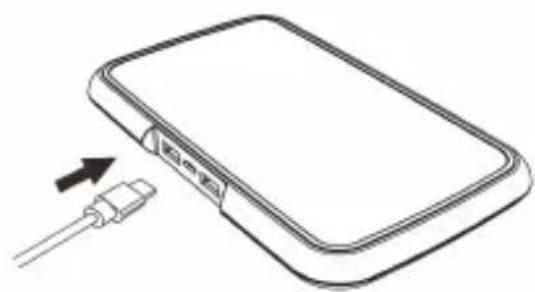
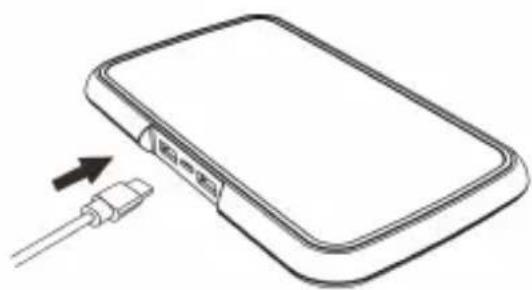
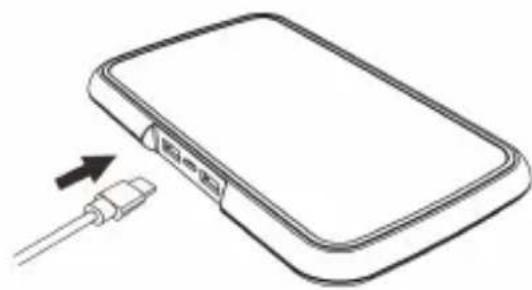
Line drawing of a rectangular electronic device with an attached cable and arrow indicating connection (no text or symbols)Step 1: Recharge the power bank by placing it on a Qi wireless charger or recharge the power bank using the USB-C cable.
natural_image
Line drawing of a smartphone with battery charging and an attached device (no text or symbols)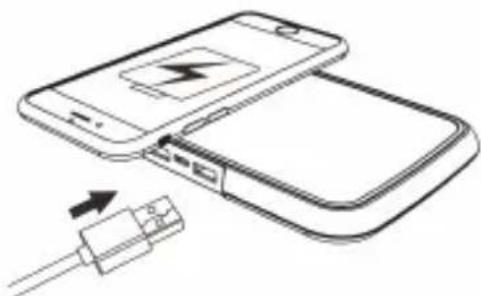
natural_image
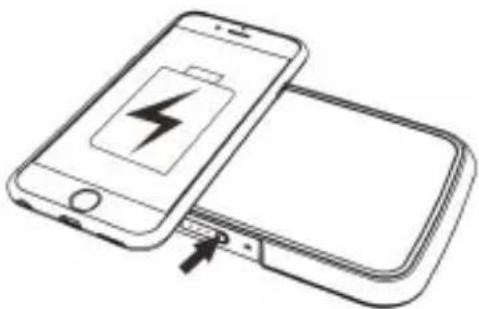
Diagram showing two smartphones connected by a cable, one with a battery icon and arrow indicating charging (no text or symbols present)Step 2: Place your Qi smartphone(s) on the power bank or use the USB-port to charge your device(s). Push the power button once to start charging.
ZENS Wireless Charging
Important safety notices
- Keep the product away from water.
- Do not place or store the product near water or any other liquid.
- After cleaning, make sure the product is completely dry before you connect it to an electrical socket
Warning notifications
- Check if the voltage indicated on the power adaptor or power plug corresponds to the local voltage before you connect the adapter to a power outlet.
- Never use the charger, power adapter, power plug or USB cable if any of them is damaged in any way.
- Only use the official power adapter, power plug or USB cable (supplied together with the charger). When an unofficial power adapter is used or an incorrect voltage us used for the charger, the light with blink rapidly and no charging will occur.
- Do not place any metallic labels or any objects onto the charger.
- Do not use the charger outdoors or near heated surfaces.
- If you have a pacemaker or other implanted device, consult your doctor or the manufacturer of the implanted device before using the charger.
- Do not use with an extension cord or overload electrical outlets.
- Supervision is needed when used by or near children, disabled persons or those with mental disabilities.
Return policy / ZENS warranty
Dear customer,
All ZENS products are designed and manufactured to meet the highest standards and deliver high-quality performance. In case you encounter any difficulties when using your product, we recommend that you first consult the user manual or the information in the support section of www.makezens.com.
In the unlikely event of failure during the warranty period ZENS will arrange for your product to be serviced.
Warranty terms
The warranty begins on the date of purchase and expires after 24 months. If any defect due to faulty materials and/or workmanship occurs within the warranty period, ZENS will make arrangements for service. Where a repair is not possible or is deemed uneconomical ZENS may agree to replace the product. Replacement will be offered at ZENS discretion and the warranty will continue from the date of original purchase. The ZENS warranty applies provided the product has been handled properly for its intended use and in accordance with the operating instructions.
The warranty does not cover for the losses consequent in nature, including but not limited to loss of data or loss of business. The ZENS Warranty does not apply if:
- The purchase documents have been altered in any way or made illegible.
- The model- and/or serial number on the product has been altered, removed or made illegible.
- Repairs or product modifications and alterations have been carried out by unauthorized service organizations or persons.
- The product is being used for commercial purpose.
- The defect is caused by abuse or misuse of the product or by environmental conditions that are not in conformance with the recommended operations of the product.
- The unit has been damaged - including but not limited to damage by pets, lightning, abnormal voltage, water or fire, natural disaster or transport accident.
- The product is defective due to wear of parts, which can be considered as consumable parts by their nature
- The product does not function properly because it was not originally designed, manufactured, approved and/or authorized for the country where you use the product, which might occur in instances where the product has been purchased in another country other than that of its intended use.
This warranty gives you specific legal rights. As this might vary from country to country some of above might not apply to you.
This warranty is only valid in the country were the product is purchased and is not transferable and does not extend to users other than the original purchaser.
Service needed?
In order to avoid unnecessary inconvenience, we advise you to read the user manual or consult the support section on www.makezens.com before contacting ZENS. If service is required do not return the product without first contacting ZENS. To get this product repaired or replaced, please contact ZENS during the warranty period by email (support@makezens.com) and include the following details: email address, name, address, telephone number, date and place of purchase, detailed description of the problem.
If the problem appears to be based on a defect in workmanship or materials, ZENS will provide a return form and instructions which authorizes to return the product. Return shipments are at the customer's expense, and the return must be accompanied by the original proof of purchase. ZENS is not responsible for lost or damaged product during shipment. Any product returned without the original proof of purchase will be returned at the customer's expense. All returns must include the original packaging and all items like product, power adapters and user manual.
After examination of the problem the product will be repaired or replaced and sent back to the address indicated on the return form.
FR
Dans l'emballage
natural_image
Diagram showing a device with an attached USB port and a circular button on a square base (no text or symbols)or
natural_image
Line drawing of a rectangular electronic device with an attached cable and arrow indicating connection (no text or symbols)natural_image
Line drawing of a smartphone and its dual smartphone with battery charging (no text or symbols)
natural_image
Line drawing of a smartphone connected to a USB cable, showing battery charging (no text or symbols)Cher client, chère cliente,
natural_image
Diagram showing a device with an attached rectangular component and a circular button on a square base, with no visible text or symbols.or
natural_image
Line drawing of a rectangular electronic device with an attached cable and USB port, showing no text or symbols.natural_image
Diagram showing a smartphone connected to a battery, with an arrow pointing to the battery (no text or symbols present)
natural_image
Diagram showing two smartphones connected by a cable with an attached USB port (no text or symbols present)natural_image
Diagram showing a device with an attached screen and a circular button, no text or symbols presentor
natural_image
Line drawing of a rectangular electronic device with an attached cable and USB cable (no text or symbols)natural_image
Diagram showing a smartphone connected to a battery, with an arrow pointing to the battery (no text or symbols present)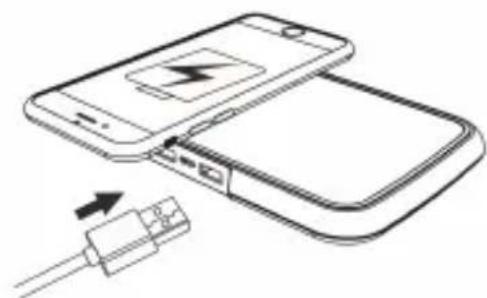
natural_image
Diagram showing two smartphones with a battery and cable, no text or symbols present
Brand : Zens
Model : Duo Wireless Charger ZEPB04B
Category : Power bank