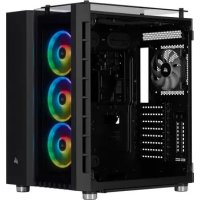
Crystal Series 680X - Desktop Computer CORSAIR - Free user manual and instructions
Find the device manual for free Crystal Series 680X CORSAIR in PDF.



| Product Type | Desktop Case |
| Brand | CORSAIR |
| Model | Crystal Series 680X |
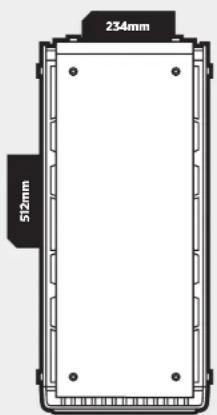
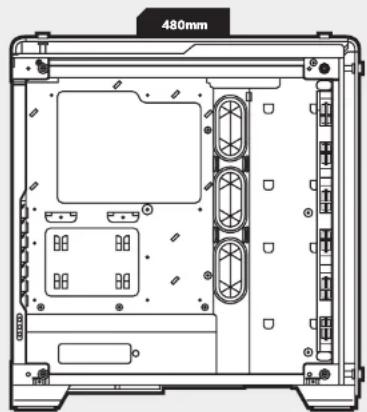
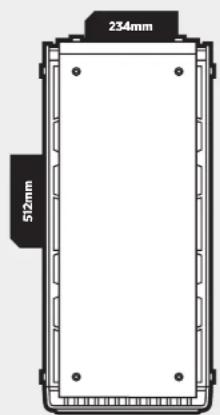
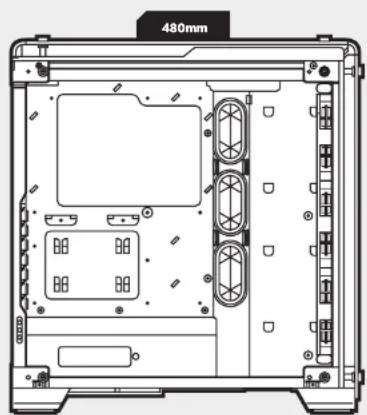
| Dimensions (L x W x H) | 480 x 234 x 512 mm |
| Material | Tempered glass (side panels, front, top) |
| Included Fans | 3 x SP120 (front) |
| Fan Positions | Front: 3 x 120 mm; Top: 2 x 120 mm; Rear: 1 x 120 mm |
| Compatible Radiators | Front: 280/360 mm; Top: 240 mm; Rear: 120 mm |
| Compatible Motherboard | ATX, Micro-ATX, Mini-ITX (standard) |
| Max GPU Length | 370 mm |
| Max CPU Cooler Height | 170 mm |
| Max PSU Length | 225 mm |
| Drive Bays | 2 x 3.5 inch (HDD); 2 x 2.5 inch (SSD) (removable) |
| Front Panel Connectors | USB 3.0, USB 3.1 Type-C, audio |
| Dust Filters | 6 (removable) |
| RGB Controller | Integrated (for RGB version) |
| Included Power Supply | No |
| Warranty | 2 years (manufacturer standard) |
Frequently Asked Questions - Crystal Series 680X CORSAIR
User questions about Crystal Series 680X CORSAIR
0 question about this device. Answer the ones you know or ask your own.
Ask a new question about this device
Download the instructions for your Desktop Computer in PDF format for free! Find your manual Crystal Series 680X - CORSAIR and take your electronic device back in hand. On this page are published all the documents necessary for the use of your device. Crystal Series 680X by CORSAIR.
USER MANUAL Crystal Series 680X CORSAIR
© 2016-2018 CORSAIR MEMORY, Inc.
All rights reserved. CORSAIR, the sails logo, and Carbide Series are registered trademarks of CORSAIR in the United States and/or other countries. All other trademarks are the property of their respective owners. Product may vary slightly from those pictured.
49-0015II AB


CORSAIR
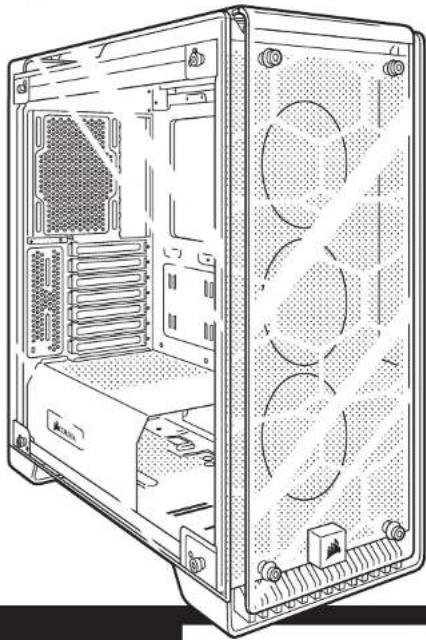
CRYSTAL
SERIES
570X
INSTALLATION GUIDEGUIDED INSTALLATION
INSTALLATIONSANLEITUNG 一 GUIA DE INSTALACION
PYKOBOCTBO NO YCTAHOBKE GUIA DE INSTALAÇAO
1Ns-1L
English 5-14
Francais 15-24
Deutsch 25-34
Espanol 35-44
Pocchio. 45-54
Portugues 55-64
日本語 65-74
CRYSTAL SERIES 570X
Table of contents Case specifications
Congratulations 5
Case specifications 6
Accessory kit contents. 7
Case features. 8
Removing the side panels 9
Installing the motherboard 9
Installing HDDs 10
Installing SSDs 10
Installing the power supply 11
Installing PCI-E/PCI card(s) 11
Removing the front and top panels 12
Installing the front I/O connectors 12
Removing fan trays 13
Using RGB fan controller (570X RGB) 13
Frequently asked questions 14
Congratulations!
Thank you for purchasing the Crystal Series 570X - tempered glass, premium ATX Mid-Tower case.
Crystal Series 570X
With immaculate tempered glass enclosing the entire chassis, every component of your build is on display for all to see. The Crystal Series 570X provides enough space for virtually any size radiator and up to 6 case fans. With the 3 included SPI20 fans and cable management made effortless, you can take personalization to the next level.
Length 480mm
Width 234mm
Height 512mm
Maximum GPU length 370mm
Maximum CPU cooler height 170mm
Maximum PSU length 225mm
Fan locations
Front 3x120/2x140mm
Top 2x120 / 140mm Rear 120mm
Radiator compatibility
Front 280mm/360mm
Top 240mm
CRYSTAL SERIES 570X
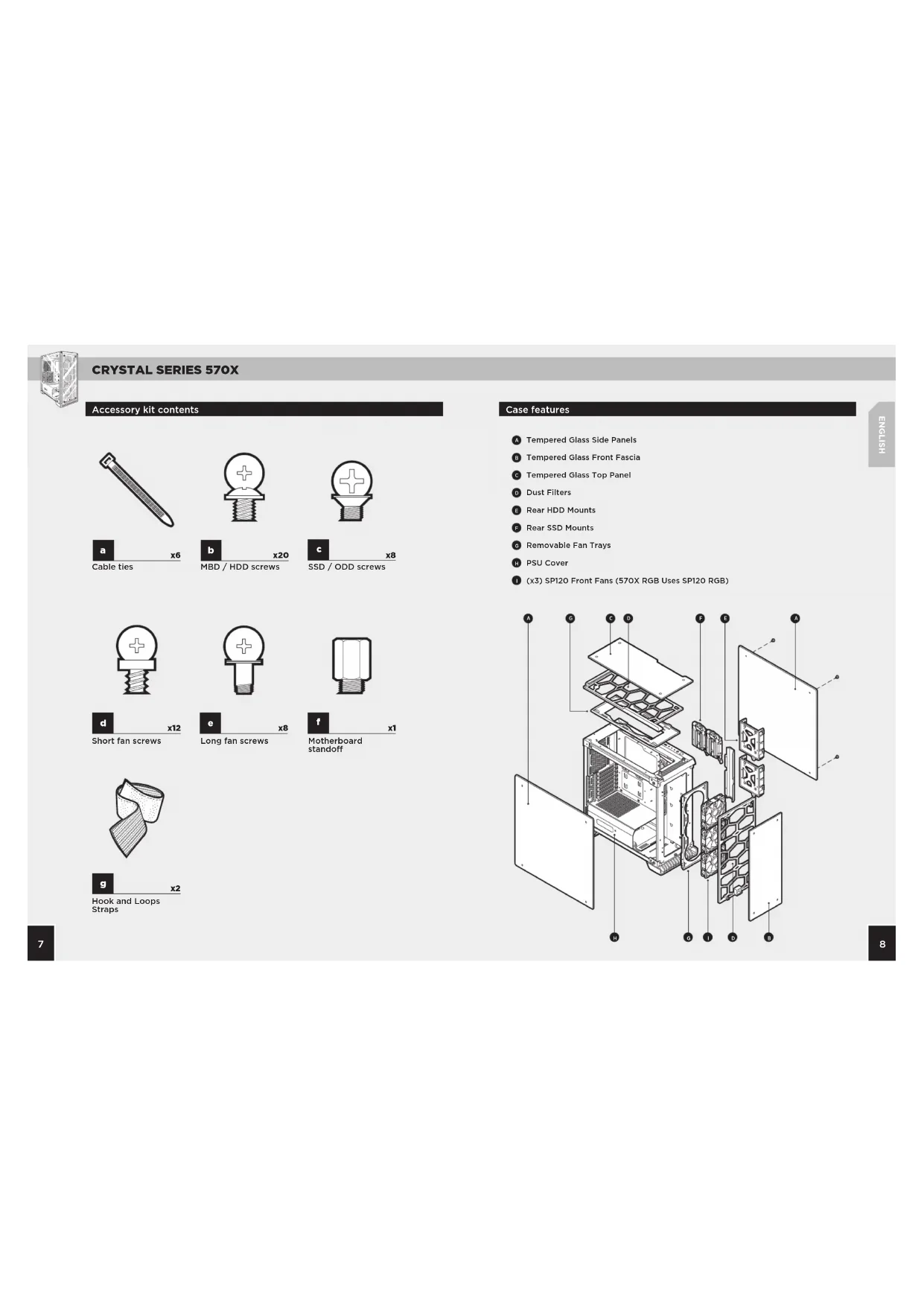
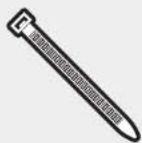
Accessory kit contents


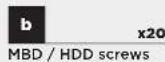

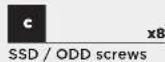
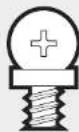


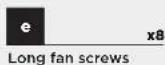
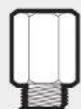
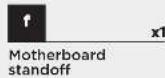


Case features
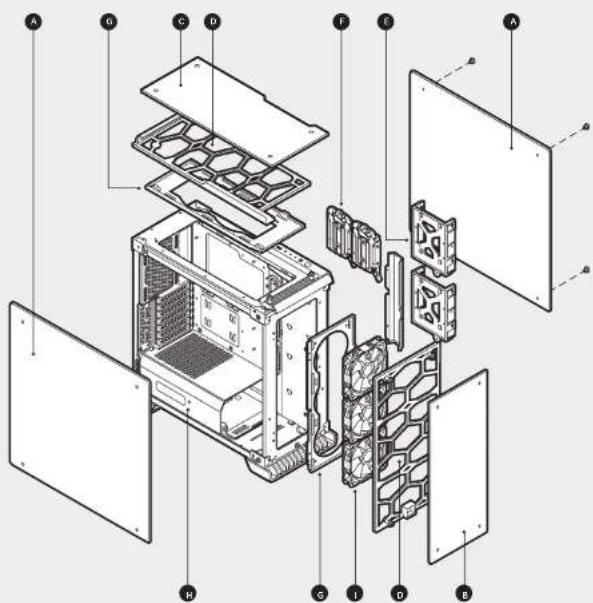
Tempered Glass Side Panels
Tempered Glass Front Fascia
Tempered Glass Top Panel
Dust Filters
Rear HDD Mounts
Rear SSD Mounts
6 Removable Fan Trays
PSU Cover
(x3) SP120 Front Fans (570X RGB Uses SP120 RGB)
CRYSTAL SERIES 570X
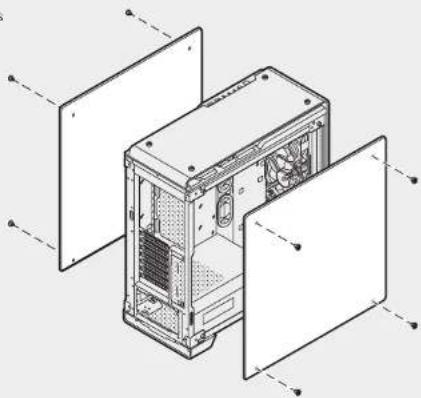
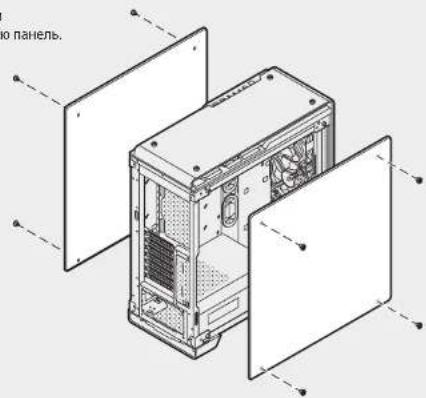
1. Removing the side panels
Remove the thumbs screws and pull the side panel off.
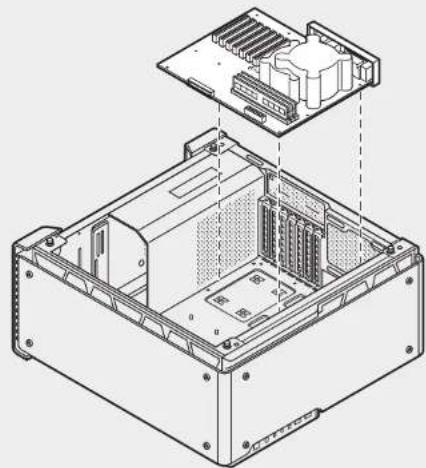
2. Installing the motherboard
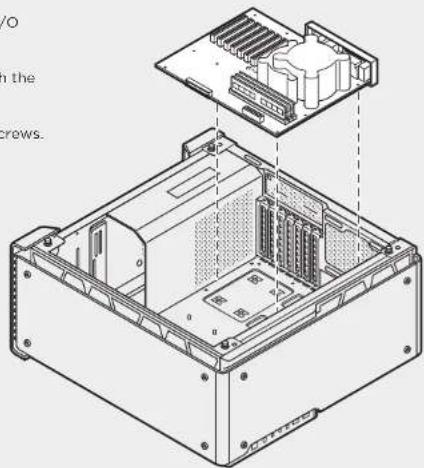
Snap your motherboard's I/O shield into the cutout.
Align the motherboard with the standoffs in the case.
Secure with the included screws.
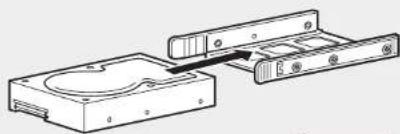
3. Installing HDDs
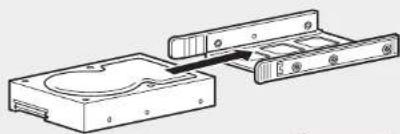
Step 1 - Place the drive into the 3.5^ drive tray.
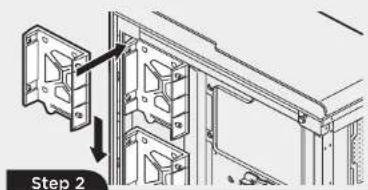
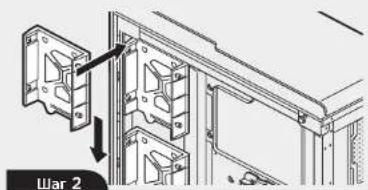
Step 2 - Slide the drive and rail assembly into the HDD mounting location behind the motherboard as shown.
Step1
4. Installing SSDs
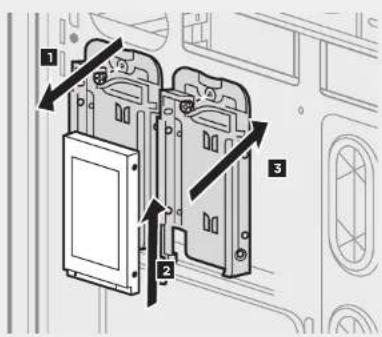
- Remove the screws to release the drive tray from the back of the motherboard tray.
- Slide the 2.5^ drive into the tray until it snaps into place.
- Reattach the drive tray to the back of the motherboard tray.
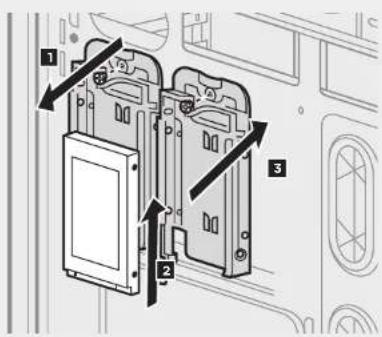
CRYSTAL SERIES 570X
5. Installing the power supply
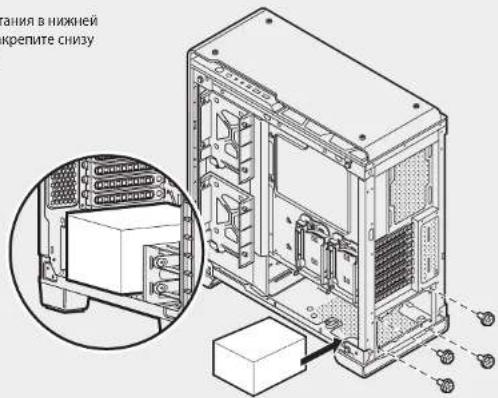
Install the PSU into the lower chamber of the case, and secure with four screws from behind.
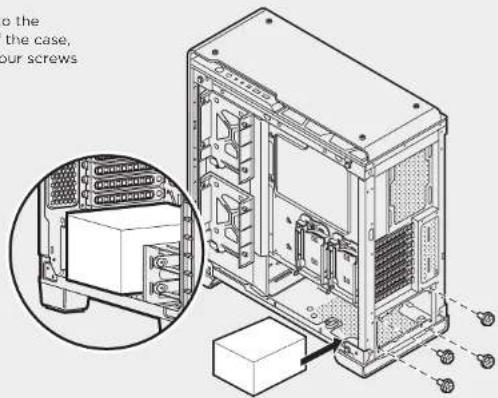
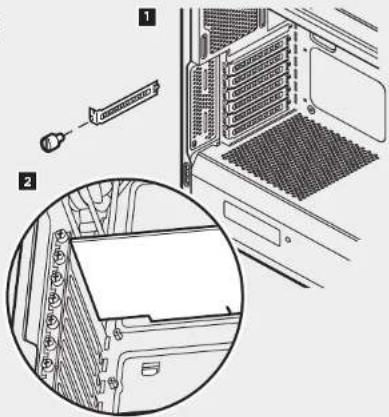
6. Installing PCI-E/PCI card(s)
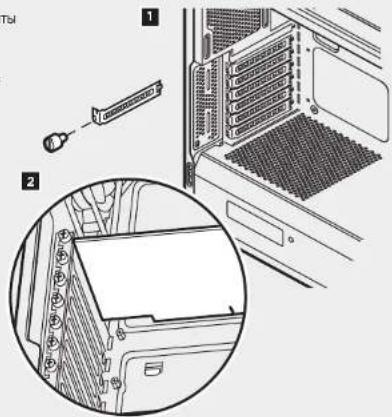
- Remove thumbscrews and corresponding slot covers.
- Install the expansion card and secure with thumbscrews.
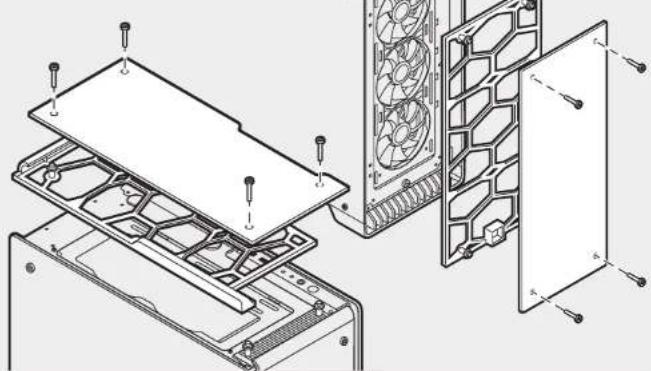
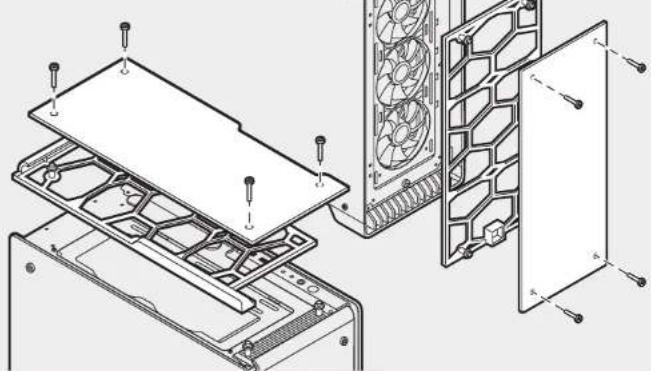
7. Removing the front and top panels
Remove the thumb screws and pull off the glass panel.
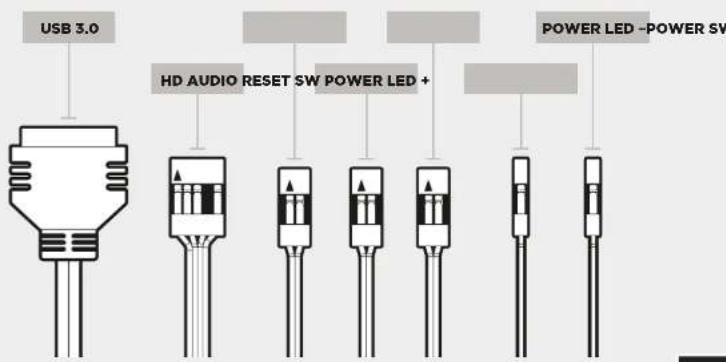
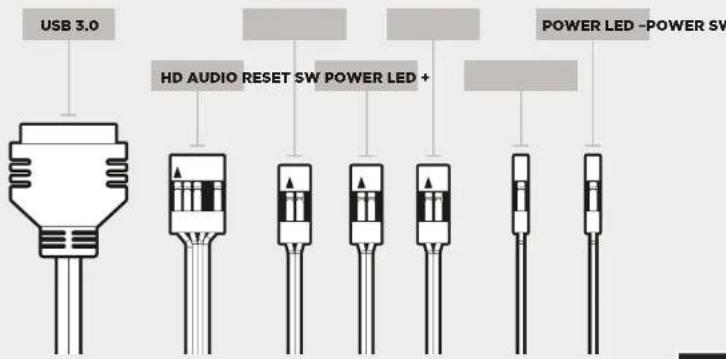
- Installing the front I/O connectors
See your motherboard's manual for front panel header locations and pin-outs.
CRYSTAL SERIES 570X
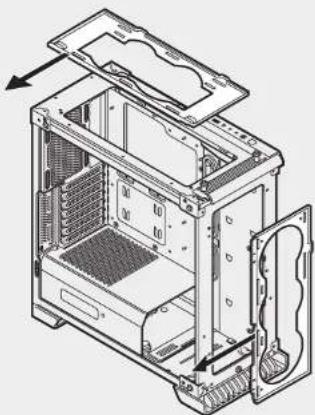
Unscrew fan tray and slide out from chassis to install fans and radiators outside of chassis.
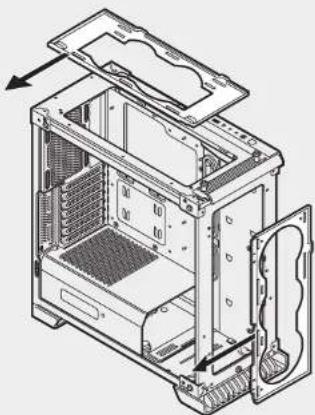
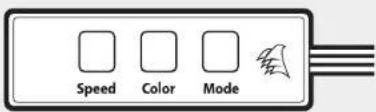
10. Using RGB fan controller (570X - RGB)
See Included RGB Fan controller Quick Start Guide for detailed instructions.
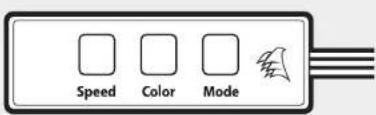
Frequently asked questions9. Removing fan trays
- Does the polarity matter with the I/O panel's power and reset header?
No, only the LED headers.
- Who should I contact if I received my case damaged or one of the fans is no longer working?
Please go to corsair.force.com and request an RMA so that we can replace the damaged part(s).
- Where can I mount a fan?
| Fan mount locations | |
| Front 3x120mm, 2x140mm (3x120mm included) | |
| Top 2x140mm / 120mm | |
| Rear 120mm | |
| Bottom x | |
| Side x | |
| Mid x | |
To learn more about this case visit the product page atcorsair.com.
CRYSTAL SERIES 570X
Avant 3x120/2x140mm
Haut 2x120/140mm Arriere 120mm
PacnooKeHneBentmIaTOp08 7-120-13-14
3x120/2x40mm
Cbepy 2X120/140mm C3aH 120mm
CoBMeCTHMOCTb padHaTOpOB
Cnepe 280mm/360mm
Clepy 24mm Cianu 120mm
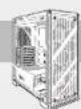
CRYSTAL SERIES 570X
CopexHMOeKOMJIeKTAaKccecyapOB
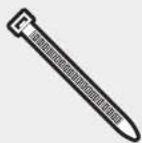
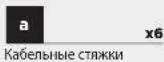

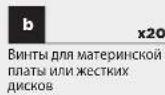



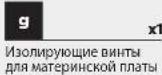

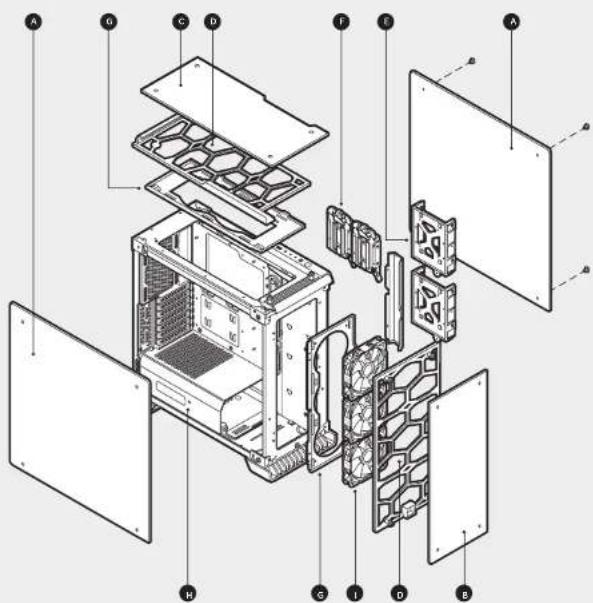
Oc6eHHocnKopnyca
Bokobble NaHEnu 3aKaaneHHoro CTeKna
B Ipeepnnae Hb 3aKaenHoro CTekn
BepxHpaHnI33aKeHHoro CTeknA
D TnneBbE OwnbPtbi
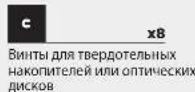
3aHHe Kpennnna JnKcTKnx DnckOB
3aHne Kpennnna TbePtohbx Hakonntene
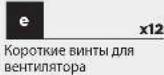
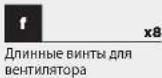
CbeMHbIe NotKNBentnAToP
Kpbka Bnoka NtAHNA
TpI NpeHmX BeHTmTnTopa SP120 (B570X RGBncnonb3ytercSP120 RGB)
CRYSTAL SERIES 570X
1.CHATne 60okobx naheien
CHIMMATE BHTBt C HAKATAHBMHN ROMOKAMN BnBaTTAETE KOGOBY Npahen.
2.YctahOBKa MATEPHNCKOINnAaTbI
BCTabte aaryyuHcy npotOB BBOda BbBOda MaTePHNcKOn PnTbTu BbPe3.
B Koprnyce bivopnbHnre MaTePHNcKy nTAYC u NtOHpyuKIMM HNTAMM.
3JAKPENITE NATY BXOJIAMM B KOMKNEK BNTHAMN
3.YcTaHOBKaJxctKnxDmckOB
War1-NonotectiqueDnckBOTcKdNDA3,5-nOmbOxuXnCKoB.
2a-3abDHHbTe Dnckn60nk HapraBnHbOuKxK KpEtnHeNnJrIe JcKTOKoNcKa 3a MaTePmNcHnPiTao, Ka NK OkaaHaHo Ha pcyHKe.
War 1
4. YctahOBKa TBepDoTeNbBix HakonuTenei
3aBraHgIaTe 2,5-DIOHMBOB NACK BOT OEcK Do PHCkAur HA MeTe.
CRYSTAL SERIES 570X
5.YcTaHOBKa 6NoKa NHTaHn
YCTAHOBITE BOK NITANHIA B HUKKEN KAMepe Koponyca a NAKPERITE CHN3Y CHTIbIPB BNTHANTU.
6. YctahOBka KapT PCI-E/PCI
1.OTBepHHTe 6apakOBbE BHTbN CHIMHTC COOTETCTBYOUWHE KBNKKP DAPBOWR
2.YCTAHOBATE INATy PACUINPEHNAIHKAPNTTEe BHTAMTN.
7.CHTne nepedne H BepxHe naHene
CHMIMTE DNHTC H KAKATAHHNIM FONOKBAMN B INBATTATCTE KIKNHYYAHOAHEB.
8.YCTAHOBKa nepeDHnx pa3beMOB BBOda-BbIBOda
PacnonoJcHHeMa p3aEbMo KHOHTaKbOm IpnpeJeDnA nAHMe CM. B ykoBcOBeTNO mATEMHNCKO nIaanle.
CRYSTAL SERIES 570X
9. CHATNE NOTKOB BEHTNATOPA
OTBHTNTIOTOK BENTHITNATOPA BbtaTHTNEo h3 KOpNcya, Tc0b6bl 6no yOobHee yCTaHABINHtBETBENTHITOPMn PadaTAtOpB.
10. Mcnonb3oBaHnne KOHTpOJIepe BaHTmIAtopa RGB (570X RGB)
Noppo6hBHe NHTcpykunm. B KpKtOM KYPO8OCTBe nnon30aTeTn DnKoTHPnnePA BeHHnTAtopa RGB.
Yactro 3aabaemble Bonpocb
- Imeet nI hauhenie noIpaHcObI pI niNIOIb30aHIM pa3bema nITaHn I nepearpykna H aNaHbI BBOa-BbIBoA? He, OHa BAHKa TOnIbKO JIy CBeTOIIOJIOHbIX pa3bemOB.
- K Komy cneyuT obpaNTbC,ecnKopnyc nonyuHnOBpeHHbIM mOniH u3 BeHTnAToPob 60blue He pa6Otaer? IpeuHnte HaBe-CAIT Corsair force.com Hzapocnte pa3peHHe H aBo3BpTaMATEpAnoB (RMA),UTo6bMb CMOrn 3aMeHtB NOBpeKdHbIe Detann.
3.ΓeMOXHOCTAHOBNTBBeHTMnTOp?
| PacnoLOXHEME MECT DIA MOHTAXA BEHTMILATOPB | |
| Cnepaia | 3x120mm, 2x140mm (3x120mm xanmex) |
| Cnepay | 2x140mm / 120mm |
| Cnagai | 120mm |
| Cnany | x |
| Cdooy | x |
| Iocpedine | x |
DOnonHnTeBHyIO HnOoPmaUIO 06 TOM KOpNye Cm. Ha CTpaHnue npodykTa HbBe6-caine corsair.com.
CRYSTAL SERIES 570X

- CRYSTAL SERIES 570X
- Table of contents Case specifications
- Congratulations!
- Thank you for purchasing the Crystal Series 570X - tempered glass, premium ATX Mid-Tower case.
- Accessory kit contents
- Case features
- Removing the side panels
- Installing the motherboard
- Installing HDDs
- Installing SSDs
- Installing the power supply
- Installing PCI-E/PCI card(s)
- Removing the front and top panels
- Using RGB fan controller (570X - RGB)
- Frequently asked questions9. Removing fan trays
- CopexHMOeKOMJIeKTAaKccecyapOB
- Oc6eHHocnKopnyca
- 1.CHATne 60okobx naheien
- 2.YctahOBKa MATEPHNCKOINnAaTbI
- 3.YcTaHOBKaJxctKnxDmckOB
- YctahOBKa TBepDoTeNbBix HakonuTenei
- 5.YcTaHOBKa 6NoKa NHTaHn
- YctahOBka KapT PCI-E/PCI
- 7.CHTne nepedne H BepxHe naHene
- CHATNE NOTKOB BEHTNATOPA
- Mcnonb3oBaHnne KOHTpOJIepe BaHTmIAtopa RGB (570X RGB)
- Yactro 3aabaemble Bonpocb
Brand : CORSAIR
Model : Crystal Series 680X
Category : Desktop Computer