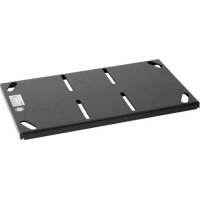
LPK1 - Projector Accessory Chief - Free user manual and instructions
Find the device manual for free LPK1 Chief in PDF.


| Product Type | Low-profile projector mounting kit |
| Brand | Chief |
| Model | LPK1 |
| Maximum load capacity | 113.4 kg (250 lb) |
| Compatibility | UL listed Chief VCM projector mounting system |
| Supported mounting types | Mounting on wood joists (2"x4") with double furring strips, mounting on concrete ceiling (min. thickness 203 mm) with Fischer UX8 or Toggler AF8 anchors, suspension by four 9.5 mm (3/8") threaded rods |
| Material | Steel |
| Intended use | Indoor only |
| Standards and certifications | UL listed (via VCM) |
| Included fasteners | No (bolts and anchors not provided) |
| Safety instructions | The supporting structure must support five times the total weight of the mounted equipment. Do not use outdoors. Check product integrity before installation. |
| Maintenance and cleaning | No special maintenance required. Clean with a dry cloth. |
| Spare parts and repairability | Parts are not available individually. If damaged, return the system to the manufacturer. |
| General information | Low-profile mounting kit designed for projectors, allows mounting close to the ceiling. Used in conjunction with a Chief VCM mount. |
Frequently Asked Questions - LPK1 Chief
User questions about LPK1 Chief
0 question about this device. Answer the ones you know or ask your own.
Ask a new question about this device
Download the instructions for your Projector Accessory in PDF format for free! Find your manual LPK1 - Chief and take your electronic device back in hand. On this page are published all the documents necessary for the use of your device. LPK1 by Chief.
USER MANUAL LPK1 Chief
Milestone AV Technologies and its affiliated corporations and subsidiaries (collectively "Milestone"), intend to make this manual accurate and complete. However, Milestone makes no claim that the information contained herein covers all details, conditions or variations, nor does it provide for every possible contingency in connection with the installation or use of this product. The information contained in this document is subject to change without notice or obligation of any kind. Milestone makes no representation of warranty, expressed or implied, regarding the information contained herein. Milestone assumes no responsibility for accuracy, completeness or sufficiency of the information contained in this document.
Chief® is a registered trademark of Milestone AV Technologies. All rights reserved.

IMPORTANT SAFETY INSTRUCTIONS

WARNING: A WARNING alerts you to the possibility of serious injury or death if you do not follow the instructions.

CAUTION: A CAUTION alerts you to the possibility of damage or destruction of equipment if you do not follow the corresponding instructions.

WARNING: Failure to read, thoroughly understand, and follow all instructions can result in serious personal injury, damage to equipment, or voiding of factory warranty! It is the installer's responsibility to make sure all components are properly assembled and installed using the instructions provided.

WARNING: Failure to provide adequate structural strength for this component can result in serious personal injury or damage to equipment! It is the installer's responsibility to make sure the structure to which this component is attached can support five times the combined weight of all equipment. Reinforce the structure as required before installing the component.

WARNING: Exceeding the weight capacity can result in serious personal injury or damage to equipment! It is the installer's responsibility to make sure the combined weight of all components attached to the LPK1 does not exceed 250 lbs (113.4kg)
- The weight capacity of the LPK1 may be LIMITED to the lowest weight capacity of any other components located between the VCM and the supporting structure!

WARNING: Use this mounting system only for its intended use as described in these instructions. Do not use attachments not recommended by the manufacturer.

WARNING: Never operate this mounting system if it is damaged. Return the mounting system to a service center for examination and repair.

WARNING: Do not use this product outdoors.
IMPORTANT ! : The LPK1 mount is designed to be:
- mounted to double 2^ × 4^ wood stud cross bracing between two 2^ × 4^ ceiling joists; or
- mounted to a concrete ceiling with a minimum thickness of 8" and a maximum drywall covering of 5/8 using 5/16 x 2-1/2 lag bolts (not included) for Fischer UX8 concrete anchors (not included) or Toggler AF8 concrete anchors (not included); or
- suspended from four 3/8 in. diameter ASTM A307 or stronger threaded rods (Threaded rods must have 16 threads per inch - not included) which are secured to a 1-5/8" x 1-5/8" 12ga metal framing strut channel (spanning a maximum of 4 feet--not included) by ASTM A307 or stronger 3/8" channel nuts (not included).
- used with a UL Listed Chief VCM projector mount.
--SAVE THESE INSTRUCTIONS--
LEGEND
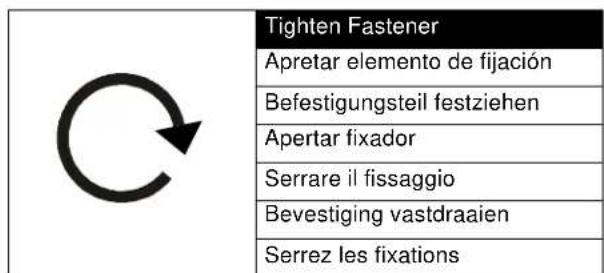
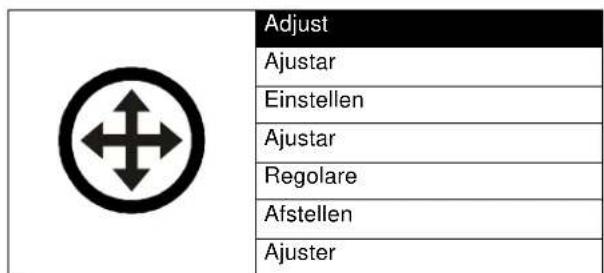
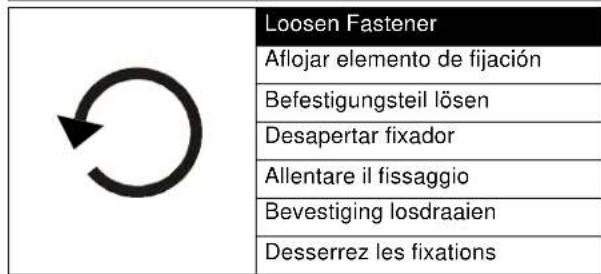
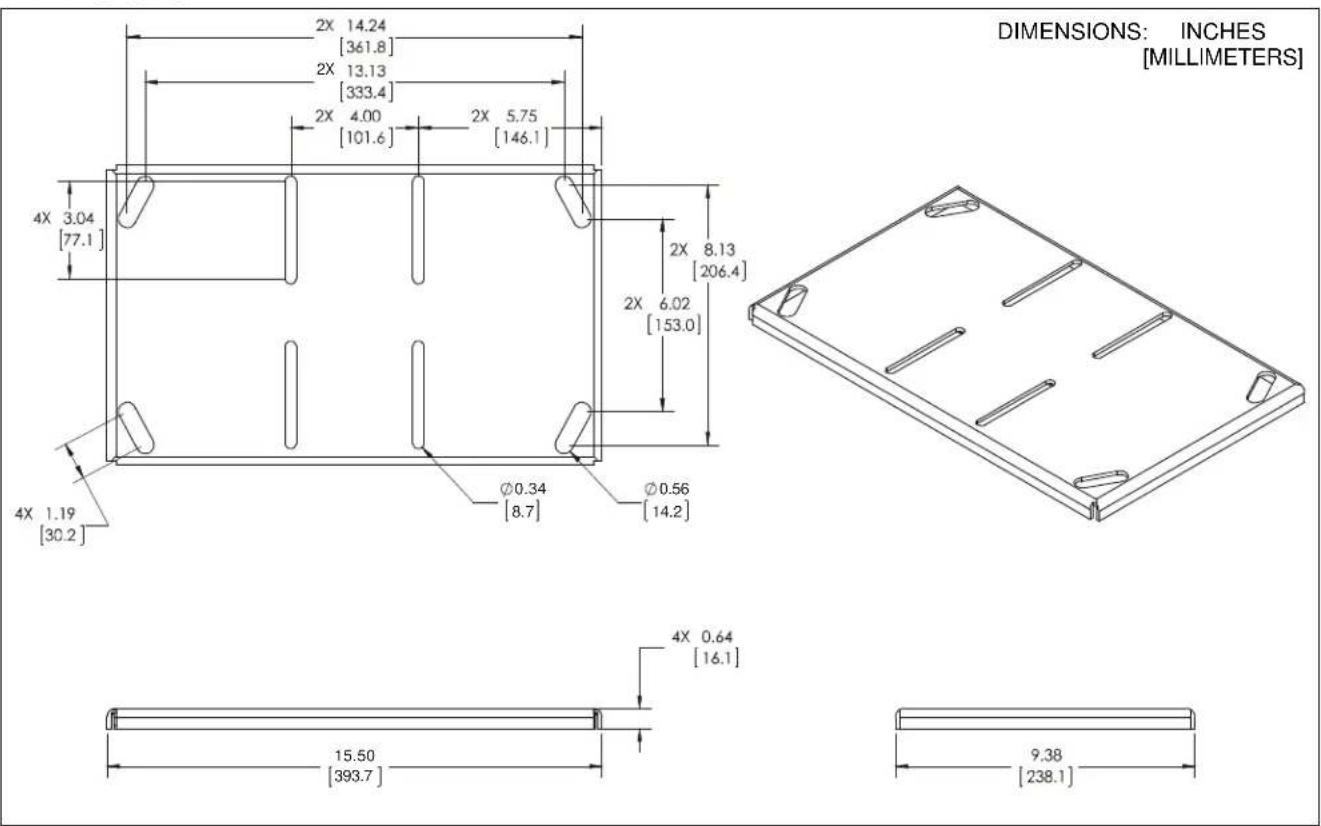
DIMENSIONS
TOOLS REQUIRED FOR INSTALLATION

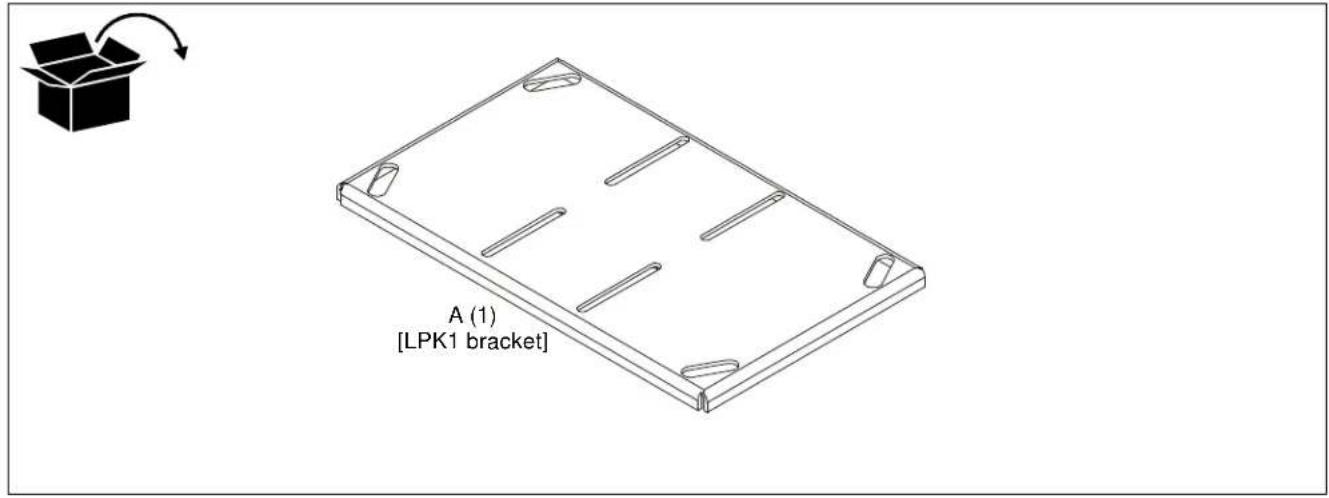
PARTS
PREPARATION
- Remove and SAVE four nuts from top of VCM mount (not included). (See Figure 1)
- Remove and discard top slide plate. (See Figure 1)

Figure 1
- Place LPK1 mount (A) open side up on top of VCM, with VCM studs fitting through LPK1 slots. (See Figure 2)
- Tighten LPK1 (A) in place using four nuts removed in Step 1. (See Figure 2)
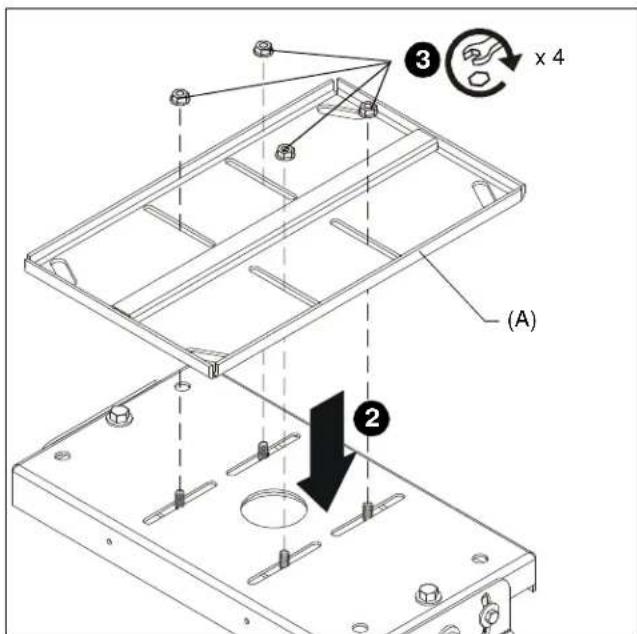
Figure 2
INSTALLATION
The LPK1 mount is designed to be:
- mounted to double 2^ × 4^ wood stud cross bracing between two 2^ × 4^ ceiling joists;
- mounted to a concrete ceiling with a minimum thickness of 8" and a maximum drywall covering of 5/8 using 5/16 x 2-1/2 lag bolts (not included) for Fischer UX8 concrete anchors (not included) or Toggler AF8 concrete anchors (not included); or
- suspended from four 3/8 in. diameter ASTM A307 or stronger threaded rods (not included) which are secured to a 1 - 5 / 8'' x 1 - 5 / 8'' 12ga metal framing strut channel (spanning a maximum of 4 feet--not included) by 3 / 8'' channel nuts (not included).
NOTE: Proceed to Wood Stud Installation section, Solid Concrete Installation section, or Threaded Rod Installation section.
Wood Installation
- Carefully determine required mounting location.
IMPORTANT ! : This will require knowing the lens to screen distance. See projector specifications for details on determining this distance.

WARNING: IMPROPER INSTALLATION CAN RESULT IN SERIOUS PERSONAL INJURY OR DAMAGE TO EQUIPMENT! Structural members MUST be capable of supporting five times the combined weight of all equipment being mounted.
IMPORTANT! : The LPK1 mounts are designed to be mounted to double 2^ × 4^ wood stud cross bracing between two ceiling joists.
- Using the LPK1 as a guide, mark four mounting hole locations. Hole locations must be centered on 2^ × 4^ cross braces.
- Drill four 7/32" diameter x 1-3/4" long pilot holes.
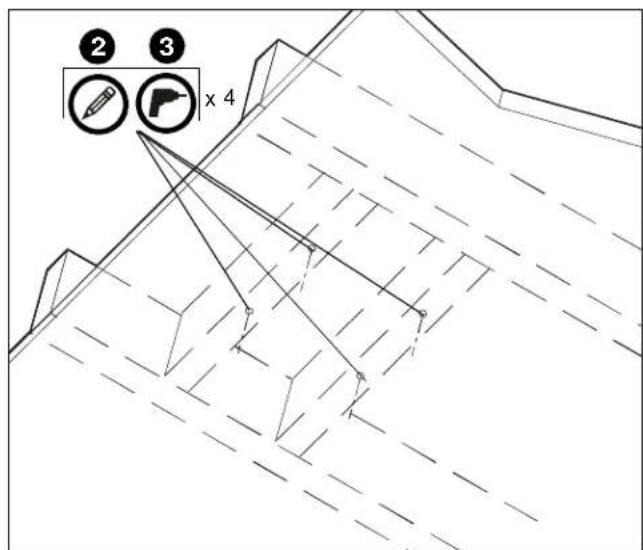
Figure 3
- Align four mounting holes in LPK1 with four pilot holes. (See Figure 4)
IMPORTANT! : Make sure mount is properly oriented towards target before securing to structure. - Secure LPK1 to structure using four 5/16" flat washers and four 5/16" x 2-1/2" hex head lag bolts (not included). (See Figure 4)
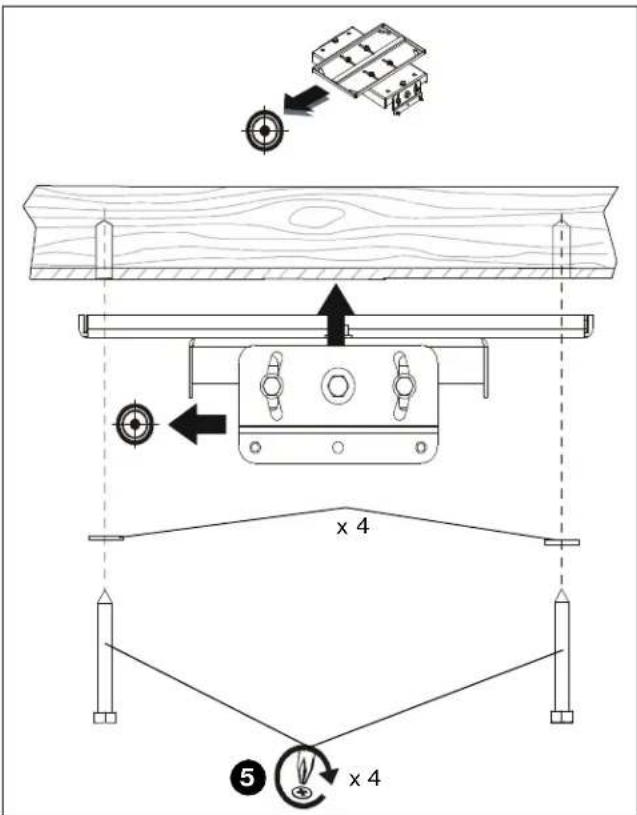
Figure 4
Solid Concrete Installation
- Determine mounting location.

WARNING: The LPK1 is designed to be mounted to a concrete ceiling with a minimum thickness of 8" and a maximum drywall covering of 5/8".

WARNING: IMPROPER INSTALLATION CAN RESULT IN SERIOUS PERSONAL INJURY OR DAMAGE TO EQUIPMENT! Structural members MUST be capable of supporting five times the combined weight of all equipment being mounted.
- Using the LPK1 as a guide, mark four mounting hole locations on ceiling. (See Figure 5)
- Drill four 5/16" diameter x 3-1/4" long pilot holes. (See Figure 5)
- Align four mounting holes in LPK1 with four pilot holes.
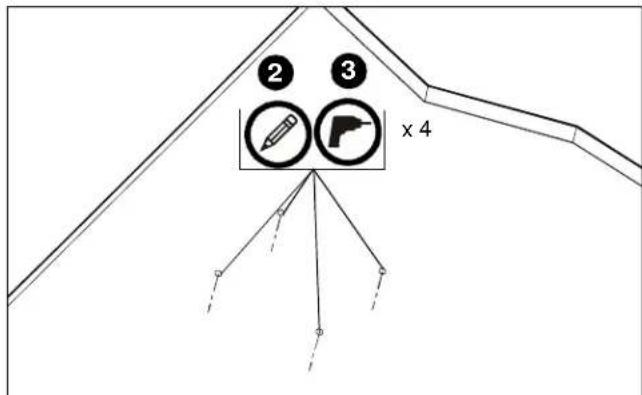
Figure 5
IMPORTANT! : Make sure mount is properly oriented towards target before securing to structure.

WARNING: Anchors (not provided) must be installed into structurally sound solid concrete. Installation into hollow concrete block, mortar, or concrete that exhibits cracking, spalling, or other defects may result in failure of anchor and serious personal injury or damage to equipment.
- Install four Fischer UX8 or Toggler AF8 concrete anchors (not included) by inserting into pilot holes and pounding in until flush with mounting surface. (See Figure 6)
- Secure LPK1 with attached VCM (not included) to structure using four 5/16" flat washers (not included) and four 5 / 16'' x 2-1/2" lag bolts (not included). (See Figure 6)
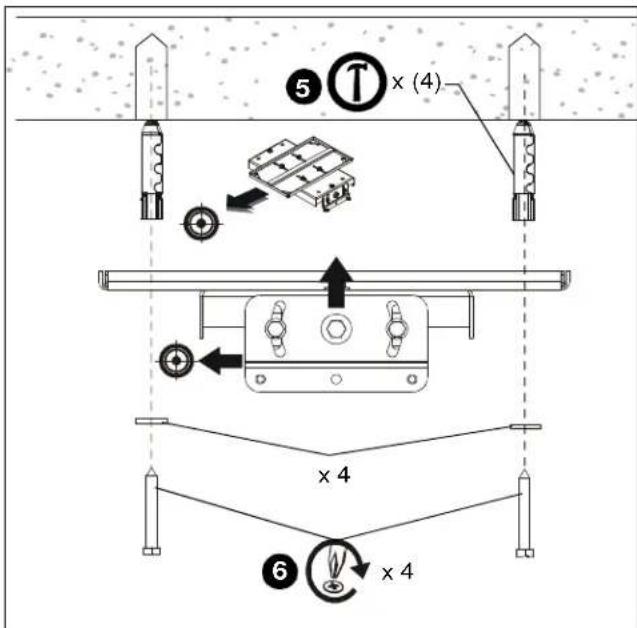
Figure 6
Threaded Rod Installation
The LPK1 may be suspended from four 3/8" diameter ASTM A307 or stronger threaded rods (not included) which are secured to a 1-5/8" x 1-5/8" 12ga metal framing strut channel (spanning a maximum of 4 feet--not included) by ASTM A307 or stronger 3/8" channel nuts (not included).

WARNING: IMPROPER INSTALLATION CAN RESULT IN SERIOUS PERSONAL INJURY OR DAMAGE TO EQUIPMENT! Structural members MUST be capable of supporting five times the combined weight of all equipment being mounted.
- Carefully determine required mount position.
IMPORTANT! : This will require knowing the lens to screen distance. See projector specifications for determining this distance. - Secure one end of the threaded rod to the structural member.
- Install four 3/8 jam nuts and washers on each threaded rod.
- Install the LPK1 with VCM (not included) onto the threaded rod. (See Figure 7)
- Secure the LPK1 to the threaded rod using four 3/8'' washers and jam nuts. (See Figure 7)
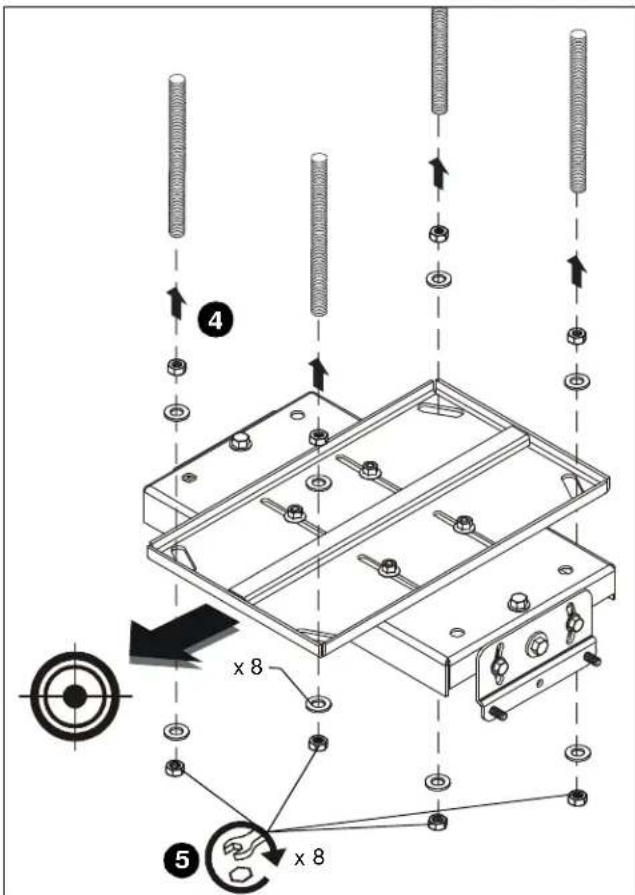
Figure 7
INSTALLING PROJECTOR
Install projector with attached interface bracket to VCM (not included) following instructions included with the VCM.