CE118PFCX1 - Microwaves SAMSUNG - Free user manual and instructions
Find the device manual for free CE118PFCX1 SAMSUNG in PDF.



| Brand | Samsung |
| Model | CE118PFCX1 |
| Product type | Microwave combi (grill, convection) |
| Power supply | 230 V - 50 Hz AC |
| Microwave output power | 900 W (6 levels: 100 to 900 W) |
| Grill power | 1500 W |
| Convection power | 2100 W max |
| Capacity | 32 liters |
| External dimensions (W x D x H) | 523 x 491 x 309 mm |
| Internal dimensions (W x D x H) | 373 x 370 x 233 mm |
| Net weight | approx. 19 kg |
| Operating frequency | 2450 MHz |
| Display | Digital |
| Turntable | Yes (glass, dishwasher safe) |
| Main functions | Microwave, Grill, Convection, Microwave+grill combo, Microwave+convection combo, Automatic cooking (10 programs), Automatic reheating (6 programs), Defrost (5 programs), Fermentation (dough and yogurt), Sensor cooking (8 programs), Slim Fry (10 programs), Steam cleaning, Deodorization |
| Timer | Up to 90 min (convection), 60 min (grill/combo) |
| Child safety | Yes (key lock) |
| Control type | Touch buttons, rotary mode selector, rotary multifunction selector |
| Included accessories | Guide ring, turntable, upper rack, lower rack, crispy plate, rotisserie with spit, glass casserole, water bowl for steam cleaning, vertical multi-spit for kebab |
| Care and cleaning | Integrated steam cleaning; interior surfaces cleanable with damp cloth; tray dishwasher safe; do not use steam cleaner or high pressure |
| Spare parts and repairability | Replacement of bulb reserved for qualified technician; contact Samsung after-sales service for any repair; do not disassemble the casing |
Frequently Asked Questions - CE118PFCX1 SAMSUNG
User questions about CE118PFCX1 SAMSUNG
0 question about this device. Answer the ones you know or ask your own.
Ask a new question about this device
Download the instructions for your Microwaves in PDF format for free! Find your manual CE118PFCX1 - SAMSUNG and take your electronic device back in hand. On this page are published all the documents necessary for the use of your device. CE118PFCX1 by SAMSUNG.
USER MANUAL CE118PFCX1 SAMSUNG
Owner's instructions & Cooking guide
Please be advised that the Samsung warranty does NOT cover service calls to explain product operation, correct improper installation, or perform normal cleaning or maintenance.

100% Recycled Paper
This manual is made with 100% recycled paper.
CE118PF
imagine the possibilities
Thank you for purchasing this Samsung product. To receive more complete service, please register your product at
www.samsung.com/register




contents
quick look-up guide 11
oven features 12
Oven 12
Control panel 13
Accessories 13
oven use 14
How a microwave oven works 14
Checking that your oven is operating correctly 14
Setting the time 14
Cooking/Reheating 15
Power levels and time variations 16
Adjusting the cooking time 16
Stopping the cooking 16
Setting the energy save mode 16
Using the auto cook feature 16
Using the auto cook programmes 17
Using the auto reheat feature 18
Using the auto reheat programmes 19
Using the slim fry cook feature 20
Using the slim fry programmes 20
Fast preheating the oven 22
Using the power defrost feature 22
Using the power defrost programmes 23
Using the auto fermentation feature 24
Using the auto fermentation programmes 24
Using the sensor cook feature 25
Using the sensor cook programmes 25
Cooking by convection 27
Grilling 28
Combining microwaves and the grill 28
Combining microwaves and convection 29
Choosing the accessories 29
Spit-roasting 30
Using the vertical multi-spit 30
Using the steam cleaning. 31
Using the child lock feature 31
Using the deodorize feature 31
Switching the beeper off 32
cookware guide 32
cooking guide 33
troubleshooting and error code 43
Troubleshooting 43
Error code 43
technical specifications 44
safety information
USING THIS INSTRUCTION BOOKLET
You have just purchased a SAMSUNG microwave oven. Your Owner's Instructions contain valuable information on cooking with your microwave oven:
Safety precautions
- Suitable accessories and cookware
Useful cooking tips
Cooking tips
LEGEND FOR SYMBOLS AND ICONS

WARNING
Hazards or unsafe practices that may result in severe personal injury or death.
Hazards or unsafe practices that may result in minor personal injury or property damage.
CAUTION

Warning; Fire hazard Warning; Not surface

Warning; Electricity Warning; Explosive material

Do NOT attempt. Do NOT touch

Do NOT disassemble. Follow directions explicitly.

Unplug the power plug from the wall socket.

Call the service center for help.

Important

Make sure the machine is grounded to prevent electric shock.

Note




IMPORTANT SAFETY INSTRUCTIONS READ CAREFULLY AND KEEP FOR FUTURE REFERENCE.
Make sure that these safety precautions are obeyed at all times.
Before using the oven, confirm that the following instructions are followed.
WARNING
(Microwave function only)
WARNING: If the door or door seals are damaged, the oven must not be operated until it has been repaired by a competent person.
WARNING: It is hazardous for anyone other than a competent person to carry out any service or repair operation that involves the removal of a cover which gives protection against exposure to microwave energy.
WARNING: Liquids and other foods must not be heated in sealed containers since they are liable to explode.
This appliance is intended to be used in household only.
WARNING: Only allow children to use the oven without supervision when adequate instructions have been given so that the child is able to use the oven in a safe way and understands the hazards of improper use.
WARNING: This appliance can be used by children aged from 8 years and above and persons with reduced physical, sensory or mental capabilities or lack of experience and knowledge if they have been given supervision or instruction concerning use of the appliance in a safe way and understand the hazards involved. Children shall not play with the appliance. Cleaning and user maintenance shall not be made by children unless they are aged from 8 years and above and supervised.
Only use utensils that are suitable for use in microwave ovens.
- When heating food in plastic or paper containers, keep an eye on the oven due to the possibility of ignitions.



The microwave oven is intended for heating food and beverages. Drying of food or clothing and heating of warming pads, slippers, sponges, damp cloth and similar may lead to risk of injury, ignition or fire.
If smoke is emitted, switch off or unplug the appliance and keep the door closed in order to stifle any flames.
WARNING: Microwave heating of beverages can result in delayed eruptive boiling, therefore care must be taken when handling the container.
WARNING: The contents of feeding bottles and baby food jars shall be stirred or shaken and the temperature checked before consumption, in order to avoid burns.
- Eggs in their shell and whole hard-boiled eggs should not be heated in microwave ovens since they may explode, even after microwave heating has ended.
The oven should be cleaned regularly and any food deposits removed.
Failure to maintain the oven in a clean conditioin could lead to deterioration of the surface that could adversely affect the life of the appliance and possibly result in a hazardous situation.
The appliance is not intended for installing in road vehicles, caravans and similar vehicles etc.
This appliance is not intended for use by persons (including children) with reduced physical, sensory or mental capabilities, or lack of experience and knowledge, unless they have been given supervision or instruction concerning use of the appliance by a person responsible for their safety.
Children should be supervised to ensure that they do not play with the appliance.
If the supply cord is damaged, it must be replaced by the manufacturer, its service agent or similarly qualified persons in order to avoid a hazard.
WARNING: Liquids or other foods must not be heated in sealed containers since they are liable to explode;
The appliance should not be cleaned with a water jet.




This oven should be positioned proper direction and height permitting easy access to cavity and control area.
Before using the your oven first time, oven should be operated with the water during 10 minute and then used.
If the oven generates a strange noise, a burning smell, or smoke is emitted, unplug the power plug immediately and contact your nearest service center.
The microwave oven has to be positioned so that plug is accessible.
The microwave oven is intended to be used on the counter or counter top use only, the microwave oven shall not be placed in a cabinet.
WARNING
(Oven function only) - Optional
WARNING: When the appliance is operated in the combination mode, children should only use the oven under adult supervision due to the temperatures generated.
During use the appliance becomes hot. Care should be taken to avoid touching heating elements inside the oven.
WARNING: Accessible parts may become hot during use. Young children should be kept away.
A steam cleaner is not to be used.
WARNING: Ensure that the appliance is switched off before replacing the lamp to avoid the possibility of electric shock.
WARNING: The appliance and its accessible parts become hot during use. Care should be taken to avoid touching heating elements. Children less than 8 years of age shall be kept away unless continuously supervised.
The temperature of accessible surfaces may be high when the appliance is operating.
The door or the outer surface may get hot when the appliance is operating.
- Keep the appliance and its cord out of reach of children less than 8 years.
English - 5




This appliance can be used by children aged from 8 years and above and persons with reduced physical, sensory or mental capabilities or lack of experience and knowledge if they have been given supervision or instruction concerning use of the appliance in a safe way and understand the hazards involved. Children shall not play with the appliance. Cleaning and user maintenance shall not be made by children without supervision.
Do not use harsh abrasive cleaners or sharp metal scrapers to clean the oven door glass since they can scratch the surface, which may result in shattering of the glass.
Appliances are not intended to be operated by means of an external timer or separate remote-control system.
This product is a Group 2 Class B ISM equipment. The definition of group 2 which contains all ISM equipment in which radiofrequency energy is intentionally generated and/or used in the form of electromagnetic radiation for the treatment of material, and EDM and arc welding equipment.
For Class B equipment is equipment suitable for use in domestic establishments and in establishments directly connected to a low voltage power supply network which supplies buildings used for domestic purposes.
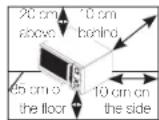
Place the oven on a flat level surface 85~cm above the floor. The surface should be strong enough to safety bear the weight of the oven.
- When you install your oven, make sure there is adequate ventilation for your oven by leaving at least 10cm (4 inches) of space behind and, on the sides of the oven and 20~cm (8 inches) of space above.
2.Remove all packing materials inside the oven.
3. Install the roller ring and turntable. Check that the turntable rotates freely. (Turntable type model only)
4. This microwave oven has to be positioned so that plug is accessible.



If the supply cord is damaged, it must be replaced by the manufacturer, its service agent or similarly qualified persons in order to avoid a hazard. For your personal safety, plug the cable into a proper AC earthed socket.
Do not install the microwave oven in hot or damp surroundings like next to a traditional oven or radiator. The power supply specifications of the oven must be respected and any extension cable used must be of the same standard as the power cable supplied with the oven. Wipe the interior and the door seal with a damp cloth before using your microwave oven for the first time.
The following parts of your microwave oven should be cleaned regularly to prevent grease and food particles from building up:
- Inside and outside surfaces
- Door and door seals
- Turntable and Roller rings (Turntable type model only)
ALWAYS ensure that the door seals are clean and the door closes properly.
Failure to maintain the oven in a clean condition could lead to deterioration of the surface that could adversely affect the life of the appliance and possibly result in a hazardous situation.
- Clean the outside surfaces with a soft cloth and warm, soapy water. Rinse and dry.
- Remove any splashes or stains on the inside surfaces of oven with a soapy cloth. Rinse and dry.
- To loosen hardened food particles and remove smells, place a cup of diluted lemon juice in the oven and heat for ten minutes at maximum power.
-
Wash the dishwasher-safe plate whenever necessary.
DO NOT spill water in the vents. NEVER use any abrasive products or chemical solvents. Take particular care when cleaning the door seals to ensure that no particles: -
Accumulate
English - 7




- Prevent the door from closing correctly
Clean the microwave oven cavity right after each use with a mild detergent solution, but let the microwave oven cool down before cleaning in order to avoid injury.
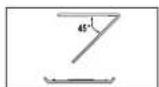
When cleaning the upper part inside the cavity, it will be convenient to turn heater downward by 45^ and clean it. (Swing heater model only)
STORING AND REPAIRING YOUR MICROWAVE OVEN
A few simple precautions should be taken when storing or having your microwave oven serviced.
The oven must not be used if the door or door seals are damaged:
- Broken hinge
- Deteriorated seals
Distorted or bent oven casing
Only a qualified microwave service technician should perform repair
NEVER remove the outer casing from
the oven. If the oven is faulty and needs servicing or you are in doubt about its condition:
- Unplug it from the wall socket
- Contact the nearest after-sales service centre
If you wish to store your oven away temporarily, choose a dry, dustfree place.
Reason : Dust and damp may adversely affect the working parts in the oven.
This microwave oven is not intended for commercial use.
The Light bulb should not be replaced in person for safety reasons.
Please contact nearest authorised Samsung customer care, to arrange for a qualified engineer to replace the bulb.
English - 8
| WARNING | A | A | A | A | |
| Only qualified staff should be allowed to modify or repair the appliance. | ✓ | ✓ | ✓ | ✓ | |
| Do not heat liquids and other food in sealed containers for microwave function. | ✓ | ✓ | ✓ | ✓ | |
| For your safety, do not use high-pressure water cleaners or steam jet cleaners. | ✓ | ✓ | ✓ | ✓ | |




| Do not install this appliance; near heater, inflammable material; in a humid, oily or dusty location, in a location exposed to direct sunlight and water or where gas may leak; on un level ground. | ✓ | ✓ | ✓ | ✓ |
| This appliance must be properly grounded in accordance with local and national codes. | ✓ | ✓ | ✓ | ✓ |
| Remove all foreign substances such as dust or water from the power plug terminals and contact points using a dry cloth on a regular basis. | ✓ | ✓ | ✓ | ✓ |
| Do not pull or excessively bend or place heavy objecton the power cord. | ✓ | ✓ | ✓ | ✓ |
| In the event of a gas leak (such as propane gas, LP gas, etc.), ventilate immediately without touching the power plug. | ✓ | ✓ | ✓ | ✓ |
| Do not touch the power plug with wet hands. | ✓ | ✓ | ✓ | ✓ |
| Do not turn the appliance off by unplugging the power plug while an operation is in progress. | ✓ | ✓ | ✓ | ✓ |
| Do not insert fingers or foreign substances, if any foreign substance such as water has entered the appliance, unplug the power plug and contact your nearest service centre. | ✓ | ✓ | ✓ | ✓ |
| Do not apply excessive pressure or impact to the appliance. | ✓ | ✓ | ✓ | ✓ |
| Do not place the oven over a fragile object such as a sink or glass object. | ✓ | ✓ | ||
| Do not use benzene, thinner, alcohol, steam cleaner or high pressure cleaner to clean the appliance. | ✓ | ✓ | ✓ | ✓ |
| Ensure that the power voltage, frequency and current are the same as those of the product specifications. | ✓ | ✓ | ✓ | |
| Plug the power plug into the wall socket firmly. Do not use a multiple plug adapter, an extension cord or an electric transformer. | ✓ | ✓ | ✓ |
English - 9
| Do not hook the power cord on a metal object, insert the power cord between the objects or behind the oven. | ✓ | ✓ | ✓ | |
| Do not use a damaged power plug, damaged power cord or loose wall socket. When the power plug or power cord is damaged, contact your nearest service centre. | ✓ | ✓ | ✓ | ✓ |
| Do not pour or directly spray water onto the oven. | ✓ | ✓ | ||
| Do not place objects on the oven, inside or on the door of the oven. | ✓ | ✓ | ✓ | |
| Do not spray volatile material such as insecticide onto the surface of the oven. | ✓ | ✓ | ||
| Do not store flammable materials in the oven. Take special care when heating dishes or drinks that contain alcohol as alcohol vapours may contact a hot part of the oven. | ✓ | ✓ | ✓ | |
| Keep children away from the door when opening or closing it as they may bump themselves on the door or catch their fingers in the door. | ✓ | ✓ | ✓ | ✓ |
| WARNING: Microwave heating of beverages can result in delayed eruptive boiling, therefore care must be taken when handling the container; To prevent this situation ALWAYS allow a standing time of at least 20 seconds after the oven has been switched off so that the temperature can equalize. Stir during heating, if necessary, and ALWAYS stir after heating. In the event of scalding, follow these FIRST AID instructions: • Immerse the scalded area in cold water for at least 10 minutes. • Cover with a clean, dry dressing. • Do not apply any creams, oils or lotions. | ✓ | ✓ | ✓ |



| CAUTION | |
| Only use utensils that are suitable for use in microwave ovens; DO NOT use any metallic containers, Dinnerware with gold or silver trimmings, Skewers, forks, etc. Remove wire twist ties from paper or plastic bags. Reason: Electric arcing or sparking may occur and may damage the oven. | ✓ |
| Do not use your microwave oven to dry papers or clothes. | ✓ |
| Use shorter times for smaller amounts of food to prevent overheating and burning food. | ✓ |
| Do not immerse the power cable or power plug in water and keep the power cable away from heat. | ✓ |
| Eggs in their shell and whole hard-boiled eggs should not be heated in microwave ovens since they may explode, even after microwave heating has ended; Also do not heat airtight or vacuum-sealed bottles, jars, containers, nuts inshells, tomatoes etc. | ✓ |
| Do not cover the ventilation slots with cloth or paper. They may catch fire as hot air escapes from the oven. The oven may also overheat and switch itself off automatically, and will remain off until it cools sufficiently. | ✓ |
| Always use oven mitts when removing a dish from the oven to avoid unintentional burns. | ✓ |
| Stir liquids halfway during heating or after heating ends and allow the liquid stand at least 20 seconds after heating to prevent eruptive boiling. | ✓ |
| Stand at arms length from the oven when opening the door to avoid getting scalded by escaping hot air or steam. | ✓ |
| Do not operate the microwave oven when it is empty. The microwave oven will automatically shut down for 30 minutes for safety purposes. We recommend placing a glass of water inside the oven at all times to absorb microwave energy in case the microwave oven is started accidentally. | |||
| Install the oven in compliance with the clearances stated in this manual. (See installing your microwave oven.) | |||
| Take care when connecting other electrical appliances to sockets near the oven. |
PRECAUTIONS TO AVOID POSSIBLE EXPOSURE TO EXCESSIVE MICROWAVE ENERGY.(MICROWAVE FUNCTION ONLY)
Failure to observe the following safety precautions may result in harmful exposure to microwave energy.
(a) Under no circumstances should any attempt be made to operate the oven with the door open or to tamper with the safety interlocks (door latches) or to insert anything into the safety interlock holes.
(b) Do NOT place any object between the oven door and front face or allow food or cleaner residues to accumulate on sealing surfaces. Ensure that the door and door sealing surfaces are kept clean by wiping after use first with a damp cloth and then with a soft dry cloth.
(c) Do NOT operate the oven if it is damaged until it has been repaired by a qualified microwave service technician trained by the manufacturer. It is particularly important that the oven door closes properly and that there is no damage to the:
(1) door (bent)
(2) door hinges (broken or loose)
(3) door seals and sealing surfaces
(d) The oven should not be adjusted or repaired by anyone other than a properly qualified microwave service technician trained by the manufacturer.
Samsung will charge a repair fee for replacing an accessory or repairing a cosmetic defect if the damage to the unit and/or damage to or loss of the accessory was caused by the customer. Items this stipulation covers include:
(a) A Dented, Scratched, or Broken Door, Handle, Out-Panel, or Control Panel.
(b) A Broken or missing Tray, Guide Roller, Coupler, or Wire Rack.


- Use this appliance only for its intended purpose as described in this instruction manual. Warnings and Important Safety Instructions in this manual do not cover all possible conditions and situations that may occur. It is your responsibility to use common sense, caution, and care when installing, maintaining, and operating your appliance.
- Because these following operating instructions cover various models, the characteristics of your microwave oven may differ slightly from those described in this manual and not all warning signs may be applicable. If you have any questions or concerns, contact your nearest service centre or find help and information online at www.samsung.com.
- This microwave oven is supposed for heating food. It is intended for domestic home-use only. Do not heat any type of textiles or cushions filled with grains, which could cause burns and fire. The manufacturer cannot be held liable for damage caused by improper or incorrect use of the appliance.
- Failure to maintain the oven in a clean condition could lead to deterioration of the surface that could adversely affect the life of the appliance and possible result in a hazardous situation.

CORRECT DISPOSAL OF THIS PRODUCT (WASTE ELECTRICAL & ELECTRONIC EQUIPMENT)
(Applicable in countries with separate collection systems)
This marking on the product, accessories or literature indicates that the product and its electronic accessories (e.g. charger, headset, USB cable) should not be disposed of with other household waste at the end of their working life. To prevent possible harm to the environment or human health from uncontrolled waste disposal, please separate these items from other types of waste and recycle them responsibly to promote the sustainable reuse of material resources.
Household users should contact either the retailer where they purchased this product, or their local government office, for details of where and how they can take these items for environmentally safe recycling.
Business users should contact their supplier and check the terms and conditions of the purchase contract. This product and its electronic accessories should not be mixed with other commercial wastes for disposal.

quick look-up guide
I want to cook some food.
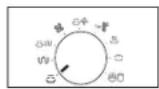
- Turn Mode Selector Dial to Microwave (mode position.
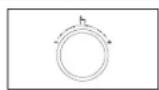
- Turn Multi Function Selector Dial to desired until the appropriate power level is displayed. At that time, press the Multi Function Selector Dial to set the power level.
-
Set the cooking time by turning the Multi Function Selector Dial.
-
Press Start/+30s (按钮)
Result: Cooking starts.
- When cooking has finished, the oven will beep and flash "0" 4 times.
The oven will then beep one time per minute.

I want to add an extra 30 seconds.
Leave the food in the oven.
Press Start/+30s (按钮 one or more times for each extra 30 seconds that you wish to add.
English - 11




I want to Power defrost some food.
- Press the Power Defrost button.
- Set the cooking category by turning the Multi Function Selector Dial. Press Multi Function Selector Dial to set desired.
- Select the weight by turning the Multi Function Selector Dial as required.
- Press Start/+30s (k) button.
Result: Defrosting starts.
When cooking has finished, the oven will beep and flash "0" 4 times. The oven will then beep one time per
oven features
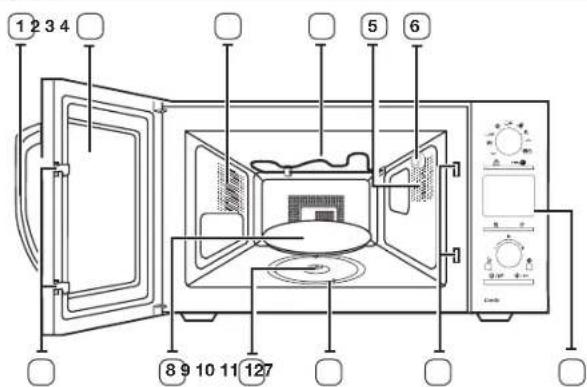
OVEN
- DOOR HANDLE
- DOOR
- VENTILATION HOLES
- HEATING ELEMENT
-
LIGHT
6.WATER BOWL HOLDER -
DOOR LATCHES
- TURNTABLE
- COUPLER
- ROLLER RING
- SAFETY INTERLOCK HOLES
- CONTROL PANEL




CONTROL PANEL
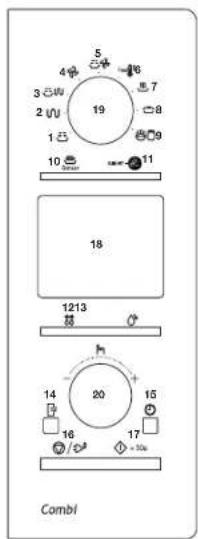
- MICROWAVE MODE
- GRILL MODE
- MICROWAVE+GRILL MODE
- CONVECTION MODE
- MICROWAVE+CONVECTION MODE
- FAST PREHEAT MODE
7.AUTO REHEAT FEATURE MODE
8.AUTO COOK MODE -
FERMENTATION (DOUGH + YOGURT) FEATURE MODE
-
SENSOR COOK BUTTON
-
SLIM FRY BUTTON
-
POWER DEFROST BUTTON
-
STEAM CLEAN BUTTON
-
DEODORIZE BUTTON
-
CLOCK BUTTON
-
STOP/CANCEL/ECO BUTTON
-
START/+30S BUTTON
18.DISPLAY
-
MODE SELECTOR DIAL
-
MULTI FUNCTION SELECTOR DIAL
ACCESSIONS
Depending on the model that you have purchased, you are supplied with several accessories that can be used in a variety of ways.
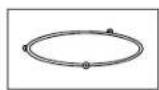
- Roller ring, to be placed in the center of the oven
Purpose: The roller ring supports the turntable.
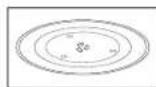
- Turntable, to be placed on the roller ring with the center fitting on to the coupler.
Purpose: The turntable serves as the main cooking surface; it can be easily removed for cleaning.
- High rack, Low rack, to be placed on the turntable.
Purpose: The metal racks can be used to cook two dishes at the same time. A small dish may be placed on the turntable and a second dish on the rack. The metal racks can be used in grill, convection and combination cooking.
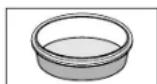
- Clean water bowl, to be placed at the right side of the oven.
Purpose: The water bowl can be used to clean.

DO NOT operate the microwave oven without the roller ring and turntable.
- Crusty plate, to be placed on the turntable.
Purpose: The crusty plate is used to brown bottom of food by using the microwave or grill combination cooking modes and to keep pastry and pizza dough crispy.
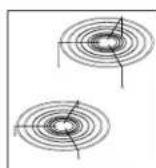
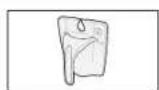
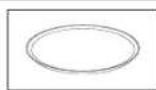




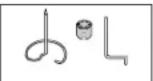
- Roasting spit, coupler barbecue and Skewer to be placed in the glass bowl.
Purpose: The roasting spit is a convenient of barbecuing a chicken, as the meat does not have to be turned over. It can be used for grill combination cooking.
- Glass bowl, to be placed on the tumtable.
Purpose: Roasting stand is placed on the glass bowl.
oven use
Microwaves are high-frequency electromagnetic waves; the energy released enables food to be cooked or reheated without changing either the form or the colour.
You can use your microwave oven to:
Defrost
Reheat
Cook
Cooking principle.
- The microwaves generated by the magnetron reflected at cavity and are distributed uniformly as the food rotates on the turntable. The food is thus cooked evenly.
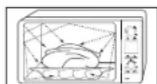
- The microwaves are absorbed by the food up to a depth of about 1 inch (2.5cm) . Cooking then continues as the heat is dissipated within the food.
- Cooking times vary according to the container used and the properties of the food:
Quantity and density
Water content
- Initial temperature (refrigerated or not)
As the centre of the food is cooked by heat dissipation, cooking continues even when you have taken the food out of the oven. Standing times specified in recipes and in this booklet must therefore be respected to ensure:
Even cooking of the food right to the centre The same temperature throughout the food.
CHECKING THAT YOUR OVEN IS OPERATING CORRECTLY
The following simple procedure enables you to check that your oven is working correctly at all times. If you are in doubt, refer to the section entitled "Troubleshooting" on the 43 page.
The oven must be plugged into an appropriate wall socket. The turntable must be in position in the oven. If a power level other than the maximum (100% - 900 W) is used, the water takes longer to boil.
Open the oven door by pulling the handle on the right side of the door. Place a glass of water on the tumtable. Close the door.
Press the Start/+30s button and set the time to 4 or 5 minutes, by pressing the Start/+30s button the appropriate number of times.
Result: The oven heats the water for 4 or 5 minutes. The water should then be boiling
SETTING THE TIME
Your microwave oven has an inbuilt clock. When power is supplied, "0", "88:88" or "12:00" is automatically displayed on the display. Please set the current time. The time can be displayed in either the 24-hour or 12-hour notation. You must set the clock:
- When you first install your microwave oven
After a power failure
Do not forget to reset the clock when you switch to and from summer and winter time.




Auto energy saving function
If you do not select any function when appliance is in the middle of setting or operating with temporary stop condition, function is canceled and clock will be displayed after 25 minutes. Oven Lamp will be turned off after 5 minutes with door open condition.
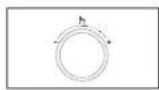
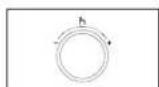
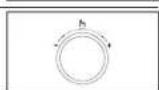
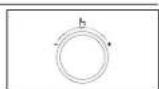
- Press the Clock (C) button.
- Turn the Multi Function Selector Dial to set time display type. (12 H or 24 H)
- Press the Multi Function Selector Dial to complete the setup.
- Turn the Multi Function Selector Dial to set the hour.
- Press the Multi Function Selector Dial.
- Tum the Multi Function Selector Dial to set the minute.
- When the right time is displayed, press the Multi Function Selector Dial to start the clock. Result: The time is displayed whenever you are not using the microwave oven.
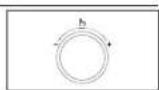
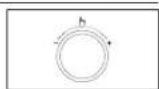
COOKING/REHEATING
The following procedure explains how to cook or reheat food.
ALWAYS check your cooking settings before leaving the oven unattended.
Open the door. Place the food in the centre of the tumtable. Close the door. Never switch the microwave oven on when it is empty.
- Tum Mode Selector Dial to Microwave mode position.
Result: The following indications are displayed:
(microwavemode)
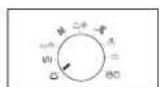
- Tum Multi Function Selector Dial to desired until the appropriate power level is displayed. At that time press the Multi Function Selector Dial to set the power level.
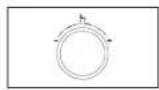
- Set the cooking time by turning the Multi Function Selector Dial.
Result: The cooking time is displayed.
- Press the Start/+30s button.
Result: The oven light comes on and the turntable starts rotating. Cooking starts and when it has finished:
The oven beep and flash "0" 4 times.
The oven will then beep one time per minute.
If you would like to know the current Power Level of the oven cavity, press Multi Function Selector Dial once. If you would like to change the power level during cooking, turn the Multi Function Selector Dial.
Quick Start:
If you wish to heat a dish for a short period of time at maximum power (900 W), you can also simply press the Start/+30s (按钮 once for each 30 seconds of cooking time. The oven starts immediately.




POWER LEVELS AND TIME VARIATIONS
The power level function enables you to adapt the amount of energy dissipated and thus the time required to cook or reheat your food, according to its type and quantity. You can choose between six power levels.
| Power level Percentage Output | ||
| HIGH 100 % 900 W | ||
| MEDIUM HIGH | 67 % 600 W | |
| MEDIUM | 50 % 450 W | |
| MEDIUM LOW | 33 % 300 W | |
| DEFROST | 20 % 180 W | |
| LOW | 11 % 100 W | |
The cooking times given in recipes and in this booklet correspond to the specific power level indicated.
| If you select a... | Then the cooking time must be... |
| Higher power level | Decreased |
| Lower power level | Increased |
ADJUSTING THE COOKING TIME
You can increase the cooking time by pressing the +30s button once for each 30 seconds to be added.
- Check how cooking is progressing at any time simply by opening the door
- Increase the remaining cooking time
To increase the cooking time of your food, press the Start/+30s button once for each 30 seconds that you wish to add.
Example: To add three minutes, press the Start/+30s button six times.
STOPPING THE COOKING
You can stop cooking at any time so that you can:
Check the food
- Turn the food over or stir it
- Leave it to stand
To stop the cooking... Then...
| Temporarily Temporarily: Open the door or press the Stop button once. Result: Cooking stops. To resume cooking, close the door again and press the Start/+30s (按钮. |
| Completely Completely: Press the Stop button once. Result: Cooking stops. If you wish to cancel the cooking settings, press the Stop/Eco (按钮 again. |
SETTING THE ENERGY SAVE MODE
The oven has an energy save mode.
- Press the Energy Save ( ) button. Result : Display off.
To remove energy save mode, open the door or press the Energy Save button and then display shows current time. The oven is ready for use.
USING THE AUTO COOK FEATURE
The 10 Auto Cook features include/provide pre-programmed cooking times. You do not need to set either the cooking times or the power level. You can adjust the size of the serving by turning the Dial knob.
Use only recipients that are microwave-safe.
Open the door. Place the food in the centre of the turntable. Close the door.
- Turn Mode Selector Dial to Auto Cook mode position.
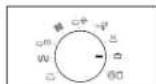




- Select the type of food that you are cooking by turning the Multi Function Selector Dial. Refer to the table on the following page for a description of the various pre-programmed settings. At that time, press the Multi Function Selector Dial to select t
- Select the size of the serving by turning the Multi Function Selector Dial.
- Press the Start/+30s (b) button.
Result: The food is cooked according to the preprogrammed setting selected.
- When cocking has finished, the oven will beep and flash "0" 4 times. The oven will then beep one time per minute.
USING THE AUTO COOK PROGRAMMES
| The following table presents 10 Auto Cook Programmes, quantities, standing times and appropriate recommendations. Programmes no 1 to 4 are running with microwave energy only. Programmes no 5 to 6 are running with a combination of microwaves and grill. Programmes no 7 to 8 are running with a combination of microwaves and convection. Programme 9 to 10 are running with convection mode. Use oven gloves when taking out food. |
| Code | Food | Serving size (g) | Standing time (min.) | Recommendations |
| 1 | White Rice 150-200 | 200-250 | 5-10 Weigh parboiled white rice and add double quantity of cold water. For example: when cooking 0.25 kg rice, add 1/2 liter cold water. Use glass pyrex bowl with lid. Put bowl in the centre of turntable. Cook covered. | |
English - 17
| Code | Food | Serving size (g) | Standing time (min.) | Recommendations |
| 2 | Broccoli florets | 200-250 | 1-2 Weigh | the vegetables after washing, cleaning and cutting into similar size. Put them into a glass bowl with lid. Add 30 ml (2 tablespoons) water when cooking for 200-250 g, add 45 ml (3 tablespoons) for 300-450 g and add 60-75 ml (4-5 tablespoons) for 500-550 g. Stir after cooking. When cooking higher quantities stir once during cooking. |
| 300-350 | ||||
| 400-450 | ||||
| 500-550 | ||||
| 3 | Sliced Carrots | 100-150 | 1-2 Weigh | the vegetables after washing, cleaning and cutting into similar size. Put them into a glass bowl with lid. Add 30 ml (2 tablespoons) water when cooking for 200-250 g, add 45 ml (3 tablespoons) for 300-350 g. This programme is suitable for cauliflower |
| 200-250 | ||||
| 300-350 | ||||
| 4 | Peeled Potatoes | 300-350 | 3 Wash | and peel potatoes, cut into halves and put them into a glass bowl with lid. Add 15-30 ml of water (1-2 tablespoons). Stir after cooking. When cooking higher quantities stir once during cooking. |
| 400-450 | ||||
| 500-550 | ||||
| 600-650 | ||||
| 5 | Jacket Potatoes | 200 | 5 Use | oven potatoes with a size of 200 g each. Pierce skin and set on the turntable. |
| 400 | ||||
| 600 |




| Code | Food | Serving size (g) | Standing time (min.) | Recommendations |
| 6 Roast Fish | 200-300 (1)400-500 (2) | 3 Brush | skin of whole fish with oil and add herbs and spices. Put fish side by side, head to tail on the high rack. Turnover, as soon as the beep sounds. | |
| 7 Fish Fillet | 200-300400-500 | 2 Put fish fillets, such as salmon evenly on the high rack. Turnover, as soon as the beep sounds. | ||
| 8 Roast Beef/ Roast Lamb | 1000-11001200-1300 | 10-15 First, start programme. It will be indicate on the display as "HEAT", oven is preheating. And then put dough into a round black metal baking tin, using baking paper on the bottom(diameter 26 cm). After beep sounds insert tin on the low rack. | ||
| 9 Sponge Cake | 450-550 10 | First, start programme. It will be indicate on the display as "HEAT", oven is preheating. And then put dough into a round black metal baking tin, using baking paper on the bottom(diameter 26 cm). After beep sounds insert tin on the low rack. | ||
| 10 Muffins | 250-300 - First, start programme. It will be indicate on the display as "HEAT", oven is preheating. And then pour dough into 6-8 paper or silicone cups for muffins and set on the low rack. After beep sounds insert rack. |
USING THE AUTO REHEAT FEATURE
The 6 Auto Reheat features provide four pre-programmed cooking times. You do not need to set either the cooking times or the power level. You can adjust the size of the serving by turning the Dial knob.

Use only recipients that are microwave-safe.
Open the door. Place the food in the centre of the turntable. Close the door.
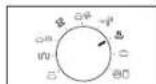
- Tum Mode Selector Dial to Auto Reheat (mode position.
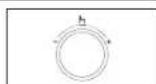
- Select the type of food that you are cooking by turning the Multi Function Selector Dial. Refer to the table on the following page for a description of the various pre-programmed settings. At that time, press the Multi Function Selector Dial to select it
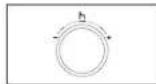
- Select the size of the serving by tuming the Multi Function Selector Dial.
- Press the Start/+30s (按钮
Result: The food is cooked according to the preprogrammed setting selected.
When cooking has finished, the oven will beep and flash "0" 4 times. The oven will then beep one time per minute.




USING THE AUTO REHEAT PROGRAMMES
The following table presents 6 Auto Reheat Programmes, quantities, standing times and appropriate recommendations. Programmes no 1 to 3 are running with microwave energy only. Programmes no 4 to 6 are running with a combination of microwaves, grill and convection.

Use oven gloves when taking out food.
| Code | Food | Serving size (g) | Standing time (min.) | Recommendations |
| 1 Ready-Meal(chilled) | 300-350400-450 | 2-3 Put | on a ceramic plate and cover with microwave cling film. This programme is suitable for meals consisting of 3 components (e.g. meat with sauce, vegetables and a side dish like potatoes, rice or pasta). | |
| 2 Soup(chilled) | 200-250300-350400-450 | 2-3 Pour | into a deep ceramic soup plate or bowl and cover with plastic lid during heating. Stir carefully before and after standing time. | |
| 3 MiniRavioli(chilled) | 200-250300-350 | 3 Put | chilled ready mini ravioli in a microwave proof plastic dish in the centre of turntable. Pierce film of ready product or cover plastic dish with microwave cling film. Stir carefully before and after standing time. This programme is suitable for ravioli, as well as for noodles in sauce. |
| Code | Food | Serving size (g) | Standing time (min.) | Recommendations |
| 4 | Frozen Pizza Snacks | 100-150 | - Put frozen pizza snacks on the low rack. | |
| 250-300 | ||||
| 5 | Frozen Chicken Wings | 200-250 | 2 Put tthe frozen ready chicken wings or small drumsticks (pre-cooked and spiced) on the high metal rack with the skin-side down. Put them in a circle and leave the centre clear. Turnover, as soon as the oven beeps. | |
| 300-350 | ||||
| 400-450 | ||||
| 6 | Frozen Bread Rolls | 100-150 | 3-5 We recommend to preheat the oven to 180 °C for 5 minutes using the convection function. Put 2 to 6 frozen bread rolls (-18 °C) in a circle on the low rack. This program is suitable for small frozen bakery products as bread rolls, ciabatta rolls and small baguettes. | |
| (2 pcs) | ||||
| 200-250 | ||||
| (4 pcs) | ||||
| 300-350 | ||||
| (6 pcs) |
English - 19



USING THE SLIM FRY COOK FEATURE
The 10 Slim Fry cook features include/provide pre-programmed cooking times. You do not need to set either the cooking times or the power level. You can adjust the slim fry cook category by press the slim fry button. First, place the food in the center of the tumtable and close the door.
ALWAYS use microwave-safe and oven-proof cookware. Glass or ceramic dishes are ideal as they allow the microwaves to penetrate the food evenly. ALWAYS use oven gloves when touching the recipients in the oven, as they will be very hot.
1. Press the SLIM FRY button.
2. Select the type of food that you are cooking by turning the Multi Function Selector Dial. Refer to the table on the following page for a description of the various pre-programmed settings. At that time, press the Multi Function Selector Dial to select th
3. Select the size of the serving by turning the Multi Function Selector Dial.
4. Press the Start/+30s button.
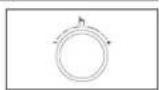
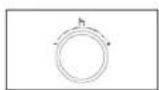
USING THE SLIM FRY PROGRAMMES
The following table presents the 10 Slim Fry auto programmes for frying. It contains its quantities, standing times and appropriate recommendations. You will use less oil compared to frying with oil fryer, while you will get tasty results. Programmes are running with a combination of convection, top heater and microwave energy.
| Code Food | Serving size (g) | Standing time (min.) | Recommendations |
| 1 Frozen Oven Chips | 300-350450-500 | -Distributefrozen oven chipseverly on the crusty plate.Set plate on low rack.Turnover after beep sounds.Press start to continue.(The oven keeps operating if you do not turn over). | |
| 2 FrozenPrawns,Breaded** | 200-250300-350 | -Distributefrozenbreadedprawns evenly on the crusty plate.Set plate on low rack. | |
| 3 FrozenChickenNuggets** | 200-250350-400 | -Distributefrozen chickennuggets evenly on thecrusty plate.Set plate onlow rack.Turnover afterbeep sounds.Press start tocontinue.(The oven keepsoperating if you do not turn over). | |
| 4 FrozenPotatoCroquettes** | 200-250300-350 | -Distributefrozen potatocroquettes evenly on thecrusty plate.Set plate onlow rack. | |
| 5 Frozen MiniSpring Rolls** | 200-250350-400 | -Distributefrozen mini springrolls evenly on the crustyplate.Set plate on low rack. |
English - 20




| Code | Food | Serving size (g) | Standing time (min.) | Recommendations |
| 6 | Homemade French Fries | 300-350450-500 | 1-2 | Recommendations Preheat the oven up to 200 °C using the fast preheat function.Use hard to medium type of potatoes and wash them.Peel potatoes and cut into sticks with a thickness of 10x10 mm. Soak in cold water (for 30 min.).Dry them with a towel, weigh them and brush with 5 g olive oil. Distribute homemade fries evenly on the crusty plate. Set plate on low rack. Turnover after beep sounds. Press start to continue. (The oven keeps operating if you do not turn over). |
| 7 | Potato Wedges | 200-250300-350400-450 | 1-2 | Wash normal sized potatoes and cut them into wedges. Brush with olive oil and spices. Put them with the cut side on the crusty plate. Set plate on low rack. |
| 8 | Drumsticks | 200-250300-350400-450 | 1-2 | Weigh drumsticks and brush with oil and spices. Place them evenly on the crusty plate. Set plate on the low rack. Turnover after beep sounds, oven will stop process. Press start to continue. |
| Code | Food | Serving size (g) | Standing time (min.) | Recommendations |
| 9 Sliced Courgette | 100-150200-250 | - | - | Rinse and slice courgettes.Brush with 5 g olive oil and add spices. Put slices evenly on the crusty plate and set plate on high rack.Turnover after beep sounds.Press start to continue. (The oven keeps operating if you do not turn over). |
| 10 Apple Halves 300 | 350400-450 | - | - | Rinse and core apples(each 150 gi). Cut them into halves horizontally. Put halves with the cut side down on the crusty plate, add filling e.g. raisins or grated almonds. Put plate on low rack. After cooking serve with vanilla ice cream. |
03OVENUSE
( x - 1) ( x + 3) = 0
English - 21




FAST PREHEATING THE OVEN
For convection cooking, it is recommended that you preheat the oven to the appropriate temperature before placing the food in the oven. When the oven reaches the requested temperature, it is maintained for approximately 10 minutes; it is then switched off automatically.
Check that the heating element is in the correct position for type of cooking that you require.
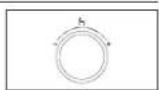
- Turn Mode Selector Dial to Fast Preheat (mode position.
Result: The following indications are displayed:
200 °C (temperature)
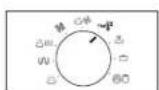
- Set the temperature by turning the Multi Function Selector Dial.
(Temperature:200,180,160,140,100,40°C)
- Press the Start/+30s button.
Result: The oven is preheated to the requested temperature.
Upon arrival at the preset temperature, the oven beeps 6 times and the temperature is kept for 10 minutes.
- After 10 minutes, the beeps 4 times and the operation stops.
In case the inner temperature has reached the preset temperature, the beeps 6 times when temperature and the preset temperature is kept for 10 minutes.
USING THE POWER DEFROST FEATURE
The Power Defrost (feature enables you to defrost meat, poultry, fish, bread, cake and fruit. The defrost time and power level are set automatically. You simply select the programme and the weight.
Use only containers that are microwave-safe.
Open the door. Place the frozen food on a ceramic in the centre of the turntable. Close the door.
- Press the Power Defrost button.
- Select the type of food that you are cooking by turning the Multi Function Selector Dial. Refer to the table on the following page for a description of the various pre-programmed settings. At that time, press the Multi Function Selector Dial to select it
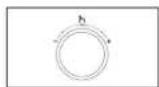
- Select the size of the serving by tuming the Multi Function Selector Dial.
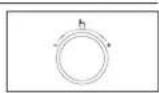
- Press Start/+30s (按钮)
Result:
Defrosting begins.
The oven beeps through defrosting to remind you to turn the food over.
- Press the Start/+30s ( again to finish defrosting.
Result: When cooking has finished, the oven will beep and flash "0" 4 times. The oven will then beep one time per minute.




USING THE POWER DEFROST PROGRAMMES
The following table presents the various Power Defrost (®) programmes, quantities, standing times and appropriate recommendations. Remove all kind of package material before defrosting. Place meat, poultry and fish on a flat glass plate or on a ceramic plate, arrange bread and cake on kitchen paper.
| Code Food | Serving size (g) | Standing time (min.) | Recommendations |
| 1 Meat | 200-1500 | 20-90 | Shield the edges with aluminium foil. Tum the meat over, when the oven beeps. This programme is suitable for beef, lamb, pork, steaks, chops, minced meat. |
| 2 Poultry | 200-1500 | 20-90 | Shield the leg and wing tips with aluminium foil. Tum the poultry over, when the oven beeps. This programme is suitable for whole chicken as well as for chicken portions. |
| 3 Fish | 200-1500 | 20-80 | Shield the tail of a whole fish with aluminium foil. Tum the fish over, when the oven beeps. This programme is suitable for whole fishes as well as for fish fillets. |
| Code Food | Serving size (g) | Standing time (min.) | Recommendations |
| 4 Bread/ Cake | 125-1000 | 10-60 | Put bread horizontally on a piece of kitchen paper and turn over, as soon as the oven beeps. Place cake on a ceramic plate and if possible, turn over, as soon as the oven beeps. (Oven keeps operating and is stopped, when you open the door.) This programme is suitable for all kinds of bread, sliced or whole, as well as for bread rolls and baguettes. Arrange bread rolls in a circle. This programme is suitable for all kinds of yeast cake, biscuit, cheese cake and puff pastry. It is not suitable for short/crust pastry, fruit and cream cakes as well as for cake with chocolate topping. |
| 5 Fruit | 100-600 5 | 20 Spread | fruits evenly into a flat glass dish. This programme is suitable for all kind of fruits. |
English - 23



USING THE AUTO FERMENTATION FEATURE
The 5 fermentation features include/provide pre-programmed cooking times. You do not need to set either the cooking times or the power level. You can adjust the auto fermentation category by press the fermentation button. First, place the food in the center of the turntable and close the door.
- Tum Mode Selector Dial to Auto Fermentation (mode position.
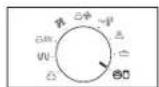
- Select the type of food that you are cooking by turning the Multi Function Selector Dial. Refer to the table on the following page for a description of the carious pre-programmed settings. At that time, press the Multi Function Selector Dial to select th
- Press the Start/+30s (按钮)
USING THE AUTO FERMENTATION PROGRAMMES
The following table presents how to use the auto programme for rising yeast dough or preparing yogurt.
| Code Food | Serving size (g) | Standing time | Recommendations | ||
| Dough Proof | 1-1F | izza dough | 300-500 | Put dough | in suitable sized bowl and set on the low rack. Cover with cling film. |
| 1-2C | ake dough | 500-800 | Put dough | in suitable sized bowl and set on the low rack. Cover with cling film. | |
| 1-3E | read dough | 600-900 | Put dough | in suitable sized bowl and set on the low rack. Cover with cling film. | |
| Homemade Yogurt | 2-1S | small dishes | 500 6 hours in fridge | Distribute 150 g yogurt into 5 ceramic cups or small glass jars evenly (30 g each). Add 100 ml milk into each cup. Use long-life milk (room-temperature; 3.5% fat). Cover each with cling film and set in a circle on turntable. | |
| 2-2L | large bowl | 500 6 hours in fridge | Mix 150 g natural yogurt with 500 ml long-life milk (room-temperature; 3.5% fat). Pour evenly into large glass bowl. Cover with cling film and set on turntable. | ||



USING THE SENSOR COOK FEATURE
The 8 Sensor Cook ( features include/provide pre-programmed cooking times.
You do not need to set either the cooking times or the power level.
You can adjust the Sensor Cook category by tuming the dial knob.
First, place the food in the center of the turntable and close the door.
Use only dishes that are microwave-safe.
- Press the Sensor Cook button.
- Select the type of food that you are cooking by turning the Multi Function Selector Dial. Refer to the table on the following page for a description of the various pre-programmed settings. At that time, press the Multi Function Selector Dial to select the type of food.
- Press the Start/+30s button.
Result: Cooking starts. When it has finished.
1) The oven beeps 4 times.
2) The end reminder signal will beep 3 times (once every minute).
3) The current time is displayed again.
Use only recipients that are microwave-safe.
If the inside temperature is over the 60 °C, Display shows "hot" and cooling fan will operate for 3 minutes. You can't use sensor cook button. Temporarily until oven get cool to a desired temperature for sensor safe mode.
If the door is opened or press the Stop button during this operation, "E-15" will be displayed. At that time, press the Stop button one more, "E-15" will disappear.
USING THE SENSOR COOK PROGRAMMES
The following table presents 8 Sensor Cook Programmes. It contains its recommended weight range per item, standing times after cooking and appropriate recommendations. After you start the programme cooking times and power levels are calculated automatically. The cooking process is controlled by the sensor system for your convenience. Use oven gloves while taking out!
| Code Food Serving | size | Standing time (min.) | Recommendations |
| 1 Drinks (coffee, milk, tea, water with room temperature) | 150-250 g (1 cup or 1 mug) | 1-2 Pour | the liquid (room-temperature) into ceramic cup or mug. Reheat uncovered. Place in the centre of turntable. Leave them to stand in the oven. Stir drinks before and after standing time. Be careful while taking the cup out (see safety instructions for liquids). |
| 2 Broccoli florets | 200-500 g | 1-2 Rinse and clean fresh vegetables, such as broccoli and prepare florets. Put them evenly into a glass bowl with lid. Add 30-45 ml water (2-3 tablespoons). Put bowl in the centre of turntable. Cook covered. Stir after cooking. This programme is suitable for broccoli as well as sliced courgette, egg plant, pumpkin or pepper. | |



| Code | Food Serving | size | Standing time (min.) | Recommendations |
| 3 Sliced carrots 200- | 500 g 1-2 Rinse and clean | fresh vegetables, such as carrots and cut into round slices evenly. Put them into a glass bowl with lid.Add 30-45 ml water (2-3 tablespoons), Put bowl in the centre of turntable.Cook covered. Stir after cooking. This programme is suitable for sliced carrots as well as cauliflower florets or turnip cabbage. | ||
| 4 Jacket potatoes | 200-800 g | 2-3 Rinse and clean potatoes, each 200 g. Brush with olive oil and pierce skin with a fork. Put in a circle on the low rack. Set rack on turntable. | ||
| 5 Frozen pizza 300-5 | 30 g - Put frozen pizza on | the low rack. | ||
| 6 Frozen lasagna | 400-600 g | 3-4 Put frozen lasagne into a suitable sized ovenproof dish. Set dish on low rack. | ||
| 7 Chicken pieces | 400-700 g | 2-3 Brush chilled chicken pieces with oil and spices. Put skin-side down on the low rack. Turnover, as soon as the oven beeps. Push start button to continue process. | ||
| Code | Food Serving | size | Standing time (min.) | Recommendations |
| 8 Roast chicken 1.0 | 1.2 kg 4-5 | Brush chilled | chicken with oil and spices. Put breast-side down, in the middle of the low rack. Turnover, as soon as the oven beeps. Push start to continue process. |
Auto sensor cooking instructions
The Auto Sensor allows you to cook your food automatically by detecting the amount of gases generated from the food while cooking.
- When cooking food, many kinds of gases are generated.
The Auto Sensor determines the proper time and power level by detecting these gases from the food, eliminating the need to set the cooking time and power level.
- When you cover a container with its lid or plastic wrap during Sensor Cooking, the Auto Sensor will detect the gases generated after the container has been saturated with steam.
- Shortly before cooking ends, the remaining cooking time will begin its count down. This will be a good time for you to rotate or stir the food for even cooking if it is necessary.
- Before auto sensor cooking food may be seasoned with herbs, spices or browning sauces. A word of caution though, salt or sugar may cause burn spots on food so these ingredients should be added after cooking.




Utensils & Cover for sensor cooking
- To obtain good cooking results with this function, follow the directions for selecting appropriate containers and covers in the charts in this book.
- Always use microwave-safe containers and cover them with their lids or with plastic wrap. When using plastic wrap, turn back one corner to allow steam to escape at the proper rate.
Always cover with the lid intended for the utensil being used. If the utensil does not have its own lid, use plastic wrap. - Fill containers at least half full.
- Foods that require stirring or rotating should be stirred or turned toward the end of the Sensor Cook cycle, after the time has started to count down on the display.
Important
- After installing the oven and plugging into an electrical outlet, do not unplug the power cord. The gas sensor needs time to stabilize in order to cook satisfactorily.
- It is not advisable to use the auto sensor cooking feature on a continuous cooking operation, i.e. one cooking operation immediately after another.
- Install the oven in a well ventilated location for proper cooling and airflow and to ensure the sensor will operate accurately.
- To avoid poor results, do not use the Auto sensor when the room ambient temperature is too high or too low.
- Do not use volatile detergent to clean your oven. Gas resulting from this detergent may affect the sensor.
- Avoid placing the oven near high moisture or gas emitting appliances, since this will interfere with the proper performance of the Auto Sensor.
Always keep the inside of the oven clean. Wipe all spills with a damp cloth. This oven is designed for household use only.
COOKING BY CONVECTION
The convection mode enables you to cook food in the same way as in a traditional oven. The microwave mode is not used. You can set the temperature, as required, in a range varying from 40^ to 200^ in 6 preset levels. The maximum cooking time is 90 minutes.
If you wish to Fast Preheat the oven, see page 22.
Always use oven gloves when touching the recipients in the oven, as they will be very hot.
- You can get better cooking and browning, if you use the low rack. Check that the heating element is in the horizontal position and that the turntable is in position. Open the door and place the recipient on the low rack and set on turntable.
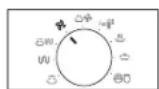
- Turn Mode Selector Dial to Convection mode position.
Result: The following indications are displayed:
200°C
(convection mode)
(temperature)
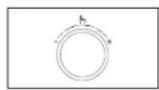
- turning the Multi Function Selector Dial to set the temperature. At that time, press the Multi Function Selector Dial to select temperature. (Temperature: 200, 180, 160, 140, 100, 40 °C)
- Set the cooking time by turning the Multi Function Selector Dial.
- Press the Start/+30s (按钮。
Result: Cooking starts:
- When cooking has finished, the oven will beep and flash "0" 4 times.
The oven will then beep one time per minute.





GRILLING
The grill enables you to heat and brown food quickly, without using microwaves.
Always use oven gloves when touching the recipients in the oven, as they will be very hot.
- You can get better cooking and grilling results, if you use the high rack.
- Open the door and place the food on the rack.
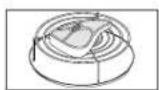
- Tum Mode Selector Dial to Grill (n) mode position.
Result: The following indications are displayed:
U (grill mode)
-
You cannot set the temperature of the grill.
-
Set the grilling time by turning the Multi Function Selector Dial.
The maximum grilling time is 60 minutes.
- Press the Start/+30s (f) button.
Result: Grilling starts.
- Whon cooking has finished, the oven will beep and flash "0" 4 times. The oven will then beep one time per
COMBINING MICROWAVES AND THE GRILL
You can also combine microwave cooking with the grill, to cook quickly and brown at the same time.
ALWAYS use microwave-safe and oven-proof cookware. Glass or ceramic dishes are ideal as they allow the microwaves to penetrate the food evenly.
ALWAYS use oven gloves when touching the recipients in the oven, as they will be very hot.
You can improve cooking and grilling, if you use the high rack.
Open the door. Place the food on the rack best suited to the type of food to be cooked. Place the rack on the turntable. Close the door.
- Turn Mode Selector Dial to Microwave+Grill (
mode position.
Result: The following indications are displayed:
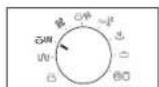
( microwave & grill combi mode)
- Set the cooking time by turning the Multi Function Selector Dial.
The maximum cooking time is 60 minutes.
- Press the Start/+30s (按钮
Result:
Combination cooking starts.
- When cooking has finished, the
oven will beep and flash "0" 4 times. The oven will then beep one time per minute.




COMBINING MICROWAVES AND CONVECTION
Combination cooking uses both microwave energy and convection heating. No preheating is required as the microwave energy is immediately available. Many foods can be cooked in combination mode, particularly:
Roast meats and poultry
Pies and cakes
- Egg and cheese dishes
ALWAYS use microwave-safe and oven-proof cookware. Glass or ceramic dishes are ideal as they allow the microwaves to penetrate the food evenly.
ALWAYS use oven gloves when touching the recipients in the oven, as they will be very hot.
You can get better cooking and browning, if you use the low rack.
Open the door. Place the food on the turntable or on the low rack which should then be placed on the turntable. Close the door. The heating element must be in the horizontal position.
- Turn Mode Selector Dial to
Microwave+Convection (mode position.
Result: The following indications are displayed:
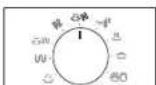

(microwave & convection combi mode)
200 °C (temperature)
- Select the temperature by turning the Multi
Function Selector Dial. (Temperature:200, 180, 160, 140, 100, 40^ ) At that time, press the Multi Function Selector Dial to select temperature.
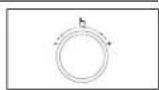
- Set the cooking time by turning the Multi Function Selector Dial.
The maximum cooking time is 60 minutes.
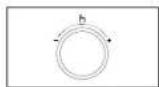
- Press the Start/+30s (按钮。
Result:
Combination cooking starts.
The oven is heated to the required temperature and then microwave cooking continues until the cooking time is over.
- When cooking has finished, the oven will beep and flash "0" 4 times. The oven will then beep one time per minute.
CHOOSING THE ACCESSORIES
Traditional convection cooking does require cookware. You should, however, use only cookware that you would use in your normal oven.
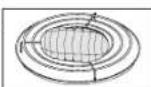
Microwave-safe containers are not usually suitable for convection cooking; don't use plastic containers, dishes, paper cups, towels, etc.
If you wish to select a combined cooking mode (microwave and grill or convection), use only recipients that are microwave-safe and oven-proof.
For further details on suitable cookware and utensils, refer to the Cookware Guide on page 32-33.




SPIT-ROASTING
The barbecue spit is useful for grilling, as you do not need to turn the meat over. It can be used for combined microwave and Convection cooking.

Make sure that the weight of the meat is evenly distributed on the spit and that the spit rotates evenly. Always use oven gloves when touching the recipients in the oven, as they will be very hot.
- Push the roasting spit through the centre of the meat.
Example: Push the spit between the backbone and breast of a chicken.
Place the spit on its upright on the glass bowl the glass bowl and the glass bowl onto the tumtable. To help brown the meat, brush it with and spices oil.
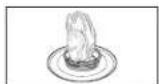
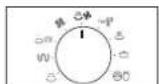
- Turn Mode Selector Dial to
Microwave+Convection (npde position.
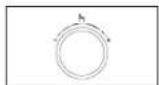
- Select the temperature by turning the Multi Function Selector Dial.
(Temperature:200,180,160,140,100,40°C) At that time, press the Multi Function Selector Dial to select temperature.
The maximum grilling time is 60 minutes.
- Press the Start/+30s (F) button.
Result: Cooking starts:
- When cooking has finished, the oven will beep and flash "0" four times. The oven will then beep or

When the meat has been fully cooked, carefully remove the spit, using oven gloves to protect your hands.
USING THE VERTICAL MULTI-SPIT
MULTI-SPIT FOR KEBAB
Using the multi-spit with 6 kebab skewers you can easily barbecue meat, poultry, fish, vegetables (like onions, peppers or courgettes) and fruit which have been cut into pieces.
You can prepare the above food with the kebab skewers by using convection or combination mode.
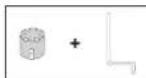
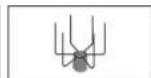
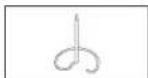
Coupler Kebab,
Skewer
Multi-Spot Barbecue Spit Glass Bowl
USE OF THE MULTI-SPIT WITH KEBAB SKEWERS
- For preparing kebabs with the multi-spit use the 6 skewers.
- Put the same amount of food on each skewer.
- Place the roasting-spit into the glass bowl and insert the multi-spit into it.
- Put the glass bowl with the multi-spit in the centre of the turntable.
Make sure that the grill heating element is in the right position at the back wall of the cavity and not at the top before starting the grilling process.
REMOVING THE MULTI-SPIT FROM THE OVEN AFTER GRILLING
- Use oven gloves for taking for glass bowl with the multi-spit out of the oven, because it will be very hot.
- Remove multi-spit out of the spit stand by using oven gloves as well.
- Carefully remove the skewers and use a fork for removing the food pieces from the skewers.
The multi-spit not suitable for cleaning in the dishwasher. Therefore clean it with warm water and washing up liquid by hand. Remove the vertical multi-spit from the oven, after use.




USING THE STEAM CLEANING
The steam provided by steam clean system will soak the cavity surface. After using steam clean function, you can easily clean the cavity of oven.

Use this function only after the oven has completely cooled. (Room temperature)

Use normal water only, and no distilled water.
- Open the door.
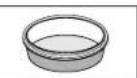
- Fill with water following guide line the water bowl.
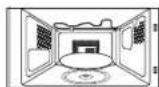
- Please attach the water bowl in right side of the oven.
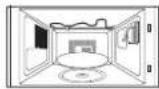
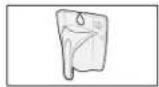
-
Close the door.
-
Press the Steam clean button. (Bulb does work during Steam cleaning time.)
- Open the door.
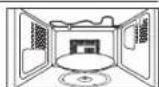
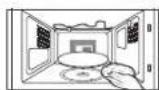
- Please clean cavity of oven with dried dishtowel. Remove the turntable and only under rack with kitchen paper.

Water Bowl only can be use during "Steam Clean" mode.
- When cooking non-liquid items, remove water bowl because it will damage and cause fire to the microwave oven.
USING THE CHILD LOCK FEATURE
Your microwave oven is fitted with a special child lock programme, which enables the oven to be "locked" so that children or anyone unfamiliar with it cannot operate it accidentally.
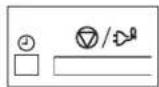
- Press the Clock (①) button and Stop/Cancel/Eco button for one second.
Result:
The oven is locked (no functions can be selected).
The display shows
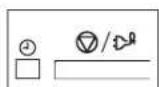
- To unlock the oven, press the Clock (按钮 and Stop/Cancel/Eco button for one second.
Result : The oven can be used normally.
USING THE DEODORIZE FEATURE
Use this feature after cooking odorous food or when there is a lot of smoke in the oven interior. First clean the oven interior.
Press the Deodorize button after you have finished cleaning. you will hear four beeps.
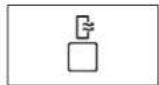
The deodorization time has been specified as 5 minutes.
You can also adjust Deodorize time by pressing the +30s button.
The maximum deodorization time is 15 minutes.
English - 31




SWITCHING THE BEEPER OFF
You can switch the beeper off whenever you want.
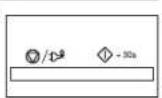
- Press the Start/+30s (O) and Stop/Cancel/Eco button at the same time (about two second). Result: The oven does not beep to indicate the end of a function.
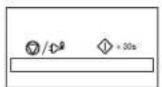
- To switch the beeper back on, press the Start/+30s (and Stop/Cancel/Eco) button again at the same time (about two seconds). Result: The oven operates normally.
cookware guide
To cook food in the microwave oven, the microwaves must be able to penetrate the food, without being reflected or absorbed by the dish used. Care must therefore be taken when choosing the cookware. If the cookware is marked microwave-safe, you do not need to worry. The following table lists various types of cookware and indicates whether and how they should be used in a microwave oven.
| Cookware Microwave-safe Comments | ||
| Aluminum foil | ✓x | Can be used in small quantities to protect areas against overcooking. Arcing can occur if the foil is too close to the oven wall or if too much foil is used. |
| Crusty plate | ✓ | Do not preheat for more than 8 minutes. |
| China and earthenware | ✓ | Porcelain, pottery, glazed earthenware and bone china are usually suitable, unless decorated with a metal trim. |
| Disposable polyester cardboard dishes | ✓ | Some frozen foods are packaged in these dishes. |
| Fast-food packaging | ||
| Cookware Microwave-safe Comments | ||
| ·Polystyrene cups containers | ✓ | Can be used to warm food. Overheating may cause the polystyrene to melt. |
| ·Paper bags or newspaper | × | May catch fire. |
| ·Recycled paper or metal trims | × | May cause arcing. |
| Glassware | ||
| ·Oven-to-tableware | ✓ | Can be used, unless decorated with a metal trim. |
| ·Fine glassware | ✓ | Can be used to warm foods or liquids. Delicate glass may break or crack if heated suddenly. |
| ·Glass jars | ✓ | Must remove the lid. Suitable for warming only. |
| Metal | ||
| ·Dishes | × | May cause arcing or fire. |
| ·Freezer bag twist tics | × | |
| Paper | ||
| ·Plates, cups, napkins and kitchen paper | ✓ | For short cooking times and warming. Also to absorb excess moisture. |
| ·Recycled paper | × | May cause arcing. |
| Plastic | ||
| ·Containers | ✓ | Particularly if heat-resistant thermoplastic. Some other plastics may warp or discolour at high temperatures. Do not use Melamine plastic. |



| Cookware Microwave-safe Comments | ||
| • Cling film | ✓ | Can be used to retain moisture. Should not touch the food. Take care when removing the film as hot steam will escape. |
| • Freezer bags | ✓× | Only if boilable or oven-proof. Should not be airtight. Prick with a fork, if necessary. |
| Wax or grease-proof paper | ✓ | Can be used to retain moisture and prevent spattering. |
cooking guide
MICROWAVES
Microwave energy actually penetrates food, attracted and absorbed by its water, fat and sugar content.
The microwaves cause the molecules in the food to move rapidly. The rapid movement of these molecules creates friction and the resulting heat cooks the food.
COOKING
Cookware for microwave cooking:
Cookware must allow microwave energy to pass through it for maximum efficiency. Microwaves are reflected by metal, such as stainless steel, aluminium and copper, but they can penetrate through ceramic, glass, porcelain and plastic as well as paper and wood. So food must never be cooked in metal containers.
Food suitable for microwave cooking:
Many kinds of food are suitable for microwave cooking, including fresh or frozen vegetables, fruit, pasta, rice, grains, beans, fish, and meat. Sauces, custard, soups, steamed puddings, preserves, and chutneys can also be cooked in a microwave oven. Generally speaking, microwave cooking is ideal for any food that would normally be prepared on a hob. Melting butter or chocolate, for example (see the chapter with tips, techniques and hints).
Covering during cooking
To cover the food during cooking is very important, as the evaporated water rises as steam and contributes to cooking process. Food can be covered in different ways: e.g. with a ceramic plate, plastic cover or microwave suitable cling film.
Standing times
After cooking is over food the standing time is important to allow the temperature to even out within the food.
English - 33




Cooking Guide for frozen vegetables
Use a suitable glass pyrex bowl with lid. Cook covered for the minimum time - see table. Continue cooking to get the result you prefer. Stir twice during cooking and once after cooking. Add salt, herbs or butter after cooking. Cover during standing time.
| Food Portion | on Power | Time (min.) | Standing time (min.) | Instructions | |
| Spinach 150 g | 600 W 5-6 | 2-3 Add 15 | ml (1 | tbsp. ) cold water. | |
| Broccoli 300 g | 600 W 8-9 | 2-3 Add 30 | ml (2 | tbsp. ) cold water. | |
| Peas 300 g | W 7-8 | 2-3 Add 15 ml | (1 | tbsp. ) cold water. | |
| Green beans 300 g | 600 W | 7½-8½ 2-3 | Add 30 ml | (2 | tbsp. ) cold water. |
| Mixed vegetables (carrots/peas/ corn) | 300 g | 600 W 7-8 | 2-3 Add 15 | ml (1 | tbsp. ) cold water. |
| Mixed vegetables (chinese style) | 300 g | 600 W 7½-8 | ½ 2-3 Add | 15 ml (1 | tbsp. ) cold water. |
Cooking Guide for fresh vegetables
Use a suitable glass pyrex bowl with lid. Add 30-45 ml cold water (2-3 tbsp.) for every 250 g unless another water quantity is recommended - see table. Cook covered for the minimum time - see table. Continue cooking to get the result you prefer. Stir once during and once after cooking. Add salt, herbs or butter after cooking. Cover during a standing time of 3 minutes.
Hint: Cut the fresh vegetables into even sized pieces. The smaller they are cut, the quicker they will cook. All fresh vegetables should be cooked using full microwave power (900 W).
| Food Portion | Time (min.) | Standing time (min.) | Instructions | |
| Broccoli 250 g | 500 g | 41½-57-8 | 3 Prepare even sized florets. Arrange the stems to the centre. | |
| Brussels sprouts | 250 g | 6-6½ | 3 Add 60-75 ml (5-6 tbsp.) water. | |
| Carrots | 250 g | 4½-5 | 3 Cut carrots into even sized slices. | |
| Cauliflower | 250 g | 5-5½ | 3 Prepare even sized florets. | |
| 500 g | 7½-8½ | Cut big florets into halves. Arrange stems to the centre. | ||
| Courgettes | 250 g | 4-4½ | 3 Cut courgettes into slices. Add 30 ml (2 tbsp.) water or a knob of butter. Cook until just tender. | |
| Egg plants | 250 g | 3½-4 | 3 Cut egg plants into small slices and sprinkle with 1 tablespoon lemon juice. | |
| Leeks | 250 g | 4-4½ | 3 Cut leeks into thick slices. | |



| Food Portion | Time (min.) | Standing time (min.) | Instructions | |
| Mushrooms | 125 g | 1 1/2-2 | 3 Prepare small whole or sliced mushrooms. Do not add any water. Sprinkle with lemon juice. Spice with salt and pepper. Drain before serving. | |
| 250 g | 2 1/2-3 | |||
| Onions 250 g | 5-5 1/2 3 Cut onions into slices or | halves. Add only 15 ml (1 tbsp.) water. | ||
| Pepper 250 g | 4 1/2-5 3 Cut pepper into small slices. | |||
| Potatoes 250 g | g | 4-5 | 3 Weigh the peeled potatoes and cut them into similar sized halves or quarters. | |
| 500 g | 7-8 | |||
| Turnip cabbage | 250 g 5 1/2-6 3 Cut turnip cabbage into small cubes. | |||
Cooking Guide for rice and pasta
Rice: Use a large glass pyrex bowl with lid - rice doubles in volume during cooking. Cook covered. After the cooking time is over, stir before standing time and salt or add herbs and butter. Remark: the rice may not have absorbed all water after the cooking time is finished.
Pasta: Use a large glass pyrex bowl. Add boiling water, a pinch of salt and stir well. Cook uncovered. Stir occasionally during and after cooking. Cover during standing time and drain thoroughly afterwards.
| Food Portion | Power | Time (min.) | Standing time (min.) | Instructions | |
| White rice (parboiled) | 250 g 900 W 15-16 | 5 Add 500 | ml cold | ||
| 375 g 17 | % - 18% Add 750 ml cold | ||||
| Brown rice (parboiled) | 250 g 900 W 20-21 | 5 Add 500 | ml cold | ||
| 375 g | 22-23 | ||||
| Mixed rice (rice + wild rice) | 250 g 900 W 16-17 | 5 Add 500 | ml cold | ||
| Mixed corn (rice + grain) | 250 g 900 W 17-18 | 5 Add 400 | ml cold | ||
| Pasta | 250 g 900 W 10-11 | 5 Add 1000 | ml hot |
English - 35



REHEATING
Your microwave oven will reheat food in a fraction of the time that conventional ovens hobs normally take.
Use the power levels and reheating times in the following chart as a guide. The times in the chart consider liquids with a room temperature of about +18 to +20^ or a chilled food with a temperature of about +5 to +7^ .
Arranging and covering
Avoid reheating large items such as joint of meat - they tend to overcook and dry out before the centre is piping hot. reheating small pieces will be more successful.
Power levels and stirring
Some foods can be reheated using 900 W power while others should be reheated using 600 W, 450 W or even 300 W.
Check the tables for guidance.
In general, it is better to reheat food using a lower power level, if the food is delicate, in large quantities, or if it is likely to heat up very quickly (minor pies, for example).
Stir well or turn food over during reheating for best results. When possible, stir again before serving.
Take particular care when heating liquids and baby foods. To prevent eruptive boiling of liquids and possible scalding, stir before, during and after heating. Keep them in the microwave oven during standing time.
We recommend putting a plastic spoon or glass stick into the liquids. Avoid overheating (and therefore spoiling) the food. It is preferable to underestimate cooking time and add extra heating time, if necessary.
Heating and standing times
When reheating food for the first time, it is helpful to make a note of the time taken - for future reference.
Always make sure that the reheated food is piping hot throughout.
Allow food to stand for a short time after reheating - to let the temperature even out.
The recommended standing time after reheating is 2-4 minutes, unless another time is recommended in the chart.
Take particular care when heating liquids and baby food. See also the chapter with the safety precautions.
REHEATING LIQUIDS
Always allow a standing time of at least 20 seconds after the oven has been switched off to allow the temperature to even out. Stir during heating, if necessary, and ALWAYS stir after heating. To prevent eruptive boiling and possible scalding, you should put a spoon or glass stick into the beverages and stir before, during and after heating.
REHEATING BABY FOOD
BABY FOOD:
Empty into a deep ceramic plate. Cover with plastic lid. Stir well after reheating! Let stand for 2-3 minutes before serving. Stir again and check the temperature. Recommended serving temperature: between 30 - 40^
BABY MILK:
Pour milk into a sterilised glass bottle. Reheat uncovered. Never heat a baby's bottle with teat on, as the bottle may explode if overheated. Shake well before standing time and again before serving! Always carefully check the temperature of baby milk or food before giving it to the baby. Recommended serving temperature: ca. 37^ .
REMARK:
Baby food particularly needs to be checked carefully before serving to prevent burns. Use the power levels and times in the next table as a guide lines for reheating.
Reheating Liquids and Food
Use the power levels and times in this table as a guide lines for reheating.




| Food Portion Power | Time (min.) | Standing time (min.) | Instructions | |
| Drinks (coffee, tea and water) | 150 ml (1 cup) | 900 W | 1-1½ 1-2 Pour into cups | and |
| 300 ml (2 cups) | 2-2½ | |||
| 450 ml (3 cups) | 3-3½ | |||
| 600 ml (4 cups) | 3½-4 | |||
| Soup (chilled) | 250 g | 900 W | 2½-3 | 2-3 Pour into a deep ceramic plate or deep ceramic bowl. Cover with plastic lid. Stir well after reheating. Stir again before serving. |
| 350 g | 3-3½ | |||
| 450 g | 3½-4 | |||
| 550 g | 4½-5 | |||
| Stew (chilled) | 350 g | 600 W | 5½ 2-3 Put stew in a | deep ceramic plate. Cover with plastic lid. Stir occasionally during reheating and again before standing and serving. |
| Pasta with sauce (chilled) | 350 g | 600 W | 3½-4 3 Put pasta (e.g. | spaghetti or egg noodles) on a flat ceramic plate. Cover with microwave cling film. Stir before serving. |
| Food Portion | Power | Time (min.) | Standing time (min.) | Instructions | |
| Filled pasta with sauce (chilled) | 350 g | 600 W 4-5 | 3 Put filled pasta | (e.g. ravioli, tortellini) in a deep ceramic plate. Cover with plastic lid. Stir occasionally during reheating and again before standing and serving. | |
| Plated meal (chilled) | 350 g | 600 W | 41/2-51/2 | 3 Plate | a meal of 2-3 chilled components on a ceramic dish. Cover with microwave cling-film. |
| 450 g | 51/2-61/2 | ||||
| 550 g | 61/2-71/2 | ||||
| Cheese fondue ready-to-serve (chilled) | 400 g | 600 W 6-7 | -2 Put the | ready- | to-serve cheese fondue in a suitable sized glass pyrex bowl with lid. Stir occasionally during and after reheating. Stir well before serving. |
05 COOKING GUIDE


English - 37



Reheating Baby Food and Milk
Use the power levels and times in this table as guide lines for reheating.
| Food Portion Power | Time | Standing time (min.) | Instructions | |
| Baby food (vegetables + meat) | 190 g 600 W 30 sec. 2-3 Empty into ceramic deep plate. Cook covered. Stir after cooking time. Stand for 2-3 minutes. Before serving, stir well and check the temperature carefully. | |||
| Baby porridge (grain + milk + fruit) | 190 g 600 W 20 sec. 2-3 Empty into ceramic deep plate. Cook covered. Stir after cooking time. Stand for 2-3 minutes. Before serving, stir well and check the temperature carefully. | |||
| Baby milk 100 ml 300 W 200 ml 1 min. to | 30-40 sec. 2-3 Stir or 1 min. 10 sec. | shake well and pour into a sterilized glass bottle. Place into the centre of turntable. Cook uncovered. Shake well and stand for at least 3 minutes. Before serving, shake well and check the temperature carefully. | ||
DEFROSTING
Microwaves are an excellent way of defrosting frozen food. Microwaves gently defrost frozen food in a short period of time. This can be of great advantage, if unexpected guests suddenly show up.
Frozen poultry must be thoroughly thawed before cooking. Remove any metal ties and take it out of any wrapping to allow thawed liquid to drain away.
Put the frozen food on a dish without cover. Turn over half way, drain off any liquid and remove any giblets as soon as possible. Check the food occasionally to make sure that it does not feel warm.
If smaller and thinner parts of the frozen food start to warm up, they can be shield by wrapping very small strips of aluminium foil around them during defrosting.
Should poultry start to warm up on the outer surface, stop thawing and allow it to stand for 20 minutes before continuing.
Leave the fish, meat and poultry to stand in order to complete defrosting. The standing time for complete defrosting will vary depending on the quantity defrosted. Please refer to the table below.
Hint: Flat food defrosts better than thick and smaller quantities need less time than bigger ones. Remember this hint while freezing and defrosting food.
For defrosting of frozen food with a temperature of about -18 to -20 °C, use the following table as a guide.
All frozen food should be defrosted using defrosting power level (180 W).
| Food Portion | Time (min.) | Standing time (min.) | Instructions |
| Meat | |||
| Minced meat 250 g | 6-7 | 15-30 | Place the meat on turntable. |
| Pork steaks | 500 g | 8-13 | |
| 250 g | 8 | ||
| Poultry |



| Food Portion | Time (min.) | Standing time (min.) | Instructions | |
| Chicken pieces | 500 g | 14-15 15 | -60 First, put chicken pieces first skin-side down, whole chicken first breast-side-down on a flat ceramic plate. Shield the thinner parts like wings and ends with aluminium foil. Turn over after half of defrosting time! | |
| Whole chicken | (2 pcs) | 32-34 | ||
| Fish | 6-7 10-25 | Put frozen | fish in the middle of a flat ceramic plate. Arrange the thinner parts under the thicker parts. Shield narrow ends of fillets and tail of whole fish with aluminium foil. Turn over after half of defrosting time! | |
| Fish fillets 200 g | g 11-13 | |||
| Whole fish 400 | ||||
| Berries 300 g | 7 5-10 Sp | spread fruit on a flat, round glass dish (with a large diameter). | ||
| Bread | ||||
| Bread rolls (each ca. 50 g) | 2 pcs | 1-1½ | 5-20 Am range rolls in a circle or bread horizontally on kitchen paper in the middle of turntable. Turn over after half of defrosting time! | |
| Toast/ Sandwich | 4 pcs | 2½-3 | ||
| German bread (wheat + rye flour) | 250 g 4 | 4½ | ||
| 500 g 7-9 | ||||
GRILL
The grill-heating element is located underneath the ceiling of the cavity. It operates while the door is closed and the turntable is rotating. The turntable's rotation makes the food brown more evenly. Preheating the grill for 3-5 minutes will make the food brown more quickly.
Cookware for grilling:
Should be flameproof and may include metal. Do not use any type of plastic cookware, as it can melt.
Food suitable for grilling:
Chops, sausages, steaks, hamburgers, bacon and gammon rashers, thin fish portions, sandwiches and all kinds of toast with toppings.
Important remark:
Whenever the grill only mode is used, please remember that food must be placed on the high rack, unless another instruction is recommended.
Microwave+Grill
This cooking mode combines the radiant heat that is coming from the grill with the speed of microwave cooking. It operates only while the door is closed and the turntable is rotating. Due to the rotation of the turntable, the food browns evenly. Three combination modes are available with this model: 600 W + Grill, 450 W + Grill and 300 W + Grill.
Cookware for cooking with Microwave+Grill
Please use cookware that microwaves can pass through. Cookware should be flameproof. Do not use metal cookware with combination mode. Do not use any type of plastic cookware, as it can melt.
Food suitable for Microwave+Grill cooking:
Food suitable for combination mode cooking include all kinds of cooked food which need reheating and browning (e.g. baked pasta), as well as foods which require a short cooking time to brown the top of the food. Also, this mode can be used for thick food portions that benefit from a browned and crispy top (e.g. chicken pieces, turning them over half way through cooking). Please refer to the grill table for further details.
Important remark:
Whenever the combination mode (Microwave+Grill) is used, the food should be placed on the high rack, unless another instruction is recommended. Please refer to the instructions in the following chart.
English - 39





The food must be turned over, if it is to be browned on both sides.
Grill Guide for Fresh Food
Preheat the grill with the grill-function for 2-3 minutes.
Use the power levels and times in this table as guide lines for grilling.
Use oven gloves when taking out.
| Fresh food | Portion Power | 1st side time (min.) | 2nd side time (min.) | Instructions | |
| Toast slices 4 | pcs(each 25 g) | Grill only | 3-4 2-3 | Put toast slices side by side on the high rack. | |
| Grilled tomatoes | 400 g(2 pcs) | 300 W+ Grill | 5-6 - Cut tomatoes into halves. Put some cheese on top. Arrange in a circle in a flat glass pyrex dish. Place it on the high rack. Stand for 2-3 minutes. | ||
| Tomato-cheese toast | 4 pcs(300 g) | 300 W+ Grill | 4-5 - Toast the bread slices first. Put the toast with topping on the high rack. Stand for 2-3 minutes. | ||
| Toast hawaii (ham, pineapple, cheese slices) | 4 pcs(500 g) | 300 W+ Grill | 5-6 - Toast the bread slices first. Put the toast with topping on the high rack. Stand for 2-3 minutes. | ||
| Baked potatoes | 500 g 300 W+ Grill | 10-12 - Cut potatoes into halves. Put them in a circle on the high rack with the cut side to the grill. | |||
| Fresh food | Portion Power | 1st side time (min.) | 2nd side time (min.) | Instructions |
| Gratin potatoes/ Vegetables(chilled) | 450 g 300 W + Grill | 12-15 - Put the fresh gratin into a small glass pyrex dish. Put the dish on the high rack. After cooking stand for 2-3 minutes. | ||
| Baked apples | 2 apples (ca. 400 g) | 300 W + Grill | 7-8 - Core the appess and fill them with raisins and jam. Put some almond slices on top. Put apples on a flat glass pyrex dish. Place the dish directly on the low rack. | |
| Chicken pieces | 500 g (2 pcs) | 300 W + Grill | 8-10 6-8 Brush chicken pieces with oil and spices. Put them in a circle on the high rack. After grilling stand for 2-3 minutes. | |
| Roast Chicken | 1200 g 300 W + Grill | 23-25 20-25 Brush the chicken oil and spices. Put in an ovenproof dish and set on low rack. After grilling stand for 5 minutes. | ||



| Fresh food | Portion Power | 1st side time (min.) | 2nd side time (min.) | Instructions |
| Roast fish 400g | -500 g 300W+ Grill | 5-7 5% | 6½ Brush | skin of whole fish with oil and add herbs and spices. Put two fishes side by side (head to tail) on the high rack. After grilling stand for 2-3 minutes. |
CONVECTION
Cooking with convection is the traditional and well known method of cooking food in a traditional oven with hot air. The heating element and the fan position is at the back-wall, so that the hot air is circulating. This mode is supported by the top heating element.
Cookware for convection cooking:
All conventional ovenproof cookware, baking pans and sheets - anything you would normally use in a traditional convection oven - can be used.
Food suitable for convection cooking:
All biscuits, individual scones, rolls and cakes should be made by this mode as well as rich fruit cakes, choux pastry and souffles.
MICROWAVES + CONVECTION
This mode combines the microwave energy with the hot air and is therefore reducing the cooking time while giving the food a brown and crispy surface. Cooking with convection is the traditional and well known method of cooking food in an oven with hot air circulated by a fan on the back-wall.
Cookware for cooking with Microwaves+Convection:
Should be able to let the microwaves pass through. Should be ovenproof (like glass, pottery or china without metal trims); similar to the cookware described under Microwave+Grill.
Food suitable for Microwave+Convection cooking:
All kinds of meats and poultry as well as casseroles and gratin dishes, sponge cakes and light fruit cakes, pies and crumbles, roast vegetables, scones and breads.
Convection Guide for fresh and frozen food
Preheat the convection with the auto pre-heat function to the desired temperature. Use the power levels and times in this table as guide lines for convection cooking. Use oven gloves when taking out.
| Fresh food | Portion Power | 1st side time (min.) | 2nd side time (min.) | Instructions |
| PIZZA | ||||
| Frozen pizza (ready baked) | 300-400 g 300 W + 200 °C | 15-18 | Place the pizza on the low rack. After baking stand for 2-3 minutes. | |
| PASTA | ||||
| Frozen lasagne | 400 g 300 W + 200 °C | 22-25 | Put into a suitable sized glass pyrox dish or leave in the original packaging (take care that this is suitable for microwaves and oven heat). Put frozen pasta gratin on the low rack. After cooking stand for 2-3 minutes. | |
| MEAT | ||||
| Roast beef/ Roast lamb (medium) | 1200-1300 g 300 W + 200 °C | 22-24 15-18 Brush | beef/ lamb with oil and spice it with pepper, salt and paprika. Put it on the low rack, first with the fat side down. After cooking wrap in aluminium foil and stand for 10-15 minutes. | |
English - 41




| Fresh food | Portion Power | 1st side time (min.) | 2nd side time (min.) | Instructions | |
| Roast chicken | 1000-1100 g | 300 W + 200 °C | 20-23 18-22 Brush | chicken with oil and spices. Put chicken first breast side down, second side breast side up on the low rack. Stand for 5 minutes. | |
| BREAD | |||||
| Fresh bread rolls | 6 pcs (350 g) | 300 W + 180 °C | 6-8 - Put bread rolls in a circle on the low rack. Stand 2-3 minutes. | ||
| Garlic bread (chilled, prebaked) | 200 g (1 pc) | 300 W + 200 °C | 6-8 - Put the chilled baguette on baking paper on the low rack. After baking stand for 2-3 minutes. | ||
| CAKE | |||||
| Marble cake (fresh dough) | 500 g Only | 180 °C | 38-43 - Put the fresh dough in a small rectangular black metal baking dish (length 25 cm). Put the cake on the low rack. After baking stand for 5-10 minutes. | ||
| Small Cakes (fresh dough) | 12 x 28 g Only | 160 °C | 28-33 - Fill the fresh dough evenly in paper cups and set on crusty plate on the low rack. After baking stand for 5 minutes. | ||
| Fresh food | Portion Power | 1st side time (min.) | 2nd side time (min.) | Instructions | |
| Cookies (fresh dough) | 200-250 g | Only 200 °C | 15-20 | Put the chilled croissants on baking paper on the low rack. | |
| Frozen cake | 1000 g | W + 180 °C | 14-18 | Put the frozen cake directly on the low rack. After defrost and warming stand for 15-20 minutes. | |
SPECIAL HINTS
MELTING BUTTER
Put 50 g butter into a small deep glass dish. Cover with plastic lid. Heat for 30-40 seconds using 900 W, until butter is melted.
MELTING CHOCOLATE
Put 100 g chocolate into a small deep glass dish. Heat for 3-5 minutes, using 450 W until chocolate is melted. Stir once or twice during melting. Use oven gloves while taking out!
MELTING CRYSTALLIZED HONEY
Put 20 g crystallized honey into a small deep glass dish. Heat for 20-30 seconds using 300 W, until honey is melted.
MELTING GELATINE
Lay dry gelating sheets (10 g) for 5 minutes into cold water. Put drained gelatine into a small glass pyrex bowl. Heat for 1 minute using 300 W. Stir after melting.
COOKING GLAZE/ICING (FOR CAKE AND GATEAUX)
Mix instant glaze (approximately 14 g) with 40 g sugar and 250 ml cold water. Cook uncovered in a glass pyrex bowl for 312 to 412 minutes using 900 W, until glaze/icing is transparent. Stir twice during cooking.
COOKING JAM
Put 600 g fruits (for example mixed berries) in a suitable sized glass pyrex bowl with lid. Add 300 g preserving sugar and stir well.




Cook covered for 10-12 minutes using 900 W.
Stir several times during cooking. Empty directly into small jam glasses with twist-off lids. Stand on lid for 5 minutes.
COOKING PUDDING
Mix pudding powder with sugar and milk (500 ml) by following the manufacturers instructions and stir well. Use a suitable sized glass pyrex bowl with lid. Cook covered for 612 to 712 minutes using 900 W. Stir several times well during cooking.
BROWNING ALMON SLICES
Spread 30g sliced almonds evenly on a medium sized ceramic plate. Stir several times during browning for 312 to 412 minutes using 600 w. Let it stand for 2-3 minutes in the oven. Use oven gloves while taking out!
troubleshooting and error code
TROUBLESHOOTING
If you have any of the problems listed below try the solutions given.
This is normal.
- Condensation inside the oven.
Air flow around the door and outer casing.
Light reflection around the door and outer casing. - Steam escaping from around the door or vents.
The oven does not start when you press the Start/+30s (按钮。
Is the door completely closed?
The food is not cooked at all.
- Have you set the timer correctly and/or pressed the Start/+30s ( ) button?
Is the door closed? - Have you overloaded the electric circuit and caused a fuse to blow or a breaker to be triggered?
The food is either overcooked or undercooked.
Was the appropriate cooking length set for the type of food?
Was an appropriate power level chosen?
The light bulb is not working.
- The Light bulb should not be replaced in person for safety reasons. Please contact nearest authorised Samsung customer care, to arrange for a qualified engineer to replace the bulb.
The oven causes interference with radios or televisions.
- Slight interference may be observed on televisions or radios when the oven is operating. This is normal. To solve this problem, install the oven away from televisions, radios and aerials.
- If interference is detected by the oven's microprocessor, the display may be reset. To solve this problem, disconnect the power plug and reconnect it. Reset the time.
Sparking and cracking occur inside the oven (arcing).
- Have you used a dish with metal trimmings?
- Have you left a fork or other metal utensil inside the oven?
Is aluminum foil too close to the inside walls?
Smoke and bad smell when initial operating.
- It's a temporary condition by new component heating. Smoke and smell will disappear completely after 10 minutes operation. To remove smell more quickly, please operate microwave oven with putting lemon formation or lemon juice in the cabinet.
If the above guidelines do not enable you to solve the problem, then contact your local SAMSUNG customer service centre. Please have the following information read:
- The model and serial numbers, normally printed on the rear of the oven
- Your warranty details
Then contact your local dealer or SAMSUNG aftersales service.
ERROR CODE
"SE" message indicates.
- The "SE" message is Clean the keys and check if there is water on the surface around key. Turn off the microwave oven and try setting again. If it occurs again, call your local SAMSUNG Customer Care Centre.




"E-15" message indicates
If the door is opened or press the stop button during sensor cook. "E-15" will be displayed. At that time, press the stop button one more, "E-15" will disappear.
Another error message indicates. Please contact SAMSUNG Customer Service.
technical specifications
SAMSUNG strives to improve its products at all times. Both the design specifications and these user instructions are thus subject to change without notice.
| Model CE118PF | |
| Power source 230 V - 50 Hz AC | |
| Power consumption | |
| Maximum power | 2100 W |
| Microwave | 1400 W |
| Grill (heating element) | 1500 W |
| Convection (heating element) | Max. 2100 W |
| Output power 100 W / 900 W - 6 levels | (IEC-705) |
| Operating frequency 2450 MHz | |
| Dimensions (W x D x H) | |
| Outside | 523 x 491 x 309 mm |
| Oven cavity | 373 x 370 x 233 mm |
| Volume 32 liter | |
| Weight | |
| Net 19.0 kg approx. |

QUESTIONS OR COMMENTS
| COUNTRY | CALL | OR VISIT US ONLINE AT |
| AUSTRIA 0610 - SAMSUNG (7267894, € 0.07/min) | www.samsung.com | |
| BELGIUM 02-2012-24-18 | www.samsung.com/brachy/ www.samsung.com/be_fr(French) | |
| DENMARK 70 70 19 70 | www.samsung.com | |
| FINLAND 030-6227 $15 | ||
| FRANCE 01 43 63 00 00 | www.samsung.comfr | |
| 0180 6 SAMSUNG bzw. 0180 6 7267864* (HHP) 0180 6 M SAMSUNG bzw. 0180 9 6276864* (10,20 €/Annum aus dem di. Festnizier, aus dem Mobilitur max. 0,50 €/Annum) | www.samsung.com | |
| ITALY 800-SAMSUNG(726-7894) (HHP) 800-Maesung (800 67267864) | ||
| CYPRUS 8000 4000 only from landline | ||
| GREECE 80111 SAMSUNG/80111 726 7884 only from land line (+30) 210 6897891 from mobile and land line | www.samsung.comgr | |
| LUXEMBURG 261 03 710 | ||
| NETHERLANDS 0900-SAMSUNG (0900-7267864) (€ 0.10Mio) | www.samsung.com | |
| NORWAY 815 05485 | ||
| PORTUGAL 808 20-SAMSUNG(808 20 7267) | ||
| SPAIN 902 - 1 - SAMSUNG (902 172 378) | ||
| SWEDEN 0771 726 7864 (SAMSUNG) | ||
| SWITZERLAND 0848 - SAMSUNG(7267864, CHF 0.38/min) | www.samsung.com (German) www.samsung.com/chf (French) | |
| U.K. 0330 SAMSUNG (7267864) | www.samsung.com | |
| EIRE 0818 717100 | ||
DE68-04220D
English - 44





CE118PF
Mikrowellengerät
Interdit, NE PAS toucher.

(mode combiné Micro-ondes et Convection)
200°C (température)
DES QUESTIONS OU DES COMMENTARES?
| PAYS | TELEPHONE | OU SUR INTERNET |
| AUSTRIA 0810 - SAMUNG (7267864, € 0.07/min) | www.samsung.com | |
| BELGIUM 02-201-24 | 18 | www.samsung.com/leach |
| www.samsung.com/fei(French) | ||
| DENMARK 70 70 19 | 70 | www.samsung.com |
| FINLAND 030-5227 | 15 | |
| FRANCE | 148 63 20 00 | www.samsung.com/fr |
| GERMANY | 0180 SAMSUNG LZW. C180 6 7267884* [HHP] C180 M SAMUNG LZW. (0890) 6 6727884* (*0.20 Capuf aus dem dl. Festretz aus dem Modifliink max. 0,60 €/Annuit) | www.samsung.com |
| ITALIA | 800-SAMSUNG(726-7804) [HHP] 800-Mansung (800 67267864) | |
| CYPRUS | 6009 4000 only from landline | www.samsung.com/gr |
| GREECE | 8011-SAMSUNG (8011 725 7854) only from landline (+30) 210 6887691 from mobile and land line | |
| LUXEMBURG | 261 03 710 | www.samsung.com |
| NETHERLANDS | 0000-SAMSUNG (9000-7267864) (€ 0,10 Min) | |
| NORWAY | 315 3640 | |
| PORTUGAL 808 20 | SAMUNG(808 20 7287) | |
| SPAIN | 502 - 1 - SAMUNG (902 172 578) | |
| SWEDEN | 077 726 7864 (SAMUNG) | |
| SWITZERLAND | 0848 - SAMUNG (7267864, CHF 0.08/min) | www.samsung.com/ch (German) www.samsung.com/ch.fr (French) |
| UK | 0330 SAMUNG (7267884) | www.samsung.com |
| EIRE | 0878 Y1710 | |
DE68-04220D
Francais - 44




CE118PF
Forno a microonde
- Premere l tasto Start/+30s (
USO DEI PROGRAMMI SLIM FRY
- Premere l tasto Start/+30s (
- Premere tasto Start/+30s (
- Premere l tasto Start/+30s (