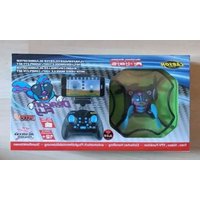
X4 Quadcopter 550 - Drone Carson - Free user manual and instructions
Find the device manual for free X4 Quadcopter 550 Carson in PDF.


| Product type | Radio-controlled quadcopter (drone) |
| Brand | Carson |
| Model | X4 Quadcopter 550 |
| Dimensions (approx.) | Approximately 50 x 50 x 20 cm |
| Weight (with battery) | Approximately 150 g |
| Power - Flight battery | LiPo 3.7V rechargeable battery (type supplied) |
| Power - Remote control | 2 AA batteries (not included) |
| Charger | USB charger for LiPo battery included |
| Charging time | Approximately 40 minutes |
| Flight time | Approximately 6 to 8 minutes |
| Radio range | Up to 50 meters |
| Main functions | Hovering, rotation, ascent/descent, forward/backward, lateral, gyroscopic stabilization |
| Maintenance and cleaning | Clean with a dry cloth; check screws and propellers; do not expose to moisture |
| Safety | Do not fly near people, animals, obstacles; adult supervision for under 14 years; use in an open space |
| Spare parts and repairability | Spare propellers, batteries, charger; use only original Carson parts |
| General information | Instruction manual provided; product not suitable for beginners without experience |
Frequently Asked Questions - X4 Quadcopter 550 Carson
User questions about X4 Quadcopter 550 Carson
0 question about this device. Answer the ones you know or ask your own.
Ask a new question about this device
Download the instructions for your Drone in PDF format for free! Find your manual X4 Quadcopter 550 - Carson and take your electronic device back in hand. On this page are published all the documents necessary for the use of your device. X4 Quadcopter 550 by Carson.
USER MANUAL X4 Quadcopter 550 Carson
Radio ContRolled QuadCopteR RtF
natural_image
Six identical cylindrical batteries arranged in a row, each with one charge and the other empty (no text or symbols)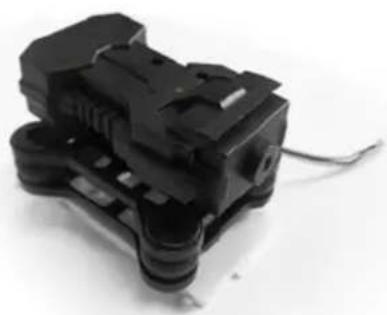
natural_image
Close-up of a black plastic electrical connector with visible wiring (no text or symbols)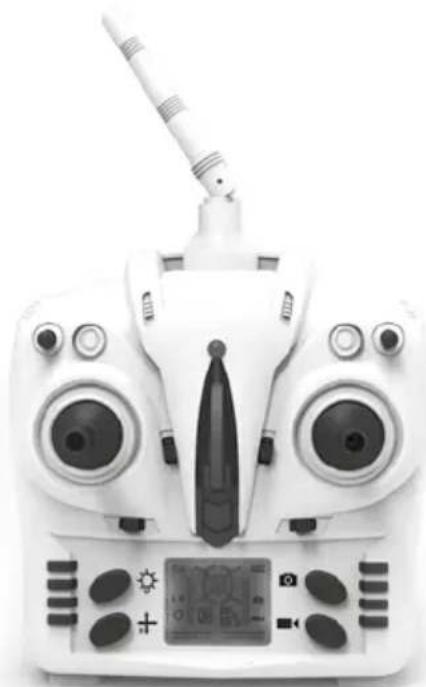
natural_image
Front view of a white quadcopter drone with visible control panel and antenna (no text or symbols)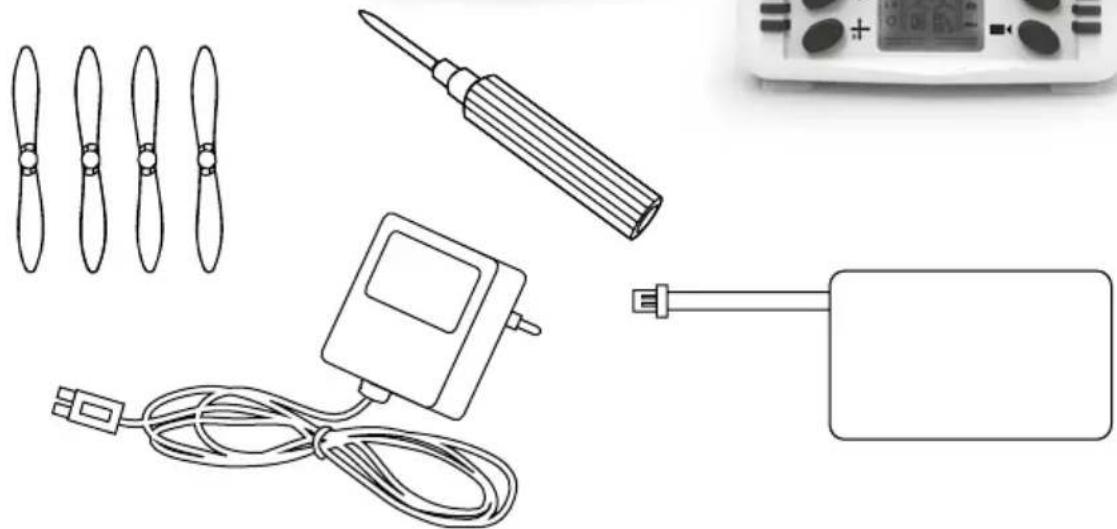
natural_image
Illustration of various electronic components including propeller, screwdriver, controller, and power adapter (no text or symbols)

natural_image
Illustration of a rural road scene with a drone, houses, trees, and a car (no text or symbols)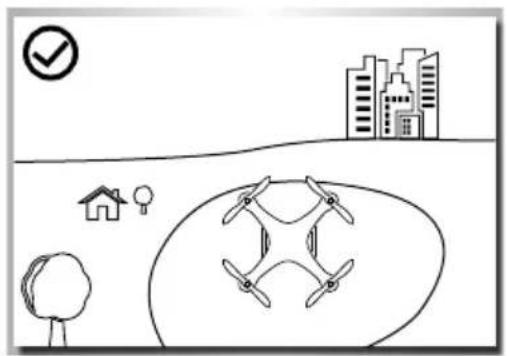
natural_image
Simple line drawing of a drone flying over a cityscape with a checkmark and house symbol (no text or labels)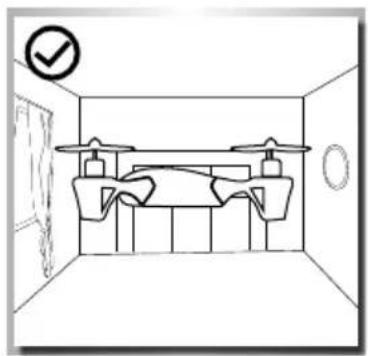
natural_image
Simple line drawing of a room interior with doors, chairs, and a checkmark (no text or symbols)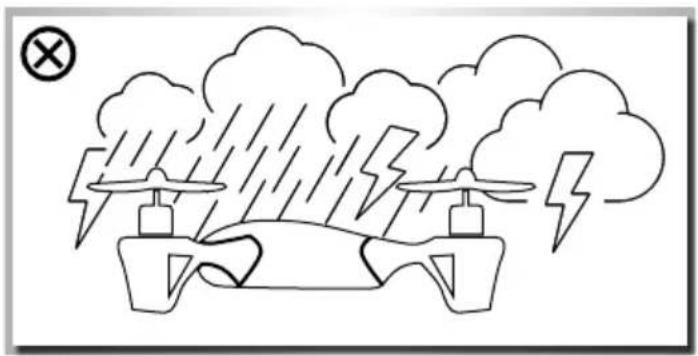
natural_image
Simple line drawing of a drone flying under rain with lightning bolts and clouds (no text or symbols)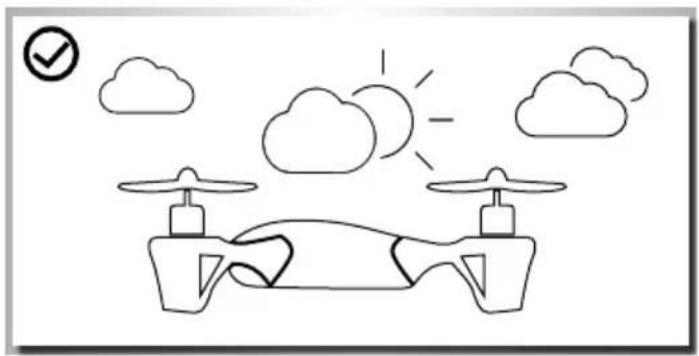
natural_image
Simple line drawing of a drone with two drones, clouds, and a sun (no text or symbols)natural_image
Simple line drawing of an umbrella with raindrops and a warning symbol (no text or labels)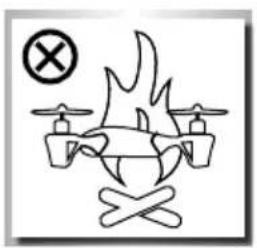
natural_image
Simple line drawing of a drone with wings and a cross symbol (no text or labels)Rotor
natural_image
Close-up of a white plastic enclosure with a black arrow pointing to a component, no visible text or symbols.natural_image
Hand inserting a small component into a plastic housing (no text or symbols visible)natural_image
Interior view of a white plastic enclosure with a black arrow pointing to a component (no text or symbols visible)natural_image
Close-up of a hand holding a black plastic connector with wires, no visible text or symbolsnatural_image
Simple line drawing of a cable or connector connected to a rectangular device (no text or symbols)QUaDcopter StartKlar macHen
natural_image
Line drawing of two hands inserting a small electronic component into a car (no text or symbols)natural_image
Front view of a white Djogat (DRD) remote control with dual motors and display screen, no visible text or symbolsnatural_image
White remote control device with dual motors and a digital display, showing no visible text or symbols.Vorwärts
Rückwärts
natural_image
Diagram of a four-blade drone with an upward arrow and downward arrow indicating top and bottom directions (no text or symbols)natural_image
Front view of a white drone controller with dual motors and a digital display, showing no visible text or symbols.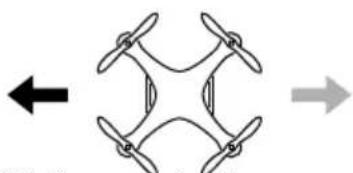
natural_image
Diagram of a four-bladed drone with directional arrows indicating left and right sides (no text or symbols)natural_image
Illustration of two workers using a drone to interact with a target plane, showing motion directions (no text or symbols)natural_image
Illustration of a person using a drone to observe a circular target with directional arrows (no text or symbols)natural_image
Illustration of a person using a drone to interact with a circular target, no text or symbols presenterKIÄrUnG Der SteUerUnG & FUnKtlonen
natural_image
Close-up of a white camera with a black arrow pointing to the lens (no text or symbols visible)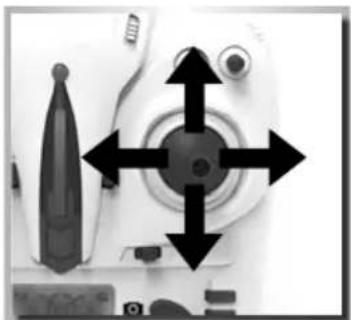
natural_image
Close-up of a white mechanical device with four black arrows pointing to the center and a textured base (no visible text or symbols)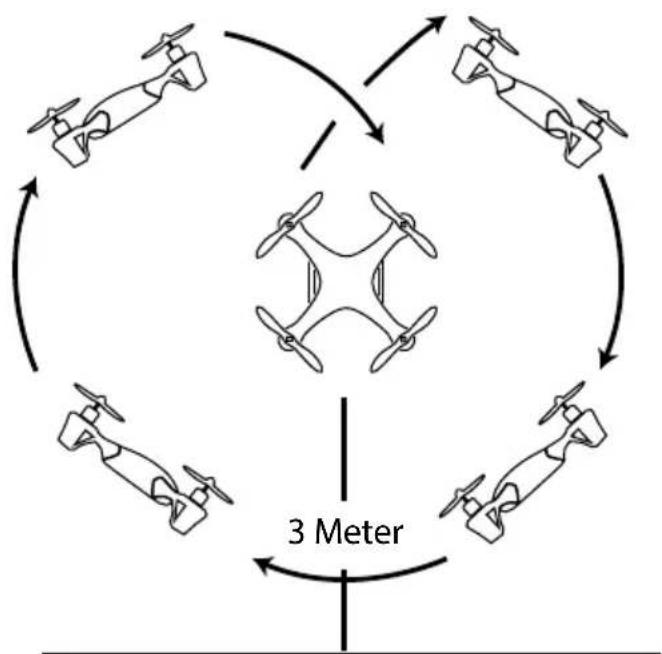
flowchart
graph TD
    A["Top: Drone"] --> B["Center"]
    B --> C["Top: Drone"]
    C --> D["Bottom: Drone"]
    D --> E["Top: Drone"]
    E --> F["Bottom: Drone"]
    F --> G["Top: Drone"]
    G --> H["Bottom: Drone"]
    H --> I["Top: Drone"]
    I --> J["Bottom: Drone"]
    J --> K["Top: Drone"]
    K --> L["Bottom: Drone"]
    L --> M["Top: Drone"]
    M --> N["Bottom: Drone"]
    N --> O["Top: Drone"]
    O --> P["Bottom: Drone"]
    P --> Q["Top: Drone"]
    Q --> R["Bottom: Drone"]
    R --> S["Top: Drone"]
    S --> T["Bottom: Drone"]
    T --> U["Top: Drone"]
    U --> V["Bottom: Drone"]
    V --> W["Top: Drone"]
    W --> X["Bottom: Drone"]
    X --> Y["Top: Drone"]
Wurf-Start
natural_image
Line drawing of a hand reaching toward a small airplane with propellers (no text or symbols)FeHlerSUcHe
natural_image
Symmetrical diagram of four propellers arranged in a diamond pattern (no text or symbols)Hinten
Rotorblatt B
Rotorblatt A
erSatZtelle
natural_image
Close-up of propeller set with four blades and black tips, no text or symbols visible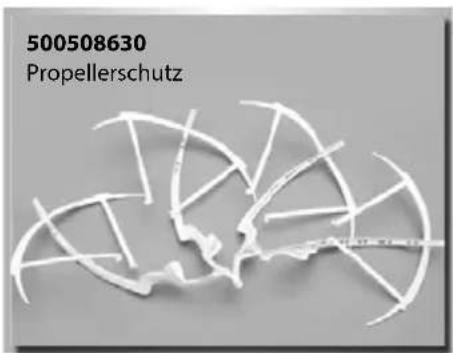
Dear Customer
We congratulate you for buying this CARSON product, which is designed and manufactured using state of the art technology.
According to our policy of continued development and product improvement we reserve the right to make changes in specifications regarding equipment, material and design at any time without notice.
Specifications or designs of the actual product may vary from those shown in this manual or on the box.
The manual forms part of this product. Should you ignore the operating and safety instructions, the warranty will be void.
Keep this guide for future reference.
Limited Warranty
This product is warranted by CARSON against manufacturing defects in materials and workmanship under normal use for 24 months from the date of purchase from authorised franchisees and dealers. In the event of a product defect during the warranty period, return the product along with your receipt as proof of purchase to any CARSON store.
CARSON will, at its option, unless otherwise provided by law:
(a) Correct the defect by repairing the product without charging for parts and labour;
(b) Replace the product with one of the same or similar design; or
(c) Refund the purchase price.
All replacement parts and products, and products on which a refund is made, become the property of CARSON. New or reconditioned parts and products may be used in the performance of warranty services.
Repaired or replaced parts and products are warranted for the remainder of the original warranty period. You will be charged for repair or replacement of the product made after the expiration of the warranty period.
The Warranty does not cover:
- Damage or failure caused by or attributable to acts of God, abuse, accident, misuse, improper or abnormal usage, failure to follow instructions, improper installation or maintenance, alteration,
lightning or other incidence of excess voltage or current;
• Damage caused by losing control of your model; - Any repairs other than those provided by a CARSON authorised service facility;
• Consumables such as fuses or batteries; - Cosmetic damage;
• Transportation, shipping or insurance costs; or - Costs of product removal, installation, set-up service adjustment or reinstallation
This warranty gives you specific legal rights, and you may also have other rights which may vary according to the country of purchase.
Declaration of Conformity
Dickie Tamiya GmbH & Co. KG hereby declares that this model kit with radio, motor, battery and charger is in accordance with the basic requirements of the following European directives: 98/37 EC and 89/336/EEC and other relevant regulations of guideline 1999/5/EC (R&TTE).
The original declaration of conformity can be obtained from the following address:
The explanation of the symbol on the product, packaging or instructions: Electronic devices are valuable products and should not be disposed of with the household waste when they reach the end of their service life! Help us to protect the environment and respect our resources by handing this appliance over at the relevant recycling points.

We hope your new Carson model gives you much pleasure.
Before use, read this manual carefully!
contentS
Preface ....17
Included Items accessories 18
Safety Precautions 19
The Quadcopter with More Functions....22
Four Channel Remote Control Transmitter....23
Input Key Function....23
Battery Mounting 24
Mounting the landing gear 24
Mounting the camera....25
Insert the SD card....25
Photo/video....25
LiPo Battery Charging....26
Ready to start....26
Steering your model 27
Flight Operation....28
Description of control & Functions 28
Special function explanation 29
Flips und Loops 29
Troubleshooting 30
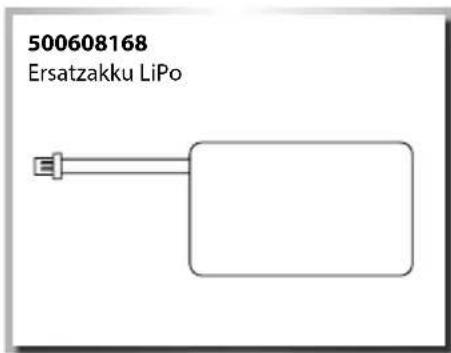
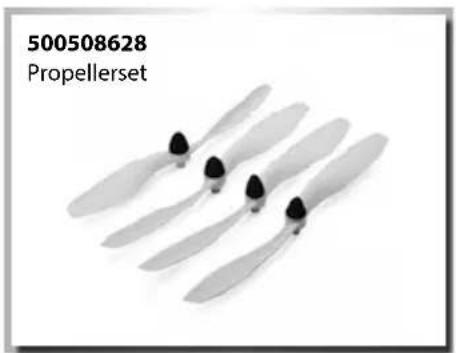
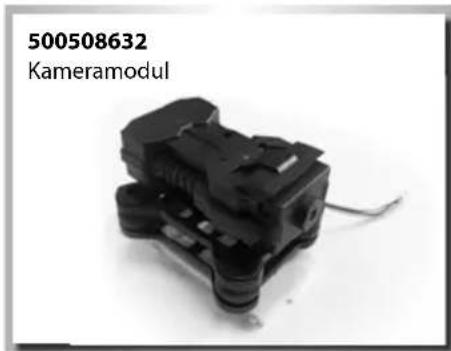
Spare parts 31
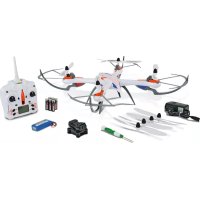
InclUDeD ItemS acceSSorleS
• 2.4 GHz 4-channel remote control transmitter
• LiPo battery 7.4 V
• USB-LiPo-Balance charger
- Operating manual
• Batteries for the transmitter
- Replacement rotor blades
- Screwdriver
- Screws for the landing gear (4 pcs.)
• Camera (only included for model 500507100)
• Camera mount with vibration damper (only included for model 500507100)
natural_image
Six identical cylindrical batteries arranged in a row, each with one charge and the other empty (no text or symbols)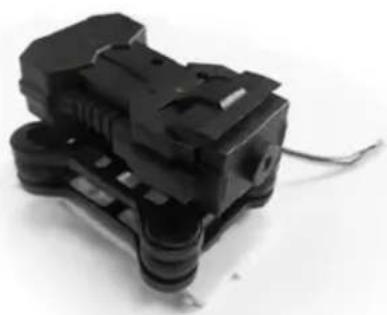
natural_image
Close-up of a black plastic mechanical component with attached wires (no visible text or symbols)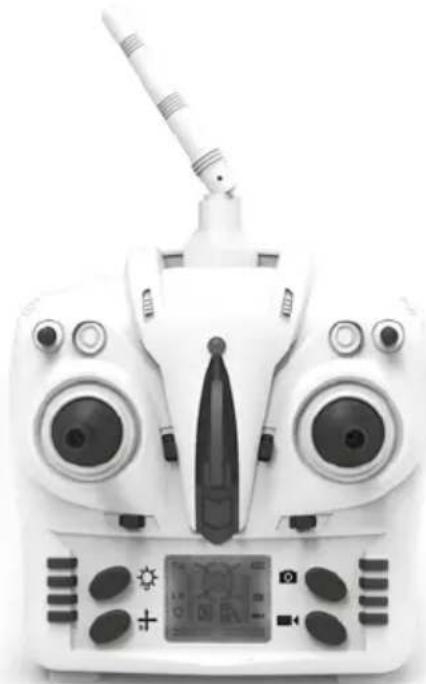
natural_image
Front view of a white quadcopter drone with dual lenses and a handheld sensor (no visible text or symbols)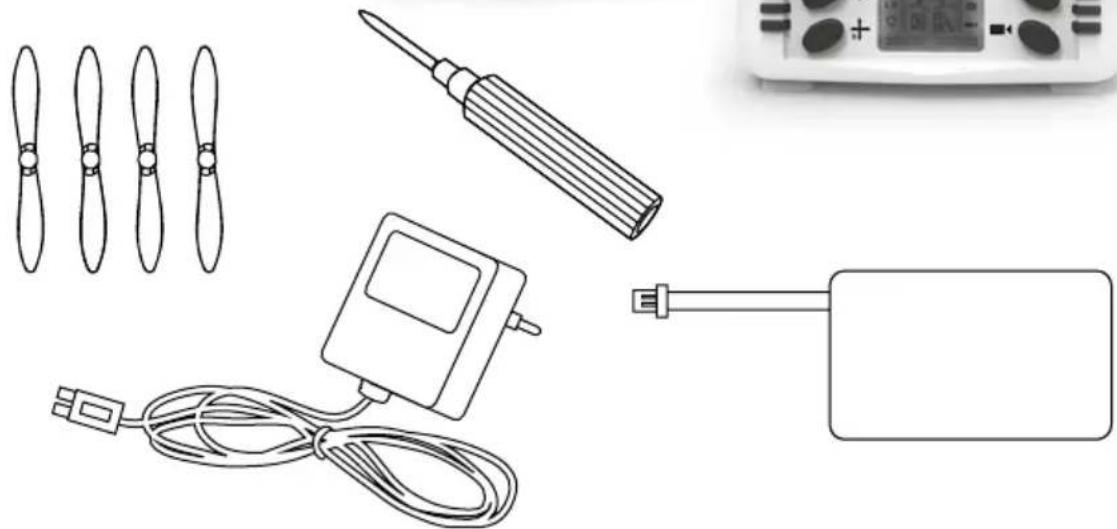
natural_image
Illustration of various electronic components including propeller, screwdriver, controller, and power adapter (no text or symbols)

The delivery includes a rechargeable LiPo battery (lithium polymer). It is possible to recycle this rechargeable battery. The delivery includes alkaline batteries. These batteries are not rechargeable. Do not dispose of your flat batteries/rechargeable batteries in the household waste. Dispose of the batteries according to the applicable provisions via the intended collection points.
SaFetY precaUtlonS
General
- Read the Operating Manual carefully and keep it for future reference.
• Familiarise yourself with all the instructions for flight operation.
This model is not a toy!
• This radio-controlled model aircraft not a toy. Learning how to control it correctly is a gradual process.
• Children under 14 years of age should be supervised by an adult.
If you are not yet proficient with model aircraft, we suggest you approach a more experienced model pilot or a model-making club about making your first flight attempts.
Flying a radio-controlled model aircraft a fascinating hobby. However, it has to be practised with the necessary caution and consideration.
A radio-controlled model aircraft can cause damage and injury in an uncontrolled flying mode, and the user is liable for any such incident.
As a manufacturer and distributor of the model, we have no influence on the correct handling and operation of the model.
Make sure that you have sufficient insurance cover when practising your hobby or take out a special insurance for model aircraft. The contact address for this is Deutscher Modellfliegerverband e.V. Rochusstr. 104 – 106, 53123 Bonn.
Only a well-maintained model will function properly. Only use approved spare parts and never improvise with any unsuitable items.
It is the user's responsibility to ensure that the model is functioning correctly and that all nuts, bolts and screws are tightened.
Keep the model well beyond the reach of small children. They may unintentionally activate the model and cause themselves injury with it, or they may put batteries and small parts into their mouths and swallow them.
Preparations
Never start flying before you have made sure of the following points:
• Pay attention to visible damage on the model, remote control, battery charger, and lithium battery.
- Ensure that the model is functioning correctly and that all screwed and plugged connections are fitted precisely and tightly.
- The flight battery must be fully charged and correspond to the correct voltage. Only use new/fresh batteries for the transmitter.
• Make sure that all servos respond correctly to the signals of the transmitter.
• Always check the radio operation before starting the model.
Flight operation
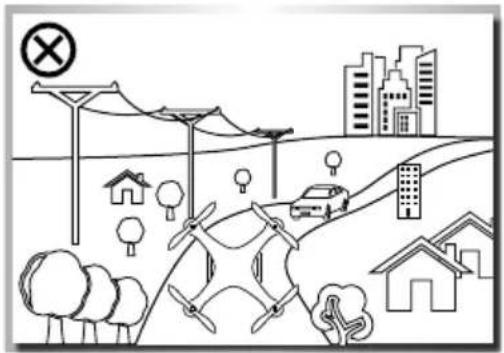
The model is primarily designed for indoor flights since its low weight and unstable flight position resulting from the construction type make it very susceptible to air movements.
Moreover, the components are not dust- and moisture-proof.
Do not fly any longer than one battery charge
Afterwards, the model must cool down for at least 5 minutes.
Then recharge the battery. Avoid deep discharge in any case.
General information
• If you have little or no experience with model aircraft you should practice with a flight simulation program first.
- Ask experienced model pilots for advice with the fine settings of your model aircraft.
• Familiarise yourself with the control functions of your trnasmitter.
- Start your first flights, standing behind the model and looking in the flight direction. In this case, the control reaction equals the controlling direction.
- Also familiarise yourself with the movements of the model, when it flies towards you (response opposite to the control direction)!
natural_image
Illustration of a rural road with drone, houses, trees, and a car; no text or symbols present.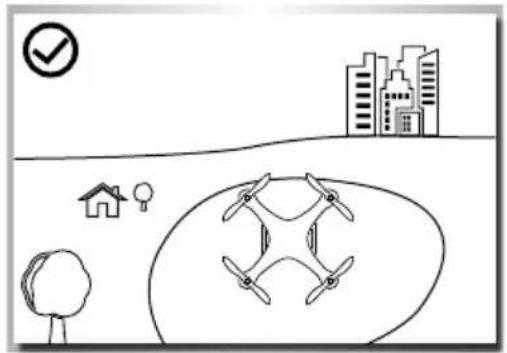
natural_image
Simple line drawing of a drone flying over a cityscape with a checkmark and house icon (no text or symbols)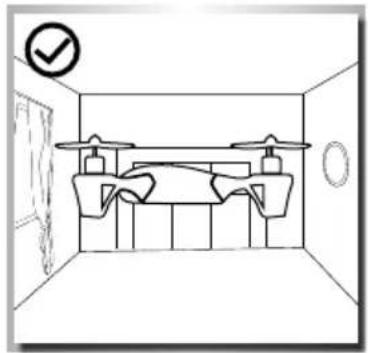
natural_image
Simple line drawing of a room interior with ceiling-mounted equipment and a checkmark icon (no text or symbols)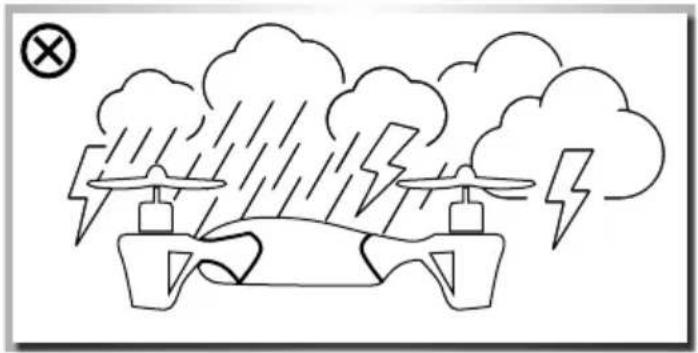
natural_image
Simple line drawing of a drone flying under rain with lightning bolts and clouds (no text or symbols)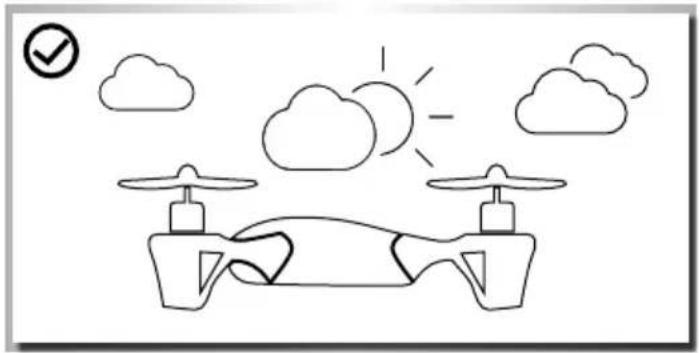
natural_image
Simple line drawing of a drone with two drones, clouds, and a sun in the sky (no text or symbols)It is best to fly only in closed rooms
• With sufficient free space in all directions
- On flat ground
• Without standing (furniture) or moving obstacles (persons, animals)
• In rooms without air draught
If you want to fly outdoors, do this
• Only when there is no wind
Do not fly
• If you are exhausted or your reaction is impaired in any way.
• At wind-force 1 or greater.
- Keep your model away from high-voltage cables or radio masts. Never use the model in lightning storms. Atmospheric disturbances can affect the signals of your remote controlling transmitter.
- Near any obstacles such as buildings, furniture, persons and animals.
- On public roads
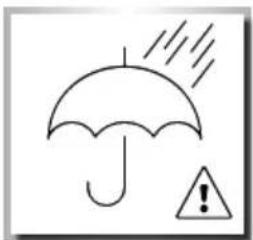
natural_image
Simple line drawing of an umbrella with raindrops and a warning triangle (no text or symbols)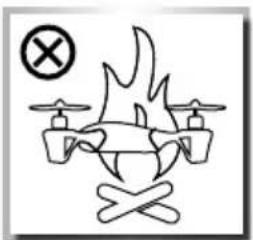
natural_image
Diagram of a drone with a flame and crossed wings, no text or symbols presentPropeller
- Damaged propeller blades must be replaced! Do not try to repair!
- Keep away from the propellers, as soon as the battery is connected.
- Avoid presence in the plane of rotation of the propellers. Do not operate the model while seated, so that you can rapidly get out of the hazardous area if necessary.
Employ exclusively the enclosed battery charger
• Operate the battery charger only on fire resistant surfaces and
- Also place the rechargeable battery/the model on an inflammable surface while charging.
• Ensure sufficient ventilation while charging.
• Never leave the battery charger unattended while charging.
• Only use rechargeable batteries of the same build and capacity.
- Observe correct polarity when charging
Never subject the transmitter, the rechargeable batteries and the model to adverse ambient conditions!
These are, for instance:
- Wetness, too-high humidity (> 75% rel., condensing). Do not touch the battery charger with wet hands.
- Never operate the model right after it has been brought from cold into warm surroundings. The resulting condensation can destroy the device. Permit the device to attain the ambient temperature while unconnected.
• Dust and flammable gases, vapours or solvents, benzenes - Too-high ambient temperatures (> about +40°C), direct sunlight
- Open fire, ignition sources
• Mechanical stress such as shock, vibration
• Strong contamination
• Strong electromagnetic fields (motors or transformers) or electrostatic fields (charges) - Transmitters (radio telephones, transmitters for model building, etc.). Transmitter emission can lead to the malfunction of charging or to destruction of the battery charger and thereby also of the rechargeable battery.
Permit the battery charger to cool down between charging operations. Disconnect the battery charger from the mains when charging is completed.
A defective battery charger must no longer be operated. If it is assumed that the device is defective, i.e. if
• The device shows visible damage,
• The device no longer works and
• After longer storage under unfavourable conditions or
• After severe transportation stress, it must be switched off without delay and secured against unintentional operation.
Dispose of the unusable (irreparable) battery charger according to the applicable statutory regulations.
For safety and registration reasons (CE), the unauthorised conversion and/or modification of the battery charger is not permitted.
Lithium-polymer battery
Use the enclosed rechargeable battery for this model only.
Only use a genuine part as a replacement battery.
- Do not overcharge or deep-discharge the battery! Both can cause electrolyte to leak and lead to self-ignition.
- Never mix fully charged rechargeable batteries/batteries with half-charged ones or rechargeable batteries with different capacities.
- Charge the LiPo battery at least every six months in order to avoid deep discharge.
- Remove the charged battery from the battery charger in order to avoid self-discharge.
Defective rechargeable batteries/rechargeable batteries that can no longer be charged must be disposed of as hazardous waste (collection points). Disposal in the household waste is forbidden!
The batteries must not
- Be immersed in liquid,
- Be thrown in the fire or subjected to high temperatures or
- Mechanical stress or
- Be taken apart or damaged
• Or be short-circuited.
f you notice any smell, discolouration, excessive heating, deformation or other abnormalities while using, charging or storing the rechargeable battery:
- Disconnect the rechargeable battery from the battery charger
• Disconnect the rechargeable battery from the consumer
• No longer use the rechargeable battery.
If electrolyte leaks:
• Avoid contact with eyes and skin!
- Wash the affected locations immediately with clear water and
- Consult a physician.
Note
• Non-rechargeable batteries are not to be recharged.
- Rechargeable batteries are only to be charged under adult supervision.
- Batteries/rechargeable batteries are to be inserted with the correct polarity.
• The connection cables are not to be short-circuited.
- regularly inspect the electronics or rechargeable batteries, charger, connection plugs, cables, housings and other parts for damage.
Lithium-polymer battery safety instruction
- Do not disassemble or convert the rechargeable battery.
- Do not use the rechargeable battery near fire, stoves or other heated places.
- Do not immerse the rechargeable battery in water or expose it to other liquids.
- Do not charge the rechargeable battery near fire or in direct sunlight.
- Only use the specified charger and observe the charging instructions.
- Do not drive any nails into the rechargeable battery, do not strike it with a hammer or step on it.
- Do not subject the rechargeable battery to external pressure or throw it.
- Do not use any rechargeable batteries that are damaged or deformed.
- Do not perform soldering work right at the rechargeable battery.
- Do not reverse polarity or overdischarge the cell.
- Observe proper polarity when charging and discharging.
- Do not connect the rechargeable battery to a power outlet or the cigarette lighter in the car.
- Avoid direct contact with leaking rechargeable batteries.
- Keep the rechargeable battery away from babies.
- Never charge the rechargeable battery beyond the specified time.
-
Do not place the rechargeable battery in a microwave or pressure container.
-
Do not use a leaked battery near fire.
- Do not expose the rechargeable battery to direct sunlight or use it in it (or in the heated car).
- Do not use the rechargeable battery in any areas where static electricity is present or may form since this may damage the safety circuit.
- The rechargeable battery may be charged at temperatures from 0 °C to 45 °C. Do not charge the rechargeable battery out of the recommended temperature range.
- If the rechargeable battery shows rust, has a suspicious smell or appears unusual in any other manner before first use, do not use it and return it to the shop where it was bought.
- Keep the rechargeable battery out of the reach of children. Ensure that the rechargeable battery cannot be taken out of the charger by children.
- If any of the chemicals in the rechargeable battery come into contact with skin or clothes, wash them off immediately with clear water to avoid skin irritation.
- Never charge the rechargeable battery on a carpeted floor as this may cause fire.
- Do not use the rechargeable battery for equipment that is not specified or for any other purposes.
- Do not touch the rechargeable battery if it is leaking. If you do touch the rechargeable battery, you should wash your hands immediately.
- Do not use any batteries that have swelled up or are damaged.
- Never leave a charging rechargeable battery unattended.
tHe QUaDcopter wltH more FUnctlonS
Control your quadcopter using all four functions.
Features:
• Stable flight behaviour
• Completely assembled Ready To Fly
• Including 4-channel 2,4 GHz radio control
• + Gyro (stabilizing function)
• With LiPo battery 7.4 V and "LiPo balance" charger
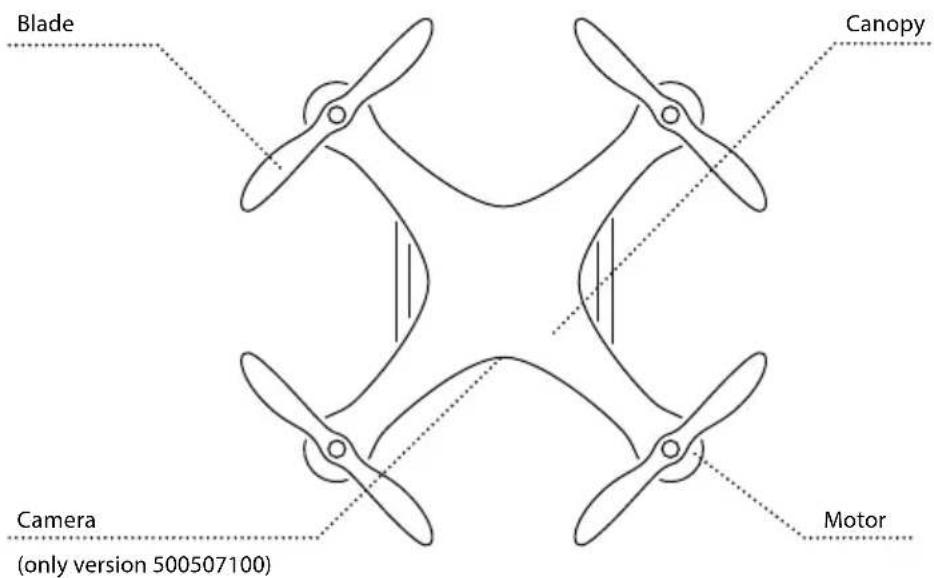
FoUr cHannel remote control tranSmItter
Explanation transmitter
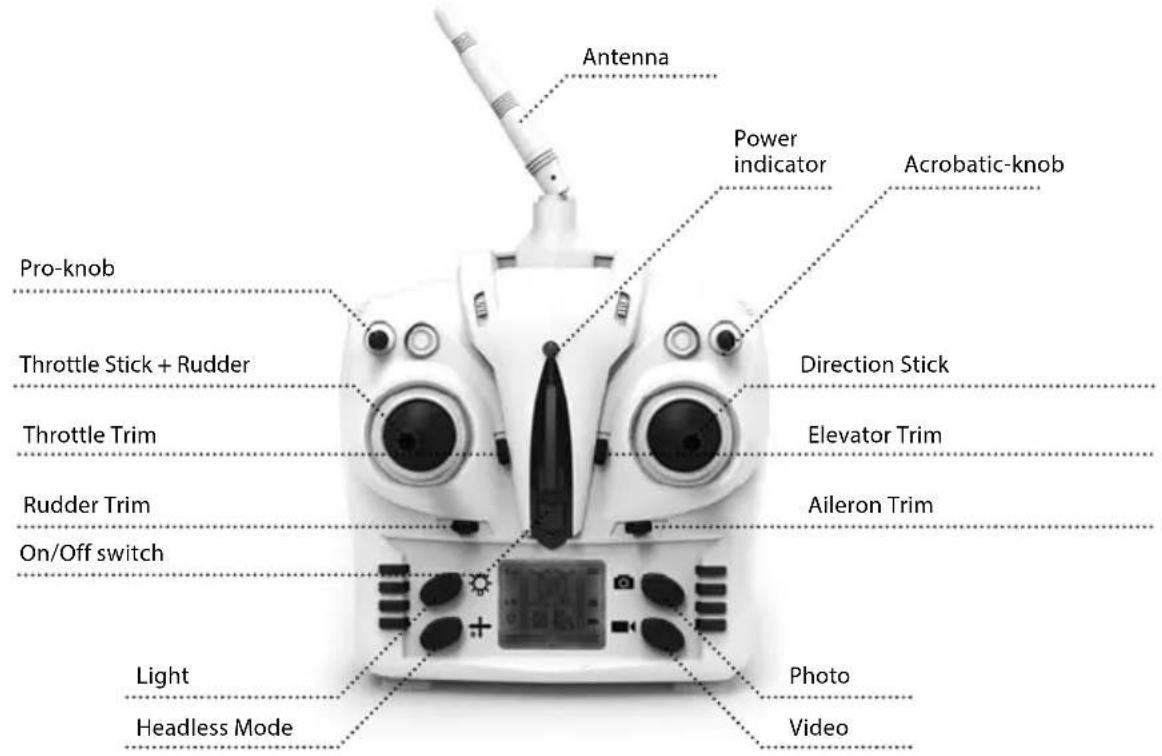
InpUt KeY FUnctlon
| S/N Identification Function | ||
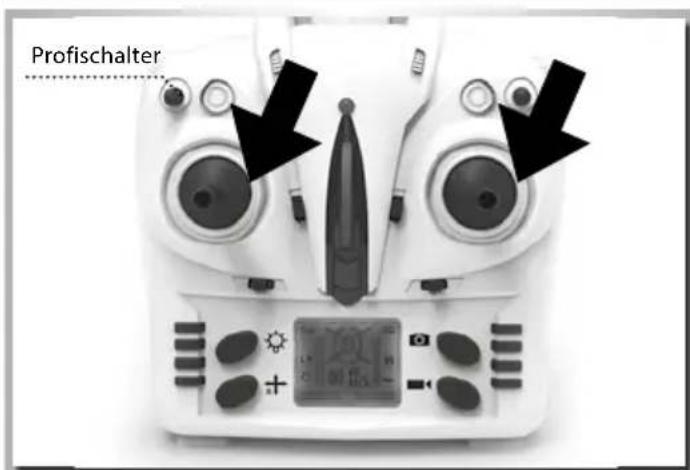
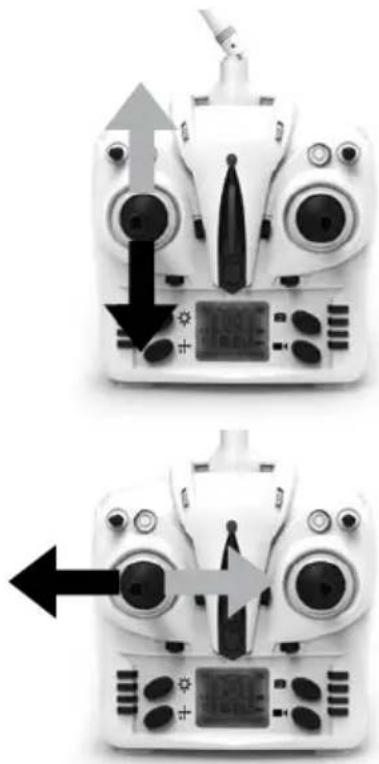
| 1 | Left control lever | Forward and backward movement of the stick makes the quadcopter ascend and descend respectively. When the control lever is moved left or right, the copter will turn left or right. |
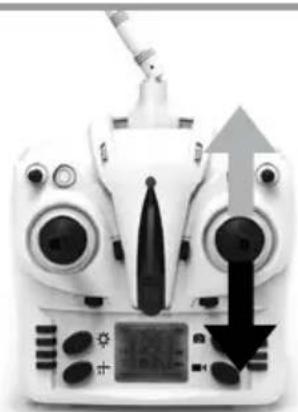
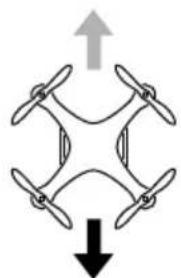
| 2 | Right control lever | Forward and backward movement of the stick makes the quadcopter move forward and backward respectively. Left and right movement of the stick makes the quadcopter drift sideways left/right respectively. |
| 3 | Roll trim | Aileron trim subsidiary adjusts left and right drift. |
| 4 | Nick trim | Elevator trim subsidiary adjusts forward and backward movement. |
| 5 | Tail rotor trim | Rudder trim subsidiary adjusts left and right rotation. |
| 6 | On/Off power switch | To switch on the transmitter please push the button. Push again to switch off. |
| 7 Demo-Flight The model flies circles by pressing the button | ||
| 8 Throttle trim Throttle trim regulates climb and descent | ||
| 9 | Expert mode switch 40% 60% 100% | Pressing the switch alters the copter's agility |
| 10 | Acrobatic-knob | Push the button to perform flips and loops |
| 11 | Light button | Press the button to switch the copter's light on or off |
| 12 | Headless Mode | Press the button to activate/deactivate this mode |
| 13 | Photo/video button | Press this button to take photos or record a video |
BatterY moUntInG
Caution
• Do not mix old and new batteries/rechargeable batteries.
• Do not mix different types of batteries.
• Do not charge non-rechargeable batteries.
natural_image
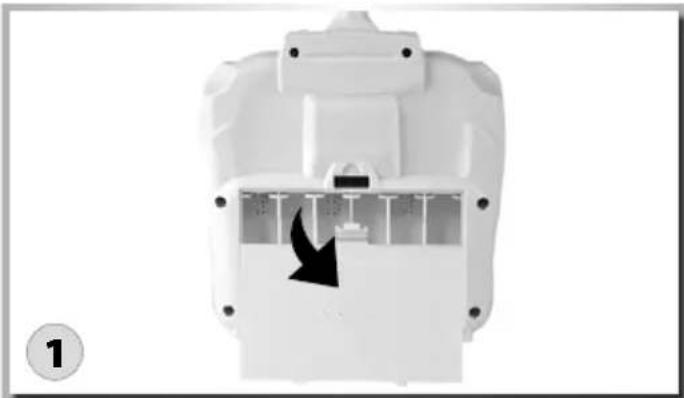
White plastic electronic device casing with internal panel and directional arrow indicator (no text or symbols)Remove screw of the battery-cover. Remove the cover.
natural_image
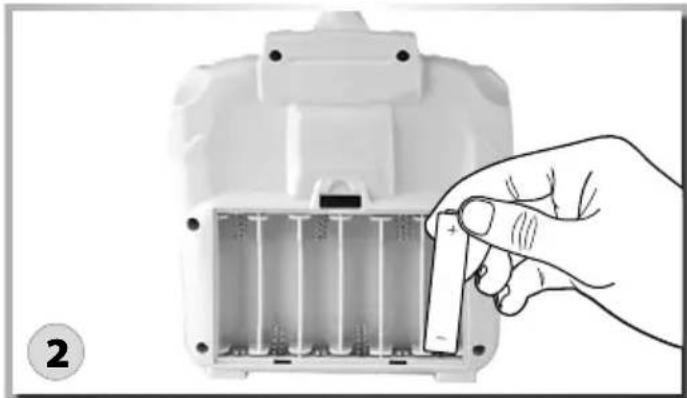
Hand inserting a small component into a white plastic housing (no text or symbols visible)Put fresh AA Mignon batteries with correct polarity into the battery-case.
natural_image
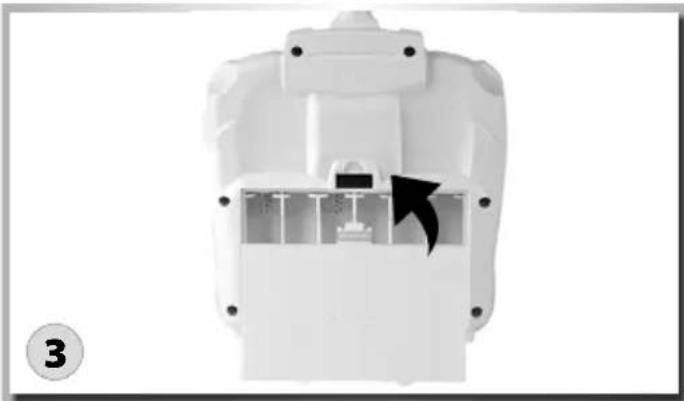
White plastic mechanical component with internal structure and a black arrow indicating direction (no text or symbols)Close the battery-case.
moUntInG tHe IanDInG Gear
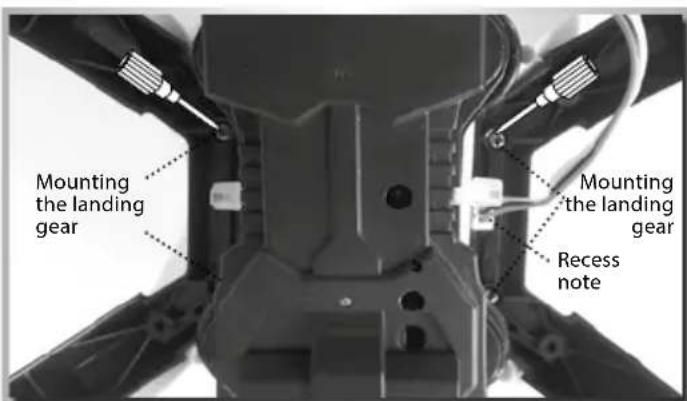
Please attach the landing gear to the underside of the quadcopter using the screws supplied. (see illustration)
When tightening the screws please ensure that you do no over-tighten them.
You should also re-tighten them periodically.
moUntInG tHe camera (only VerSlon „SpY“ 500507100)
natural_image
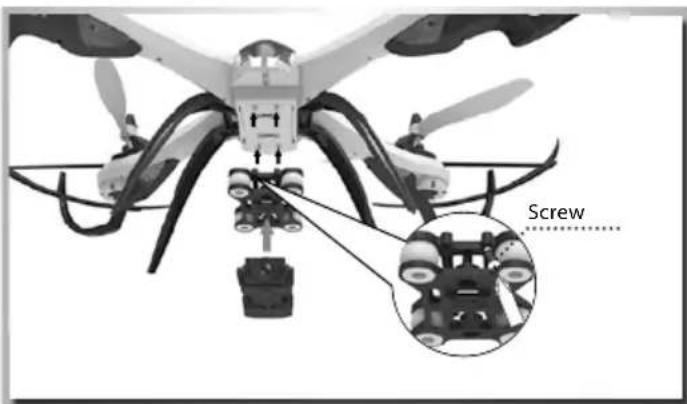
Diagram of a quadcopter drone with a screw assembly, showing structural components and a close-up inset (no text or symbols)Using the enclosed screws (4), mount the vibration-absorbing camera mount on the underside of the quadcopter. Now the camera module can be carefully mounted on the holder (observe the direction of the arrows).
Finally plug the connection cable for the video module into the model. (See illustration)
InSert tHe SD carD (only VerSlon „SpY“ 500507100)
natural_image
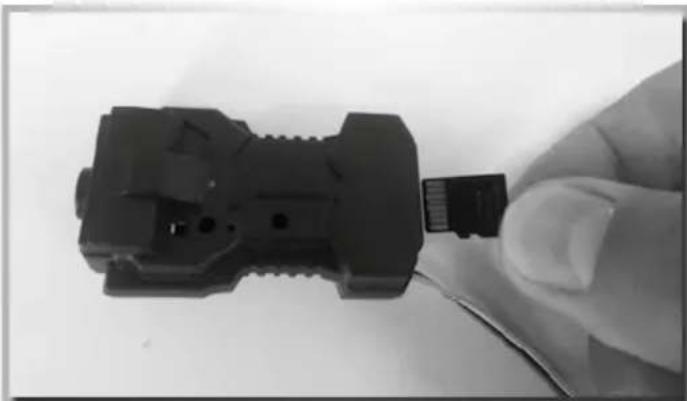
Close-up of a hand holding a black plastic connector with wires attached (no visible text or symbols)Push the micro SD card (not included) into the card slot as shown in the illustration.
The card clicks into place. If you push the card a second time, it slides back out again. The flight battery must not be connected to the model when inserting or removing the SD card.
pHoto/VIDeo (only VerSlon „SpY“ 500507100)
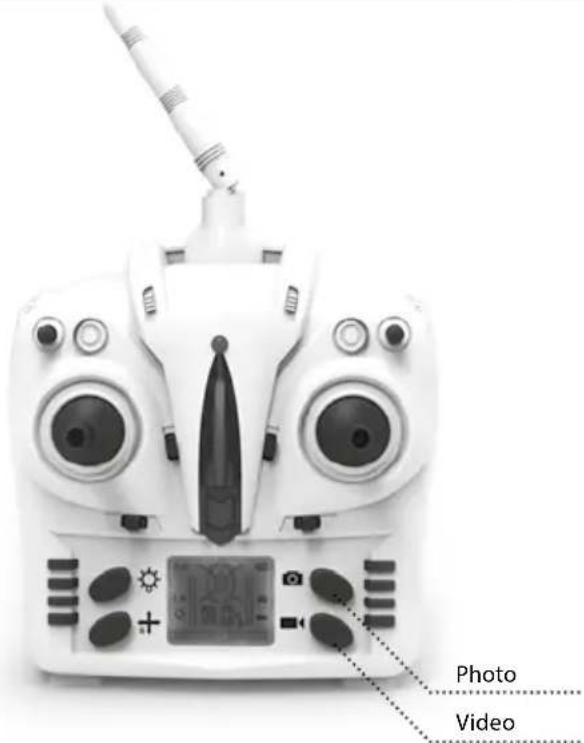
Taking photographs:
Press the photo button on the transmitter to take an individual picture (photo).
The photo symbol is displayed briefly on the transmitter screen. You will also see the status LED on the copter change briefly from green to red.
Video recording:
Press the video button on the transmitter to record video clips.
The video symbol is displayed on the transmitter screen.
You will also see that the status LED on the copter flashes red during recording.
Reading the SD card:
Switch the camera off and then remove the SD card.
Now you can view and edit the images and video footage on the computer.
Ilpo BatterY cHarGInG
The quadcopter is equipped with a LiPo battery
7.4 V 1-cell 1200 mAh LiPo battery.
Use only the charger supplied to charge the LiPo battery.
Charging:
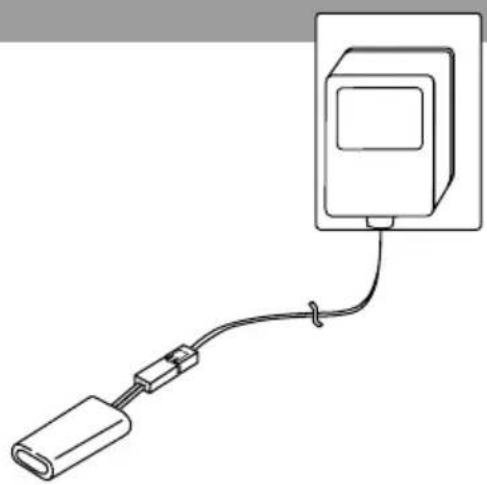
- Connect the plug-in wall charger to the socket. (Status LED turns green)
- Now connect the battery to the charger. (Status LED turns red – battery is charging)
- The battery is fully charged when the status LED turns green again.
natural_image
Simple line drawing of a cable or connector connected to a rectangular device (no text or symbols)ready to Start
Now we're good to go! But before liftoff, make sure that you have read this manual through completely.
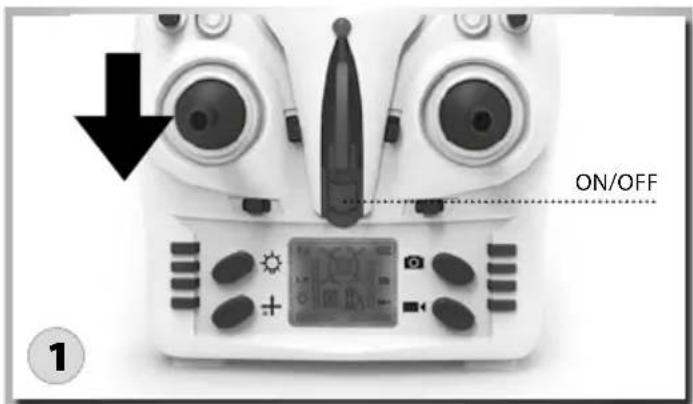
Push the throttle lever fully down and then switch on the transmitter.
natural_image
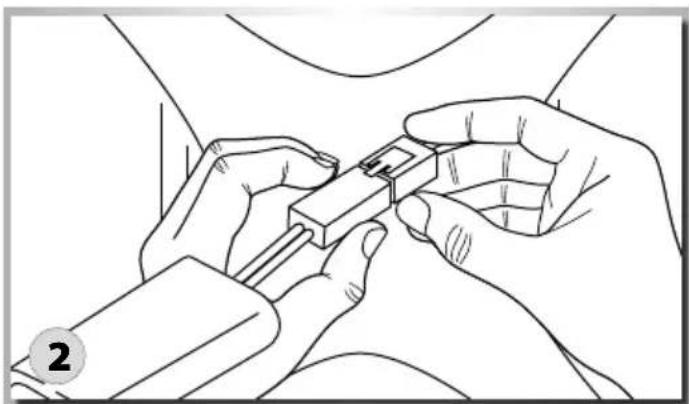
Line drawing of two hands inserting a small electronic component into a car (no text or symbols)Now connect the battery to the quadcopter. The LEDs on the copter start to flash.
natural_image
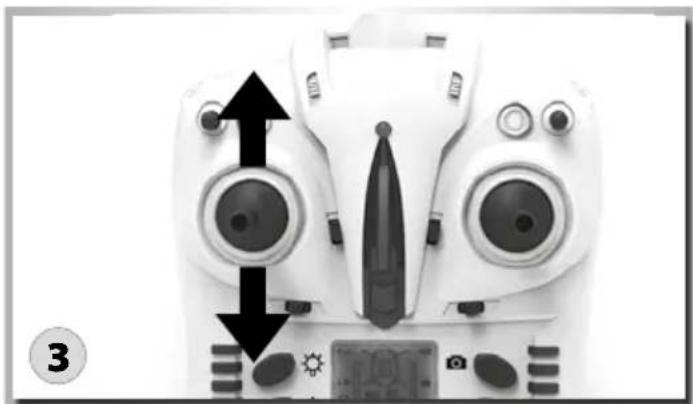
Front view of a white Djogat (Dronesat) controller with dual lenses and control buttons, showing no text or symbols on the device itself.Now move the throttle lever completely up and then back down. Now the quadcopter is ready to launch.
SteerInG YoUr moDel
CAUTION
To avoid loss of control: ALWAYS move the controls S-L-O-W-L-Y! The throttle increases/decreases the flying height your quadcopter.
natural_image
Two identical white drone control panels with digital displays and directional arrows indicating motion or operation (no text or symbols)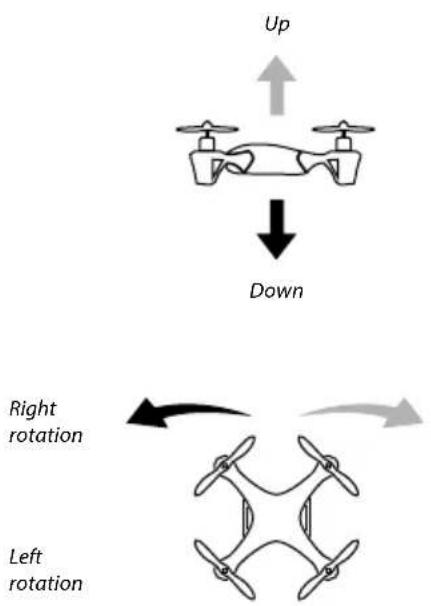
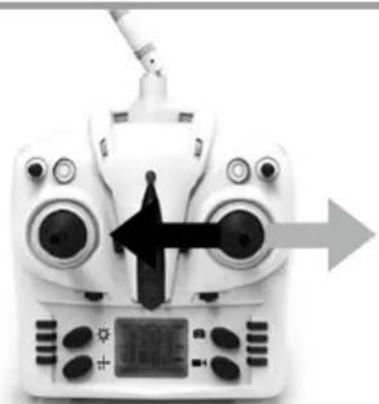
The control lever for Turn turns your quadcopter left/right.
natural_image
White digital drone controller with control panel and directional arrows (no text or symbols visible)Forward
Backward
natural_image
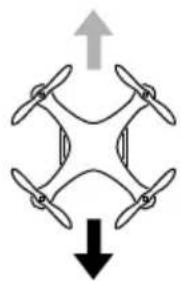
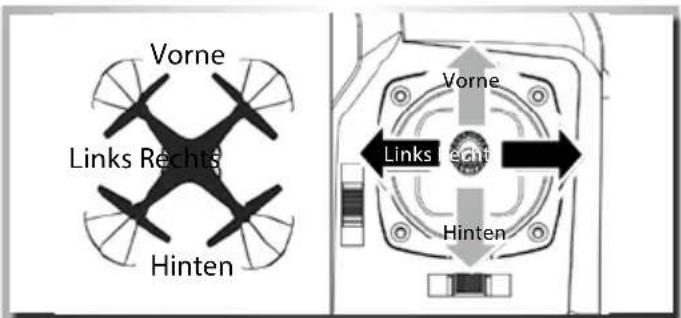
Diagram of a four-blade drone with an upward arrow and downward arrow indicating top and bottom directions (no text or symbols)The control lever for Nick turns your quadcopter forwards/backwards.
natural_image
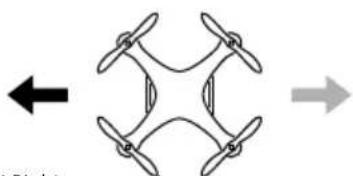
Front view of a white quadcopter drone with control panel and antenna, showing no visible text or symbolsLeft movement Right movement
natural_image
Diagram of a four-bladed drone with directional arrows indicating left and right sides (no text or symbols)Caution: Controls will appear reversed when the model is flying towards you! The control lever for Roll turns your quadcopter "sideways" to the left/right.
FIIGHt operation
Trimming the quadcopter
Already shortly before the quadcopter takes off, you can recognize whether it wants to turn or glide in a particular direction. Correct the deviations from the vertical ascent with the trim knob of the turn function.
Tip of the fuselage turns to the right:
- Reduce speed and push the trim slider of the turn function on the left remote control lever stepwise to the left.
- Push the pitch-lever forward again and check whether the correction was sufficient, if necessary shift the trim further to the left.
- Repeat the process until the quadcopter no longer shows a tendency to turn to the right.
Tip of the fuselage turns to the left:
- Proceed as described above, but push the trim slider of the turn function stepwise to the right.
natural_image
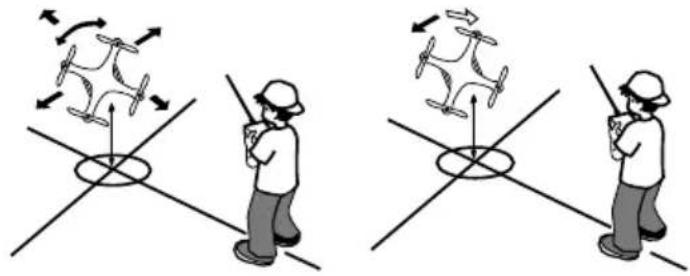
Illustration of a person using a drone to interact with another person on a grid, showing motion directions (no text or symbols)Model slips (drifts) or tilts to the right:
- Reduce the speed and push the trim slider of the roll-function of the right remote control lever stepwise to the left.
- Push the gas-lever forward again and check whether the correction was sufficient, if necessary shift the trim further to the left.
- Repeat the process until the quadcopter no longer shows a tendency to drift to the right.
Model slips (drifts) or tilts to the left:
• Proceed as described above, but push the trim slider of the tail function stepwise to the right.
natural_image
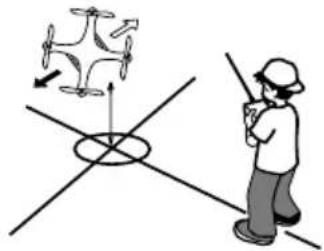
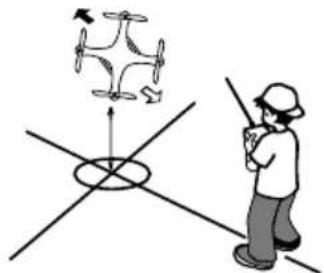
Illustration of a person using a handheld device to interact with a drone on intersecting lines (no text or symbols present)Model slips (drifts) forward:
- Reduce the speed and push the trim slider of the nick function on the right remote control lever stepwise backwards.
- Push the pitch lever forward again and check whether this was sufficient for correction, if necessary shift the trim further to the left.
- Repeat the process until the quadcopter no longer shows a tendency to drift forwards.
Model slips (drifts) backwards:
• Proceed as described above, but push the trim slider of the nick function stepwise forward.
natural_image
Illustration of a person using a handheld device to interact with a drone-like system (no text or symbols present)DeScriptlon of control & FUnctlonS
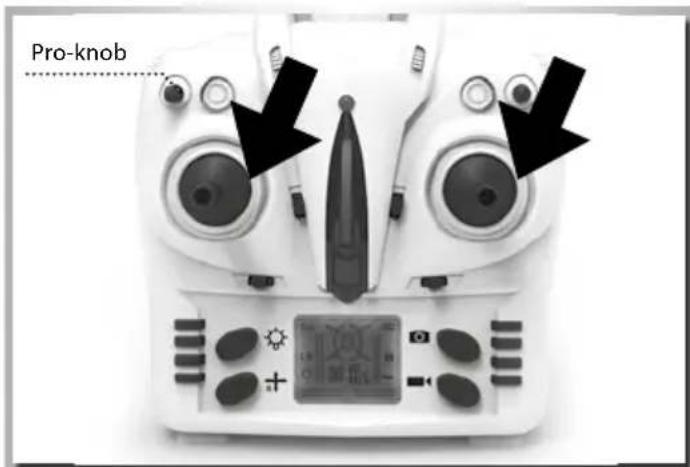
Calibration function: If the quadcopter always drifts to one side after launching, place the model on a horizontal surface (table, floor) and reconnect the 2.4 GHz signal. Switch on expert mode and set it to 100%. Once it is switched on move both control levers to the bottom left position (illustration) until the LEDs flash. The calibration procedure is now complete.
Special FUnction eXplanation
Headless - Function
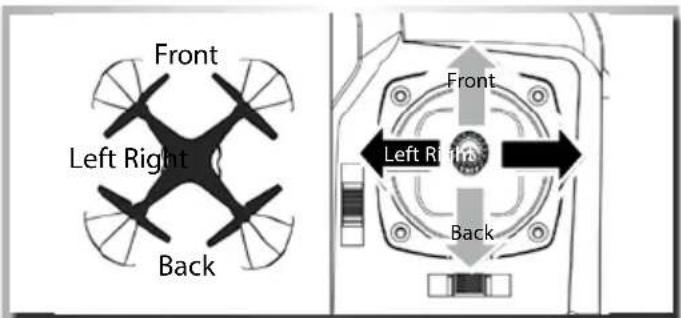
The Headless-function allows simplified control of a quadcopter, in which all control commands as use the reference point the location of the pilot. Here, it is no longer necessary, the position and orientation of the model taken into account. A feature which may be a bit confusing for experienced pilots, beginners, however, it facilitates control significantly.
Switch to headless function and general function
-
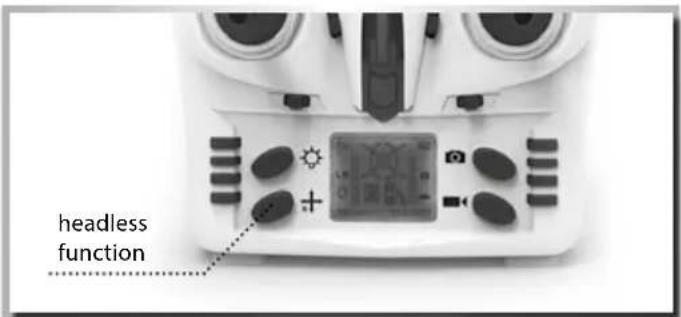
When the model is first switched on, the normal control function is activated. The LED glows permanently. Once the headless function switch on the transmitter is pushed to the left, you will hear a beep „D...“. D... D...“. This means that the headless function is activated. Press the button again. You will hear another three beeps „DDD“ to indicate that the headless function has been switched off. (the LED glows permanently in headless mode)
-
In headless state, the operator has no need to recognize the position of aircraft's headpiece, and he just needs to control the aircraft in accordance with the direction of remote control's operating rod.
FllpS UnD loopS
Flips and loops
If you make moored with the basic flight maneuvers, you can check out the acrobatic flight characteristics of the X4 quad-copter.
Climp up to a height of at least 3 meters.
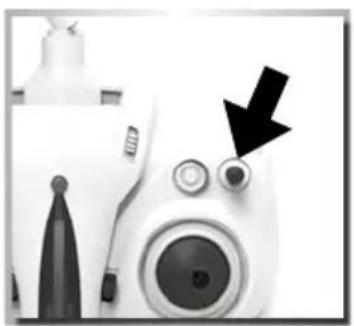
Press the stunt button which is at the top right of the transmitter. You will hear a continuous beep „DDD...“ Now move the right control stick (forwards, backwards, right or left). The model performs a loop in the given direction.
natural_image
Close-up of a white camera with a black arrow pointing to the lens (no text or symbols visible)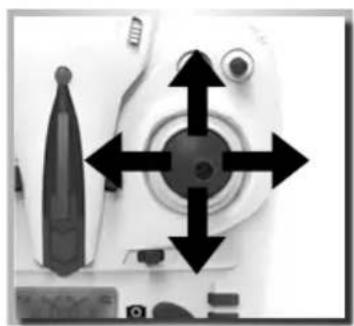
natural_image
Close-up of a white camera with four directional arrows pointing to the center (no text or symbols visible)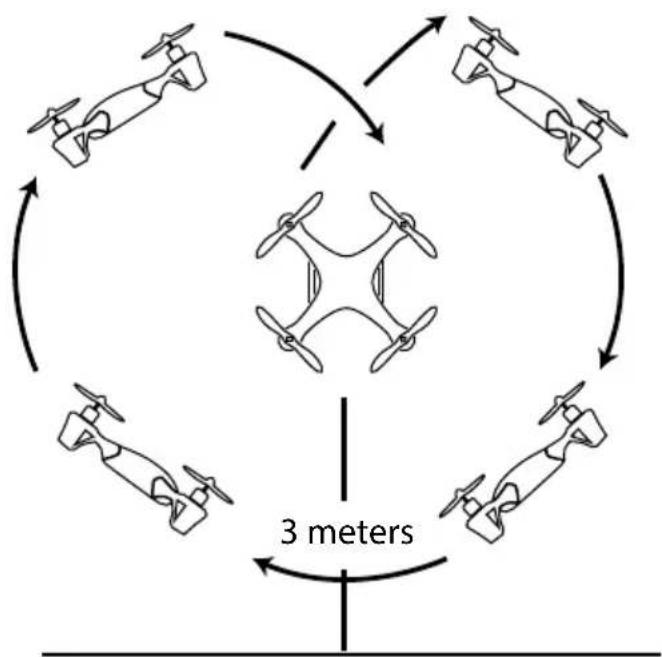
flowchart
graph TD
    A["Top: Three drones"] --> B["Center: Two drones"]
    B --> C["Top-right: Three drones"]
    C --> D["Bottom-right: Four drones"]
    D --> E["Bottom-left: Four drones"]
    E --> F["Top-left: Four drones"]
    F --> G["Top-right: Four drones"]
    G --> H["Bottom-left: Four drones"]
    H --> I["Top-left: Four drones"]
    I --> J["Top-right: Four drones"]
    J --> K["Bottom-left: Four drones"]
    K --> L["Top-right: Four drones"]
    L --> M["Bottom-right: Four drones"]
    M --> N["Top-left: Four drones"]
    N --> O["Top-right: Four drones"]
    O --> P["Bottom-left: Four drones"]
    P --> Q["Top-right: Four drones"]
    Q --> R["Bottom-right: Four drones"]
    R --> S["Top-left: Four drones"]
    S --> T["Top-right: Four drones"]
    T --> U["Bottom-left: Four drones"]
    U --> V["Top-right: Four drones"]
    V --> W["Bottom-right: Four drones"]
    W --> X["Top-left: Four drones"]
    X --> Y["Top-right: Four drones"]
Throw-Start
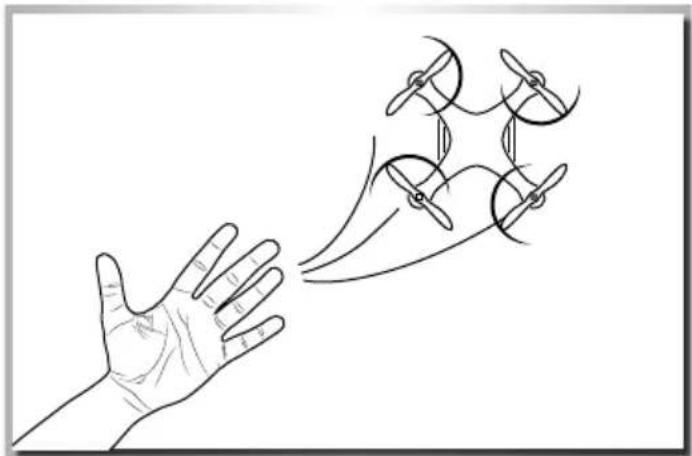
Experienced pilots can start the quadcopter on the „cool“ way. Throw the model into the air (approx 3-5m). Move the throttle lever up, and the model stabilizes it self in the air. Practice this method best on a soft Lawn / meadow.
natural_image
Line drawing of a hand reaching toward a multi-blade propeller airplane (no text or symbols)troUBIeSHootInG
| Problem Cause Reparation | ||
| The model does not move Check, if the transmitter and the model are switched ON. | Switch on the Transmitter and the Model. | |
| Check the battery voltage of transmitter and model | ||
| Motor does not turn | Motor is defective | Exchange the motor |
| Motor is too hot Allow the motor to cool down | ||
| The model reacts incorrectly to the control commands or flies choppily | Check the state of the transmitter and receiver battery charges | Employ completely charged batteries |
| The model does not take off | Rotor blades are twisted | Exchange the rotor blades |
| Motor is too hot Allow the motor to cool down | ||
| Batteries are empty Charge the batteries or exchange them | ||
| The model moves forward/ backward and sidewise, but does not hover | Check whether the quadcopter is exposed to a draught, e.g. by an opened window or an air conditioner. Hover flight is not possible when there is a draught | Close the window/door, switch off the air conditioner or select a more suitable room |
| The model vibrates severely | Check whether the rotors run true | Possibly change the rotor blades |
| Transmitter and quadcopter can not be binded | Throttle control not set to minimum Throttle need to be minimized to zero | |
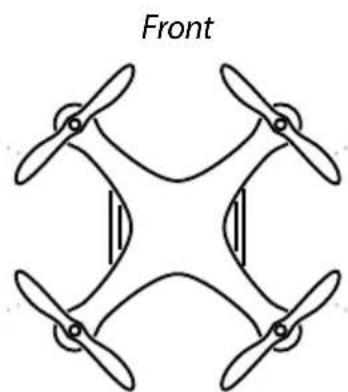
| Can not take off Wrong installation on rotors, rotors mark with A, B. | Mount the propeller as shown below | |

natural_image
Symmetrical diagram of four propellers arranged in a diamond pattern, labeled 'Front' at top (no other text or symbols)
Spare partS