PR3733 - Pain therapy device PHILIPS - Free user manual and instructions
Find the device manual for free PR3733 PHILIPS in PDF.


| Product type | Blue light and heat pain relief patch for back muscle pain |
| Model | PR3733 |
| Brand | Philips |
| Power supply | Rechargeable Li-Ion battery, 100-240V adapter, 50-60 Hz, 15 W |
| Battery life | Approximately 4 sessions per full charge |
| Charging time | Less than 5 hours |
| Treatment modes | 3 modes: Low (30 min, 50%), Medium (20 min, 75%), High (15 min, 100%) |
| Wavelength | 453 nm (blue light) |
| Maximum radiant power | 1.44 W (high mode) |
| Maximum surface temperature | Up to 47°C (high mode, all users) |
| Protection rating | IP22 (protected against dripping water when tilted) |
| Medical classification | Class IIa, risk group 1 (LED) |
| Application areas | Lower back and upper back |
| Included accessories | Pain relief patch, 2 straps (lower back and upper back), power adapter, USB cable |
| Maintenance and cleaning | Patch: damp cloth; straps: machine wash at 30°C delicate cycle, air dry |
| Safety | Do not use on people with pacemaker, pregnancy, severe diabetes, skin cancer, etc. Do not stare at the light. Do not use more than 2 times per day. |
| Spare parts and repairability | Replacement straps: PR3721 (upper back), PR3723 (lower back). Repairs by Philips authorized service center. |
| General information | For ages 18 and up. Expected lifetime: 5 years. Warranty: 2 years (excluding straps). |
Frequently Asked Questions - PR3733 PHILIPS
User questions about PR3733 PHILIPS
0 question about this device. Answer the ones you know or ask your own.
Ask a new question about this device
Download the instructions for your Pain therapy device in PDF format for free! Find your manual PR3733 - PHILIPS and take your electronic device back in hand. On this page are published all the documents necessary for the use of your device. PR3733 by PHILIPS.
USER MANUAL PR3733 PHILIPS
Always here to help you
Register your product and get support at
www.philips.com/welcome
PR3733
PR3731



ENGLISH 6
FRANÇAIS 27

67
85
Table of contents
Introduction 6
Intended use 6
Contra-indications, reactions and side effects 7
Contra-indications 7
Reactions and side effects 8
Important safety information 8
Warning 8
Caution 9
Compliance with standards 9
Electromagnetic emissions and immunity 9
Treatment schedule and treatment modes 10
Treatment schedule 10
Treatment modes 10
Product overview 10
Charging the device 11
Using the device 12
Positioning the device 12
Starting and stopping treatment 14
After treatment 15
Cleaning 15
Troubleshooting 15
Signals on the device 17
Ordering accessories 17
Guarantee and support 18
Recycling 18
Specifications 19
Explanation of symbols 20
Introduction
Congratulations on your purchase and welcome to Philips!
To benefit fully from the support that Philips offers, register your product at www.philips.com/pain-relief/register.
Read this user manual carefully before you use the BlueTouch Pain Relief Patch and save it for future reference. This medical device is available without prescription. To achieve the optimal treatment success, we recommend that you use the device according to the treatment schedule and the instructions in this user manual. If you need further information or have questions, please visit www.philips.com/pain-relief or contact the Philips Consumer Care Centre in your country
BlueTouch is a trademark owned by Koninklijke Philips N.V.
Intended use
The BlueTouch Pain Relief Patch is a wearable medical device intended for use on and by persons older than 18. It treats muscular back pain by supplying light and warmth to the body by means of optical power and thermal conduction. Its special blue LED light relaxes and helps to heal damaged muscles through improved blood circulation. The intended treatment area of the device is the upper and lower back. You can position the device on the treatment area with a strap and use it during your normal daily activities. The power for the device comes from non-exchangeable rechargeable batteries.
Contra-indications, reactions and side effects
Contra-indications
General health conditions
Do not use the device if any of the following general health conditions apply to you:
- pregnancy or breastfeeding
- fever
- uncontrolled high blood pressure or a cardiovascular condition (stroke, myocardial infarction, angina pectoris, arteriosclerotic vascular disease (ASVD), peripheral vascular disease, or (severe) congestive heart failure)
- severe or uncontrolled diabetes or diabetes with peripheral damage
- presence of an implanted medical device (screw, etc.) in or near the treatment area or presence of an active implantable medical device, such as a cardiac pacemaker, defibrillator, neurostimulator, cochlear implant, or an active drug administration device, anywhere in the body
- widespread pain
- poor general health
- schizophrenia, borderline syndrome or severe depression
- severe osteoporosis (T score of 2.5 and a history of 1 or more bone fractures) or another serious bone disease
Pain-related health problems
Do not use the device if any of the following pain-related health problems apply to you:
- unsuccessful back surgery or surgery to torso, head or back within the previous 8 weeks
- acute dislocation or fracture within the previous 8 weeks
- a degenerative central nervous system disease such as multiple sclerosis or Parkinson's disease
- spinal stenosis that causes back pain
- cauda equina syndrome or other neurological symptoms that indicate neuropathy
- sensory deprivation or diagnosed shingles or post-herpetic neuralgia, especially in the mid-trunk area.
- an inflammatory disease or a chronic disease or an infection known to cause pain, such as spondyloarthropathy, rheumatoid arthritis, lupus erythematodes, Lyme borreliosis
Dermatological or oncological problems
Do not use the device if any of the following dermatological or oncological problems apply to you:
- a history of skin cancer or any other localised cancer or the presence of precancerous lesions or large moles in the treatment area
- sun allergy
- burnt or sunburnt skin
- if you take photosensitising medication, do not use the device if the package insert states that the medication can cause photo-allergic reactions, photo-toxic reactions or that you must avoid sun exposure
-
if you are on steroids, as this medication makes the skin more susceptible to irritation
-
a skin disease such as porphyria, polymorphic light eruption, chronic actinic dermatitis, actinic prurigo or solar urticaria that causes photosensitivity
- infections, eczema, unhealed tattoos, burns, inflammations (e.g. of hair follicles), lacerations, abrasions, herpes simplex, psoriasis, wounds or lesions and haematomas in the treatment area
- allergy to the surface materials of the BlueTouch Pain Relief Patch (polyurethane for the skin contact surface and polyester for the surface that does not touch the skin) or to the polyester of the straps
Reactions and side effects
- It is normal for the skin to become a little red during treatment. The cause of this skin redness is the increased blood circulation due to the warmth of the BlueTouch Pain Relief Patch. This skin redness is harmless and fades after the treatment has ended.
- You may sometimes notice tanning after treatment. The cause of this tan is the exposure to light - a similar effect to that caused by sunlight - or to warmth. This effect is harmless and fades away by itself after a number of weeks and sometimes a few months. Postpone treatment until the tan has disappeared. To prevent tanning, resume treatment in a lower mode and avoid excessive pressure on the BlueTouch Pain Relief Patch during treatment, for example by sitting or lying on it or by leaning heavily against it.
- Blue light may discolour tattoos in the treatment area.
Important safety information
Warning
- The purpose of the BlueTouch Pain Relief Patch is to treat back pain. Do not use it for any other purpose.
- This is a medical device. Keep the device out of the reach of children.
- Read this user manual carefully and always adhere to the treatment and installation instructions.
- Do not use the device on children or babies because of their immature skin.
- Adults with reduced sensory or mental capabilities must not use this device, as they may not be able to use it according to the instructions in this user manual.
- The BlueTouch Pain Relief Patch is not suitable for continuous use. Always adhere to the treatment schedule in chapter 'Treatment schedule and treatment modes'. Do not treat more often than twice a day.
- If treatment becomes uncomfortable, switch to a lower treatment mode. If treatment is still uncomfortable in low mode, switch off the BlueTouch Pain Relief Patch and stop using it.
- Do not stare into the light emitted by the BlueTouch Pain Relief Patch during operation, as this may lead to eye irritation or eye damage.
- Do not leave the BlueTouch Pain Relief Patch unattended when it is on, as this may cause eye irritation or eye damage when other people stare into the light emitted by the device.
-
Do not apply any creams or lotions to the skin before treatment, as this may lead to skin irritation.
-
Only charge the BlueTouch Pain Relief Patch by connecting the USB cable and the adapter supplied with the device to a wall socket.
- Do not wear the BlueTouch Pain Relief Patch while it is charging. There is a risk of electric shock.
- The BlueTouch Pain Relief Patch is not waterproof. Do not use the BlueTouch Pain Relief Patch in wet surroundings. Do not immerse the BlueTouch Pain Relief Patch in water nor rinse it under the tap.
- Keep the adapter dry.
- Never exert excessive pressure on the BlueTouch Pain Relief Patch, for instance by pressing, lying, sitting or standing on it. Do not lean heavily against the BlueTouch Pain Relief Patch when sitting. Excessive pressure on the device may lead to darkening or redness of the skin in the area in contact with the patch.
- Do not squeeze or twist the BlueTouch Pain Relief Patch. Keep the BlueTouch Pain Relief Patch away from sharp, pointed or abrasive objects.
- Always check the BlueTouch Pain Relief Patch and the adapter for damage before use. Do not use the BlueTouch Pain Relief Patch or the adapter if you notice any damage.
- Always have a damaged adapter replaced with one of the original type to avoid a hazard. Contact Philips to obtain a new adapter.
- Do not modify the BlueTouch Pain Relief Patch and its accessories.
- Always return the BlueTouch Pain Relief Patch to a service centre authorised by Philips for examination or repair. Repair by unqualified people could cause a hazardous situation for the user.
- Use and charge the BlueTouch Pain Relief Patch at a temperature between +5^ and +35^ . Store the BlueTouch Pain Relief Patch at a temperature between -20^ and +50^ .
- Only use the BlueTouch Pain Relief Patch in one of the specially designed straps supplied with the device.
- Do not use the device if it is closer than 30cm to wireless communication equipment, such as wireless home network routers and walkie-talkies. This wireless communication equipment may cause electromagnetic interference that prevents the device from operating properly.
Caution
- Do not subject the BlueTouch Pain Relief Patch to heavy shocks or drop it.
- If you take the BlueTouch Pain Relief Patch from a very warm environment to a colder environment, wait approximately 3 hours before you use it.
- To prevent damage to the drum of the washing machine or to other laundry in the drum, wash the straps in a fine-mesh washing bag.
- If the device is not used for several months, recharge it regularly.
Compliance with standards
- This BlueTouch Pain Relief Patch meets all standards relevant for electrical medical appliances and appliances using optical (LED) radiation for home use (IEC60601 family).
Electromagnetic emissions and immunity
- The BlueTouch Pain Relief Patch is approved according to EMC safety standard EN 60601-1-2. It is designed to be used in typical domestic or clinical environments.
Treatment schedule and treatment modes
Treatment schedule
Always stick to the treatment time indicated in this chapter. Do not treat more often than twice a day.
The BlueTouch Pain Relief Patch is suitable for daily use. You can use it when you feel pain, but do not use it more often than twice a day. If you follow the instructions in this chapter, you do not exceed the maximum daily light dose.
Since the effect of the BlueTouch Pain Relief Patch is generally not noticeable immediately, we recommend that you try out the device for at least two weeks before you draw any conclusions about its effectiveness.
Note: You can use the BlueTouch Pain Relief Patch twice in a row for two treatments of 15 minutes, 20 minutes or 30 minutes. To start the second treatment, press the mode button to switch on the device again.
Treatment modes
Modes No. of treatments per day Treatment duration and light
intensity
1: low 1 or 2 30 min at 50%
2: medium 1 or 2 20 min at 75%
3: high 1 or 2 15 min at 100%
- Mode 1 (low): This mode gives a mild warmth sensation and stimulates the release of nitric oxide. You can use this mode twice a day for 30 minutes each time.
- Mode 2 (medium): This mode gives a moderate warmth sensation and stimulates the release of nitric oxide. You can use this mode twice a day for 20 minutes each time.
- Mode 3 (high): This mode gives a full warmth sensation and stimulates the release of nitric oxide. You can use it twice a day for 15 minutes each time.
The warmth and the nitric oxide relax and help to heal damaged muscles through improved blood circulation.
Product overview (Fig. 1)
1 BlueTouch Pain Relief Patch (outside)
2 Mode button
3 Connection panel
4 Charging light
5 Micro USB socket
6 BlueTouch Pain Relief Patch (skin side)
7 Treatment area
8 Adapter
9 Standard USB plug
10 Micro USB plug
Charging the device

You have to charge the BlueTouch Pain Relief Patch before first use. You also have to charge the device when its battery is low. When you charge the BlueTouch Pain Relief Patch, it takes less than 5 hours to charge the battery. When fully charged, the battery contains enough energy for 4 or more treatments. You can charge the BlueTouch Pain Relief Patch with the adapter and USB cable supplied.
Note: You cannot use the BlueTouch Pain Relief Patch when it is charging.
Note: If the device is not fully charged when you start a treatment, the battery may run out during the treatment. We advise you to always fully charge the device before you start a treatment.
1 Insert the standard USB plug into the socket of the adapter.
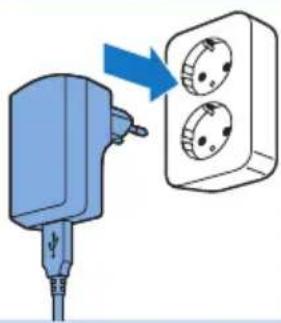
2 Insert the adapter into a wall socket (100V-240V).
3 Insert the micro USB plug into the socket on the BlueTouch Pain Relief Patch.
Caution: Only use this micro-USB socket to connect the BlueTouch Pain Relief Patch to the mains for charging. Do not connect any other cable with a micro-USB plug to this socket.

When you connect the BlueTouch Pain Relief Patch to the mains, it beeps once to indicate that charging starts. The charging light on the connection panel flashes green slowly and regularly during charging.

4 When the battery is fully charged, the charging light turns solid green.

5 Remove the adapter from the wall socket and pull the USB plug out of the micro USB socket of the BlueTouch Pain Relief Patch.
Using the device
Positioning the device

You position the BlueTouch Pain Relief Patch on your body with one of the straps supplied with the device. There is a special strap for treatment of the upper back and a special strap for treatment of the lower back.
Note: Do not wear multiple layers of clothing or tight or thick clothing over the BlueTouch Pain Relief Patch.
Positioning the lower back strap
To place the BlueTouch Pain Relief Patch in the lower back strap, follow the steps below.

1 Place the lower back strap and the BlueTouch Pain Relief Patch in front of you on a table. Slide the left side of the BlueTouch Pain Relief Patch behind the elastic edge of the opening in the strap.
2 Then slide the other end of the BlueTouch Pain Relief Patch behind the opposite elastic edge of the opening so that the whole patch is inside the lower back strap. Check to make sure that material of the strap does not cover the LEDs. If necessary, shift the BlueTouch Pain Relief Patch a little.
3 Remove clothing from the area to be treated.
Note: Make sure the skin in the area to be treated is clean, entirely dry and free from creams, lotions and other cosmetics.

4 Wrap the lower back strap with the BlueTouch Pain Relief Patch in it around your waist with the treatment area of the device facing your back.

5 Fasten the lower back strap with the Velcro strips on both ends of the lower back strap.
Note: Make sure the BlueTouch Pain Relief Patch in the strap is located on the area to be treated and the treatment area is in contact with the skin.
If the lower back strap does not fit around your body, you can do the following.

1 Attach the extension strap to the Velcro strip on one end of the lower back strip.

2 Then wrap the extended lower back strip around your body.

- Fasten the lower back strap with the Velcro strip at a width that feels comfortable.
Positioning the upper back strap
1 To put the BlueTouch Pain Relief Patch in the upper back strap, follow the same procedure as described in steps 1 and 2 in section 'Positioning the lower back strap' above.
2 Remove clothing from the area to be treated.
Note: Make sure the skin in the area to be treated is clean, entirely dry and free from creams, lotions and other cosmetics.
3 Put on the upper back strap like a backpack. First, put one arm through the shoulder sling on one side. Then do the same on the other side.
Note: Make sure the BlueTouch Pain Relief Patch in the strap is located on the area to be treated and the LED area is in contact with the skin.
4 Tighten the shoulder slings by pulling the elastic straps.





Starting and stopping treatment
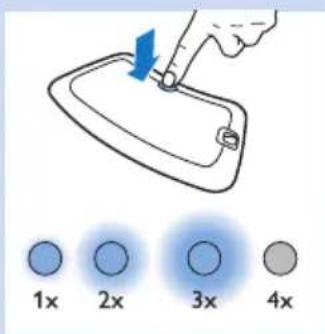
The BlueTouch Pain Relief Patch has three modes and an 'off setting (see chapter 'Treatment schedule and treatment modes'). Press the mode button one or more times to select one of the three treatment modes. When you press the mode button a fourth time, you switch off the BlueTouch Pain Relief Patch.
1 Mode 1 (low): press once
2 Mode 2 (medium): press twice
3 Mode 3 (high): press three times
4 O (off): press four times
Note: If you want to switch from mode 3 to mode 1 or 2 or from mode 2 to mode 1, you have to press the mode button as many times as required to reach the mode you want to select.
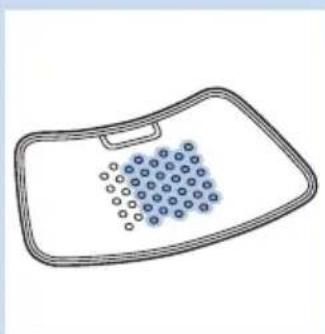
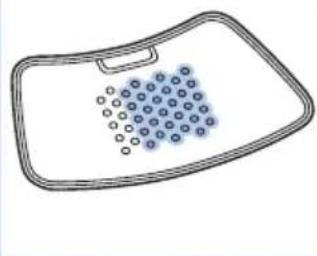
In mode 1 (low), four rows of LEDs light up in power save mode. The BlueTouch Pain Relief Patch beeps once.
Note: After 10 seconds the light intensity slowly increases from power-saving mode to the intensity of the mode selected. Put the BlueTouch Pain Relief Patch on the treatment area within these 10 seconds.
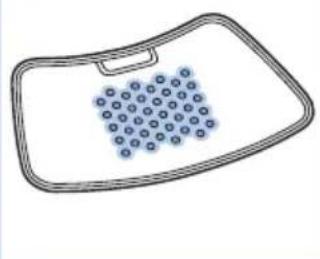
In mode 2 (medium), six rows of LEDs light up in power save mode. The BlueTouch Pain Relief Patch beeps twice.
In mode 3 (high), all LEDs light up in power save mode. The BlueTouch Pain Relief Patch beeps three times.
- When the light intensity starts to increase, you hear a dual tone from low to high.
The BlueTouch Pain Relief Patch automatically switches off after the treatment time of the selected mode has elapsed. You hear a triple tone from high to low to indicate that the device has switched off.
Note: If you want to switch to another mode during treatment, for instance because you experience the current intensity as unpleasant, press the mode button one or more times to select another mode. The timer automatically recalculates the remaining treatment time based on the new mode.
Note: If you want to switch off the device before the treatment time has elapsed, press the mode button one or more times until the LEDs switch off and you hear a triple tone from high to low.
After treatment
1 Loosen the strap and remove it from your back.
2 Recharge the BlueTouch Pain Relief Patch if the charging light is solid orange (see chapter 'Charging the device'). Remove the BlueTouch Pain Relief Patch from the strap before you start to recharge it.
Cleaning
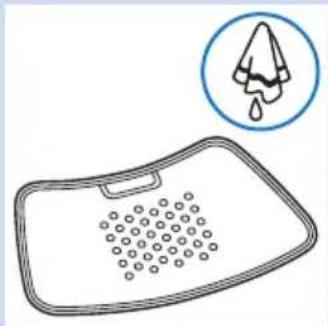
Do not immerse the BlueTouch Pain Relief Patch in water or rinse it under the tap.
Always remove the BlueTouch Pain Relief Patch from the strap before you put the strap in the washing machine to clean it.
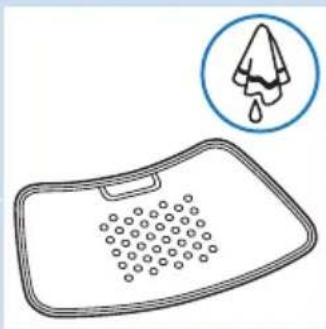
1 Clean the BlueTouch Pain Relief Patch with a damp cloth after use.

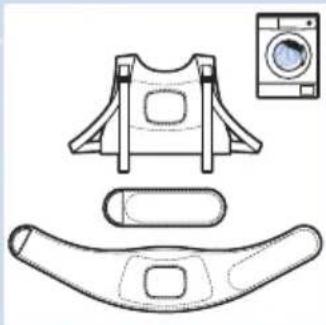
2 You can wash the BlueTouch Pain Relief straps in the washing machine when they are dirty.
Caution: To prevent damage to the BlueTouch Pain Relief straps and other clothes in the washing machine, wash the straps in a fine-mesh washing bag.

Note: Use a gentle cycle and a temperature of 30^ maximum. Dry the BlueTouch Pain Relief straps on the air and not in the tumble dryer. Do not iron the straps.
Troubleshooting
This chapter summarises the most common problems you could encounter with the BlueTouch Pain Relief Patch. If you are unable to solve the problem with the information below, contact Philips.
Problem Possible cause Solution
| The BlueTouch Pain Relief Patch suddenly switches off during treatment. | The pre-set treatment time has elapsed. | The BlueTouch Pain Relief Patch is programmed to switch off automatically after the treatment time in the selected treatment mode has elapsed. Just before it switches off you hear a triple tone (high to low). |
| The BlueTouch Pain Relief Patch does not appear to work for me, for I notice no effect. | It may take two weeks before the effects become noticeable. | Be patient and allow more time for the effects to become noticeable. |
| The BlueTouch Pain Relief Patch switches to a lower intensity. | The temperature of the device is too high. | Remove the BlueTouch Pain Relief Patch from your body, switch it off and let it cool down. Make sure that you do not wear too many or too thick clothes over the BlueTouch Pain Relief Patch during treatment. |
| The charging light turns solid red for 8 seconds and the BlueTouch Pain Relief Patch switches off. | The rechargeable battery is empty. | Charge the BlueTouch Pain Relief Patch (see chapter 'Charging the device'). |
| The charging light is solid orange. | The battery is low and does not contain enough energy for one treatment. | Charge the BlueTouch Pain Relief Patch (see chapter 'Charging' the device). |
| The adapter becomes warm during charging. | This is normal. No action required. | |
| A piece of medical equipment malfunctions when the device is switched on or during operation. | The device is too close to the medical equipment. | Do not use the device near medical equipment. |
| The charging light does not start flashing green when I insert the micro USB plug into the micro USB socket on the connection panel. | You have not inserted the adapter or have not inserted it properly into the wall socket. | Insert the adapter into the wall socket properly. |
| You have not inserted the standard USB plug or have not inserted it properly into the adapter. | Insert the standard USB plug into the adapter properly. | |
Problem Possible cause Solution
| The wall socket into which you have inserted the adapter is not live. | Connect another appliance to the same socket to check if the socket is live. If the wall socket is live, but the BlueTouch Pain Relief Patch does not charge, contact Philips. | |
| An error occurred during charging. | Press the button on the BlueTouch Pain Relief Patch to restart charging. | |
| The adapter is connected to the BlueTouch Pain Relief Patch and the charging light is not solid or flashing green. | An error occurred during charging. | Press the button on the BlueTouch Pain Relief Patch to restart charging. |
| The BlueTouch Pain Relief Patch becomes warm during use. | This is normal. No action required. | |
Signals on the device
Sound signals during treatment

- A dual tone (low to high) sounds when the treatment starts and the intensity increases from power save mode to the intensity of the mode selected.
- A triple tone (high to low) sounds when the treatment ends.
Battery level signals
- The charging light is solid green when the battery contains enough energy for at least one treatment.
- The charging light flashes green slowly and regularly during charging.
- The charging light is solid orange when the battery is low and does not contain enough energy for one treatment.
- The charging light turns solid red for 8 seconds and the device switches off when the battery is empty.
Ordering accessories
To buy accessories or spare parts, visit www.shop.philips.com/service or go to your Philips dealer. You can also contact the Philips Consumer Care Centre in your country. The type number of this device is PR3730.
Spare straps
- Lower back straps are available under type number PR3723.
- Upper back straps are available under type number PR3721.
Guarantee and support
Your device has been designed and developed with the greatest possible care to guarantee an expected service life of 5 years.
If you need service or information or if you have a problem, please visit our website at www.philips.com/support or contact the Philips
Consumer Care Centre. You can reach this centre at telephone number +971 65178727.
Guarantee restrictions
The guarantee does not cover the straps and standard wear and tear. The guarantee becomes invalid if you do not use the BlueTouch Pain Relief Patch according to the instructions in this user manual.
Manufacturer's legal address
Philips Consumer Lifestyle B.V.
Tussendiepen 4, 9206 AD Drachten, Netherlands
Recycling
Do not throw away the product with the normal household waste at the end of its life, but hand it in at an official collection point for recycling. By doing this, you help to preserve the environment.
Specifications
Model PR3730
Rated voltage 100-240V
Rated frequency 50-60 Hz
Rated input 15 W
Class Medical device Class Ila
Classification Risk Group 1 (according to IEC60601-2-57)
Ingress of water IP22
Max. daily dose < 108.5 J/cm^2 if treatment schedule is followed
Nominal wavelength 453nm
Maximum radiant power 1.44 W (nominal for program 3)
Average irradiance 21.2mW / cm^2
Maximum temperature (average user) during treatment Program 1: 40^
Program 2: 41^
Program 3: 42^
Maximum temperature (all users) during treatment Program 1: 45^
Program 2: 46^
Program 3: 47^
Peak/average irradiance ratio 2.3
Battery type Li-Ion
Adapter The adapter is specified as part of the medical system.
Operation conditions
Temperature from +5^ to +35^
Relative humidity from 15% to 93%
atmospheric pressure from 700 hPa to 1060 hPa
Storage conditions
Temperature from -20^ to +50^
Relative humidity up to 93% (non condensing)
Explanation of symbols

0344
- This symbol means: Conforms to EC Directives. CE stands for 'Conformité Européenne'. 0344 indicates the notified body number.

- This symbol means that the device uses LI-ION rechargeable batteries.

- This symbol means: protected against access to hazardous parts with a finger and against vertically falling water drops when tilted up to 15 degrees.
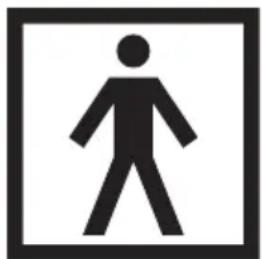
- This symbol means that an applied part that includes a patient connection intended to deliver electrical energy or an electrophysiological signal to or from the patient must be Type BF (Body Floating) applied, according to IEC 60601-1. The applied part is the device not including the charger.
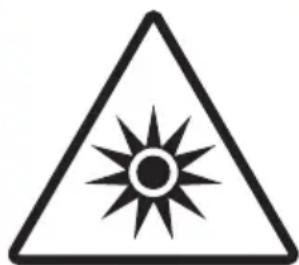
- This symbol means: Do not stare at the light source. Risk Group 1 product.

- This symbol means: read the user manual before you start using the device.

- This is the symbol for serial number. This symbol is followed by the manufacturer's serial number.
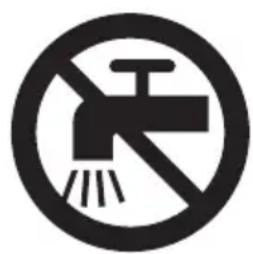
- This symbol means: Do not clean under a running tap.

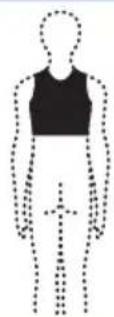
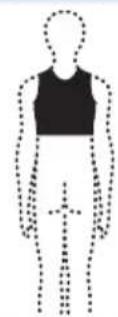
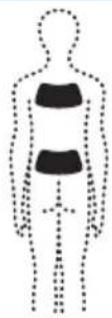
- This symbol indicates the areas where you may position the BlueTouch Pain Relief Patch.

- This symbol means 'Manufactured by' and appears next to the address of the legal manufacturer.

- This symbol means: Do not throw away with the normal household waste.

- This symbol indicates that the adapter is double insulated (Class II), according to IEC 60601-1.

- This symbol means: alternating current.

- This symbol means: direct current.

- This symbol means: Conforms to EC Directives. CE stands for 'Conformité Européenne'.
- This symbol means: may only be used indoors.

- This symbol means: USB connector.
- This symbol means: micro-USB connector.

- This symbol shows that the no-load power CEC (California Energy Commission) Efficiency Level is V (five) in order to meet EU requirements.

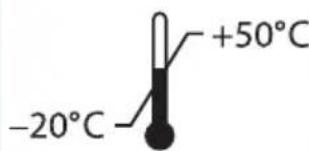
- This symbol means that the package and its contents can be stored at temperatures between -20^ and +50^ .

- This symbol means that the 2-year worldwide guarantee applies to this device.

- This symbol refers to the Green Dot scheme, which is covered under the European Packaging and Packaging Waste Directive (94/62/EC). Under this scheme, industry has to pay for recycling the packaging materials of consumer goods

- This symbol means: Wash at a temperature of 30^ max.

- This symbol means: Do not bleach.

- This symbol means: Do not tumble-dry.

- This symbol means: Do not iron.

- This symbol means: do not dry clean.

- This symbol means that the material has been tested for harmful substances according to Oeko-Tex® standard 100.

- This symbol means that you have to use this strap on the upper back.

- This symbol means that you have to use this strap on the lower back.

- This symbol indicates the manufacturer's batch code so that the batch or lot can be identified.

- This symbol means that the packaging material is recyclable.
Table des matieres
Introduction 27
Application 27
Commanded accessoires
Tested for harmful substances according to Oeko-Tex Standard 100 4659CIT Centexbel
J 1000000000000000000000000000000000000000
a 1

Jlac dIi jygo yllw r gilc ciaow d C wio 0d coslc
aui ci 9i i aai i 10000000000000000000000000000000000000000000000000000000000000000
a
i i
1




aaii iinu bno jolg o ba 1jgil d c wioe no d coale
USBJw:cuolc
UUB Joo
BlueTouch Pain Relief Patch jlaaip 4 Jgaoo sLio Jn Jn Jn Jn Jn Jn Jn Jn Jn Jn Jn Jn Jn Jn Jn Jn Jn Jn Jn Jn Jn Jn Jn Jn Jn Jn Jn Jn Jn Jn Jn Jn Jn Jn Jn Jn Jn Jn Jn Jn Jn Jn Jn Jn Jn Jn Jn Jn Jn Jn J n
| الله | الله | الله | ||
| الله محيى بLight Touch Pain Relief Patch الله محيى بLight Touch Pain Relief Patch الله محيى بLight Touch Pain Relief Patch الله محيى بLight Touch Pain Relief Patch الله محيى بLight Touch Pain Relief Patch الله محيى بLight Touch Pain Relief Patch الله محيى بLight Touch Pain Relief Patch الله محيى بLight Touch Pain Relief Patch الله محيى بLight Touch Pain Relief Patch الله م記錄 بLight Touch Pain Relief Patch الله م記錄 بLight Touch Pain Relief Patch الله م記錄 بLight Touch Pain Relief Patch الله م記錄 بLight Touch Pain Relief Patch الله م記錄 بLight Touch Pain Relief Patch الله م記錄 بLight Touch Pain Relief Patch الله م記錄 بLight Touch Pain Relief Patch الله م記錄 بLight Touch Pain Relief Patch الله م記錄 بLight Touch Pain Relief Patch الله م記錄 bLight Touch Pain Relief Patch الله م記錄 bLight Touch Pain Relief Patch الله م記錄 bLight Touch Pain Relief Patch الله م記錄 bLight Touch Pain Relief Patch الله م記錄 bLight Touch Pain Relief Patch الله م記錄 bLight Touch Pain Relief Patch الله م記錄 bLight Touch Pain Relief Patch الله م記錄 bLight Touch Pain Relief Patch الله م記錄 bLight Touch Pain Relief Patch الله م記錄 bLIGHT Touch Pain Relief Patch الله م記錄 bLIGHT Touch Pain Relief Patch الله م記錄 bLIGHT Touch Pain Relief Patch الله م記錄 bLIGHT Touch Pain Relief Patch الله م記錄 bLIGHT Touch Pain Relief Patch الله م記錄 bLIGHT Touch Pain Relief Patch الله م記錄 bLIGHT Touch Pain Relief Patch الله م記錄 bLIGHT Touch Pain Relief Patch الله م記錄 bLIGHT Touch Pain Relief Patch الله م記錄 bLIGHTTouch Pain Relief Patch الله م記錄 bLIGHT Touch Pain Relief Patch الله م記錄 bLIGHT Touch Pain Relief Patch الله م記錄 bLIGHT Touch Pain Relief Patch الله م記錄 bLIGHT Touch Pain Relief Patch الله م記錄 bLIGHT Touch Pain Relief Patch الله م記錄 bLIGHT Touch Pain Relief Patch الله م記錄 bLIGHT Touch Pain Relief Patch الله م記錄 bLIGHT Touch Pain Relief Patch الله م記錄 bLIGHT Touch Bain Touch الله م記錄 bLight Touch Bain Touch الله م記錄 bLight Touch Bain Touch الله م記錄 bLight Touch Bain Touch الله م記錄 bLight Touch Bain Touch الله م記錄 bLight Touch Bain Touch الله م記錄 bLight Touch Bain Touch الله م記錄 bLight Touch Bain Touch الله م記錄 bLight Touch Bain Touch الله م記錄 bLight Touch Bain Touch الله م記錄 bLight Touch Bain Touch الله م記錄 bLIGHT Touch Bain Touch الله م記錄 bLIGHT Touch Bain Touch الله م記錄 bLIGHT Touch Bain Touch الله م記錄 bLIGHT Touch Bain Touch الله م記錄 bLIGHT Touch Bain Touch الله م記錄 bLIGHT Touch Bain Touch الله م記錄 bLIGHT Touch Bain Touch الله م記錄 bLIGHT Touch Bain Touch الله م記錄 bLIGHT Touch Bain Touch الله م記錄 bLIGHT Touch Bain Touch الله م記錄 bLight Touch Bain Touch الله م記錄 bLight Touch Bain Touch الله م記錄 bLIGHT Touch Bain Touch الله م記錄 bLIGHT Touch Bain Touch الله م記錄 bLIGHT Touch Bain Touch الله م記錄 bLIGHT Touch Bain Touch الله م記錄 bLIGHT Touch Bain Touch الله م記錄 bLIGHT Touch Bain Touch الله م記錄 bLIGHT Touch Bain Touch الله م記錄 bLight Touch Bain Touch الله م記錄 bLight Touch Bain Touch الله م記錄 bLight Touch Bain Touch الله م記錄 bLIGHT Touch Bain Touch الله م記錄 bLIGHT Touch Bain Touch الله م記錄 bLIGHT Touch Bain Touch الله م記錄 bLIGHT Touch Bain Touch الله م記錄 bLIGHT Touch Bain Touch الله م記錄 bLIGHT Touch Bain Touch الله م記錄 bLight Touch Bain Touch الله م記錄 bLight Touch Bain Touch الله م記錄 bLIGHT Touch Bain Touch الله م記錄 bLight Touch Bain Touch الله م記錄 bLIGHT Touch Bain Touch الله م記錄 bLIGHT Touch Bain Touch الله م記錄 bLIGHT Touch Bain Touch الله م記錄 bLIGHT Touch Bain Touch الله م記錄 bLIGHT Touch Bain Touch الله م記錄 bLIGHT Touch Bain Touch الله م記錄 bLIGHT Touch Bain Touch الله م記錄 bLIGHT Touch Bain Touch الله م記錄 bLight Touch Bain Touch الله م記錄 bLIGHT Touch Bain Touch الله م記錄 bLIGHT Touch Bain Touch الله م記錄 bLIGHT Touch Bain Touch الله م記錄 bLIGHT Touch Bain Touch الله م記錄 bLIGHT Touch Bain Touch الله م記錄 bLIGHT Touch Bain Touch الله م記錄 bLIGHT Touch Bain Touch الله م記錄 bLight Touch Bain Touch الله م記錄 bLIGHT Touch Bain Touch الله م記錄 bLight Touch Bain Touch الله م記錄 bLIGHT Touch Bain Touch الله م記錄 bLIGHT Touch Bain Touch الله م記錄 bLIGHT Touch Bain Touch الله م記錄 bLIGHT Touch Bain Touch الله م記錄 bLIGHT Touch Bain Touch الله م記錄 bLIGHT Touch Bain Touch الله م記錄 bLight Touch Bain Touch الله م記錄 bLIGHT Touch Bain Touch الله م記錄 bLIGHT Touch Bain Touch الله م記錄 bLight Touch Bain Touch الله م記錄 bLIGHT Touch Bain Touch الله م記錄 bLIGHT Touch Bain Touch الله م記錄 bLIGHT Touch Bain Touch الله م記錄 bLIGHT Touch Bain Touch الله م記錄 bLIGHT Touch Bain Touch الله م記錄 bLIGHT Touch Bain Touch الله م記錄 bLight Touch Bain Touch الله م記錄 bLight Touch Bain Touch الله م記錄 bLight Touch Bain Touch الله م記錄 bLight Touch Bain Touch الله م記錄 bLIGHT Touch Bain Touch الله م記錄 bLIGHT Touch Bain Touch الله م記錄 bLIGHT Touch Bain Touch الله م記錄 bLIGHT Touch Bain Touch الله م記錄 bLIGHT Touch Bain Touch الله م記錄 bLight Touch Bain Touch الله م記錄 bLIGHT Touch Bain Touch الله م記錄 bLIGHT Touch Bain Touch الله م記錄 bLIGHT Touch Bain Touch الله م記錄 bLight Touch Bain Touch الله م記錄 bLIGHT Touch Bain Touch الله م記錄 bLIGHT Touch Bain Touch الله م記錄 bLIGHT Touch Bain Touch الله م記錄 bLIGHT Touch Bain Touch الله م記錄 bLIGHT Touch Bain Touch الله م記錄 bLight Touch Bain Touch الله م記錄 bLIGHT Touch Bain Touch الله م記錄 bLIGHT Touch Bain Touch الله م記錄 bLight Touch Bain Touch الله م記錄 bLight Touch Bain Touch الله م記錄 bLIGHT Touch Bain Touch الله م記錄 bLIGHT Touch Bain Touch الله م記錄 bLIGHT Touch Bain Touch الله م記錄 bLIGHT Touch Bain Touch الله م記錄 bLIGHT Touch Bain Touch الله م記錄 bLight Touch Bain Touch الله م記錄 bLIGHT Touch Bain Touch الله م記錄 bLight Touch Bain Touch الله م記錄 bLIGHT Touch Bain Touch الله م記錄 bLight Touch Bain Touch الله م記錄 bLIGHT Touch Bain Touch الله م記錄 bLIGHT Touch Bain Touch الله م記錄 bLIGHT Touch Bain Touch الله م記錄 bLIGHT Touch Bain Touch الله م記錄 bLIGHT Touch Bain Touch الله م記錄 bLight Touch Bain Touch الله م記錄 bLIGHT Touch Bain Touch الله م記錄 bLight Touch Bain Touch الله م記錄 bLight Touch Bain Touch الله م記錄 bLIGHT Touch Bain Touch الله م記錄 bLIGHT Touch Bain Touch الله م記錄 bLIGHT Touch Bain Touch الله م記錄 bLIGHT Touch Bain Touch الله م記錄 bLIGHT Touch Bain Touch الله م記錄 bLIGHT Touch Bain Touch الله م記錄 bLight Touch Bain Touch الله م記錄 bLIGHT Touch Bain Touch الله م記錄 bLight Touch Bain Touch الله م記錄 bLight Touch Bain Touch الله م記錄 bLight Touch Bain Touch الله م記錄 bLIGHT Touch Bain Touch الله م記錄 bLIGHT Touch Bain Touch الله م記錄 bLIGHT Touch Bain Touch الله م記錄 bLIGHT Touch Bain Touch الله م記錄 bLIGHT Touch Bain Touch الله م記錄 bLight Touch Bain Touch الله م記錄 bLight Touch Bain Touch الله م記錄 bLIGHT Touch Bain Touch الله م記錄 bLIGHT Touch Bain Touch الله م記錄 bLight Touch Bain Touch الله م記錄 bLIGHT Touch Bain Touch الله م記錄 bLIGHT Touch Bain Touch الله م記錄 bLIGHT Touch Bain Touch الله م記錄 bLIGHT Touch Bain Touch الله م記錄 bLIGHT Touch Bain Touch الله م記錄 bLight Touch Bain Touch الله م記錄 bLight Touch Bain Touch الله م記錄 bLIGHT Touch Bain Touch الله م記錄 bLight Touch Bain Touch الله م記錄 bLight Touch Bain Touch الله م記錄 bLIGHT Touch Bain Touch الله م記錄 bLIGHT Touch Bain Touch الله م記錄 bLIGHT Touch Bain Touch الله م記錄 bLIGHT Touch Bain Touch الله م記錄 bLIGHT Touch Bain Touch الله م記錄 bLight Touch Bain Touch الله م記錄 bLight Touch Bain Touch الله م記錄 bLight Touch Bain Touch الله م記錄 bLIGHT Touch Bain Touch الله م記錄 bLight Touch Bain Touch الله م記錄 bLIGHT Touch Bain Touch الله م記錄 bLight Touch Bain Touch الله م記錄 bLIGHT Touch Bain Touch الله م記錄 bLight Touch Bain Touch الله م記錄 bLIGHT Touch Bain Touch الله م記錄 bLight Touch Bain Touch الله م記錄 bLIGHT Touch Bain Touch الله م記錄 bLight Touch Bain Touch الله م記錄 bLight Touch Bain Touch الله م記錄 bLIGHT Touch Bain Touch الله م記錄 bLight Touch Bain Touch الله م記錄 bLIGHT Touch Bain Touch الله م記錄 bLight Touch Bain Touch الله م記錄 bLIGHT Touch Bain Touch الله م記錄 bLight Touch Bain Touch الله م記錄 bLIGHT Touch Bain Touch الله م記錄 bLIGHT Touch Bain Touch الله م記錄 bLIGHT Touch Bain Touch الله م記錄 bLight Touch Bain Touch الله م記錄 bLIGHT Touch Bain Touch الله م記錄 bLIGHT Touch Bain Touch الله م記錄 bLIGHT Touch Bain Touch الله م記錄 bLight Touch Bain Touch الله م記錄 bLIGHT Touch Bain Touch الله م記錄 bLight Touch Bain Touch الله م記錄 bLIGHT Touch Bain Touch الله م記錄 bLight Touch Bain Touch الله م記錄 bLIGHT Touch Bain Touch الله م記錄 bLight Touch Bain Touch الله م記錄 bLIGHT Touch Bain Touch الله م記錄 bLIGHT Touch Bain Touch الله م記錄 bLight Touch Bain Touch الله م記錄 bLIGHT Touch Bain Touch الله م記錄 bLight Touch Bain Touch الله م記錄 bLIGHT Touch Bain Touch الله م記錄 bLight Touch Bain Touch الله م記錄 bLIGHT Touch Bain Touch الله م記錄 bLight Touch Bain Touch الله م記錄 bLight Touch Bain Touch الله م記錄 bLight Touch Bain Touch الله م記錄 bLIGHT Touch Bain Touch الله م記錄 bLight Touch Bain Touch الله م記錄 bLIGHT Touch Bain Touch الله م記錄 bLight Touch Bain Touch الله م記錄 bLIGHT Touch Bain Touch الله م記錄 bLIGHT Touch Bain Touch الله م記錄 bLight Touch Bain Touch الله م記錄 bLIGHT Touch Bain Touch الله م記錄 bLIGHT Touch Bain Touch الله م記錄 bLight Touch Bain Touch الله م記錄 bLIGHT Touch Bain Touch الله م記錄 bLight Touch Bain Touch الله م記錄 bLIGHT Touch Bain Touch الله م記錄 bLight Touch Bain Touch الله م記錄 bLight Touch Bain Touch الله م記錄 bLIGHT Touch Bain Touch الله م記錄 bLight Touch Bain Touch الله م記錄 bLight Touch Bain Touch الله م記錄 bLight Touch Bain Touch الله م記錄 bLight Touch Bain Touch الله م記錄 bLight Touch Bain Touch الله م記錄 bLight Touch Bain Touch الله م記錄 bLight Touch Bain Touch الله م記錄 bLight Touch Bain Touch الله م記錄 bLight Touch Bain touch الله م記錄 bLight Touch Bain touch الله م記錄 bLight Touch Bain touch الله م記錄 bLight Touch Bain touch الله م記錄 bLight Touch Bain touch الله م記錄 bLight Touch Bain touch الله م記錄 bLight Touch Bain touch الله م記錄 bLight Touch Bain touch الله م記錄 bLight Touch Bain touch الله م記錄 bLight Touch Bain touch الله م記錄 bLight Touch Baintouch الله م記錄 bLight Touch Bain touch الله م記錄 bLight Touch Bain touch الله م記錄 bLight Touch Bain touch الله م記錄 bLight Touch Bain touch الله م記錄 bLight Touch Bain touch الله م記錄 bLight Touch Bain touch الله م記錄 bLight Touch Bain touch الله م記錄 bLight Touch Bain touch الله م記錄 bLight Touch Bain touch الله م記錄 bLight Touch Bain touched الله م記錄 bLight Touch Bain touched الله م記錄 bLight Touch Bain touched الله م記錄 bLight Touch Bain touched الله م記錄 bLight Touch Bain touched الله م記錄 bLight Touch Bain touched الله م記錄 bLight Touch Bain touched الله م記錄 bLight Touch Bain touched الله م記錄 bLight Touch Bain touched الله م記錄 bLight Touch Bain touched الله م記錄 bLight Touch Bain触及 الله م記錄 bLight Touch Bain触及 الله م記錄 bLight Touch Bain触及 الله م記錄 bLight Touch Bain触及 الله م記錄 bLight Touch Bain触及 الله م記錄 bLight Touch Bain触及 الله م記錄 bLight Touch Bain触及 الله م記錄 bLight Touch Bain触及 الله م記錄 bLight Touch Bain触及 الله م記錄 bLight Touch Bain触及 | الله م記錄 bLight Touch Bain触及 الله م記錄 bLight Touch Bain触及 الله م記錄 bLight Touch Bain触及 | الله م記錄 bLight Touch Bain触及 الله م記錄 bLight Touch Bain触及 | ||
a 1 a 1 1 1 1 1 1 1 1 1 1 1 1 1 1 1 1 1 1 1 1 1 1 1 1 1 1 1

#
1
Blue Touch. wos jw gjy Jg y dllw jw gjy a j 1
Jy ool "olw wos jw" Jg y) uis JJw I Pain Relief Patch
uis lgl wjl olw wjl olaiawl egwjl dlw w .
jss
Jy j J, j BlueTouch Pain Relief Patch
u u u u u u u u u u u u u u u u u u u u u u u u u u u u u u u u u u u u u u u u u u u u u u u u u u uu
J 1
JBlueTouch Pain Relief Patch 1g
BlueTouch Pain Relief Patch sJg jI gJgJgJgJgJgJgJgJgJgJgJgJgJgJgJgJgJgJgJgJgJgJgJgJgJgJgJgJgJgJgJgJgJgJgJgJgJgJgJgJgJgJgJgJgJgJgJgJgJgJgJ
sIg i 1501111111111111111111111111111111111111111

.

jooailsg
u) uo (uogols)'off cugog gulls au slu BlueTouch Pain Relief Patch 1u jy l y l lal aas 1.15 aesjoo "glg sllg g no jol jol jol jol jol jol jol jol jol jol jol jol jol jol jol jol jol jol jol jol jol jol jol jol jol jol jol jol jol jol jol jol jol jol jol jol jol jol jol jol jol jol jol jol jol jol jol jol jol jol j
S OBC = S COD + S BOC - S BOC
jli jg:(bwo)r cll
aJLiejLw(s)rcll
与 a < x < 1 且 ax ≥ 0 相等.
1 1 1 1 1 1 1 1 1 1 1 1 1 1 1 1 1 1 1 1 1 1 1 1
J j J 1 1 1 1 1 1 1 1 1 1 1 1 1 1 1 1 1 1 1 1 1 1 1 1 1 1 1 1 1 1 1 1 1
g j 1. j 1. j 1. j 1. j 1. j 1. j 1. j 1. j 1. j 1. j 1. j 1. j 1. j 1. j 1. j 1. j 1. j 1. j 1. j 1. j 1. j 1. j 1. j 1. j 1. j 1
1200j3 jlojiaabio 59


s j j j j j j j j j j j j j j j j j j j j j j j j j j j j j j j j j j j j j j j j j j j j j j j j j j j j j j j j j j j j j j j j j j j j j j j j j j j j j j j j j j jj
s j 1 s 1 s 1 s 1 s 1 s 1 s 1 s 1 s 1 s 1 s 1 s 1 s 1 s 1 s 1 s 1 s 1 s 1 s 1 s 1 s 1 s 1 s 1 s 1 s 1 s 1 s 1 s 1 s 1 s 1 s 1 s 1 s 1 s 1 s
Jn Jn Jn Jn Jn Jn Jn Jn Jn Jn Jn Jn Jn Jn Jn Jn Jn Jn Jn Jn Jn Jn Jn Jn Jn Jn Jn Jn Jn Jn Jn Jn Jn Jn Jn Jn Jn Jn Jn Jn Jn Jn Jn Jn Jn Jn Jn Jn Jn Jn Jn
J 1 J 1 J 1 J 1 J 1 J 1 J 1 J 1 J 1 J 1 J 1 J 1 J 1 J 1 J 1 J 1 J 1 J 1 J 1 J 1 J 1 J 1 J 1 J 1 J 1 J 1 J 1 J 1 J 1 J 1 J 1 J 1 J 1 J 1 J
J 1
J 5 s aabio jgj BlueTouch Pain Relief Patch d gai iao:gi .jrljg c wglwai jn glaiaabio g cwl aqj gai jlo
1
jgi 1 jgi jgi g jgi d aai i jgi jgi jgi
1
Jaeall bab jall slgally aolll cyaas gall ojoll iie 1Oeko-Tex
jbbll jcbio lc pljll liopuiuol gjooi l iie
jaiiaobio jplalilipssuoyo joiy
aeboll g aessll jieeill iis yaeinnall dss sss lio
yglll aclx allaeell sgo joyllie



a


aessssg 0000

Sgiao:joilie

aaii aaiii egiao joi lio

USB 10go:jolld
aalll (luygall aill) CEC no dall gaiell jolll iio
a.o+g r-- aJyll a, sic gioog agell dia u jxj qilJooyl iie y
jll lcl s y nolc 0sill gall jayll jy
claoag aieillg cieill glaig lpaai yiaal abail plbi jjoyll liy jlao gws jw dcll all ie qai, pblll iia (94/62/EC) agggs 1dall ellaiall gnae! aeil algo ggi




jio jj:joiiie
jaiu jj:joill iie

aaiiie CEG. aeggai iiae ggo gao joi

baoa 111 10x1 p1x1 x1 a11 1j jyll

.USB:j0jllie

aJlgljgiolldoo cni aibill giaoo:joil lio
BlueTouch Pain Relief Patch gog
aiee aiee ae eae 1gic gagbog "abwglg gdo"joll i j
. 1 Jjiall ofo gio alill egiao:joil jie
IEC 60601-1 1gill (aill aill) jell gjo f joyll



clll bgaog gxxy jbs jggl no yao jol liq. a 10 glj dlx! ic
aiaaaill aifll giall algiall
Philips Consumer Lifestyle B.V.
Netherlands,9206 AD Drachten,Tussendiepen 4
y
aaii aag aai iie ayjic aalll aiall gajll go jll no alx X bll 1y11ipplall Jds no cuiiaaogaae
aull
olgal
aal gagll aol fll aolll
seell lpiil iic jai (aoxio Jgjyo) aol dae
ayllginaoljla
25c auiy daii 1e yjll bll gniin lioic ciill jn nn nnnn
j
a5 aIb Jc sgsxg aegao yjll golic cull xy jnll eg
命 lg ≥ x ≤ a 即 x ≤ b
BlueTouch gaaaag aagaaaalg aal
.Pain Relief Patch



aaii dajn aie jy, duiy jyjll plsiip p 1
julalai
abbl abjyall jbl Blue Touch Pain Relief Patch j (IEC60601 a) jiall plsswll gwlps
elioIg auiuubiaoojyill oilai
EN 60601-1-2 aolal BlueTouch Pain Relief Patch jg.
gall gloggall
j 1
p2 = 12,p3 = - 12
aolusuul sag. gogll plssuill aepaa BlueTouch Pain Relief Patch
aagll aaleill cajill i] pgl f n no no dolusuill pse bny jg ygeell
egall agell agell acjll no g jg jg jg lai
cui liq gall jc aibx oay x BlueTouch Pain Relief Patch Jgeo J Lgog
ailln ail ayl uy jg jg jg jg jg plaxuyl
e 15c jy Jgbl yjy BlueTouch Pain Relief Patch plssil s: abdo
egll jj Je bcl aill jell aulj cui .aqir r gai qir gai qir 10 adl
syl ayo jgl l
| eç à l'âl s g j lal dà | g y l l l l l l l l l l l l l l l l l l l l l l l l l l l l l l l l l l l l l l l l l l l l l l l l l l l l l l l l l l l l l l l l l l l l l l l l l l l l l l l l l l l l l l l l l l l l l l l l l l l l | |
| x.0 . iic ājāj r. | r g11 | jáésio :i |
| x.Vo . iic ājāj r. | r g11 | bμgio :r |
| x.1 . iic ājāj 10 | r g11 | gaijo :r |
(1)
(2) BlueTouch Pain Relief Patch 1
2
120g1 3
4
USB 5
(3) BlueTouch Pain Relief Patch 6
7
8
. 1234567890
. . . . . . . . . . . . . . . . . . . . . . . . . . . . . . . . . . . . . . . . . . . . . . . . . . . . . . . . . . . . . . . . . . . . . . . . . . . . . . .
. 1234567890
. .. 1234567890
. 1234567890
. 1234567890
. 1234567890
. 1234567890
. 1234567890
. 1234567890
. 1234567890
. 1234567
abla! Jc Jg a dall BlueTouch Pain Relief Patch x r ad jbl, a bbl a bbl BlueTouch Pain Relief Patch Jai Jg .aol lq gao cdo w 10jX Jucl, cglg a aggall sll allwell ig So g allwelleclg eial
aoll aall cee -
Sgall bajll aojslio g jywi yti1 g axill plaii
pall g jol g (jgl dlrg pIbc yxblbolg r,0 elblai) pball Jlsli
sydi d
124 1aaiyao aoe coe
Philips Consumer Lifestyle BV
Tussendiepen 4, 9206 AD Drachten, Netherlands
Fax: +31 (0)512594316




- Always here to help you
- Table of contents
- Introduction
- Intended use
- Contra-indications, reactions and side effects
- Contra-indications
- General health conditions
- Pain-related health problems
- Dermatological or oncological problems
- Reactions and side effects
- Important safety information
- Warning
- Caution
- Compliance with standards
- Electromagnetic emissions and immunity
- Treatment schedule and treatment modes
- Treatment schedule
- Always stick to the treatment time indicated in this chapter. Do not treat more often than twice a day.
- Treatment modes
- Modes No. of treatments per day Treatment duration and light
- Product overview (Fig. 1)
- Charging the device
- Using the device
- Positioning the device
- Positioning the lower back strap
- Positioning the upper back strap
- Starting and stopping treatment
- After treatment
- Cleaning
- Troubleshooting
- Signals on the device
- Sound signals during treatment
- Battery level signals
- Ordering accessories
- Spare straps
- Guarantee and support
- Guarantee restrictions
- Manufacturer's legal address
- Recycling
- Specifications
- Model PR3730
- Operation conditions
- Storage conditions
- Explanation of symbols
- Table des matieres
- Commanded accessoires
- #
- jooailsg
- y
- olgal
- ayllginaoljla
- 1aaiyao aoe coe
Brand : PHILIPS
Model : PR3733
Category : Pain therapy device