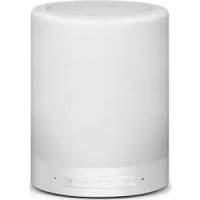
CSPKBTTL - Docking station CONCEPTRONIC - Free user manual and instructions
Find the device manual for free CSPKBTTL CONCEPTRONIC in PDF.



| Product Type | Wireless Bluetooth Touch Lamp Speaker / Docking Station |
| Model | CSPKBTTL |
| Material | ABS + Metal |
| Dimensions | ∅95 mm x 122 mm |
| Weight | Approx. 200 g |
| Lamp Power | 1.6 W (Warm White LED) |
| Lumen Output | 160 LM |
| Speaker Output Power | 3 W (Ω52 mm, 4 Ohm) |
| Frequency Response | 50 Hz - 20 kHz |
| Bluetooth Version | Not specified (Frequency: 2.402-2.48 GHz) |
| Bluetooth Range | 10 meters |
| Battery Type | Li-ion, 3.7 V |
| Charging Time | Approx. 4 hours |
| Play Time (Music + Light) | Up to 10 hours at 70% volume and maximum brightness |
| Input Power | DC 5V, 500 mA (via USB) |
| Audio Input | 3.5 mm AUX, TF card (microSD) |
| Functions | Bluetooth music streaming, hands-free calling, TF card playback, AUX input, touch lamp with 3 brightness levels |
| Indicators | Bluetooth pairing (fast flash), connected (slow flash), TF card mode, charging (red), fully charged (off) |
| Care & Cleaning | Wipe with a soft dry cloth. Do not use harsh chemicals or immerse in water. |
| Safety | Complies with EU directives (CE marked). Do not disassemble or expose to extreme temperatures. |
| Spare Parts & Repairability | Not specified. Contact manufacturer for support. |
Frequently Asked Questions - CSPKBTTL CONCEPTRONIC
User questions about CSPKBTTL CONCEPTRONIC
0 question about this device. Answer the ones you know or ask your own.
Ask a new question about this device
Download the instructions for your Docking station in PDF format for free! Find your manual CSPKBTTL - CONCEPTRONIC and take your electronic device back in hand. On this page are published all the documents necessary for the use of your device. CSPKBTTL by CONCEPTRONIC.
USER MANUAL CSPKBTTL CONCEPTRONIC
Wireless Bluetooth Touch Lamp Speaker
CSPKBTL
User Manual
Thank you for choosing us. Please read this user manual before using the speaker.
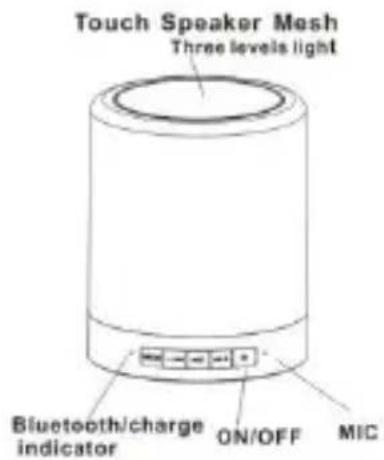
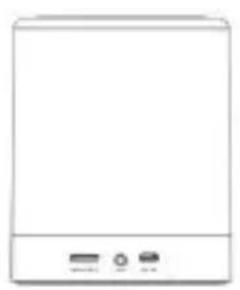
Operation Image:
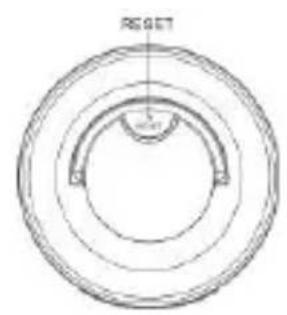
| Material | ABS + Metal |
| Lamp Power | 1.6W |
| Lumen | 160LM |
| Color | Warm white |
| LED Size | 2835 |
| Battery Li-ion | 3.7V |
| Speaker output power | 3W |
| Driver Unit | ∅ 52mm, 4Ohm,3w |
| Frequency Response | 50HZ---20KHZ |
| Transmission Range | 10 meter |
| Product dimension | ∅ 95mm * 122mm |
| Audio input | 3.5mm jack cable |
| Frequency | 2.402GHZ---2.48GHZ |
| Input power | Input DC5V/500mA |
Playing me aer full charging:
10 hours of music playing for normal use at 70% volume, 10 hours lighng lamp on highest brightness
Power switch:
Press and hold the Key to turn the device on or o. The speaker will rst enter Bluetooth Mode; Press Mode switch to turn on Lighting Mode when the speaker is on, then the light will come on by so touch. Bluetooth Mode will instantly switch on when the Mode buon icon is pressed (TF Card Music Playing will automatically switch on when a TF card is inserted). Voice prompts will sound before Bluetooth pairing and TF card music playing begins.
Buon icon:
1.Mode icon:
Acvates Bluetooth mode and TF card music playing, allows lighng mode to be changed freely
2, Bluetooth music mode:
Short press "▶+ to play the next song and long press to increase volume.
Short press "→" to play the previous song and long press decrease volume.
3. Hands free calling:
Answer and hang up the phone:
There will be an alert sound from the speaker when there is a phone call. Click
to answer the call, and click "▶▶" again to hang up.
4. TF card music playing:
The device will enter TF card music playing mode automatically when a TF card is inserted
Short press " to play the next song and long press to turn volume up.
Short press "to play the previous song and long press to turn volume down.
Music playing or pause by click
Bluetooth mode will switch on by clicking the MODE buon when in TF card music playing mode
5. AUX IN audio input mode:
By inserting the 3.5mm aux in cable, the speaker can act as an external audio source when connected with mobile phone, PC, tablet, mp3.
In Aux in audio input mode, "▶ + " to turn volume up, "▶ - " to turn volume down, other buons are out of use.
In any mode, when using a 3.5mm audio cable, the speaker will automatically switch to audio in input mode.
Indicator light:
1. Bluetooth indicator:
The Bluetooth indicator light will ash rapidly when in pairing mode. The blue light ashing slowly means Bluetooth is connected, and the speaker will begin Bluetooth music playing.
2. TF card music playing indicator:
The speaker is in TF card music playing mode when the blue indicator light ashes in TF card playing mode
3. Charging:
- Please make sure the speaker is fully charged before rst use. Charge the speaker with the USB cable provided, which is compatible with any computer or cell phone 5V output charger. The charge indicator light will be red while charging, then when the baery is fully charged it will turn o.
- Charge me: about 4 hours
Bluetooth mode:
1. Bluetooth connecn:
This speaker supports Bluetooth devices with A2DP funcon. Slide the power switch rst, then enter Bluetooth mode, Bluetooth indicator will icker blue alternately, together with voice prompts. The speaker is in pairing state at this point, and Bluetooth will only be paired and connected successfully in this mode.
2. Mobile phone connecn:
Step 1: Open the Bluetooth setting on your phone or tablet and click "search device". iPhones will search for Bluetooth devices automatically.
Step 2: You have found the Bluetooth speaker when the screen displays the character "CSPKBTL", click on it in your device to pair the connecn.
Step 3: Enter "0000" and click OK if there's a prompt that requires you to enter a password.
Step 4: The phone or tablet will indicate when the pairing is successful. The character on the display of the speaker will stop ickering.
3. Computer connec:
A covate the Bluetooth funcon rst if the computer has Bluetooth capability. It may be necessary to install the Bluetooth driver and plug in the Bluetooth adapter when there is no Bluetooth available.
Step 1: Click the Bluetooth icon at the lower right of the computer by using the mouse right buon, then choose "device adding."
Step 2: Bluetooth adapter will search for the speaker automacally, and the screen displays the character "CSPKBTL".
Step 3: The computer will install the driver automatically and double clicking the character "CSPKBTL", and display that the driver has installed successfully.
Step 4: Double click the Bluetooth icon, then the speaker connects to the computer successfully and will be in use. Please check the computer audio device has switched to Bluetooth mode or connected properly if the speaker sll cannot play music successfully.
Bluetooth pairing and connec
- If the speaker has been connected with Bluetooth devices before, it will connect with the last Bluetooth device automatically once it is turned on.
- If the speaker has not been connected with Bluetooth devices before, it will enter pairing mode, click to connect.
- Other phones or tablets cannot be connected with the Bluetooth speaker when the speaker is already connected with a phone or tablet.
- The phone or tablet cannot be connected with the Bluetooth speaker if it is connected with other Bluetooth devices. You should turn o your Bluetooth conncon and connect your phone with the Bluetooth speaker again.
Lamp funcon
Hold down the switch on the boom of the speaker. Turn on the light by tapping the mesh on the top, and the lamp will turn on to the dimmest seng. The brightness can be adjusted by tapping the top mesh, and there are 3 brightness grades: low brightness, intermediate brightness, and high brightness. Tapping the top mesh when in high brightness will turn the light o.
Frequently Asked Quesons
| Quesons | Soluons |
| Repeated unsuccessful pairing and conneccon | 1. Check the speaker and make sure it is in searching state or reboot the speaker. 2. Connecon is dicult when there are too many Bluetooth devices nearby. Turn o other Bluetooth devices. 3. Turn o the Bluetooth device that was connected with the Bluetooth speaker last me, and reconnect the speaker. |
| Muted or distorted sound | 1. Check the volume of your phone or the speaker, and adjust the volume. 2. The baery is low. Please charge it. |
| Choppy music play | 1. Check if the device is beyond the eecve conneccon distance. 2. Check if there is any obstacle between the speaker and your device. |
| The indicator not shining in Bluetooth mode | 1. The baery is low. Please charge it. 2. Please reboot the speaker. |
Bedienungsanleitung
CBeTOBbIe HndKaTOPbI
1.Инд�示 Top Bluetooth
HndkaTop Bluetooth qacto Mraet B pexime yctaHOJIeHNr napHOJ CB3N. 3TOT CnHIN INDAKATOp Mraet peko, KOrda ycTaHOJIeHo Bluetooth-coeHNHeHne n akycTHueckar cncTeMa rTOBa K BocnpOn3BeJeHIO My3bIKu chepe3 Bluetooth.
2.Индikatop Bocnpon3BeDeHnMy3bIKn c KapTb TF
Korda mraet cHHn HndkaTOp Bocnpo3BedeHn My3bIK n C KapTbTF, akyctnuecka cnCTema haxoDntc BpeKHe Bocnpo3BedeHn My3bIK n C KapTb TF.
3.Зардка
Declaration of Conformity
We, the undersigned, Digital Data Communications GmbH
Address Zeche-Norm-StraBe 25 44319 Dortmund Germany
Certify and declare under our sole responsibility that the following apparatus
Type Bluetooth Speaker
Brandname Conceptronic
Product CSPKBTL
Conforms with the essential requirements of the EMC Directive
1999/5/EC, 2004/108/EC, 2006/95/EC, based on the following specifications applied:
EU harmonised standards
EN 55022:2010
EN 61000-3-2:2006+A2:2009
EN 61000-3-3:2013
EN55024:2010
EN 61000-4-2:2009
EN61000-4-3:2006+A1:2008+A2:2010
EN61000-4-4:2012
EN61000-4-5:2006
EN61000-4-6:2012
EN 61000-4-11:2004
EN62479:2010
ETSI EN 300 328 V1.8.1
IEC62321
EPA 3550C:2007
EN 14372:2004
EN 60950-1:2006/A11:2009/A1:2010/A12:2011/A2:2013
and therefore complies with the essential requirements and provisions of the EMC Directive.

The symbol confirms that this product conforms to the above named standards and regulations.
CE
- Directa EMC 1999/5/EC, 2004/108/EC, 2006/95/EC,
1999/5/EC, 2004/108/EC, 2006/95/EC
Type Bluetooth Speaker
Produit CSPKBRTL
1999/5/EC, 2004/108/EC, 2006/95/EC
1999/5/EC, 2004/108/EC, 2006/95/EC
- Wireless Bluetooth Touch Lamp Speaker
- User Manual
- Operation Image:
- Playing me aer full charging:
- Power switch:
- Buon icon:
- 1.Mode icon:
- 2, Bluetooth music mode:
- Hands free calling:
- TF card music playing:
- AUX IN audio input mode:
- Indicator light:
- Bluetooth indicator:
- TF card music playing indicator:
- Charging:
- Bluetooth mode:
- Bluetooth connecn:
- Mobile phone connecn:
- Computer connec:
- Bluetooth pairing and connec
- Lamp funcon
- Bedienungsanleitung
- CBeTOBbIe HndKaTOPbI
- 1.Инд�示 Top Bluetooth
- 2.Индikatop Bocnpon3BeDeHnMy3bIKn c KapTb TF
- 3.Зардка
- Declaration of Conformity
- CE
Brand : CONCEPTRONIC
Model : CSPKBTTL
Category : Docking station