SW1000B - Robot vacuum TCL - Free user manual and instructions
Find the device manual for free SW1000B TCL in PDF.



| Product type | Robotic vacuum cleaner |
| Brand | TCL |
| Model | SW1000B |
| Dimensions (L x W x H) | 320 x 323.5 x 70 mm |
| Net weight | 4.07 kg |
| Battery type | Lithium-ion (Li-ion) |
| Battery capacity | 2600 mAh |
| Nominal voltage | 14.4 V |
| Nominal power | 30 W |
| Power supply | Power adapter 19 V ⎓ 0.6 A |
| Cleaning modes | Auto cleaning, return to base |
| Remote control | Yes (AAA batteries included) |
| Sensors | Anti-drop (3), infrared anti-collision, wall sensors |
| Brushes | 1 main roller brush, 2 side brushes |
| Filtration system | High efficiency filter (replaceable) |
| Charging base | Included, solid blue light |
| Included accessories | Charging base, power adapter, remote control, 2 AAA batteries, 4 side brushes, 1 extra filter, cleaning tool, manual |
| Recommended maintenance | Empty dustbin after each use; clean filter and brushes once a week; sensors and contacts once a month |
| Replacement frequency | Filter every 2-3 months; roller brush every 6-12 months; side brushes every 3-6 months |
| Safety | Auto shut-off if jammed, drop detection, front bumper |
| Usage | Indoor only, avoid carpets > 26 mm thick and very dark/reflective floors |
| Spare parts | Available via TCL Home app or TCL stores |
Frequently Asked Questions - SW1000B TCL
User questions about SW1000B TCL
0 question about this device. Answer the ones you know or ask your own.
Ask a new question about this device
Download the instructions for your Robot vacuum in PDF format for free! Find your manual SW1000B - TCL and take your electronic device back in hand. On this page are published all the documents necessary for the use of your device. SW1000B by TCL.
USER MANUAL SW1000B TCL
Robot Vacuum User Manual
Sweeva 1000
English
Robot Vacuum User Manual 01-14
Deutsch
- Production description. 02
- Packaging list. 03
- Safety instructions. .04-05
4.Product use. .06-10 - Maintenance/replacing consumables. 11-13
- Maintenance and replacement frequency. 13
- Troubleshooting 14
- Basic parameters. 14
1.Product description
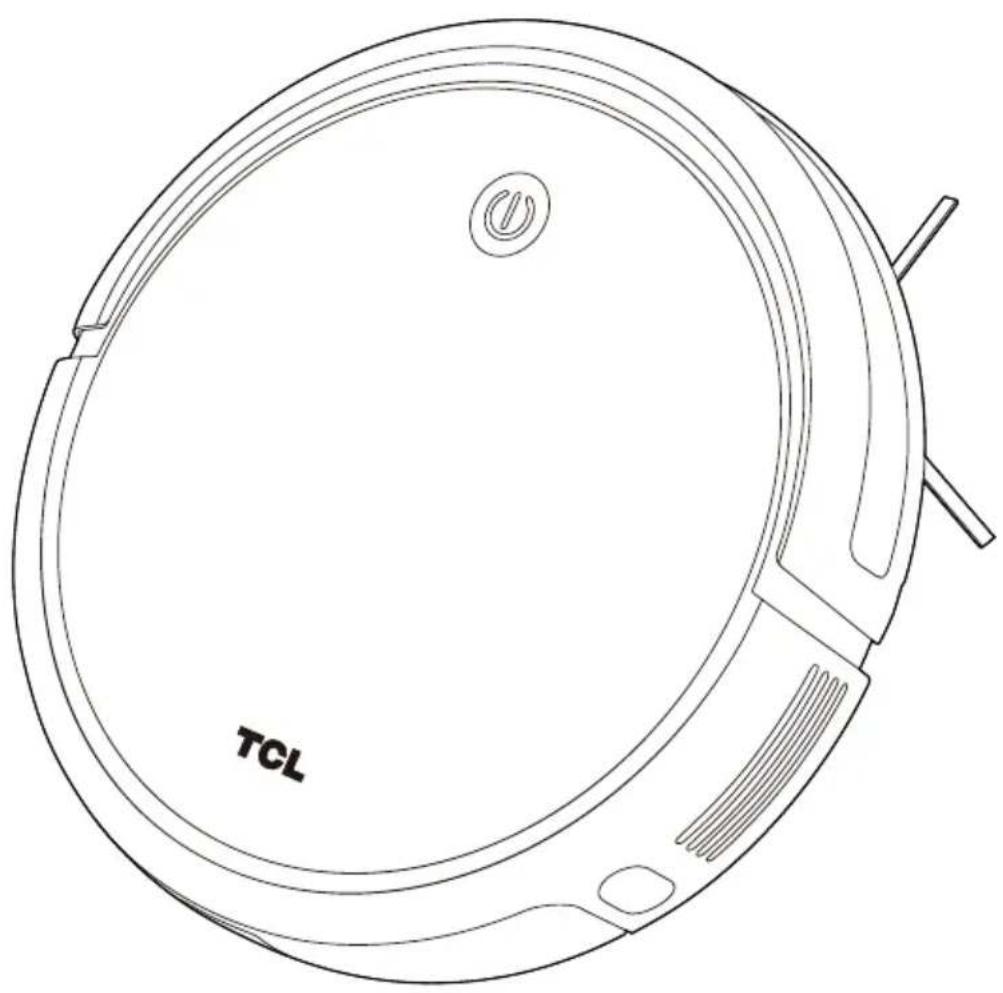
Robot Vacuum
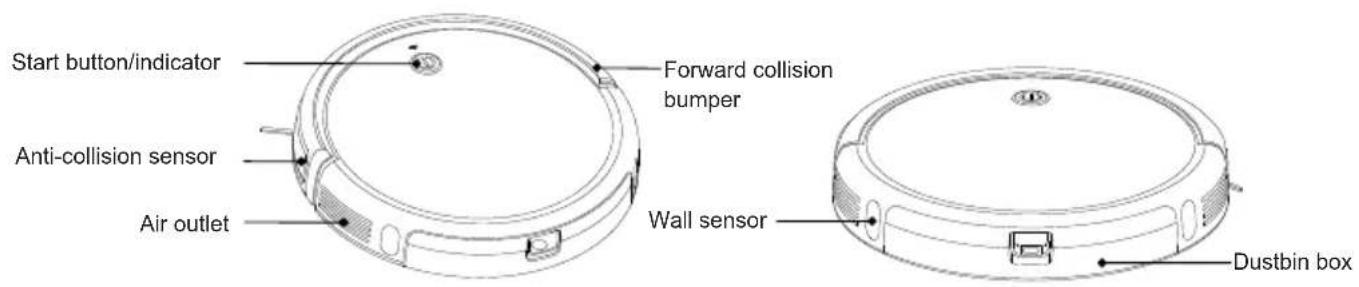
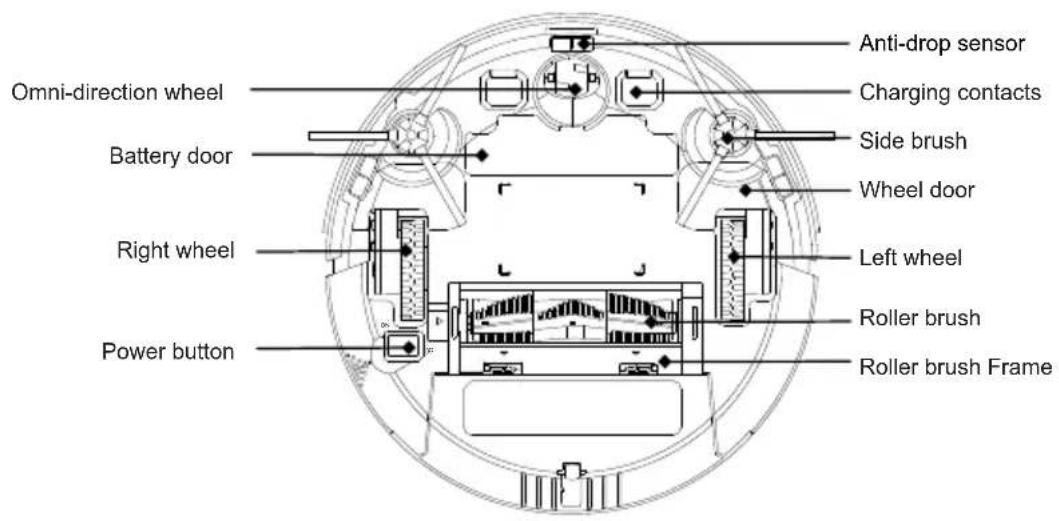
Bottom of Robot Vacuum
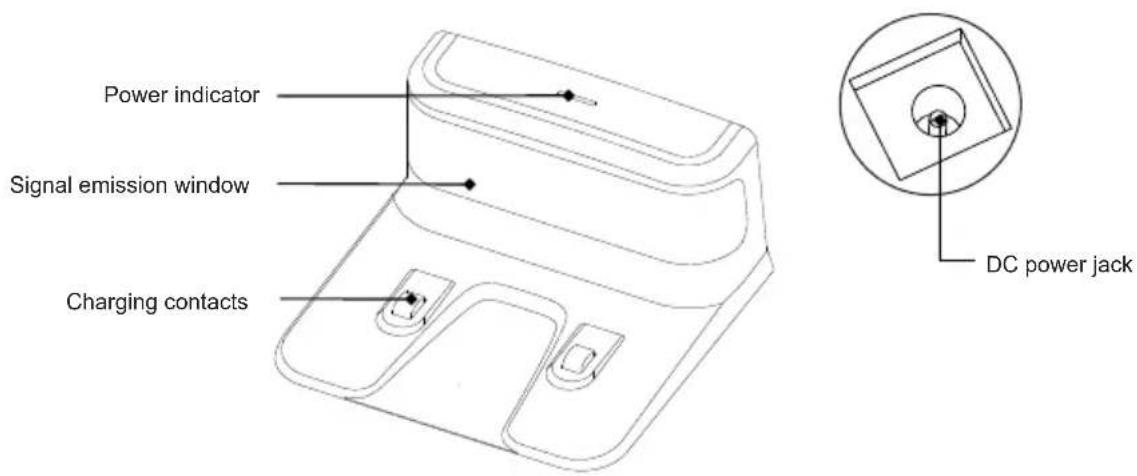
Charging base
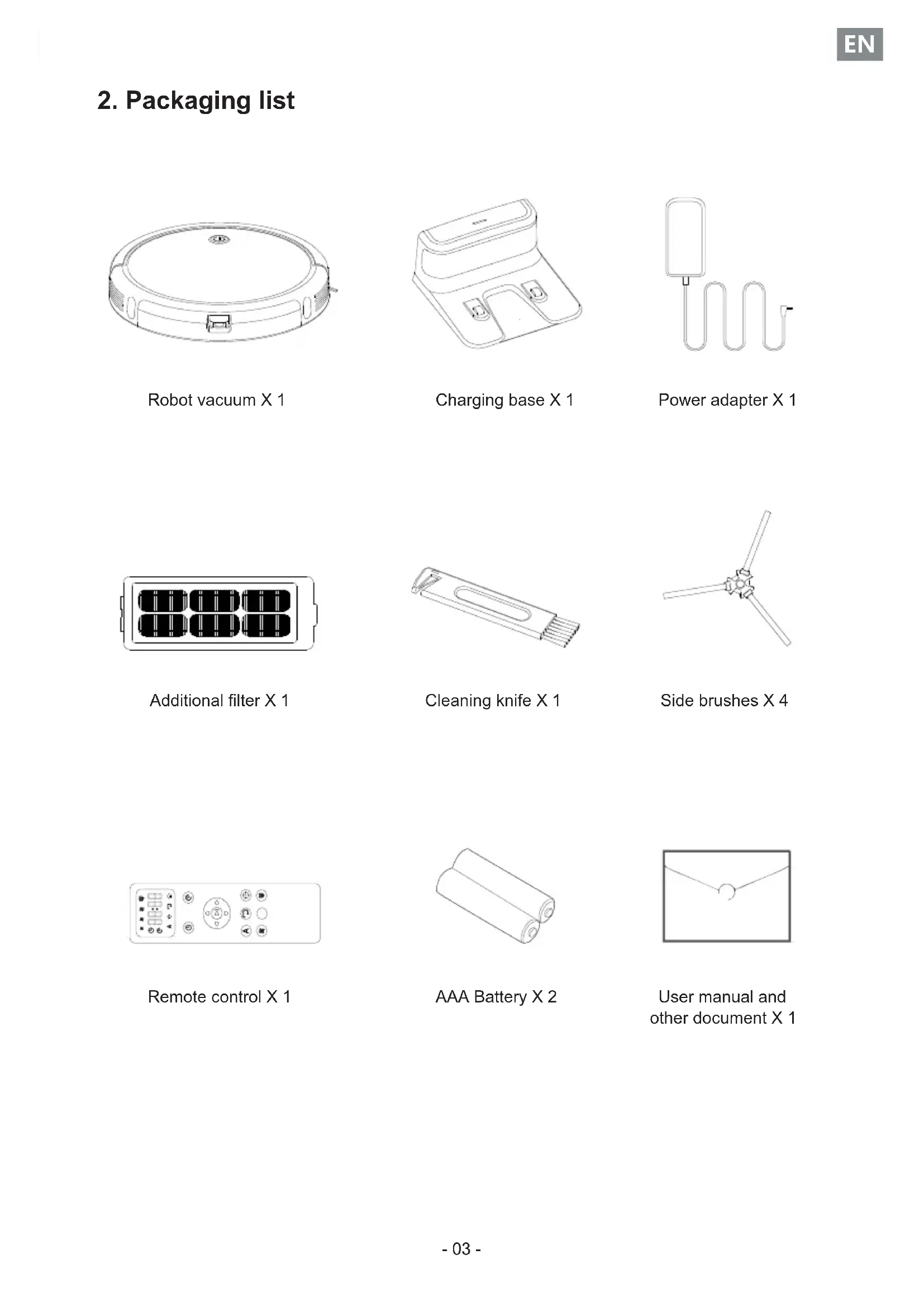
2. Packaging list
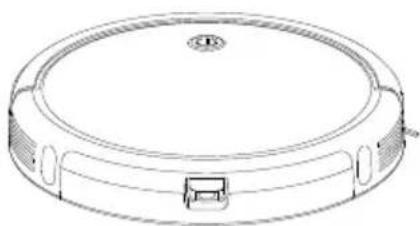
Robot vacuum X 1
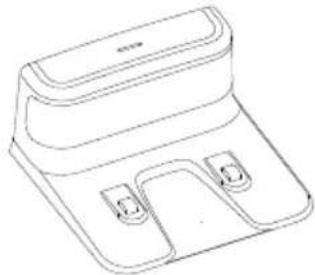
Charging base X 1
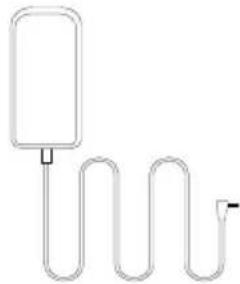
Power adapter X 1
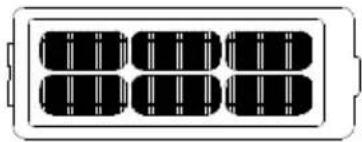
Additional filter X 1
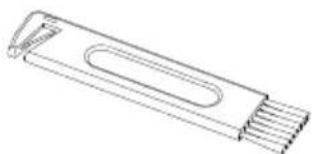
Cleaning knife X 1
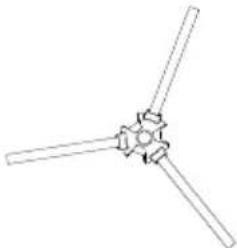
Side brushes X 4
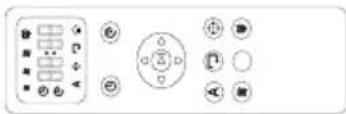
Remote control X 1
AAA Battery X 2
User manual and other document X 1
3. Safety instructions
The following precautions guide users on how to use the product safely and correctly to avoid the risk of injury or damage.
Basic precautions
After reading this manual, please keep it in an easily accessible place.
This symbol is a warning symbol. This symbol warns you of potential hazards that may cause property damage or serious injury or death.
Warning refers to a situation that, if not avoided, may result in death or serious injury.
Be careful of flashing indicator. It may cause slight or moderate injury if not avoided.
Warning
Please read this manual carefully to learn about product use and precautions before using the product.
This appliance can be used by children aged from 8 years and above Persons with physical, mental or sensory impairments are prohibited from using or operating this product.
This product is not a toy. Children shall not play with the appliance. Small children and pets should be supervised when the robot is operating.
Children are prohibited from playing with the product package, otherwise it may cause suffocation.
Please do not insert any body parts(such as hands or feet)under the brushes or wheels of the appliance when it is operating.
Do not place any objects on the stationary or moving robot. Please do not sit or lean on the appliance.
Do not clean any burning objects.
Do not use the appliance to pick up hard or sharp objects, such as glass sheets, iron nails, etc.
Do not use this appliance in humid or flammable, explosive, corrosive environments, or in exposed power socket.
Do not spray or place flammable materials (gasoline, thinner, etc.), surfactants (cleaners, bathroom items, etc.) or beverages around the appliance, otherwise it may cause fire or product failure.
Do not pour water, detergent, etc. into the appliance, otherwise it may cause product failure.
This product is for indoor use only. Do not use it outdoors or in a suspended environment without protective fences to prevent it from falling. At the same time, physical barriers should be used to prevent it from entering the balcony to ensure safe operation.
To avoid electric shock, do not expose the robot's electronics, batteries or charging base. It is strictly prohibited for users to repair the robot themselves. Please hand maintenance work over to qualified maintenance personnel. Do not operate the robot with wet hands.
Do not clean or maintain the main machine and charging base with the power on.
Please make sure to use original adapters, batteries and other accessories. Do not use third-party accessories.
This product contains batteries. Please do not place the product in water or on fire. Please stop using this product if there is any battery problem; the battery needs to be recycled separately. and the used battery should be put in a sealed plastic bag and handled in accordance with local environmental laws and regulations.
Please only use a cloth dampened with clean water to clean the appliance.
Please note that the robot moves by itself. Take care when walking in the area the robot is cleaning to avoid stepping on it or tripping over it.
The appliance is not to be used by persons (including children) with reduced physical, sensory or mental capabilities, or lack of experience and knowledge, unless they have been given supervision or instruction.
The appliance is only to be used with the unit provided.
It must only be supplied at SELV.
This appliance contains batteries that are only replaceable by skilled persons.
For the purposes of recharging the battery, only use the detachable supply unit provided with this appliance.
This device is for indoor use only. It should be clean and maintained regularly. The appliance is only to be used with the unit provided.
This appliance can be used by children aged from 8 years and above and persons with reduced physical, sensory or mental capabilities or lack of experience and knowledge if they have been given supervision or instruction concerning use of the appliance in a safe way and understand the hazards involved.
Children shall not play with the appliance. Cleaning and user maintenance shall not be made by children without supervision
The battery must be removed from the appliance before it is scrapped;
The appliance must be disconnected from the supply mains when removing the battery;
The battery is to be disposed of safely.
Be careful
Carefully protect the power cord, avoid pulling, twisting, being caught by the door, or damage and crushing caused by other heavy objects; Do not use the appliance if the cord is damaged.
If the charging base is not used for a long time, the power plug should be unplugged from the socket.
Please place the cleaning brush out of the reach of children.
Empty the dustbin frequently and keep it clean. Do not usr the appliance when the dustbin is full.
Keep the main frame and charging terminal of the charging base away from metal objects.
This appliance is specifically designed to prevent floor scratching. however, we still recommend that you use this appliance to clean a small area of the room before cleaning the entire room to ensure that the floor is not scratched.
Please purchase and use the original consumables.
!Reminder
Before using this appliance, please check the following items:
Remove fragile or unnecessary objects from the cleaning area, including papers, blinds, or curtain cords; remove expensive pottery, valuables and inflammables from the floor.
Do not use this appliance in a room where children sleep alone. otherwise, the child may be injured.
Check whether the battery power is sufficient. Please charge it if the power is low.
Please empty the dustbin box if it is full.
Please close the door of the room if you do not want the robot to enter. During cleaning, the robot may enter other rooms and continue cleaning.
In most cases, the anti-fall sensor will prevent the robot from roller down the stairs. If the sensor is dirty or used on a carpet or on a reflective / very dark floor, the effect of the sensor will be compromised it is recommended to set up physical barriers where the robot may fall.
Please do not use the robot on the tassels of a carpet in the folding area, so at to prevent the robot from being entangled. Avoid cleaning dark and high pile carpets or carpets thicker than 1.02/26mm, as they may cause robot failure.
Notice
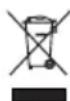
This symbol on the device or its packaging indicates: Do not dispose of electrical appliances as unsorted municipal waste; use separate collection facilities. Contact your local authority for information regarding the collection systems available. If electrical appliances are disposed of in landfills or dumps, hazardous substances can leak into the groundwater and get into the food chain, damaging your health and well-being. When replacing old appliances with new ones, the retailer is legally obliged to take back your old appliance for disposal at least free of charge.
FCC Statement
- This device complies with Part 15 of the FCC Rules. operation is subject to the follow two conditions:
(1)This device may not cause harmful interference.
(2)This device must accept any interference received, including interference that may cause undesired operation.
4. Product use
Important Tips Before Use
a Remove power cords and small objects from the floor that may entangle Robot Vacuum.
Fold tasseled edges of area rugs underneath to prevent tangling Robot Vacuum. Avoid cleaning very dark-colored high-pile rugs or rugs thicker than 1.02 in / 26 mm as they may cause Robot Vacuum to malfunction.
Keep Robot Vacuum away from spaces lower than 2.87 in/73 mm to prevent Robot Vacuum from getting stuck. If necessary, place a physical barrier to block off the problem areas.
d Keep Robot Vacuum away from wet areas.
Robot Vacuum may climb on top of objects less than 0.63 in / 16 mm in height. Remove these objects if possible.
Anti-drop sensors prevent Robot Vacuum from tumbling down stairs and steep drops. They may work less effectively if dirty or used on reflective/very dark-colored floors. It is recommended to place physical barriers to block off areas where Sweeva may fall.

Place physical barriers in front of fireplaces and areas that may cause damage to Robot Vacuum if entered.
Prepare
- Please install side brushes before use.
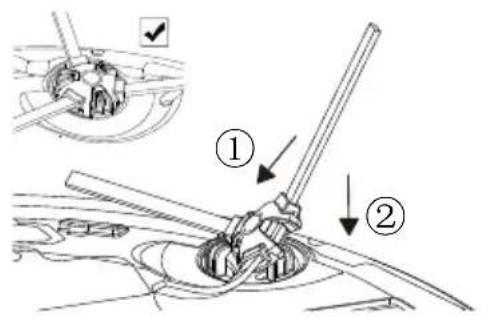
2.Remove the limit stripes in the Sweeva's forward collision bumper on both sides

Before use, the user should remove the foam placed on both sides of the front bumper
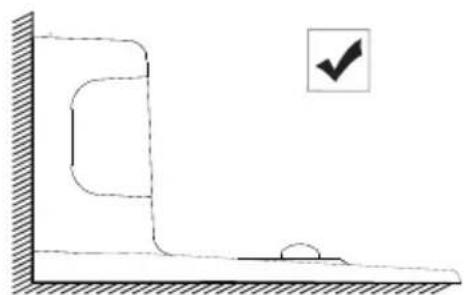
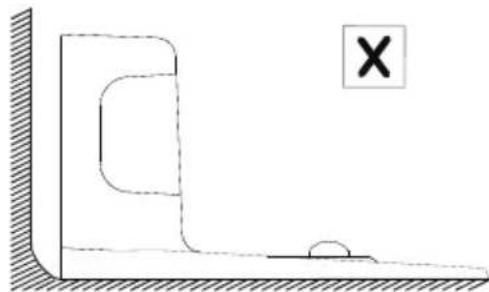
- Place the Charging base on a hard ,level surface and against a wall
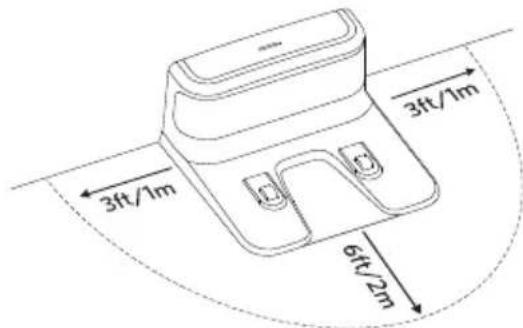
- Remove objects within 3ft/1m of the left and right side and within 6ft/2m of the front of the charging base.

Do not face the charging base owards strong light or high magnetic fields. (e.g., t television, refrigerator and other home appliances)
- Connect the round connector of the adapter into the power socket on the charging base and the charging base and the other end into a wall outlet.
When the charging base connects to AC power, the LED indicator on the charging as will turn b solid blue.
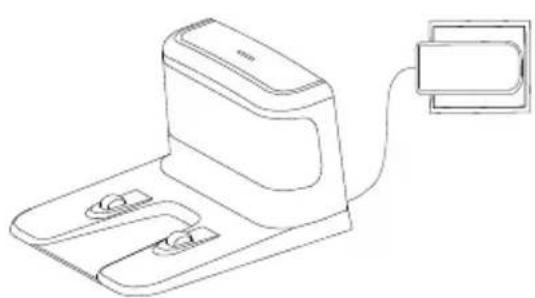

Install the Charging Base in a location that Robot Vacuum can easily access. It is recommended to place the Charging Base against a wall, and on a hard-level surface rather than on rugs or carpets.
Always keep the Charging Base plugged in, otherwise Robot Vacuum will not automatically return to it.
Charge Your Robot Vacuum
Sweeva has a pre-installed rechargeable battery that has to be fully charged before use.
Sweeva returns to the Charging Base at the end of a cleaning cycle or when its battery is running low.
Method 1: Attach Sweeva to the Charging Base by aligning its charging pins with the charging pins on the base.
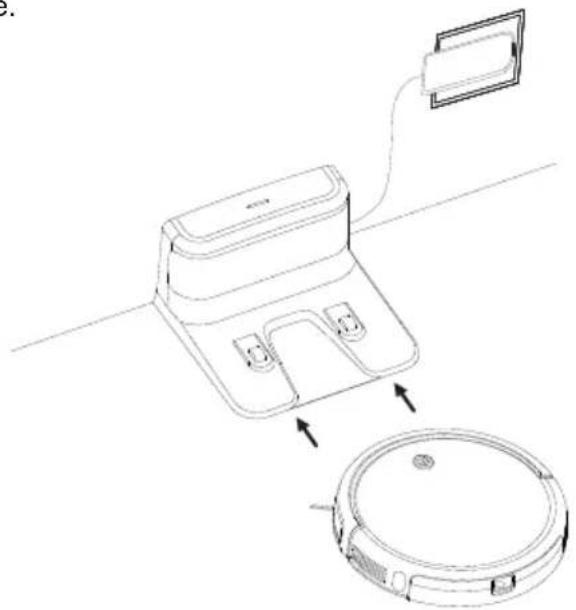
Method 2: robot vacuum to the Press the charging button on the remote control to return Charging Base.
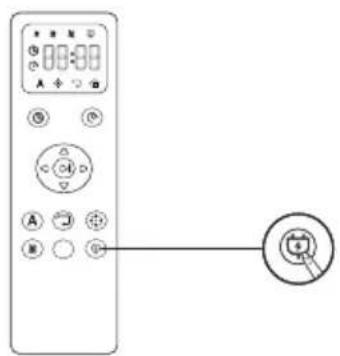
Method 3:Press and hold the start button on the machine for 3 seconds to return it to the charging base.
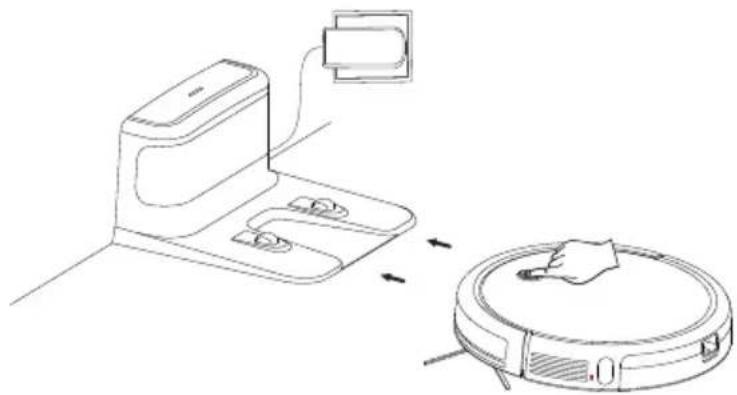

Turn off the main powers witch if Sweeva will not be used for along period of time. To preserve the battery's lifespan, recharge at least once every 6 months.
How to start operating
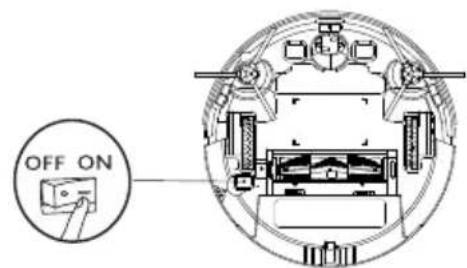
- Turn on: Turn on the rocker switch button at the bottom of the robot ( shift the gear to the “ ON ” state )
- Start: Short press the "Start button" on the top of the robot to start the automatic cleaning mode.
- Pause: When the robot is operating, short press the "start button" on top, the robot will pause and enter the standby mode.
- Recharge: Press and hold the "Start button" for three seconds, Once the device beeps once, release the button, robot vacuum will enter recharge mode, It will automatically find its way back to the charging base.
- Sleep: If there is no operation within 90 seconds, the status light will turn off and the robot will enter sleep mode.
Key indicator status description
| Blue | Normal power, can enter working mode/standby mode as required |
| Red | Error warning |
| Red flashes | Error warning |
| Orange | In low battery stat at working mode/standby mode/return to charging base |
| Orange flashes | The appliance is charging |
Error Tones and Indicators
| Status | Buzzer alarm | Action |
| Roller brush stuck | One beep, flash red light | Turn off Sweeva's and remove any hair or debris from the roller brush. |
| Anti-drop sensors are dirty | Two beeps, solid blue light | Clean the anti-drop sensors. |
| Side brush failure | Two beeps, flash red light | Turn off Sweeva's and remove any hair or debris from the side brushes. |
| Side wheel failure | Three beeps, flash red light | Turn off Sweeva's and remove any hair or debris from the wheel. |
| Forward collision bumper stuck | Four beeps, solid blue light | After repairing the stuck forward collision bumperpress the "start button" to restart the robot. |
| Suction failure | Five beeps, flash red light | 1.Turn off Sweeva's, then remove and empty the dust collector. 2.Make sure the suction inlet is not blocked by any hair or debris. |
| Low battery warning | Seven beeps, solid orange light | Manually put the robot to the charging base for charging. |
How to turn off the robot
Turn off the power button on the bottom side of the robot (turn the gear to " OFF " state)
How to use the remote control How to use the remote control
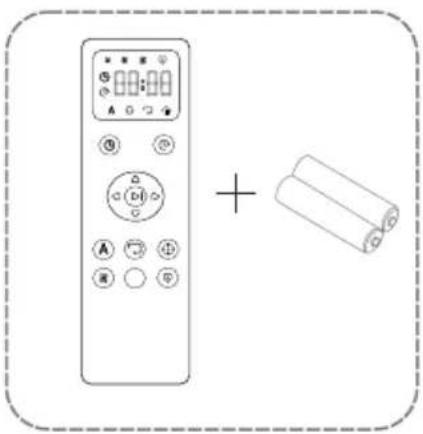
1.Use two AAA battery for the remote control. The battery is included in the package.
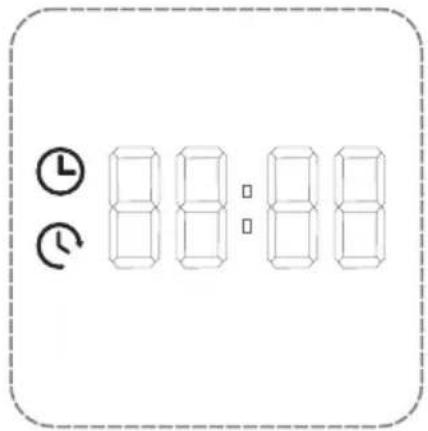
2.Before using the remote, please set the clock time to be your local time zone.
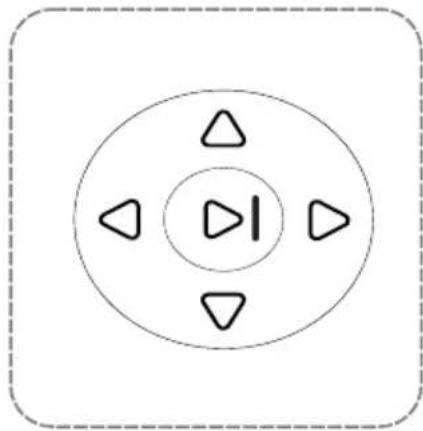
3. Short press the Start Button to start cleaning.
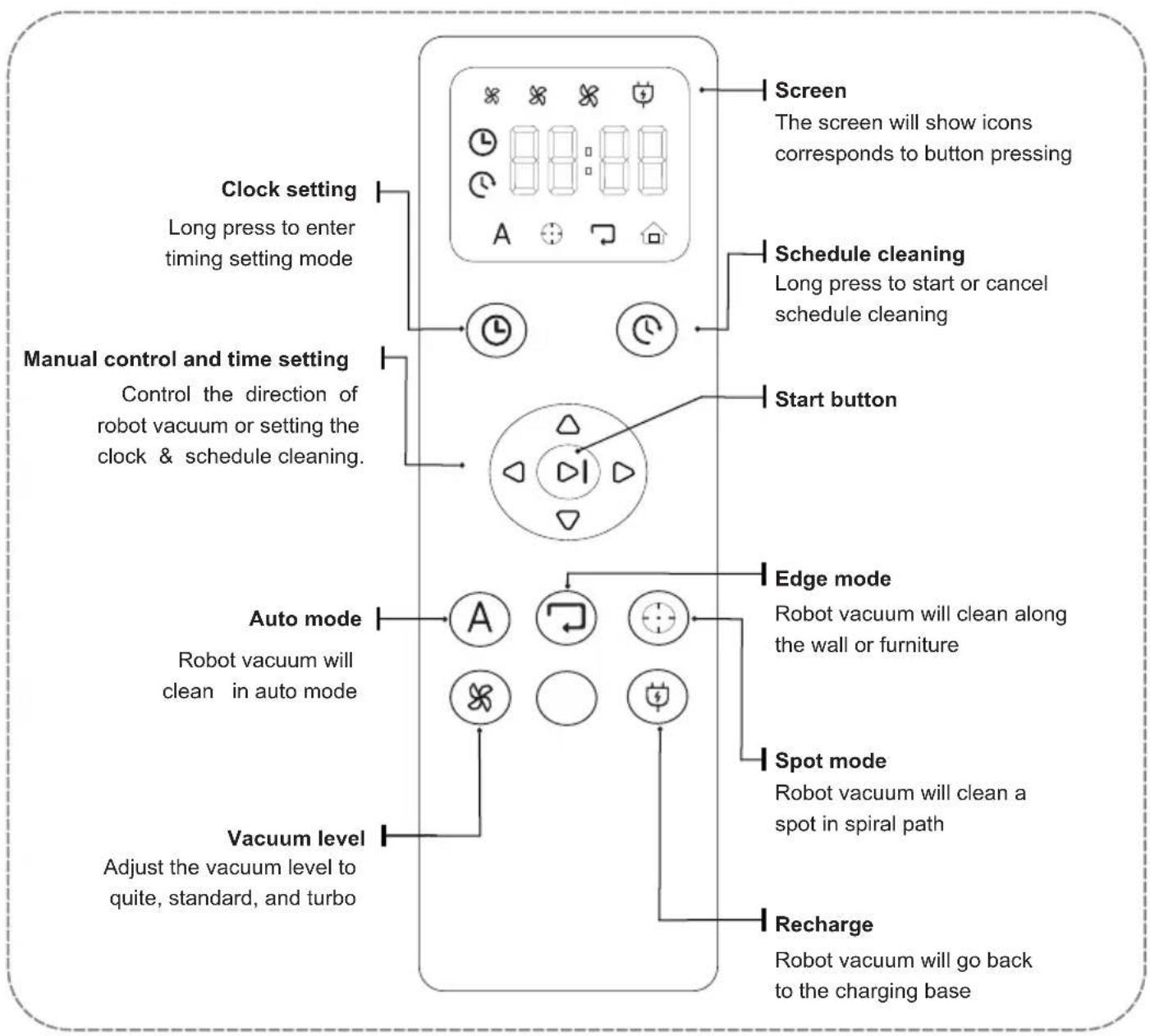
5. Maintenance/replacing consumables
1. Cleaning of dustbin and filter net (filter net is replaceable)

Please power off the power before maintenance
Note: Please turn off the power (bottom rocker switch) of the robot before product maintenance /replacing consumables.
The suction power may become weak if the dustbin is full. The dustbin needs to be cleaned before and after each cleaning.
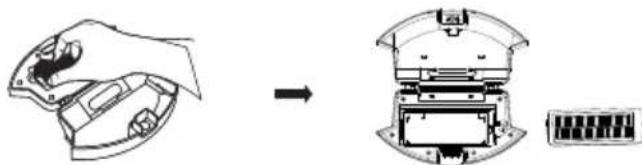
① Press the buckle of the dustbin with your thumb, and drag the dustbin out.

(2) (When taking out the dustbin, do not turn it upside down) Hold the dustbin up and down with both hands, and open the dustbin forcefully;
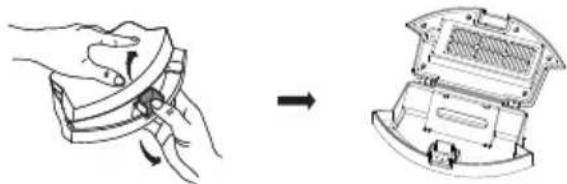
Hold the dustbin with your left hand, tilt it at a suitable angle, and use the cleaning tool with your right hand to pour out the dust in the dustbin;
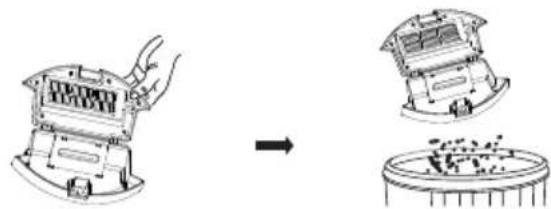
④ Hold this position with your thumb to the left and pull up the filter;
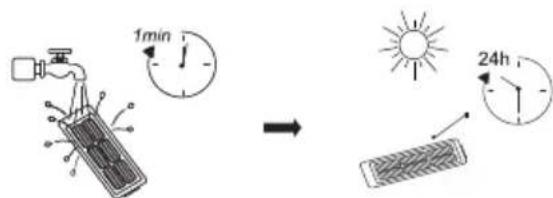
⑤ Rinse the dustbin and filter(not frequently, monthly cleaning is recommended), wash for at least 1 minute, and shake off the water drops. Please wait until the dust bin and filter are completely dried(≥24h) before using it, to ensure their service life.
⑥ Filter installation/new filter net replacement: Insert the filter net into the housing slot, and then fasten the filter downwards until it buckles into place.
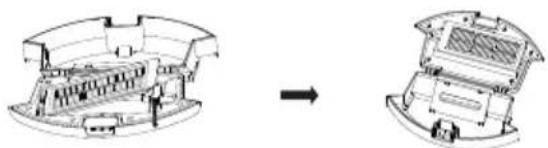
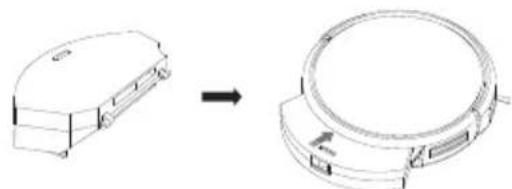
⑦ After closing the upper cover, push the dustbin into the main machine (make sure the dustbin is fully inserted until it buckles into the right place).
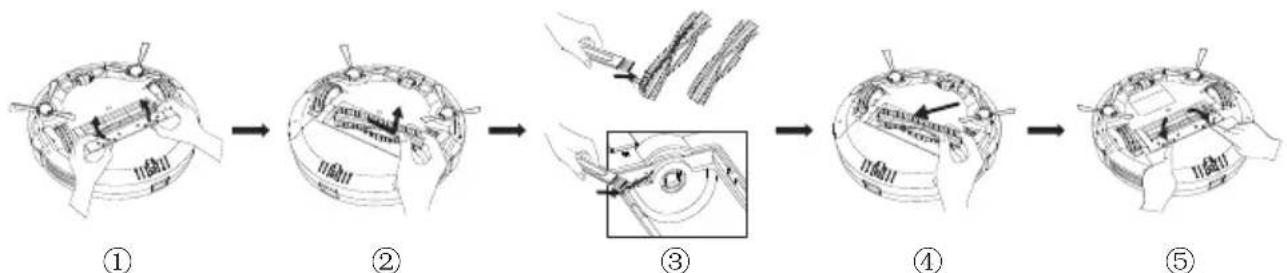
2. Cleaning of roller brush (roller brush are replaceable)
Foreign substances such as hair is easy to adhere to roller brushes. Roller brush may be damaged if there is too much foreign substances on them. It is recommended to clean them once a week.
① Turn the main machine over (with the bottom shell facing upwards), hold the buckle with both hands, lift it up, and take out the brush cover.
② Use your fingers to hold the bearing far away from the switch, and take the other end of the support holder, and take out the roller brush upwards.
③ Use cleaning tools to clean the hair and other dirt on the roller brush slot.
④ Roller brush installation/new roller brush replacement: Insert one end of the roller brush square bearing seat into the corresponding square slot of the roller brush slot and slide into place (reverse installation does not work).
Make sure the main brush is aligned properly in the robot and then fasten the roller brush cover downward.
3. Cleaning of side brushes (side brushes are replaceable)
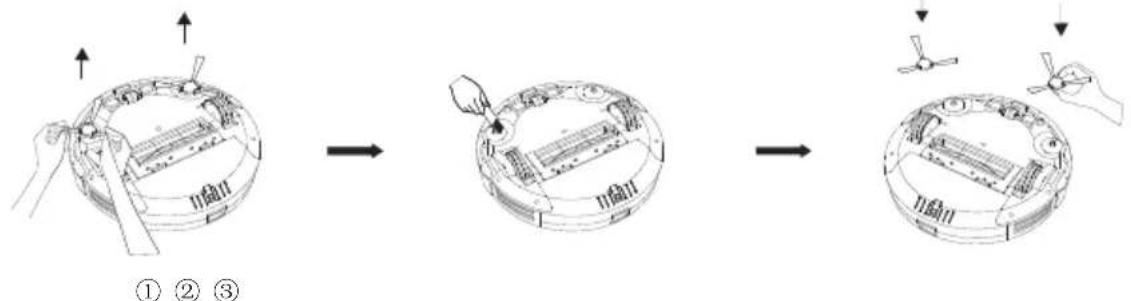
Foreign substances such as hair is easy to adhere to side brushes. side brushes may be damaged if there is too much foreign substances on them. It is recommended to clean them once a week.
① With the bottom shell of the main machine facing upwards, pull out the side brush forcefully;
② Use a cleaning tool to clean up the dirt on the side brush and the slot, and the hair on the side brush can be cut off with a cleaning tool (dry brushing works, washing doesn't work).
③ Reinstall the side brush/new side brush replacement: hold one corner of the side brush, and the other side against the corresponding buckle, press the side brush down into the slot.
4. Cleaning of sensor
Foreign substances may adhere to the sensors on the bottom and side rear of the robot. If too much foreign substances adhere to the sensor at the bottom of the robot, the robot may fall off ledges. It is recommended to clean the sensors once a week.
Please gently wipe each sensor cover with a soft dry cloth, including:
(1) Wall sensors on both sides of the robot;
(2) Front infrared anti-collision sensors;
(3) 3 anti-fall sensors on the bottom side;
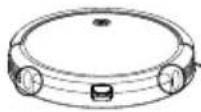
① Wall sensors on both sides of the robot;
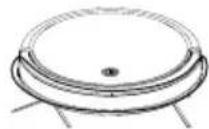
② Front infrared anti-collision sensor;
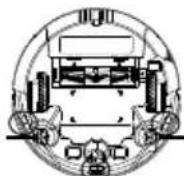
(3)3 anti-fall sensors at the bottom
5. Cleaning of charging contacts
Foreign substances may adhere to the bottom of the machine and the charging contacts of charging base. If too much foreign substances adheres to the contact pins at the bottom of the machine, the machine may not be able to charge normally. It is recommended to clean them once a week.
The position in the figure is where the charging contacts are located. Please use a dry cloth to clean the charging pole pieces on the main machine and the charging base (please turn off the power when cleaning)
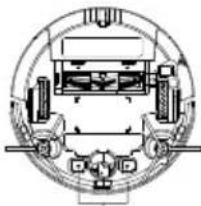
charging contacts on the main machine
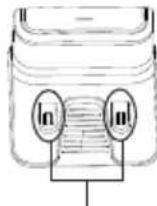
charging contacts on the charging base
6. Cleaning of the omni-direction wheel
Foreign substances may adhere to the omni-direction wheels of the machine. If too much foreign substances adheres to the omni-direction wheels at the bottom of the machine, it may prevent the machine from moving forward and make it unable to clean or cause low cleaning efficiency.
It is recommended to clean them once a week.
Remove the wheels from the front caster assembly and remove the hair or dirt in the assembly shell and those entangled on the axle; When completed, reinstall the wheels into the front caster assembly.

6. Maintenance and replacement frequency
| Name | Maintenance frequency | Replacement frequency |
| Dustbin | After each use | - |
| Filter | Once a week (twice a week for families with pets) | Every 2-3 months |
| Roller brush | Once a week (twice a week for families with pets) | Every 6-12 months |
| Side brush | Once a week (twice a week for families with pets) | Every 3-6 months |
| Sensor | Once a month | - |
| Charging contact | Once a month | - |
| Omni-direction wheel | Once a month | - |

Note: Sweeva has many different spare parts and components. Please purchase spare parts through the "TCL Home" App or by visiting TCL's offline or online stores.
7. Troubleshooting
| Failure description | Solutions |
| Low battery voltage | Charge the robot manually |
| Roller brush is not spinning | Remove hair and foreign substances on the roller brush. |
| Side brush is not spinning | Remove hair and foreign substances on the side brush. |
| Unable to start the robot | Confirm whether the robot is fully charged. Confirm whether the power button on the bottom of the robot is in the “ON” position |
| Weak suction | Check whether the fan suction port is blocked by foreign substances. Empty the dustbin CLEAN or replace the high-efficiency filter of the dustbin. |
| Louder noise | Confirm whether the dustbin is installed correctly. Confirm whether the high-efficiency filter of the dust bin is installed. Check if there is any foreign substances stuck on the roller brush or side brushes. |
| Unable to start with the remote control | Replace the remote control battery (triple-A battery) |
| Unable to charge | Remove the objects around the charging base and make sure that the power supply is connected to the charging base Please wipe the charging contacts of the charging base with a dry cloth. Please wipe the charging contacts of the main machine with a dry cloth. |
| The robot stops automatically | Whether the roller brush is stuck and stops spinning, whether the side brush is stuck and stops spinning. Whether the side wheel is stuck, which makes the robot unable to move forward Confirm whether the robot is feeding. |
8. Basic parameters
Sweeva1000 main machine
| Model | Global: B100A EU: SW1000B SW1000W UK: SW1000BK SW1000WK |
| Size | 320mmX323.5mmX70mm |
| Battery | Li-ion2600mAh |
| Net weight | 4.07kg |
| Rated voltage | 14.4V |
| Rated power | 30W |
| Power input | 19V => 0.6A |
| Model | B100G00AA |
| Input | 19V => 0.6A |
| Output | 19V => 0.6A |
Sweeva1000 main adapter
| Model: GSC"X"0600S019V12E (X=U,T,V,B,U=US, T=JP,V=EU,B=UK). | Connector type | DC5.5 |
| Rated input | 100-240V~0.5AMax, 50/60Hz | |
| Rated output | 19V =>0.6A |
X=U stands for US plug, X=T stands for Japan plug, X=V stands for Europe plug, X=B stands for UK plug.
Sweeva1000
Saugroboter
Katalog 15
Sweeva1000 Hauptadapter
| Modell: GSC"X"0600S019V12E (X=U,T,V,B,U=US, T=JP,V=EU,B=UK). | Steckertype | DC5.5 |
| Nenneingang | 100-240V~0.5AMax, 50/60Hz | |
| Nennleistung | 19V =>0.6A |
Adaptador principal Sweeva1000
| Modelo: GSC"X"0600S019V12E (X=U,T,V,B,U=US, T=JP,V=EU,B=UK). | Tipo de conductor | DC5.5 |
| Entrada de corriente nominal | 100-240V~0.5AMax, 50/60Hz | |
| Salida de corriente nominal | 19V => 0.6A |
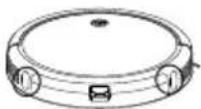
① Wall sensors on both sides of the robot;
Adaptateur principal Sweeva1000