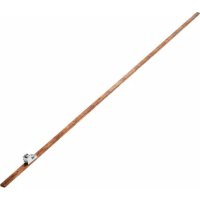
SRGROUND25 - Electrical grounding bar Tripp Lite - Free user manual and instructions
Find the device manual for free SRGROUND25 Tripp Lite in PDF.


| Title | Description |
|---|---|
| Product Type | Grounding bar for computer equipment |
| Dimensions | Length: 25 feet (7.62 meters) |
| Material | Copper for optimal conductivity |
| Usage | Designed to improve electrical system safety and reduce electromagnetic interference |
| Installation | Easy to install with included mounting accessories |
| Maintenance | Regularly check the integrity of connections and cables |
| Safety | Complies with electrical safety standards to prevent electrocution risks |
| Compatibility | Compatible with most computer equipment and grounding systems |
| Warranty | Limited manufacturer warranty |
Frequently Asked Questions - SRGROUND25 Tripp Lite
User questions about SRGROUND25 Tripp Lite
0 question about this device. Answer the ones you know or ask your own.
Ask a new question about this device
Download the instructions for your Electrical grounding bar in PDF format for free! Find your manual SRGROUND25 - Tripp Lite and take your electronic device back in hand. On this page are published all the documents necessary for the use of your device. SRGROUND25 by Tripp Lite.
USER MANUAL SRGROUND25 Tripp Lite
Copper Bus Grounding Bar
Models: SRGROUND, SRGROUND25
Register your product today and be automatically entered to win an ISOBARsurge protector in our monthly drawing!
triplite.com/warranty



1111 W. 35th Street, Chicago, IL 60609 USA · triplite.com/support
Copyright © 2020 Tripp Lite. All rights reserved.
Introduction
The SRGROUND and SRGROUND25 grounding bar are comprised of a thin strip of copper that attaches to standard EIA-310-D rack enclosures or open frame racks to provide convenient ground contact for standard rack-mount equipment. The SRGROUND fits into 42U or 48U racks or enclosures. The SRGROUND25 fits into standard 24U or 25U racks or enclosures.
Parts List
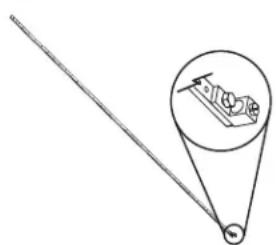
7' (2.1 m) Grounding Bar (with attached grounding lug)
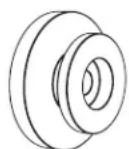
Mounting Buttons (x3)
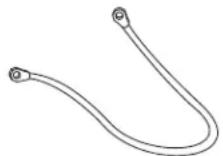
Grounding Straps (x21)
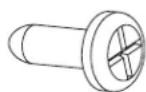
M4 Self-Tapping Screws (x3)

M4 Screws (x21)
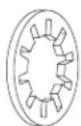
Washers (x21)
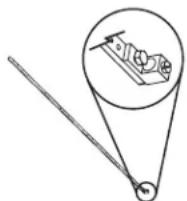
45" (1.1 m) Grounding Bar (with attached grounding lug)
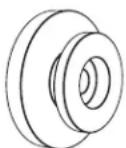
Mounting Buttons (x2)
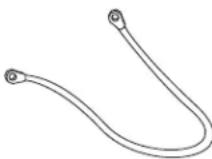
Grounding Straps (x13)
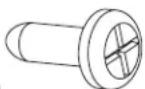
M4 Self Tapping Screws (x2)

M4 Screws (x13)

Washers (x13)

Cage Nuts (x2)

M6x12 Screws (x2)
Important Safety Instructions
SAVE THESE INSTRUCTIONS
This manual contains instructions and warnings that must be followed during the installation and operation of this product. Failure to comply may invalidate the warranty.
The instructions in this manual are for common rack and rack enclosure types and may not be appropriate for all mounting applications. You must determine the fitness of hardware and procedures before mounting.
- Use of this equipment in life support applications where failure of this equipment can reasonably be expected to cause the failure of the life support equipment or to significantly affect its safety or effectiveness is not recommended.
Installation
Rack Enclosures
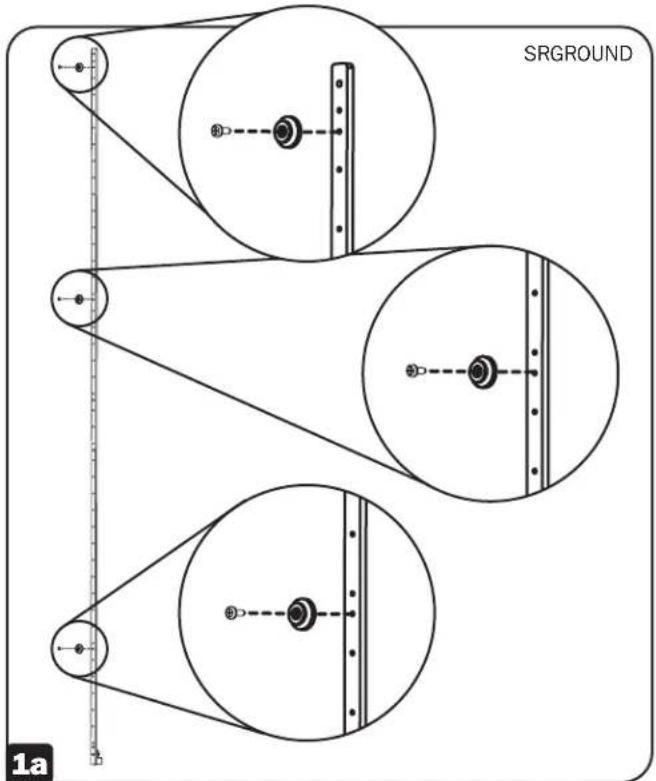
For a 42U enclosure, such as Tripp Lite's SR42UB, attach the SRGROUND to the 3 indexed horizontal beams at the top, middle and bottom of the enclosure. The included M4 Self-Tapping Screws will go through the three clearance holes (non-threaded) on the bar, and then into the beams of the rack enclosure.
For a 48U enclosure, such as Tripp Lite's SR48UB, attach the SRGROUND to the top and middle horizontal beams only, as the bar will not reach all the way down to the bottom beam.
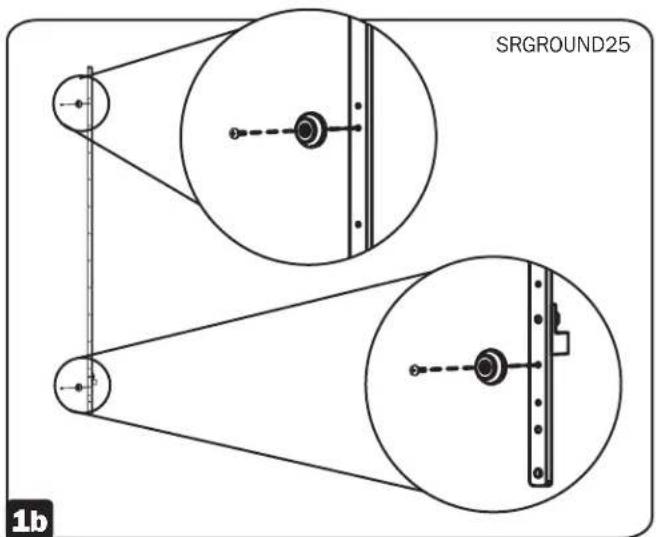
For a 25U enclosure, such as Tripp Lite's SR25UB, attach the SRGROUND25 to the 2 indexed horizontal beams at the top and bottom of the enclosure, using the top and second from the bottom holes. The included M4 Self-Tapping Screws will go through the two clearance holes (non-threaded) on the bar, then into the beams of the rack enclosure.
For a 24U enclosure, such as Tripp Lite's SR24UB, attach the SRGROUND25 to cage nuts installed in the top and bottom horizontal rails of the enclosure using the top and bottom holes of the SRGROUND25.
Note: The instructions above are specific for mounting in Tripp Lite SR42UB, SR48UB, SR24UB or SR25UB SmartRack Enclosures. Mounting in other enclosure brands is possible, but will vary depending upon the application. Several holes are provided along the grounding bar that will allow for a workable installation into any brand's rack configuration.
Note: Placement will vary and depend on your particular rack configuration. It is recommended to measure the distance between the bar and your equipment to accommodate the length of the Grounding Straps. Once the length you need has been determined, attach the bar in the appropriate holes in the horizontal beams.
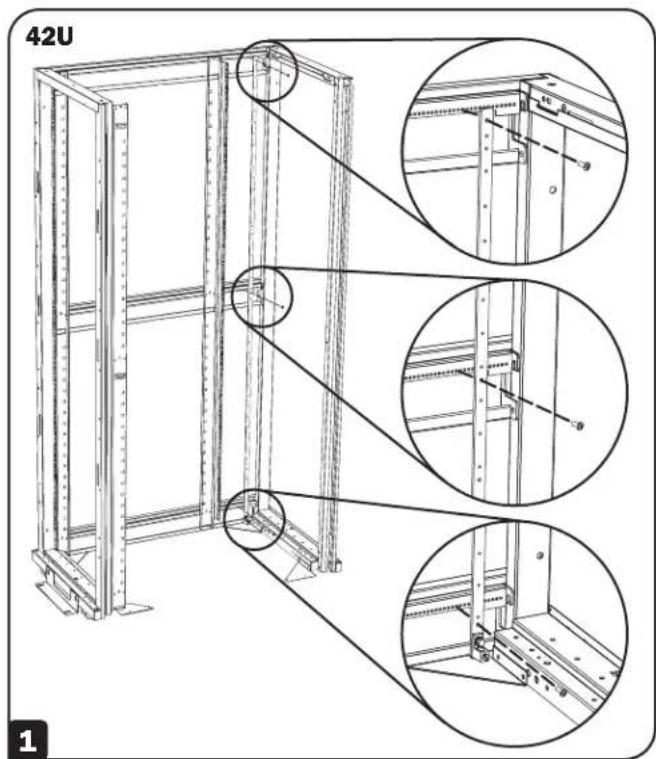
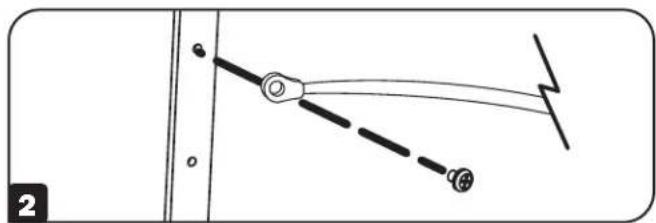
2 Attach one end of the Grounding Strap to the bar using the included M4 screws and washers.
3 Attach the other end of the Grounding Strap to the grounding provision on the intended equipment.
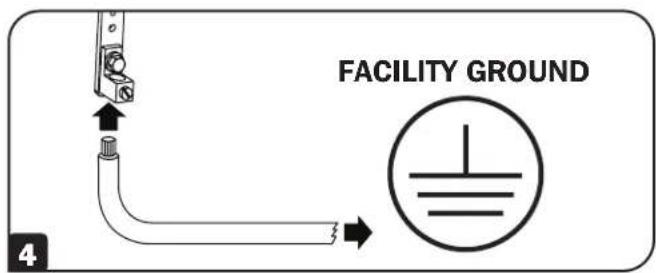
Finally, attach your facility's system ground to the grounding lug at the bottom of the bar. The lug can accommodate 2/0-14AWG wires.
Installation
2-Post and 4-Post Open Frame Racks
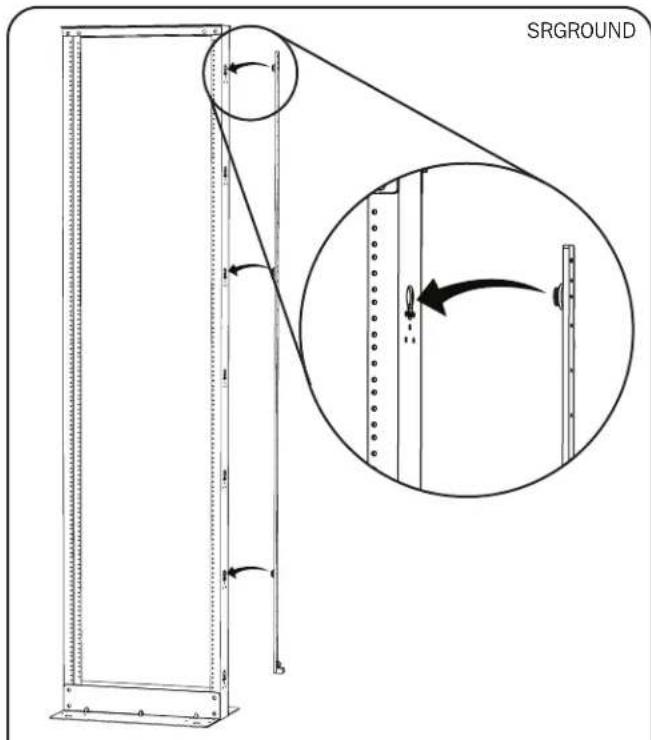
SRGROUND - Attach the 3 Mounting Buttons to the bar in the following holes:
Button 1: Three holes from the TOP of the bar
Button 2:Eleven holes from the TOP of the bar
Button 3: Five holes from the BOTTOM of the bar
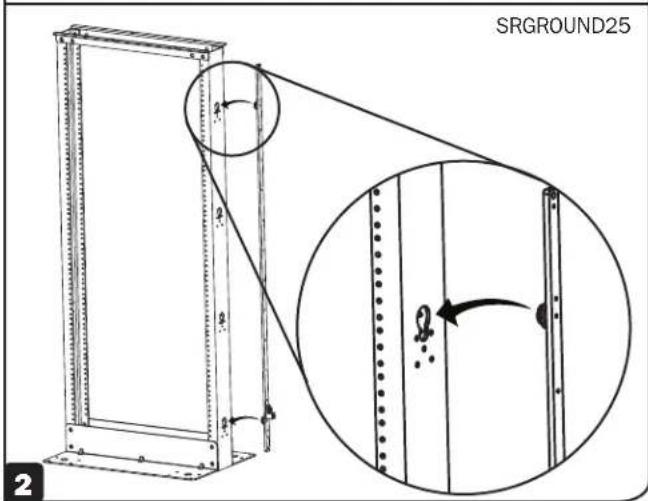
SRGROUND25 - Attach the 2 Mounting Buttons to the bar in the following holes:
Button 1: Four holes from the TOP of the bar
Button 2: Four holes from the BOTTOM of the bar
2 Attach the bar to the outside frame of the rack by simply inserting the Mounting Buttons into the mounting button holes and snapping them down into place.
Installation
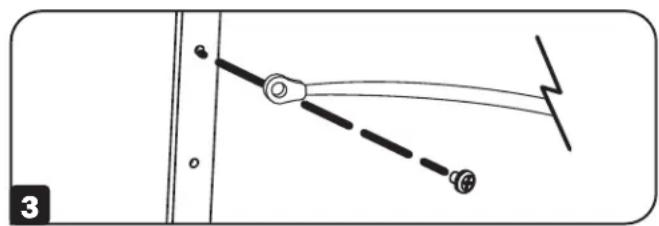
3 Attach one end of the Grounding Strap to the bar using the included M4 screws and washers. Next, attach the other end of the Grounding Strap to the grounding provision on the intended equipment.
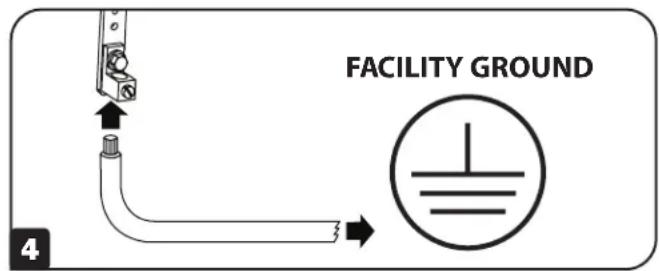
4 Finally, attach your facility's system ground to the grounding lug at the bottom of the bar. The lug can accommodate 2/0-14AWG wires.
Note: The instructions above are specific for mounting in Tripp Lite Open Frame Racks. Mounting in other rack brands is possible, but will vary depending upon the application. Several holes are provided along the grounding bar that will allow for a workable installation into any brand's rack configuration.
WARRANTY REGISTRATION
Visit triplite.com/warranty today to register the warranty for your new Tripp Lite product. You'll be automatically entered into a drawing for a chance to win a FREE Tripp Lite product!*
- No purchase necessary. Void where prohibited. Some restrictions apply. See website for details.
Tripp Lite follows a policy of continuous improvement. Product specifications are subject to change without notice.


Manufacturing Excellence
1111 W. 35th Street, Chicago, IL 60609 USA · triplite.com/support
1111 W. 35th Street, Chicago, IL 60609 USA triplite.com/support