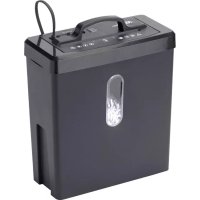
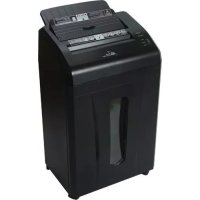
CS08C - Shredder Royal Sovereign - Free user manual and instructions
Find the device manual for free CS08C Royal Sovereign in PDF.


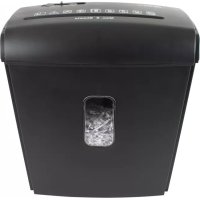
| Product Type | Cross-Cut Paper Shredder |
| Brand | Royal Sovereign |
| Model | CS08C |
| Sheet Capacity | 8 sheets |
| Functions | Forward, stop, reverse |
| Compaction Technology | Compress-It™ (push top to compact) |
| Bin Full Sensor | Yes (mechanical or optical) |
| Overheat Protection | Automatic motor shut-off |
| Paper Jam | Reverse function to clear |
| Accepted Materials | Paper only (no staples, paper clips, CDs, credit cards) |
| Power Supply | Mains (power cord) |
| Warranty | 1 year limited |
| Maintenance | Clean with dry cloth, empty basket regularly |
| Safety | Automatic shut-off, overload and overheat protection |
Frequently Asked Questions - CS08C Royal Sovereign
User questions about CS08C Royal Sovereign
0 question about this device. Answer the ones you know or ask your own.
Ask a new question about this device
Download the instructions for your Shredder in PDF format for free! Find your manual CS08C - Royal Sovereign and take your electronic device back in hand. On this page are published all the documents necessary for the use of your device. CS08C by Royal Sovereign.
USER MANUAL CS08C Royal Sovereign
Because our products are subject to continuous improvement, RS Canada reserves the right to modify product design and specifications without notice and without incurring any obligation. E&OE
CS-08C
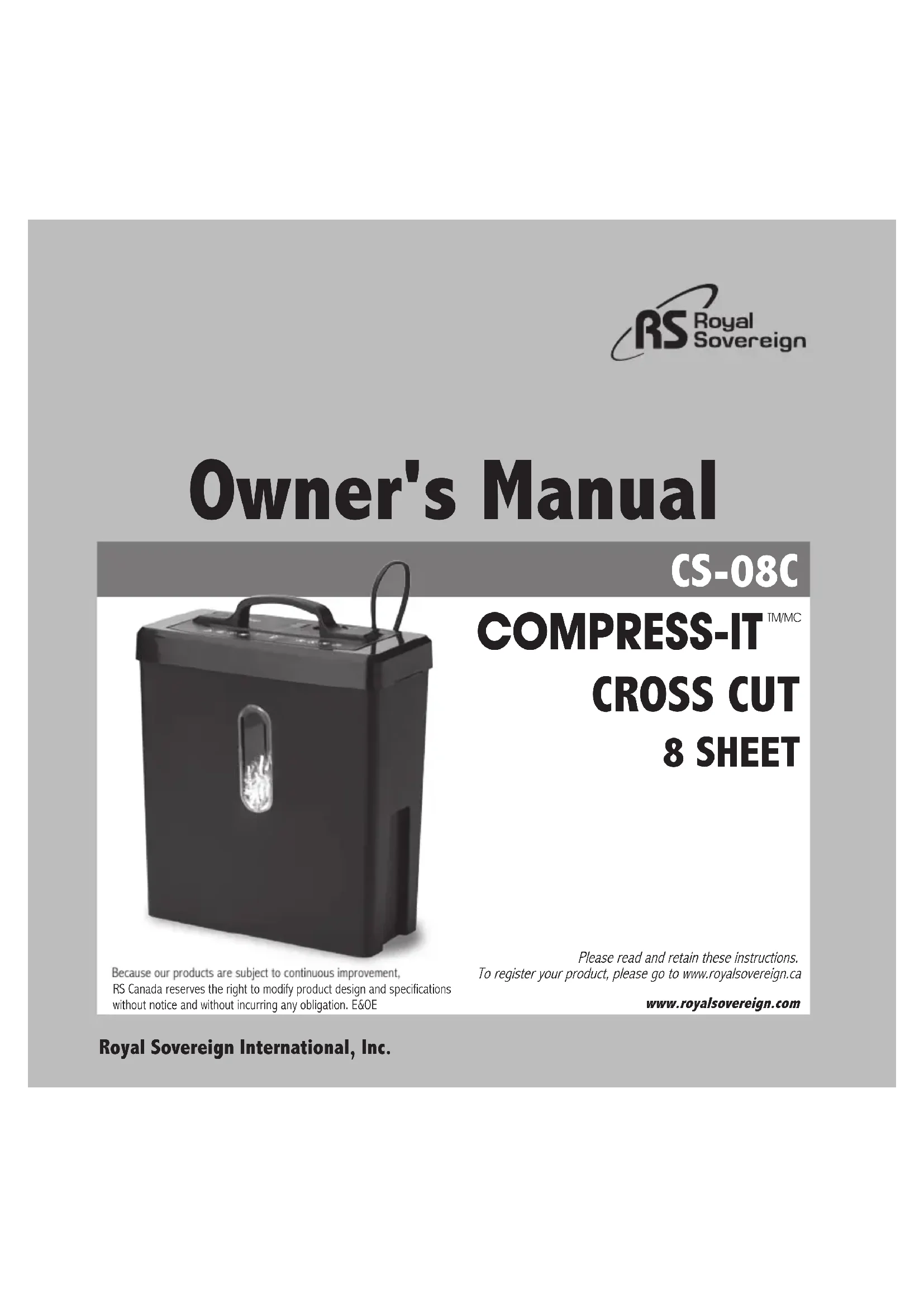
COMPRESS-IT™/MC CROSS CUT 8 SHEET
Please read and retain these instructions. To register your product, please go to www.royalsovereign.ca
www.royalsovereign.com
Royal Sovereign International, Inc.
SAFETY INSTRUCTIONS
The safety recommendations outlined in this section should be read and understood before operating this machine. When using this machine follow these basic safety precautions to reduce risk of fire, electric shock or injury. Keep this information for future reference.
SAFETY HAZARDS
Safety hazards are depicted in the following images:
*For your safety, please be aware and take notice of all safety hazards.
Misuse of this machine may lead to danger. NO DISASSEMBLY: Do not disassemble machinery.
*The following hazards are related to machine placement and movement.
WARNING
Only operate machine with indicated power supply.
Do not alter any distributing wires. This may cause a fire or an electric shock.
Do not operate the machine near any flammables or heat-sensitive materials. This may cause a fire or internal damage to the shredder.
Avoid placing the machine near the following areas:
- a heat or fire-prone area such as a stove or a humidifier
- an area with high humidity
- an area prone to gas leaks
- an area that is exposed to direct sunlight
- an area that is dusty or incurs vibrations
- an area that is not level or is on an incline
This may cause a fire, electric shock, or internal damage to the shredder.
Do not put any materials on top of the machine.
When moving the shredder, turn the machine off and remove the power cord from the outlet. A damaged power cord or plug may cause a fire or electric shock.
Do not handle the plug with wet hands.
Keep the machine out of reach from small children.
This may cause an electric shock.
This may cause serious injury.
Do not disassemble, repair, or alter the machine. Contact a qualified electrician or the Service department.
This may cause a fire or electric shock.
| Do not place any liquids on the machine. This may cause a fire or electric shock. | Keep aerosol products away. | ||
| Do not damage, alter, or transform the power cord or plug. Do not place any heavy objects on the power cord. Do not pull or bend the cord forcibly. A damaged power cord or plug may cause a fire or electric shock. | |||
| Do not block the top of the machine. This may cause a fire or a malfunction. Do not use any flammable materials when cleaning the machine. This may cause a fire. | |||
| Do not operate the machine if the power cord or plug becomes stained by any substance or chemicals. In this case, turn off the machine and unplug the power cord from the outlet. Contact the Service department. Do not disassemble or repair the machine yourself. This can cause a fire or electric shock. | |||
| CAUTION | |||
| Do not have any personal articles hanging around the machine such as long hair, necktie, necklace, and clothing. This may cause bodily injury from the machine. | |||
| Turn off the machine and unplug the power cord from the outlet before cleaning or if the machine will not be in use for a long period of time. This may result in an electric shock. | |||
| · Do not spray water or chemicals into the machine when cleaning. This may result in a fire or electric shock. · Use the machine only for shredding. · If a malfunction or other machine problem occurs, first turn off the machine. Next, contact the Service department. · If you smell or witness smoke coming from your machine, first turn off the machine. Next, unplug the power cord from the outlet, and contact the Service department. | |||
| Keep children's hands away from the paper insert at all times. Do not insert fingers into the shredder. | |||
| Do not insert anything other than paper, staples, CD/DVDs and credit card into the machine. | |||
Do not allow any foreign materials or substances inside the shredder. This may cause a fire or bodily injury.
Materials except for paper Flammable and hardening materials
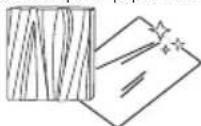
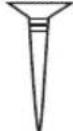
Metal, wood, and fabric Screws and nails Pencils and ball-point pens Cellophane and vinyl materials,

leaves, flowers, clothes, etc.
CONTENTS
BOX CONTENTS 5
PARTS 5
OPERATION 6
HELPFUL USER TIPS 6
HOW TO MAINTAIN YOUR SHREDDER 7
SPECIFICATIONS 7
WARRANTY 8
BOX CONTENTS
Cross Cut Shredder
PARTS
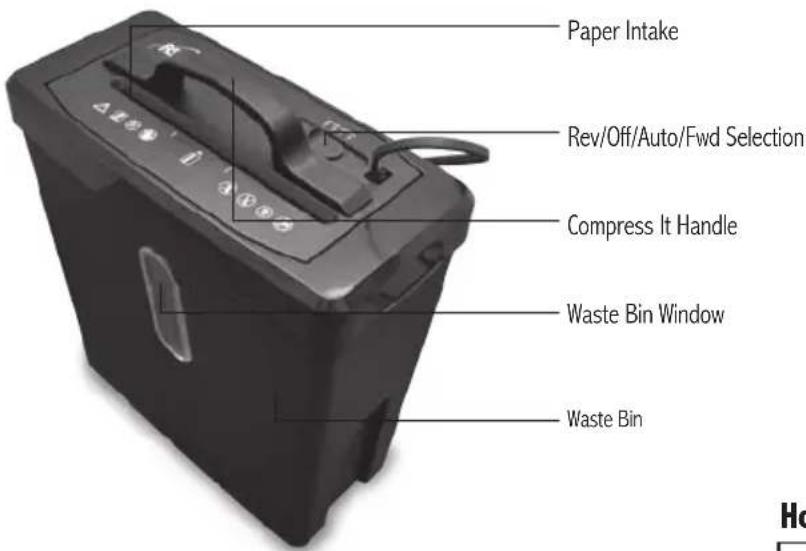

CREDIT CARD REVERSE

ON OFF

OVERHEAT AUTO / READY

BIN FULL FORWARD

How does the Compress-it work?
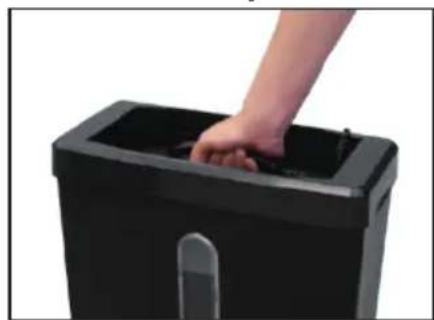
As the basket fills with waste, simply push straight down on the shredder head to compact the paper
OPERATION
- Mount the shredder correctly to the basket.
- Connect the power cord.
- Move switch to AUTO.
- Insert paper to begin shredding.
Helpful User Tips
Clearing a paper jam
Paper jams may occur due to paper being inserted incorrectly, or the sheet capacity has been exceeded. Should this happen the switch to the REVERSE (< <) position, and remove the excess paper from the top and pull it out. TO PREVENT ANY INJURIES, DO NOT PLACE YOUR HANDS NEAR THE FEED OPENING. Once the paper is cleared, normal shredding operation can resume. If the shredder jams while in reverse, press the switch to the AUTO position and let shredder run to clear the jammed paper. If jam does not clear, slide the switch back and forth between the REV and AUTO until the jam is cleared. If the jam cannot be cleared following this procedure, unplug the unit and carefully remove the jammed paper manually.
Overheating
If your shredder overheats, the unit will automatically shut off and all functions will cease in order to protect the motor. Turn off and unplug the shredder from the outlet. Allow enough time for the motor to cool down. The shredder will not resume normal function until the temperature of the motor cools down to a safe temperature. Once cool, plug the shredder back into the outlet, turn the unit back on and resume normal operation. Make sure to empty waste basket to avoid overloading the basket and damaging the cutting mechanism.
Bin Full Function
Some shredders are equipped with a mechanical or optical Bin Full sensor.
When the basket becomes full, the shredder will cease operation. Empty basket to resume operation.
Emptying Basket
Always turn the shredder off and unplug the power cord from the AC outlet before cleaning it, moving it, or emptying the wastebasket. Always keep wastebasket emptied so that the shredder's output is not impeded. Never let the wastebasket get full. This will lead to shredded material being pulled back up into the shredder and cause jams.
Staples and Paperclips
Although our shredders are safe to shred the occasional standard staple, you should remove them if possible. Also, industrial or non-standard, large size staples must be removed. Paperclips should not be shredded at any time, as they significantly reduce the life of the shredder. Please remove staples and paperclips from paper before shredding.
HOW TO MAINTAIN YOUR SHREDDER
Lubricate Blades Regularly
- Only use lubricants specifically designed for your shredder, such as shredder lubricant or shredder lubricant sheets.
- NEVER use spray lubricants.
- Follow directions on the shredder lubricant product package.
- Do not touch the cutting surface.
- Continue to recycle waste paper in a normal manner.
When Using Shredder Lubricant Sheets
Never tear or open a shredder lubricant sheet. Please, empty waste basket prior to use. Shred one shredder lubricant sheet by feeding sheet in the direction on the arrows, directly into the paper feed entrance as per the instructions that came with your shredder. After shredding the lubricant sheet completely, run the shredder in reverse for 10 seconds for optimal performance. Align the first lubricant sheet to the left of the shredder throat. The next time you use a shredder lubricant sheet align the pouch to the right of the shredder throat. Continue to alternate between aligning the pouches to the left and right to ensure the entire cutting mechanism remains well lubricated. Re-lubricate your shredder by shredding a lubrication sheet after 30 minutes of shredding or a minimum of twice per month to maintain maximum performance.
SPECIFICATIONS
| Model CS-08C | |
| Shred type | Cross cut |
| Shred capacity | 8 sheets |
| Basket capacity 18.5 L (4.9 Gallons) | |
| Shred size | 4mm × 33mm (0.16" × 1.30") |
| Noise level < 72dB | |
| Shred speed | 2.4m/min |
| Run Cycle time 2min ON / 30min OFF | |
| Throat size 220mm (8.66") | |
| Dimensions (L×W×H) 360 × 175 × 434 (mm) | (14.3" × 6.8" × 17.1") |
| Weight 3.8kg (8.4 lbs) | |
| Voltage | AC120V 60Hz |
LIMITED ONE YEAR WARRANTY
This warranty applies to repair or replacement of product found to be defective in material or workmanship for one year from the date of the original purchase. This warranty is extended only to the original purchaser.
This warranty does not apply to damage resulting from abuse, misuse, improper maintenance or damage that is attributable to acts of nature. Royal Sovereign International, Inc. (and its affiliated companies) is not liable for incidental or consequential damages of any nature. This limitation would not apply if you live in those areas that do not permit the exclusion or limitation of incidental or consequential damages.
Defective products for warranty repair or replacement cannot be returned without a Return Authorization number. Please go to www. royalsovereign.com USA-Customer Support Tab to make a request for an Office Product Return Authorization.
Defective products must be returned to Royal Sovereign International Consumer Return Department, freight prepaid, with proof of purchase and Return Shipping and Handling payment (check or money order). Upon repair or replacement the product will be returned to the customer.
Return defective product to the following address with a detailed description of the problem. If possible, pack in original carton. Please prepay shipping charges.
For out of warranty service or frequently asked questions please go to www.royalsovereign.com USA- Customer Support Tab.
For sales of product, parts or accessories please visit us at www.royalfullfillmentcorp.com.
For service or sales please contact your local Royal Sovereign Office:
ROYAL SOVEREIGN INTERNATIONAL, INC.
2 Volvo Drive Rockleigh, NJ 07647 USA
TEL: +1) 800-397-1025 FAX: +1) 201-750-1022
RS CANADA INC.
5610 Timberlea Blvd, Mississauga Ontario L4W 4M6 CANADA
TEL: +1) 905-461-1095 FAX: +1) 905-461-1096
TF: +1) 866-961-6673
www.royalsovereign.ca
www.royalsovereign.com
Royal Sovereign International, Inc.
C
www.royalsovereign.ca
- COMPRESS-IT™/MC CROSS CUT 8 SHEET
- SAFETY INSTRUCTIONS
- SAFETY HAZARDS
- WARNING
- CONTENTS
- BOX CONTENTS
- PARTS
- How does the Compress-it work?
- OPERATION
- Helpful User Tips
- Clearing a paper jam
- Overheating
- Bin Full Function
- Emptying Basket
- Staples and Paperclips
- HOW TO MAINTAIN YOUR SHREDDER
- Lubricate Blades Regularly
- When Using Shredder Lubricant Sheets
- SPECIFICATIONS
- LIMITED ONE YEAR WARRANTY
- ROYAL SOVEREIGN INTERNATIONAL, INC.
- RS CANADA INC.
Brand : Royal Sovereign
Model : CS08C
Category : Shredder