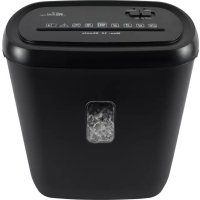
RDS21C10 - Shredder Royal Sovereign - Free user manual and instructions
Find the device manual for free RDS21C10 Royal Sovereign in PDF.


| Product Type | Cross-Cut Document Shredder |
| Brand | Royal Sovereign |
| Model | RDS21C10 |
| Cut Type | Cross cut (4 x 35 mm particles) |
| Security Level | P-4 |
| Sheet Capacity | 10 sheets (75 g/m²) |
| Bin Capacity | 21 liters (5.5 gallons) |
| Feed Opening Width | 220 mm (8.66 inches) |
| Shredding Speed | 2.2 m/min (7.22 ft/min) |
| Duty Cycle | 2 minutes continuous / 40 minutes cool down |
| Power Supply | 115-120 V, 60 Hz |
| Shreddable Materials | Paper, standard staples, credit cards |
| Dimensions (L x D x H) | 360 x 220 x 396 mm |
| Weight | 5.0 kg |
| Functions | Auto, Reverse (REV), Off (OFF) |
| Safety | Thermal protection, automatic shut-off in case of overload |
| Warranty | 1 year limited |
| Maintenance | Empty the bin regularly, unplug before cleaning, do not use aerosols |
Frequently Asked Questions - RDS21C10 Royal Sovereign
User questions about RDS21C10 Royal Sovereign
0 question about this device. Answer the ones you know or ask your own.
Ask a new question about this device
Download the instructions for your Shredder in PDF format for free! Find your manual RDS21C10 - Royal Sovereign and take your electronic device back in hand. On this page are published all the documents necessary for the use of your device. RDS21C10 by Royal Sovereign.
USER MANUAL RDS21C10 Royal Sovereign
Please read and retain these instructions. To register your product, please go to www.royalsovereign.com
Thank you for purchasing the Royal Sovereign 10 Sheet Manual Feed, Cross-Cut Shredder, RDS-21C10. This manual will provide you with safety information, instructions for optimal use, and proper care and maintenance for your product. Please read this manual carefully before operating.
CONTENTS
SAFETYINSTRUCTIONS 3
PRODUCT VIEW 4
PRODUCT OPERATION 5
TROUBLESHOOTING 6
SPECIFICATIONS 7
WARRANTY 8
SAFETY INSTRUCTIONS
When using this machine follow these safety precautions to reduce risk of fire, electric shock, or injury.
CAUTION
- Do not attempt to shred materials other than paper or credit cards. Do not shred plastic (except credit cards), newsprint, cardboard, paperclips, labels, tape, envelopes, or anything with glue or adhesives.
- Do not exceed the recommended sheet capacity (10 sheets).
- Do not operate if the electrical plug or power cord is damaged.
- Do not under any circumstance alter the electric plug.
- The cord should be secured behind the machine and not left exposed or dangling.
- Do not pull on the cable to unplug.
- Do not turn this machine on/off by connecting/disconnecting it from the source of electricity.
- Turn off the power when unattended or not in use for an extended period of time.
- Do not use aerosolusters or cleaners. Do not use canned air on the shredder.
- Empty the waste bin frequently to avoid overloading it and possibly damaging the shredder cutting mechanism.
- Continuous shredding of paper should not exceed 2 minutes. If continuous use is required, it is recommended that the shredding time should be a maximum of 2 minutes on, followed by a minimum of 40 minutes cooling time to allow for proper cooling of the motor.
WARNING
- This machine should be properly grounded on a level surface indoors only.
- The machine should be placed near the electrical outlet so that the outlet is easily accessible.
- Make sure the voltage meets the machine's electricity requirements (115 - 120 volt / 60 Hz).
- Turn off the power or unplug the machine before maintenance, emptying the basket, or moving the unit.
- Do not handle the plug with wet hands.
- Do not immerse the machine in water or permit liquid to get inside the machine.
- Do not operate the machine near water, any flammables, or heat-sensitive materials.
- Do not block or put any materials on top of the machine.
- Do not have any personal articles hanging around the machine, such as long hair, necklace, or clothing.
- Do not place hands or fingers into the shredder opening as serious injury could result.
- Never allow children to operate or play with this shredder.
- Do not operate the machine for any other purpose other than its intended use.
- It is recommended to remove all staples from paper before shredding. The shredder can cut staples, however continuous shredding of these metal objects can lodge in between cutting blades and hinder the performance of the shredder.
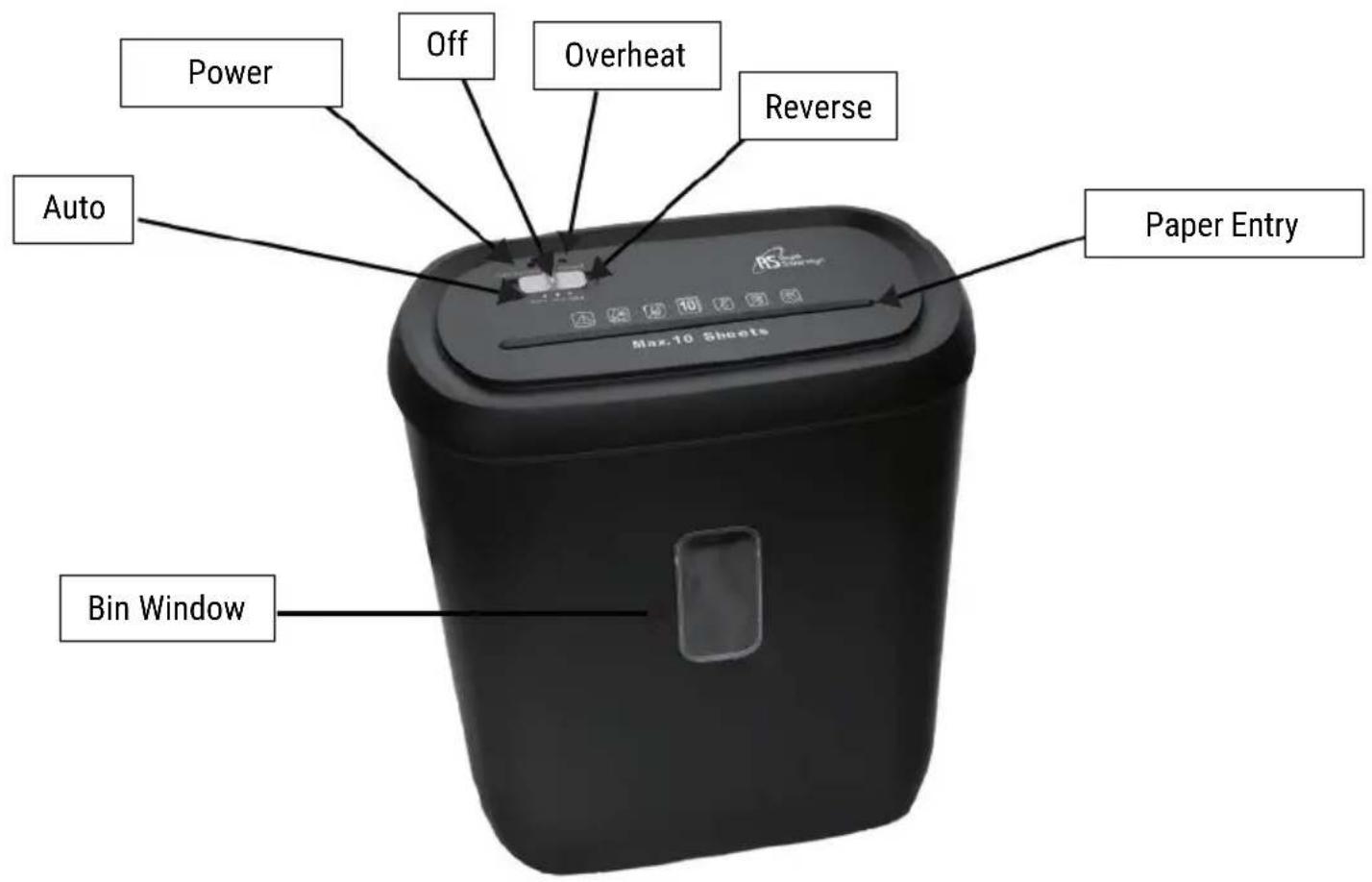
PRODUCT VIEW
PRODUCT OPERATION
- Place the shredder on a flat, level surface.
- Plug the power cable into the wall power outlet.
- Place the switch in the "AUTO" position.
The switch has three settings:
a) When set to "AUTO", the shredder will automatically begin shredding when paper is inserted into the feed opening. The shredder will stop automatically once the paper is fully inserted.
b) The "REV" mode is used to assist in the removal of a possible paper jam. The unit will reverse the shredding process to help clear the jam and clear the paper cutter.
c) The "OFF" position should be selected when emptying the wastebasket or when the shredder is not in use for a prolonged period of time.
NOTE: This unit shreds 10 sheets at a time. When shredding small items such as envelopes or credit card receipts, please insert them through the middle of the feed opening.
NOTE: The Overheat LED light will turn on if continuous shredding is longer than 2 minutes. The unit will stop shredding as a safety precaution to prevent overheating of the shredder motor. You can continue shredding once the Overheat LED light turns off (40 minutes).
TROUBLESHOOTING
| Symptom Solutions | |
| The machine has turned off | •Operating the shredder at the maximum capacity continuously for a prolonged period of time (more than 2 minutes without stopping) results in the activation of the automatic motor overload protection. •Unplug the power cord from the AC outlet and wait at least 40 minutes for the overload protection to reset. Tear or cut off any excess paper from the top of the shredder. •Plug the power cord back into the electrical outlet and place the switch in the “REV” position. Pull the remaining paper out of the cutters. •Return the setting to “AUTO”. The shredder is now ready to resume shredding. |
| Jammed machine | •Jams may occur if there is an overload of paper (more than 10 sheets at once) or if the paper is not fed squarely into the feed opening. •To fix this, change the switch to the “REV” position. Pull the jammed papers out. •Put the switch to the “AUTO” position. The shredder is now ready to resume shredding. |
NOTE: Do not attempt to repair the shredder yourself.
NOTE: For all replacements and repairs that need to be made, contact Royal Sovereign Customer Service at +1) 800-397-1025
SPECIFICATIONS
| MODEL RDS-21C10 | |
| Shred Type Cross-Cut | |
| Entry Width 8.66 in. (220 mm) | |
| Speed 7.22 ft. (2.2 m) per minute | |
| Bin Capacity 5.5 Gallons (21 L) | |
| Short Duty Cycle 2 Minute ON / 40 Minute OFF | |
| Security Rating P-4 | |
| Particle Size 4 x 35 mm | |
| Shreds Paper, standard staples, credit cards | |
| Credit Card / Pass 1 | |
| Manual-Feed Capacity 10 sheets | |
| Dimensions | 14.17" x 8.66" x 15.59" 360 mm x 220 mm x 396 mm |
| Weight 11.02 lbs. / 5.0 kgs | |
ONE YEAR LIMITED WARRANTY
Royal Sovereign International, Inc. warranties this product to be free from defects in material and workmanship for a period of one (1) year. This warranty is extended to the original purchaser only.
This warranty only covers products that are properly installed, properly maintained, and properly operated in accordance with the instructions provided. This limited warranty does not cover any failures or operating difficulties due to normal wear and tear, accident, abuse, misuse, alteration, misapplication, improper installation, or improper maintenance and service by you or any third party.
Returned product will not be accepted without a Return Authorization number. To request a Return Authorization number, please visit us at www.royalsovereign.com. All transportation costs for the return of damaged product or parts will be the responsibility of the purchaser. Return defective product, in original packaging, to the address below.
Royal Sovereign International, Inc. requires reasonable proof of your date of purchase from an authorized retailer or distributor. Therefore, you should keep your receipt, invoice, or canceled check from the original purchase. The limited warranty shall be limited to the repair or replacement of parts which prove defective under normal use and service within the warranty period.
Royal Sovereign International, Inc. (and its affiliated companies) SHALL HAVE NO LIABILITY WHATSOEVER TO PURCHASER OR ANY THIRD PARTY FOR ANY SPECIAL, INDIRECT, PUNITIVE, INCIDENTAL,OR CONSEQUENTIAL DAMAGES. Some states do not allow the exclusion or limitation of incidental or consequential damages so the above exclusion and limitations may not apply to you.
ROYAL SOVEREIGN INTERNATIONAL, INC.
2 Volvo Dr., Rockleigh, NJ 07647 USA
Email: info@royalsovereign.com
RS INTERNATIONAL CANADA INC.
191 Superior Blvd, Mississauga Ontario L5T 2L6 CANADA
TEL:+1)905-461-1095TF#:+1)866-961-6673
FAX: +1) 905-461-1096
www.royalsovereign.ca
Guide d'utilisation

Email: info@royalsovereign.com
RS INTERNATIONAL CANADA INC.
191 Superior Blvd, Mississauga Ontario L5T 2L6 CANADA
TEL:+1)905-461-1095TF#:+1)866-961-6673
FAX: +1) 905-461-1096
www.royalsovereign.ca
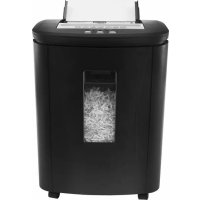
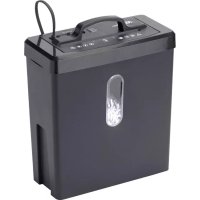
Brand : Royal Sovereign
Model : RDS21C10
Category : Shredder