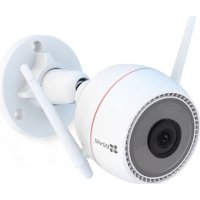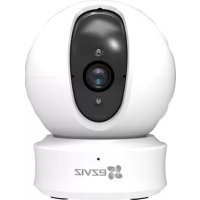
Ez360 Plus - Surveillance Camera EZVIZ - Free user manual and instructions
Find the device manual for free Ez360 Plus EZVIZ in PDF.



| Brand | EZVIZ |
| Model | Ez360 Plus |
| Product type | Indoor surveillance camera |
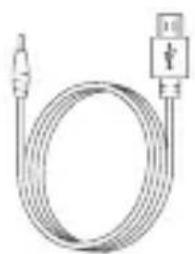
| Power supply | Mains adapter (power cable included) |
| Connectivity | Wi-Fi 2.4 GHz |
| Pan angle | 0° to 340° |
| Tilt angle | -15° to 105° |
| Storage | MicroSD card (max 128 GB, class 10) |
| Features | Image encryption, angle adjustment via app |
| LED indicator | Blue/red blinking (network and configuration status) |
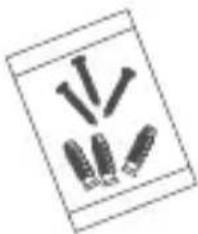
| Mounting | Wall or ceiling (screw kit included) |
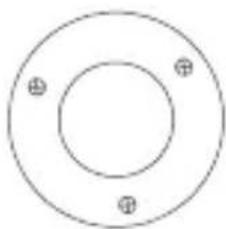
| Box contents | Camera, adapter, cable, template, screw kit, quick start guide |
| Compatibility | EZVIZ app (iOS/Android) |
| Security | Image encryption, password protection |
| Warranty | 1 year (under conditions, see manual) |
Frequently Asked Questions - Ez360 Plus EZVIZ
User questions about Ez360 Plus EZVIZ
0 question about this device. Answer the ones you know or ask your own.
Ask a new question about this device
Download the instructions for your Surveillance Camera in PDF format for free! Find your manual Ez360 Plus - EZVIZ and take your electronic device back in hand. On this page are published all the documents necessary for the use of your device. Ez360 Plus by EZVIZ.
USER MANUAL Ez360 Plus EZVIZ
natural_image
Colorful abstract logo with four overlapping leaves in blue, green, magenta, and orange (no text or symbols)ezviz
ez360 Series
Quick Start Guide
EN
DE
ES
FR
IT
NL
PL
RU
GR
CZ
COPYRIGHT ©2017 Hangzhou Hikvision Digital Technology Co., Ltd. or its subsidiaries. ALL RIGHTS RESERVED.
About this Manual
The Manual includes instructions for using and managing the product. Pictures, charts, images and all other information hereinafter are for description and explanation only. The information contained in the Manual is subject to change, without notice, due to firmware updates or other reasons. Please find the latest version in the website (http://www.ezvizlife.com).
Any and all information, including, among others, wordings, pictures, graphs are the properties of Hangzhou Hikvision Digital Technology Co., Ltd. or its subsidiaries (hereinafter referred to be "Hikvision"). This user manual (hereinafter referred to be "the Manual") cannot be reproduced, changed, translated, or distributed, partially or wholly, by any means, without the prior written permission of Hikvision. Unless otherwise stipulated, Hikvision does not make any warranties, guarantees or representations, express or implied, regarding to the Manual.
Trademarks Acknowledgement
ezviz™, and other Hikvision's trademarks and logos are the properties of Hikvision in various jurisdictions.
Other trademarks and logos mentioned below are the properties of their respective owners.
Legal Disclaimer
TO THE MAXIMUM EXTENT PERMITTED BY APPLICABLE LAW, THE PRODUCT DESCRIBED, WITH ITS HARDWARE, SOFTWARE AND FIRMWARE, IS PROVIDED "AS IS", WITH ALL FAULTS AND ERRORS, AND HIKVISION MAKES NO WARRANTIES, EXPRESS OR IMPLIED, INCLUDING WITHOUT LIMITATION, MERCHANTABILITY, SATISFACTORY QUALITY, FITNESS FOR A PARTICULAR PURPOSE, AND NON-INFRINGEMENT OF THIRD PARTY. IN NO EVENT WILL HIKVISION, ITS DIRECTORS, OFFICERS, EMPLOYEES, OR AGENTS BE LIABLE TO YOU FOR ANY SPECIAL, CONSEQUENTIAL, INCIDENTAL, OR INDIRECT DAMAGES, INCLUDING, AMONG OTHERS, DAMAGES FOR LOSS OF BUSINESS PROFITS, BUSINESS INTERRUPTION, OR LOSS OF DATA OR DOCUMENTATION, IN CONNECTION WITH THE USE OF THIS PRODUCT, EVEN IF HIKVISION HAS BEEN ADVISED OF THE POSSIBILITY OF SUCH DAMAGES.
TO THE MAXIMUM EXTENT PERMITTED BY APPLICABLE LAW, IN NO EVENT SHALL HIKVISION'S TOTAL LIABILITY FOR ALL DAMAGES EXCEED THE PURCHASE PRICE THE PRODUCT.
HIKVISION does not undertake any liability for personal injury or property damage, as the result of product interruption or service termination cause by: a) improper installation or usage other than as requested; b) the protection of national or public interests; c) Force Majeure; d) yourself or the third party, including not limitation, using any third party's products, software, applications, and among others.
REGARDING TO THE PRODUCT WITH INTERNET ACCESS, THE USE OF PRODUCT SHALL BE WHOLLY AT YOUR OWN RISKS. HIKVISION SHALL NOT TAKE ANY RESPONSIBILITES FOR ABNORMAL OPERATION, PRIVACY LEAKAGE OR OTHER DAMAGES RESULTING FROM CYBER ATTACK, HACKER ATTACK, VIRUS INSPECTION, OR OTHER INTERNET SECURITY RISKS; HOWEVER, HIKVISION WILL PROVIDE TIMELY TECHNICAL SUPPORT IF REQUIRED.
The purpose of the Products is to provide an adequate warning in the event of illegal encroachment in certain area; however, the proper installation of the Products will not eliminate, but only reduce, that accidents will not occur or that there will be no personal injury or property loss as a result. You are highly recommended to raise your vigilance and
strengthen the safety awareness in the daily life.
SURVEILLANCE LAWS VARY BY JURISDICTION. PLEASE CHECK ALL RELEVANT LAWS IN YOUR JURISDICTION BEFORE USING THIS PRODUCT IN ORDER TO ENSURE THAT YOUR USE CONFORMS TO THE APPLICABLE LAW. YOU FUTHER AGREE THAT THIS PRODUCT IS ONLY FOR CIVIL USE, AND HIKVISION SHALL NOT BE LIABLE IN THE EVENT THAT THIS PRODUCT IS USED WITH ILLEGITIMATE PURPOSES, SUCH AS THIRD PARTY RIGHTS INFRINGEMENT, MEDICAL TREATMENT, SAFETY EQUIPMENT OR OTHER SITUATIONS WHERE THE PRODUCT FAILURE COULD LEAD TO DEATH OR PERSONAL INJURY, OR WEAPON OF MASS DESTRUCTION, CHEMINICAL AND BIOLOGICAL WEAPON, NUCLEAR EXPLOSION, AND ANY UNSAFE NUCLEAR ENERGY USES OR ANTI-HUMANITY USAGES. YOU SHOULD UNDERTAKE ALL RESPONSIBILITIES FOR LOSSES OR DAMAGES RESULTING FROM THE ABOVE USAGES WHATSOEVER.
IN THE EVENT OF ANY CONFLICTS BETWEEN THE ABOVE AND THE APPLICABLE LAW, THE LATER PREVAILS.
Regulatory Information
FCC Information
This device complies with Part 15 of the FCC Rules. Operation is subject to the following two conditions:
(1) This device may not cause harmful interference, and
(2) This device must accept any interference received, including interference that may cause undesired operation.
Note: This product has been tested and found to comply with the limits for a Class B digital device, pursuant to Part 15 of the FCC Rules. These limits are designed to provide reasonable protection against harmful interference in a residential installation. This product generates, uses, and can radiate radio frequency energy and, if not installed and used in accordance with the instructions, may cause harmful interference to radio communications. However, there is no guarantee that interference will not occur in a particular installation. If this product does cause harmful interference to radio or television reception, which can be determined by turning the equipment off and on, the user is encouraged to try to correct the interference by one or more of the following measures:
—Reorient or relocate the receiving antenna.
—Increase the separation between the equipment and receiver.
—Connect the equipment into an outlet on a circuit different from that to which the receiver is connected.
—Consult the dealer or an experienced radio/TV technician for help.
Please take attention that changes or modification not expressly approved by the party responsible for compliance could void the user's authority to operate the equipment.
This equipment should be installed and operated with a minimum distance 20cm between the radiator and your body.
This device complies with Industry Canada licence-exempt RSS standard(s). Operation is subject to the following two conditions:
(1) this device may not cause interference, and
(2) this device must accept any interference, including interference that may cause undesired operation of the device.
Under Industry Canada regulations, this radio transmitter may only operate using an antenna of a type and maximum (or
lesser) gain approved for the transmitter by Industry Canada. To reduce potential radio interference to other users, the antenna type and its gain should be so chosen that the equivalent isotropically radiated power (e.i.r.p.) is not more than that necessary for successful communication.
EU Conformity Statement
This product and - if applicable - the supplied accessories too are marked with "CE" and comply therefore with the applicable harmonized European standards listed under the Radio Equipment Directive 2014/53/EU, the EMC Directive 2014/30/EU, the RoHS Directive 2011/65/EU.
natural_image
Symbol of a trash bin with no text or labels, including a crossed-out box and a solid black rectangle below (no readable text or symbols)2012/19/EU (WEEE directive): Products marked with this symbol cannot be disposed of as unsorted municipal waste in the European Union. For proper recycling, return this product to your local supplier upon the purchase of equivalent new equipment, or dispose of it at designated collection points. For more information see: www.recyclethis.info.
2006/66/EC (battery directive): This product contains a battery that cannot be disposed of as unsorted municipal waste in the European Union. See the product documentation for specific battery information. The battery is marked with this symbol, which may include lettering to indicate cadmium (Cd), lead (Pb), or mercury (Hg). For proper recycling, return the battery to your supplier or to a designated collection point. For more information see: www.recyclethis.info.

EC DECLARATION OF CONFORMITY
Hereby, Hangzhou Hikvision Digital Technology Co., Ltd. declares that the radio equipment type [CS-CV246] is in compliance with Directive 2014/53/EU.
The full text of the EC DECLARATION OF CONFORMITY is available at the following web link:
http://www.ezvizlife.com/declaration-of-conformity.
Safety Instruction
Due to the product shape and dimension, the name and address of the importer/manufacturer are printed on the package.
SAVE THIS MANUAL FOR FUTURE REFERENCE
Setup
Step 1 Power-on
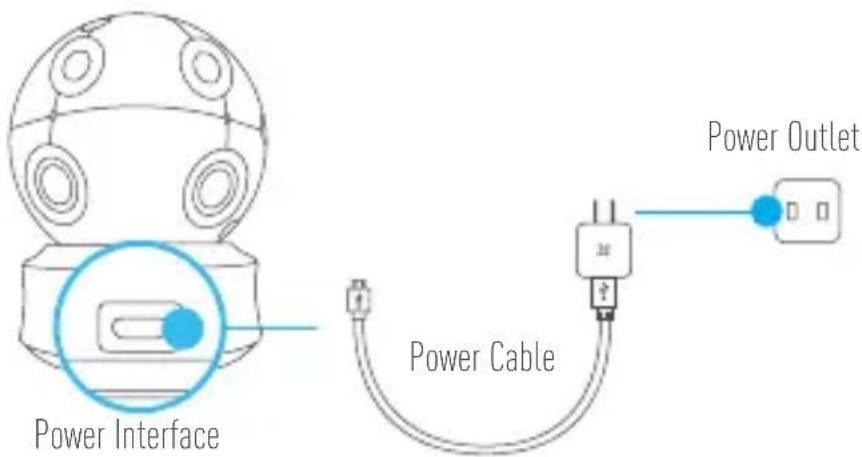
Plug the power cable into the camera, and then plug the power adapter into an outlet as shown in the figure below. The LED indicator will flash red and blue when the camera is ready for setup.
text_image
Power Interface Power Cable Power Outlet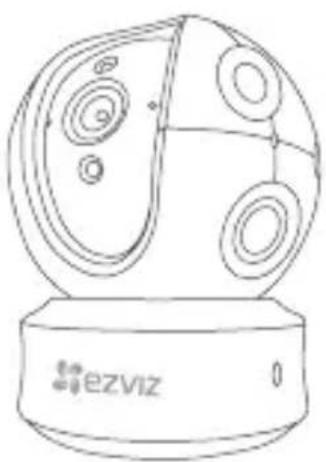
natural_image
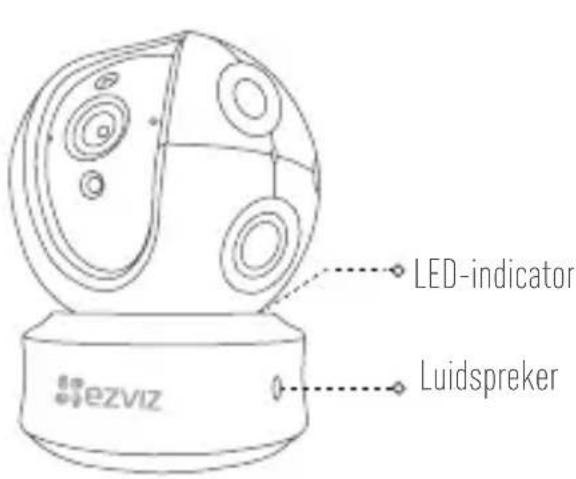
Line drawing of a spherical object with internal circular patterns and a base labeled 'ezviz' (no text or symbols on the object itself)LED Indicator Status
- Flashing Blue: The network is properly connected.
Solid Red: The device is activating.
Slowly Flashing Red: Invalid network connection.
Fastly Flashing Red: MicroSD card or other error occurred.
Flashing Blue and Red: Camera is ready for Wi-Fi setup.

Turn on the camera and let it power up. The camera will completely rotate side-to-side and tilt up-and-down once.
Step 2 Camera Setup
EN
1. Create a user account
- Connect your mobile phone to Wi-Fi using your 2.4GHz network.
- Search for "EZVIZ" in the App Store or Google Play [TM].
- Download and install the EZVIZ app.
- Launch the app.
- Create, and register an EZVIZ user account by following the startup wizard.
2. Adding a camera to EZVIZ
- Log in to your account using the EZVIZ app.
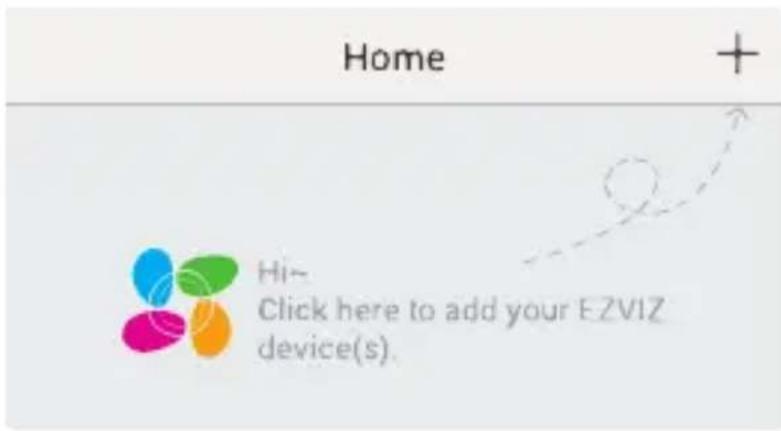
- Tap "+" on the Home page to go to the Scan QR Code interface.
text_image
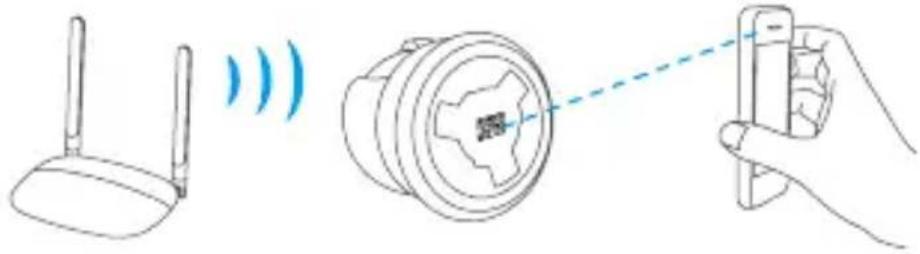
Home Hi- Click here to add your EZVIZ device(s).- Scan the QR Code on the camera.
natural_image
Illustration showing wireless router, camera lens, and handheld device (no text or symbols)- Enter the password for your Wi-Fi network.
- Select the correct time zone and DST information.
- Tap "Finish" to finish setup.
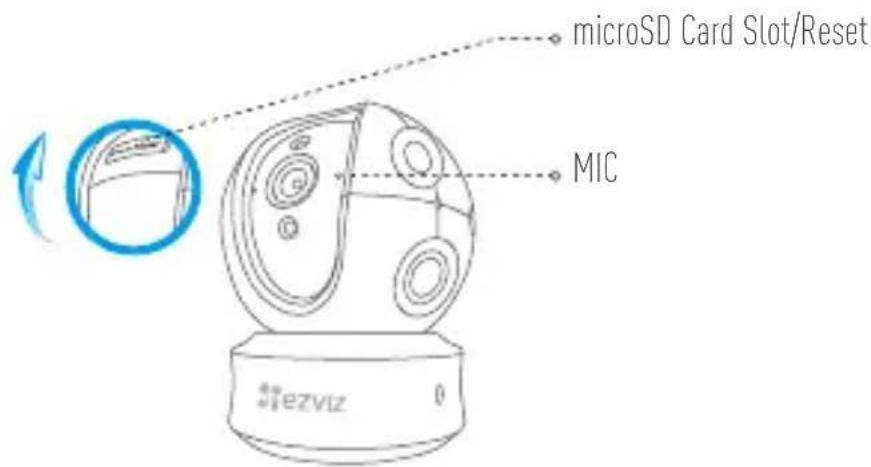
text_image
microSD Card Slot/Reset MIC ezviz
- If the camera fails to connect to your Wi-Fi network, press and hold the Reset button for 10s and repeat Step 2.2.
- To select another Wi-Fi network, press and hold the Reset button for 10s to reboot the device. When the LED indicator flashes red and blue, you can choose a new Wi-Fi network.
3. Enable the Image Encryption
After enabling it, your video and image can be encrypted in transmission.
You can also change the default password.
- Go to the camera settings.
- Tap "Change Password".
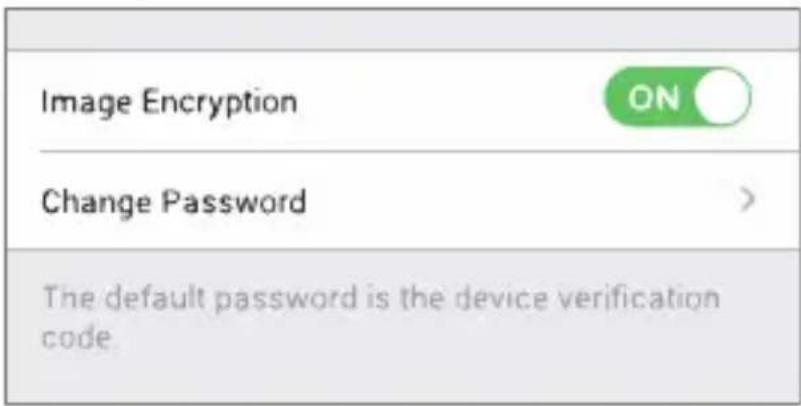
text_image
Image Encryption ON Change Password > The default password is the device verification code- Tap "Edit".
- Enter the original verification code located on the label of the camera.
- Enter new password (6 to 12 characters and numbers).
4. Angle Adjustment
EN
You can adjust the camera via the EZVIZ app to get an optimum angle. The panning angle ranges from 0^ to 340^ , and the tilting angle ranges from -15^ to 105^ .
SD Card Management
- Insert a MicroSD card into the slot before mounting.
- MicroSD card not included in the Box Contents. Recommended compatibility: Class 10, Max.128GB.
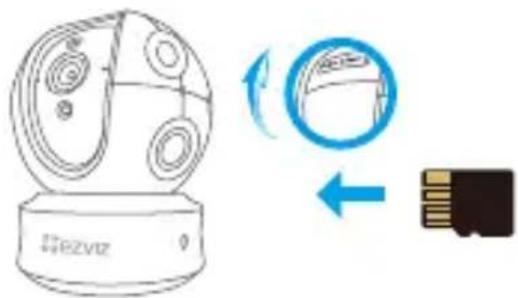
text_image
Diagram showing a device with rotating components and a USB chip, illustrating the process of data transfer or storage.- In the EZVIZ app, tap the Storage Status in the Device Settings interface to check the SD card status.
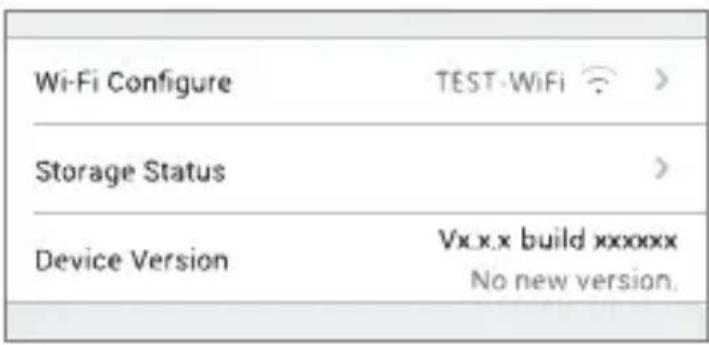
text_image
Wi-Fi Configure TEST-WiFi Storage Status Device Version Vxx.x build xxxxxx No new version.- If the memory card status displays as Uninitialized, tap to initialize it.
The status will then change to Normal and it can store videos and/or pictures.
Mounting (Optional)
The camera can be mounted on the wall or ceiling.

-
Make sure the wall/ceiling is strong enough to withstand three times the weight of the camera and the mounting.
• Camera should stay away from any reflective objects such as mirrors. -
Place drill template onto the surface you have chosen to mount the camera.
- (For cement wall/ceiling only) Drill screw holes according to the template and insert three expansion screws.
- Use three metal screws to fix the camera base according to the template.
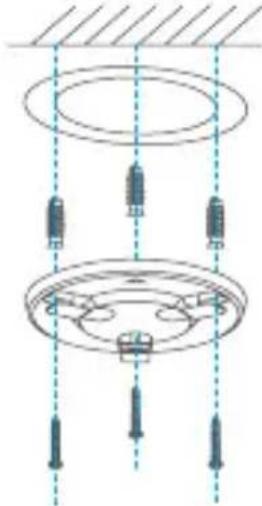
natural_image
Pure mechanical diagram showing a pulley system with hanging weights and shafts, no text or symbols present.- Install the camera on the base, and turn it 15^ to secure it.
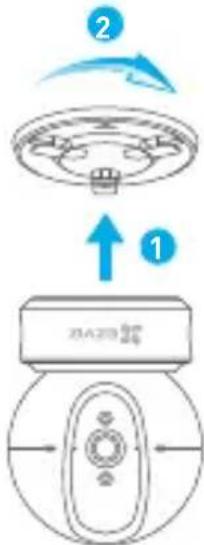
text_image
2 1 ZA20 500 24- Connect the power cable to the camera. If the camera was previously connected to the Wi-Fi network, it will automatically connect to the same Wi-Fi network.
Appendix
EN
Box Content
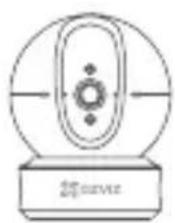
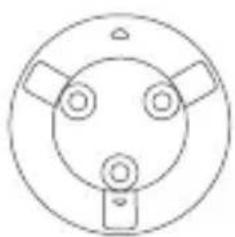
Camera (x1) Base (x1)
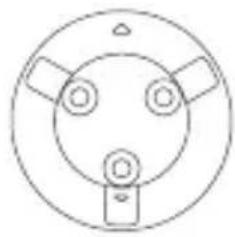
natural_image
Simple line drawing of a circular mechanical or electrical component with three ports and a base (no text or symbols)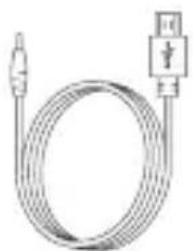
natural_image
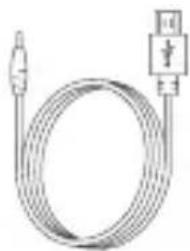
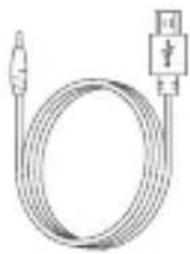
Coiled cable with connector and connector symbol (no text or labels)Power Cable (x1) Drill Template (x1) Screw Kit (x1)
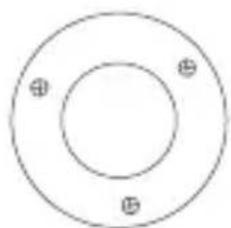
natural_image
Simple circular diagram with three marked points, no text or symbols present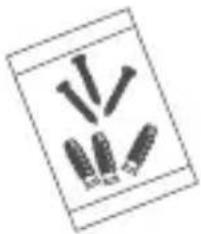
natural_image
Simple line drawing of five screw-like objects arranged in a row (no text or symbols)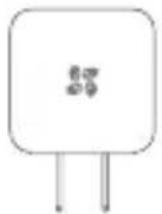
Power Adapter (x1) Quick Start Guide x(1)
Type
Type A
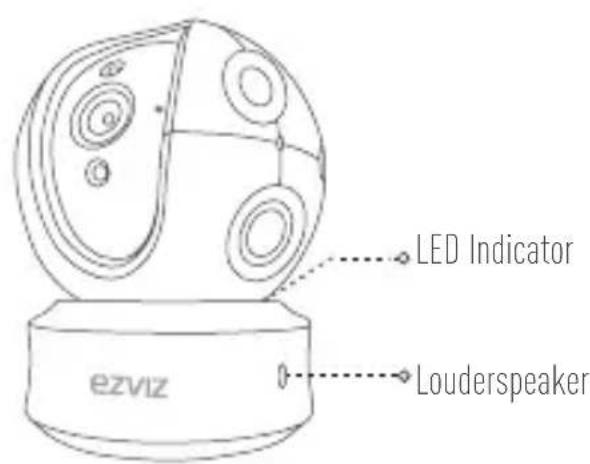
text_image
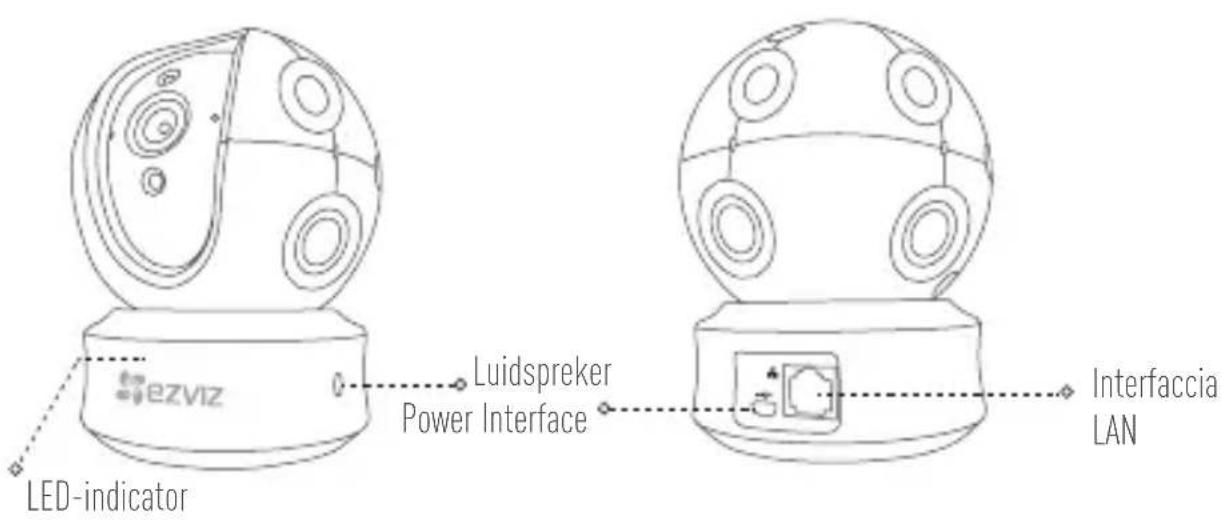
LED Indicator ezviz Louderspeaker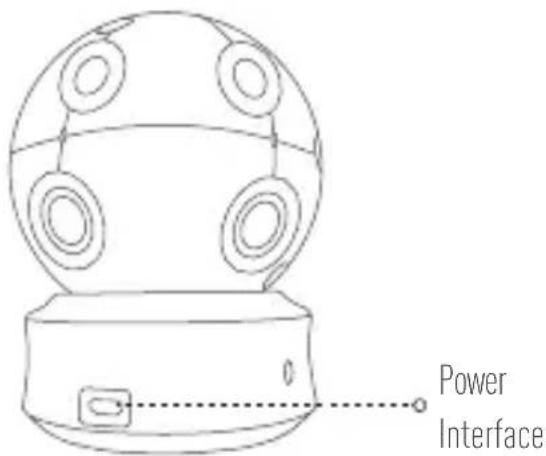
text_image
Power InterfaceType B
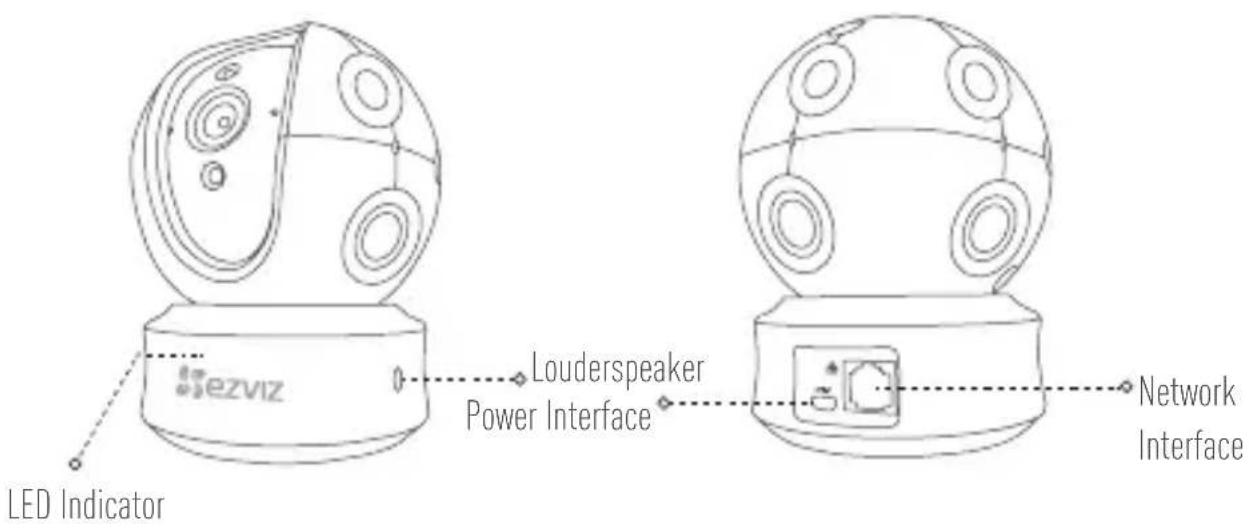
text_image
LED Indicator Louderspeaker Power Interface Network InterfaceEinrichten
natural_image
Line drawing of a spherical device with circular components and a base labeled 'ezviz' (no text or symbols on the device itself)LED-Anzeigestatus
text_image
Home + Hi- Click here to add your EZVIZ device(s).natural_image
Illustration showing wireless router, camera lens, and handheld device (no text or symbols)text_image
Image Encryption ON Change Password > The default password is the device verification code.text_image
Diagram showing a device with rotating components and a close-up of its internal structure, likely illustrating a mechanical or electrical concept.natural_image
Pure technical diagram of a mechanical assembly with no text, numbers, or symbolsnatural_image
Simple line drawing of a circular mechanical or electrical component with three ports and a base (no text or symbols)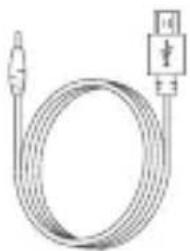
natural_image
Pure electrical circuit lines without any symbols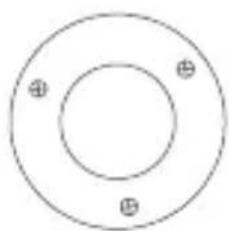
natural_image
Simple concentric circle diagram with three marked inner circles (no text or symbols)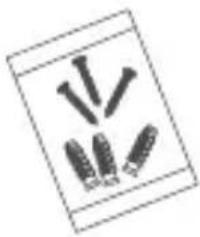
natural_image
Simple line drawing of three vertical pins with a base, no text or symbols presentnatural_image
Line drawing of a snowflake-shaped object with circular features and a base labeled 'ezviz' (no text or symbols on the object itself)text_image
Home + Hi~ Click here to add your EZVIZ device(s)natural_image
Illustration showing a router connected to a camera lens and a handheld device (no text or symbols present)text_image
Image Encryption ON Change Password > The default password is the device verification code.natural_image
Pure mechanical diagram showing a circular component with internal components and downward arrows, no text or symbols present.text_image
Diagram showing a device with labeled parts and directional arrows, including a blue arrow indicating rotation or transformation.natural_image
Simple line drawing of a circular object with three circular features and a rectangular base (no text or symbols)ES
natural_image
Pure electrical circuit lines without any symbols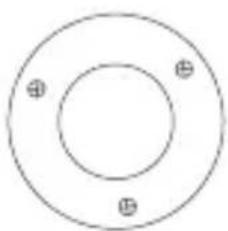
natural_image
Simple concentric circle diagram with three marked inner circles (no text or symbols)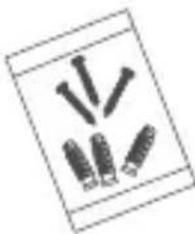
natural_image
Illustration of multiple screwdrivers arranged in a row (no text or symbols)natural_image
Line drawing of a spherical device with circular components and a base labeled 'ezviz' (no text or symbols on the device itself)text_image
Home + Hi~ Click here to add your EZVIZ device(s).natural_image
Illustration showing wireless router, camera lens, and handheld device (no text or symbols)text_image
Image Encryption ON Change Password > The default password is the device verification code.text_image
Diagram showing a device with rotating components and a physical component, including a blue circular arrow and a black square.natural_image
Pure diagram of a ceiling-mounted electrical component with no text, numbers, or symbolsFR
text_image
2 1 3A78-20 25natural_image
Simple line drawing of a circular device with an oval top and base, no text or symbols present.1 Caméra 1 base
natural_image
Simple line drawing of a circular mechanical or electrical component with three ports and a base (no text or symbols)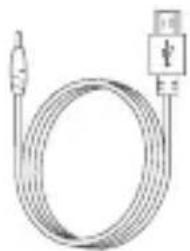
natural_image
Pure electrical circuit lines without any symbols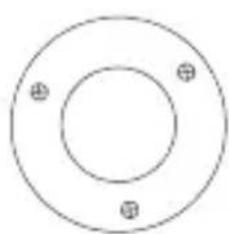
natural_image
Simple circular diagram with two marked points, no text or symbols present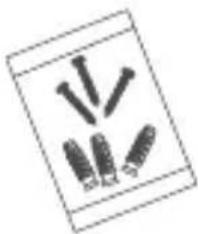
natural_image
Simple line drawing of five bolts arranged in a row (no text or symbols)natural_image
Diagram of a connected device showing a spherical device with a cable and a plug, no text or symbols present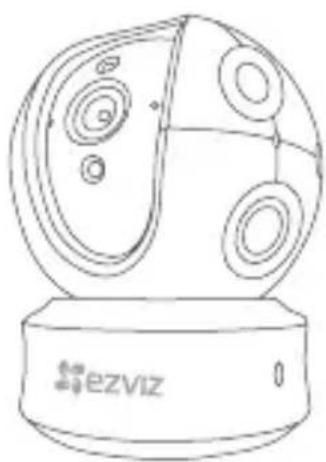
natural_image
Line drawing of a spherical object with circular cutouts and a base labeled 'ezviz' (no text or symbols on the object itself)text_image
Home Hi~ Click here to add your EZVIZ device(s).IT
natural_image
Illustration showing wireless router, camera lens, and smartphone with a hand holding the device (no text or symbols)text_image
Image Encryption ON Change Password > The default password is the device verification code.natural_image
Pure mechanical diagram showing a circular component with three vertical supports and dashed alignment lines (no text or symbols)natural_image
Simple line drawing of a circular mechanical or electrical component with three circular ports and a central hub (no text or symbols)IT
natural_image
Pure electrical circuit lines without any symbolsnatural_image
Simple concentric circle diagram with three marked inner circles (no text or symbols)natural_image
Simple line drawing of five bolts arranged in a row (no text or symbols)natural_image
Line drawing of a spherical device with circular components and a base labeled 'ezviz' (no text or symbols on the device itself)LED-indicator status
text_image
Home + Hi~ Click here to add your EZVIZ device(s)natural_image
Illustration showing wireless router, speaker, and handheld device with signal waves (no text or symbols)text_image
Image Encryption ON Change Password > The default password is the device verification code.natural_image
Pure technical diagram of a mechanical assembly with no text, numbers, or symbolsNL
natural_image
Simple line drawing of a circular mechanical or electrical component with three ports and a base (no text or symbols)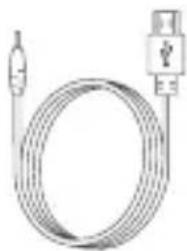
natural_image
Coiled cable with connector and USB port (no text or symbols visible)Netsnoer (x1) Boorsjabloon (x1) Set schroeven (x1)
natural_image
Simple circular diagram with three marked points at the center (no text or symbols)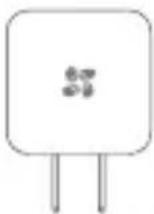
Netadapter (x1) Snelstartgids (x1)
natural_image
Simple line drawing of three stylized objects resembling sticks or rods, no text or symbols present
A
text_image
LED-indicator Luidspreker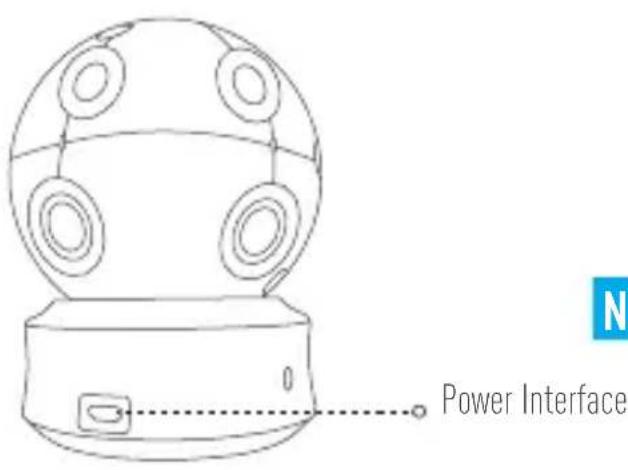
text_image
Power Interface NNL
B
text_image
eZVIZ LED-indicator Luidspreker Power Interface Interfaccia LANKonfiguracja
natural_image
Line drawing of a spherical object with internal circular patterns and a base labeled 'ezviz' (no text or symbols on the object itself)Stan diody LED
text_image
Home + Hi~ Click here to add your EZVIZ device(s).PL
natural_image
Illustration showing wireless router, camera lens, and handheld device (no text or symbols)text_image
Image Encryption ON Change Password > The default password is the device verification codetext_image
Diagram showing a device with rotating components and a USB chip, illustrating the process of device rotation.PL
natural_image
Pure electrical circuit lines without any symbolstext_image
Diagram showing a device with labeled parts and directional arrows, including a blue arrow indicating rotation or transformation.natural_image
Simple line drawing of a camera lens with no text or symbolsnatural_image
Simple line drawing of a circular mechanical or electrical component with three ports and a base (no text or symbols)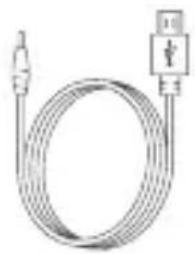
natural_image
Coiled electrical cable with connector and plug (no text or symbols)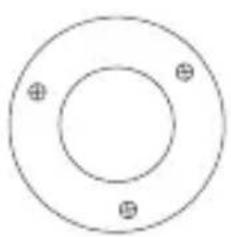
natural_image
Simple concentric circle diagram with three marked points at the center (no text or symbols)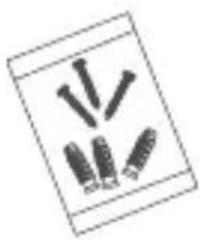
natural_image
Simple line drawing of three screws and two collars arranged in a row (no text or symbols)natural_image
Line drawing of a spherical device with internal circular components and a base labeled 'ezviz' (no text or symbols on the device itself)text_image
Home + Hi~ Click here to add your EZVIZ device(s).natural_image
Illustration showing a router, a magnifying lens, and a hand holding a handheld device (no text or symbols present)text_image
Image Encryption ON Change Password > The default password is the device verification code.natural_image
Pure diagram of a ceiling-mounted electrical fixture with three vertical sensors and a circular component, no text or symbols present.RU
natural_image
Simple line drawing of a circular device with internal components and a base (no text or symbols)natural_image
Simple line drawing of a circular mechanical or electrical component with three ports and a base (no text or symbols)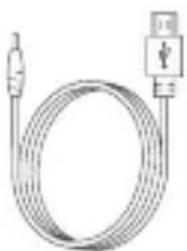
natural_image
Pure electrical circuit lines without any symbolsnatural_image
Simple concentric circle diagram with three small plus symbols at the center (no text or labels)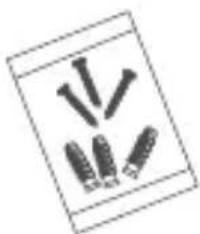
natural_image
Simple line drawing of three vertical bars with a base, no text or symbols presentnatural_image
Line drawing of a spherical device with circular components and a base labeled 'ezviz' (no text or symbols on the device itself)text_image
Home Hi~ Click here to add your EZVIZ device(s).natural_image
Illustration showing wireless router, camera lens, and smartphone with a hand holding the device (no text or symbols)text_image
Image Encryption ON Change Password > The default password is the device verification code.natural_image
Pure mechanical diagram showing a circular component with internal components and vertical dashed lines, no text or symbols present.natural_image
Simple line drawing of a circular mechanical or electrical component with three ports and a base (no text or symbols)GR
natural_image
Coiled cable with connector and plug connectors (no text or symbols)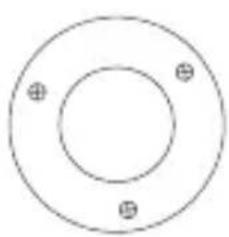
natural_image
Simple concentric circle diagram with three marked points (no text or symbols)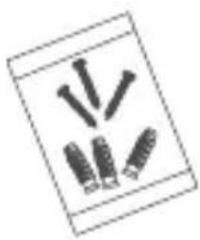
natural_image
Simple line drawing of three screws arranged in a row (no text or symbols)natural_image
Line drawing of a spherical electronic device with circular components and a base labeled 'ezviz' (no text or symbols on the device itself)Stav indikátoru LED
text_image
Home + Hi~ Click here to add your EZVIZ device(s)natural_image
Illustration showing wireless router, camera lens, and smartphone with signal waves (no text or symbols)text_image
Image Encryption ON Change Password > The default password is the device verification code.text_image
Diagram showing a device with rotating components and a USB drive, illustrating the process of rotation and data transfer.natural_image
Pure electrical circuit lines without any symbolsnatural_image
Simple line drawing of a circular mechanical component with central hub and base (no text or symbols)natural_image
Simple line drawing of a circular mechanical or electrical component with three ports and a base (no text or symbols)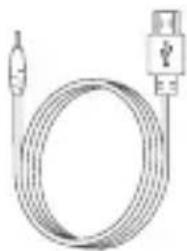
natural_image
Coiled cable with connector and USB port (no text or symbols)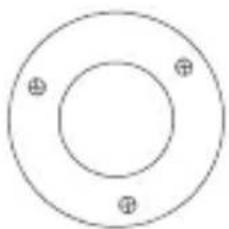
natural_image
Simple circular diagram with three marked points at the center (no text or symbols)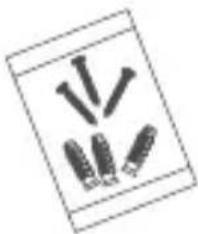
natural_image
Simple line drawing of three stylized objects resembling sticks or rods, no text or symbols presentThank you for purchasing EZVIZ products. This limited warranty gives you, the original purchaser of the EZVIZ product, specific legal rights. You may also have other legal rights that vary by state, province or jurisdiction.
The disclaimers, exclusions, and limitations of liability under this limited warranty will not apply to the extent prohibited by applicable law. No distributor, reseller, agent, or employee is authorized to make any medication, extension, or addition to this limited warranty.
Your EZVIZ product is warranted for a period of one (1) year from the date of purchase against defects in materials and workmanship, or such longer period as may be required by law in the country or state where this product is sold, when used normally in accordance with user manual.
You can request warranty service by emailing us at support@ezvizlife.com.
For any defective EZVIZ products under warranty, HANGZHOU HIKVISION DIGITAL TECHNOLOGY CO., LTD. ("the Company") will, at its option, (i) repair or replace your product free of charge; (ii) exchange your product with a functional equivalent product; (iii) or refund the original purchase price, provided you provide the original purchase receipt or copy, brief explanation of the defect, and return the product in its original packaging. At the sole discretion of the Company, repair or replacement may be made with a new or refurbished product or components. This warranty does not cover the postal cost, insurance and any other incidental charges incurred by you in returning the product.
Except where prohibited by applicable law, this is your sole and exclusive remedy for breach of this limited warranty. Any product that has either been repaired or replaced under this limited warranty will be covered by the terms of this limited warranty for the longer of ninety (90) days from the date of delivery or the remaining original warranty period.
This warranty does not apply and is void:
- If the warranty claim is made outside the warranty period or if the proof of purchase is not provided.
- For any malfunction, defect or failure caused by or resulting from the evidence of impact, mishandling ,tampering, use contrary to the applicable instruction manual, incorrect power line voltage, accident, loss, theft, fire, flood or other Acts of God, shipping damage or damage resulting from repairs performed by unauthorized personnel.
- For any consumable parts, such as batteries, where the malfunction is due to the normal aging of the product.
• Cosmetic damage, including but not limited to scratches, dents and broken plastic on ports.
• Any software, even if packaged or sold with EZVIZ hardware.
• For any other damages free from defects in material or workmanship.
• Routine cleaning, normal cosmetic and mechanical wear and tear.
Please do not hesitate to contact your seller, or send e-mails to us support@ezvizlife.com, with any questions.
COPYRIGHT ©2017 HANGZHOU HIKVISION DIGITAL TECHNOLOGY CO., LTD. ALL RIGHTS RESERVED.
BESCHRÄNKTE GARANTIE
support@ezvizlife.com.