ManualGo.com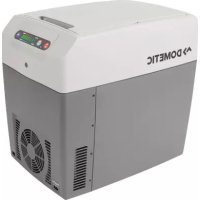
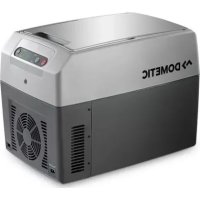
TropiCool TC 21 - Refrigerator DOMETIC - Free user manual and instructions
Find the device manual for free TropiCool TC 21 DOMETIC in PDF.



| Technical specifications | Capacity: 21 liters, Type: Portable refrigerator, Power supply: 12/24V DC and 230V AC |
|---|---|
| Dimensions | Dimensions (L x D x H): 570 x 360 x 310 mm |
| Weight | Weight: 8.5 kg |
| Usage | Ideal for camping, car trips, and outdoor activities |
| Features | Silent operation, Temperature adjustment, Battery level indicator |
| Maintenance and repair | Regular cleaning with a damp cloth, Check electrical connections |
| Safety | Overload protection, Built-in ventilation system |
| General information | Warranty: 2 years, Included accessories: 12V power cable, 230V power cable |
Frequently Asked Questions - TropiCool TC 21 DOMETIC
Download the instructions for your Refrigerator in PDF format for free! Find your manual TropiCool TC 21 - DOMETIC and take your electronic device back in hand. On this page are published all the documents necessary for the use of your device. TropiCool TC 21 by DOMETIC.
USER MANUAL TropiCool TC 21 DOMETIC
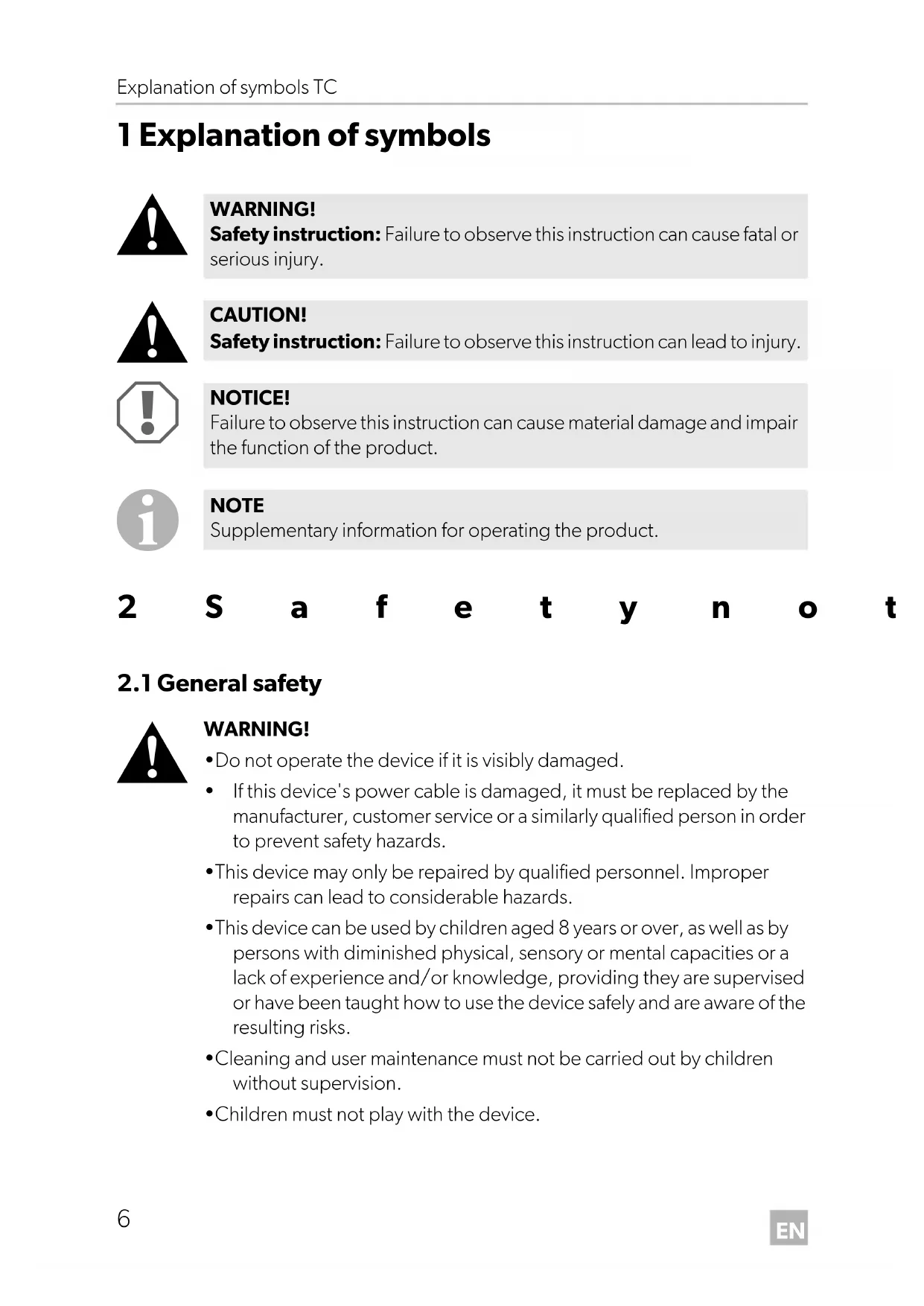
1 Explanation of symbols
- Do not operate the device if it is visibly damaged.
- If this device's power cable is damaged, it must be replaced by the manufacturer, customer service or a similarly qualified person in order to prevent safety hazards.
- This device may only be repaired by qualified personnel. Improper repairs can lead to considerable hazards.
- This device can be used by children aged 8 years or over, as well as by persons with diminished physical, sensory or mental capacities or a lack of experience and/or knowledge, providing they are supervised or have been taught how to use the device safely and are aware of the resulting risks.
- Cleaning and user maintenance must not be carried out by children without supervision.
- Children must not play with the device. WARNING! Safety instruction: Failure to observe this instruction can cause fatal or serious injury. CAUTION! Safety instruction: Failure to observe this instruction can lead to injury. NOTICE! Failure to observe this instruction can cause material damage and impair the function of the product. NOTE Supplementary information for operating the product. TC14-TC21-TC35-O-US.book Seite 6 Mittwoch, 12. April 2017 10:40 10EN TC Safety notes
- Children must be supervised to ensure that they do not play with the device.
- Always keep and use the device out of the reach of children under the age of 8 years.
- Do not store any explosive substances such as spray cans with a flammable propellant in the device.
- Disconnect the device from the power supply – before each cleaning and maintenance – after every use
- Food may only be stored in its original packaging or in suitable containers.
- Check that the voltage specification on the type plate corresponds to that of the energy supply.
- Only connect the device to a DC plug socket in the vehicle (e. g. cigarette lighter) with the DC cable.
- Never pull the plug out of the socket by the cable.
- Disconnect the cooler and other power consuming devices from the battery before connecting the quick charging device.
- Disconnect the cooler or switch it off when you turn off the engine. Otherwise you may discharge the battery.
- The cooling device is not suitable for transporting caustic materials or materials containing solvents.
- The cooling device contains inflammable cyclopentane in the insulation. The gases in the insulation material require special disposal procedures. Deliver the device at the end of its life-cycle to an appro- priate recycling.
2.2 Operating the device safely
- Before starting the device, ensure that the power supply line and the plug are dry.
- Do not use electrical devices inside the cooler unless they are recommended by the manufacturer for the purpose. TC14-TC21-TC35-O-US.book Seite 7 Mittwoch, 12. April 2017 10:40 10EN Scope of delivery TC
- Do not place the device near naked flames or other heat sources (heaters, direct sunlight, gas ovens etc.).
- Danger of overheating! Ensure at all times that there is sufficient ventilation so that the heat that arises during operation does not build up. Make sure that the device is sufficiently far away from walls and other objects so that the air can circulate.
- Ensure that the ventilation openings are not covered.
- Do not fill the inner container with ice or fluid.
- Never immerse the device in water.
- Protect the device and the cable against heat and moisture. 3Scope of delivery
- Connection cable for 12/24 Vg
- Instruction manual Check before starting up the device that all parts are available belonging to the scope of delivery. 4Use as intended The refrigerator can be used to cool and keep foodstuffs warm. The device can be also used for camping purposes. If you want to cool medicine, check please if the cooling capacity of the device corresponds to the requirements of the respective pharmaceuticals. All materials processed in the refrigerator are safe for foodstuffs. TC14-TC21-TC35-O-US.book Seite 8 Mittwoch, 12. April 2017 10:40 10EN TC Technical description
5 Technical description The cooling box is suitable for mobile use. It can cool goods up to max. 30 °C (86 °F) under ambient temperature (thermostatic switch-off with approx. 0°C (32°F)) or keep them cool or warm them up to max. 65 °C (149 °F) or keep them warm. If the device has reached the set temperature range, then it will automatically switch over to the energy save mode. In this mode only the energy is consumed which is required to reach the temperature inside the box. The cooling is a wear-free thermo-electric cooler with heat removal through a ventilator. The cooling box is equipped with an automatic priority circuit. Thus it is ensured that with simultaneous connection to the alternating current circuit and to a 12/24 V-battery, the alternating current circuit will be used. 6Operation
6.1 Tips to save energy
- Choose a well ventilated installation location which is protected against direct sunlight.
- Allow warm food to cool down first before placing it in the cooling device to keep cool.
- Do not open the cooling device more often than necessary.
- Do not leave the cooling device open for longer than necessary. NOTE Before you put the new refrigerator into operation, you should clean it inside and outside with a damp cloth for hygienic reasons (see also chapter “Cleaning and servicing” on page 12). NOTE A ventilator in the interior space of the cooling box provides for the circulation of the cold air within the box. Thus a better cooling capacity will be achieved. In order that the cold air cannot reach the outside when opening the cooling box, this is equipped with a switch which turns off the ventilator as soon as the lid is opened. TC14-TC21-TC35-O-US.book Seite 9 Mittwoch, 12. April 2017 10:40 10EN Operation TC
The TC35 cooler must be unlocked for opening (fig. 4, page 3).
6.3 Switch on the cooling box
➤ Place the cooling box on a stable base.
➤ Connect the cooling box with the supplied connecting cable to the 12/24 V socket in the vehicle (fig. 3, page 3). ➤ Press the button “ON/OFF” at the control panel (fig. 2 A, page 3) to switch on the cooling box. ✓ The cooling box starts to cool or heat the interior space. NOTICE! Take care that there are only objects or goods in the cooling box which may be cooled or heated to the selected temperature. NOTE The plug is safe against wrong polarity: You can plug it only in one direction into the (fig. 3, page 3) socket. Operating display Operating mode red (fig. 2 B, page 3) heating blue (fig. 2 C, page 3) cooling TC14-TC21-TC35-O-US.book Seite 10 Mittwoch, 12. April 2017 10:40 10EN TC Operation
6.4 Switch over between cooling and heating
➤ If you want to switch over between cooling and heating, press the button “HOT/COLD” (fig. 2 D, page 3).
✓ The red or blue operating display lights up and the device starts to cool/heat. ➤ When you want to finish the cooling or heating process, press the button “ON/OFF” (fig. 2 A, page 3). ➤ When you stop using the cooler, disconnect it from the mains.
6.5 Select temperature
The status display of the temperature (fig. 2 F, page 3) indicates the selected temperature range. With an increasing number of illuminating LEDs, the intensity of the temperature range also increases.
Interior space-temperature at approx. 25 °C (77 °F) ambient temperature: ➤ If you want to select the temperature to cool/heat, press the button “Temp” (fig. 2 F, page 3), until the requested temperature range is reached. NOTE The control unit of the cooling box has a memory function. It memorises the selected temperature range for each mode (cooling and heating). Thus the temperature range which is previously selected in the mode is set again with each switching on or switching over. NOTE The following temperature indications are subject to tolerances and are dependent on the measuring position. Status display Temperature range Cooling seven illuminating LEDs approx 0 °C (32 °F) in the interior space an illuminating LED approx 16 °C (60.8 °F) in the interior space Heating seven illuminating LEDs approx 65 °C (149 °F) in the interior space an illuminating LED approx 48 °C (118.4 °F) in the interior space TC14-TC21-TC35-O-US.book Seite 11 Mittwoch, 12. April 2017 10:40 10EN Cleaning and servicing TC
6.6 Connect to the cigarette lighter
You can remove the lid of the cooler (fig. 5, page 4): ➤ Open the lid until it is at a ca. 30° angle to the cooler. ➤ Pull the lid forwards and lift it off diagonally. 7 Cleaning and servicing
➤ Occasionally clean the device interior and exterior with a damp cloth. ➤ Make sure that the air inlet and outlet vents on the device are free of any dust and dirt, so that heat can be released and the device is not damaged. 8Disposal ➤ Place the packaging material in the appropriate recycling waste bins wherever possible.
If you wish to finally dispose of the product, ask your local recycling centre or specialist dealer for details about how to do this in accordance with the applicable disposal regulations. NOTE When you connect the cooling box to the cigarette lighter of your vehicle (fig. 3, page 3), observe that you have to turn on the ignition, if necessary, so that the device is supplied with current. WARNING! Always disconnect the device from the power supply before you clean and service it. NOTICE! Risk of damage
- Never clean the cooler under running water or in dish water.
- Do not use abrasive cleaning agents or hard objects during cleaning as these can damage the cooler. TC14-TC21-TC35-O-US.book Seite 12 Mittwoch, 12. April 2017 10:40 10EN TC Troubleshooting
9 Troubleshooting Fault Possible cause Suggestion Your box does not function and the fan impeller which is visible from outside does not rotate. The cigarette lighter in your vehicle does not conduct any voltage. In the most vehicles, the ignition switch must be switched on, so that the cigarette lighter has voltage. The ignition is switched on and the box does not work. Disconnect the plug immediately from the socket and execute the following checks. The socket of the cigarette lighter is dirty. This results in a poor electrical contact. Clean the socket of the cigarette lighter with a non-metallic brush and a solvent, so that the middle contact pin is clean. If your cooling box plug becomes very warm in the cigarette lighter box, either the socket must be cleaned or the plug is possibly not correctly assembled. The fuse of the connecting cable is burnt through. Replace the fuse of the connecting cable (5 A). The vehicle fuse is burnt through. Replace the vehicle fuse of the cigarette lighter (usually 15 A). (Observe the operating instructions in your motorcar for this). Your box does not cool satisfactorily and the fan impeller at the outside does not rotate. The ventilator motor is defective. The repair can be executed only by an authorized customer service. Your box does not cool satisfactorily and the fan impeller at the outside does not rotate. The ventilator motor for the inner ventilator is defective. The repair can be executed only by an authorized customer service. The thermo-electric element is defective. The integrated power unit is defective. The repair can be executed only by an authorized customer service. TC14-TC21-TC35-O-US.book Seite 13 Mittwoch, 12. April 2017 10:40 10EN Technical data TC