EasyManual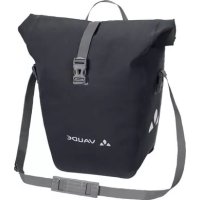
Aqua Back Deluxe - Bag Vaude - Free user manual and instructions
Find the device manual for free Aqua Back Deluxe Vaude in PDF.



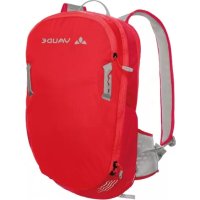
| Technical Features | Capacity: 25 liters, Dimensions: 50 x 30 x 15 cm, Weight: 1.5 kg, Material: Recycled polyester, Waterproof rating: IPX 4 |
|---|---|
| Usage | Ideal for cycling, hiking, and outdoor activities, easy attachment system on luggage rack. |
| Maintenance and Repair | Clean with soapy water, avoid abrasive products, regularly check seams and zippers. |
| Safety | Integrated reflectors for better visibility, secure closure to protect contents. |
| General Information | 2-year warranty, sustainably made, compatible with Vaude attachment systems. |
Frequently Asked Questions - Aqua Back Deluxe Vaude
Questions des utilisateurs sur Aqua Back Deluxe Vaude
0 question sur cet appareil. Repondez a celles que vous connaissez ou posez la votre.
Poser une nouvelle question sur cet appareil
Download the instructions for your Bag in PDF format for free! Find your manual Aqua Back Deluxe - Vaude and take your electronic device back in hand. On this page are published all the documents necessary for the use of your device. Aqua Back Deluxe by Vaude.
USER MANUAL Aqua Back Deluxe Vaude
bike hardware b ike bags
DEUTSCH....1
ENGLISH....9
FRANÇAIS....17
ITALIANO....25
ESPAÑOL....33
中文....41
ALLGEMEINE WARNUNG!
text_image
QR code image containing encoded data, no visible human-readable textHARD BACK PRO
text_image
Diagram illustrating mechanical linkage or motion with labeled components and directional arrows, including checkmark symbols.DEUTSCH
QUICK GUIDE

VIDEO

text_image
QR code image containing encoded data, no visible human-readable text1
natural_image
Diagram showing a device with a magnified view of its internal components (no text or symbols present)2
text_image
OPEN CLICK CLICK3
text_image
Diagram illustrating a mechanical or electrical system with labeled components and directional arrows, showing internal components and motion paths.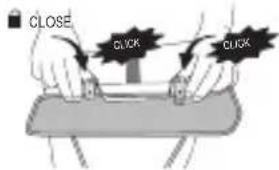
text_image
CLOSE CLICK CLICKCYCLE
text_image
QR code image containing encoded data, no visible human-readable text
natural_image
Simple line drawing of a briefcase with handle and clasp, no text or symbols presentDEUTSCH
Top Case
text_image
ase ① ② ③text_image
Diagram showing a device with a red arrow indicating force application, alongside a close-up of the component being inserted into a tool.DEUTSCH
natural_image
Diagram of a medical device with red arrows indicating movement or force, no text or symbols present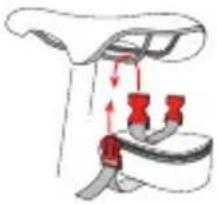
natural_image
Diagram of a car seatbelt buckle with red belt and belt connectors (no text or symbols)StickTwist Adapter
VAUDE SATTELTASCHEN
natural_image
Diagram of a car seat assembly with a handle and seatbelt, showing no text or symbolsVelcro-Closure
GENERAL WARNING!
These instructions may contain WARNINGS. Read the instruction manual thoroughly before using the product for the first time and save it for future reference.
The incorrect assembly and use of VAUDE Bike backpacks can lead to severe injury or death.

Before use, inspect all parts to make sure they are functioning properly and do not show signs of significant wear.
Before use, make sure that all movable parts have been secured.
Before use, make sure that all hooks and/or ties of the fastening system have been attached and are securely closed.
Do not use too much or too little torque to tighten screws and fasteners. Otherwise, you run the risk of excessive tension or parts falling off.
The Plug and Ride, Hard Back Pro and Cycle fastening systems are approved to bear loads of maximum 10 kg.
Use only original VAUDE accessories and replacement parts.
ENGLISH
TABLE OF CONTENTS
Hard Back Pro 10
Cycle....12
Plug and Ride ....13
Top Case 14
Karakorum....15
Handlebar bags with KLICKfi x® The KLICK ..... 15
VAUDE seat bags 16
QUICK GUIDE


text_image
QR code image containing encoded data, no visible human-readable textHARD BACK PRO
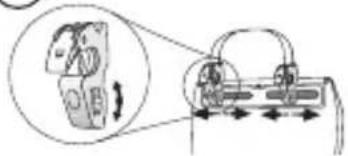
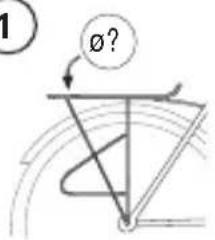
Using the adapter included, the Hard Back Pro holder QMR hook can be adapted to different rack tube diameters (1).
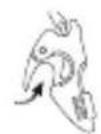
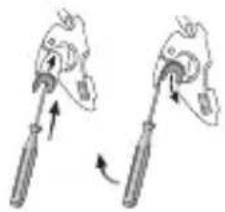
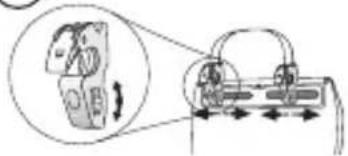
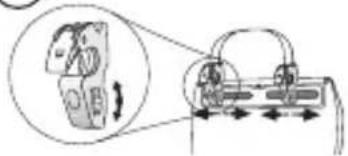
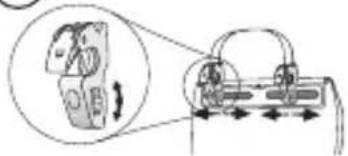
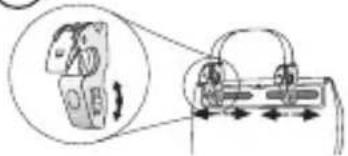
To assemble, release the QMR hook knurl catches and move them into position. Tighten the knurl catches again to fix the hook in position (2).
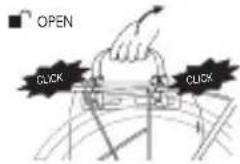
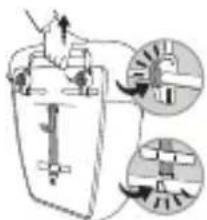
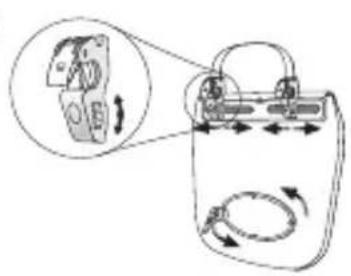
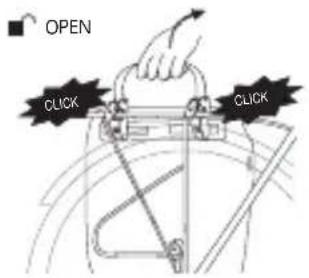
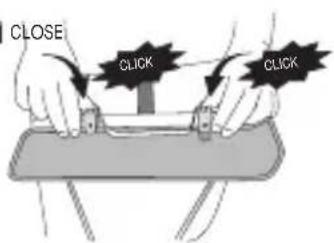
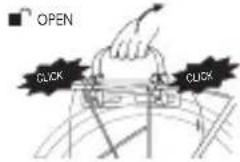
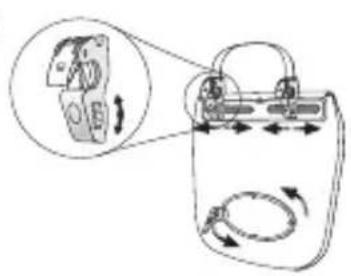
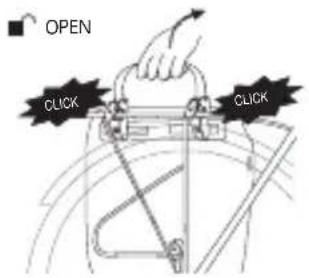
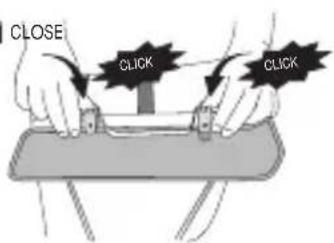
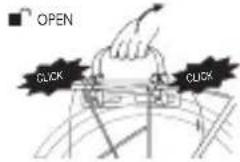
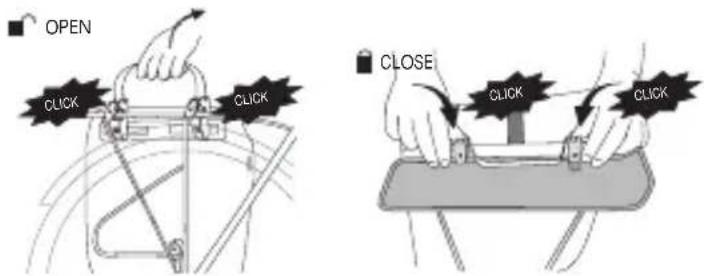
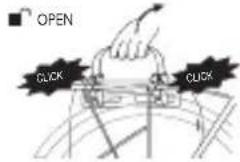
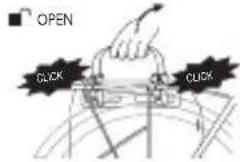
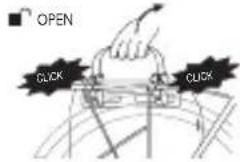
Pull the bag's handle to open the QMR hooks. Next, hang the bag on the rack and press it until the QMR hooks automatically click into place (3).
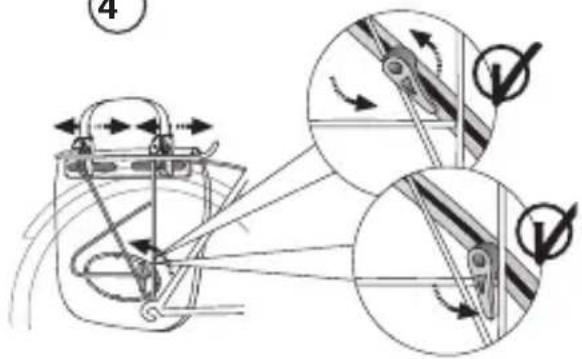
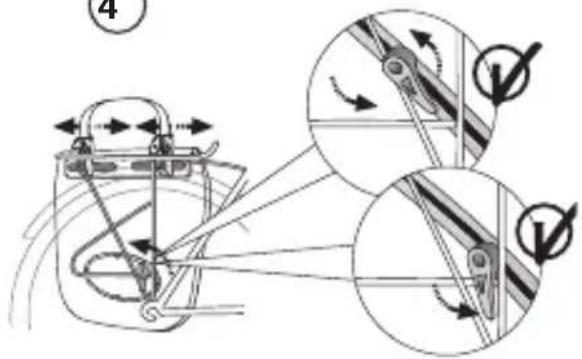
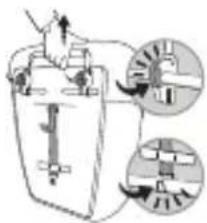
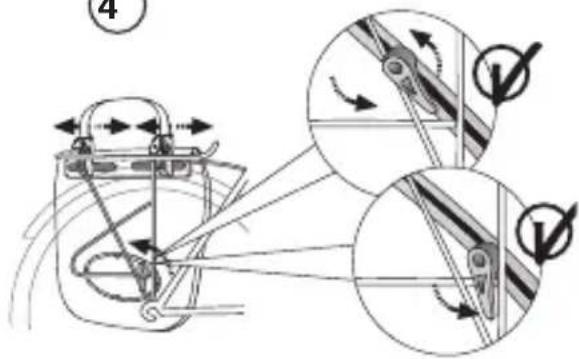
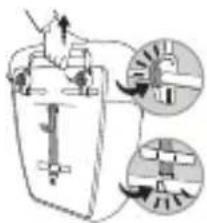
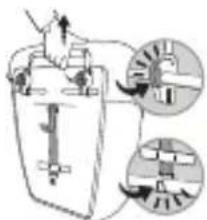
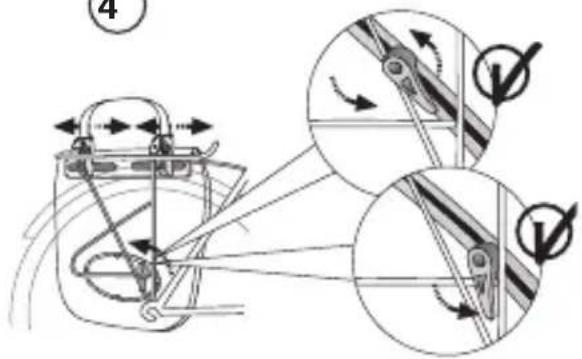
Now loosen the fi xing screw of the lower guide hook (Caution: maximum two turns) and turn and shift the hook until it hooks into the rack (4). Hand-tighten the fi xing screw (Caution: not too tightly). Note: If possible, align the lower guide hook on the rack in the direction of motion. This will prevent the bag from slipping, even when braking suddenly.
You will only need to set the hook once, before initial use.
ENGLISH
1
text_image
1 Ø?ø 8 mm
ø 16 mm
natural_image
Diagram of two mechanical devices with lever arms and directional arrows indicating motion (no text or symbols)2
text_image
Diagram illustrating a device with rotating components and directional arrows, including a magnified inset showing the device's motion.3
text_image
OPEN CLICK CLICKCLOSE
text_image
CLOSE CLICK CLICK4
text_image
Technical diagram illustrating mechanical linkage and motion with labeled components and directional arrowsENGLISH
QUICK GUIDE

VIDEO

text_image
QR code image containing encoded data, no visible human-readable text1
natural_image
Diagram showing a device with a magnified view of its internal components (no text or symbols present)2
3
text_image
Diagram illustrating a mechanical or electrical component with labeled parts and directional arrows, including zoomed-in insets.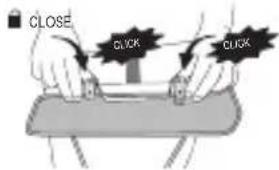
text_image
CLOSE CLICK CLICKCYCLE
Using the adapter included, the Hard Back Pro holder QMR hook can be adapted to different rack tube diameters (see Hard Back Pro).
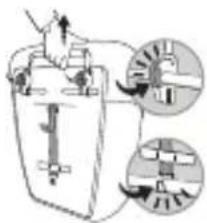
To assemble, release the QMR hook knurl catches and move them into position. Tighten the knurl catches again to fix the hook in position (1). Pull the bag's handle to open the QMR hooks. Next, hang the bag on the rack and press it to make the QMR hooks automatically click into place (2).
Now hook the elastic band with the hook to the rack and pull it tight with the slide adjustment buckle at the other end (3).
PLUG AND RIDE
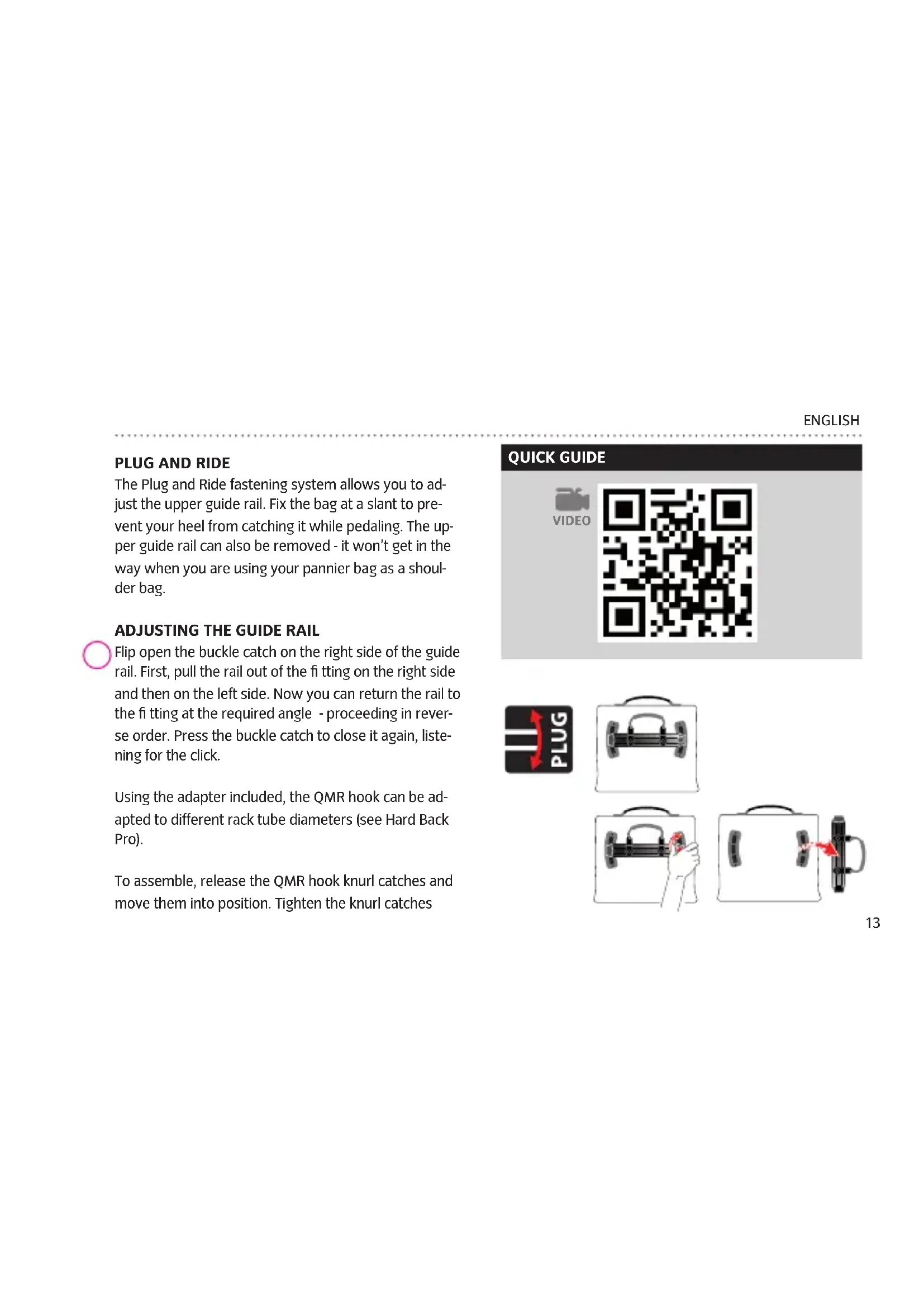
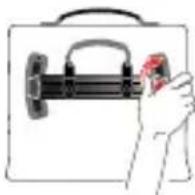
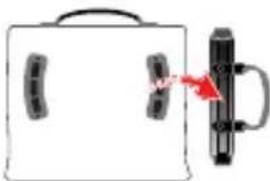
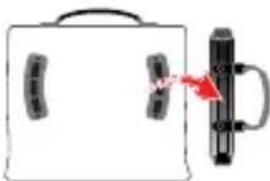
The Plug and Ride fastening system allows you to adjust the upper guide rail. Fix the bag at a slant to prevent your heel from catching it while pedaling. The upper guide rail can also be removed - it won't get in the way when you are using your pannier bag as a shoulder bag.
ADJUSTING THE GUIDE RAIL

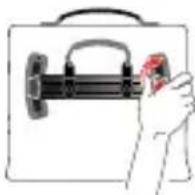
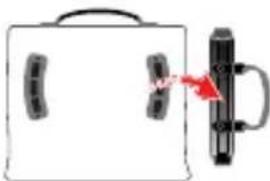
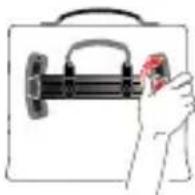
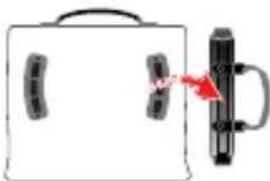
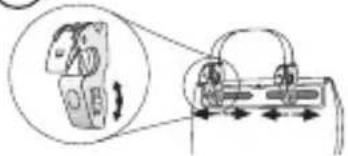
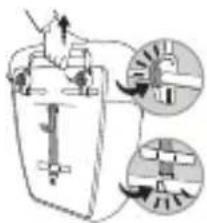
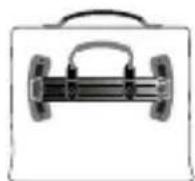
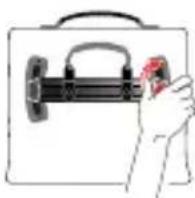
Flip open the buckle catch on the right side of the guide rail. First, pull the rail out of the fi tting on the right side and then on the left side. Now you can return the rail to the fi tting at the required angle - proceeding in reverse order. Press the buckle catch to close it again, listening for the click.
Using the adapter included, the QMR hook can be adapted to different rack tube diameters (see Hard Back Pro).
To assemble, release the QMR hook knurl catches and move them into position. Tighten the knurl catches
QUICK GUIDE


text_image
QR code image containing encoded data, no visible human-readable text
natural_image
Simple line drawing of a briefcase with handle and clasp, no text or symbols presentENGLISH
Top Case
text_image
ase ① ② ③again to fix the hook in position (see Hard Back Pro). Pull the bag's handle to open the QMR hooks. Next, hang the bag on the rack and press it to make the QMR hooks automatically click into place (see Hard Back Pro).
TOP CASE
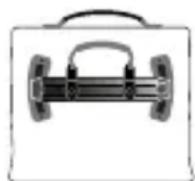
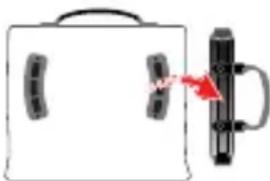
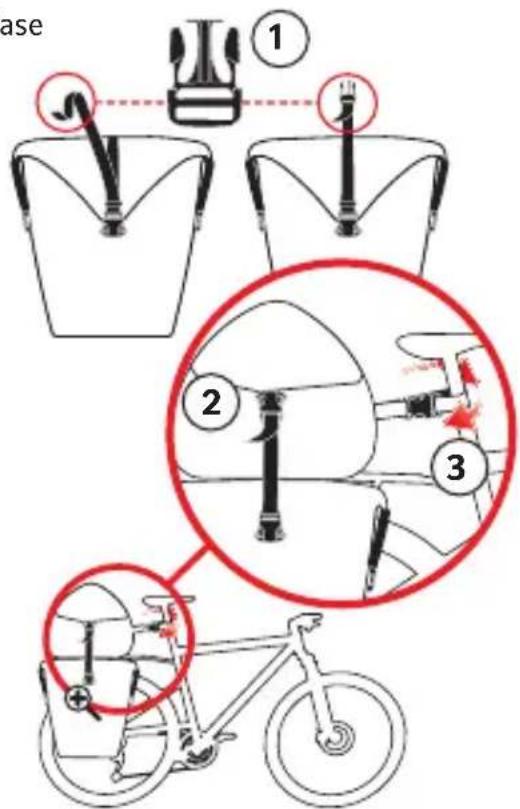
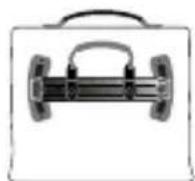
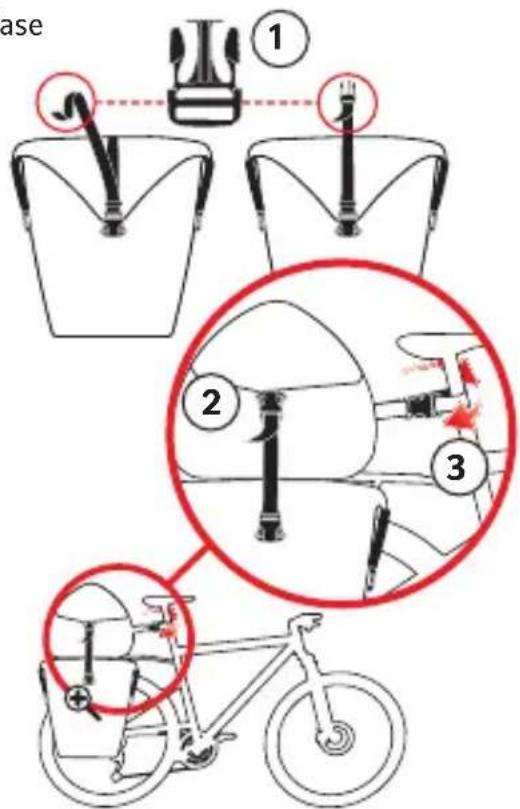
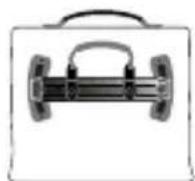
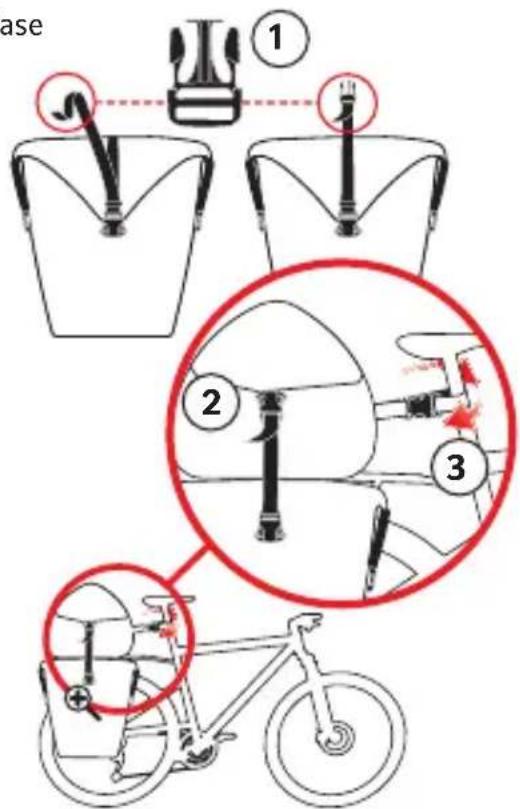
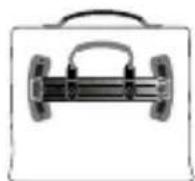
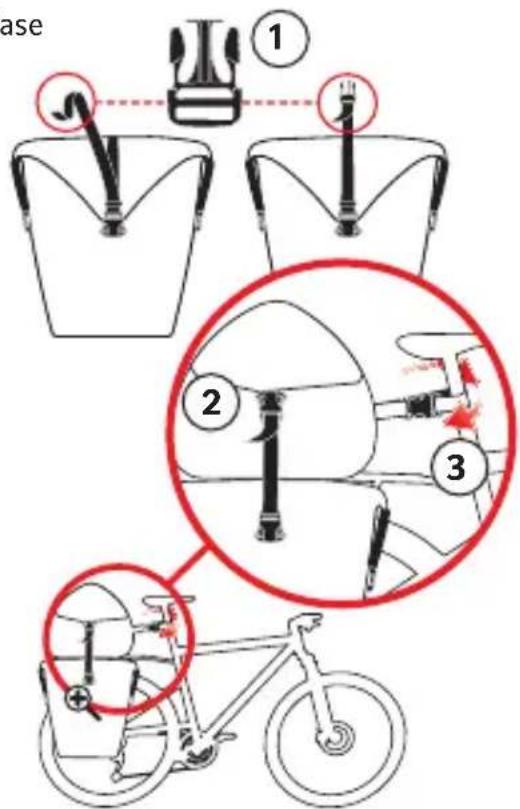
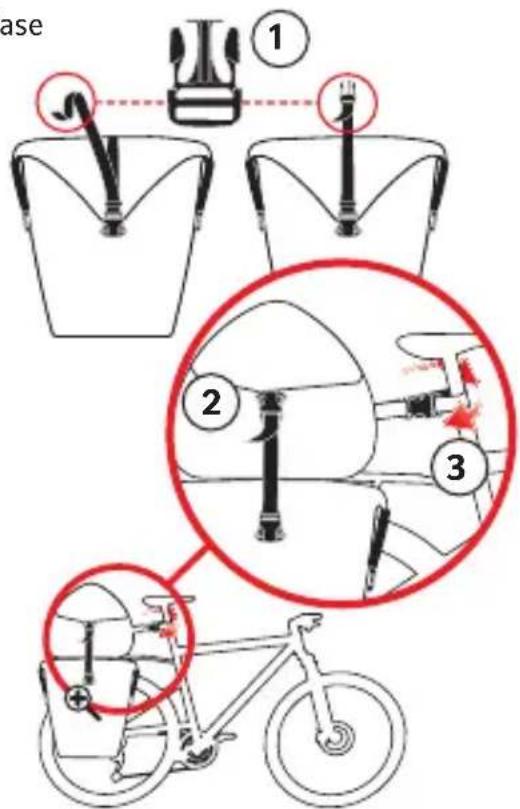
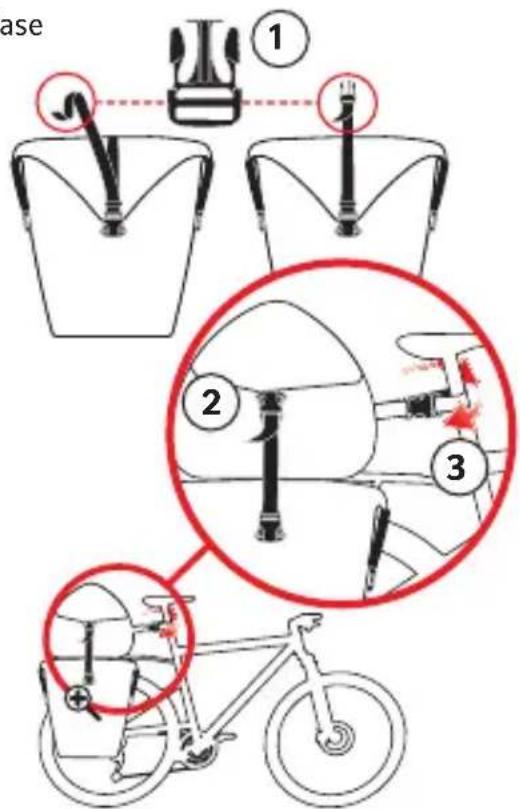
The welded Top Case provides 30 l of extra storage volume. You can combine it with the Aqua Back and Aqua Back Plus pannier bags.
To fix the Top Case in place, use the two side quick-release buckles to attach it to the Aqua Back (2) and one quick-release buckle to the seat post (3). Extra quick-release buckles (1) are included. They are stowed in the side straps of the Aqua Back bags.
KARAKORUM
The Karakrom 3-piece bag set is also equipped with the Hard Back Pro attachment system. To assemble the side bags, see the Hard Back Pro section.
You can place a Top Case on top of the side bags and attach it with a zip on each side. Remove it and use the two shoulder straps in the pocket at the back to turn it into a lightweight day pack. A rain cover is included.

HANDLEBAR BAGS WITH KLICKFIX® THE KLICK
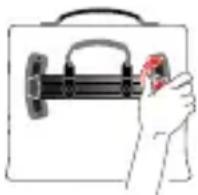
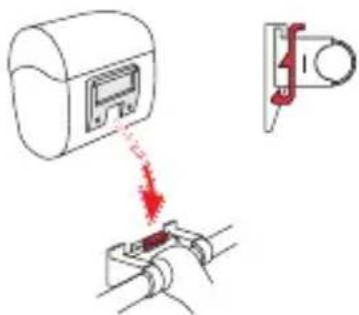
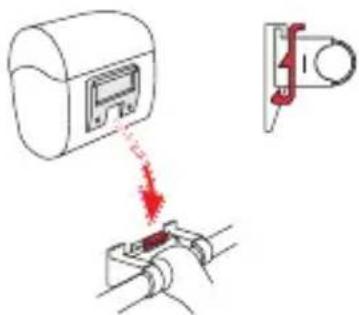
fi x® system is a quick, safe method of securely attaching handlebar bags to a bicycle. Put the adapter piece of the bag on the holder attached to the handlebar - it catches automatically with a click. A push of the red button is all it takes to release the bag. VAUDE handlebar bags are made with the KLICKfi x® system. Read the enclosed instructions for use carefully.
QUICK GUIDE


text_image
QR code image containing encoded data, no visible human-readable textKLICKfix®
text_image
Diagram showing a device with a red arrow indicating a warning or damage, and a separate view of a mechanical component with a red tool.ENGLISH
natural_image
Diagram of a mechanical or anatomical structure with red arrows indicating motion or force direction (no text or symbols)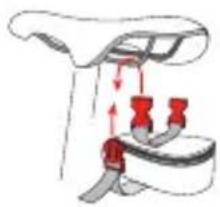
natural_image
Diagram of a car seatbelt buckle with red belt and adjustment arrows indicating movement (no text or symbols)StickTwist Adapter
VAUDE SEAT BAGS
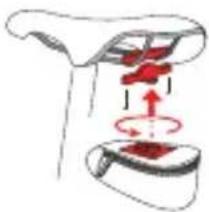
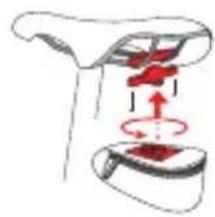
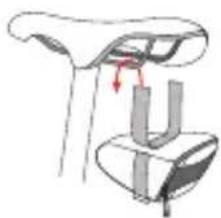
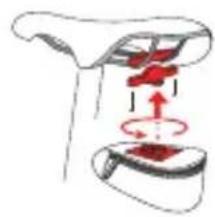
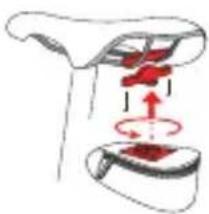
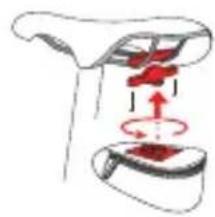
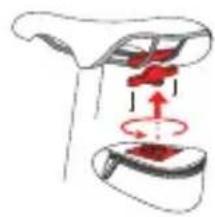
The seat bags are attached with the Twist adapter or Stick closure, and the Ultralight bags are attached with a lightweight Velcro closure. In the Twist adapter system, an adapter is installed between the seat braces. Simply insert the seat bag into the adapter and use a half-turn to lock it in place. In the Stick closure system, attach one or two straps to the seat bag, weave them through the seat braces and fasten the two quick-release buckles.
natural_image
Diagram of a car seatbelt mechanism showing seat, seat, and seat (no text or labels)Velcro-Closure
AVERTISSEMENT GÉNÉRAL !
text_image
QR code image containing encoded data, no visible human-readable textHARD BACK PRO
natural_image
Diagram of two mechanical devices with lever arms and directional arrows indicating motion (no text or symbols)2
text_image
Diagram illustrating a device with rotating components and directional arrows, including a magnified inset showing the device's motion.3
text_image
OPEN CLICK CLICKCLOSE
text_image
CLOSE CLICK CLICK4
text_image
Technical diagram illustrating mechanical linkage and motion with labeled components and directional arrowsFRANÇAIS
QUICK GUIDE

VIDEO

text_image
QR code image containing encoded data, no visible human-readable text1
natural_image
Diagram showing a device with a magnified view of its internal components (no text or symbols present)2
text_image
OPEN CLICK CLICK3
text_image
Diagram illustrating a mechanical or electrical component with labeled parts and directional arrows, including zoomed-in insets.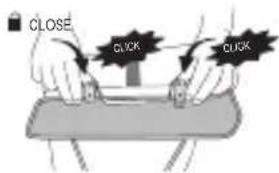
text_image
CLOSE CLICK CLICKCYCLE
text_image
QR code image containing encoded data, no visible human-readable text
natural_image
Simple line drawing of a briefcase with handle and clasp, no text or symbols presentFRANÇAIS
Top Case
text_image
ase ① ② ③SACOCHES DE GUIDON AVEC KLICKFIX®
text_image
Diagram showing a device with a red arrow indicating a process or operation, alongside a separate mechanical component.FRANÇAIS
natural_image
Diagram of a mechanical or anatomical structure with red arrows indicating motion or force direction (no text or symbols)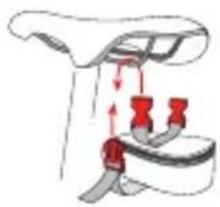
natural_image
Diagram of a car seatbelt buckle with red belt and adjustment arrows indicating movement (no text or symbols)StickTwist Adapter
SACOCHES DE SELLE VAUDE
natural_image
Diagram of a car seatbelt mechanism showing seatbelt and seatbelt components (no text or labels)Velcro-Closure
AVVERTENZE GENERALI!
text_image
QR code image containing encoded data, no visible human-readable textHARD BACK PRO
text_image
Diagram illustrating a device with a lock mechanism and a magnified inset showing the internal components.3
text_image
OPEN CLICK CLICK CLOSE CLICK CLICK4
text_image
Technical diagram illustrating mechanical linkage and motion with labeled components and directional arrowsITALIANO
QUICK GUIDE

VIDEO

text_image
QR code image containing encoded data, no visible human-readable text1
natural_image
Diagram showing a device with a magnified view of its internal components (no text or symbols present)2
text_image
OPEN CLICK CLICK3
text_image
Diagram illustrating a mechanical or electrical component with labeled parts and directional arrows, including zoomed-in insets.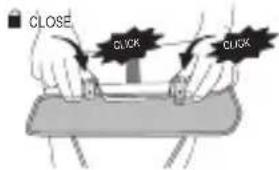
text_image
CLOSE CLICK CLICKCYCLE
text_image
QR code image containing encoded data, no visible human-readable text
natural_image
Simple line drawing of a briefcase with handle and clasp, no text or symbols presentITALIANO
Top Case
text_image
ase ① ② ③text_image
Diagram showing a device with a red arrow indicating a drop or damage, and a separate view of a mechanical component with a red tool.ITALIANO
natural_image
Diagram of a mechanical or anatomical assembly with red arrows indicating motion or force direction (no text or symbols)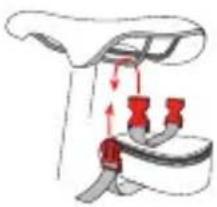
natural_image
Diagram of a car seatbelt buckle with red belt and belt connectors (no text or symbols)StickTwist Adapter
BORSE BICI VAUDE
natural_image
Diagram of a car seat assembly with a handle and seatbelt, showing no text or symbolsVelcro-Closure
iADVERTENCIA GENERAL!
text_image
QR code image containing encoded data, no visible human-readable textHARD BACK PRO
text_image
Diagram illustrating bicycle steering wheel and suspension mechanism with labeled parts and directional arrowsESPAÑOL
QUICK GUIDE

VIDEO

text_image
QR code image containing encoded data, no visible human-readable text1
natural_image
Diagram showing a device with a magnified view of its internal components (no text or symbols present)2
text_image
OPEN CLICK CLICK3
text_image
Diagram illustrating a mechanical or electrical system with labeled components and directional arrows, showing internal components and motion paths.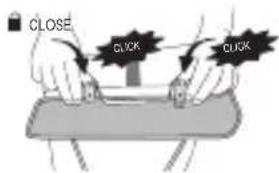
text_image
CLOSE CLICK CLICKCYCLE
natural_image
Simple line drawing of a briefcase with handle and clasp, no text or symbols presentESPAÑOL
Top Case
text_image
ase ① ② ③text_image
QR code image containing encoded data, no visible human-readable textKLICKfix®
text_image
Diagram showing a device with a red arrow indicating a warning or damage, and a separate view of a mechanical component with a red tool.ESPAÑOL
natural_image
Diagram of a mechanical or anatomical structure with red arrows indicating motion or force direction (no text or symbols)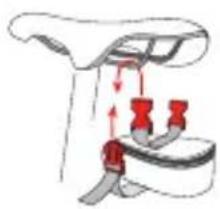
natural_image
Diagram of a car seatbelt with red belt and valve mechanism (no text or symbols)StickTwist Adapter
BOLSAS PARA SILLÍN VAUDE
natural_image
Diagram of a car seatbelt mechanism showing seatbelt and seatbelt components (no text or labels)Velcro-Closure
通用警示!
text_image
QR code image containing encoded data, no visible human-readable textHARD BACK PRO
text_image
OPEN CLICK CLICK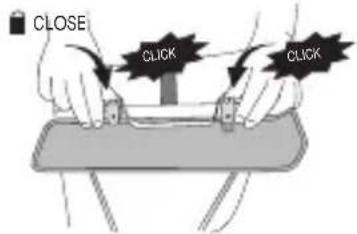
text_image
CLOSE CLICK CLICK4
text_image
Technical diagram illustrating mechanical linkage and motion with labeled components and directional arrows德语
QUICK GUIDE

VIDEO

text_image
QR code image containing encoded data, no visible human-readable text1
natural_image
Diagram showing a device with a magnified view of its internal components (no text or symbols present)2
text_image
OPEN CLICK CLICK3
text_image
Diagram illustrating a mechanical or electrical component with labeled parts and directional arrows, including zoomed-in insets.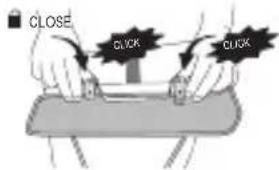
text_image
CLOSE CLICK CLICKCYCLE
text_image
QR code image containing encoded data, no visible human-readable text
natural_image
Simple line drawing of a briefcase with handle and clasp, no text or symbols present德语
Top Case
text_image
ase ① ② ③TOP CASE (顶盒)
text_image
Diagram showing a device with a red arrow pointing to a mechanical component, alongside a separate view of a tool or clamp.德语
natural_image
Diagram of a mechanical or anatomical structure with red arrows indicating motion or force direction (no text or symbols)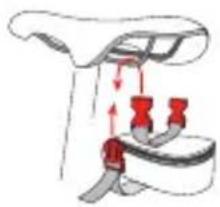
natural_image
Diagram of a car seatbelt buckle with red belt and adjustment arrows indicating movement (no text or symbols)StickTwist Adapter
VAUDE 车座包
natural_image
Diagram of a car seatbelt mechanism showing seat, seat, and seat (no text or labels)Velcro-Closure
德语