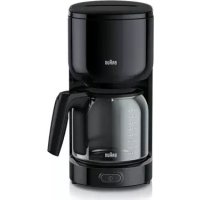
PurEase KF 3120 - Coffee maker BRAUN - Free user manual and instructions
Find the device manual for free PurEase KF 3120 BRAUN in PDF.



| Product type | Filter coffee machine |
| Brand | Braun |
| Model | PurEase KF 3120 |
| Maximum capacity | 10 cups (approx. 125 ml per cup) |
| Dimensions (approx.) | 25 x 20 x 35 cm |
| Weight (approx.) | 1.2 kg |
| Power supply | 220-240 V, 50/60 Hz |
| Power (approx.) | 1000 W |
| Coffee type | Ground coffee for filter coffee machine |
| Filter | Paper filter cone type No. 4 |
| Anti-drip system | Yes |
| Automatic shut-off | Yes, after 40 minutes |
| Hot plate | Yes, keeps warm |
| Transparent water tank | With level indicator |
| Water filter cartridge | Optional (included depending on model) |
| Maintenance | Regular descaling required; basket, carafe, and lid are dishwasher safe |
| Safety | Do not immerse; power cord replaceable by professional |
| Usage | Household use only |
| Spare parts | Carafe, basket, filter, water filter cartridge (available separately) |
Frequently Asked Questions - PurEase KF 3120 BRAUN
User questions about PurEase KF 3120 BRAUN
0 question about this device. Answer the ones you know or ask your own.
Ask a new question about this device
Download the instructions for your Coffee maker in PDF format for free! Find your manual PurEase KF 3120 - BRAUN and take your electronic device back in hand. On this page are published all the documents necessary for the use of your device. PurEase KF 3120 by BRAUN.
USER MANUAL PurEase KF 3120 BRAUN
natural_image
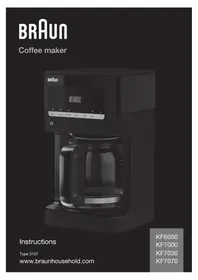
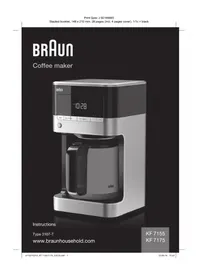
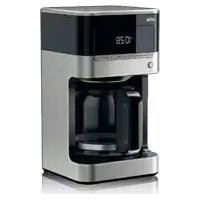
White BRAN coffee maker with clear glass lid and control panel (no visible text or symbols)Type 3108
Deutsch 3
English 7
Français 11
Español 14
Nederlands 17
Dansk 20
Norsk 23
Svenska 26
Suomi 29
Polski 32
Český 35
Slovenský 38
Magyar 41
Türkçe 44
Română (MD) 47
Ελληνικά 50
Қазақ 53
Русский 57
Українська 61
عرلى 64
De'Longhi Braun Household GmbH
text_image
C → → → → → → → → → → → → → → → → → → → → → → → → → → → → → → → → → → → → → → → → → → → → → → → → → → ←Deutsch
Vor dem Gebrauch
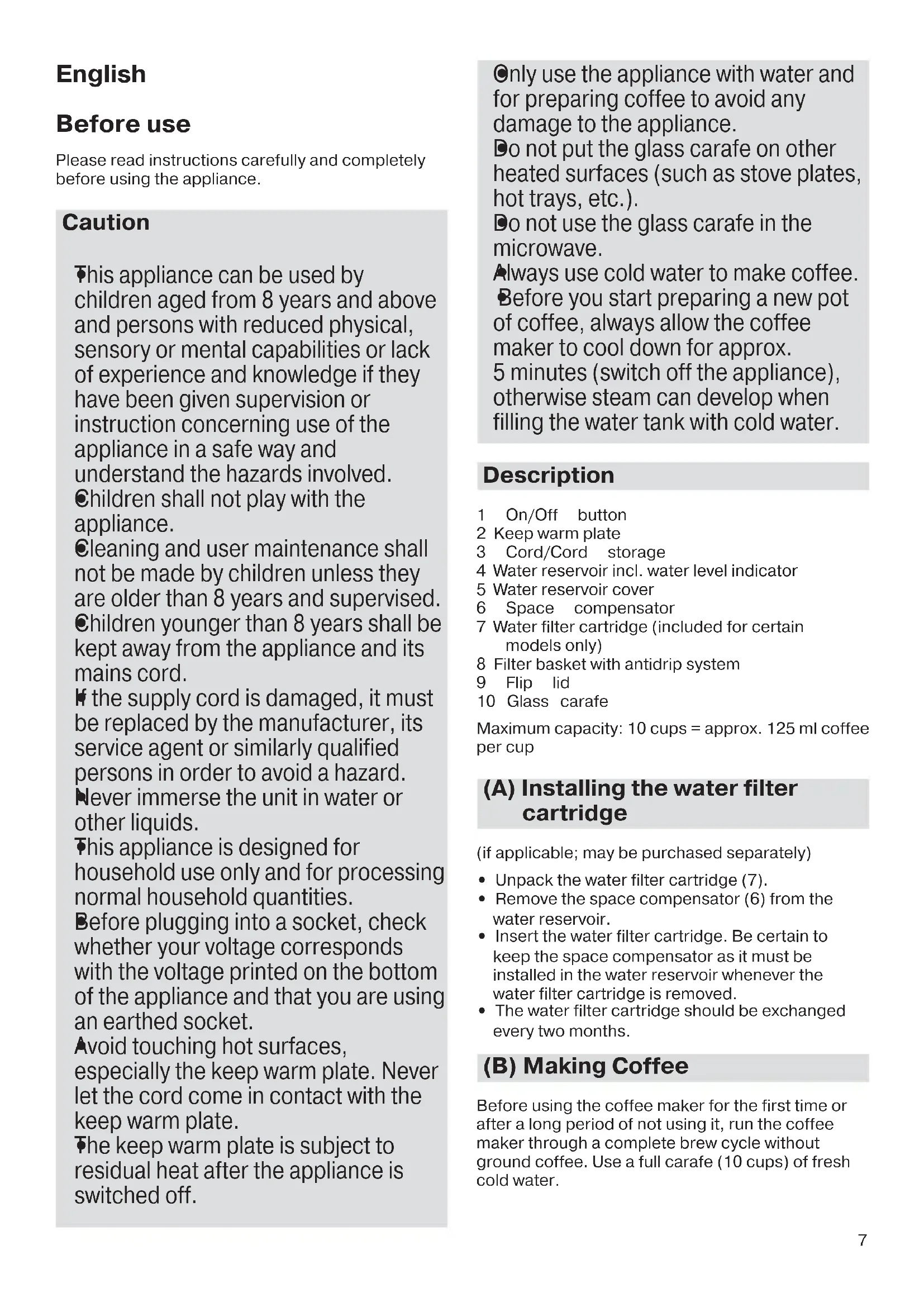
Please read instructions carefully and completely before using the appliance.
Caution
This appliance can be used by children aged from 8 years and above and persons with reduced physical, sensory or mental capabilities or lack of experience and knowledge if they have been given supervision or instruction concerning use of the appliance in a safe way and understand the hazards involved.
●Children shall not play with the appliance.
●Cleaning and user maintenance shall not be made by children unless they are older than 8 years and supervised.
Children younger than 8 years shall be kept away from the appliance and its mains cord.
If the supply cord is damaged, it must be replaced by the manufacturer, its service agent or similarly qualified persons in order to avoid a hazard.
Never immerse the unit in water or other liquids.
This appliance is designed for household use only and for processing normal household quantities.
Before plugging into a socket, check whether your voltage corresponds with the voltage printed on the bottom of the appliance and that you are using an earthed socket.
Avoid touching hot surfaces, especially the keep warm plate. Never let the cord come in contact with the keep warm plate.
The keep warm plate is subject to residual heat after the appliance is switched off.
- Only use the appliance with water and for preparing coffee to avoid any damage to the appliance.
Do not put the glass carafe on other heated surfaces (such as stove plates, hot trays, etc.).
Do not use the glass carafe in the microwave.
Always use cold water to make coffee.
Before you start preparing a new pot of coffee, always allow the coffee maker to cool down for approx.
5 minutes (switch off the appliance), otherwise steam can develop when filling the water tank with cold water.
Description
1 On/Off button
2 Keep warm plate
3 Cord/Cord storage
4 Water reservoir incl. water level indicator
5 Water reservoir cover
6 Space compensator
7 Water filter cartridge (included for certain models only)
8 Filter basket with antidrip system
9 Flip lid
10 Glass carafe
Maximum capacity: 10 cups = approx. 125 ml coffee per cup
(A) Installing the water filter cartridge
(if applicable; may be purchased separately)
- Unpack the water filter cartridge (7).
- Remove the space compensator (6) from the water reservoir.
- Insert the water filter cartridge. Be certain to keep the space compensator as it must be installed in the water reservoir whenever the water filter cartridge is removed.
- The water filter cartridge should be exchanged every two months.
(B) Making Coffee
Before using the coffee maker for the first time or after a long period of not using it, run the coffee maker through a complete brew cycle without ground coffee. Use a full carafe (10 cups) of fresh cold water.
- Open the water reservoir cover (5).
- When filling the water reservoir with fresh cold water, refer to the carafe height markings or the water level indicator and fill to the desired number of cups.
- Insert a paper filter (cone type # 4) in the filter basket (8).
- Add the desired amount of ground coffee, corresponding to the number of cups being brewed. We recommend using 1 tablespoon or 1 coffee scoop of ground coffee per cup, but use more or less to suit your taste.
- Close the water reservoir and place the carafe (10) including lid in its position on the keep warm plate (2).
- Plug the cord into an electrical outlet and press the On/Off button (1).
- Brewing time per cup: approximately 1 minute.
Auto Off Function
For your convenience and also additional safety, the appliance will switch off automatically 40 minutes after the brewing cycle is complete.
Antidrip system
The antidrip system halts the flow of coffee from the filter basket when the carafe is removed, so a cup can be poured before brewing is finished.
The carafe should be returned to the keep warm plate (maximum 20 seconds) to prevent the filter basket from overflowing.
For Best Results
- When using paper filters, be sure that it is completely open and fully inserted in the basket. It may help to fold and flatten the seams of the paper filter beforehand.
- Store ground coffee in a cool, dry and dark place in an airtight container.
- For the best performance from your Braun coffee maker, descale the unit regularly.
Note: The maximum amount of ground coffee the coffee maker can take is 10 coffee scoops or tablespoons.
Descaling
Frequency will depend upon the hardness of your tap water and how often you use the coffee maker. Descaling is indicated when the brewing time is much longer than 1 minute per cup.
You can use a commercially available decalcifying agent not affecting aluminum.
We recommend using the Braun Descaling Solution (may be purchased separately).
Note: Replace the water filter cartridge (7) with the space compensator (6) during any decalcification procedure.
- Follow the instructions of the manufacturer of the decalcifying agent.
- Repeat the procedure as many times as necessary in order to reduce the brewing time per cup to a normal level.
- Allow the maximum amount of fresh cold water to run through at least twice to clean the coffee maker.
(C) Cleaning and Maintenance
- Always turn coffee maker off and remove the plug from the electrical outlet before cleaning.
- Let the appliance cool down.
- The filter basket, carafe and lid are dishwasher safe.
- Do not use any scouring agents or harsh cleansers on any part of the coffee maker.
- To clean the base never immerse the unit in water or other liquids but simply wipe with a clean, damp cloth and dry before storing.
For UK Only
Guarantee Information
All Braun Household products carry a minimum guarantee period of two years. The rights and benefits under this guarantee are additional to your statutory rights which are not affected.
Please keep your receipt as this will form the basis of your guarantee.
In the unlikely event of a breakdown you have access to professional help from our team simply by calling:
02392 392333
For service in the Republic of Ireland please call:
012475471
Braun Household undertakes within the specified period to repair or replace any part of the appliance, free of charge (with the exception of any glass or porcelain-ware incorporated in the product) found to be defective provided that;
• We are promptly informed of the defect.
- The product is used and maintained in accordance with the User Instructions.
- The appliance has not been altered in any way or subjected to misuse or repair by a person other than an authorised service agent for Braun Household.
- No rights are given under this guarantee to a person acquiring the appliance second hand or for commercial or communal use.
- Any repaired or replaced appliance will be guaranteed on these terms for the unexpired portion of the guarantee.
- The need for repair has not been caused by insufficient aftercare or cleaning: or damage caused by the chemical or electrochemical effects of water.
Under no circumstances shall the application of this guarantee give rise to the complete replacement of the appliance or entitle the consumer to damages.
Braun Household, New Lane, Havant, Hampshire PO9 2NH
www.braunhousehold.co.uk
Thank You for choosing Braun. We are confident that you will get excellent service from this product.
TO IMPROVE YOUR EXPERIENCE
Register now at www.braunhousehold.co.uk By registering we may send you from time to time details on exclusive offers, promotions, recipes and inside tips.
Troubleshooting Guide
| PROBLEM POTENTIAL | CAUSES SOLUTION | |
| The ON/OFF button does not light up | The appliance is unplugged.There was a power outage.ON/OFF button was not pressed | Plug unit in.Wait for power to be restored.Press ON/OFF button |
| Coffee is not brewing The appl | liance is unplugged.There was a power outage.ON/OFF button was not pressed | Plug unit in.Wait for power to be restored.Press ON/OFF button |
| There is no water in the reservoir Fill | water into the reservoir | |
| Coffee making takes to long | Coffee maker is calcified Decalcify the | coffee maker |
| The coffee maker is only brewing water | There are no coffee grounds in the filter basket | Add the desired amount of coffee to the filter |
| The filter basket is overflowing | The filter basket is not properly closed | Close the filter basket correctly |
| The carafe was not properly positioned on the keep warm plate | Be sure the carafe is centereddirectly under the filter basket | |
| The lid is not on the carafe Place the | lid on the carafe | |
| Carafe was removed for more than 20 seconds while the unit is brewing | Carafe should be replaced promptly after removing | |
| Using too much coffee grounds Rem | move filter from the filter basket Replace the paper filter with a new one Restart the coffee brewing process with proper amount of coffee grounds (not more than 10 coffee scoops or tablespoons) | |
| Using coffee that is too finely Use only | y coffee that is ground for drip coffee makers | |
| Using the wrong paper filter size Use | paper filter # 4 | |
| Coffee is not hot There was a | power outage Wait for power to be restored | |
| 40 min. auto shut off has been activated | ||
| There are coffee grounds at the bottom of the carafe | The paper filter was not inserted correctly into the filter basket | Rinse filter basket, set paper filter into the filter basket and restart brewing |
| Paper filter collapsed | ||
| Amount of brewed cups of coffee is less than initially cups of water filled in | The amount of water gets lost in wetting the grounds and through evaporation during the brewing process | Carafe indicates the water capacity and not the amount of coffee |
Subject to change without notice.
Please do not dispose of the product in the household waste at the end of its useful life. Disposal can take place at a Braun Service Centre or at appropriate collection points provided in your country.
Materials and accessories coming into contact with food conform to EEC regulation 1935/2004.