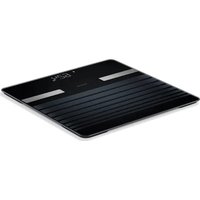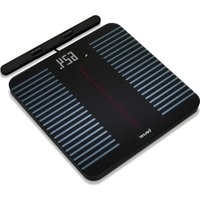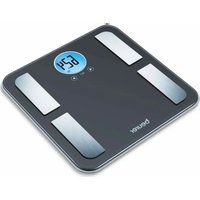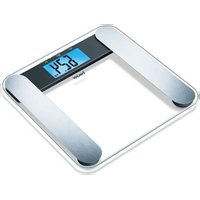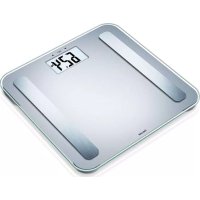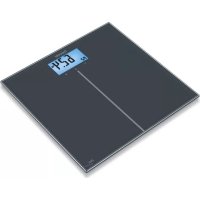
GS 280 BMI Genius - Scale BEURER - Free user manual and instructions
Find the device manual for free GS 280 BMI Genius BEURER in PDF.


| Features | Details |
|---|---|
| Product type | Electronic scale |
| Maximum capacity | 180 kg |
| Accuracy | 100 g |
| BMI function | Yes, body mass index calculation |
| Display | Backlit LCD screen |
| Dimensions | 30 x 30 x 2.5 cm |
| Scale weight | 1.5 kg |
| Power supply | Batteries (included) |
| Materials | Tempered glass |
| Usage | For home use, weight and BMI measurement |
| Maintenance | Clean with a damp cloth, do not immerse in water |
| Safety | Do not use on slippery surfaces, avoid shocks |
| Warranty | 2 years |
Frequently Asked Questions - GS 280 BMI Genius BEURER
User questions about GS 280 BMI Genius BEURER
0 question about this device. Answer the ones you know or ask your own.
Ask a new question about this device
Download the instructions for your Scale in PDF format for free! Find your manual GS 280 BMI Genius - BEURER and take your electronic device back in hand. On this page are published all the documents necessary for the use of your device. GS 280 BMI Genius by BEURER.
USER MANUAL GS 280 BMI Genius BEURER
text_image
CHEELED 6.24°C 0.51 BEVERATD Glaswaage
Gebrauchsanweisung......2
GB Glass bathroom scale Instruction for Use......8
F Pèse-personne en verre Mode d'emploi .....13
E Báscula de vidrio para personas
Instrucciones para el uso..19
Bilancia in vetro
Instruzioni per l'uso......24
TR Cam terazi
Kullanma Talimatı......29
RUS Стеклянные весы
Инструкция по
применению ....34
PL Waga szklana
Instrukcja obsługi .....40
DEUTSCH

Read these instructions for use carefully and keep them for later use, be sure to make them accessible to other users and observe the information they contain.
Contents
- Getting to know your instrument....8
- Signs and symbols....8
- Safety notes ......9
- Unit description....9
- Initial use ....10
- Information ....10
-
Weight measurement .....10
-
Weight and BMI display ....10
- Evaluation of results ......11
- Replacing batteries....11
- Storage and maintenance ....11
- Disposal....12
- What if there are problems? 12
Dear customer,
Thank you for choosing one of our products. Our name stands for highquality, thoroughly tested products for applications in the areas of heat, gentle therapy, blood pressure/diagnosis, weight, massage, beauty and air. Read these instructions for use carefully and keep them for later use, be sure to make them accessible to other users and observe the information they contain.
With kind regards,
Your Beurer team
1. Getting to know your instrument
Function of the unit
These glas bathroom scale allows you to weigh yourself and to calculate your personal body mass index (BMI).
The scale is intended for individual, household use.
The scale is equipped with the following functions, which can be used by up to ten different people:
• Measurement of your body weight
• Calculation of your body mass index (BMI)
- Coloured interpretation of your BMI for simple rating.
The memory function lets up to 10 people access previously measured weight values as well as the corresponding BMI values (without colour interpretation when the memory is accessed, however).
2. Signs and symbols
The following symbols appear in these instructions.

Warning Warning instruction indicating a risk of injury or damage to health.

Important Safety note indicating possible damage to the unit/accessory.

Note Note on important information.
3. Safety notes
Safety notes

Warning:
Do not stand on the outer edge to one side of the scale otherwise it may tip!
- Keep children away from packaging materials (risk of suffocation).
- The surface of the scale is slippery when damp or wet.
Notes on handling batteries

Warning:
If your skin or eyes come into contact with battery fluid, flush out the affected areas with water and seek medical assistance.
- Choking hazard! Small children may swallow and choke on batteries. Store the batteries out of the reach of small children.
- Observe the plus (+) and minus (-) polarity signs.
- If a battery has leaked, put on protective gloves and clean the battery compartment with a dry cloth.
- Protect the batteries from excessive heat.
- Risk of explosion! Never throw batteries into a fire.
- Do not charge or short-circuit batteries.
- Do not use rechargeable batteries.
- Do not disassemble, split or crush the batteries.

Warning:
Replace weak batteries before they discharge completely.
• Always replace all batteries at the same time and use batteries of the same type.
- Leaking batteries may damage the device. If you do not intend to use the device for longer periods, remove the batteries from the battery compartment.
General notes

- The unit is for personal use only and is not intended for medical or commercial applications.
Please note that technically related measuring tolerances are possible, as the scale is not calibrated for professional medical applications.
- The scale can accept a maximum load of 180 kg (396 lb, 28 St). The weight measurement is displayed in increments of 100 g (0.2 lb).
- Before submitting any complaint, first check the batteries and replace them if necessary.
• Repairs must only be carried out by Customer Services or authorised suppliers. - Should you have any questions concerning the use of our devices, please contact your dealer or customer service.
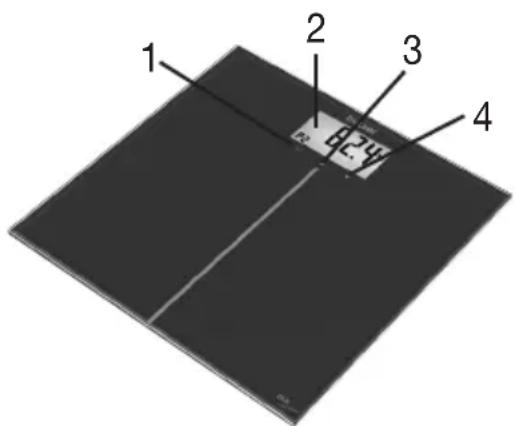
4. Unit description
Overview
1 SET button
2 Display
3 Up button
4 Down button

text_image
1 2 3 45. Initial use
Inserting the batteries (2 x 3V CR2032)
Please remove the battery insulating strips and/or position the batteries correctly with regards to the polarity displayed in the battery compartment. If the scale fails to operate, remove the batteries completely and reinsert them.
Changing the weight unit
The scale shows the values in kg. You can set the device to measure in kilograms ('kg'), pounds ('lb') and stones ('st') using the button on the back of the device.
Setting up the scale
Set up the scale on a level and solid surface. A solid surface is a prerequisite for a correct measurement.
6. Information
The measuring principle
The BMI is calculated using the height value entered and the measured weight value.
General tips
- If possible, always weigh yourself at the same time of day (preferably in the morning), after using the toilet, on an empty stomach and unclothed, in order to achieve comparable results.
7. Weight measurement
Step onto the scale. Stand still with your weight distributed equally on both feet. The scale begins to take measurements straight away. After flashing twice, the weight is established. If you step off the weighing area, the scale switches off after a few seconds.
8. Weight and BMI display
Setting user data
The scale has 10 user memory spaces. You and, for example, the members of your family can save and later access the following personal settings in the user memory spaces:
| Sequence User data Parameters | |
| 1 Memory position P-0 to P-9 | |
| 2 Body height 80 to 240 cm (2'-07" to 7'-10") |
- Press the "SET" button until you have reached the desired memory space (P-0 – P-9). Confirm using the "SET" button. First, the default height value will be displayed.
- Press the buttons ▽ and △ to set your height. Keep the button pressed to scroll quickly (P-0 - P-9).
- Finish entering data by pressing the "SET" button.

Please note: If you change your height setting at a later point in time, the saved measurement (weight and BMI) in your user memory will be deleted.
Weighing yourself and calculating BMI
To weigh yourself and to calculate your personal body mass index:
- Using the "SET" button, select the user memory space where your settings have been saved. Your saved height value will be displayed. The selected user memory flashes at the same time. The last measurement (weight and BMI) is then displayed.
Wait until "0.0 kg" (or 0.0 lb/0:0.0 lb st) appears. You can now use the scale. Stand still whilst weighing yourself.
One after the other, your weight and your BMI are shown with a colour interpretation.
The display changes colour depending on the BMI (see 9, Evaluation of results).
The scale switches itself off after approx. 20 seconds.
9. Evaluation of results
Body mass index (BMI)
The body mass index (BMI) is a number that is often called upon to evaluate body weight. The number is calculated from body weight and height, the formula is - body mass index = body weight : height ^2 . The measurement unit for BMI is [kg/m ^2 ]. According to the BMI, weight is classified for adults (20 years and over) using the following values (source: WHO):
| Display Category | BMI | ||
| Orange Underweight | Severely underweight < 16 | ||
| Moderately underweight 16-16,9 | |||
| Slightly underweight 17-18,4 | |||
| Green Normal weight | 18,5-24,9 | ||
| Yellow Overweight | Pre-obese | 25,0-29,9 | |
| Red | Obese (overweight) | Class I obese | 30-34,9 |
| Class II obese | 35-39,9 | ||
| Class III obese | ≥ 40 |
Results in relation to time

Remember that only long-term trends are important. Short-term fluctuations in weight over a few days are usually the result of a loss of fluid.
10. Replacing batteries
The batteries in the scale must be replaced if the message “Lo” appears in the display. If the batteries are too flat, then the scale will switch off automatically.

Note:
- When changing batteries, always use batteries of the same type, brand and capacity. Always replace all batteries simultaneously.
- Do not use rechargeable batteries.
- Use batteries that are free of heavy metals.
11. Storage and maintenance
The precision of the measurements and service life of the device depends on its careful handling:

Important:
- The unit should be cleaned occasionally. Use a slightly damp cloth to clean the device. You may also use a small quantity of cleaning agent if desired. Do not use abrasive detergents and never immerse the unit in water.
- Protect the scale from knocks, damp, dust, chemicals, drastic changes in temperature, electromagnetic fi elds and nearby sources of heat (ovens, heaters). Do not press the buttons violently or with pointed objects.
12. Disposal
Empty, completely flat batteries must be disposed of through specially designated collection boxes, recycling points or electronics retailers. You are legally required to dispose of the batteries.
The codes below are printed on batteries containing harmful substances:
Pb = Battery contains lead
Cd = Battery contains cadmium
Hg = Battery contains mercury

For environmental reasons, do not dispose of the device in the household waste at the end of its service life. Dispose of the device at a suitable local collection or recycling point.
Dispose of the device in accordance with EC Directive – WEEE (Waste Electrical and Electronic Equipment). If you have any questions, please contact the local authorities responsible for waste disposal.

13. What if there are problems?
If the scale detects and error when measuring, the following is displayed.
| Display Cause Remedy | ||
| Lo The batteries are almost | empty. | Replace the batteries. |
| Err BMI is outside the measura | -ble range. | Switch the scale on again and repeat the measurements. |
| The maximum load capacity of 180 kg was exceeded. | Do not load the unit with over 180 kg. |
No measurement possible
| Possible errors Remedy | |
| The batteries in the scale are empty. Replace the batteries. | |
Incorrect weight measurement
| Possible errors Remedy | |
| Scale is placed on carpet or uneven ground. | Place the scale on a level and solid surface. |
FRANÇAIS