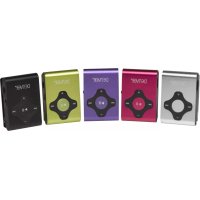
MPS409 MK2 - Mp3 player DENVER - Free user manual and instructions
Find the device manual for free MPS409 MK2 DENVER in PDF.



| Product type | MP3 Player |
| Brand | Denver |
| Model | MPS409 MK2 |
| Power supply | Rechargeable battery via USB port (recommended charging 3 hours) |
| Display | LED indicator (no screen) |
| Storage | Internal memory |
| Connectivity | USB 2.0 port, 3.5 mm headphone jack |
| Supported audio formats | MP3 |
| Main functions | Music playback, shuffle, pause, track navigation, volume control, auto shut-off after 90s on pause |
| Shuffle playback | Hold the – key to enter, + key to exit |
| Computer compatibility | Recognized as removable disk, file transfer possible |
| Charging | Via PC, indicator turns off when fully charged |
| Maintenance and cleaning | Clean with a soft, dry cloth. Avoid liquids. |
| Safety | Do not expose to moisture or extreme temperatures. Do not disassemble. |
| Spare parts and repairability | No detachable parts. Repair by a professional only. |
| General information | Importer: DENVER ELECTRONICS A/S, Denmark. CE mark. |
Frequently Asked Questions - MPS409 MK2 DENVER
User questions about MPS409 MK2 DENVER
0 question about this device. Answer the ones you know or ask your own.
Ask a new question about this device
Download the instructions for your Mp3 player in PDF format for free! Find your manual MPS409 MK2 - DENVER and take your electronic device back in hand. On this page are published all the documents necessary for the use of your device. MPS409 MK2 by DENVER.
USER MANUAL MPS409 MK2 DENVER
Thank you for purchasing our digital MP3 player. Before you use this player, please read through this manual book, so you can operate it correctly.
Before you start please make sure that you have switched the player to ON position.
A. Shuffle function introduction
Long pressVol-, the unit turns on shuffle, music playing is in random by pressing ____ key.
Long pressVol + , the unit turns off shuffle, music playing is in sequence by pressing ≈ key
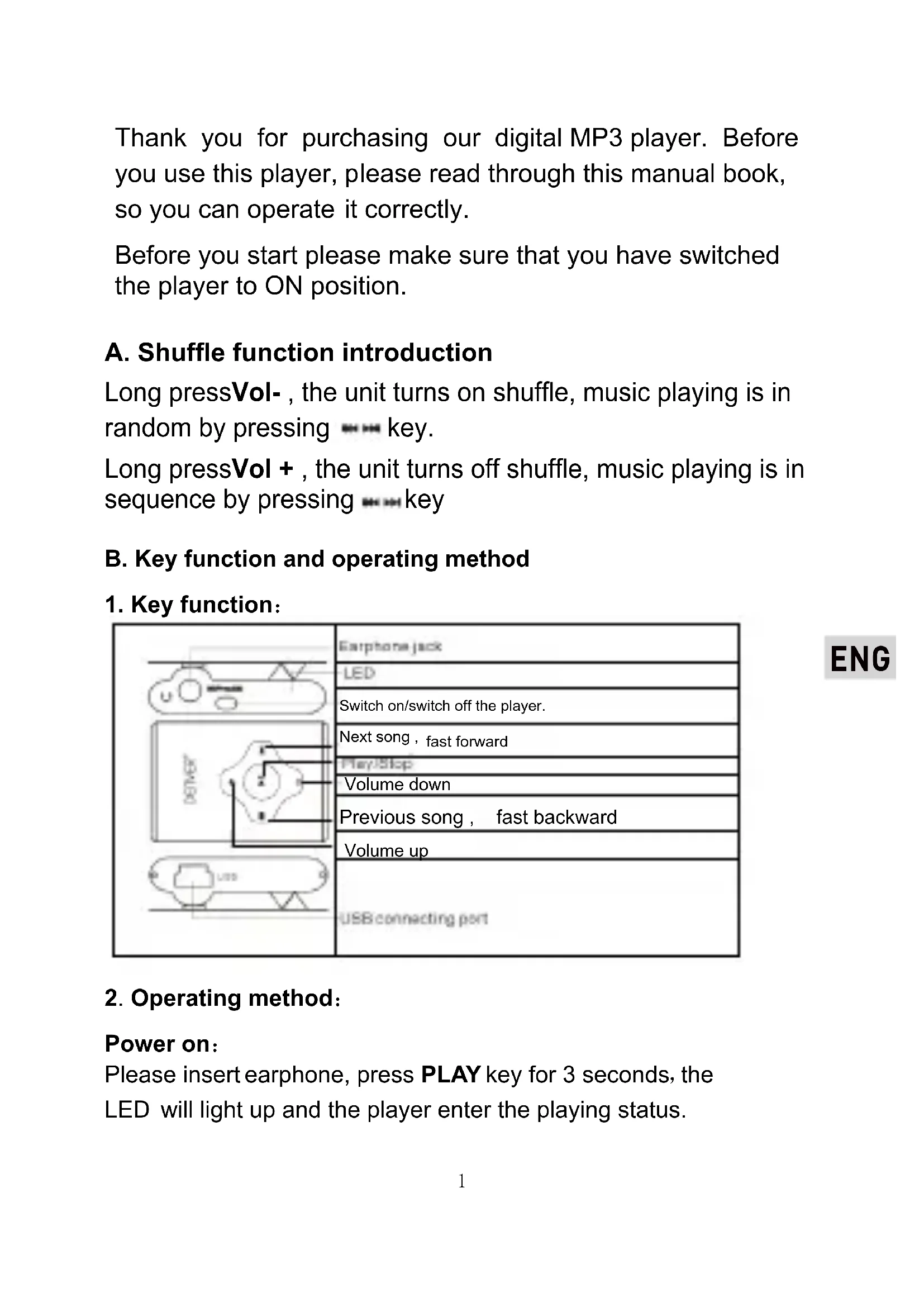
B. Key function and operating method
1. Key function:
| Earphone jack | |
| LED | |
| Switch on/switch off the player. | |
| Next song, fast forward | |
| PlayStop | |
| Volume down | |
| Previous song, fast backward | |
| Volume up | |
| USB connecting port |
2. Operating method:
Power on:
Please insert earphone, press PLAY key for 3 seconds, the LED will light up and the player enter the playing status.
Music playing:
When playing music, the LED will be flashing. Mp3 player will keep playing the song that unfinished last time if without pressing any key. when finishing playback of the last track, it will play from the first track again.
Pause playing:
In playing status, press PLAY key, player stop temporarily (LED light on), pressing PLAY key again, it continues playing music (LED flashing).
Power off:
In standby status, long press PLAY key for 3 seconds (or more than 3 Seconds), this player will be powered off.
When you press PLAY key to pause playing and without pressing any keys, this player will be powered off automatically after 90 seconds.
ENG
C. Connect with computer
- Connect USB jack of this MP3 player with your computer USB socket, the LED
Will be flashing continually, you can find the removable disk on your computer.
- Copy your files from the computer into this MP3 player, this MP3 player also can be used as flash disk.
D. How to charge
Turn ON the unit and connect it to PC, MP3 will be automatically charged. When the unit is fully recharged the LED bulb will long light. Suggest charge for three hours around.
Electric and electronic equipment and included batteries contains materials, components and substances that can be hazardous to your health and the environment, if the waste material (discarded electric and electronic equipment and batteries) is not handled correctly.
Electric and electronic equipment and batteries is marked with the crossed out trash can symbol, seen below. This symbol signifies that electric and electronic equipment and batteries should not be disposed of with other household waste, but should be disposed of separately.
As the end user it is important that you submit your used batteries to the appropriate and designated facility. In this manner you make sure that the batteries are recycled in accordance with legislature and will not harm the environment.
All cities have established collection points, where electric and electronic equipment and batteries can either be submitted free of charge at recycling stations and other collection sites, or be collected from the households. Additional information is available at the technical department of your city.
ENG
ALL RIGHTS RESERVED
DENVER ELECTRONICS A/S

www.facebook.com/denverelectronics
Importer: DENVER ELECTRONICS A/S Stavneagervej 22 DK-8250 EGAA DENMARK





Brand : DENVER
Model : MPS409 MK2
Category : Mp3 player